
Steps to file an annual return
Learn how to file your company's annual return through Bizfile. Most information is pre-filled based on your previous filing to make the process easier.
Last updated 24 June 2026
Before you file
All local companies must meet annual return deadlines and requirements. This guide explains how to file annual returns to avoid penalties and enforcement action.
Who may file
Company officers (such as the director or company secretary) can file annual returns.
You may also engage a corporate service provider (CSP) to file on your behalf.
What you need to check beforehand
Pre-filing checklist
What you need to check | Details |
|---|---|
Company details | Ensure these company details are correct and up to date:
Note: You are legally required to keep this information up to date. If anything is incorrect, you must update it before you file. |
Financial statements | |
Compliance requirements for:
| Check if your company is required to comply with: |
What you need to prepare
First, make sure you have completed the required checks beforehand. This includes checking if your company needs to file financial statements.
Required documents and information
You need to prepare | Details |
|---|---|
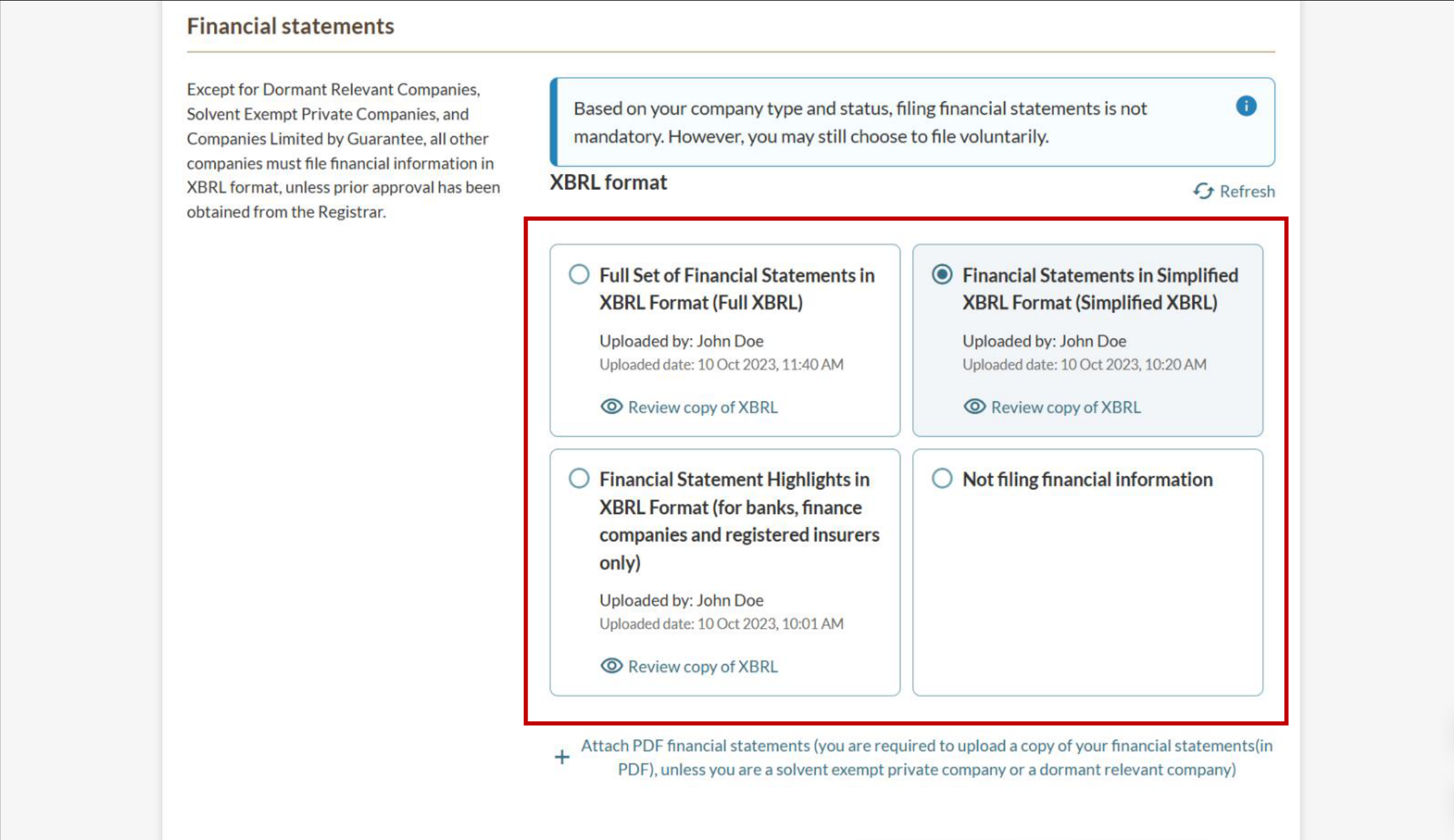
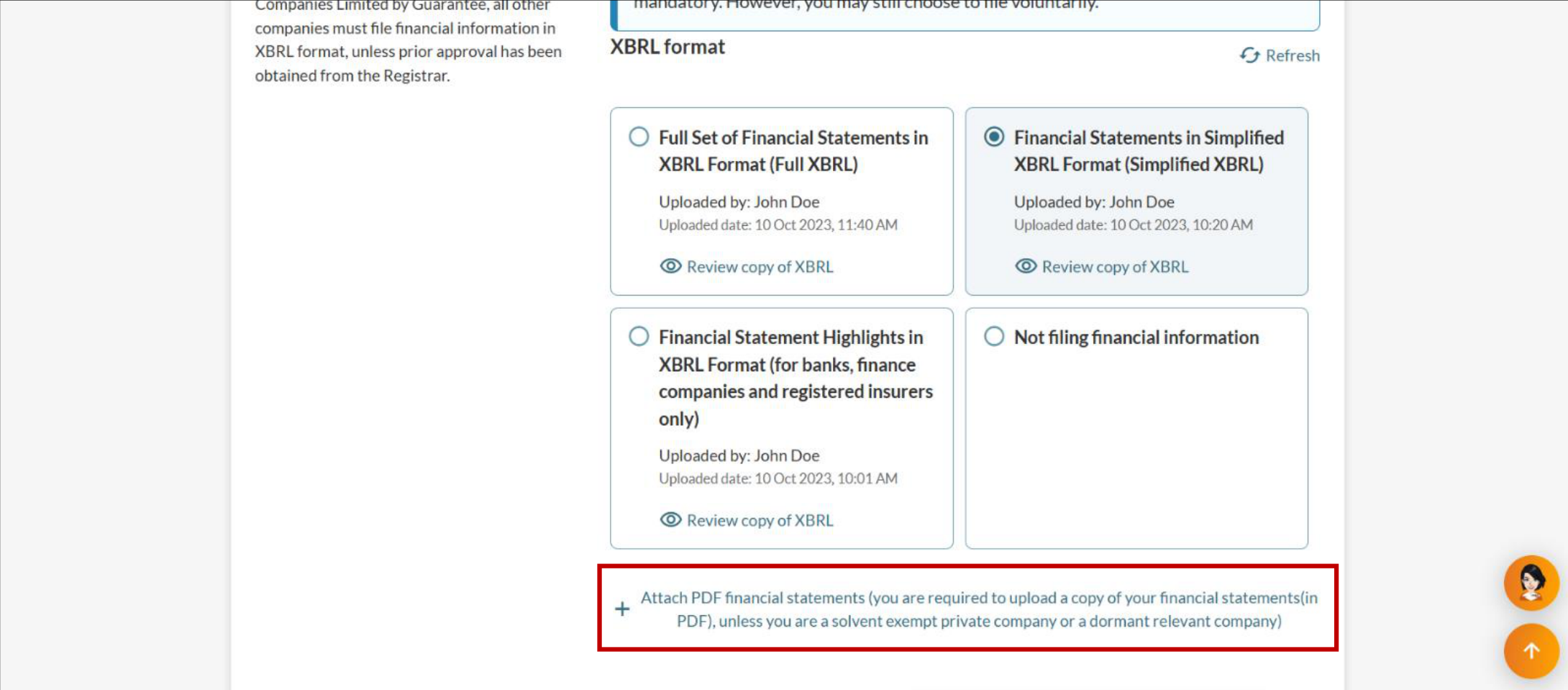
Financial statements or online declaration | If your company needs to file financial statements in XBRL format: When you submit a full set of financial statements in XBRL format, you do not need to attach a PDF copy. If you do not submit the full XBRL, you must attach a PDF copy of the complete financial statements. When uploading the PDF copy:
|
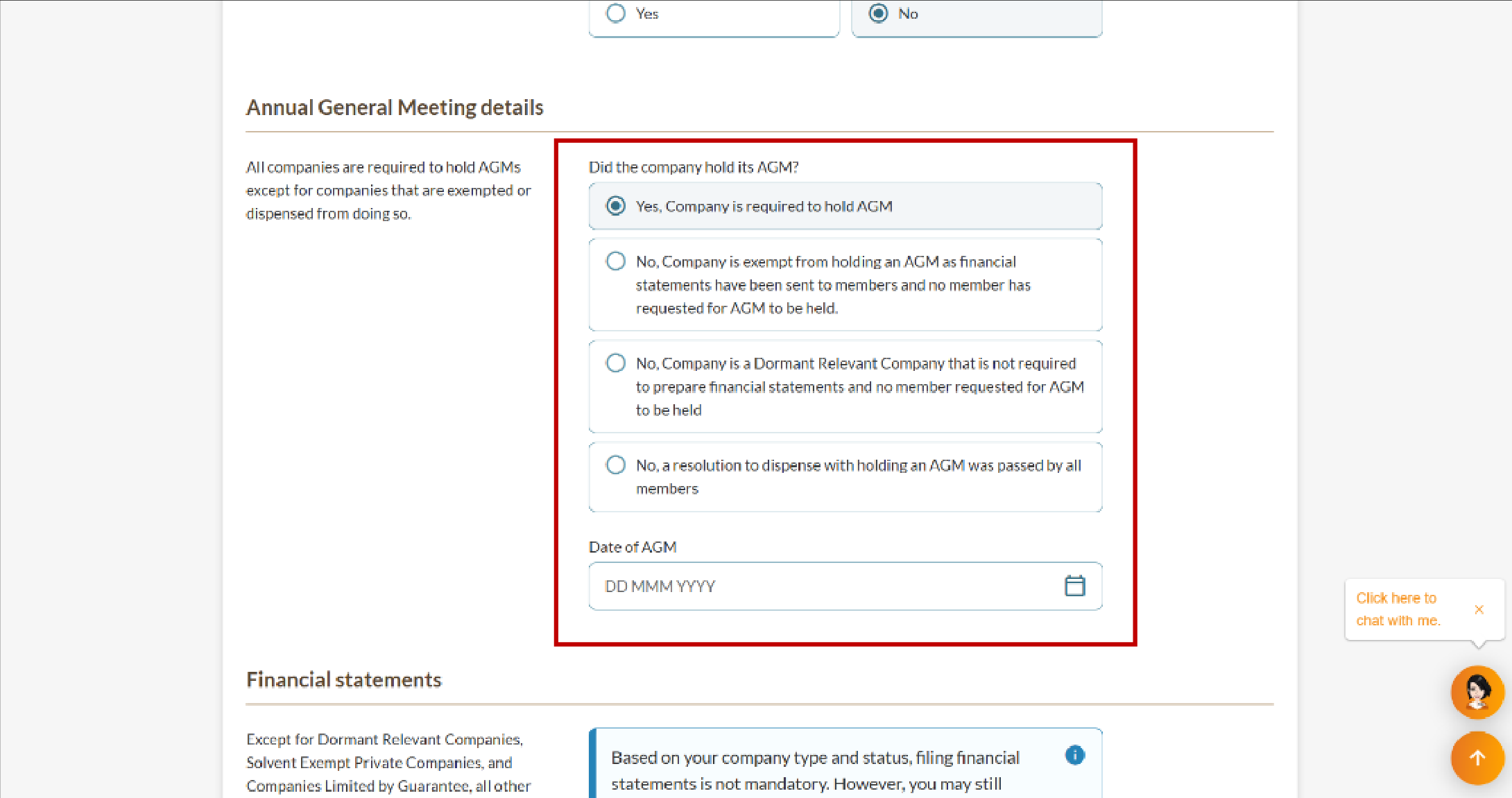
Annual general meeting (AGM) details | You must declare your AGM details when you file an annual return. This applies whether you held an AGM, were exempt, or dispensed with holding an AGM. If your company held an AGM, include the date it was held when you file your annual return. More details: Due dates and requirements for AGMs |
Director signatures | If your company has:
|
Fees and approval time
Filing annual returns
What you need to know | Details |
|---|---|
Fees | $60 |
Processing time | Your records will update immediately once you successfully submit your annual return. |
How to file an annual return
Filing your annual return is now easier with pre-filled information from your previous filing. You only need to review and update any changes.
Tip: Download ACRA's 2025 annual returns filing presentation slides [PDF, 4.6 MB] for more guidance. These slides answer common questions from webinars held on 11 June and 9 July 2025.
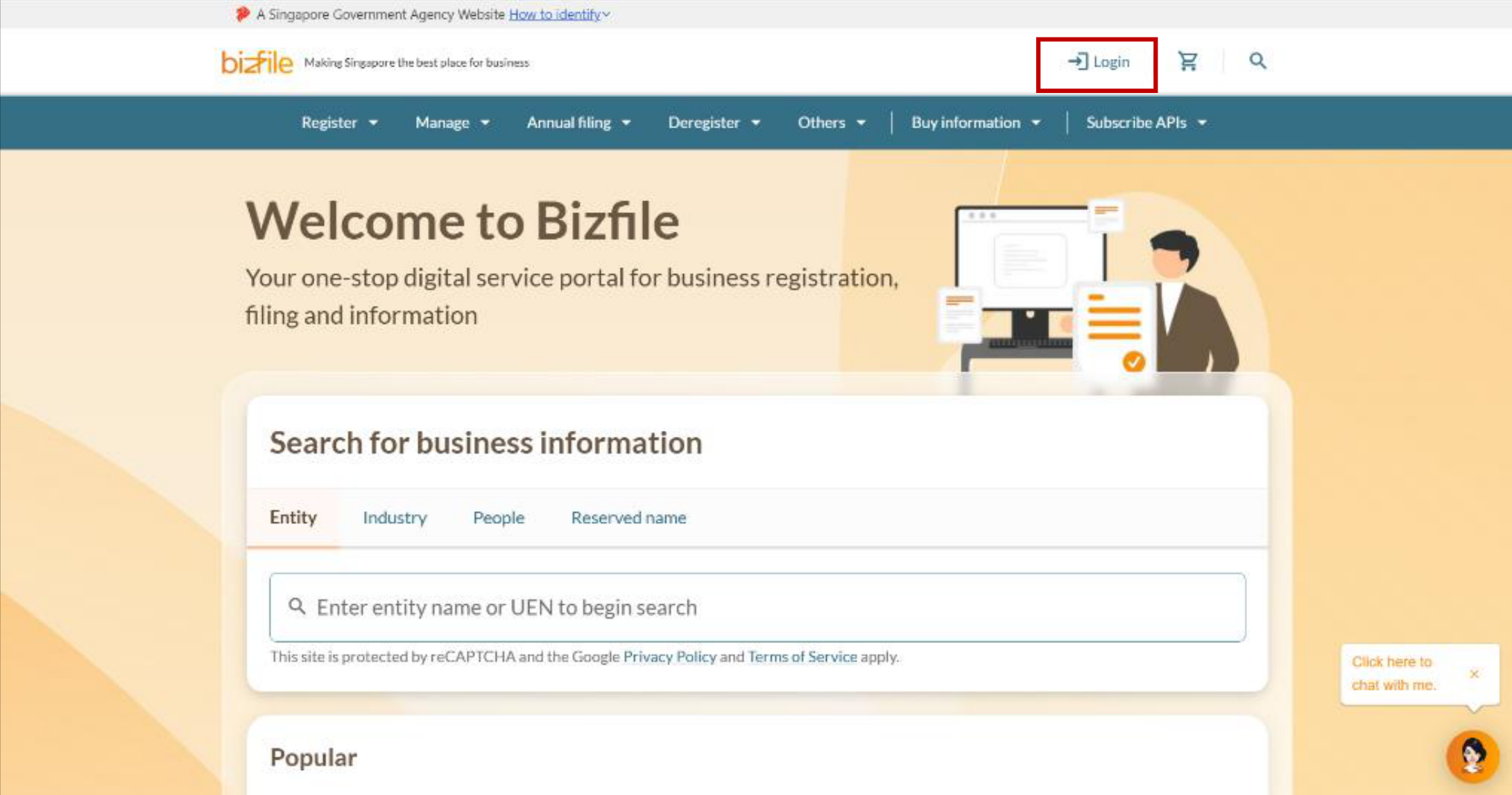
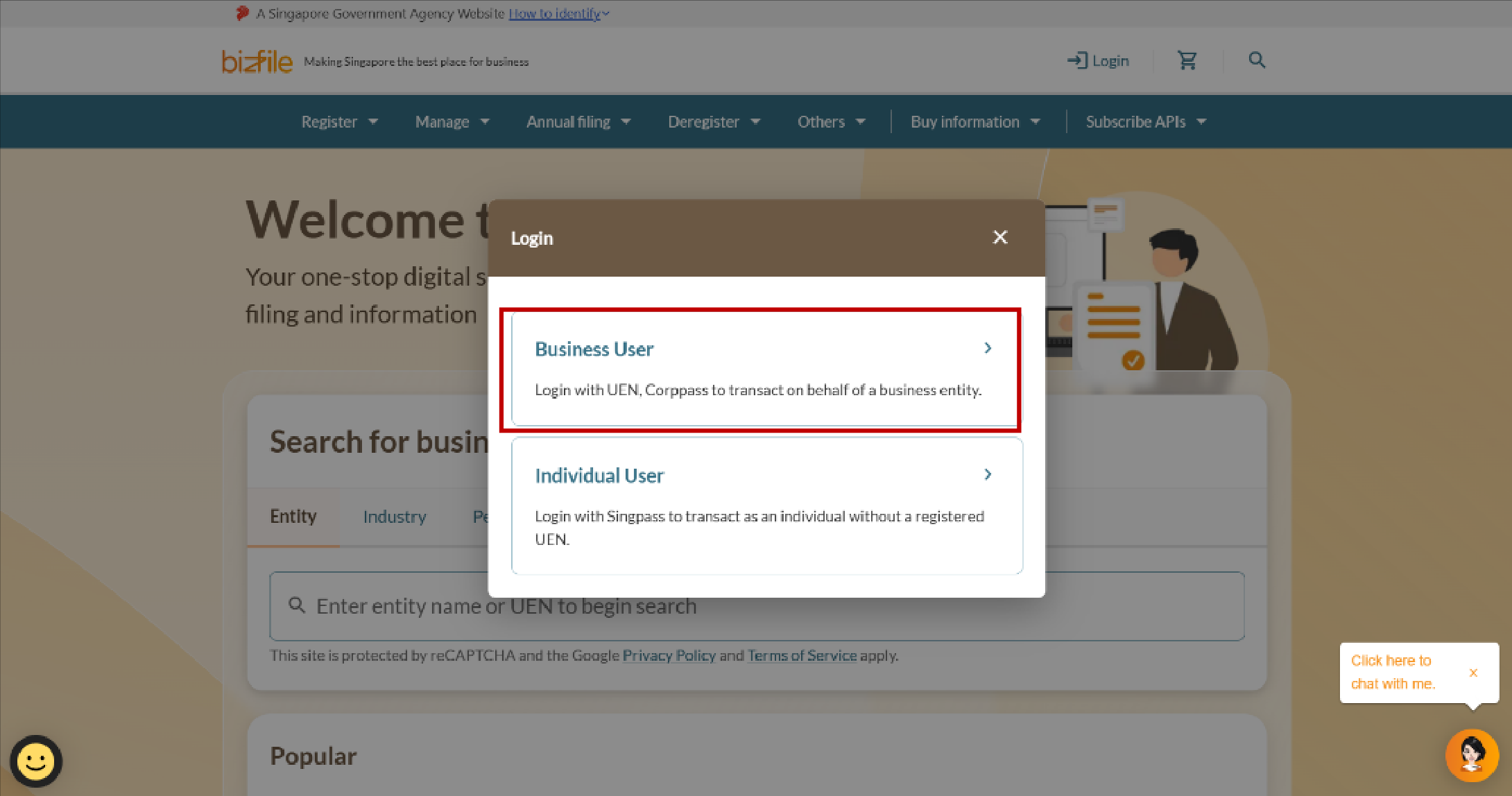
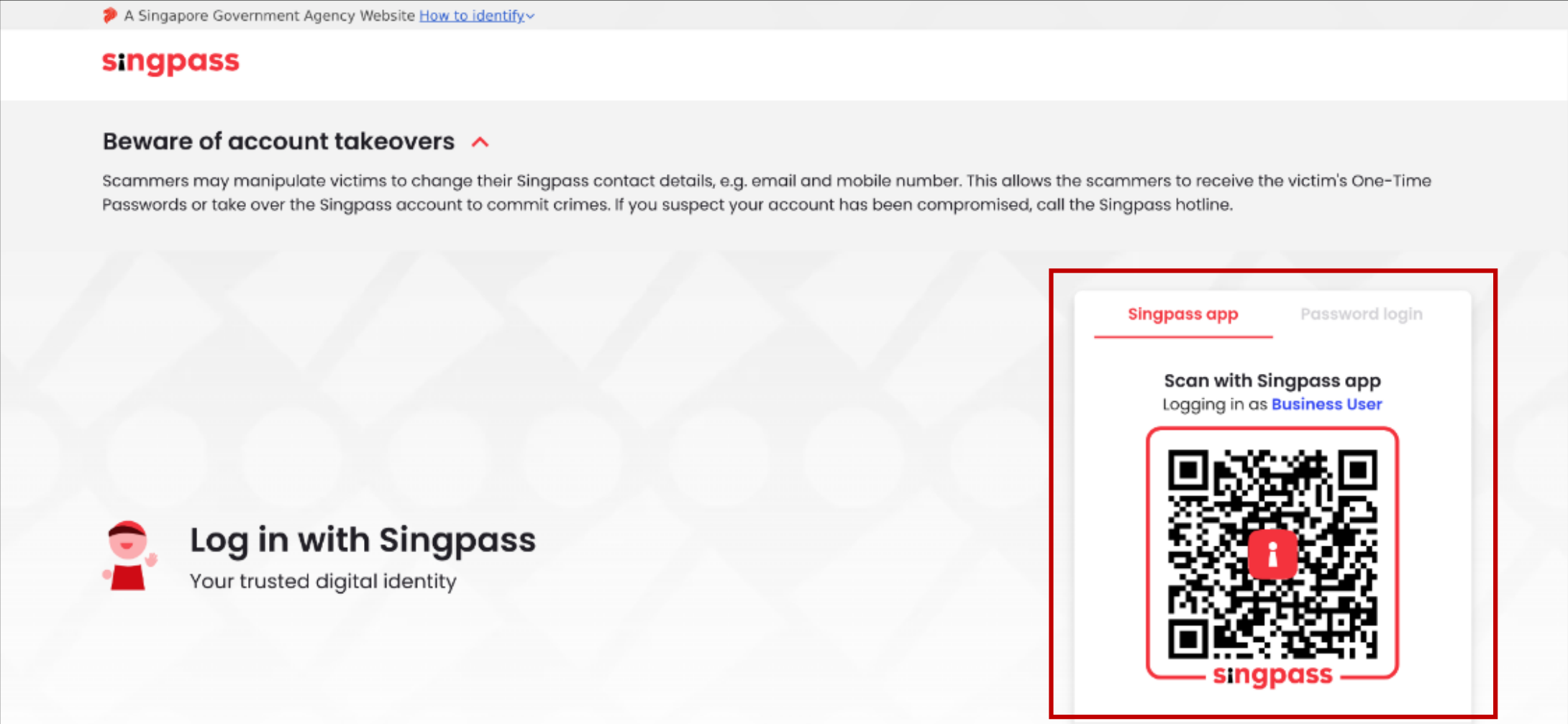
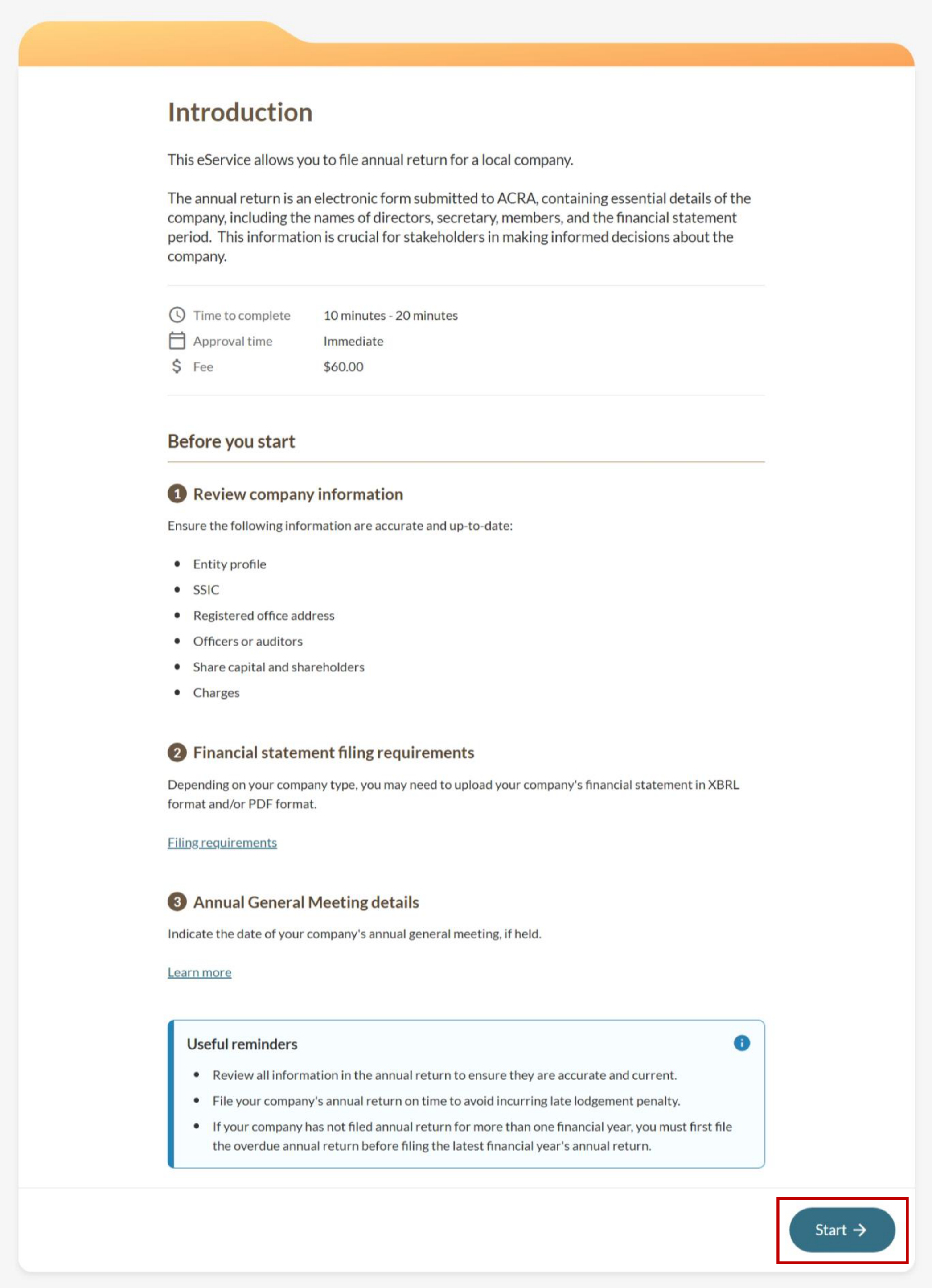
Step 1: Log in to Bizfile and open the 'File annual returns' eService
Follow these steps to log in to Bizfile and navigate to the File annual returns eService.
Note: All entity and personal information (including UEN, entity details, NRIC, FIN numbers, names, and addresses) shown are dummy data for illustration purposes only.
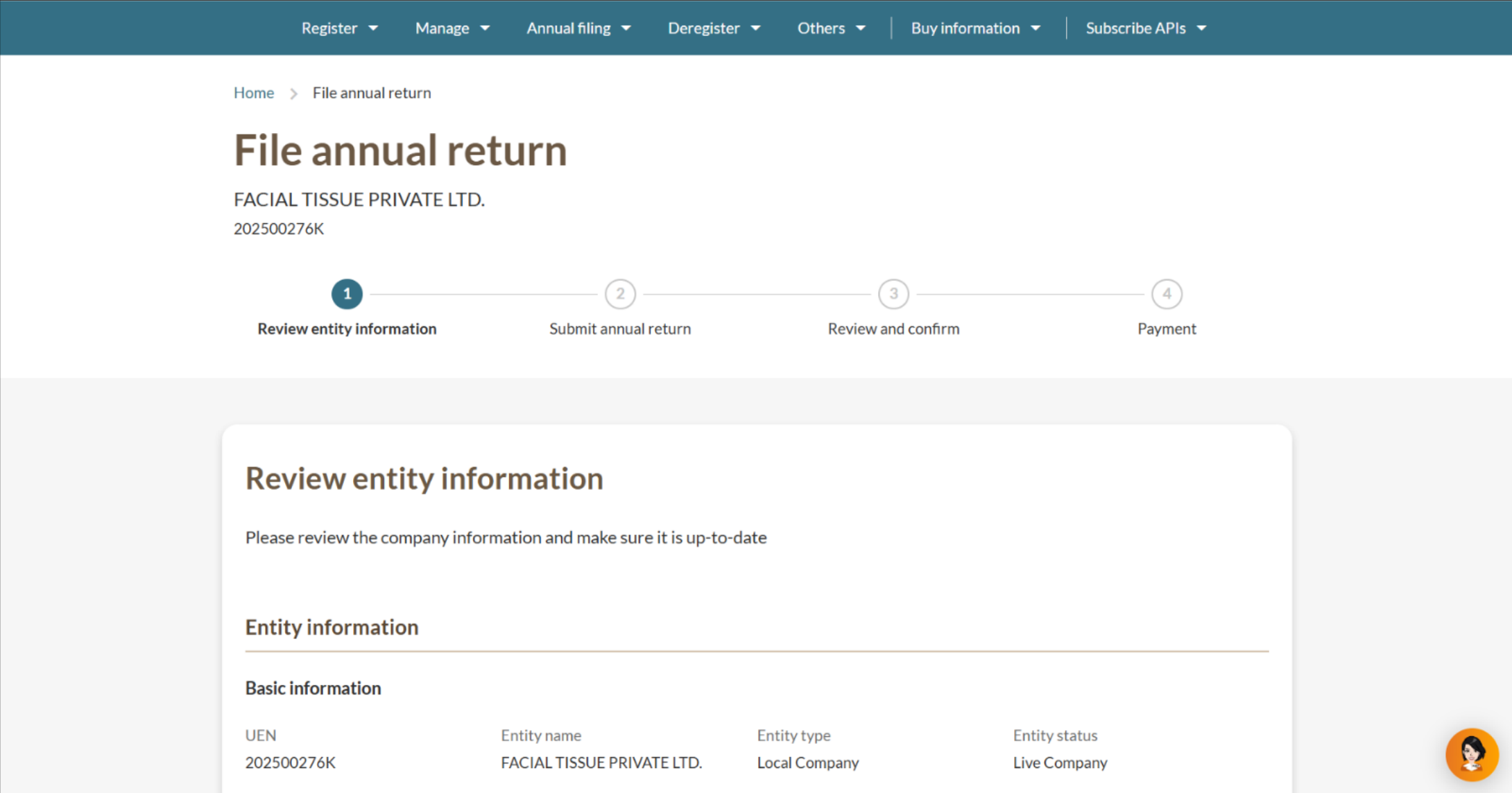
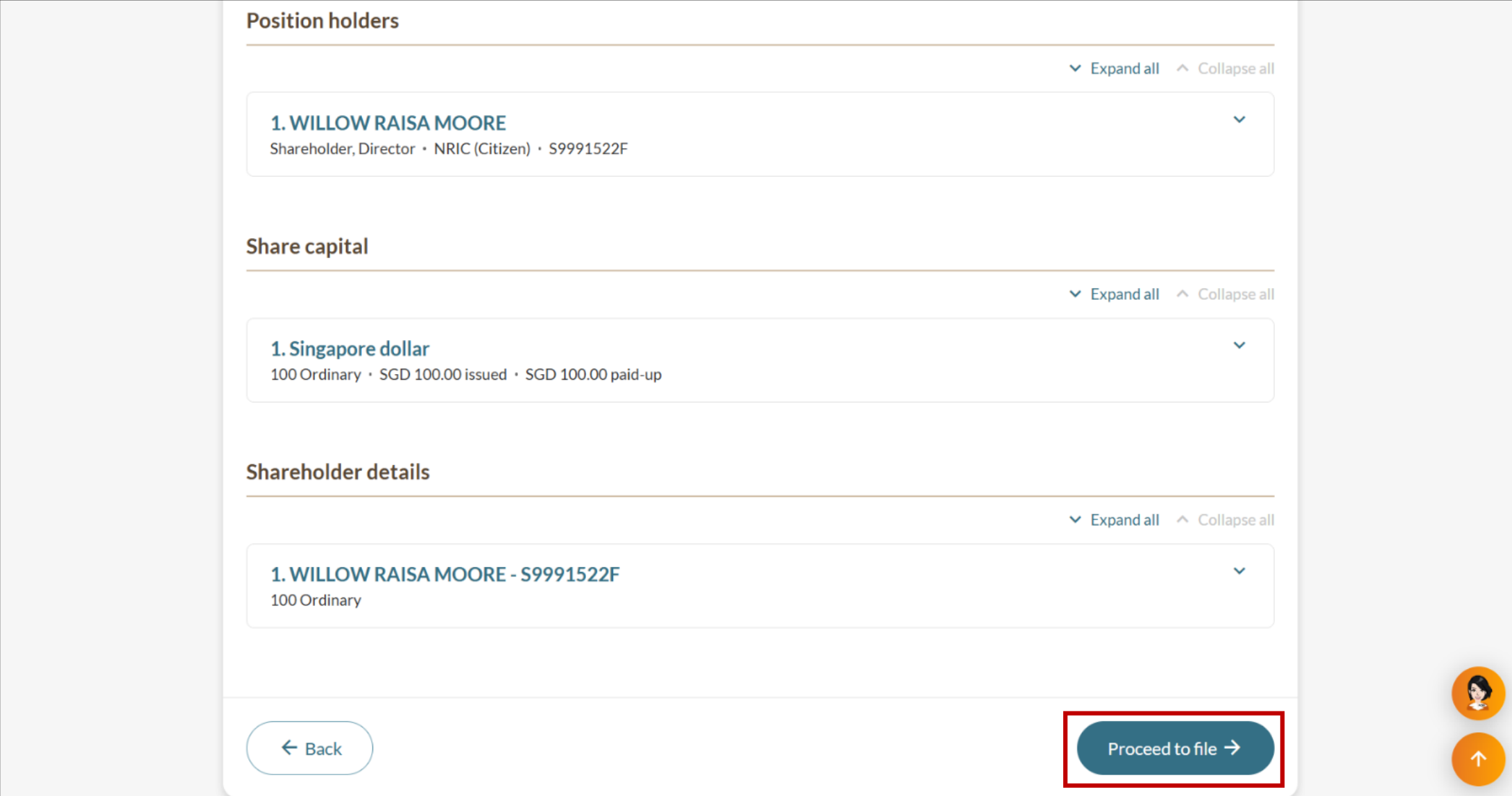
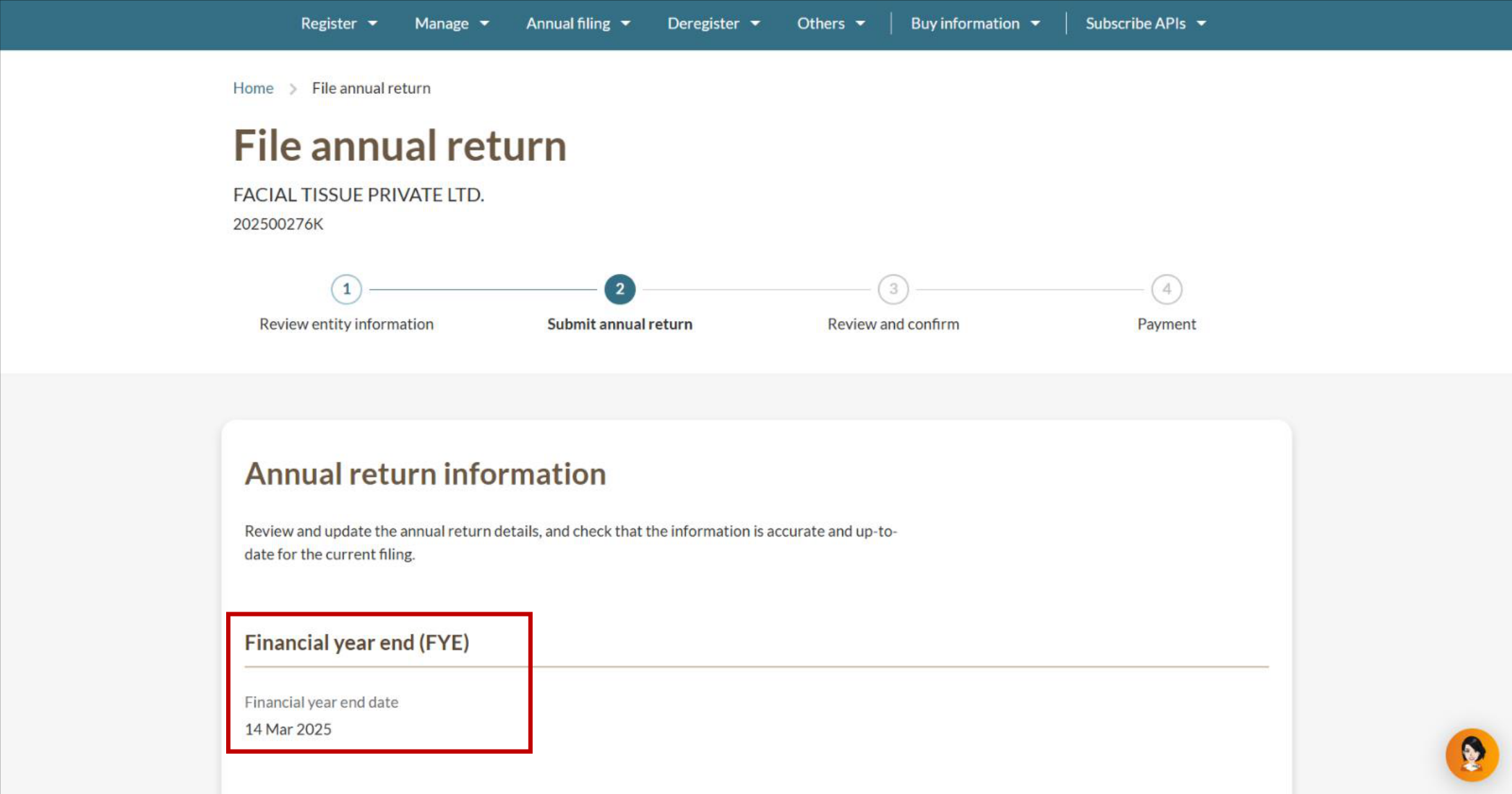
Step 2: Check entity information and financial year details
Follow these steps to check entity information and enter financial year details.
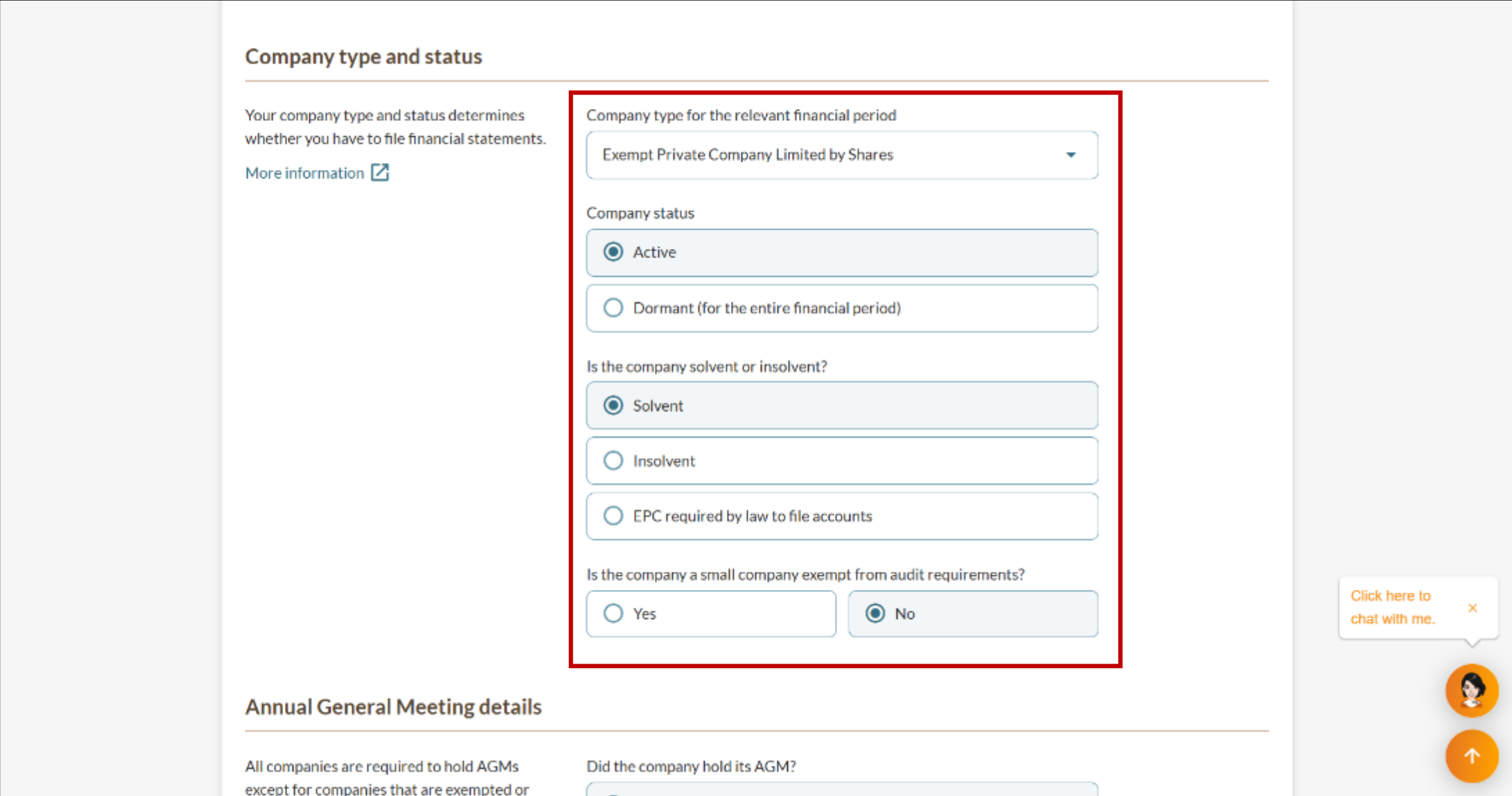
Step 3: Complete the declarations for your company type
Follow the steps for your company type below:
Exempt Private Company Limited by Shares
Private Company Limited by Shares
Public Company Limited by Guarantee
Public Company Limited by Shares
Unlimited Exempt Private Company
Unlimited Private Company
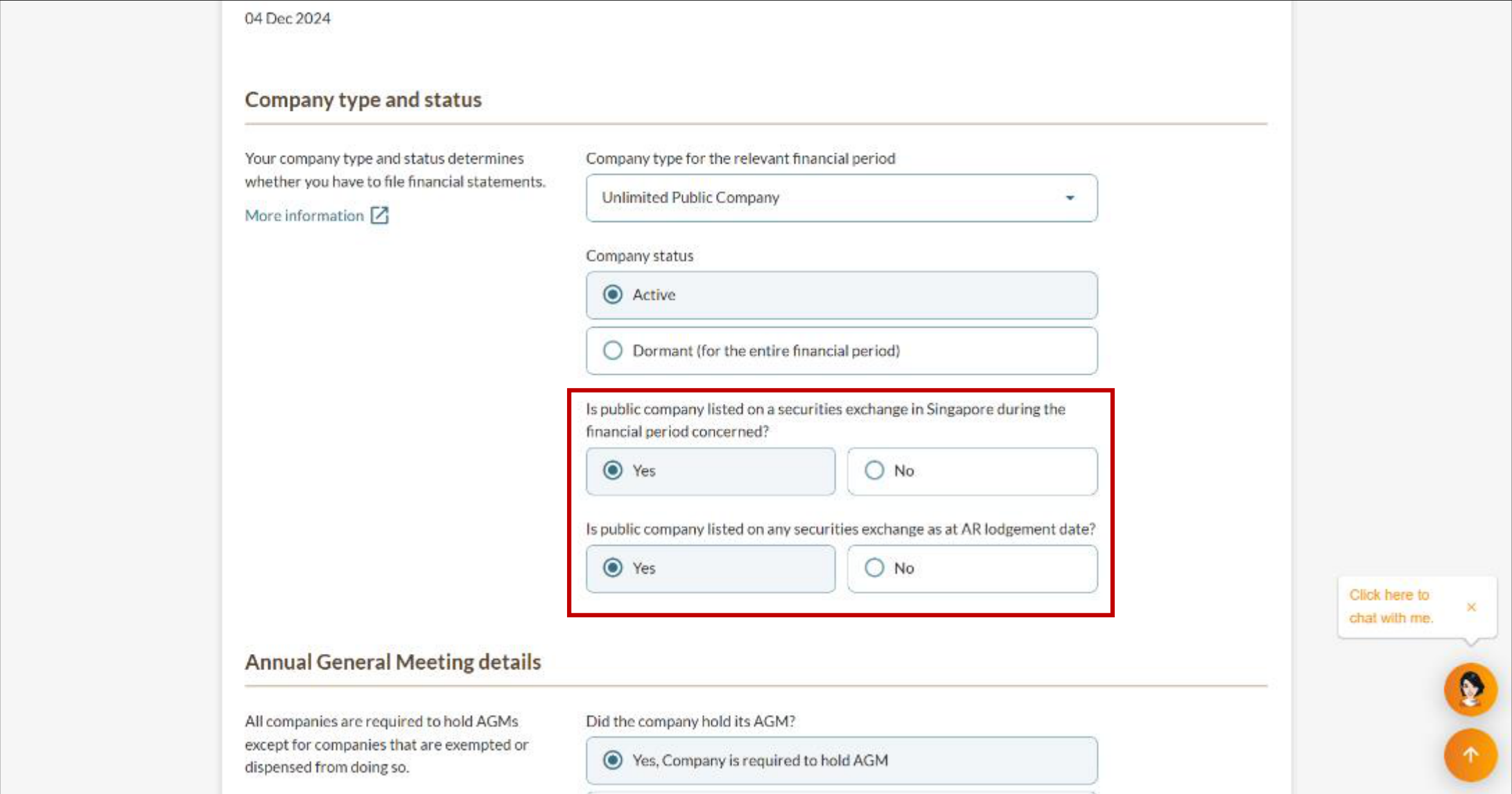
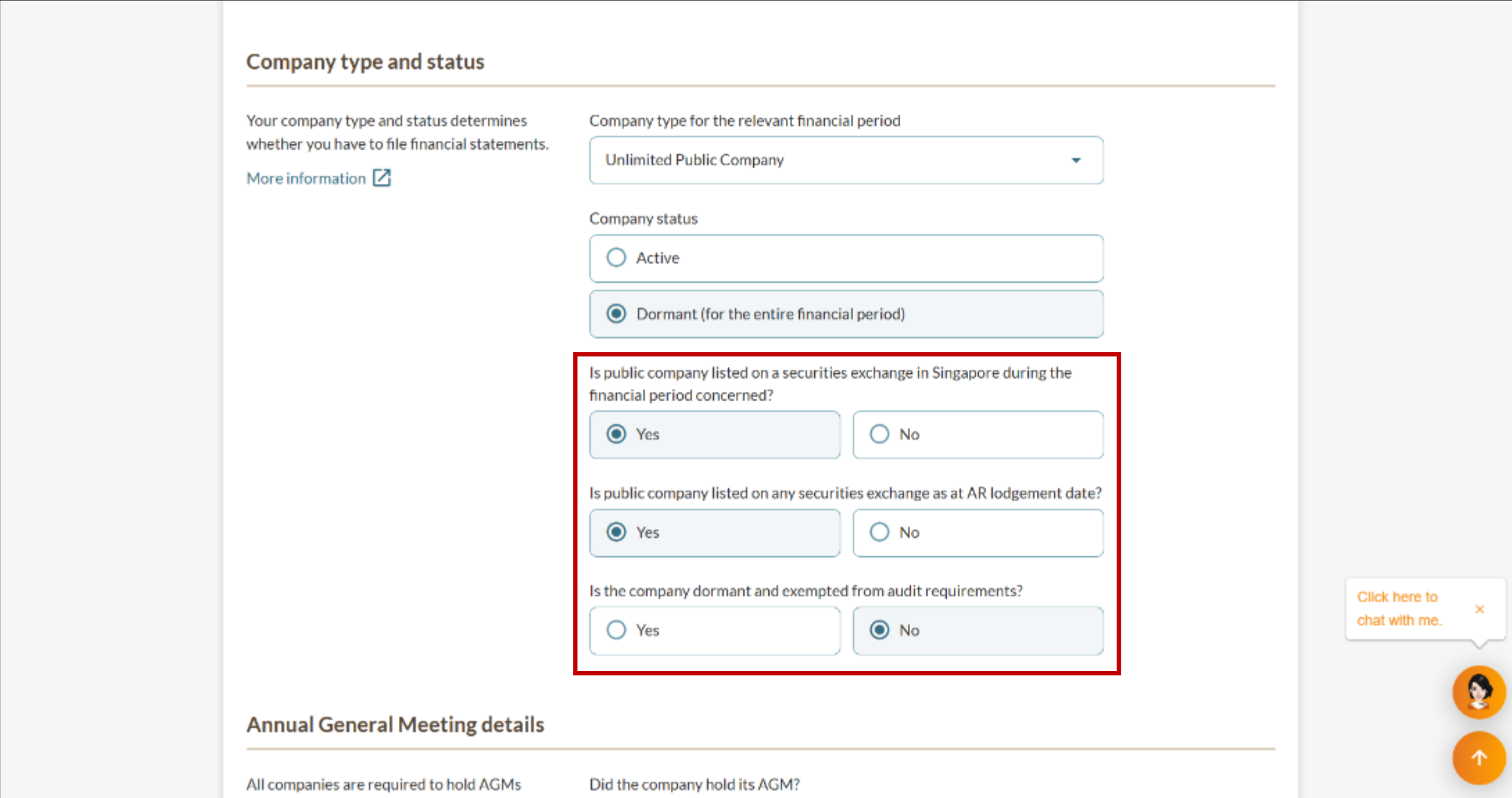
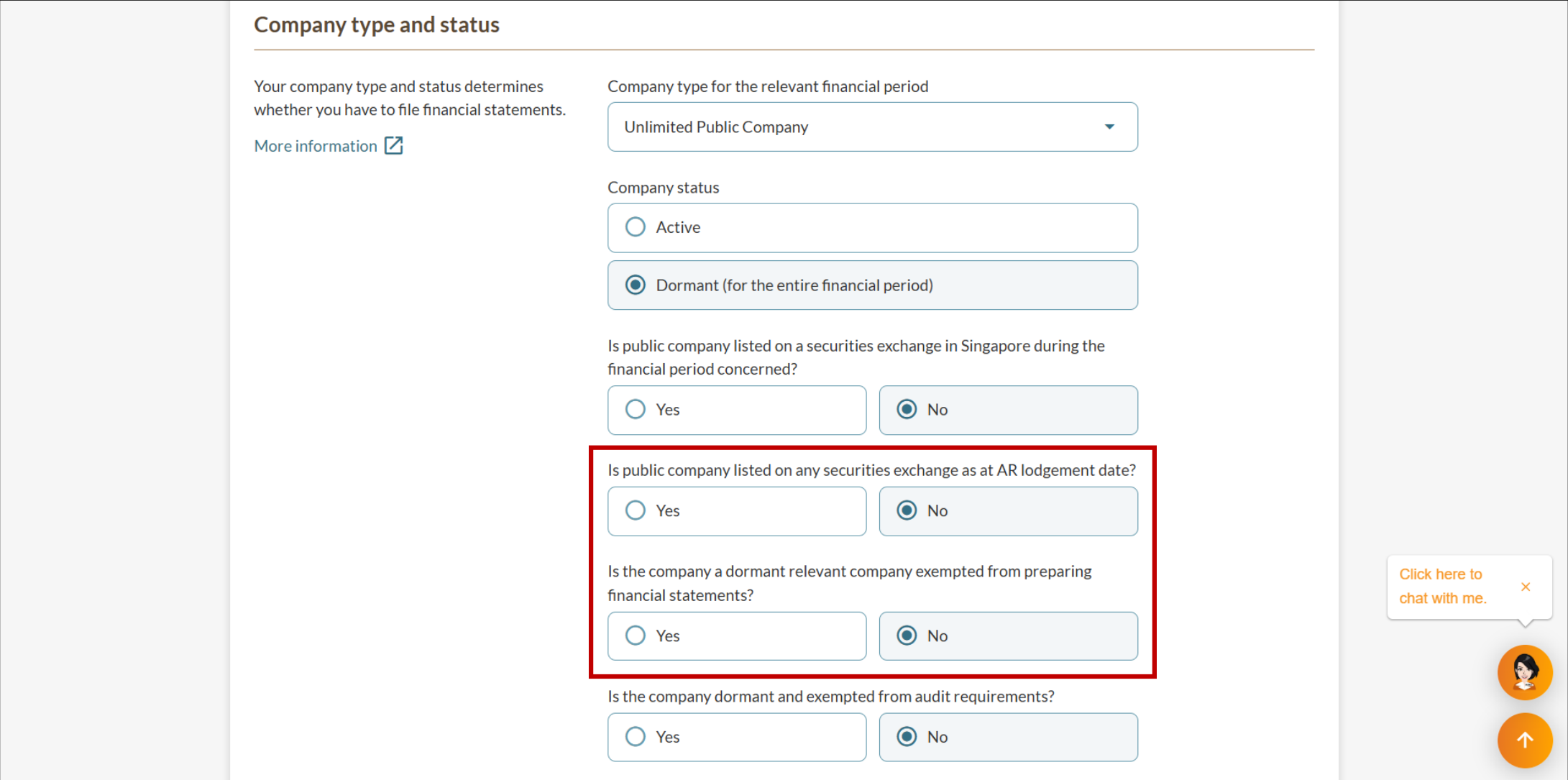
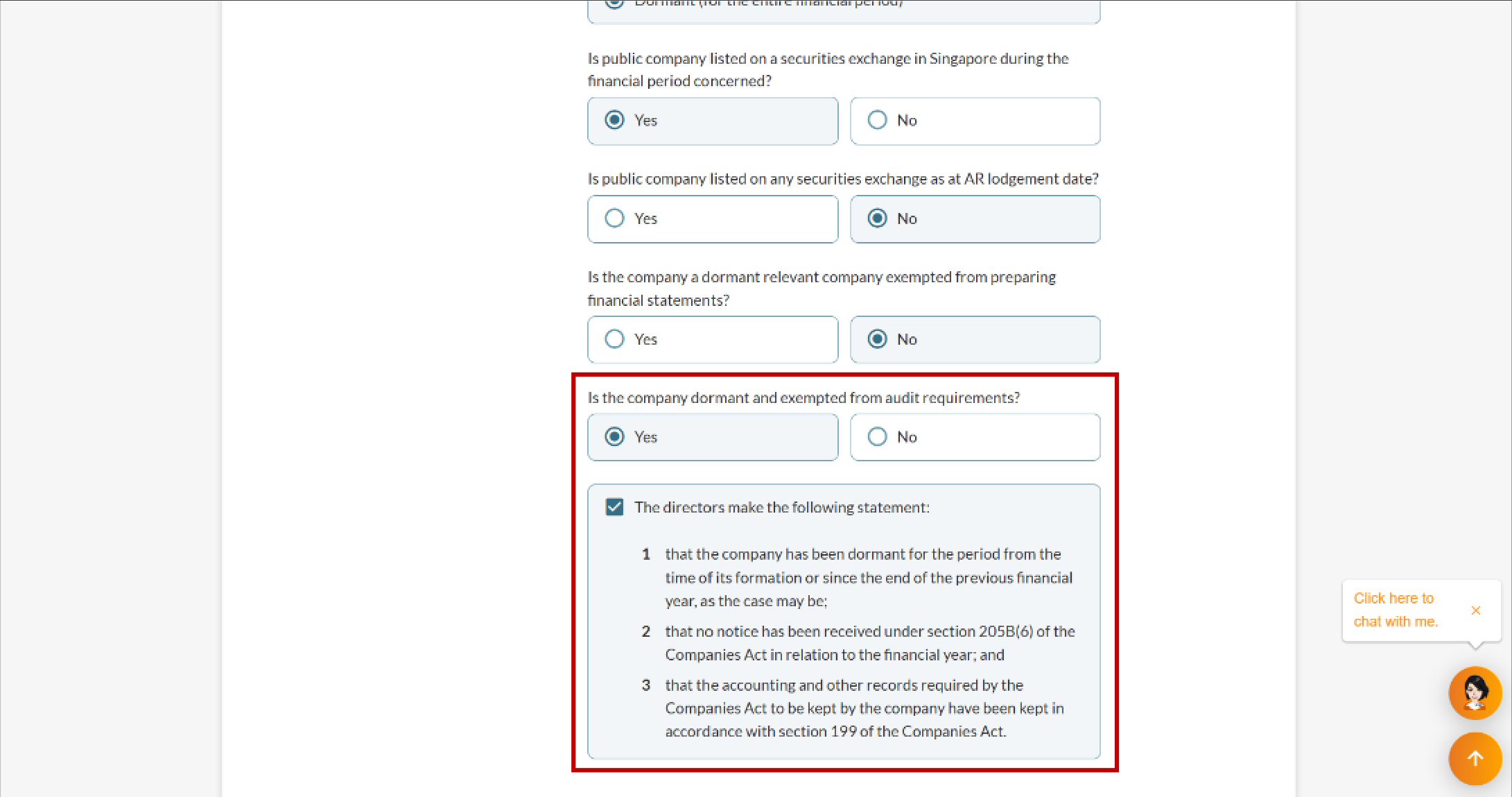
Unlimited Public Company
3a. Exempt Private Company Limited by Shares
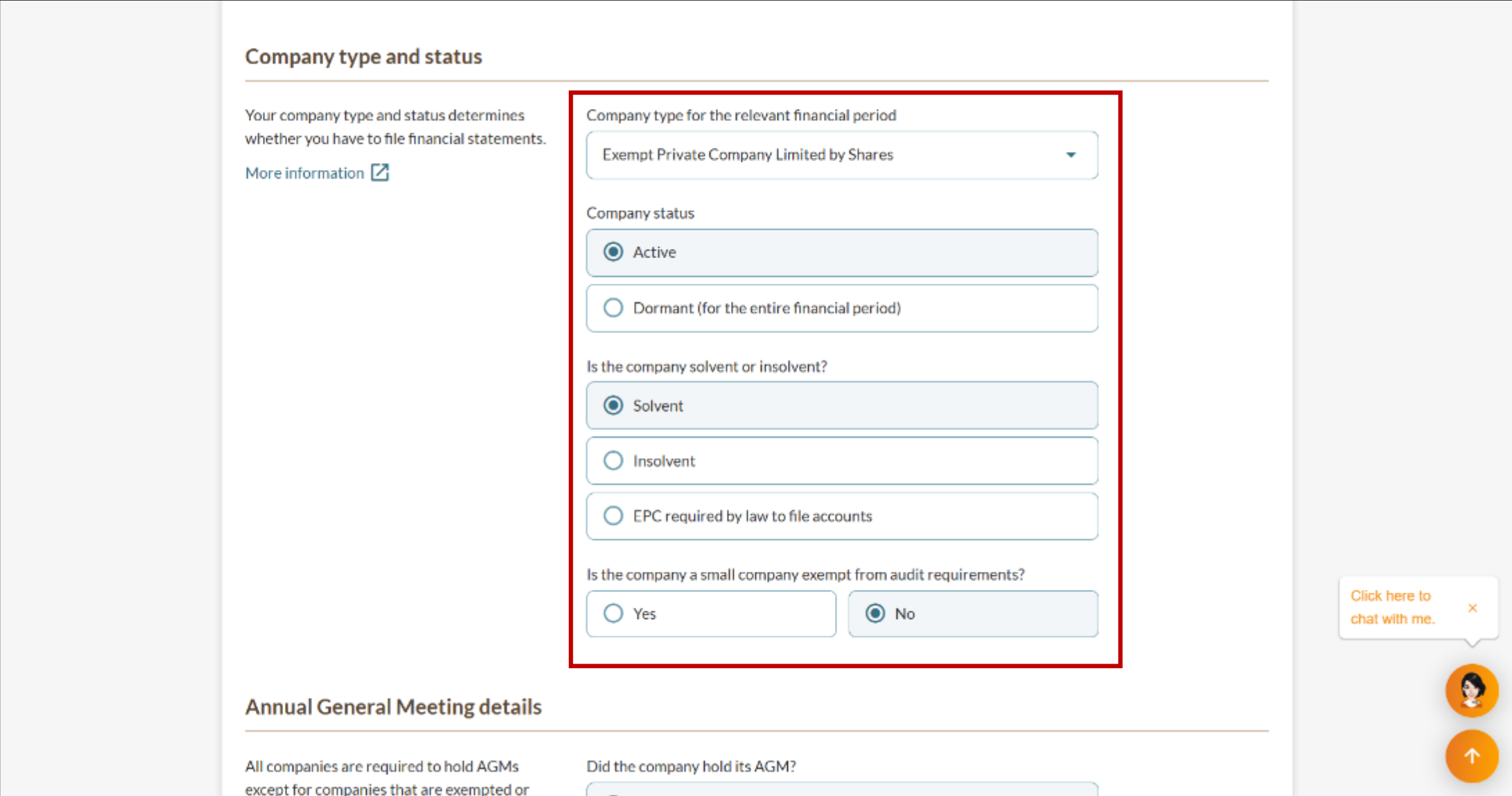
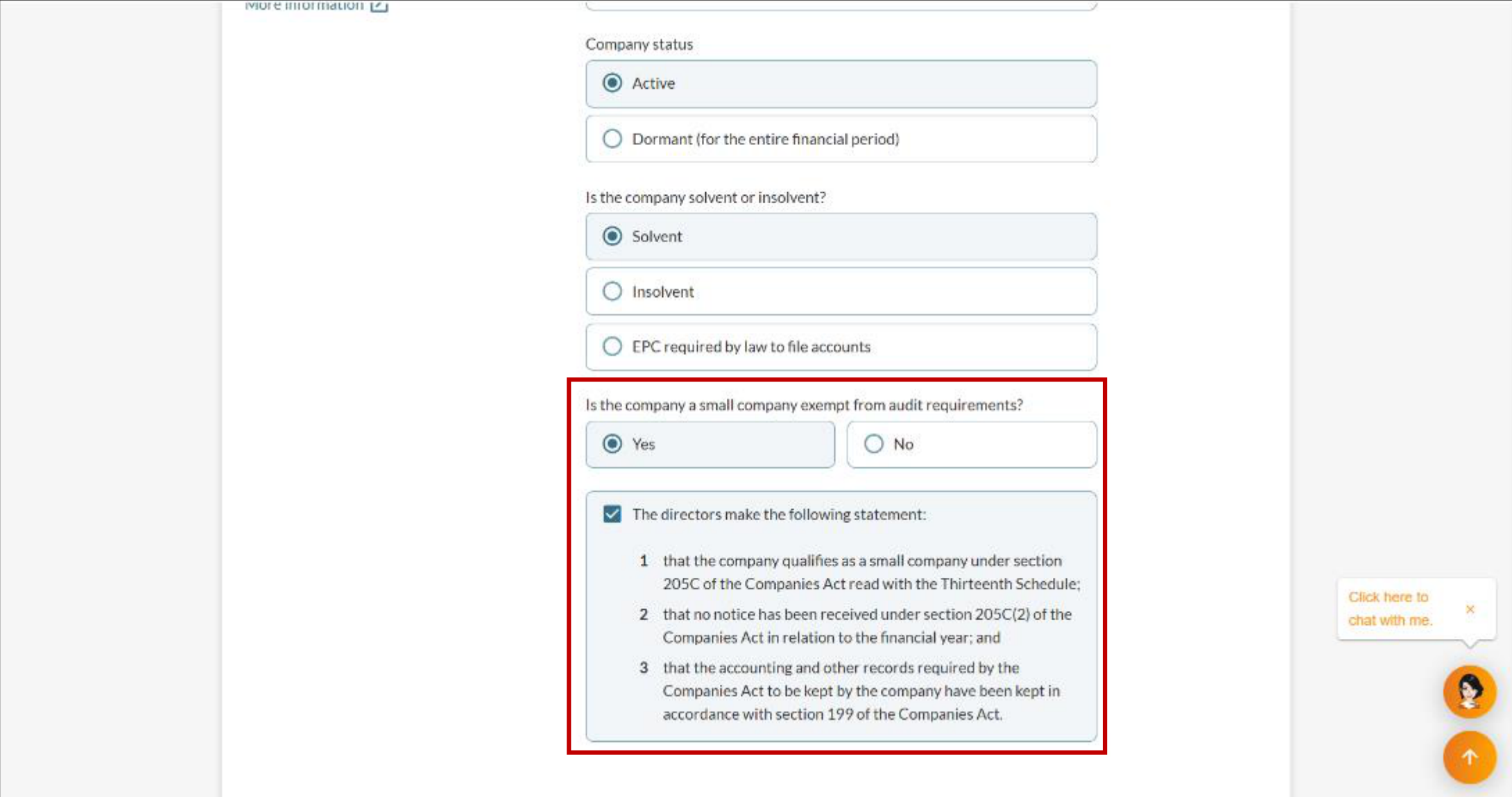
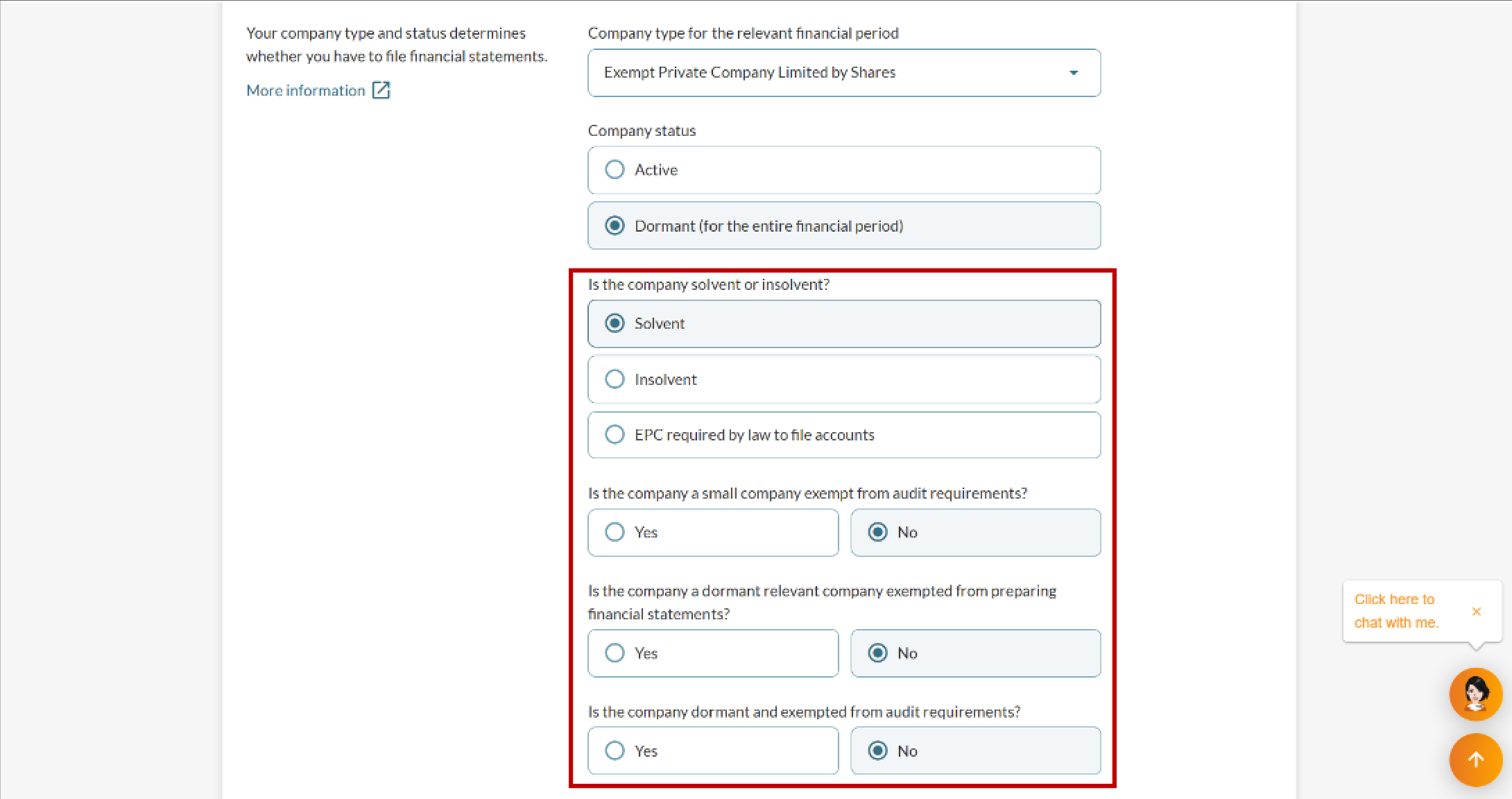
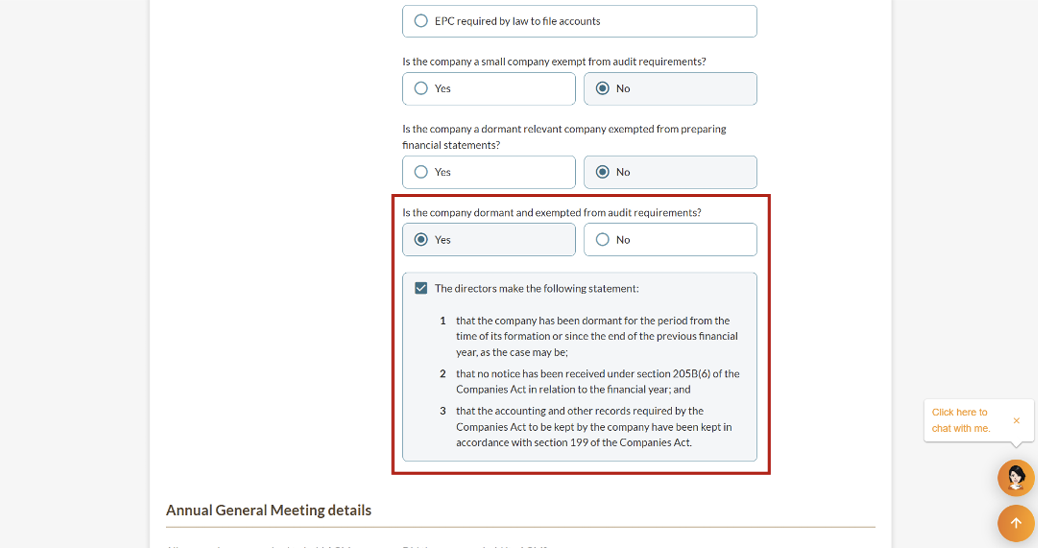
3b. Private Company Limited by Shares
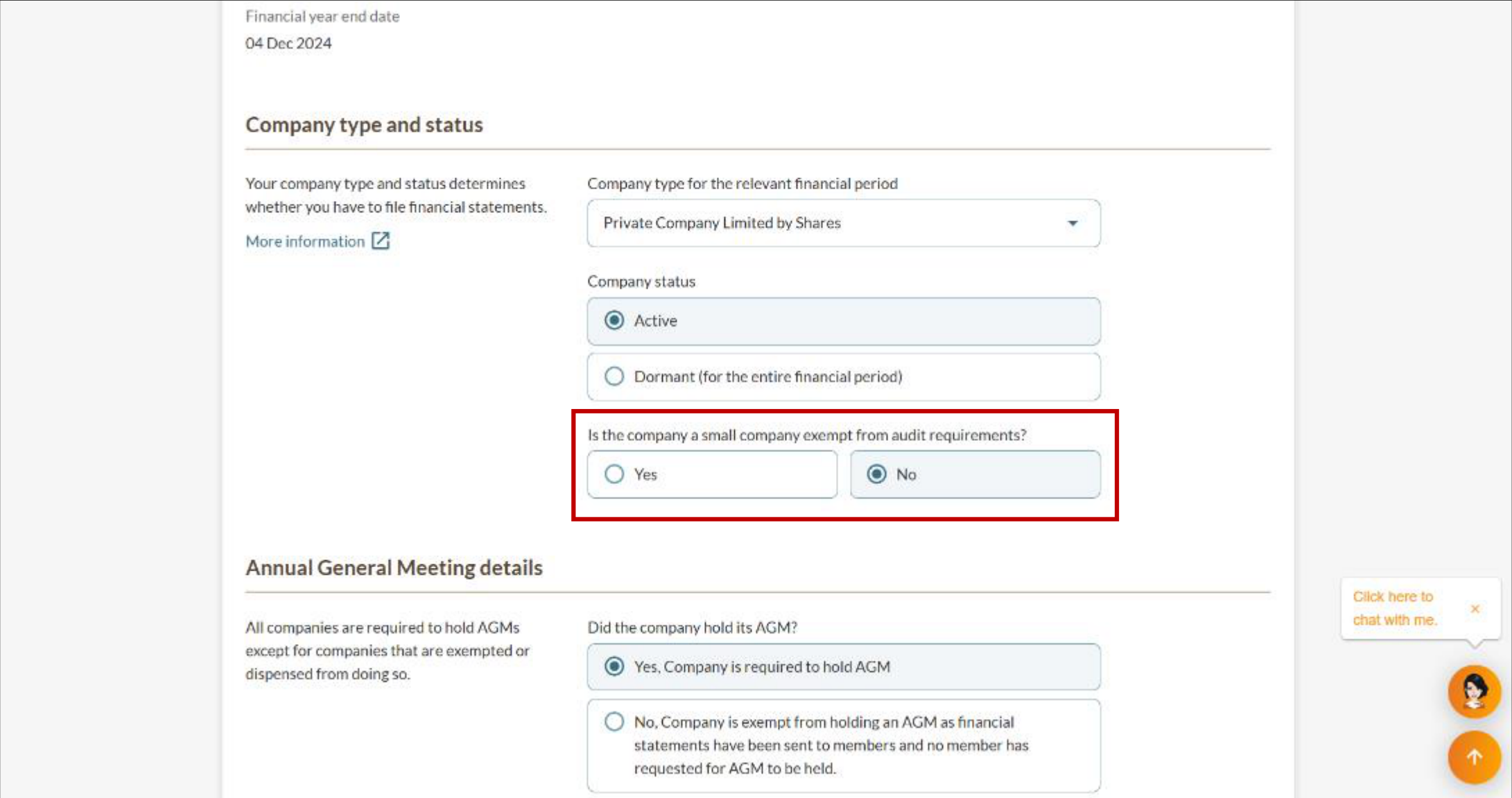
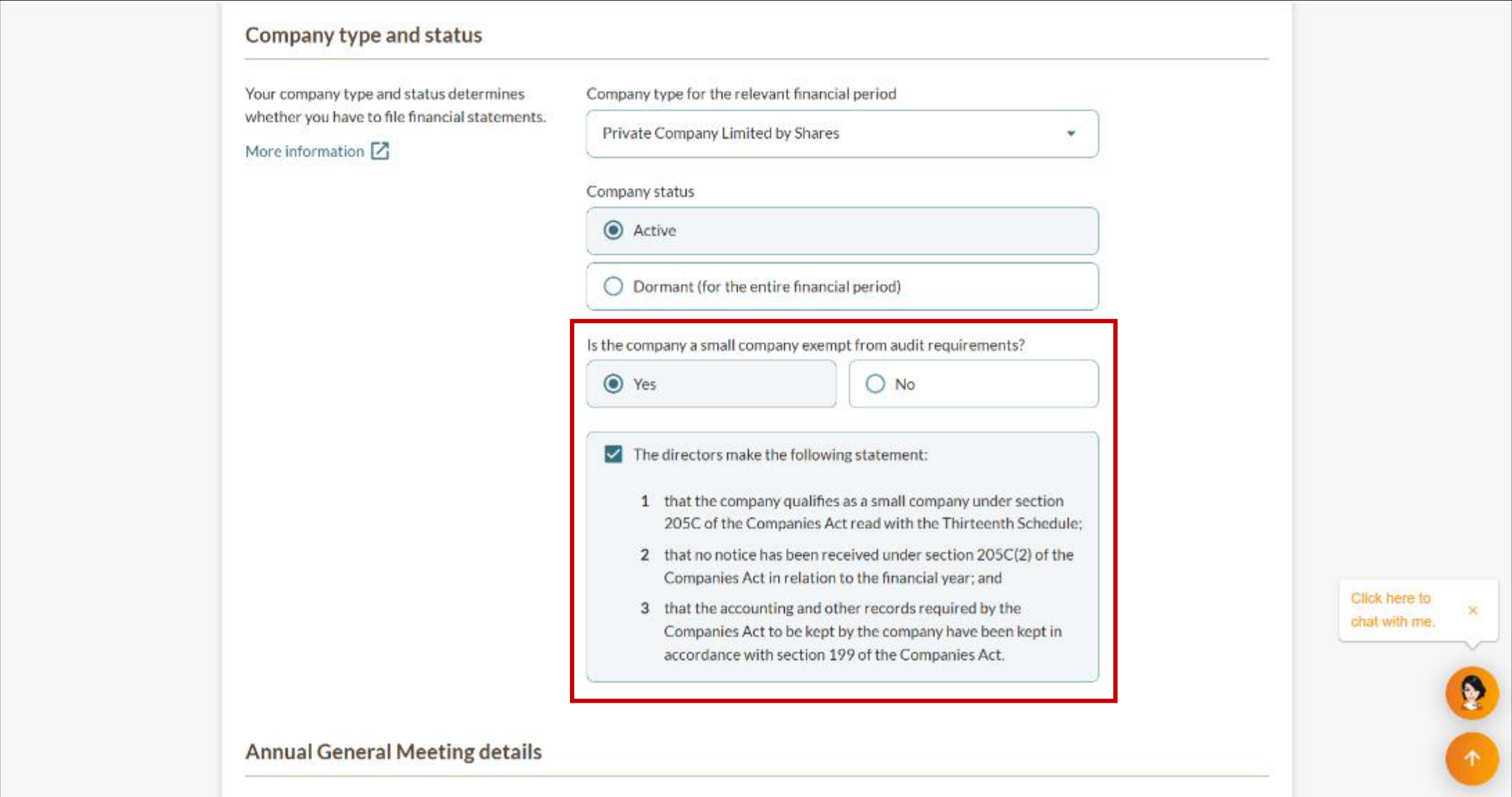
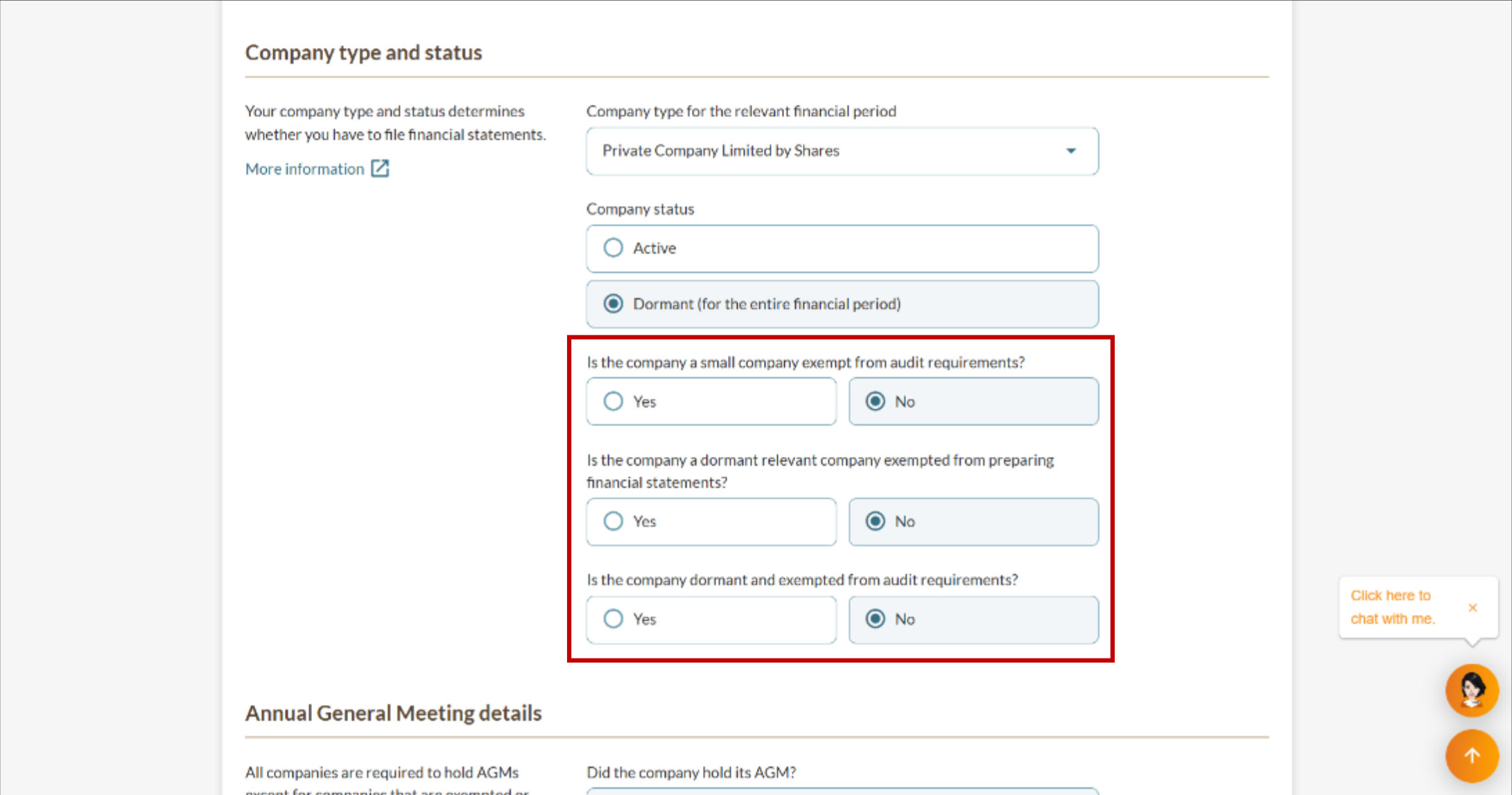
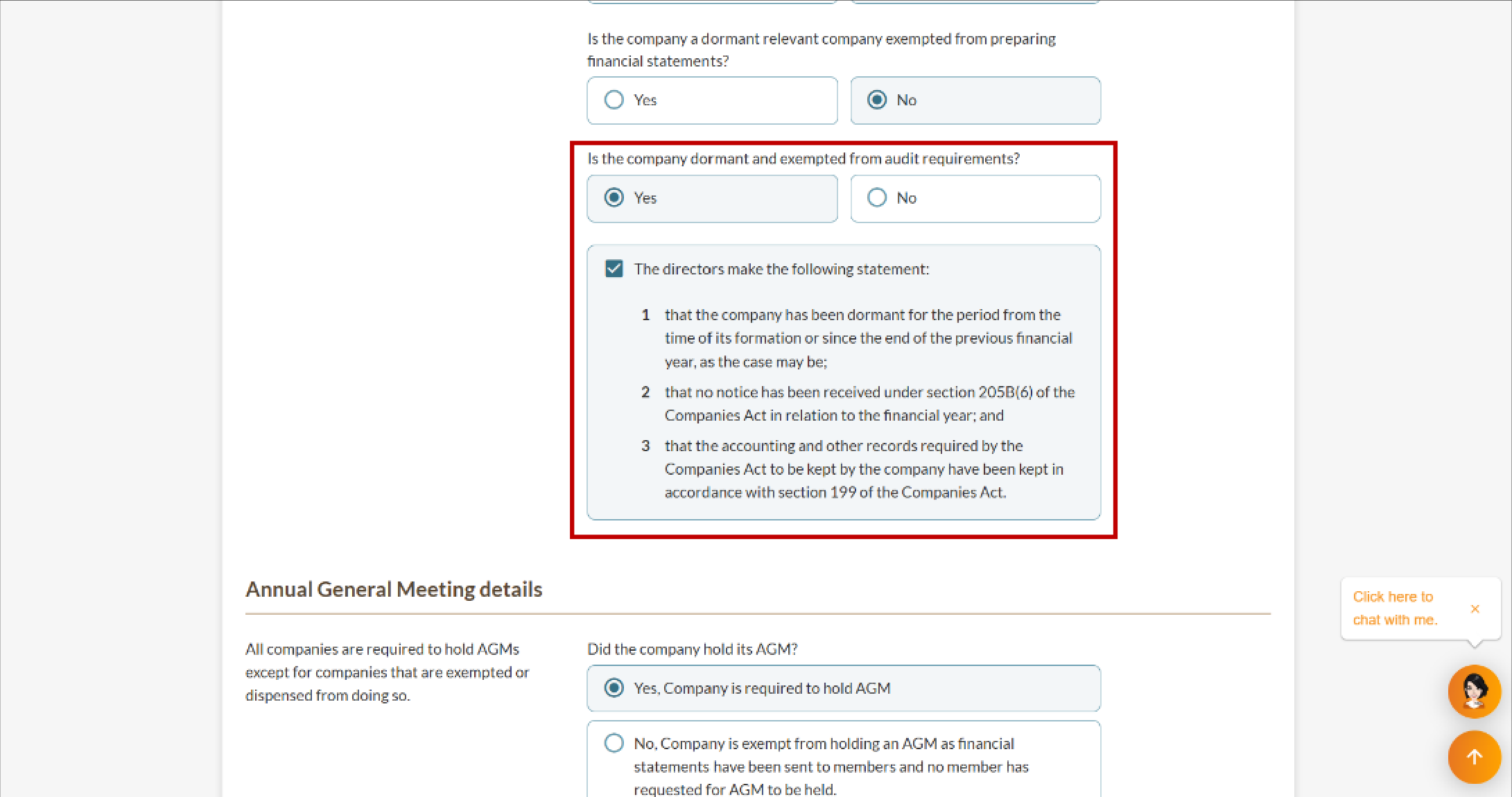
3c. Public Company Limited by Guarantee
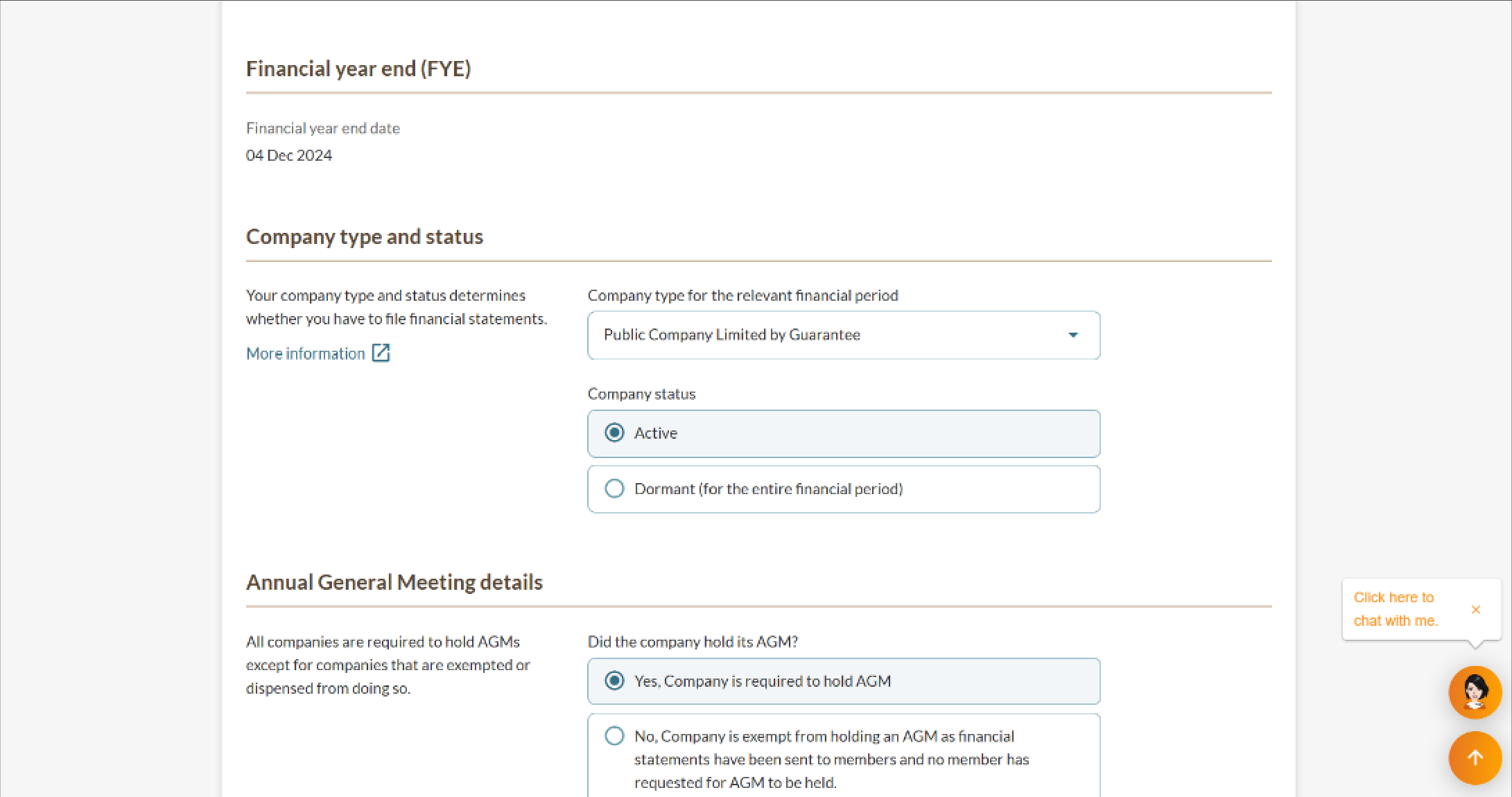
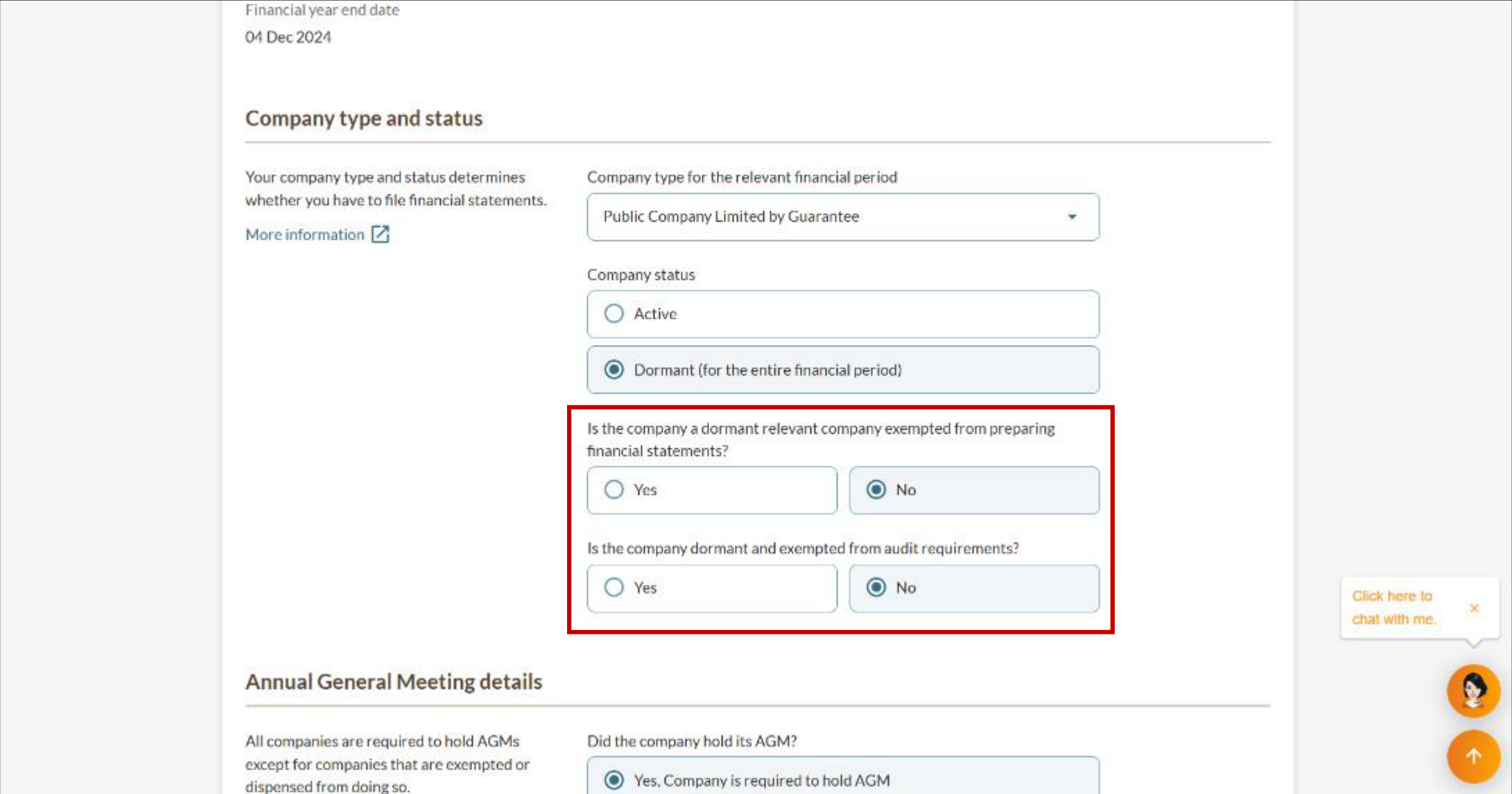
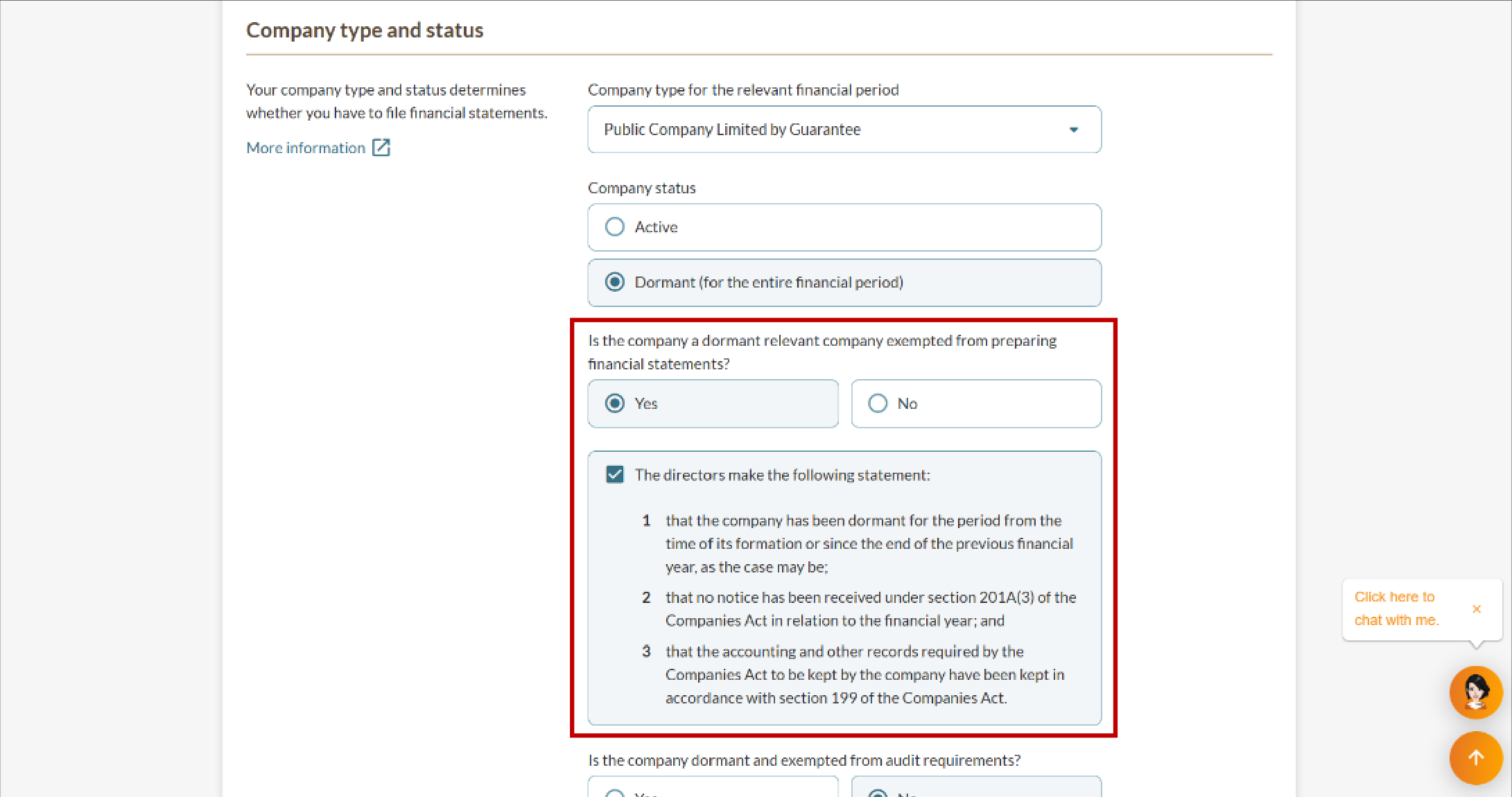
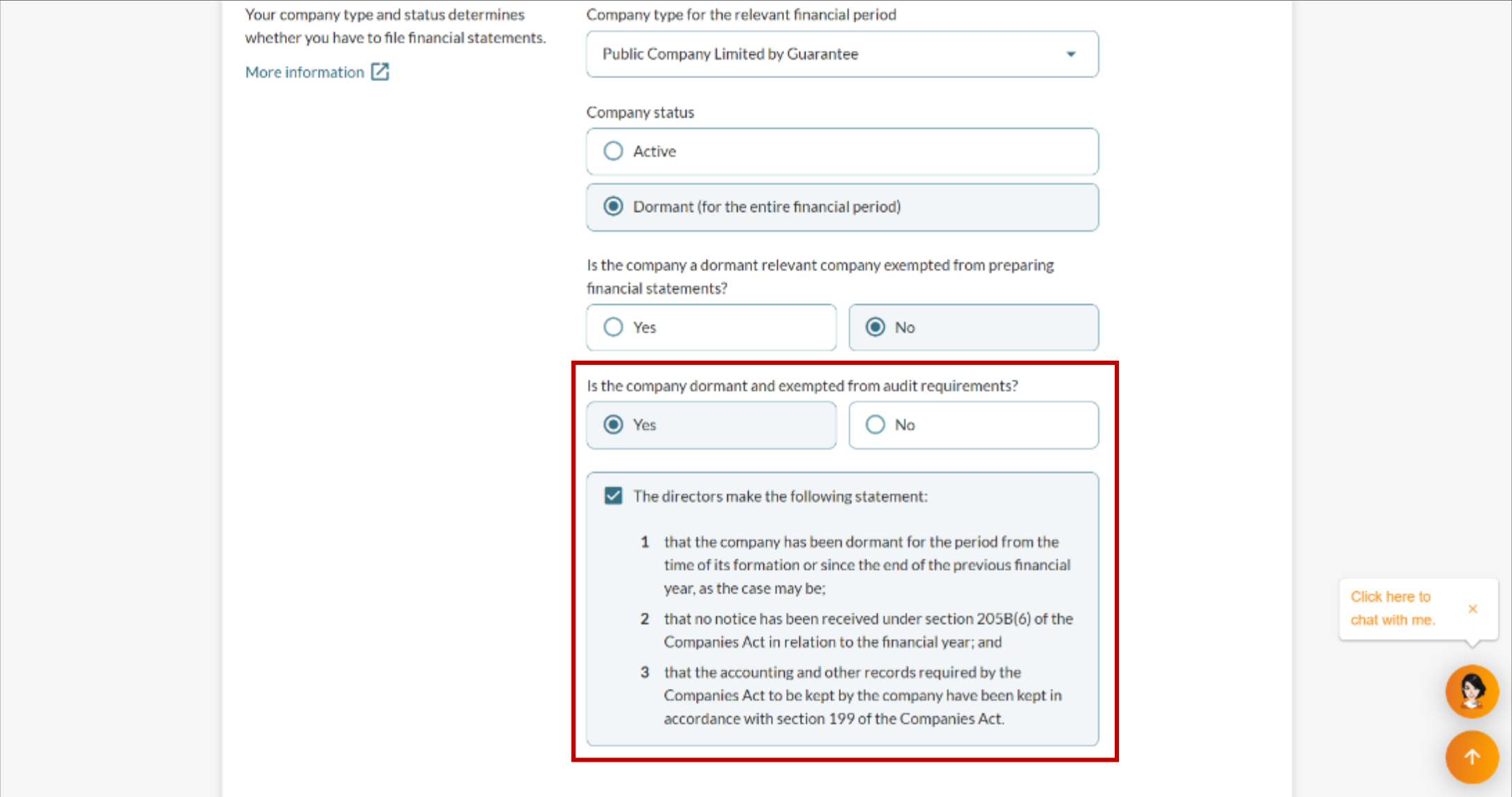
3d. Public Company Limited by Shares
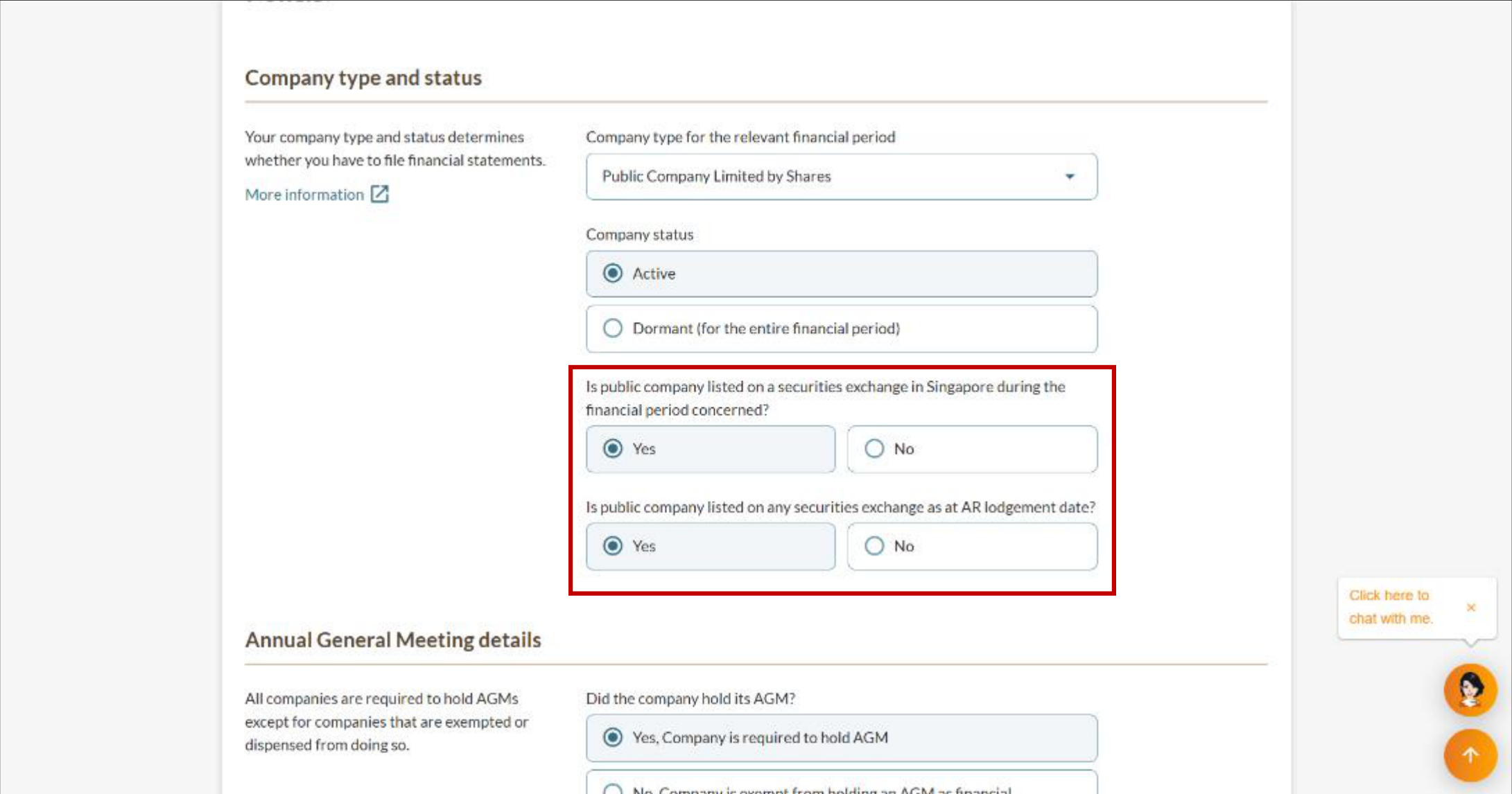
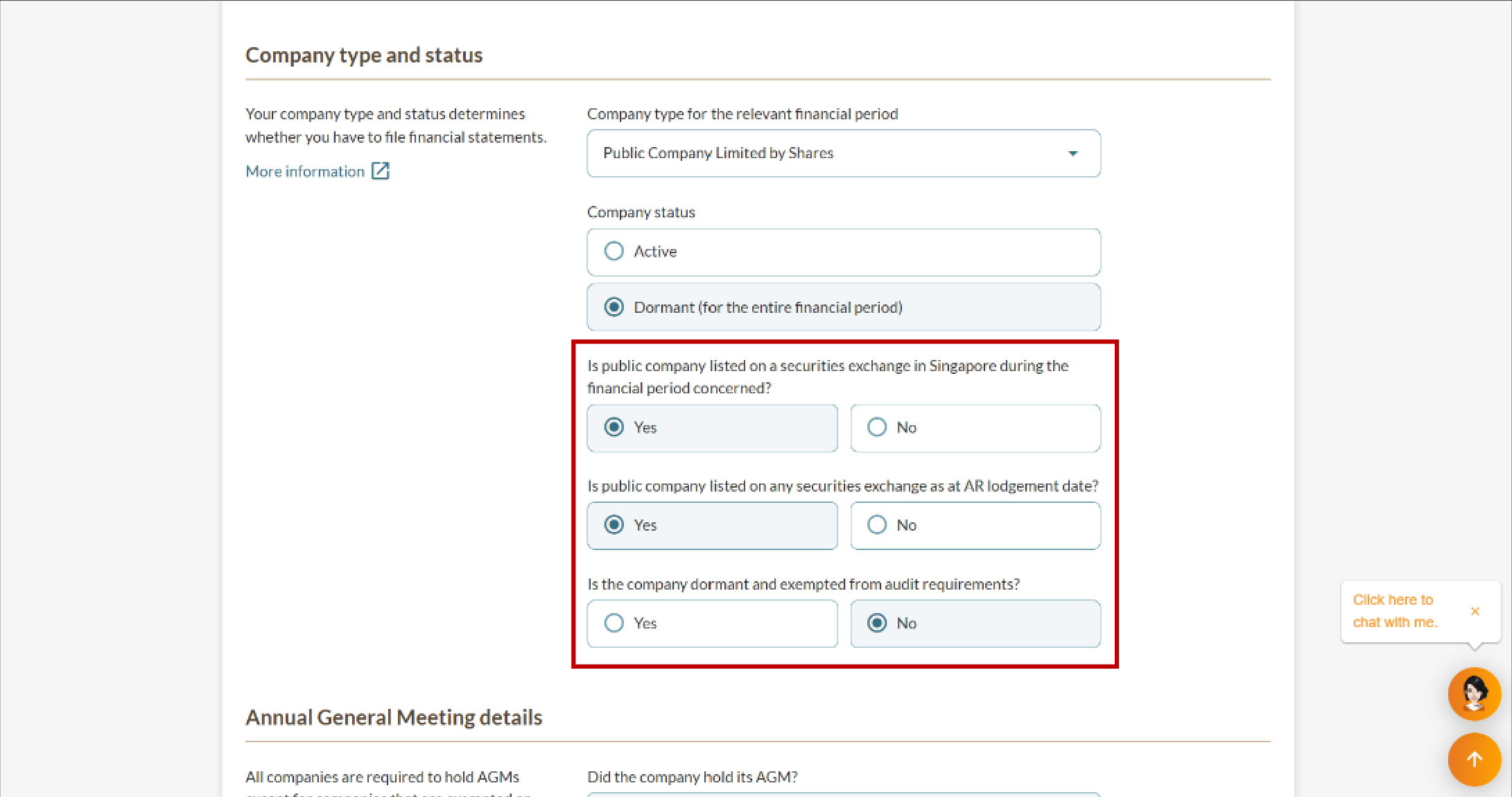
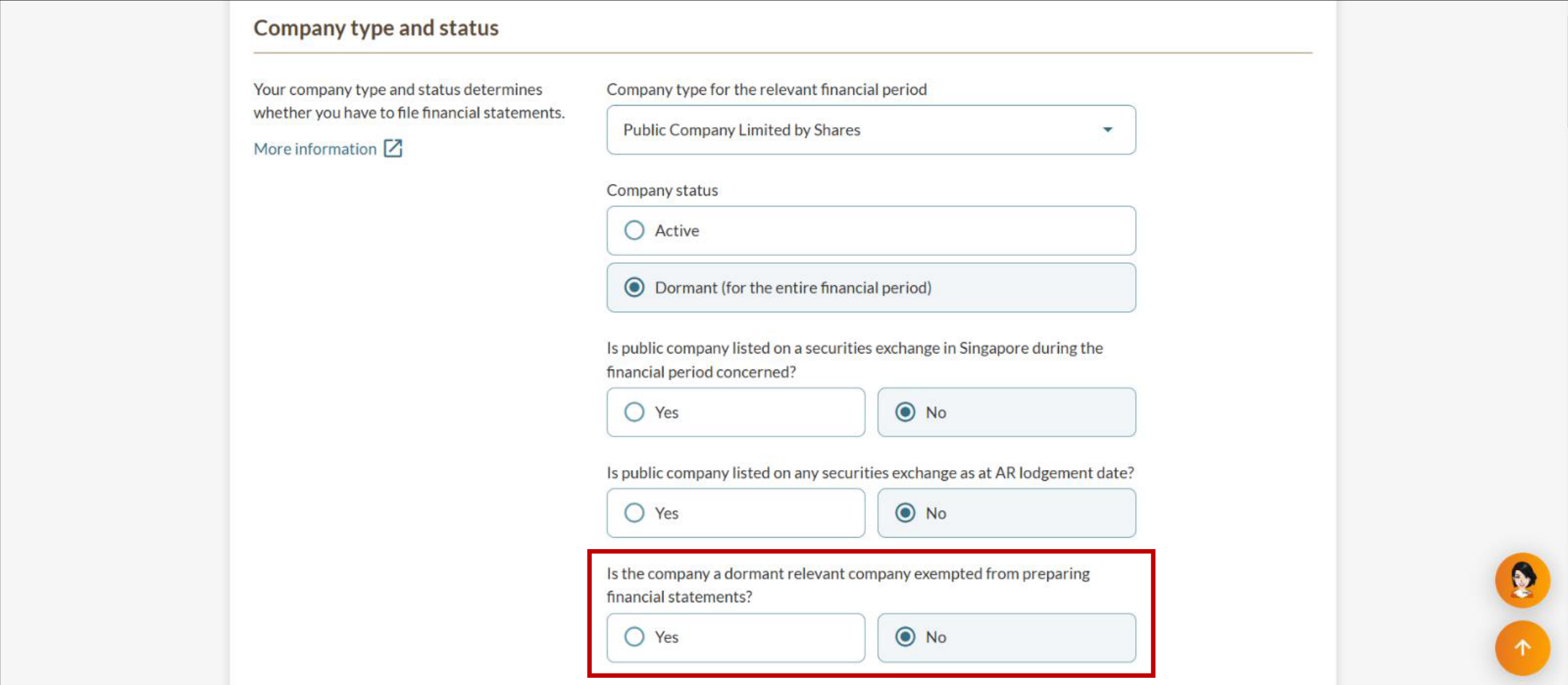
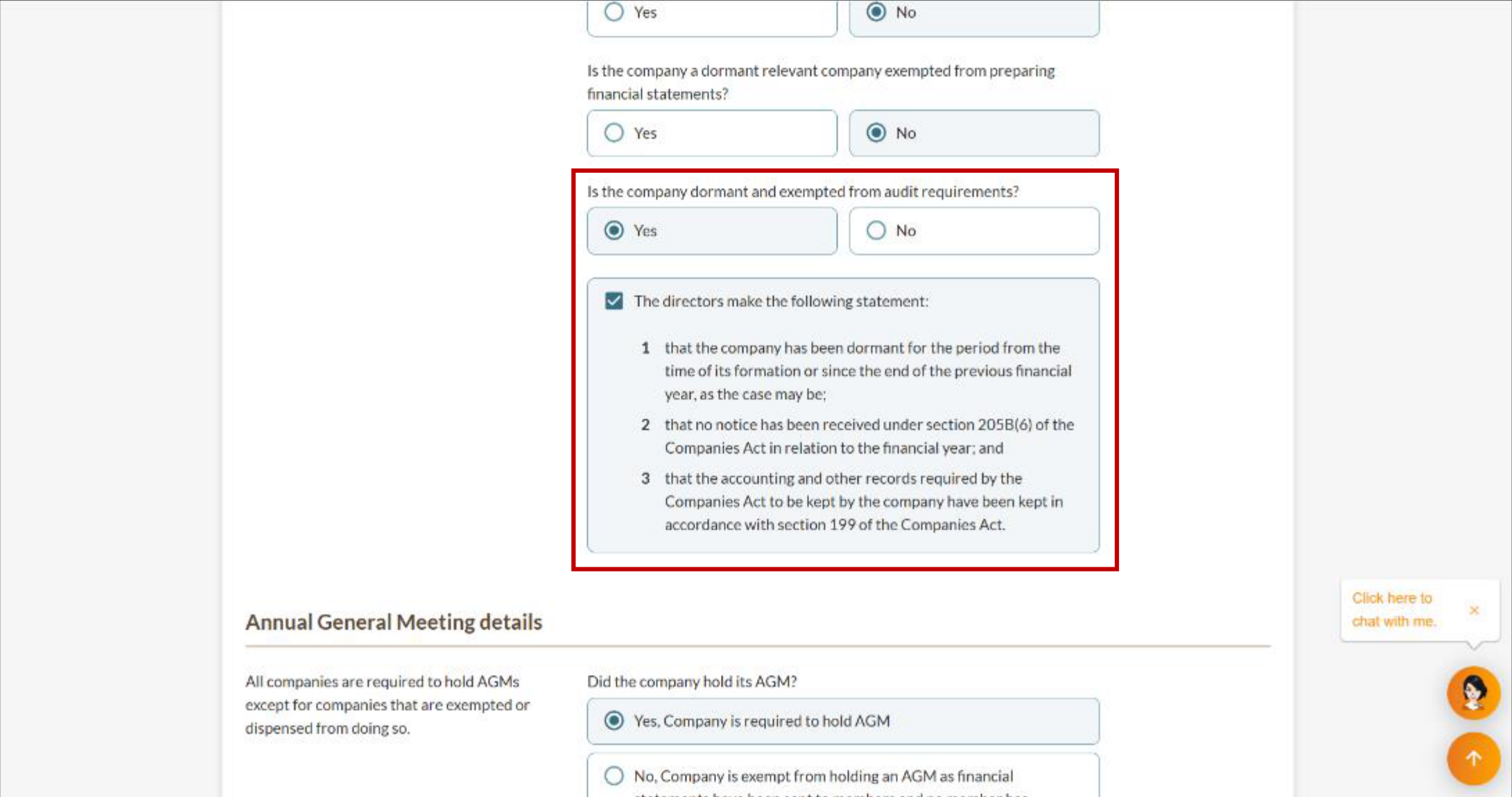
3e. Unlimited Exempt Private Company
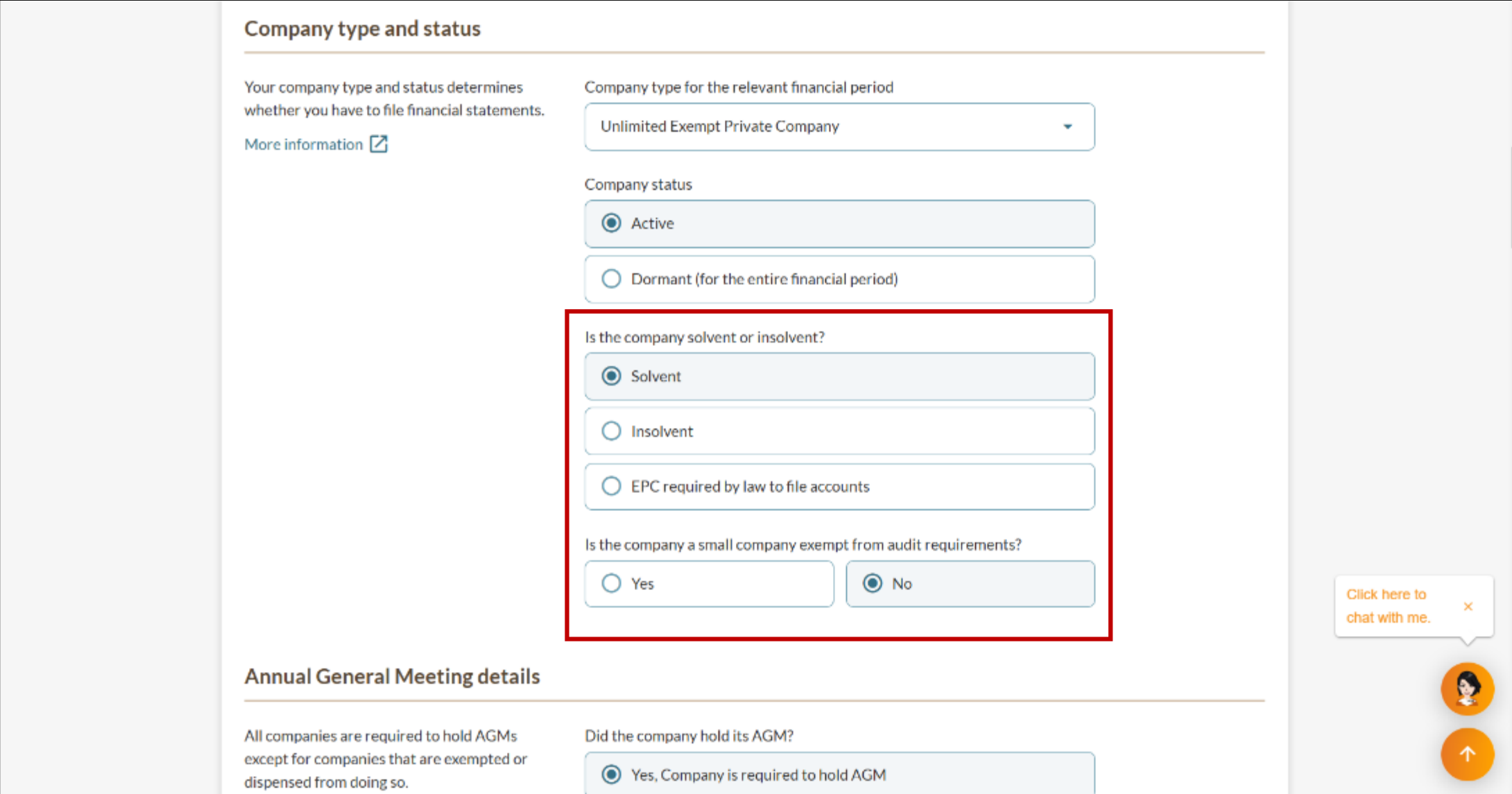
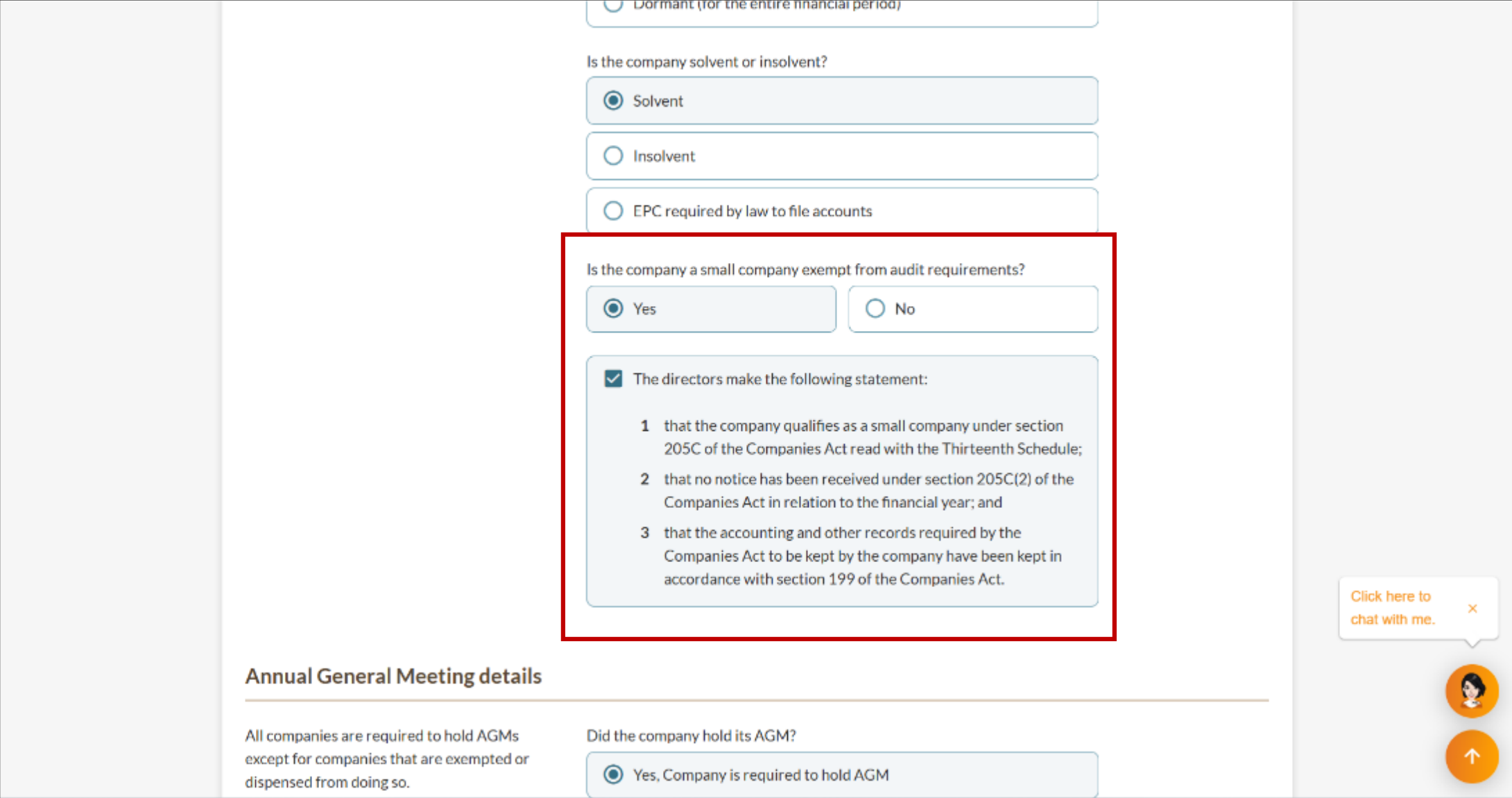
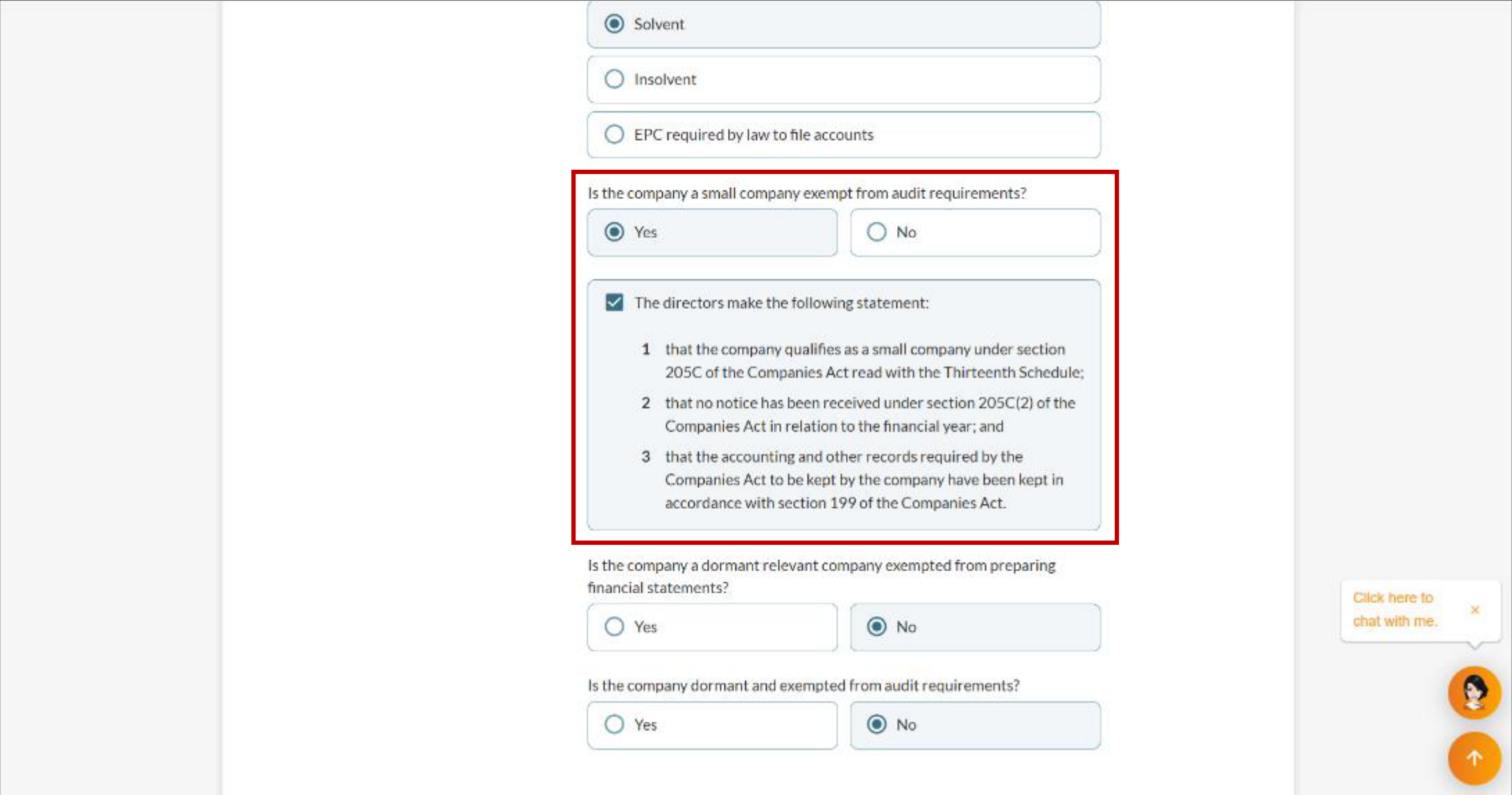
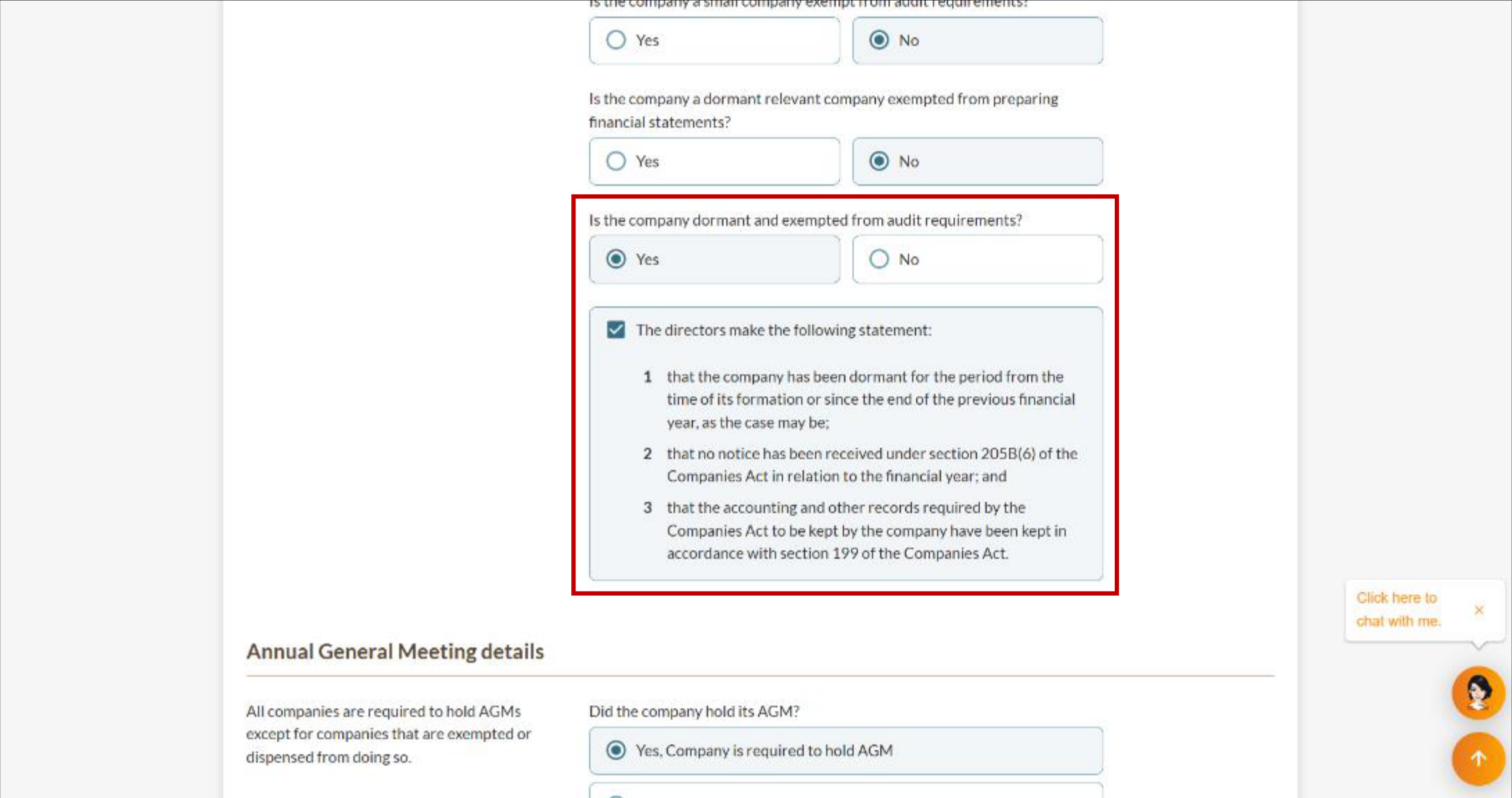
3f. Unlimited Private Company
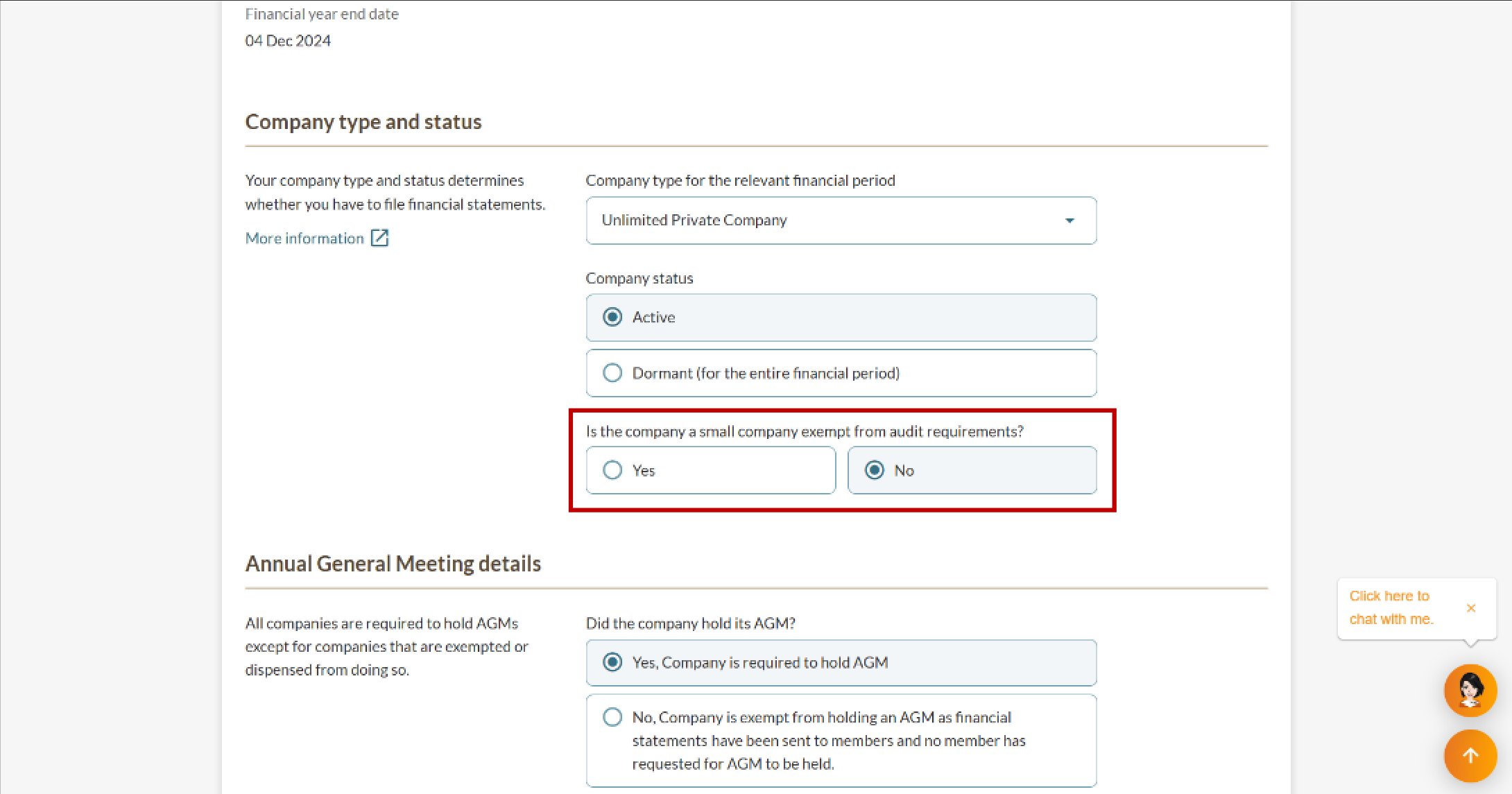
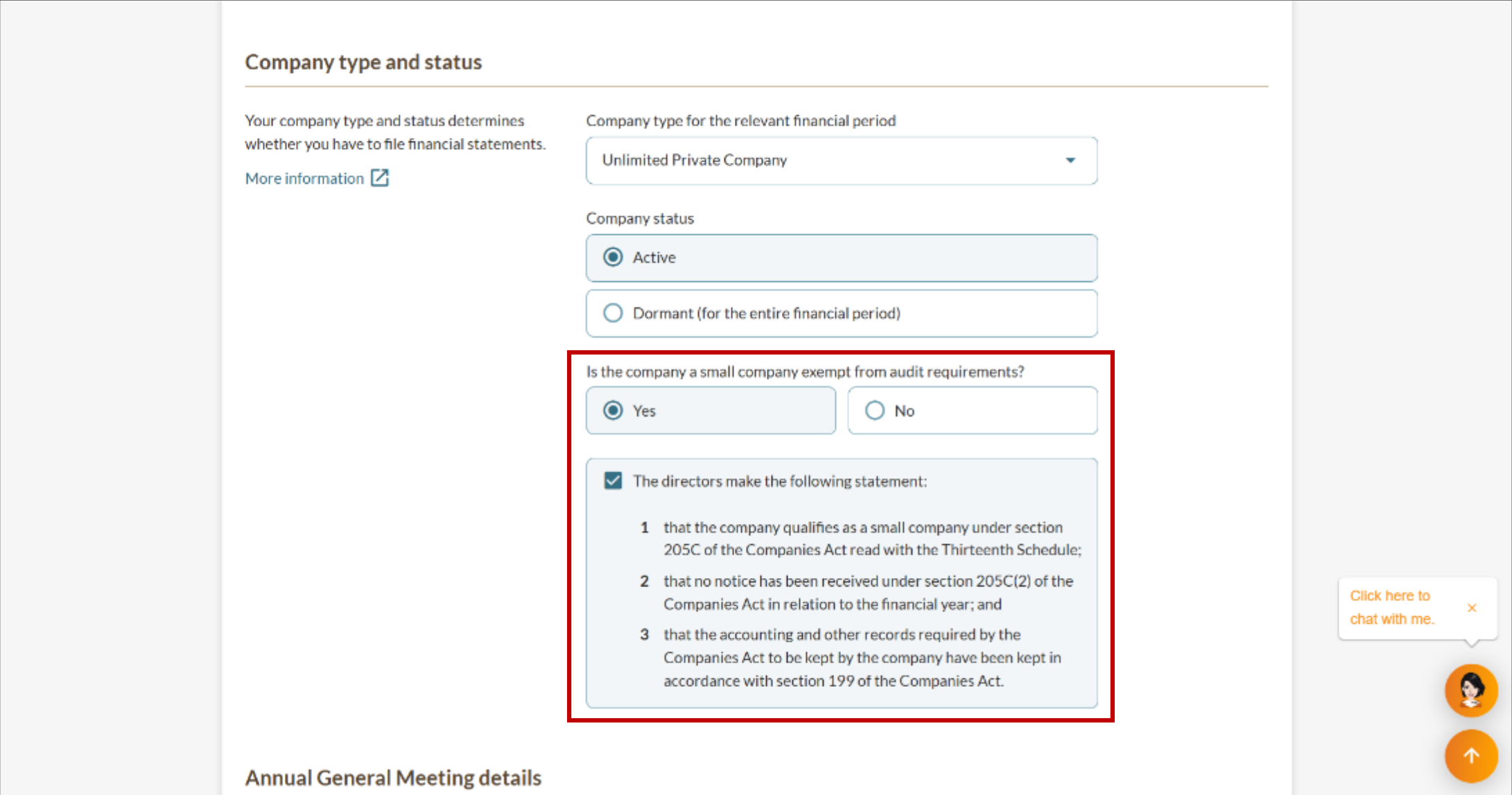
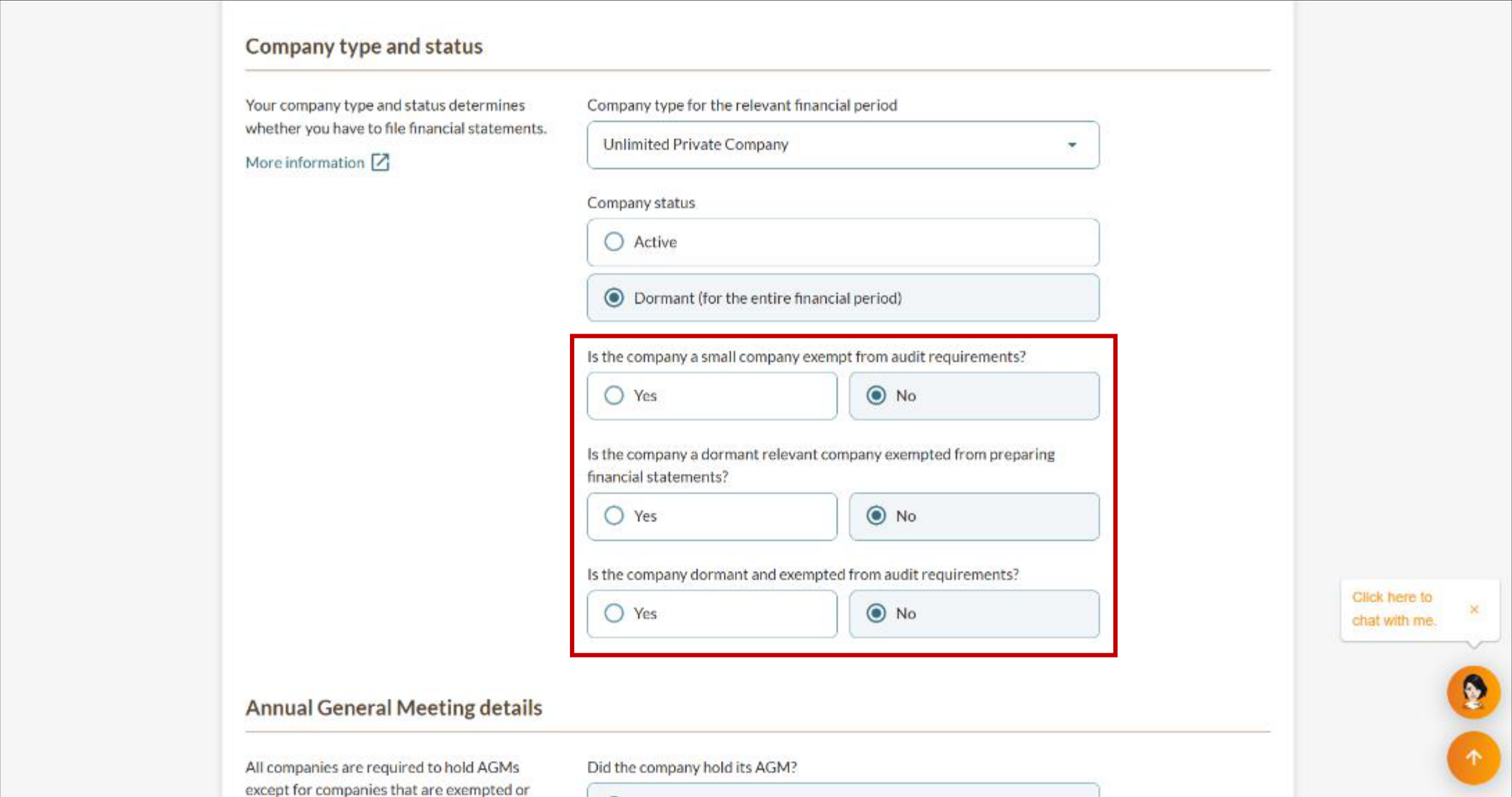
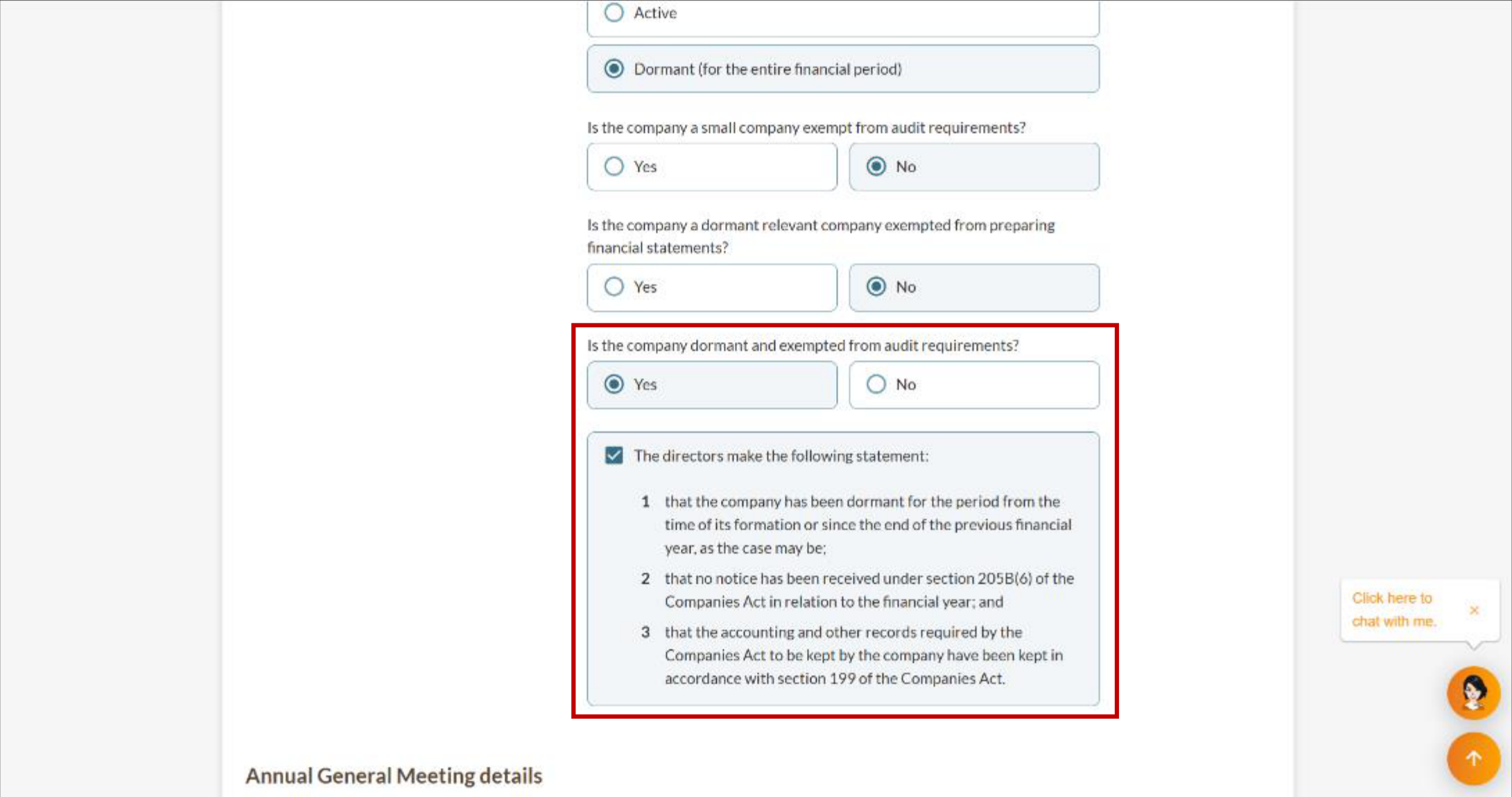
3g. Unlimited Public Company
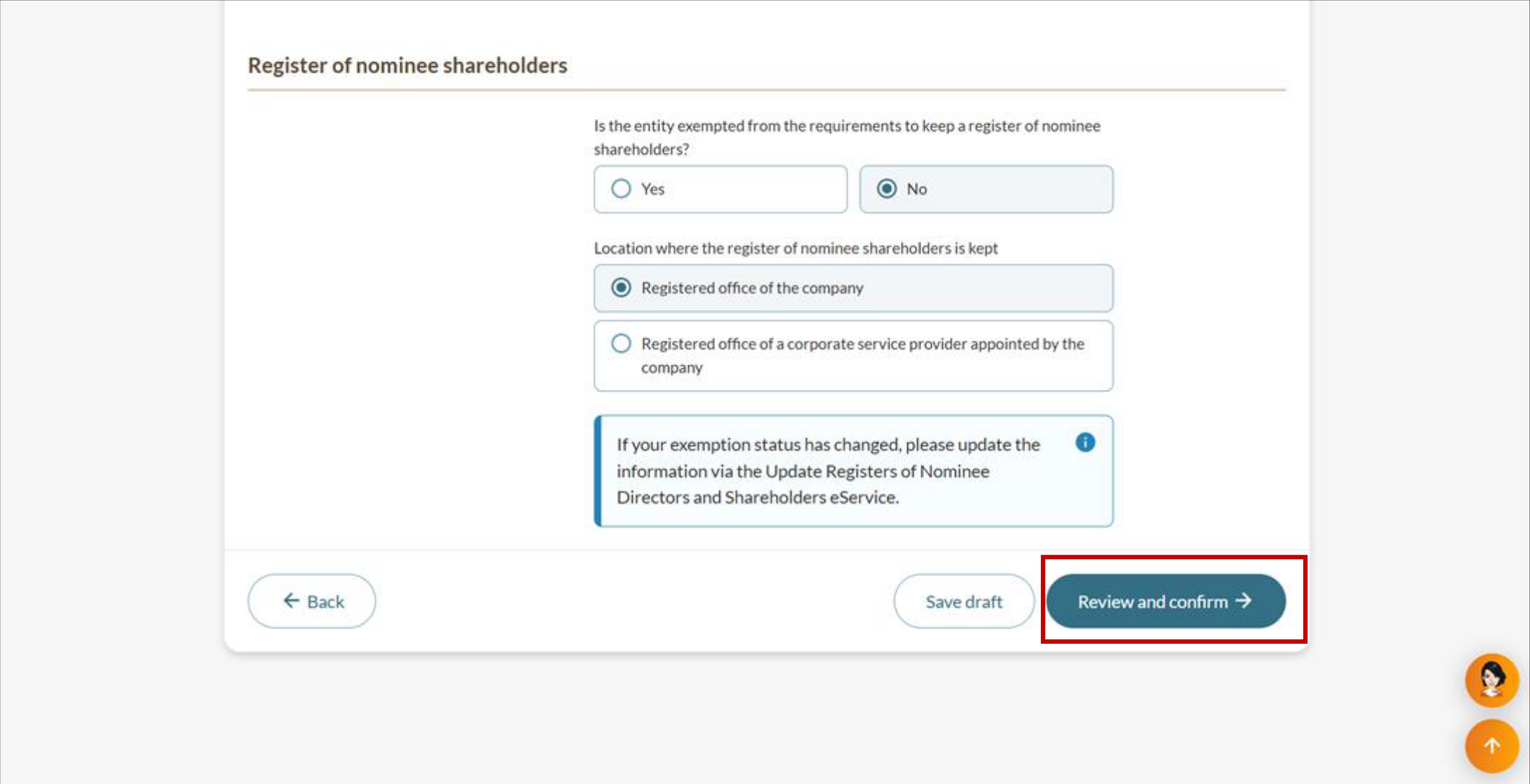
Step 4: Complete AGM, financial statement, and register information
Complete all of these steps regardless of your company type.
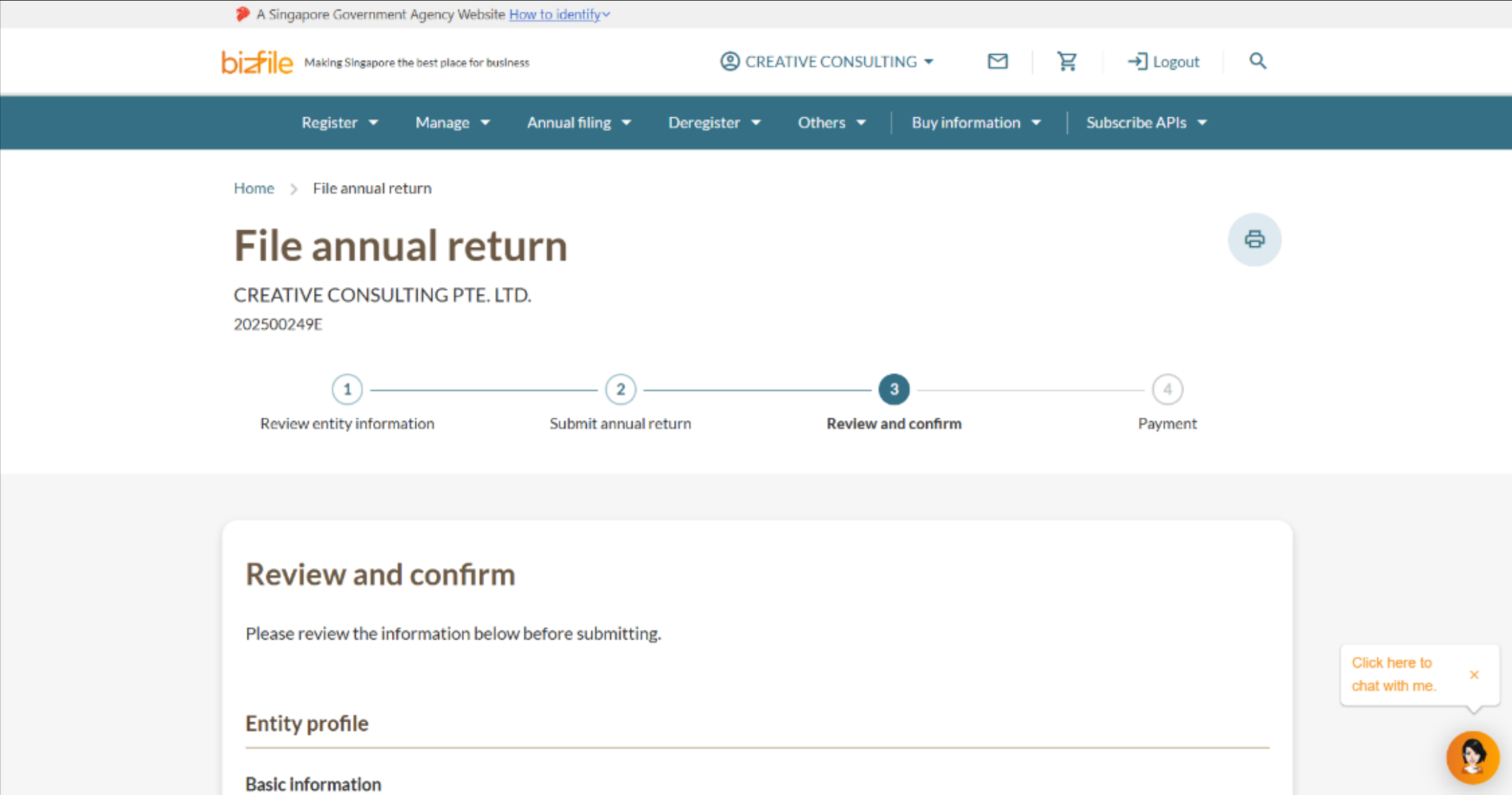
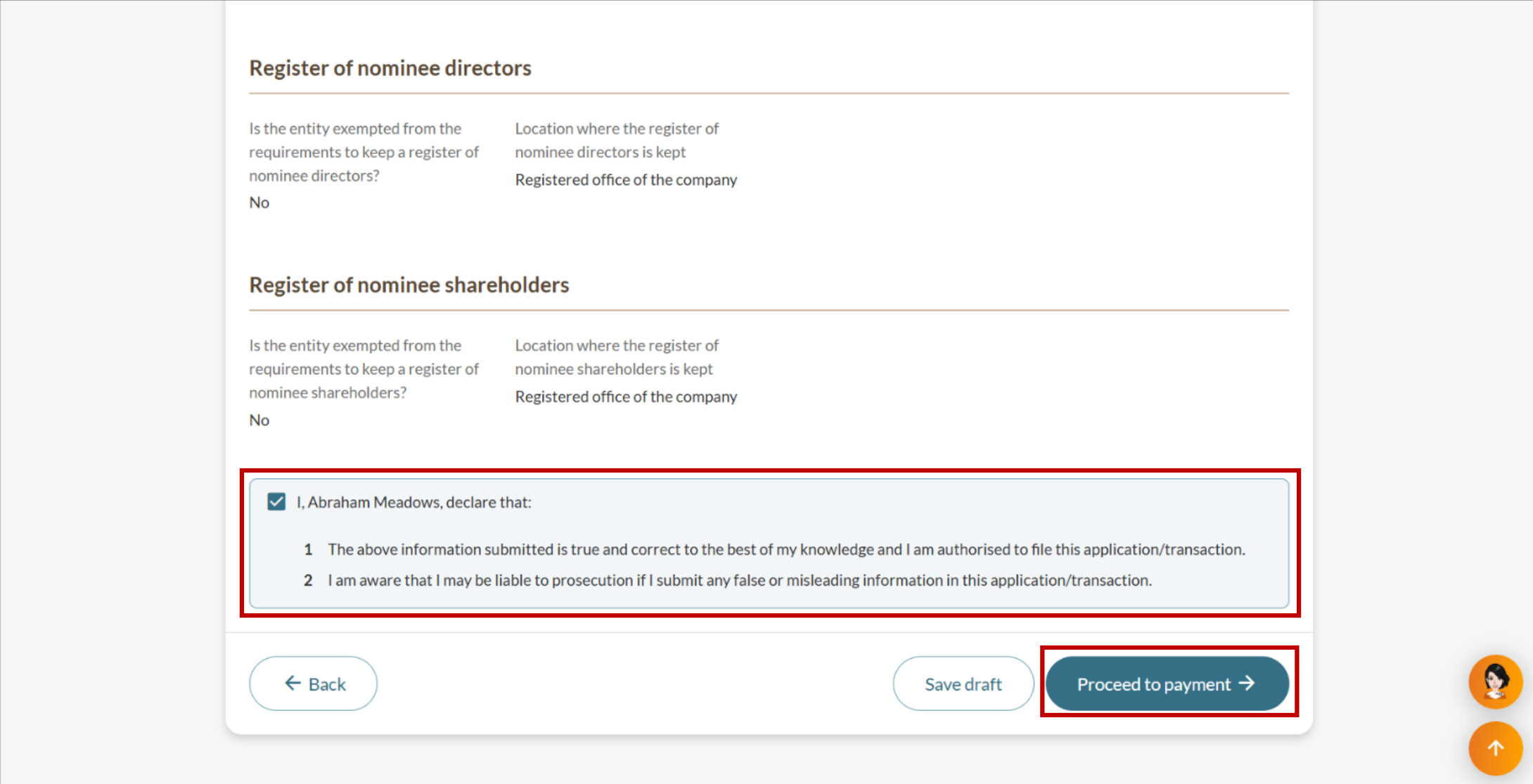
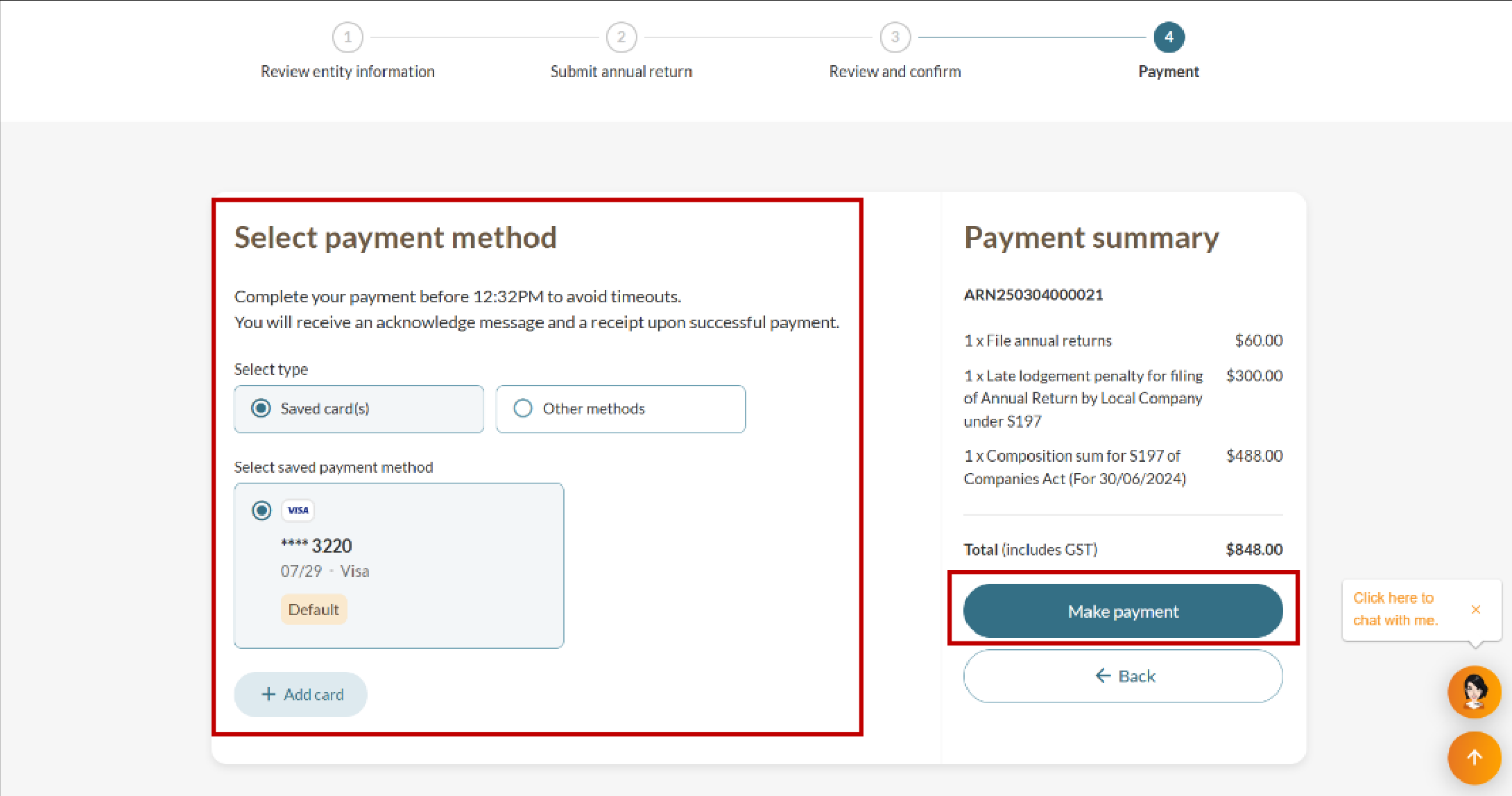
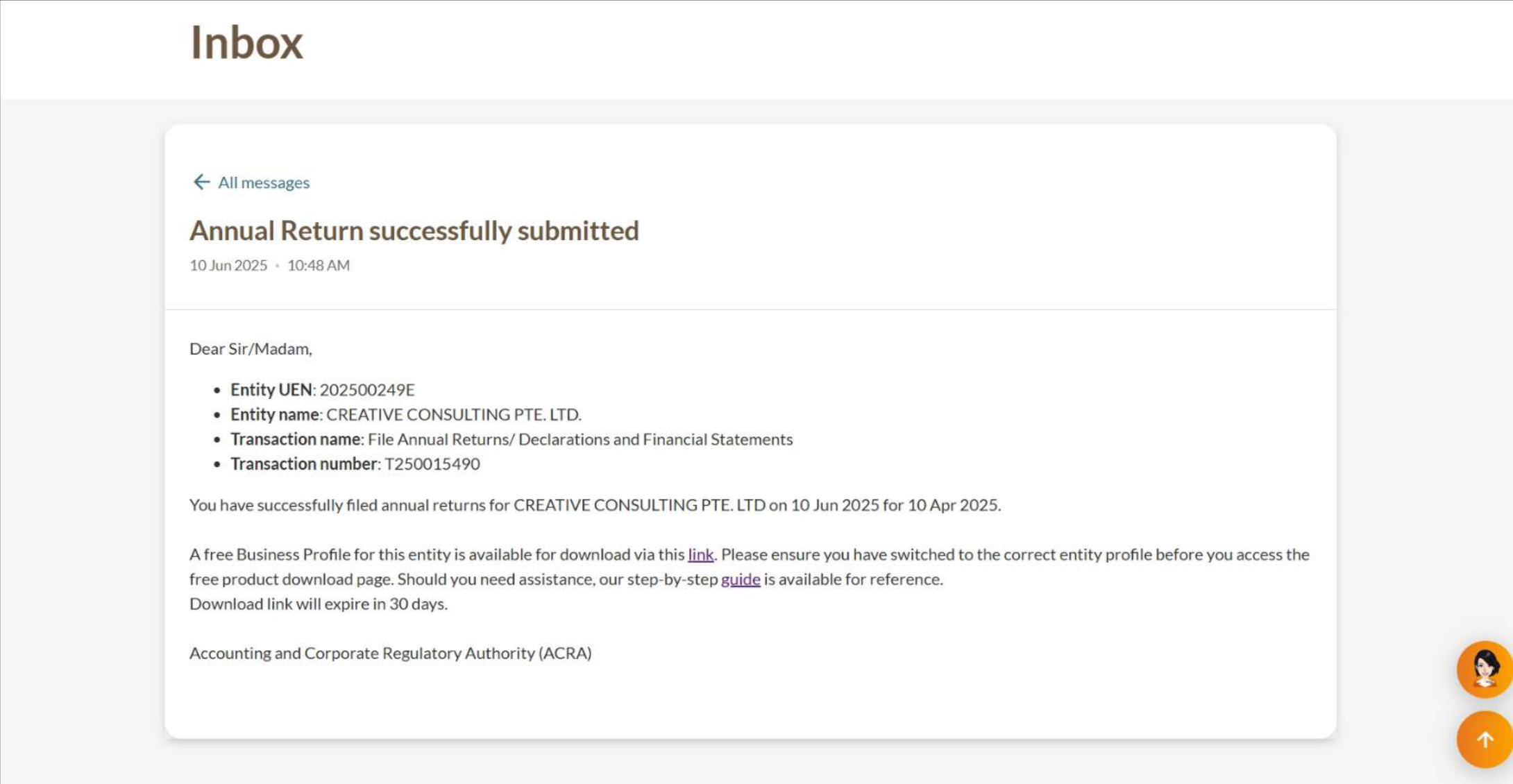
Step 5: Review and submit
Follow these steps to review and submit the annual return.
After you file an annual return
You will receive a free electronic Business Profile after successful filing. Download within 60 days, as the free copy expires after this period.
You must still file your taxes unless you have a waiver. Learn more about tax filing requirements.
Filing overdue annual returns
If your company has not filed annual returns for more than one financial year, you need to file all overdue returns first. Follow the same steps to file your annual returns via Bizfile.
Related pages
Preparing financial statements
Access financial reporting guidance, and learn more about exemptions and reliefs related to financial statements.
Filing financial statements in XBRL format
Learn how to file your company's financial statements in XBRL format.
Applying for an extension of time (EOT) to file annual returns
You can apply for up to 60 extra days to file your annual return. Each application costs $200.
Register of Registrable Controllers (RORC)
Unless exempted, you need to meet RORC requirements. This applies to companies (including foreign companies) and limited liability partnerships (LLPs).
Registers of Nominee Directors (ROND) & Nominee Shareholders (RONS)
Companies must maintain their ROND & RONS and file any changes to the Central ROND & RONS.
Filing a notification of revised financial statements
Learn how to revise defective financial statements and any necessary consequential revisions through a notice of error (NOE).
Downloading free Business Profiles
After you complete an eligible transaction, you can download a free Business Profile.