
Filing a return of allotment of shares
If your company allots new shares, you may need to file a return of allotment to update your shares information.
Last updated on 30 April 2026
Note: Share transactions are complex and errors can be costly. If you are unsure about share matters or how to file the correct share transactions in Bizfile, seek professional advice from a corporate service provider (CSP).
If you make an error during filing and cannot resolve it by filing a Notice of Error, you may need to obtain an Order of Court to amend the error.
What is share allotment
You can allot new shares for cash to raise your company's total share capital. You can also allot shares for other considerations (non-cash). Examples include:
Fulfilling a contract (written or verbal)
Meeting a provision in the company's constitution
Exchanging shares for dividend payments to a shareholder
Before you file
This guide explains how to file a return of share allotment to notify ACRA. After you allot new shares, you may need to file the return of allotment to update changes to your:
Share capital; and
Shareholding.
Filing requirements
Company type | Requirements |
|---|---|
Private companies |
|
Public companies |
|
Who may file
Company officers (such as the director or company secretary) can file directly.
You may also engage a CSP to file on your behalf.
What you need to do
Required steps
Steps | Details |
|---|---|
Get approval from shareholders | You must get approval through a general meeting before you allot shares. This applies even if your company's constitution allows directors to decide on share allotment. |
Decide on allotment terms | Your directors can decide on:
These decisions must comply with section 161 of the Companies Act (opens in new tab). |
What you need to prepare
Required documents and information
You need to prepare | Details |
|---|---|
Company information and resolution |
|
Share details |
|
Shareholder details | Only required for:
Required details for new shareholders:
|
Supporting documents |
|
Fees and processing time
Return of allotment
What you need to know | Details |
|---|---|
Fees | Free |
Approval time | Immediate |
More details: Section 63 (opens in new tab) (private companies) and section 63A (opens in new tab) (public companies)
Step 1: Log in to Bizfile and open the "Update shares information" eService
Follow these steps to navigate to the Update shares information (opens in new tab) eService.
Note: All entity and personal information (including UEN, entity details, NRIC or FIN numbers, names and addresses) shown are dummy data for illustration purposes only.
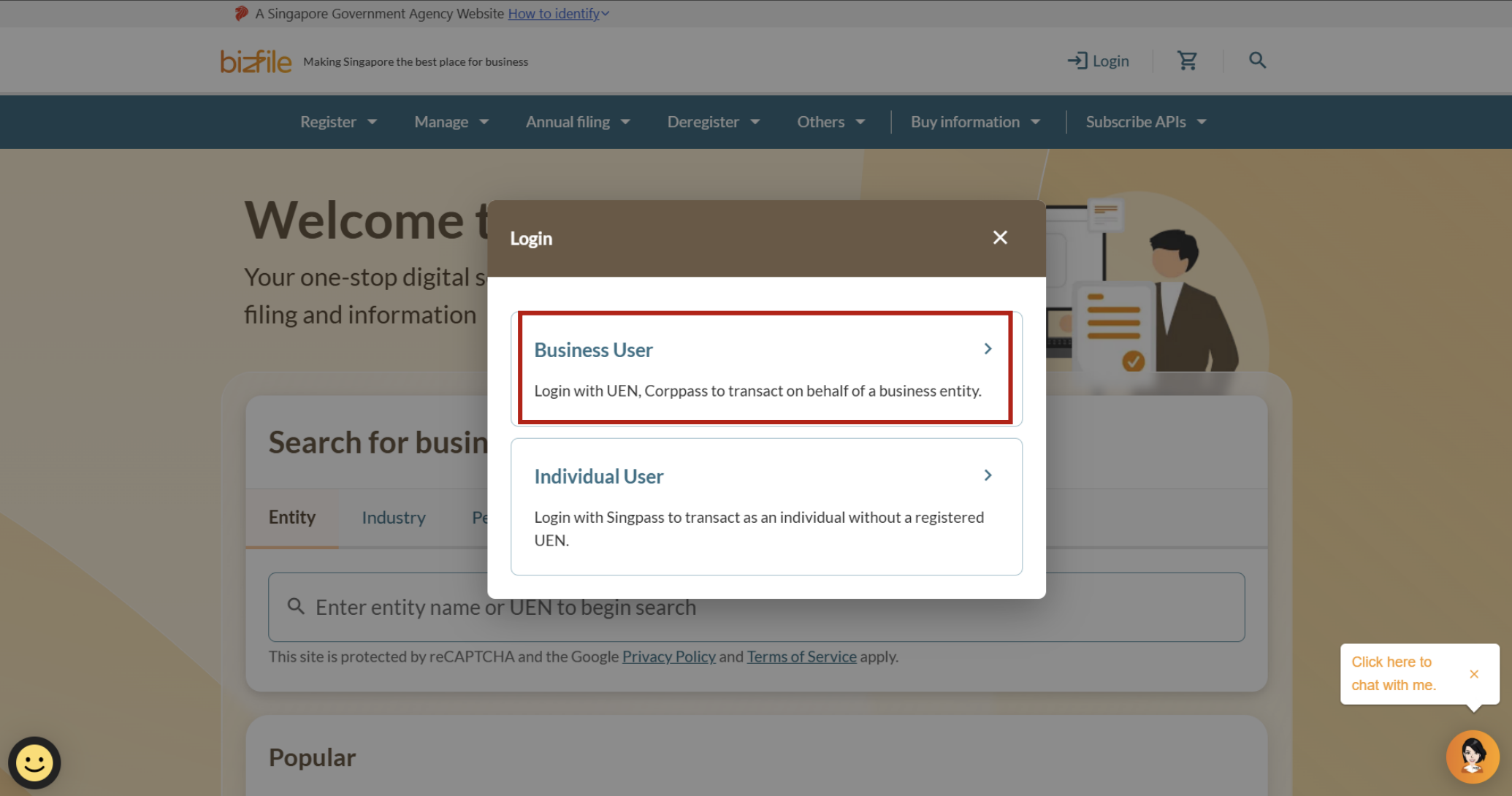
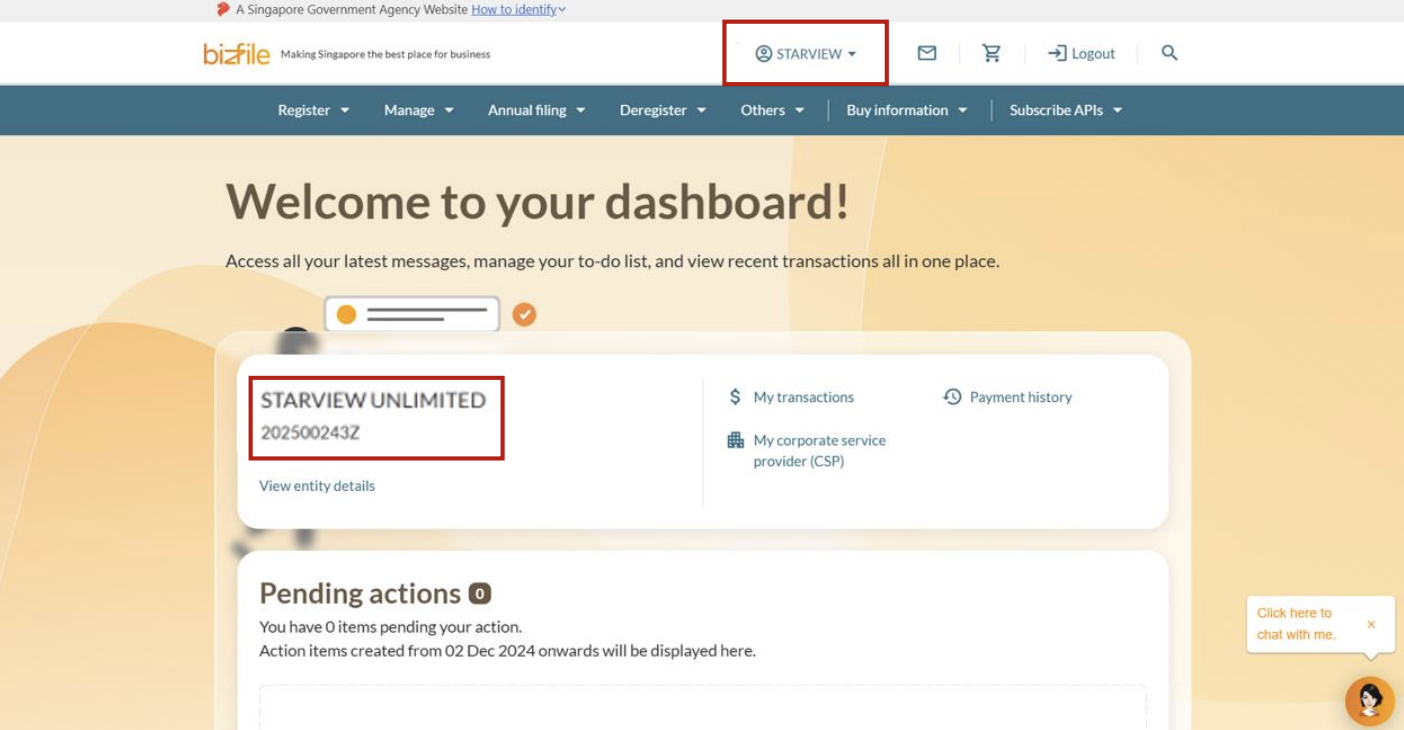
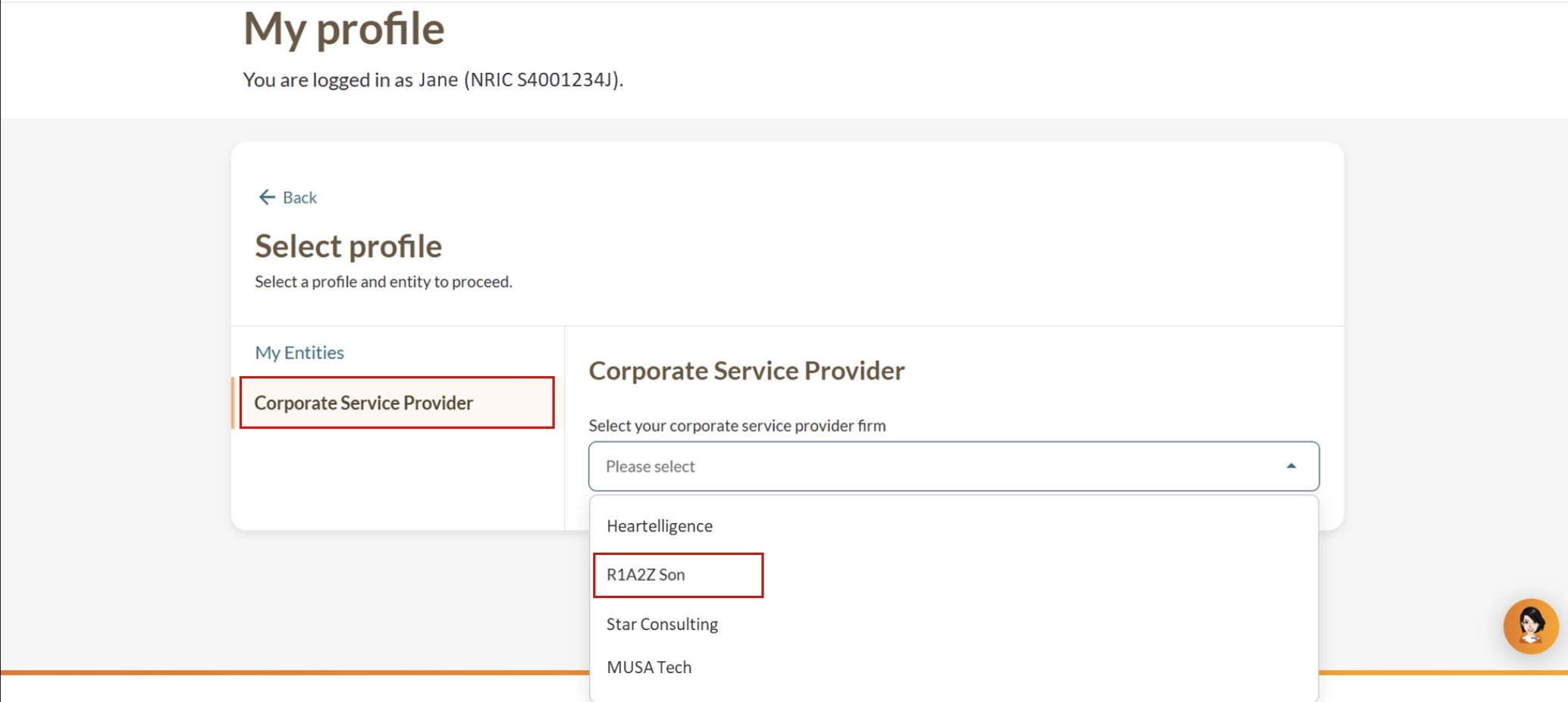
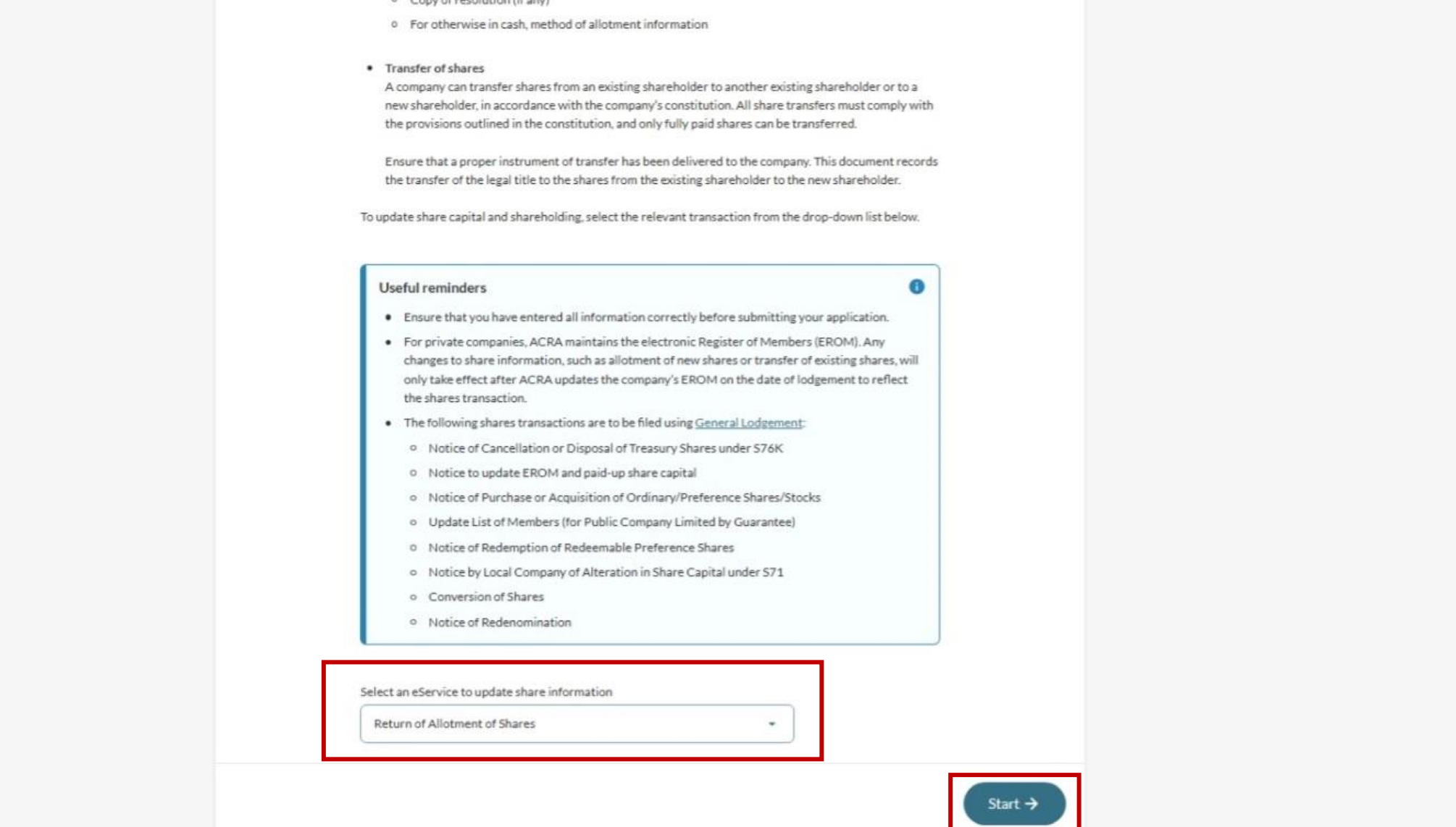
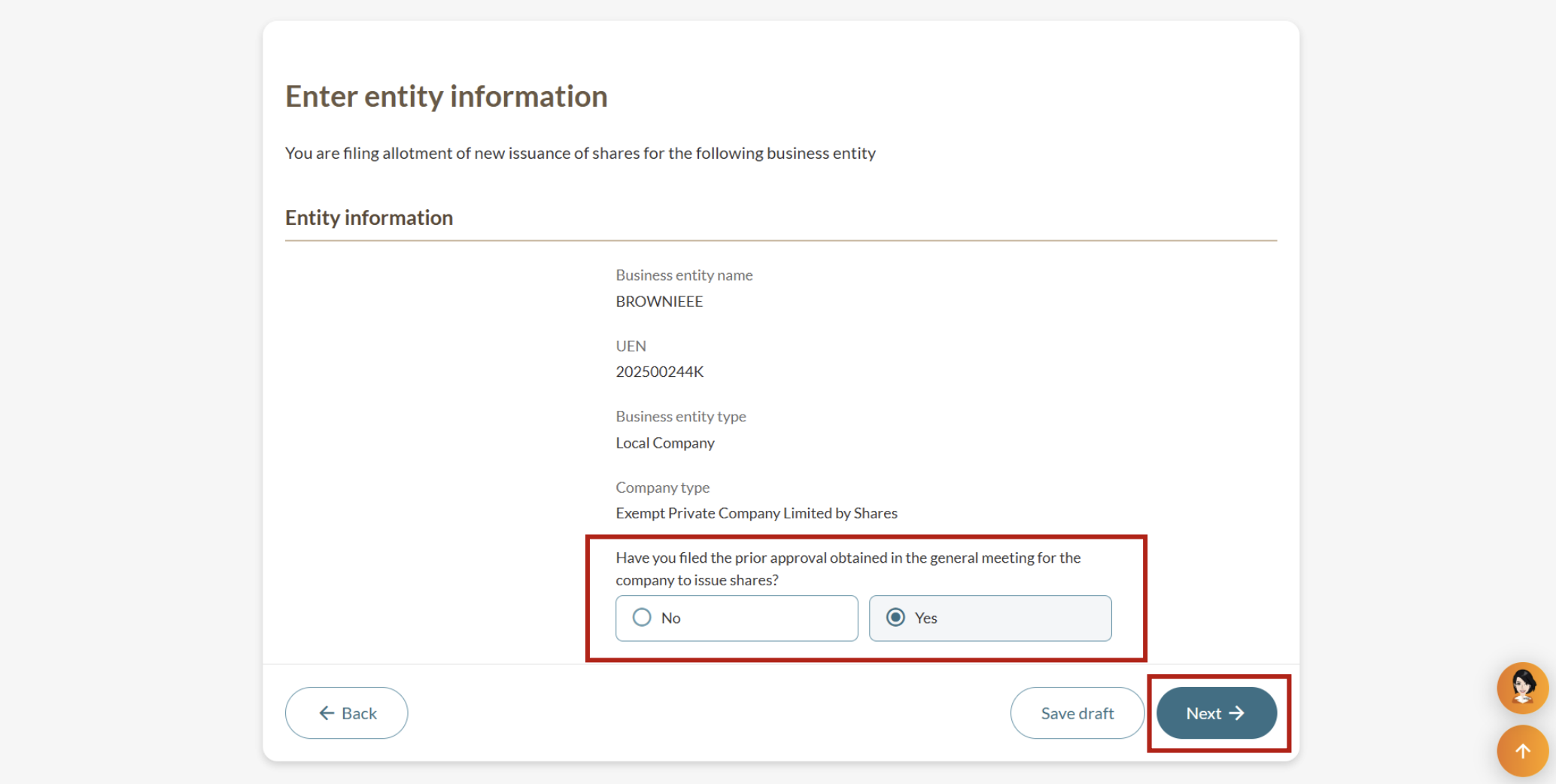
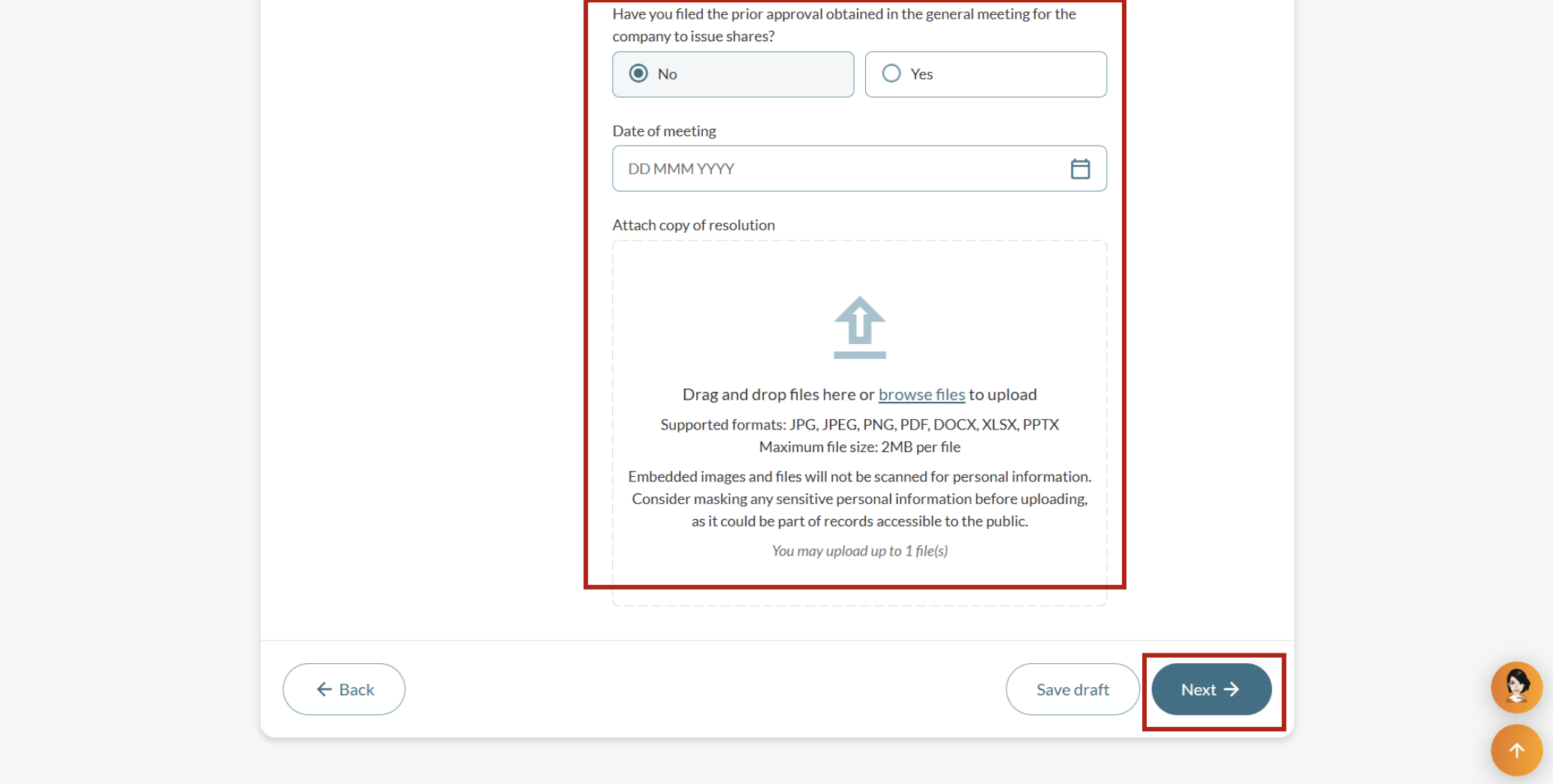
Step 2: Verify entity details and file resolution under S161 (if applicable)
Ensure you are filing for the correct entity. If you have not filed the resolution (section 161 (opens in new tab)) on approval for the company to issue shares, upload the resolution from your general meeting.
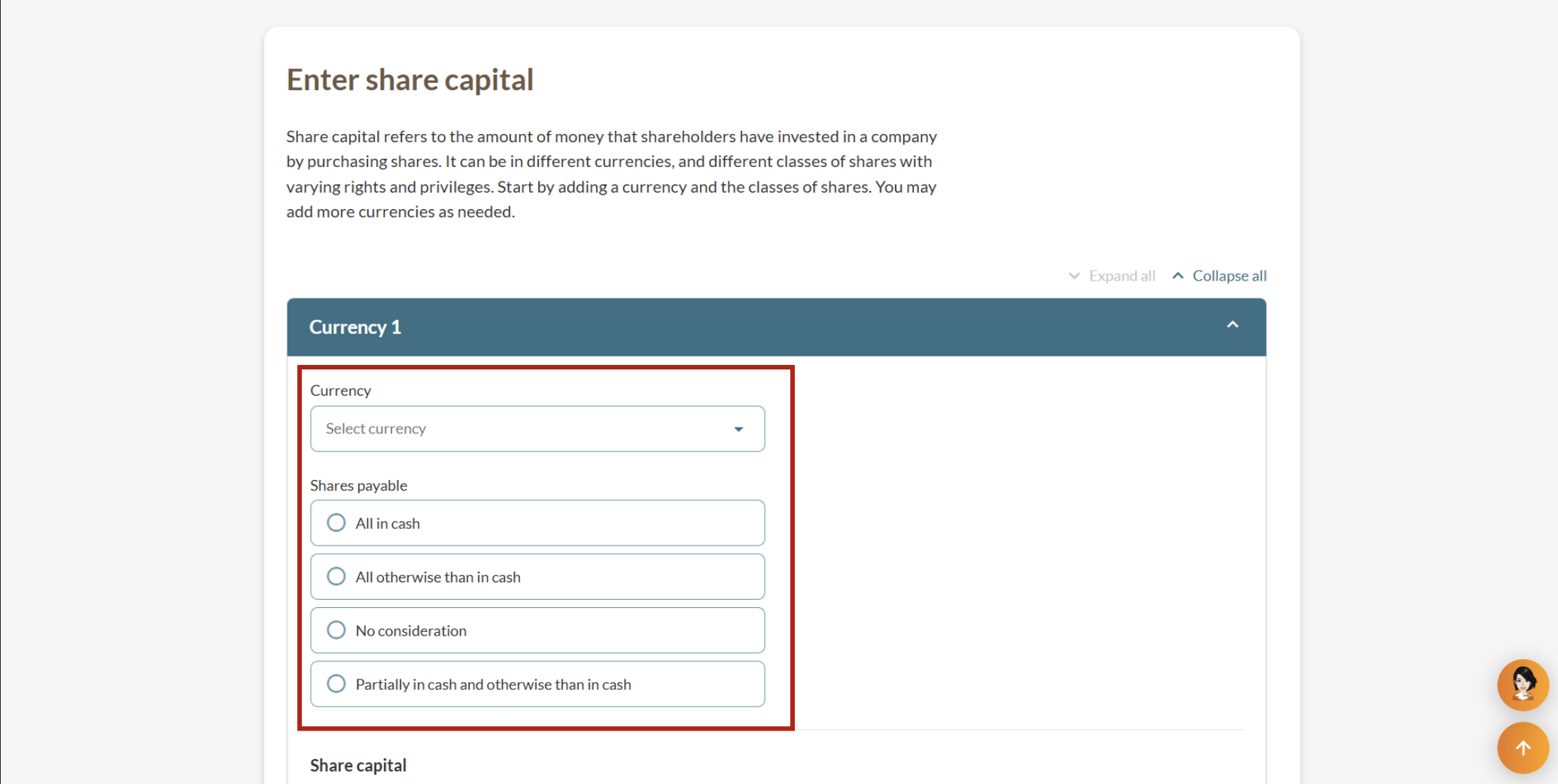
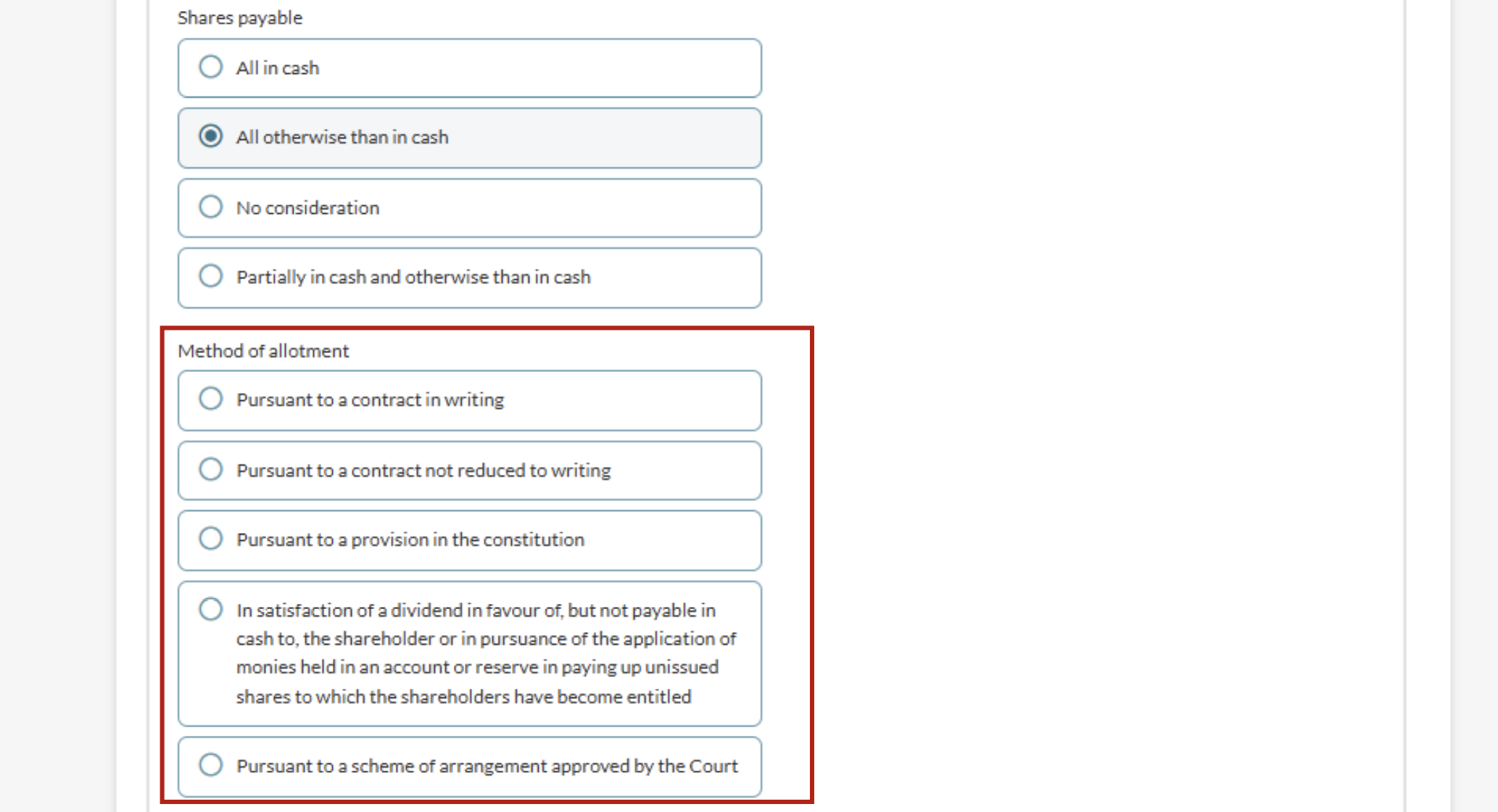
Step 3: Enter share capital details
Share capital details include the currency type and shares payable option.
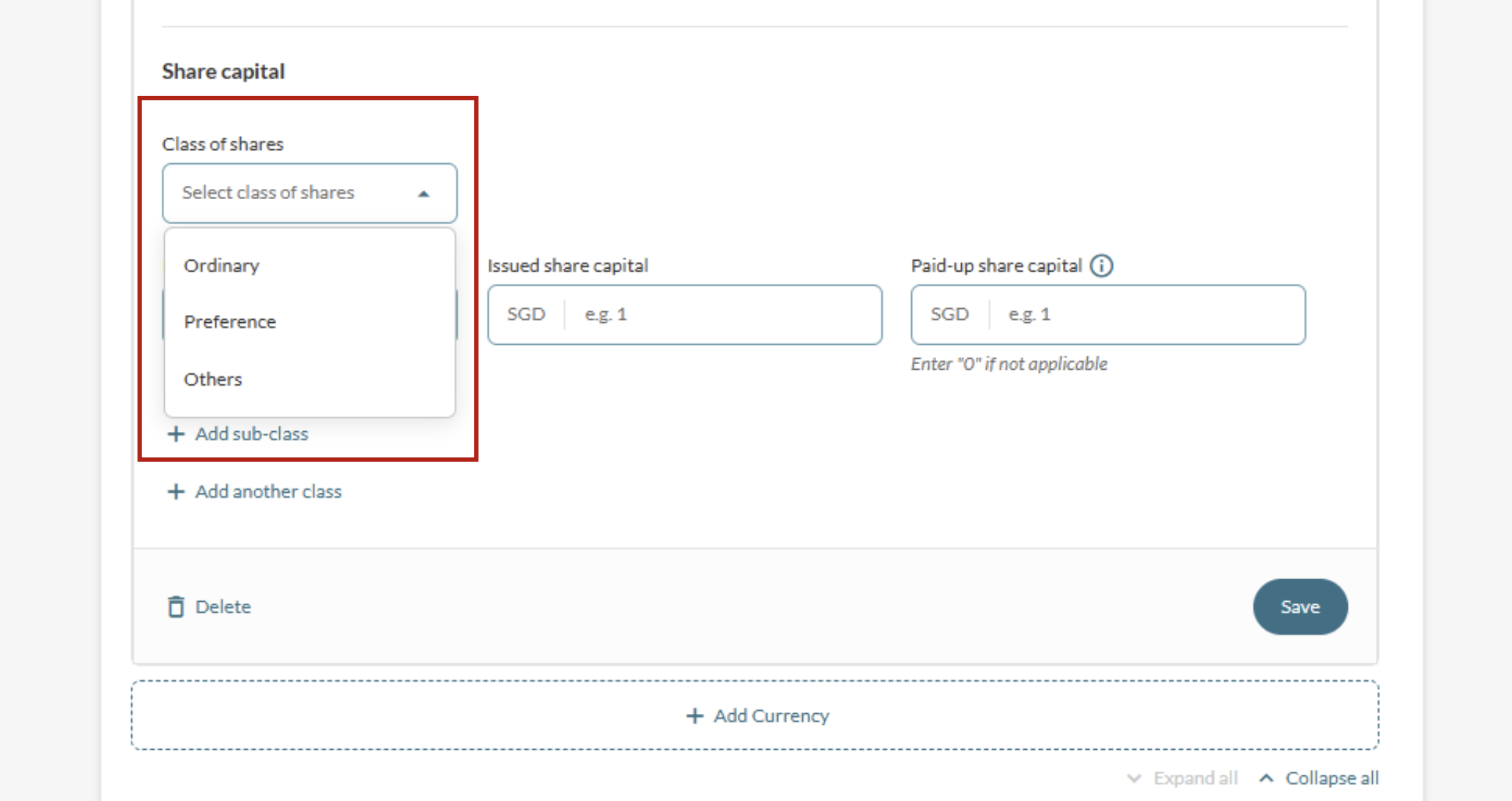
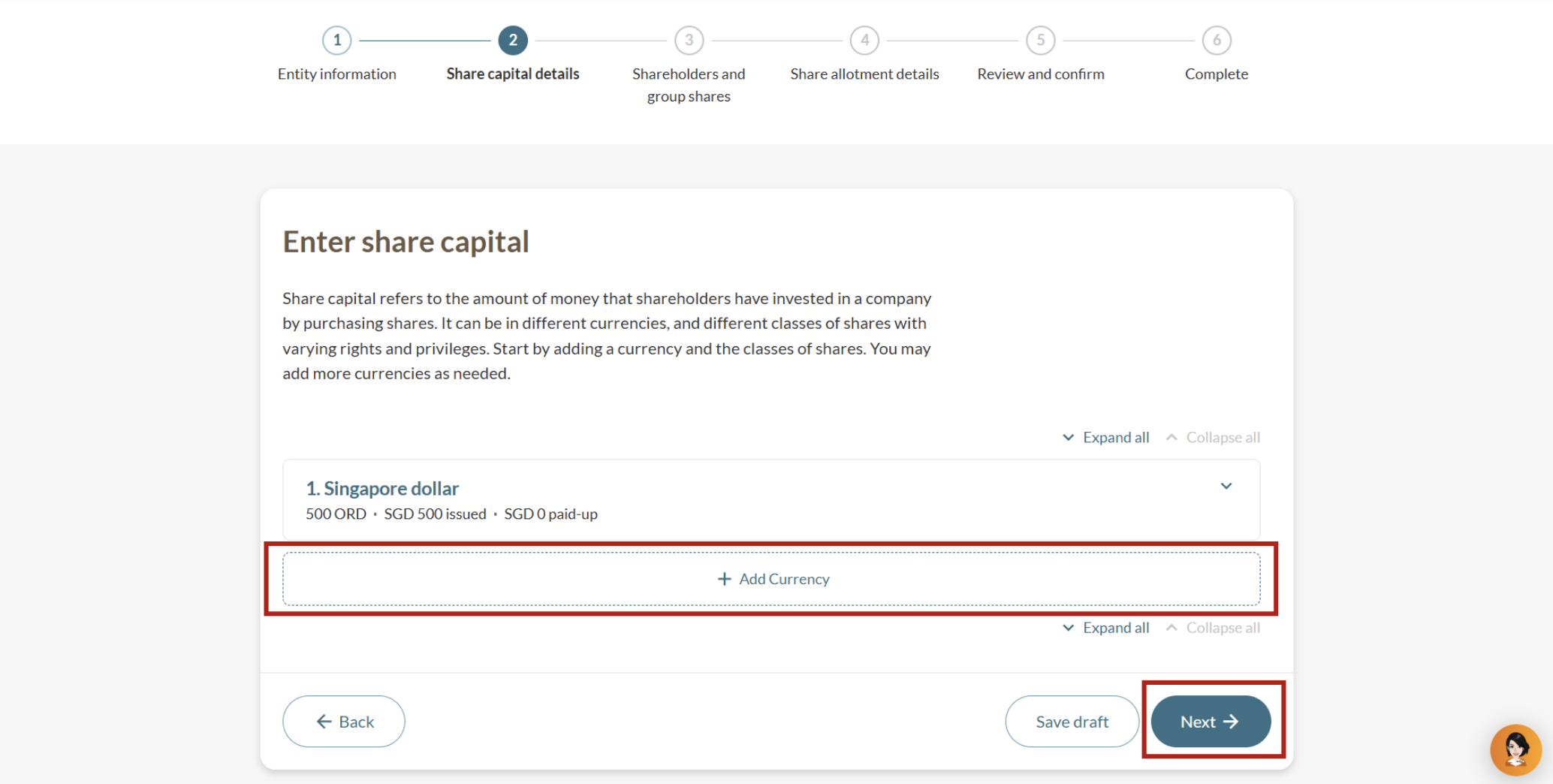
Note: Treasury shares can only be added under the Ordinary class of shares.
(Optional) Step 4: Add new shareholders
You can add shareholders individually or create shareholder groups as needed.
If your shareholder structure remains unchanged, click Next to enter your share allotment details instead.
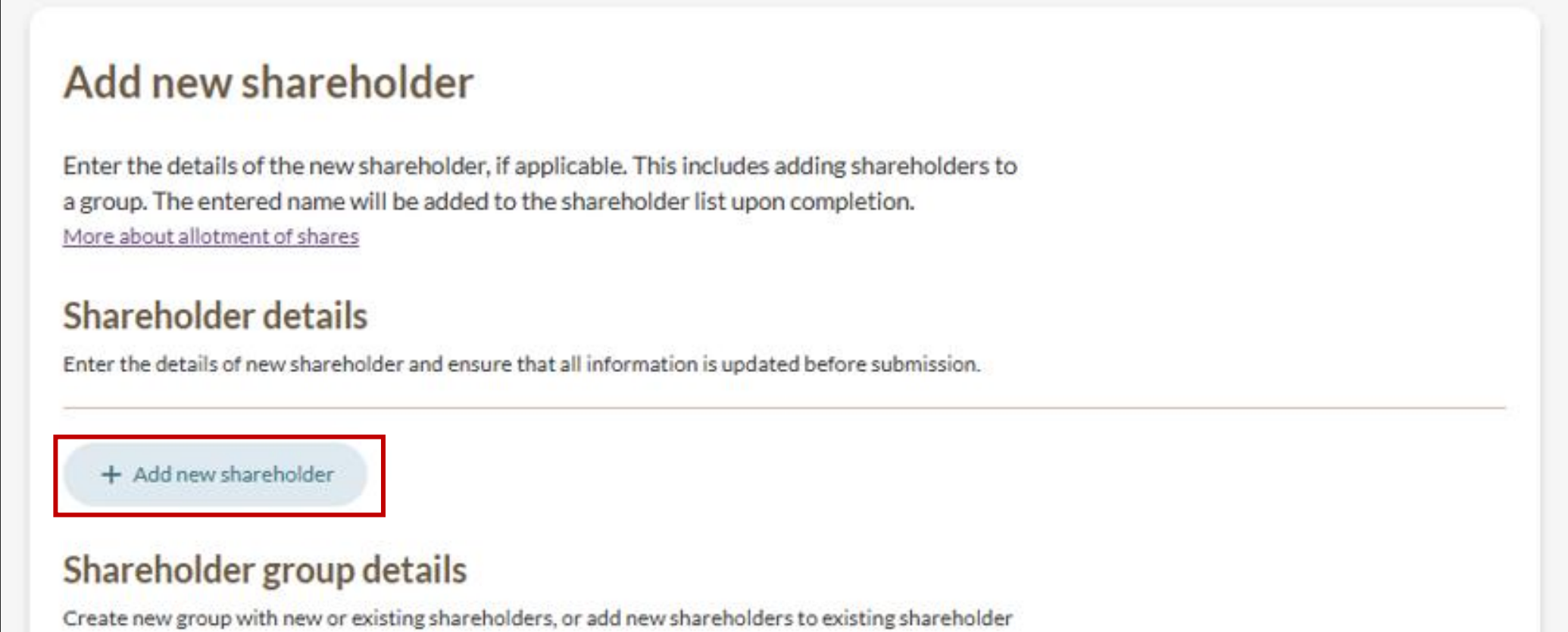
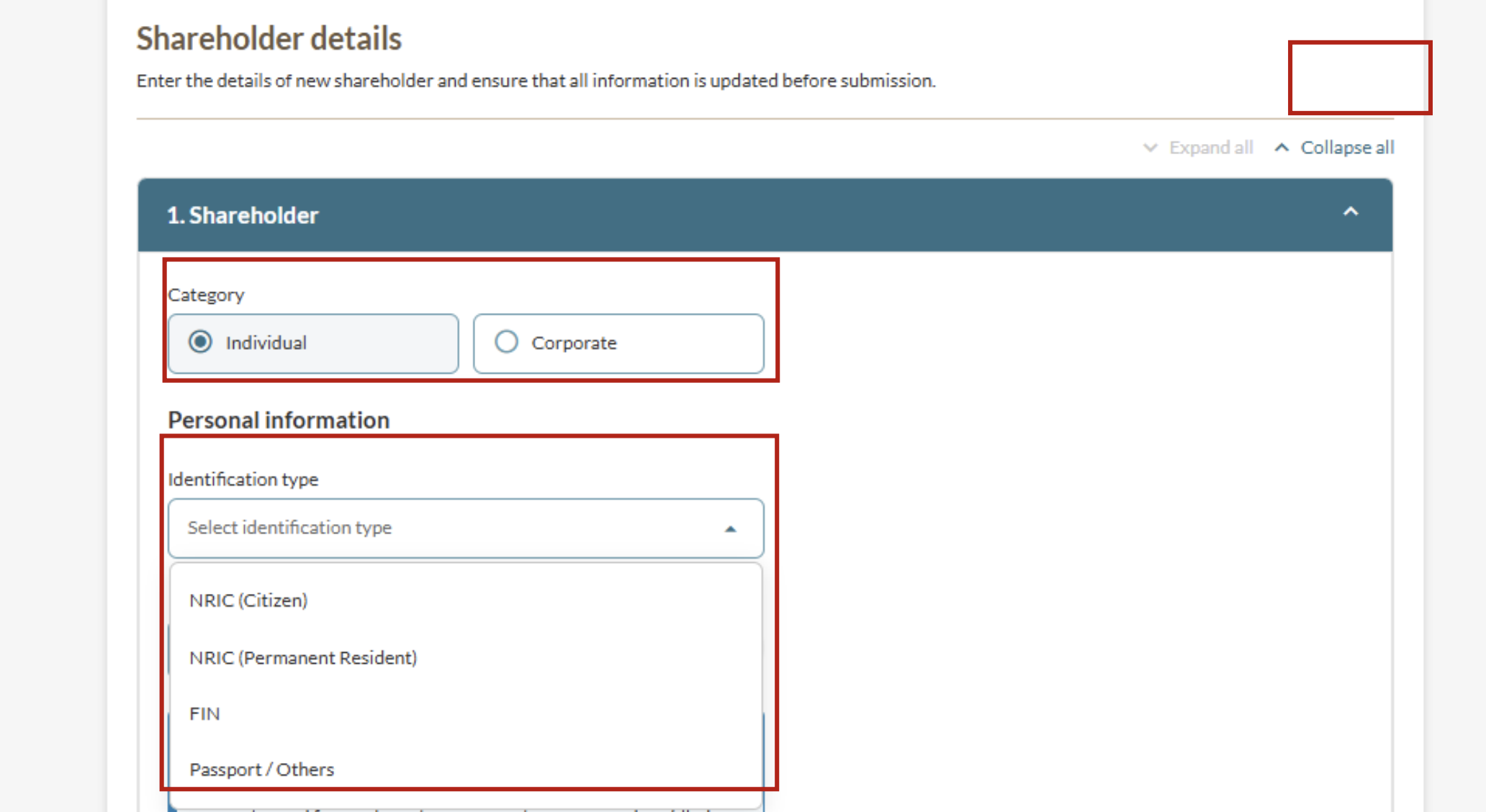
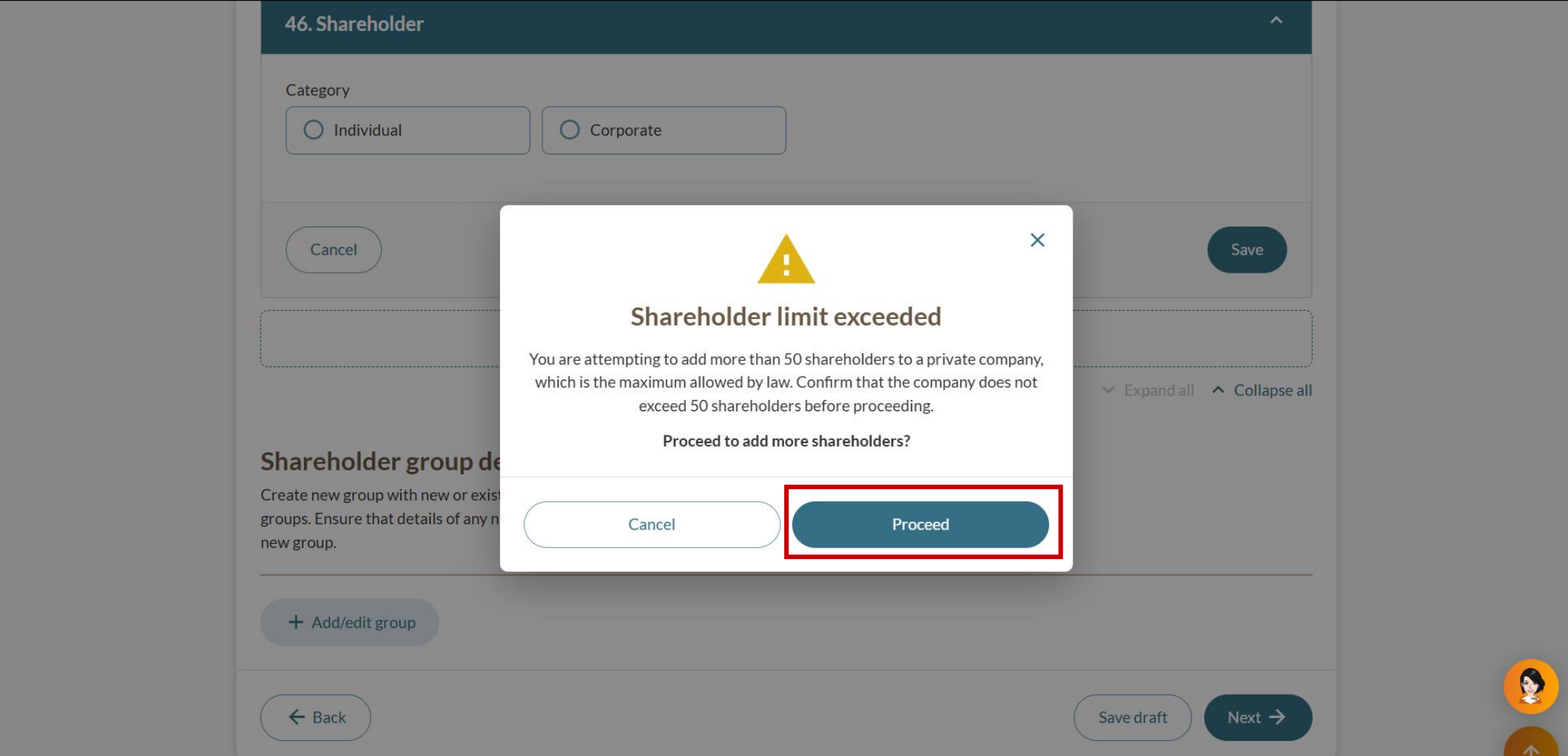
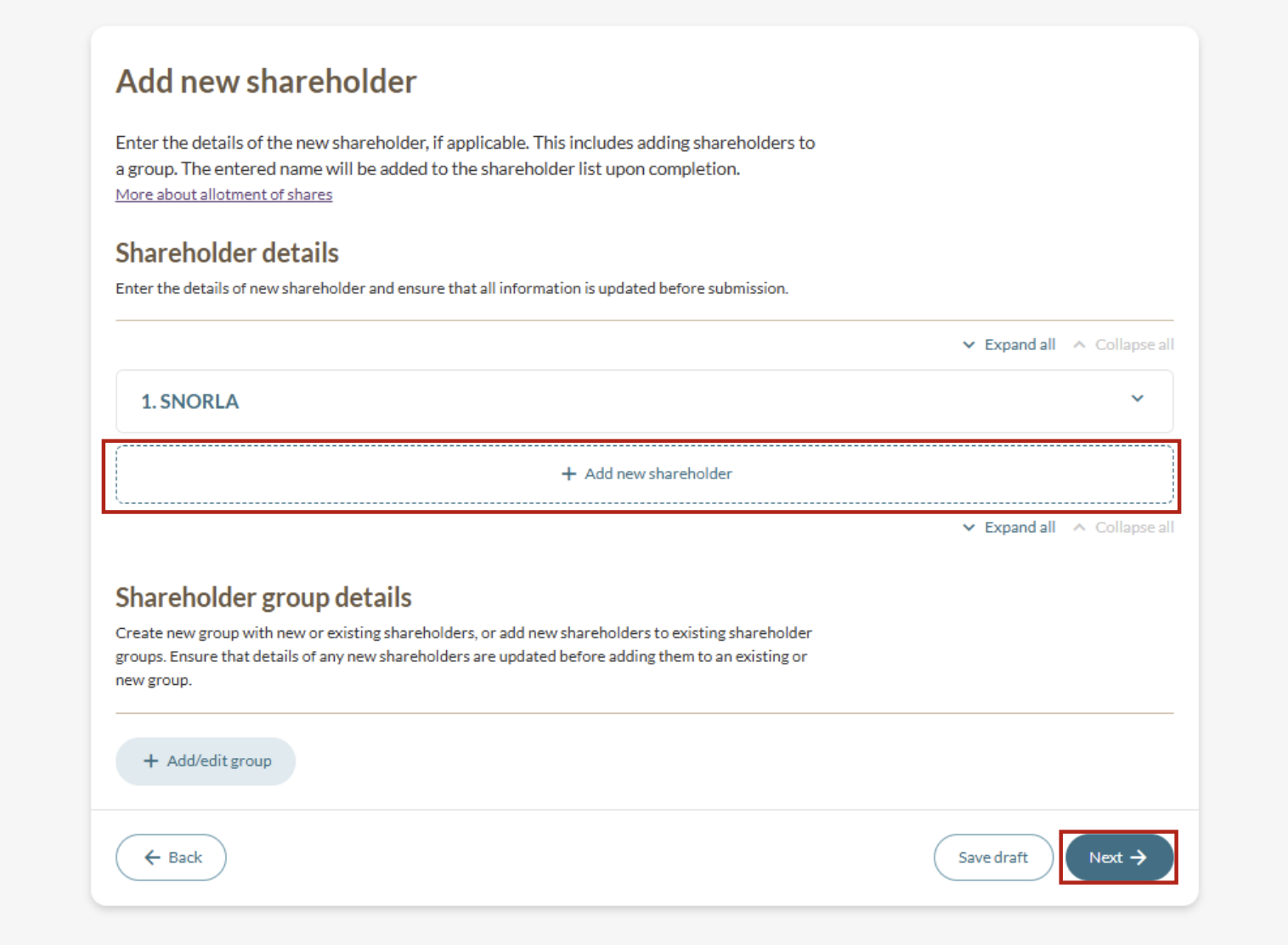
4a: Add shareholders individually
Follow these steps to add individual shareholders or corporate shareholders.
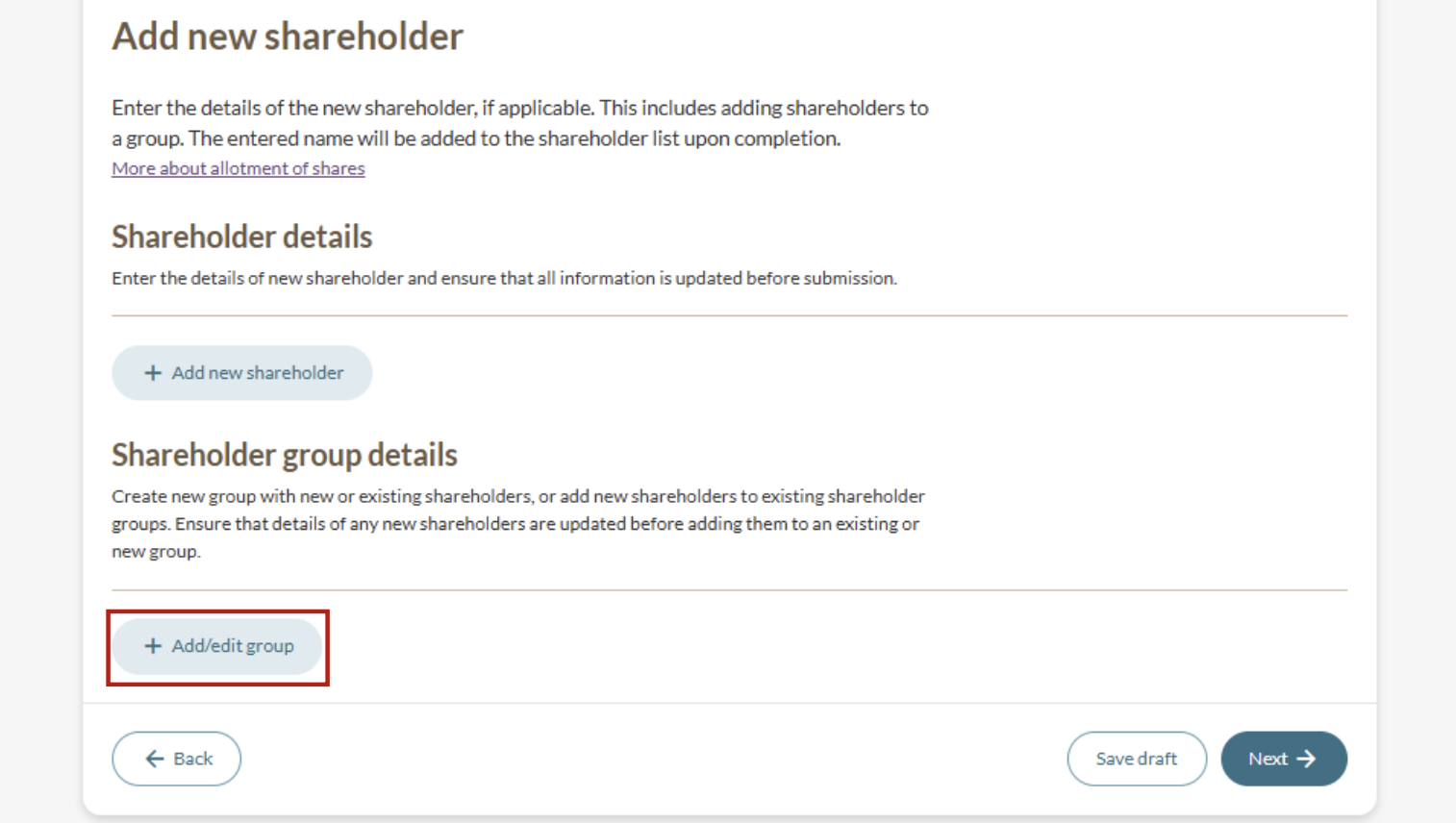
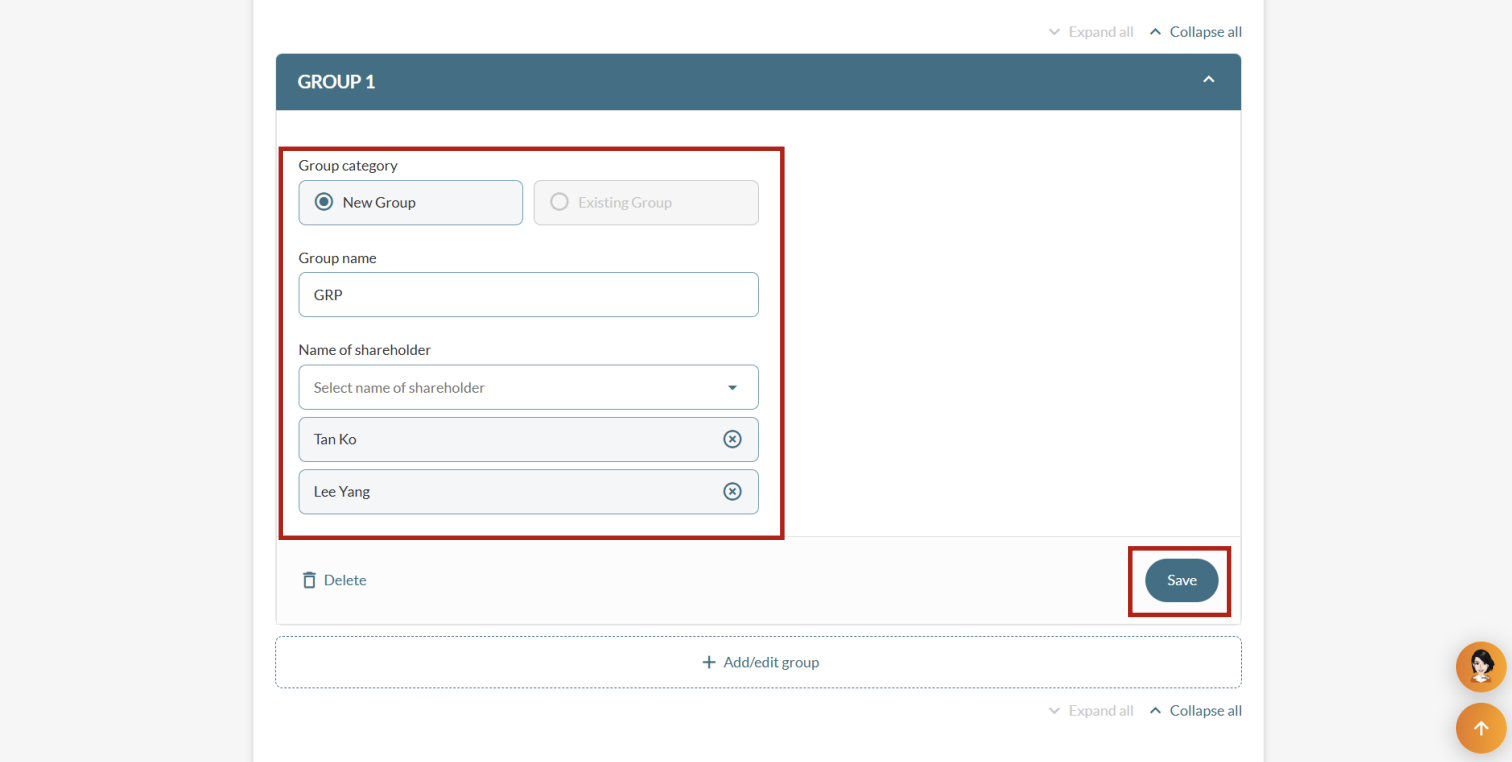
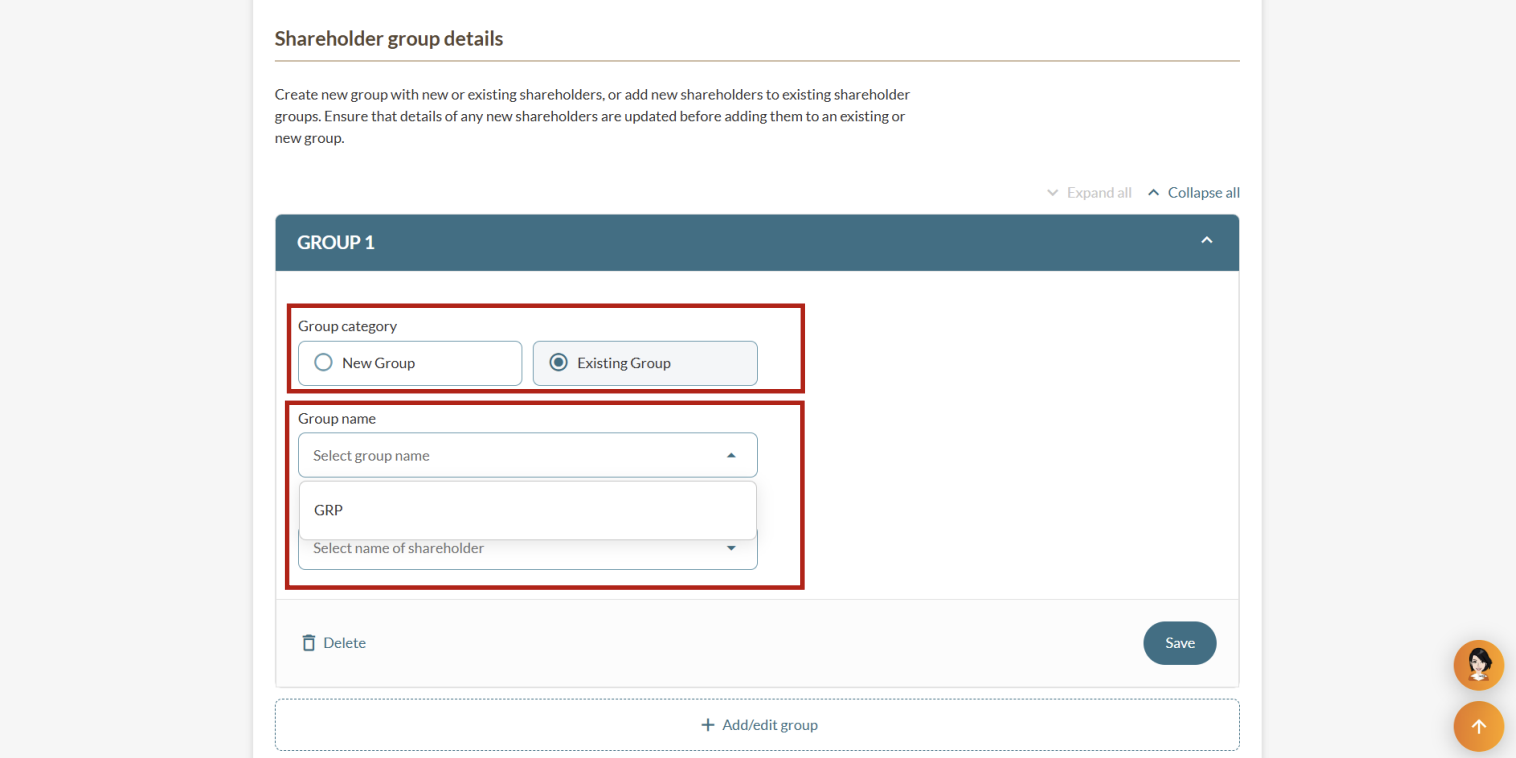
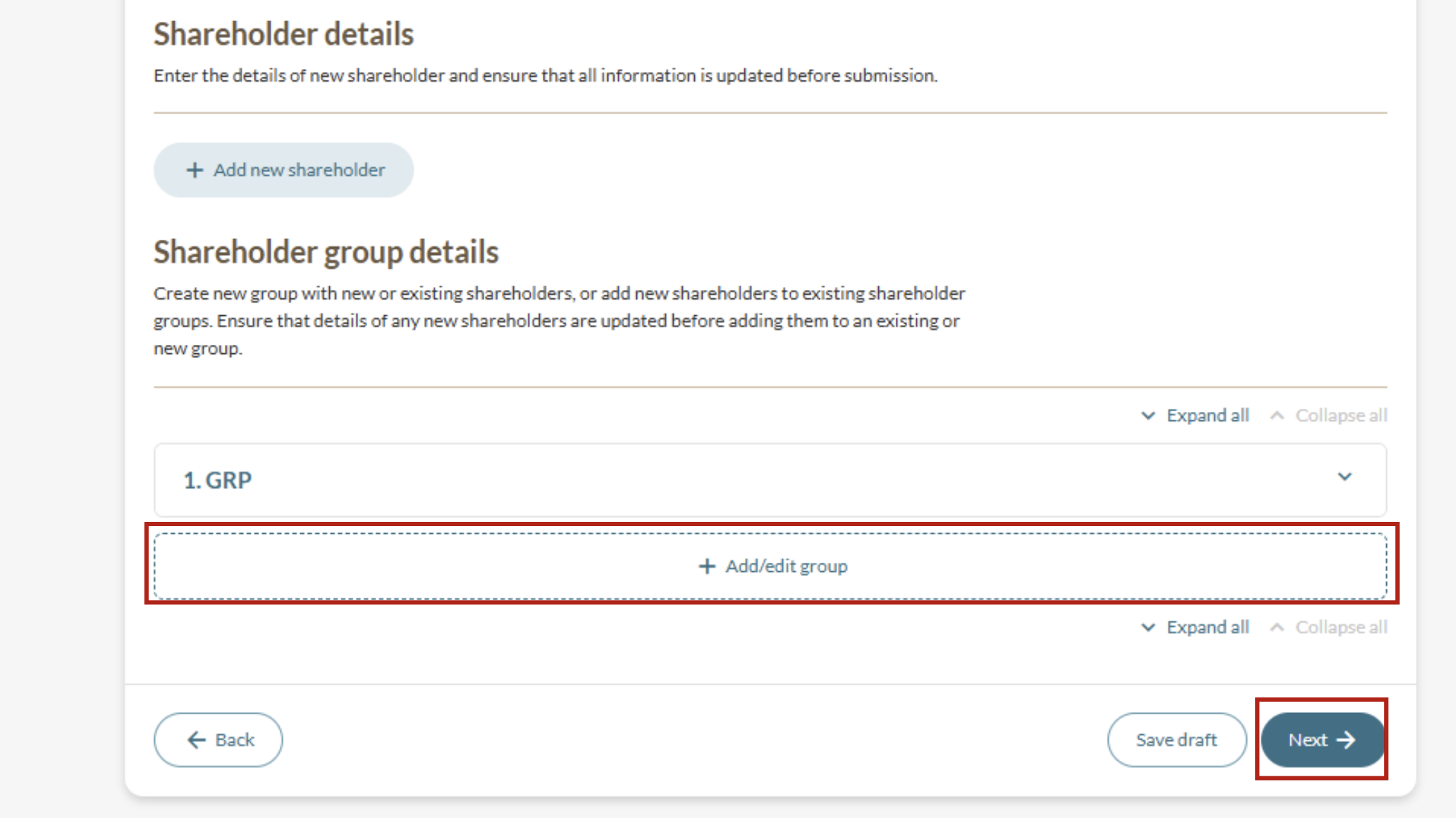
4b: Create or edit shareholder groups
Follow these steps to add a new shareholder group or manage shareholders in existing shareholder groups.
Step 5: Enter share allotment details
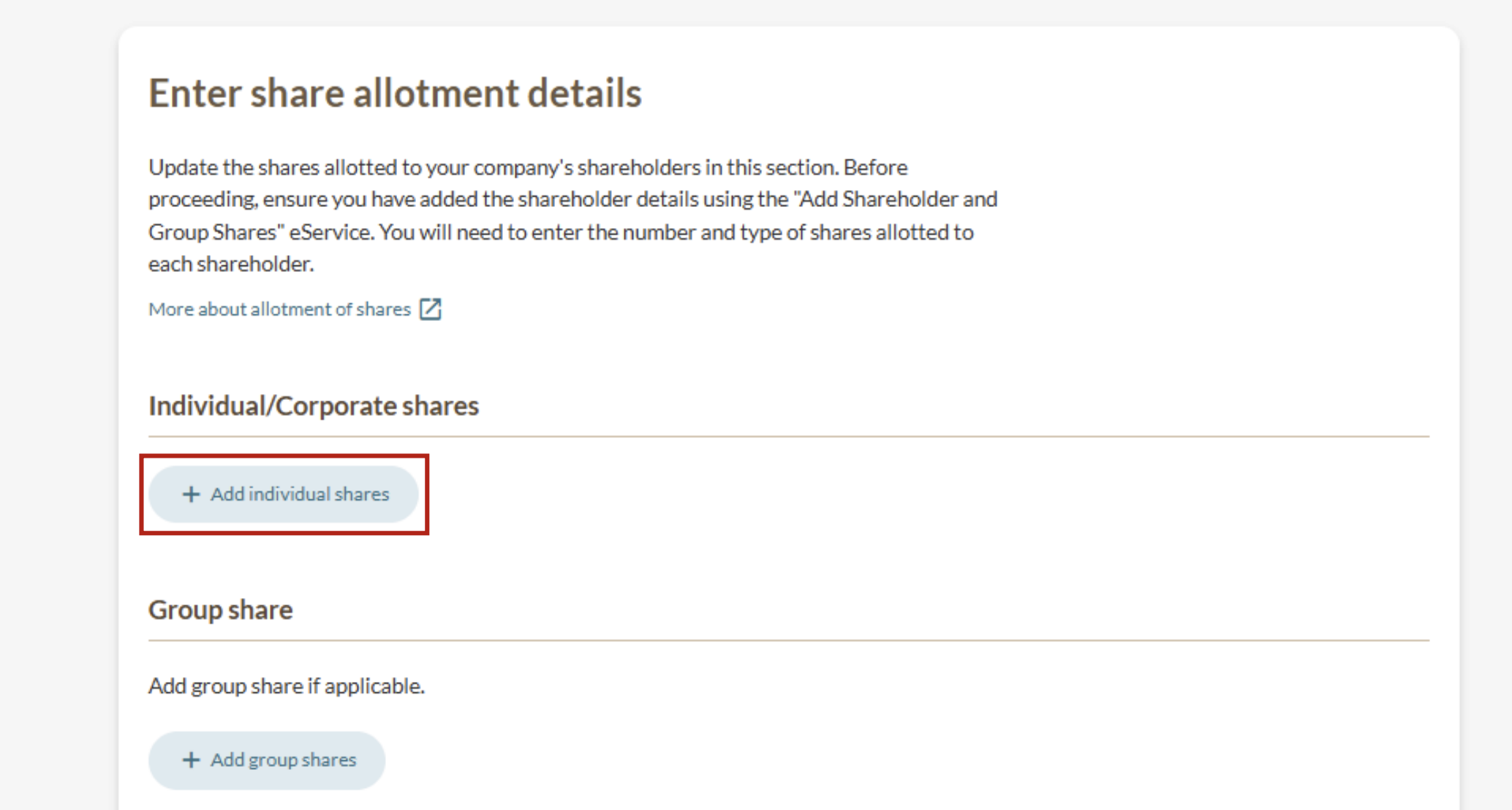
Each shareholder must either:
Have an individual share allotment; or
Be part of a group share allotment.
Note: The total paid-up share capital for each share class and currency must equal the total amount of paid-up share capital allotted to all shareholders and groups.
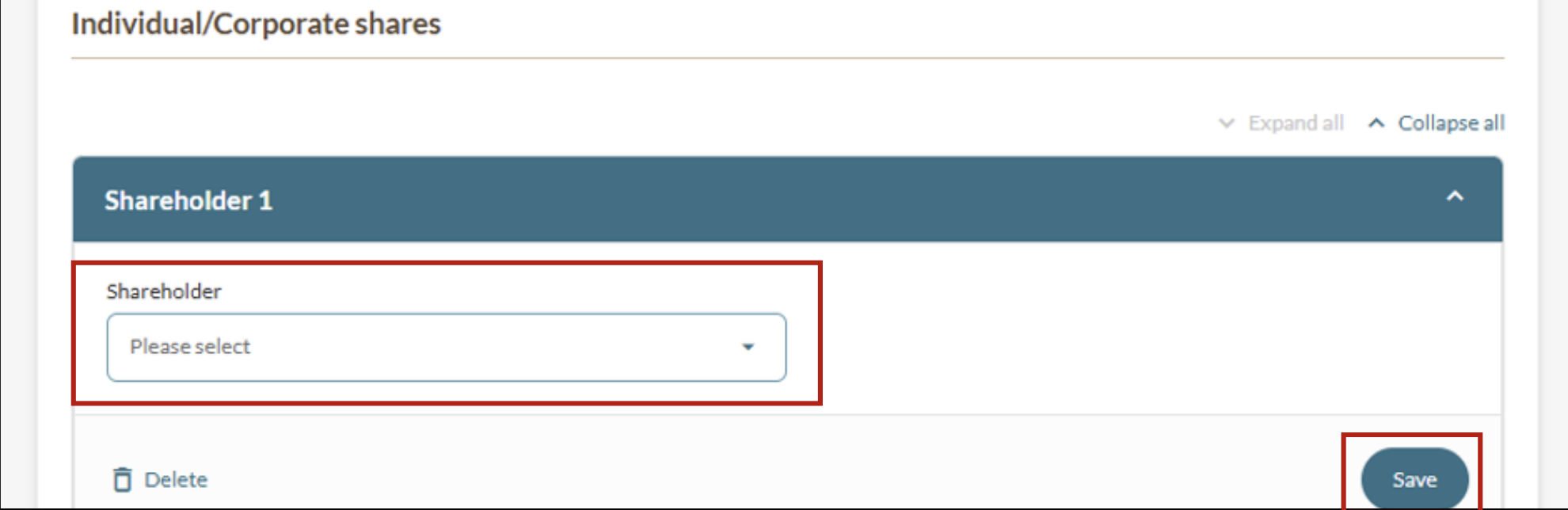
5a: Add individual share allotments
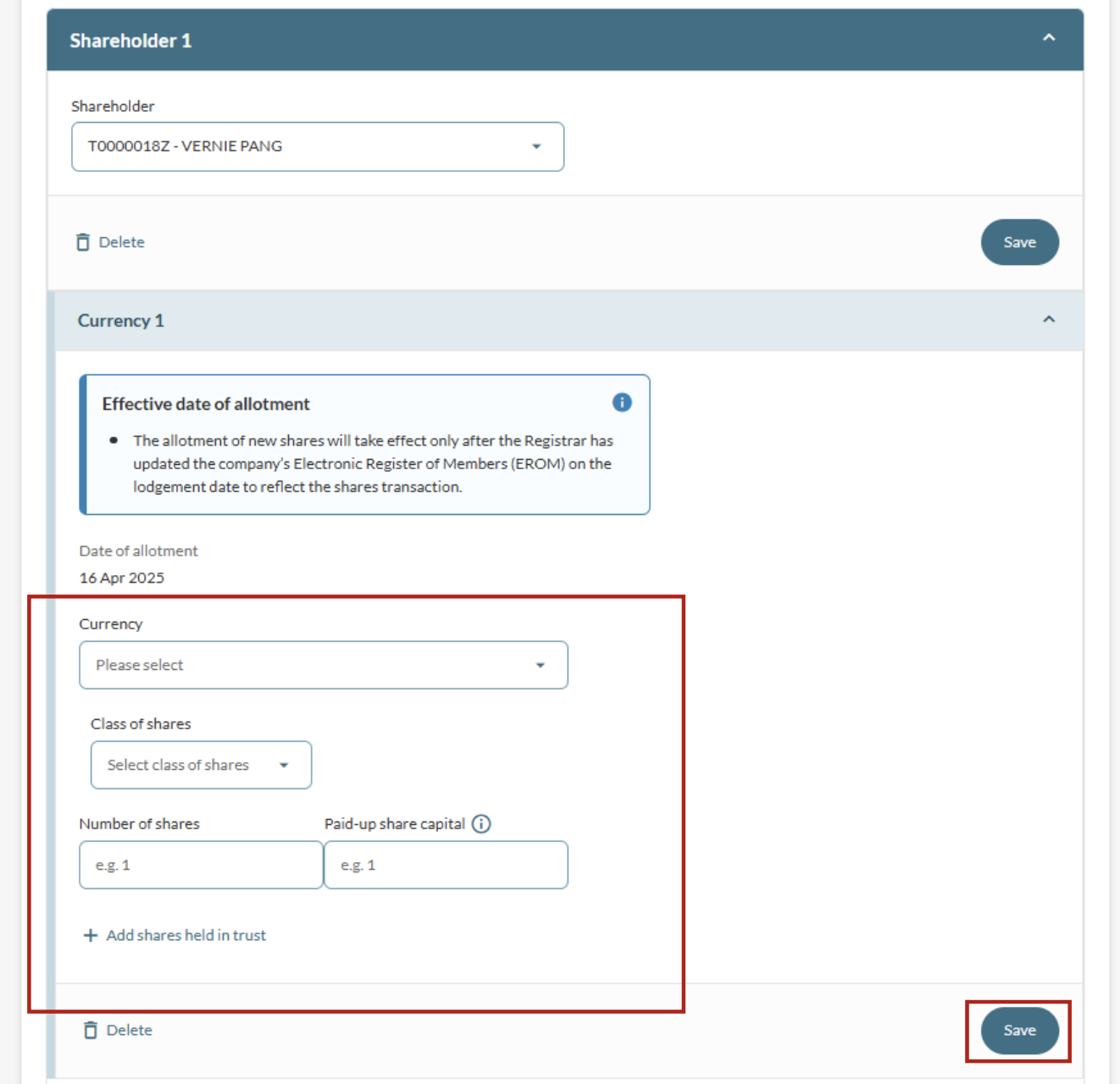
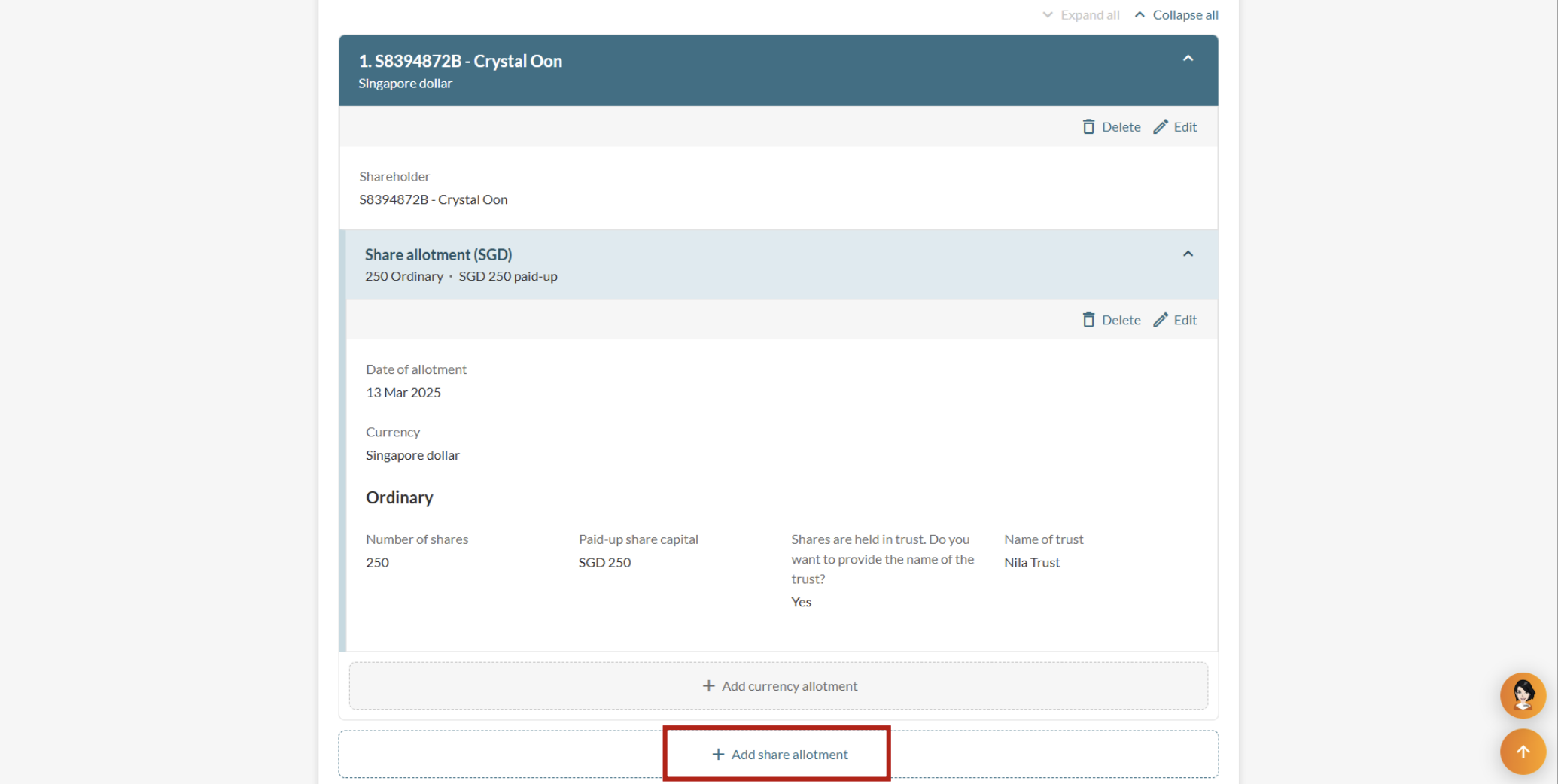
5b: Add group share allotments
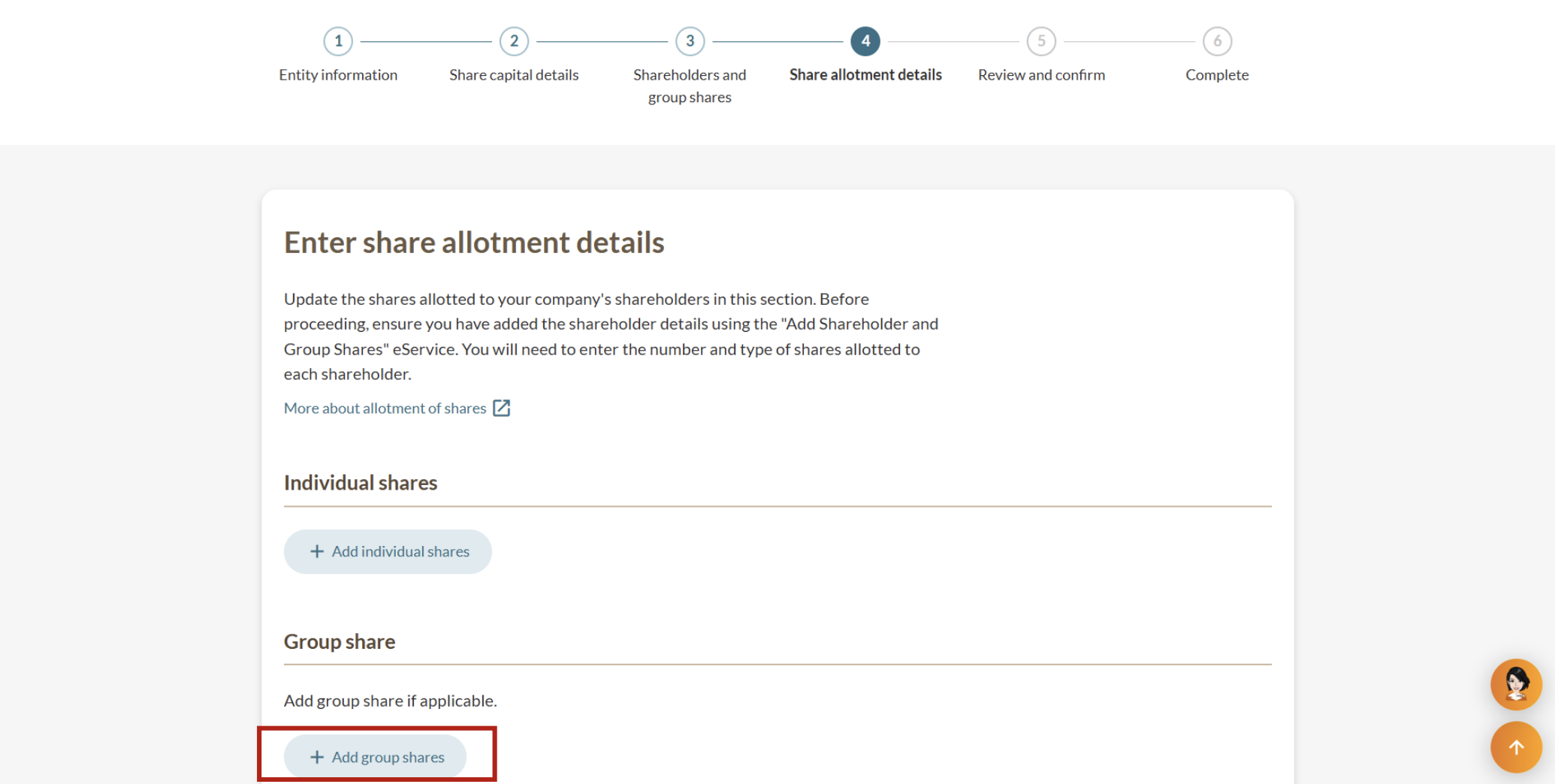
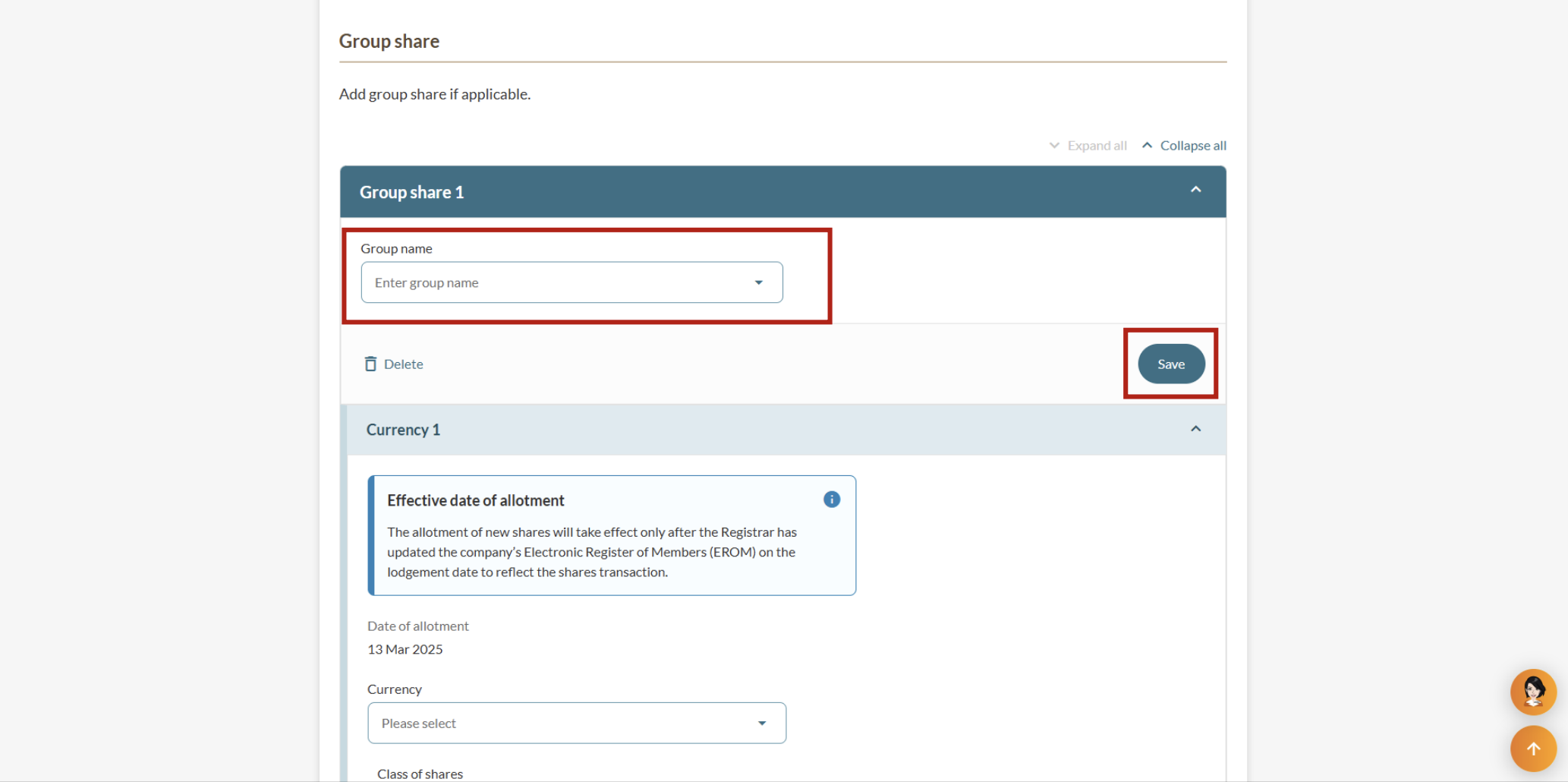
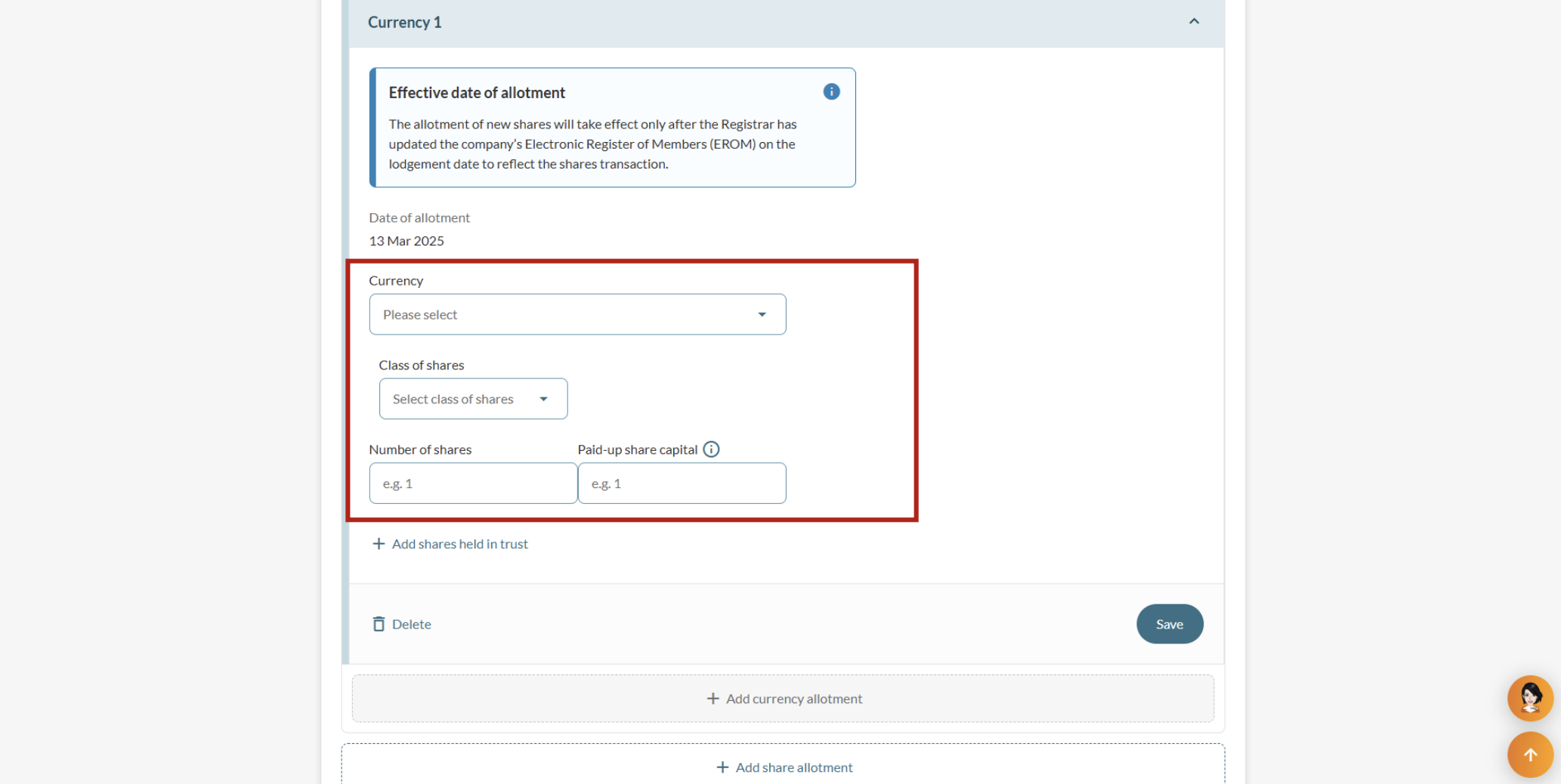
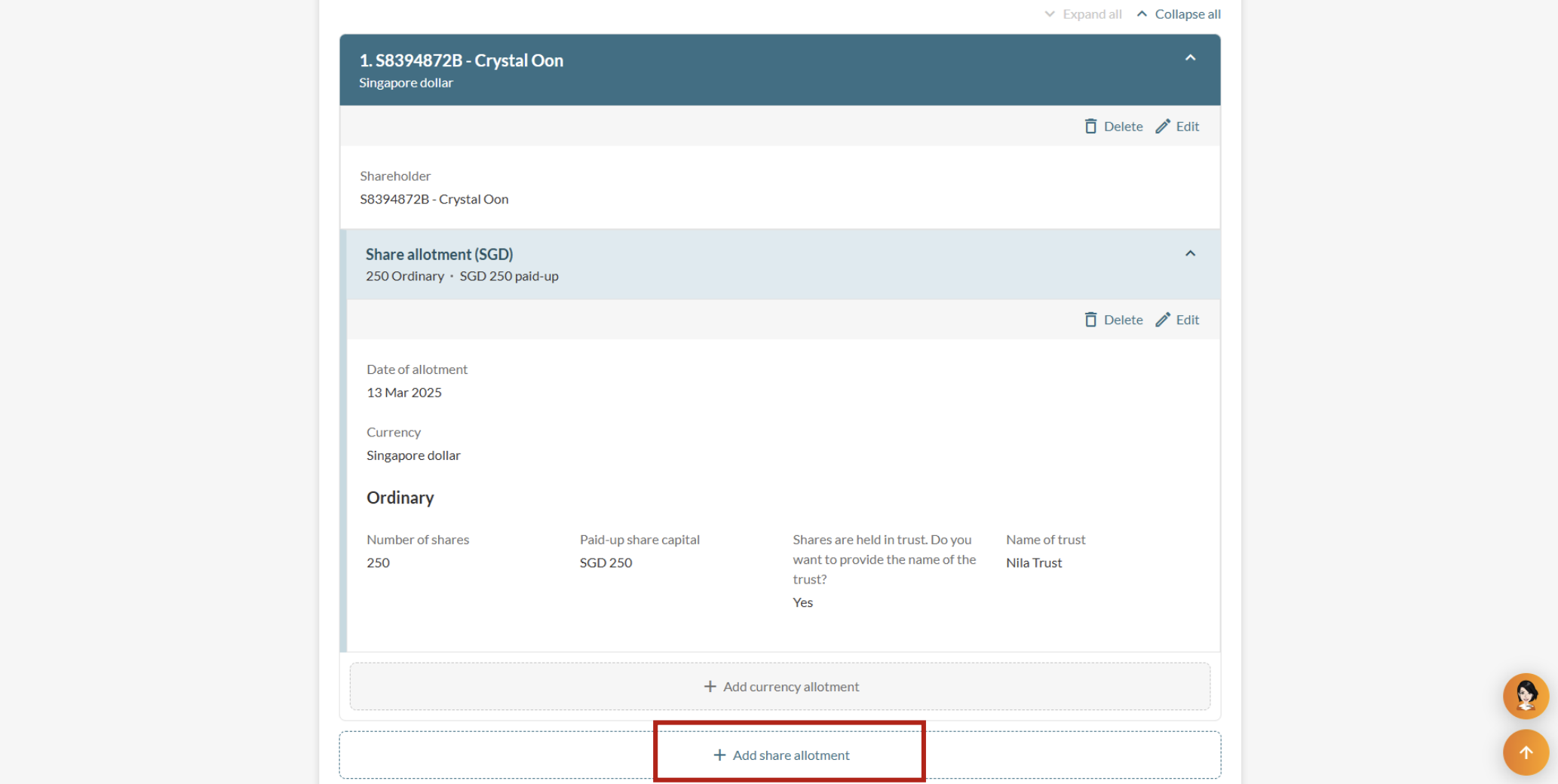
Step 6: Review and submit your application
After you update your share allotment details, check your information before you submit it.
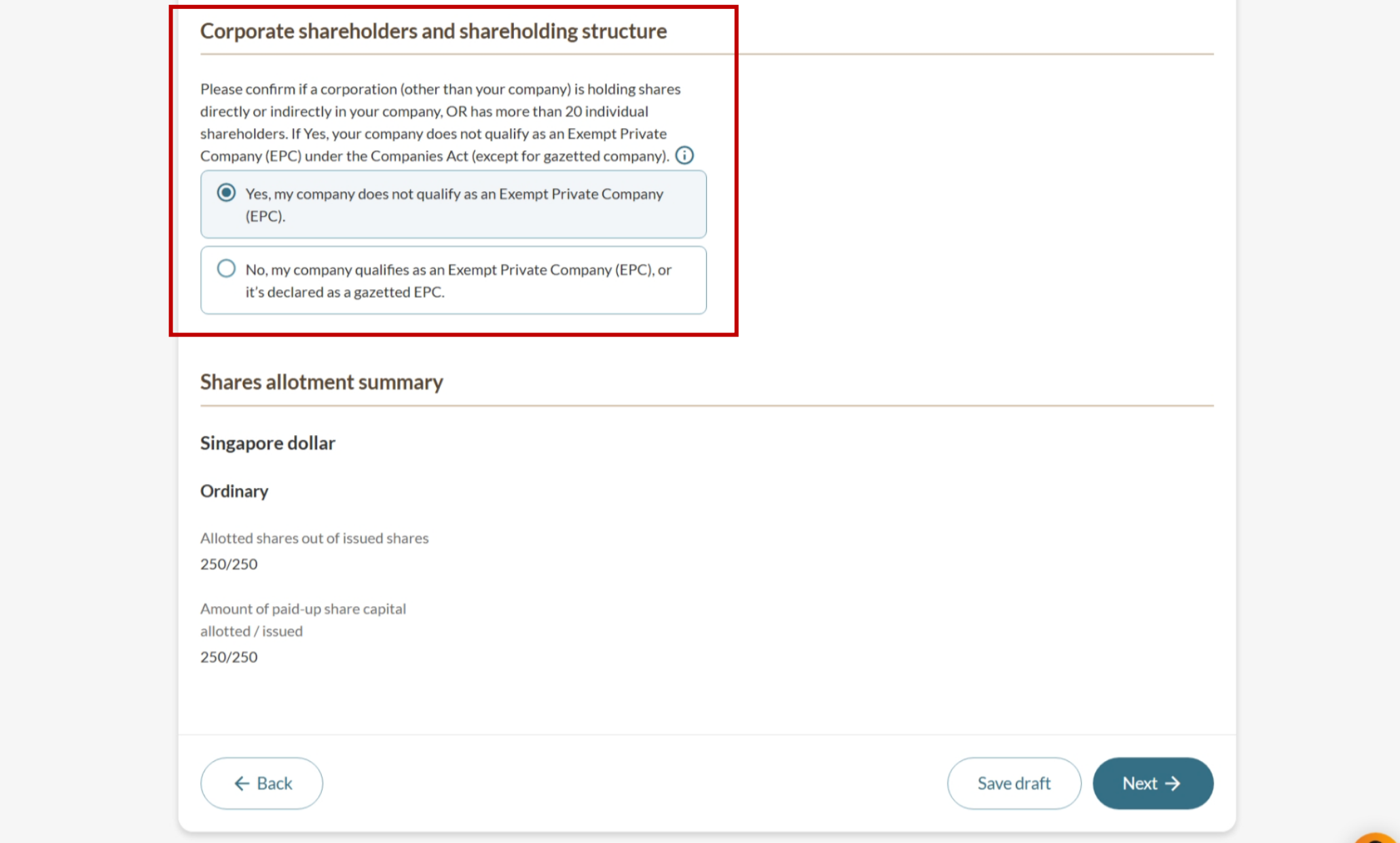
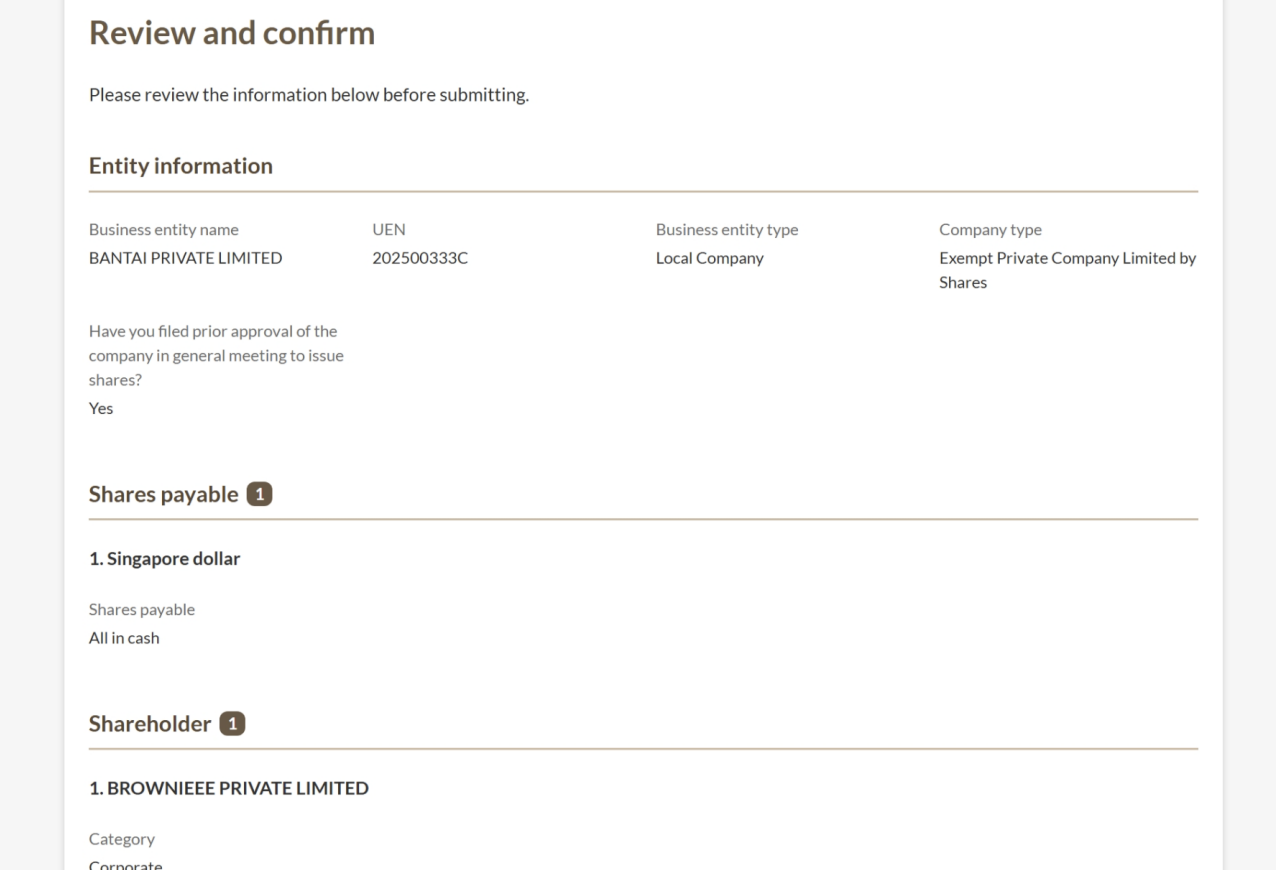
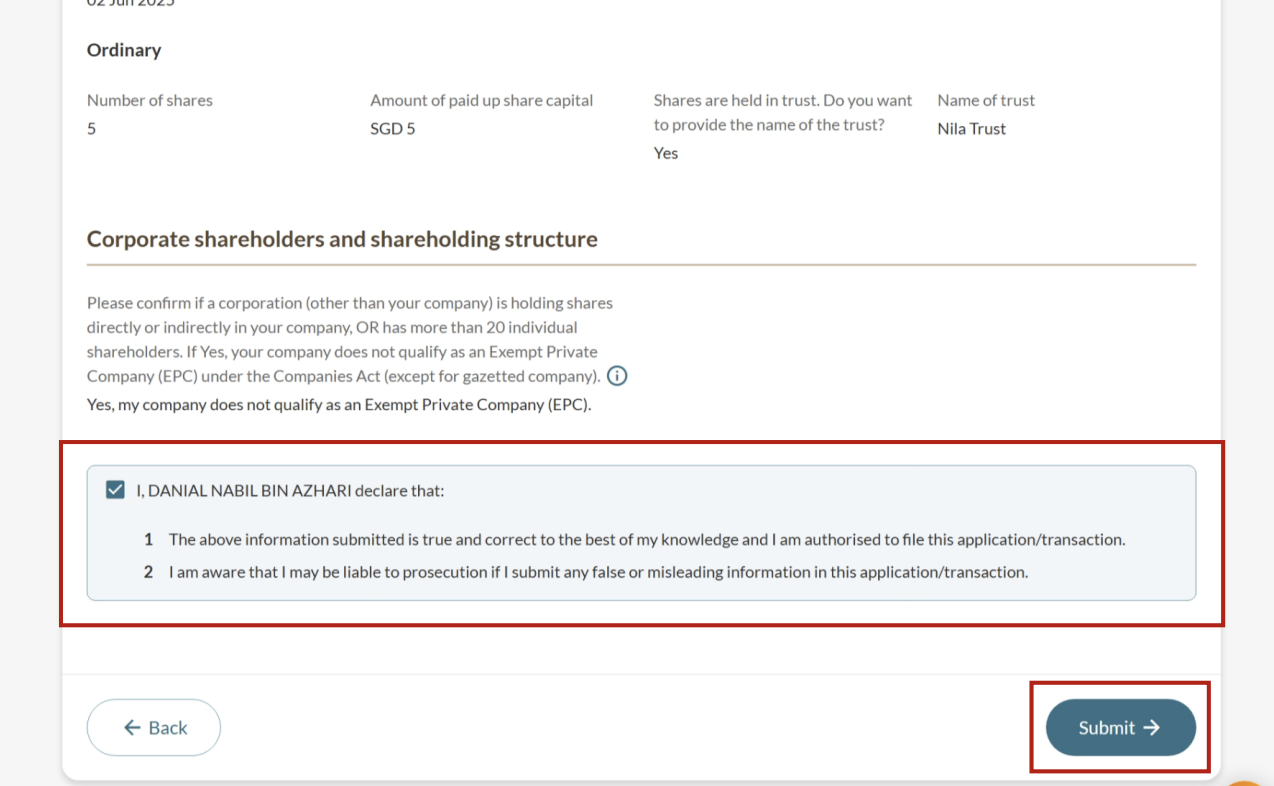
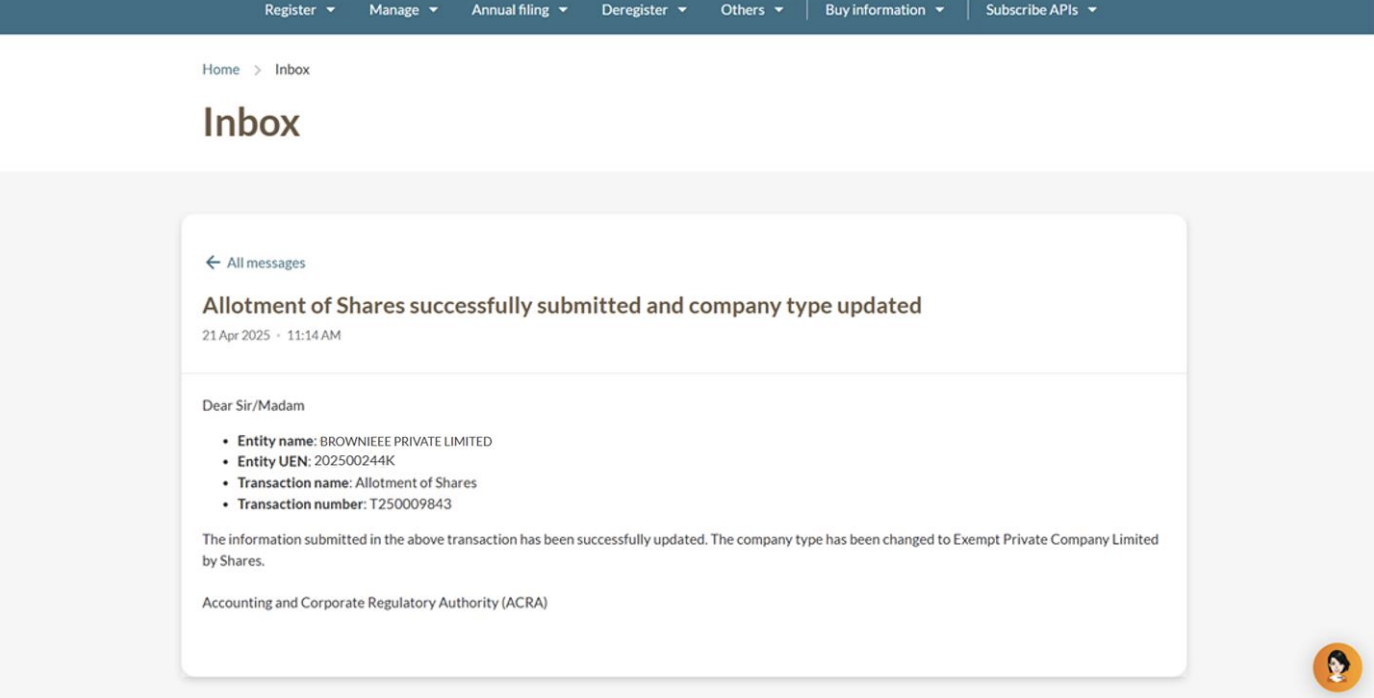
Note: For private companies, the allotment will only take effect after ACRA updates your Electronic Register of Members (EROM).
Frequently asked questions (FAQs)
Why is backdating the date of transfer or date of allotment generally not allowed?
For private companies, a share transfer or allotment only takes effect once ACRA’s electronic register of members (EROM) is updated upon filing.
Therefore, backdating is generally not allowed to ensure accuracy and legal compliance.