
Filing a notice of error (NOE) to rectify share transaction errors
File an NOE to rectify clerical, typographical, or other errors in share-related transactions filed with ACRA.
Last updated on 12 June 2026
Before you file
This guide explains how to file two types of NOE for share-related transactions:
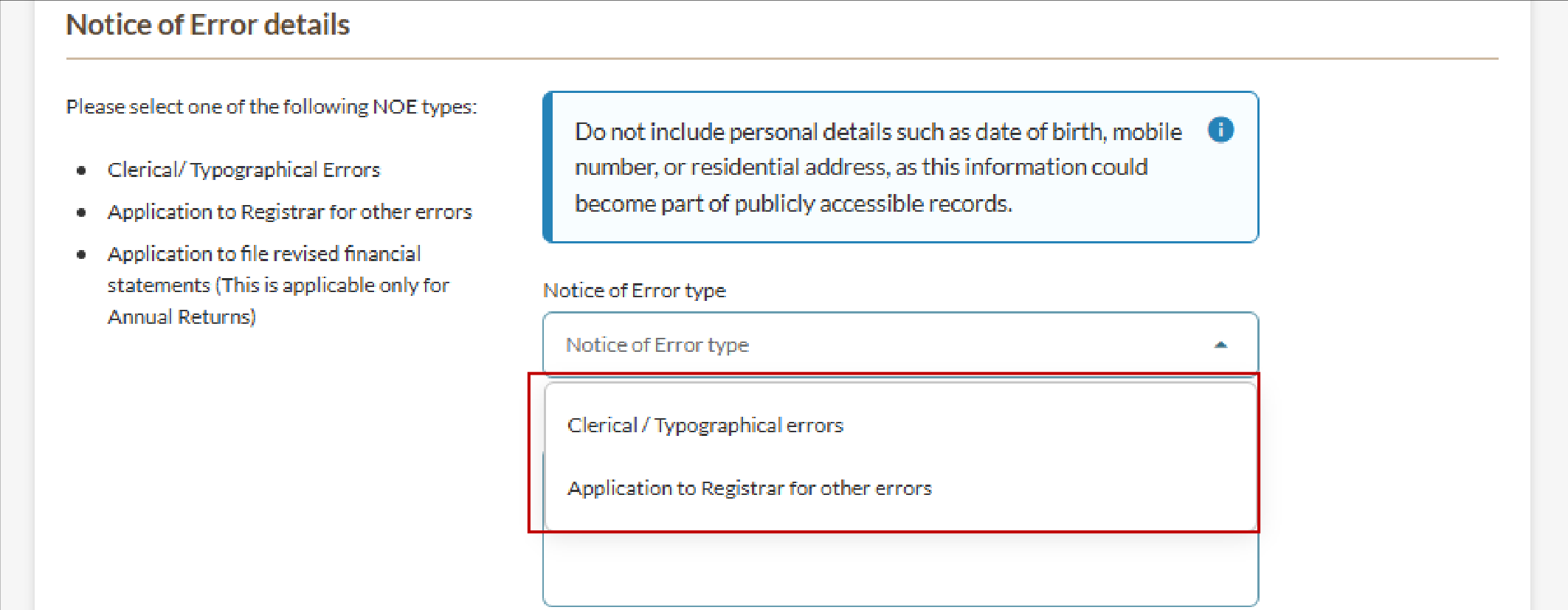
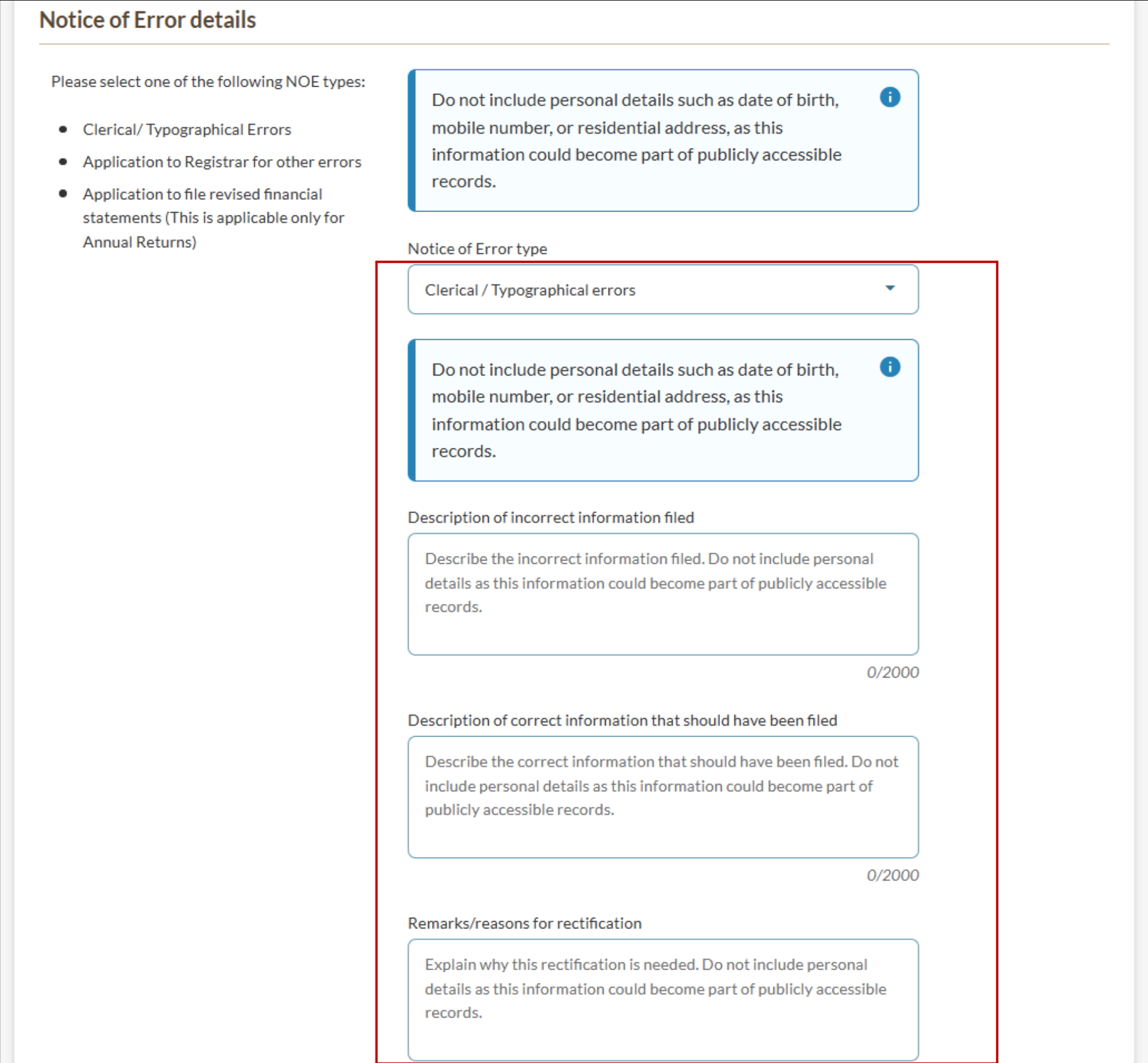
Clerical or typographical errors: To correct typographical or clerical errors in documents relating to the entity filed with the Registrar.
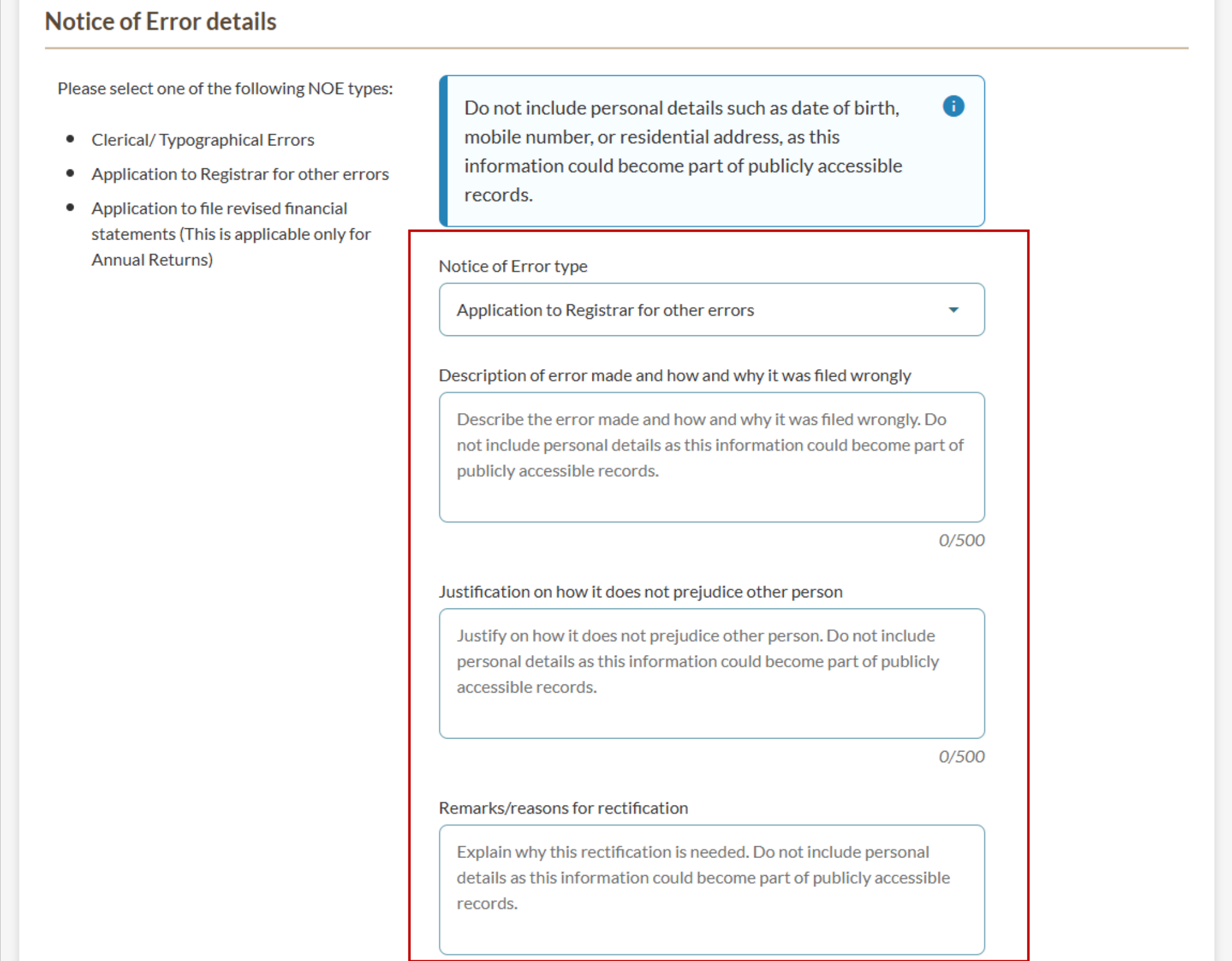
Application to Registrar for other errors: To rectify unintended errors in documents relating to the entity filed with the Registrar that do not prejudice any person.
You should file the NOE on the transaction where the incorrect information was filed, not where the incorrect information was displayed. For example, file the NOE on the return of allotment, not on the annual return that showed the error.
Related NOE guides
To correct an error for | Refer to this guide instead |
|---|---|
Share-related transactions filed before 13 January 2023 | Filing a notice of error (NOE) for share transactions before 2003 |
Filing errors in annual return transactions or XBRL financial statements | |
All other NOE applications, such as incorrect cessation dates of officers |
Who may file
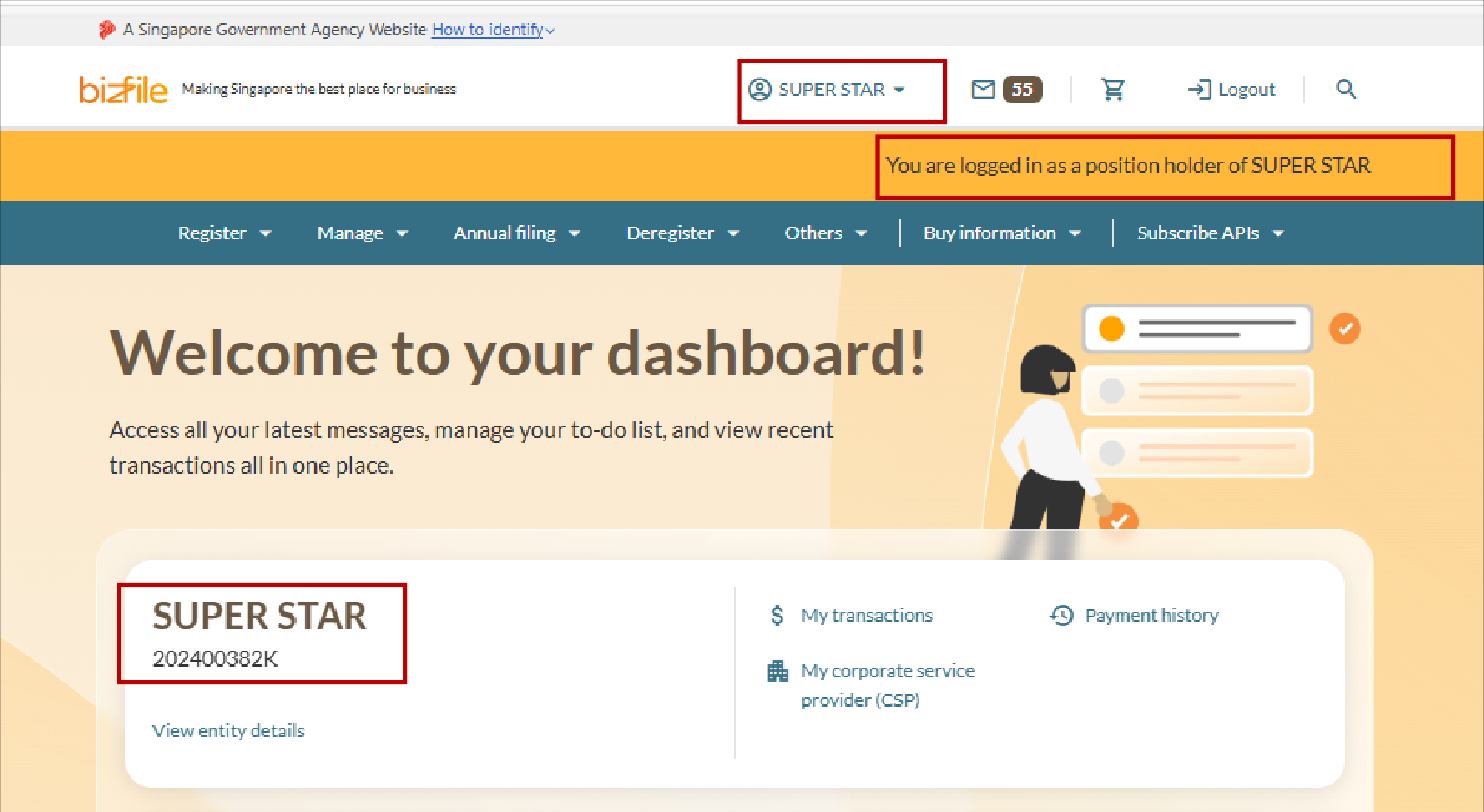
Position holders of the entity
What you need to prepare
Unique entity number (UEN) of the company
Transaction number or date range to search for the filing to be corrected
Clear description of the shares-related filing error
Correct shares-related information to be updated
Supporting documents
For Application to Registrar for other errors: Justification for how the rectification does not prejudice any person.
Note: Do not include personal details such as date of birth, mobile number, or residential address in your application or supporting documents. This information could become part of publicly accessible records. If supporting documents contain personal information, redact or mask the sensitive details before uploading.
Fees and processing time
Filing a notice of error to rectify share transaction errors
What you need to know | Details |
|---|---|
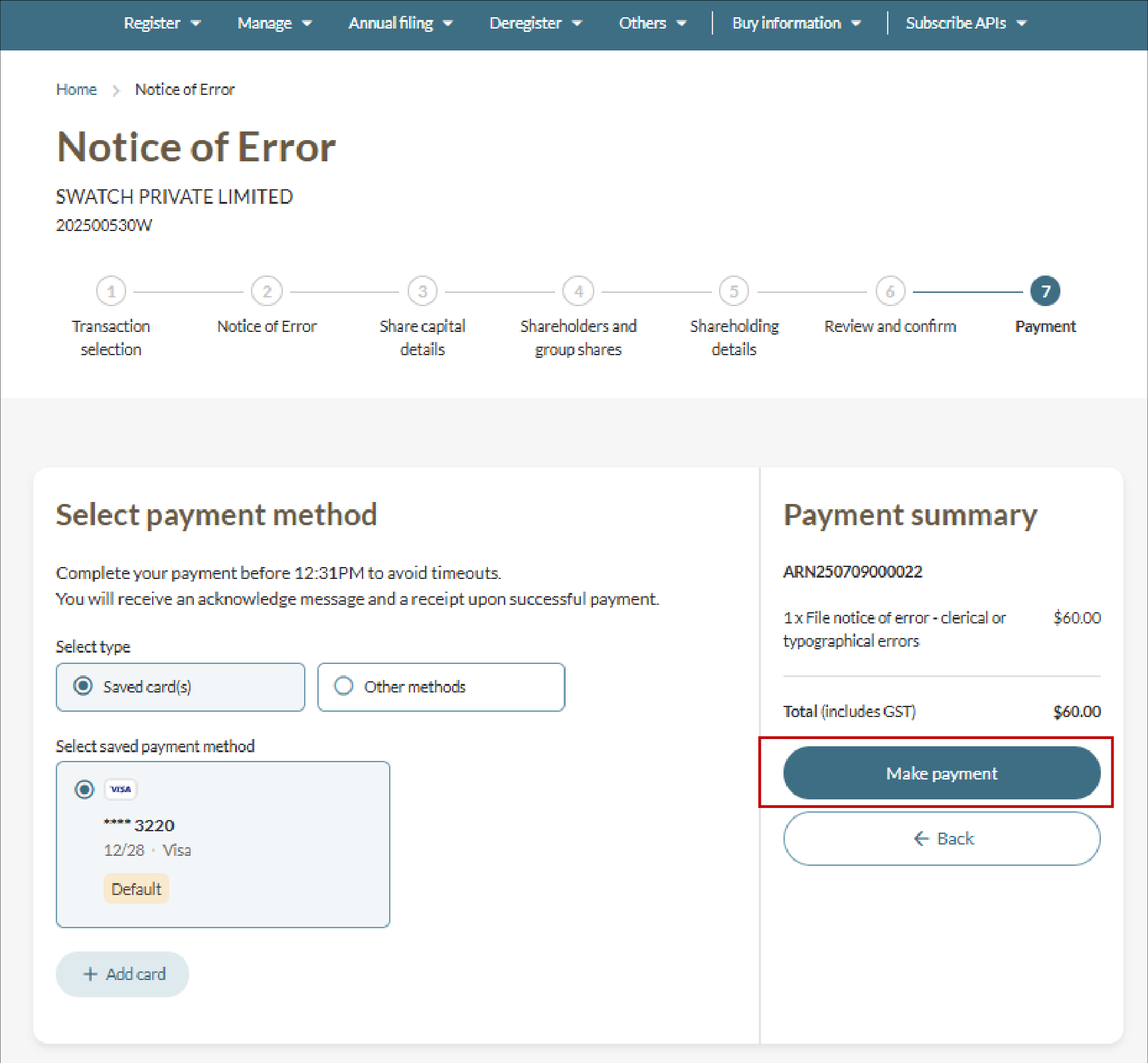
Fee | $60 Note: Application fees are non-refundable if the application is rejected due to incomplete or inaccurate information. |
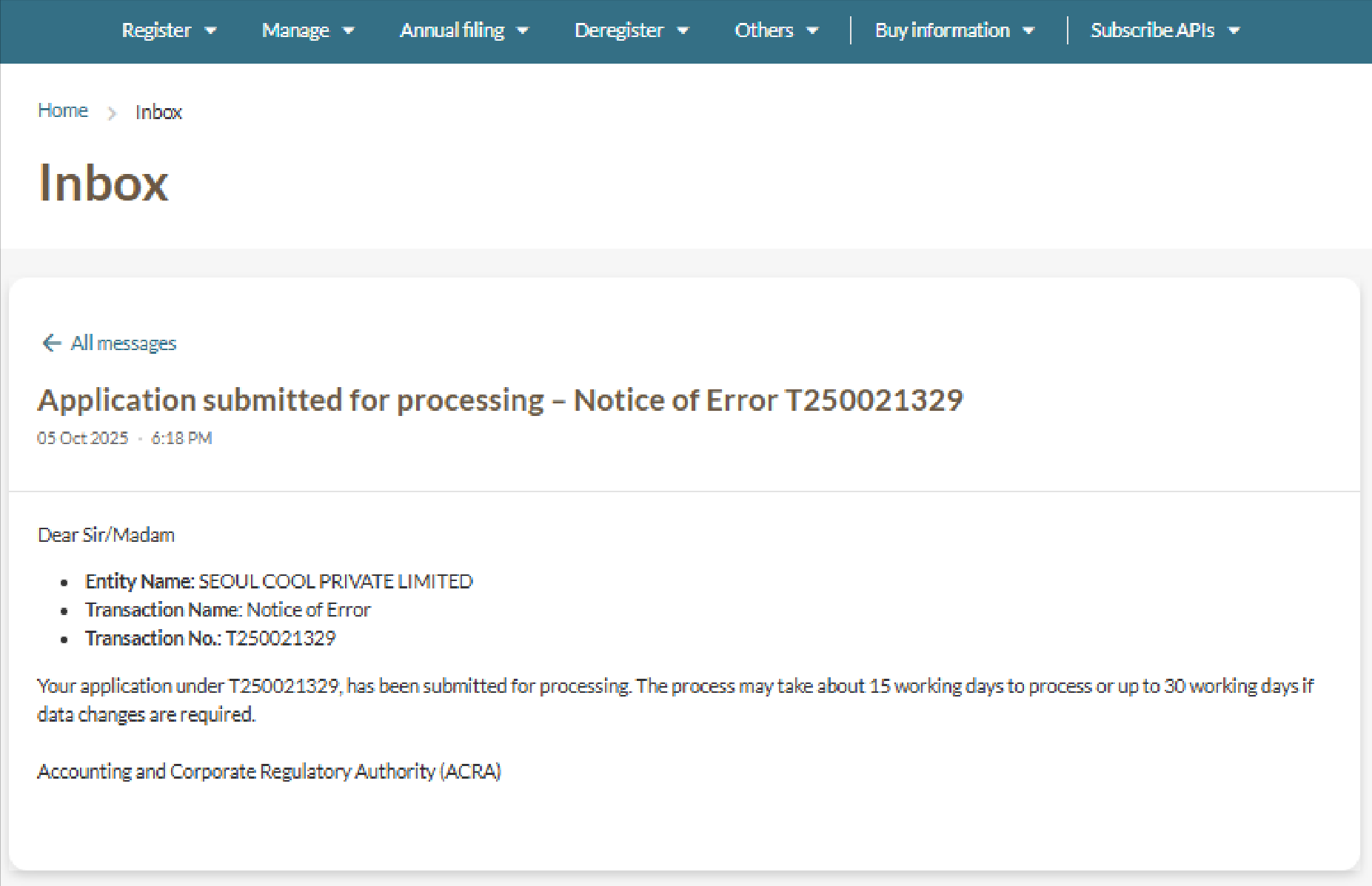
Processing time | 15 working days for:
Up to 30 working days for NOEs requiring data changes. Note: Changes to your transaction information may be updated in the system before final approval of the transaction is complete. |
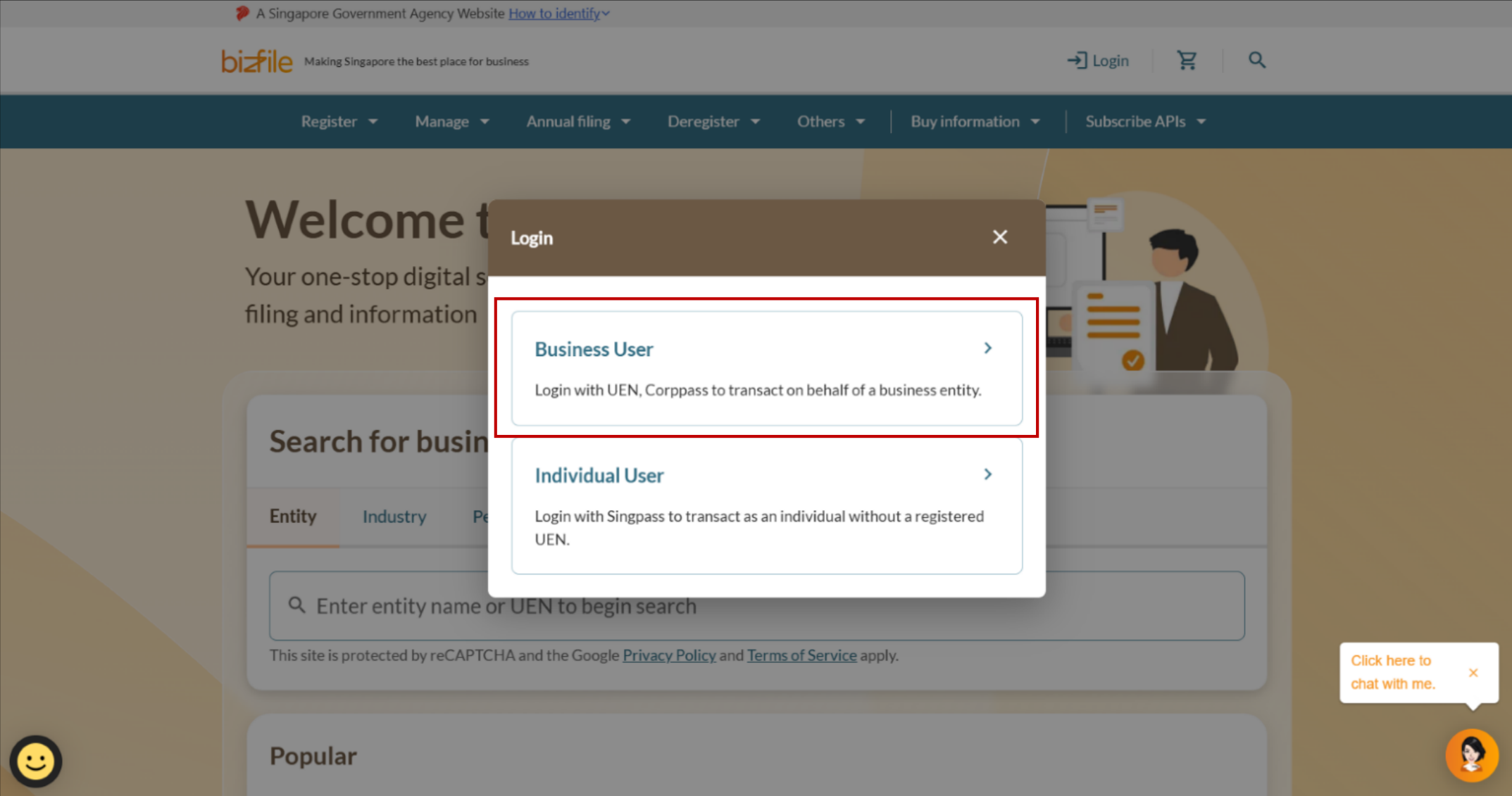
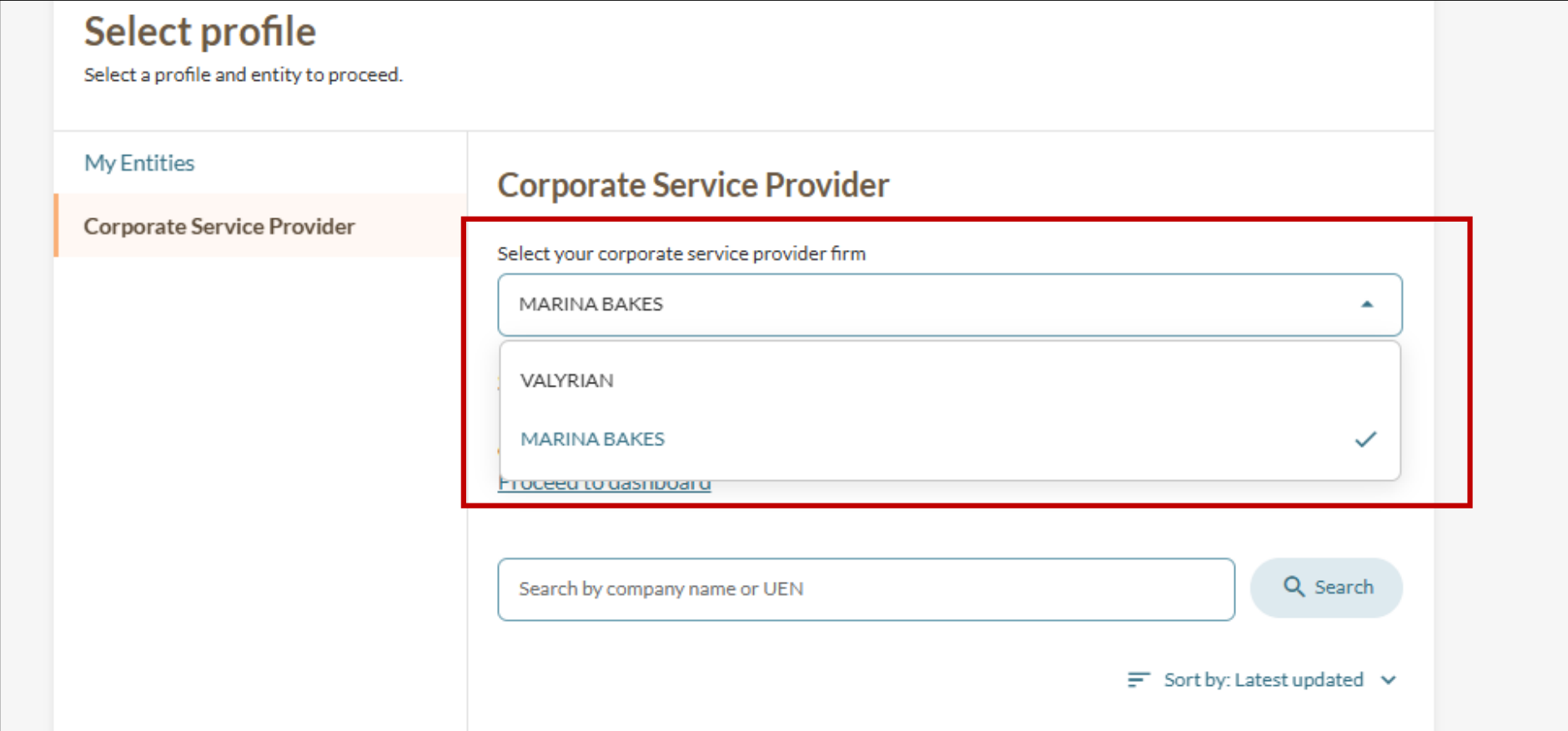
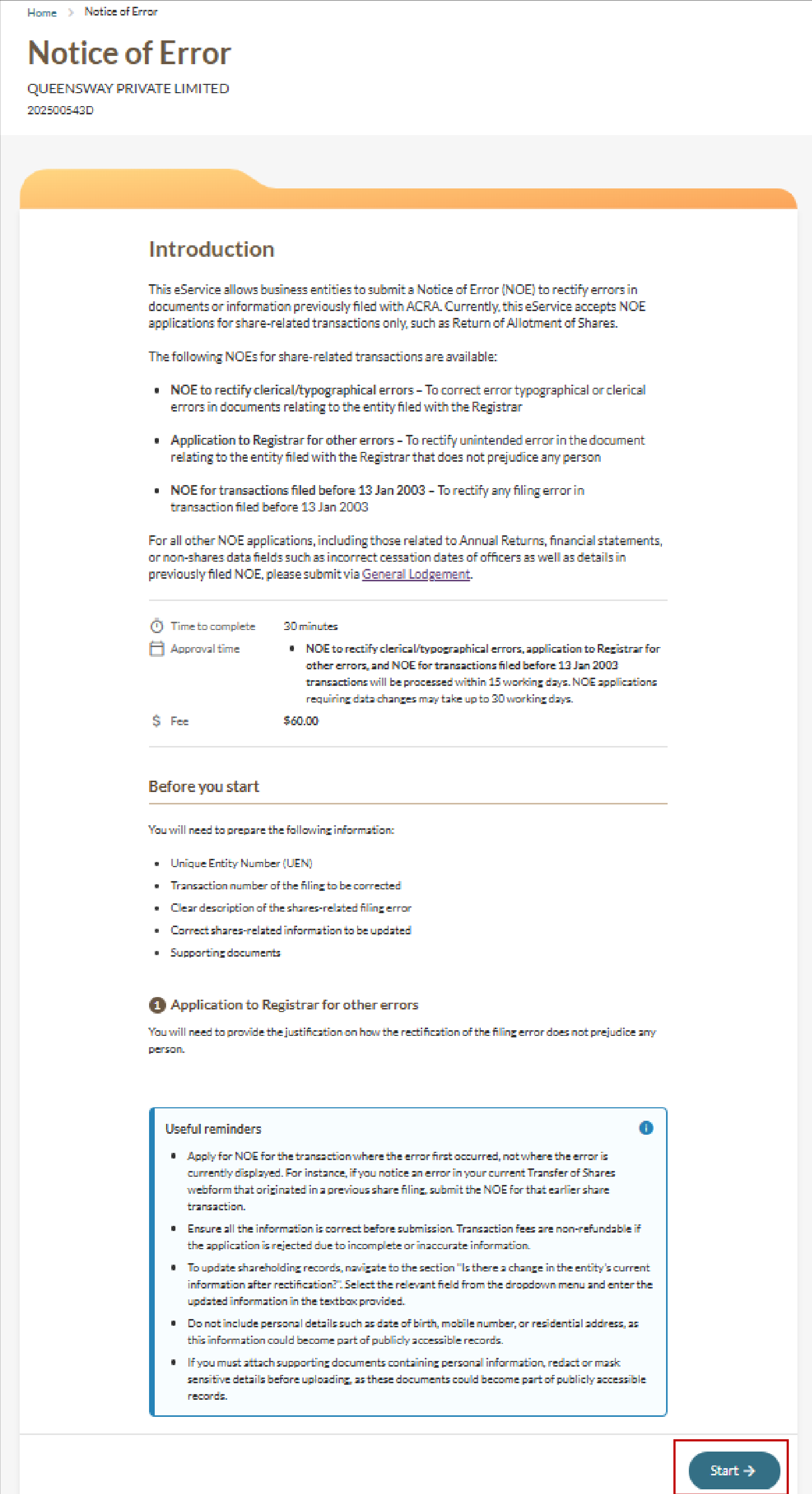
Step 1: Log in to Bizfile and open the "File Notice of Error" eService
Follow these steps to log in to Bizfile and navigate to the File Notice of Error (opens in new tab) eService.
Note: All entity and personal information shown in the screenshots is dummy data for illustration purposes only.
Step 2: Retrieve the share transaction
Follow these steps to find and select the transaction to be corrected.
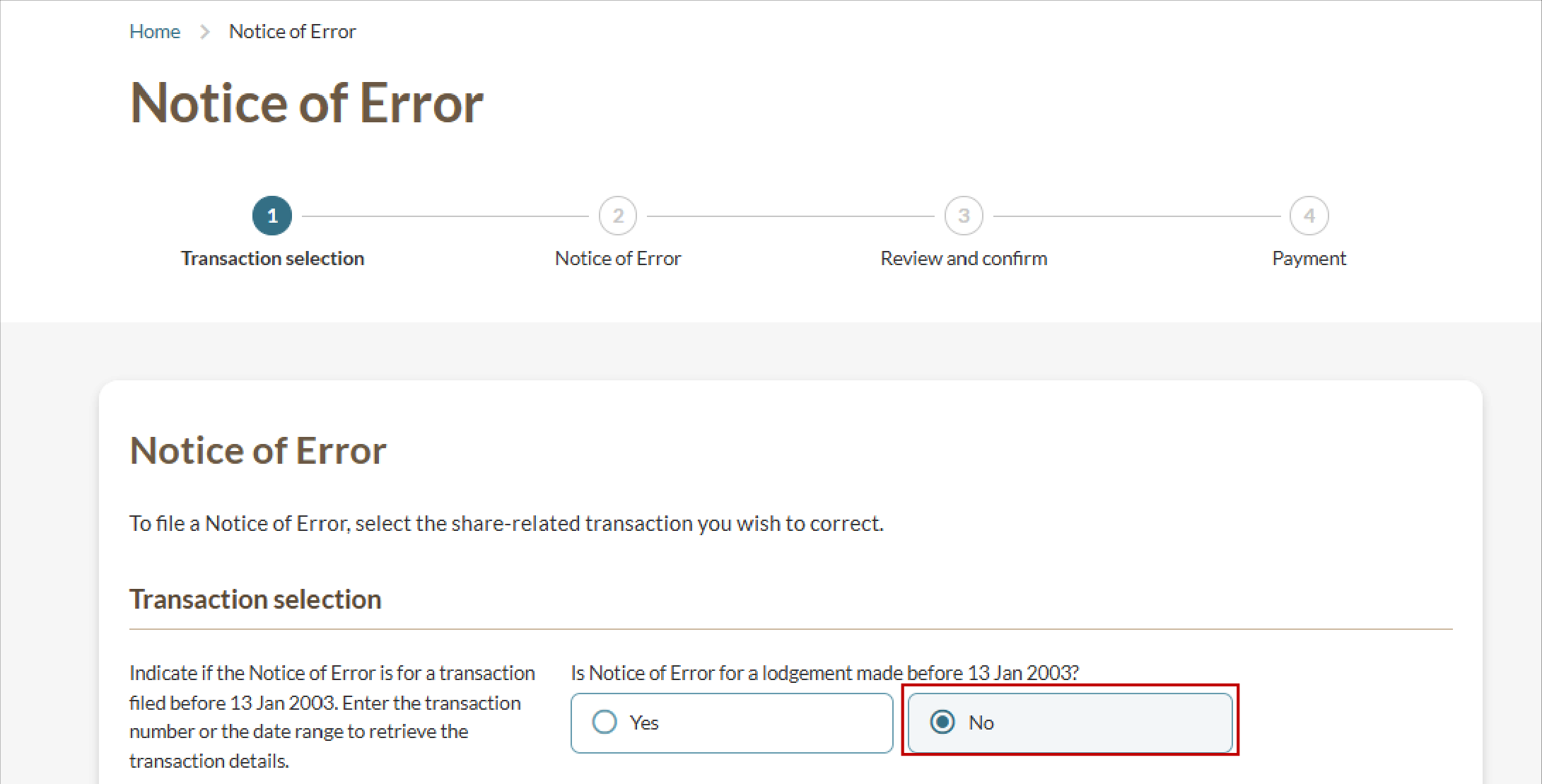
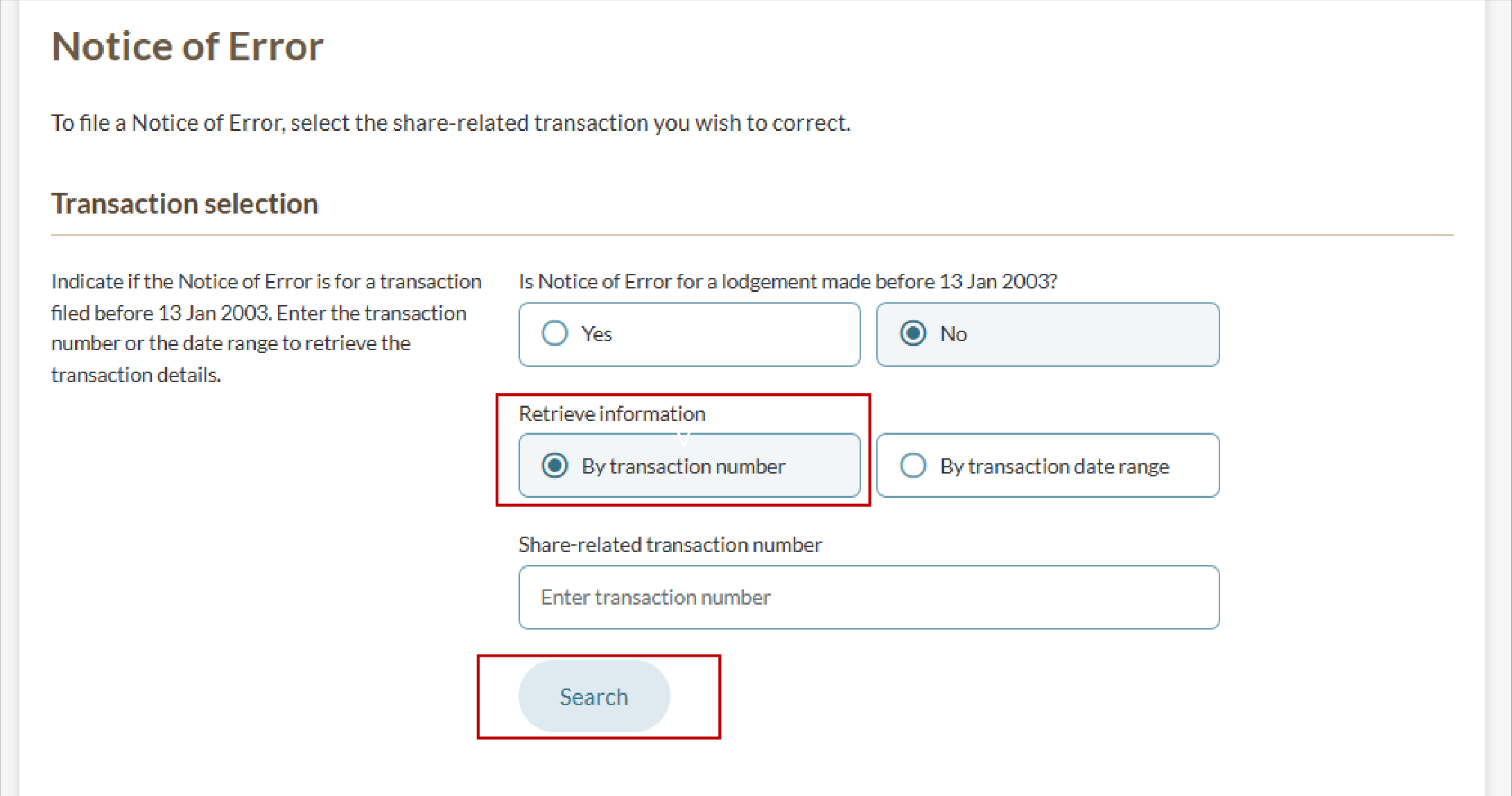
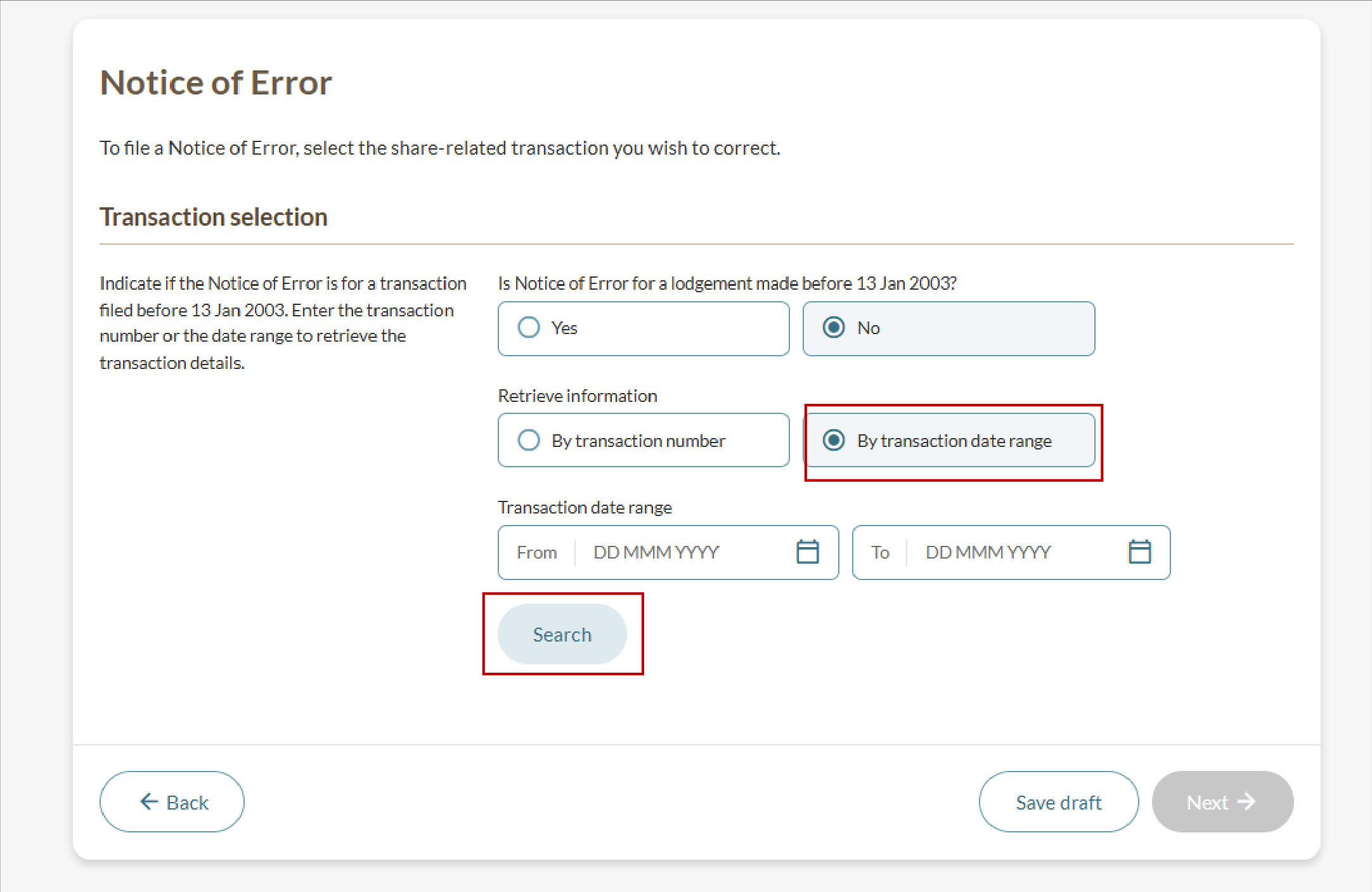
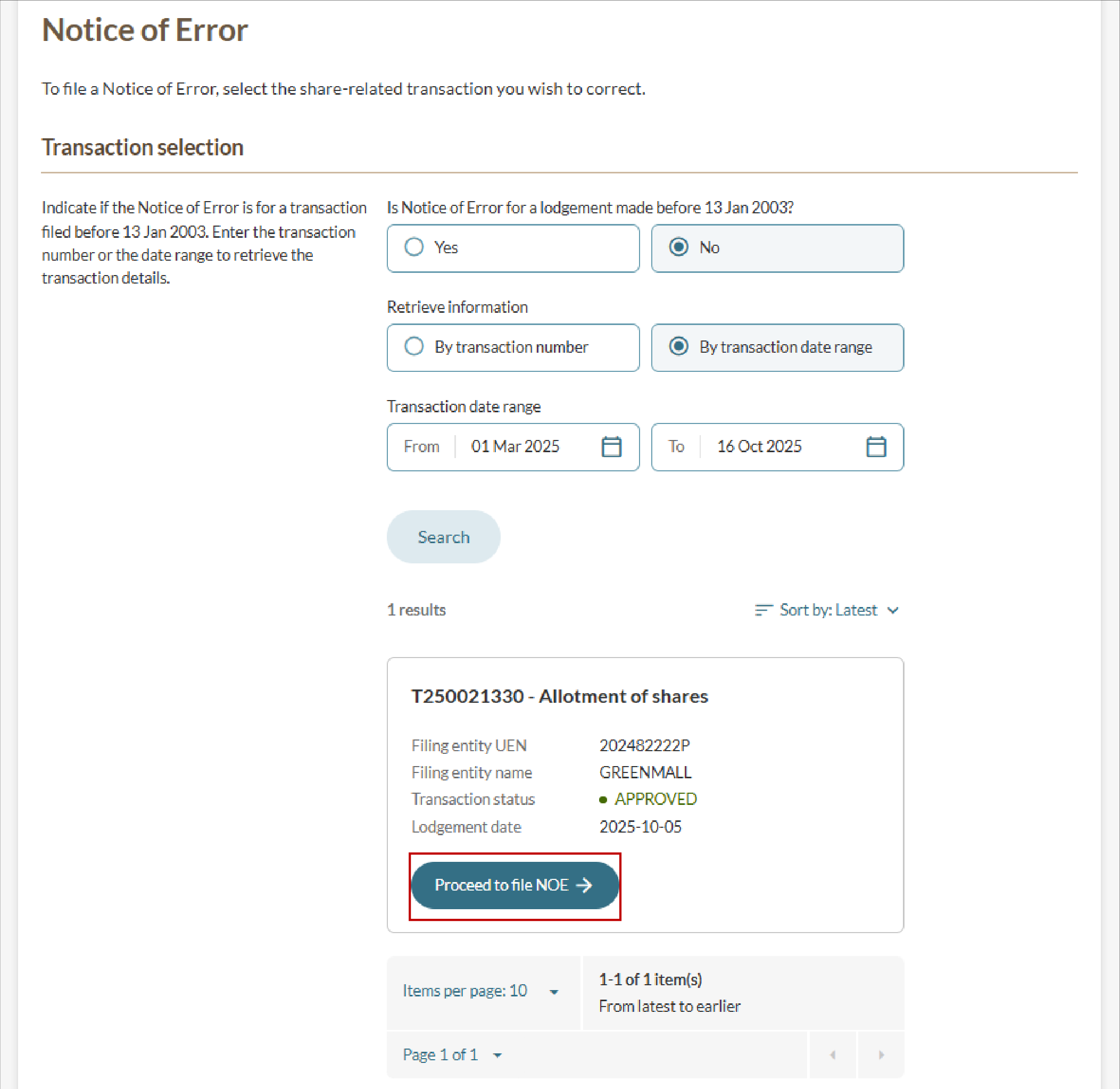
Step 3: Provide the notice of error details
Depending on your NOE type, the form fields displayed will change.
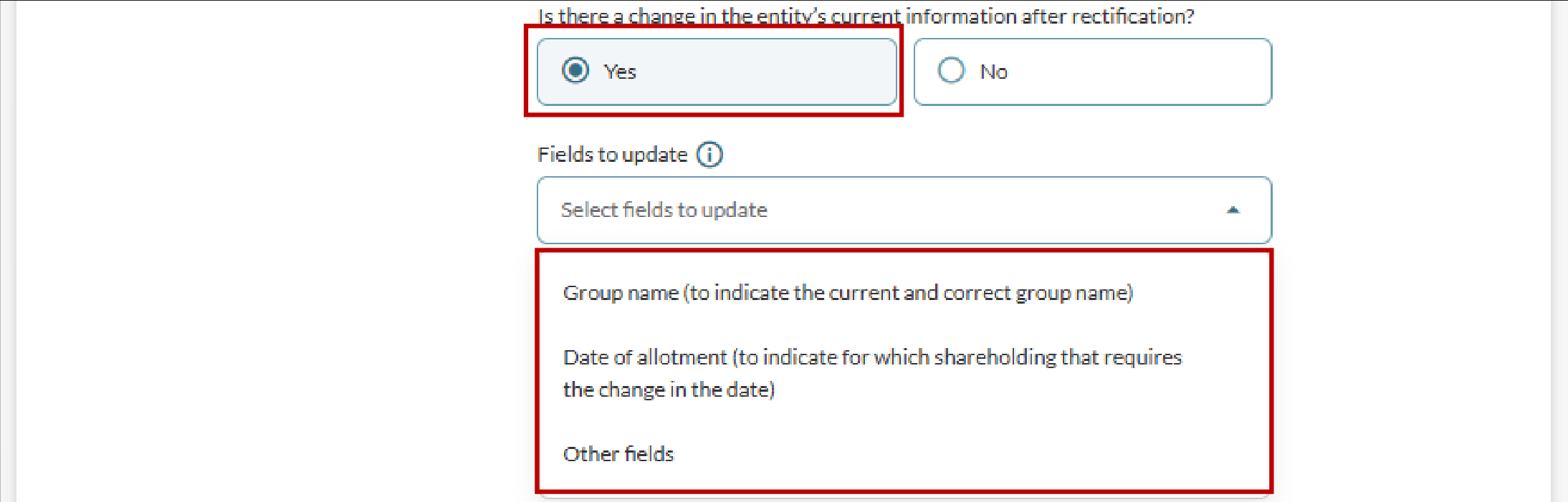
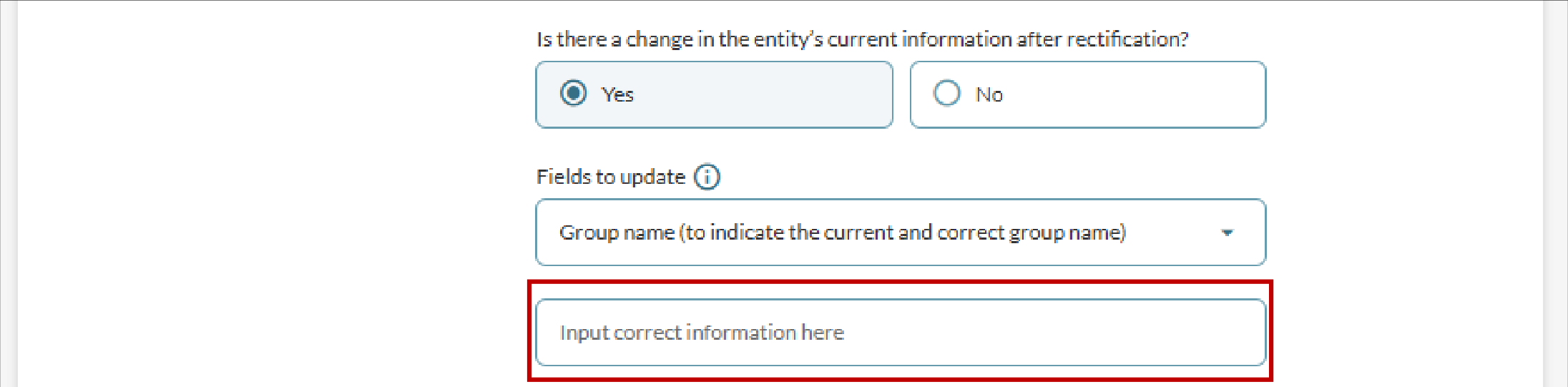
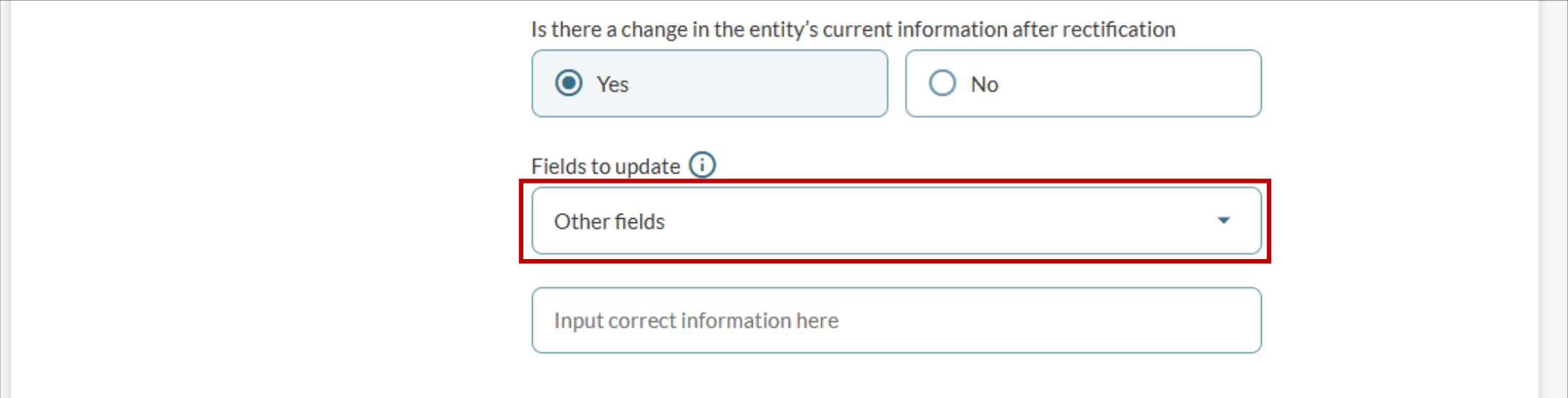
Step 4: State any changes to the entity's current share information
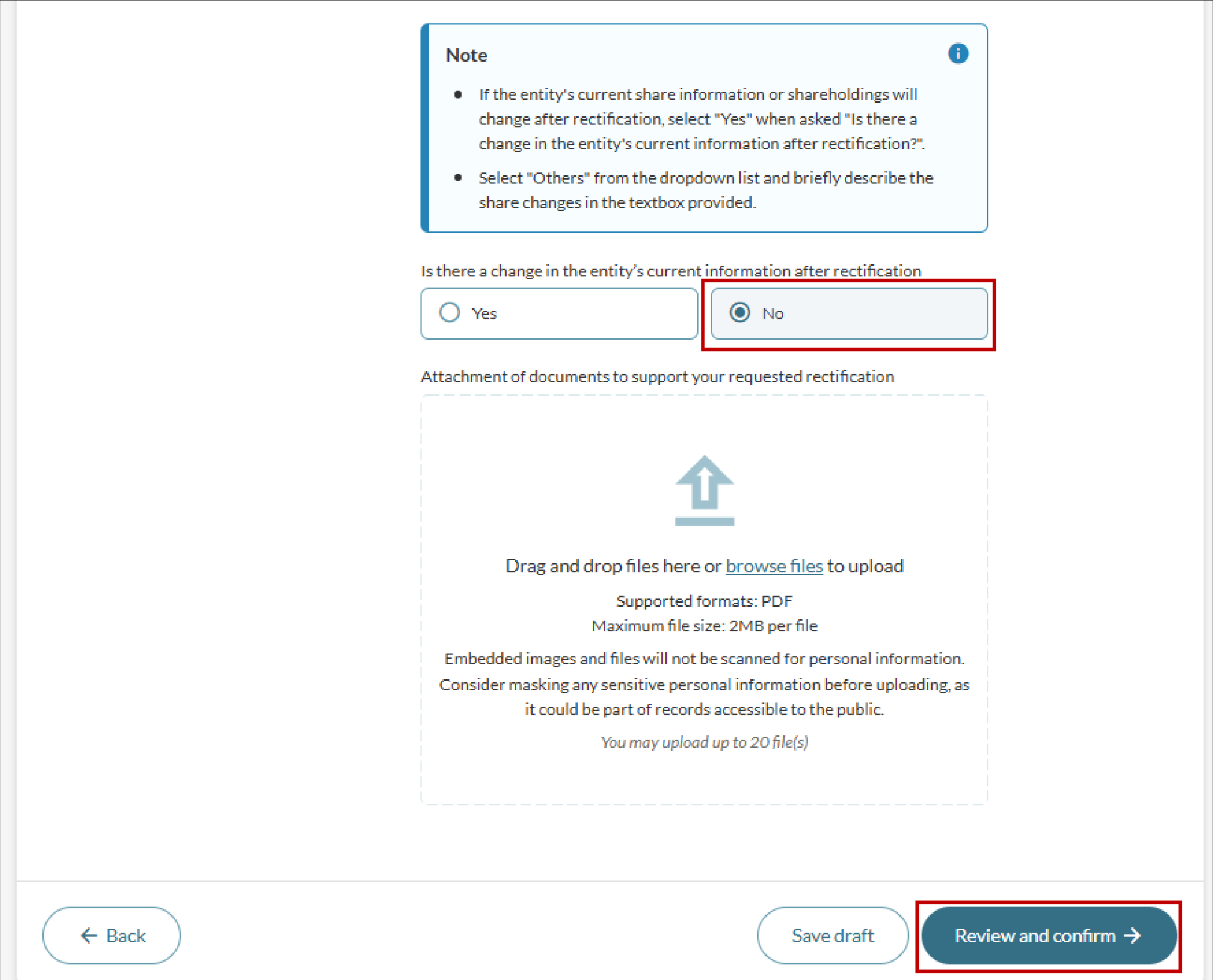
State whether the rectification changes the entity's current share information or shareholdings.
No changes
If you select "No", upload the supporting document. Then, click "Review and confirm".
Changes to share capital
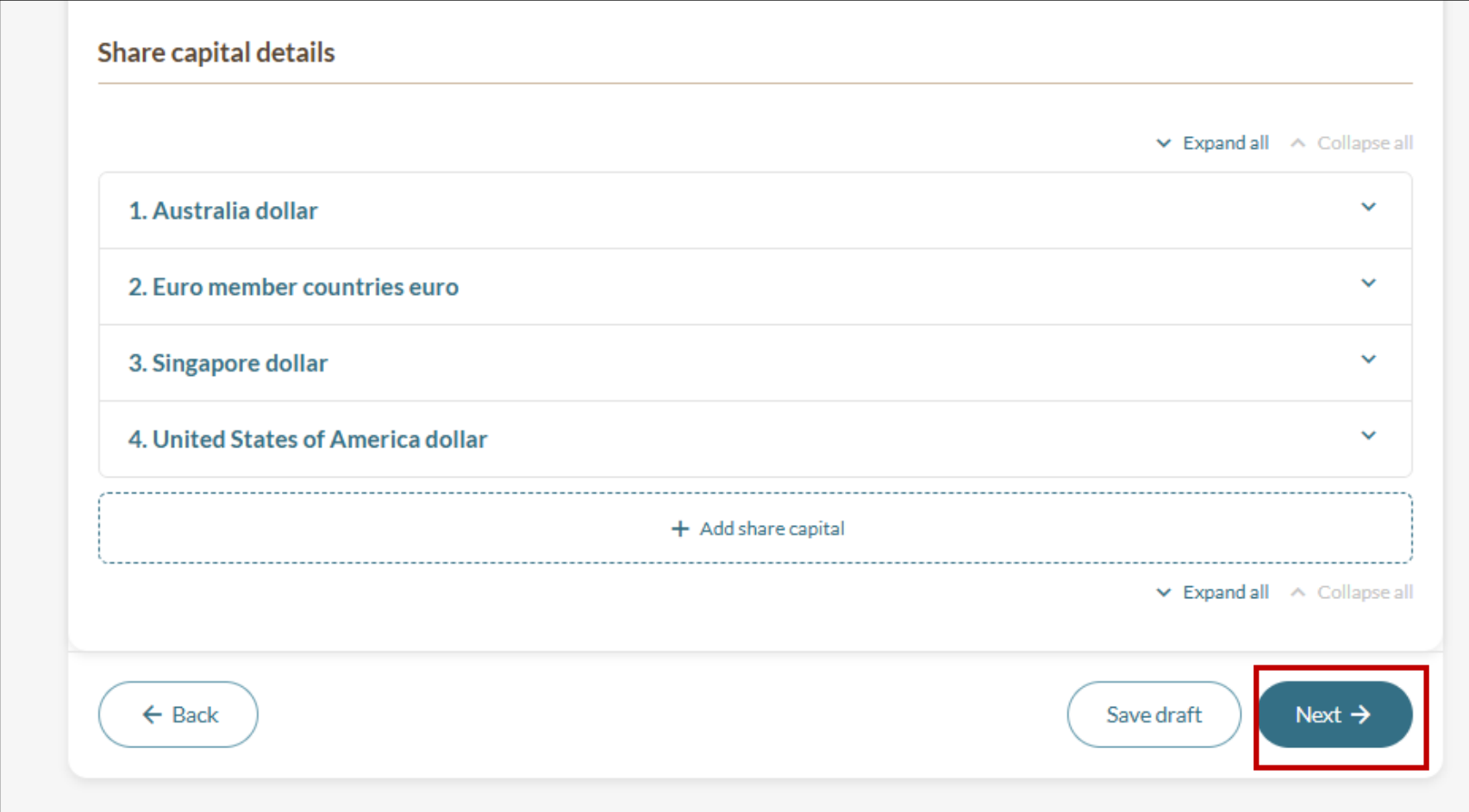
Follow these steps if the rectification results in changes to the entity’s share capital:
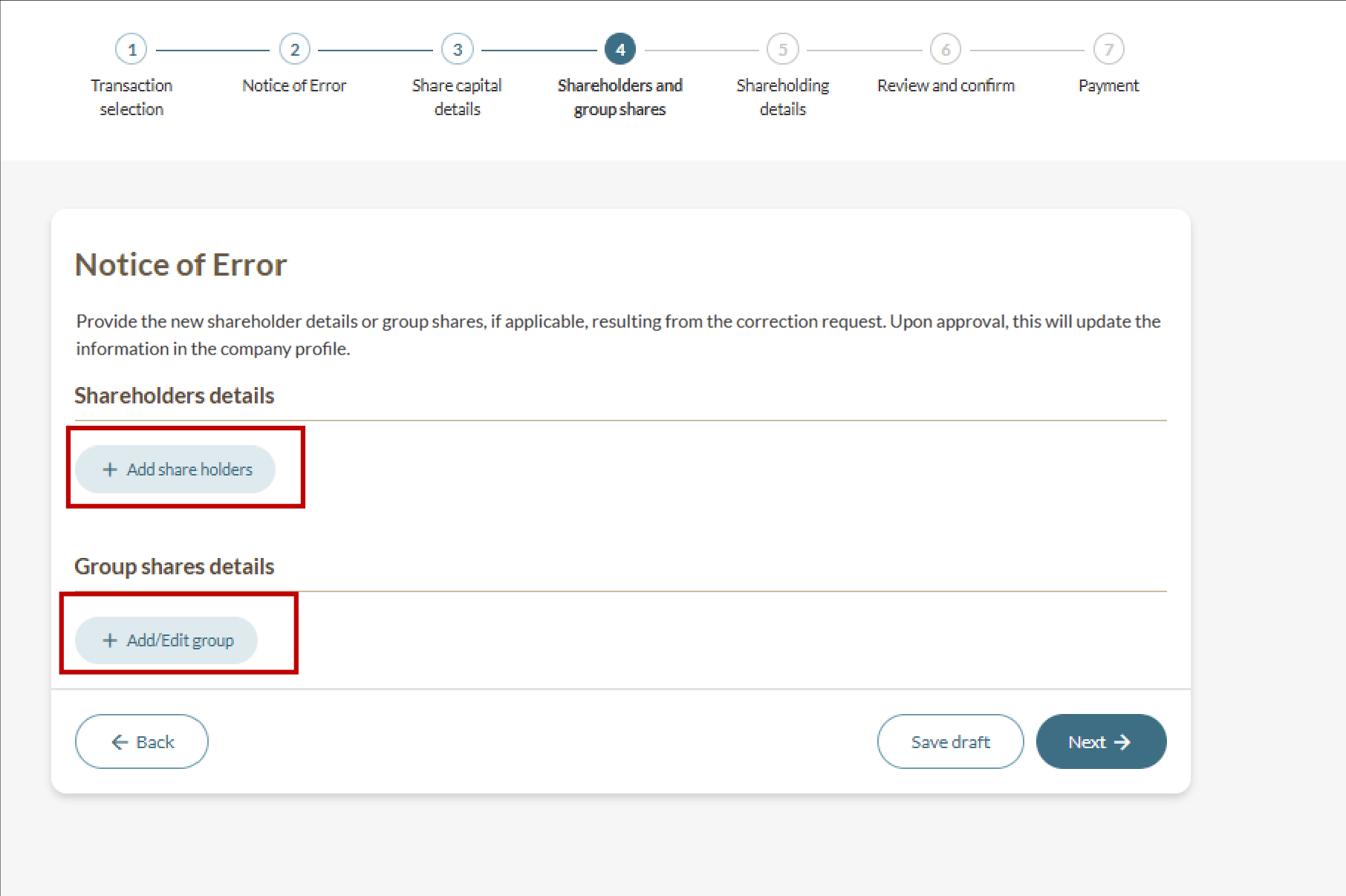
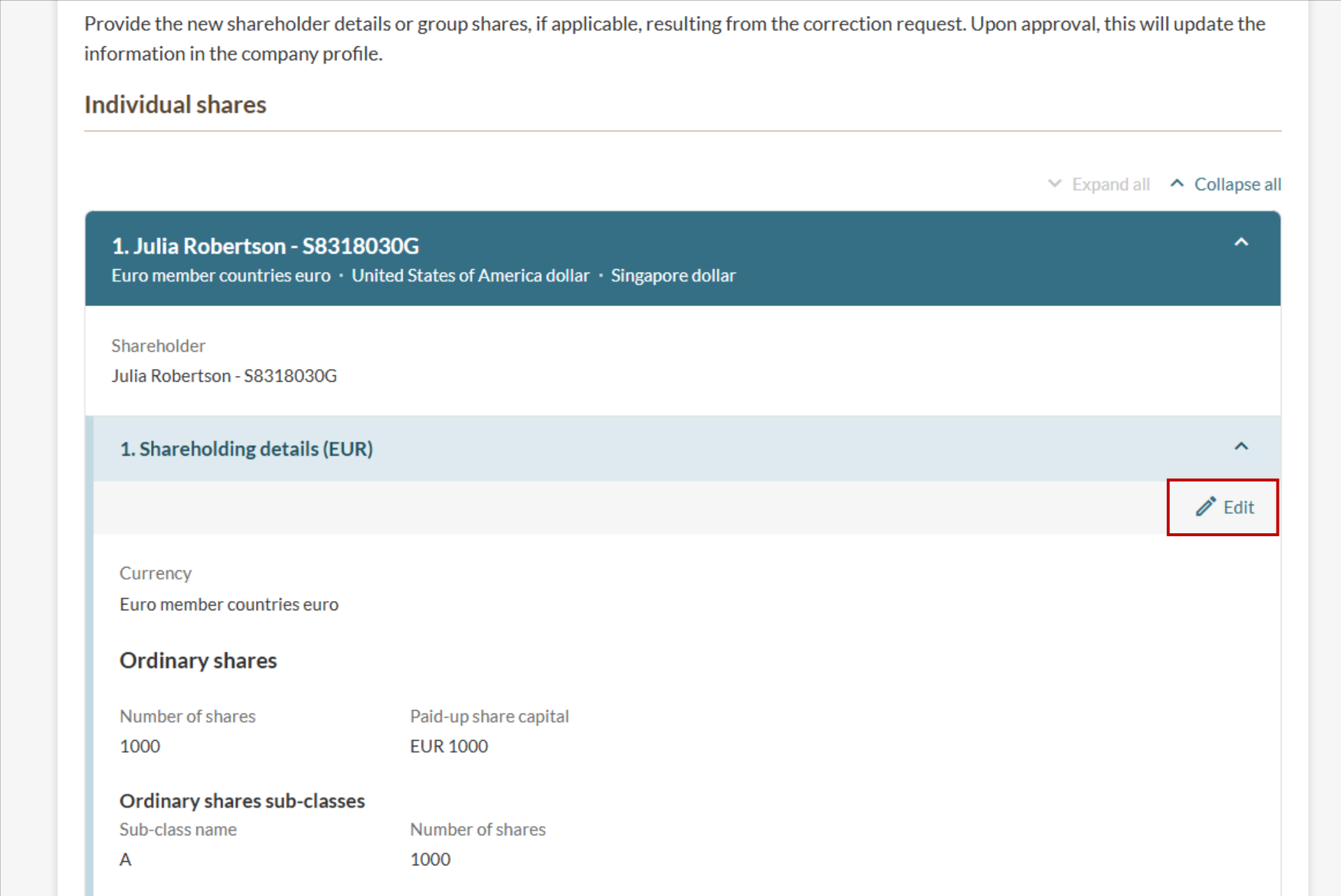
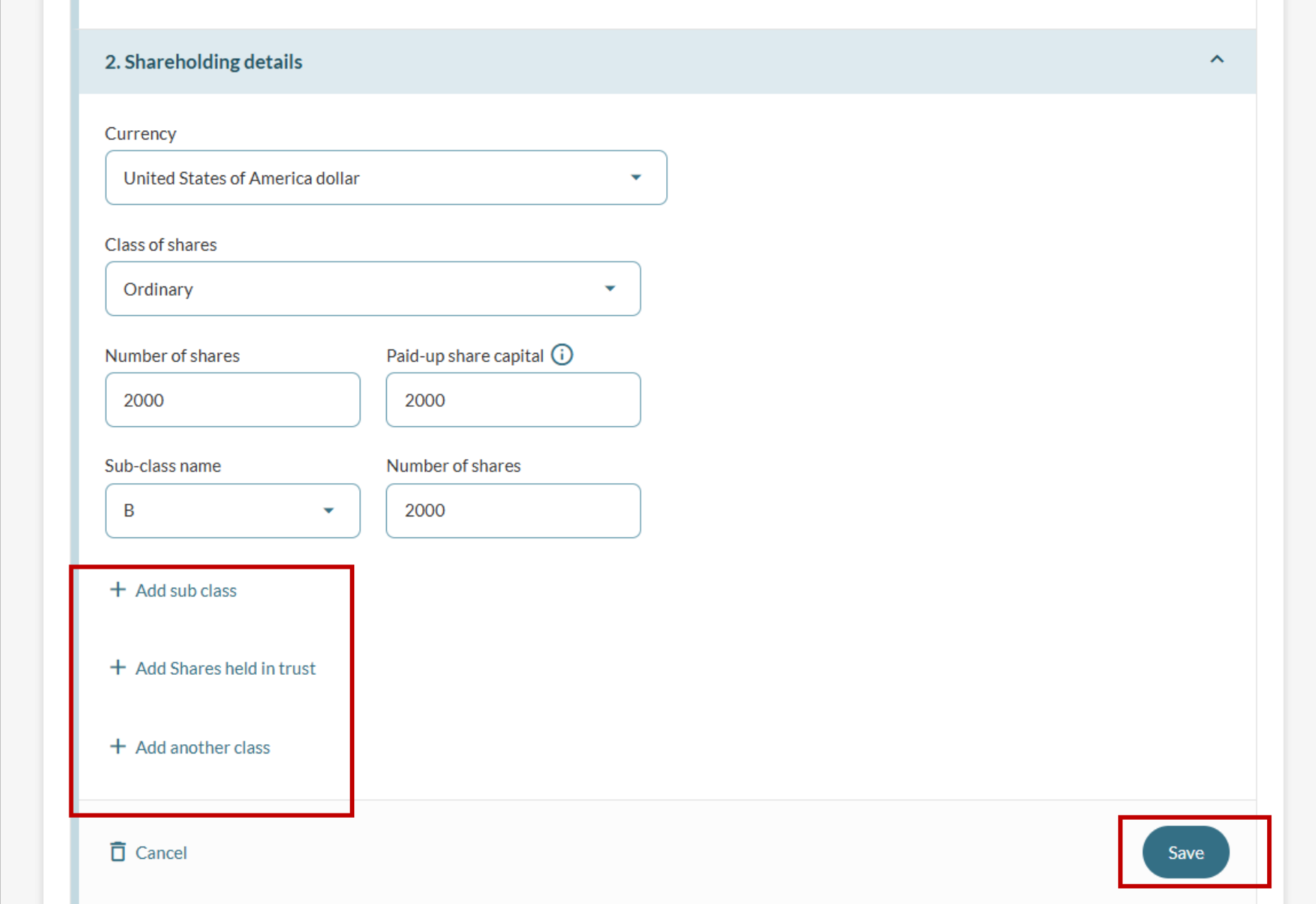
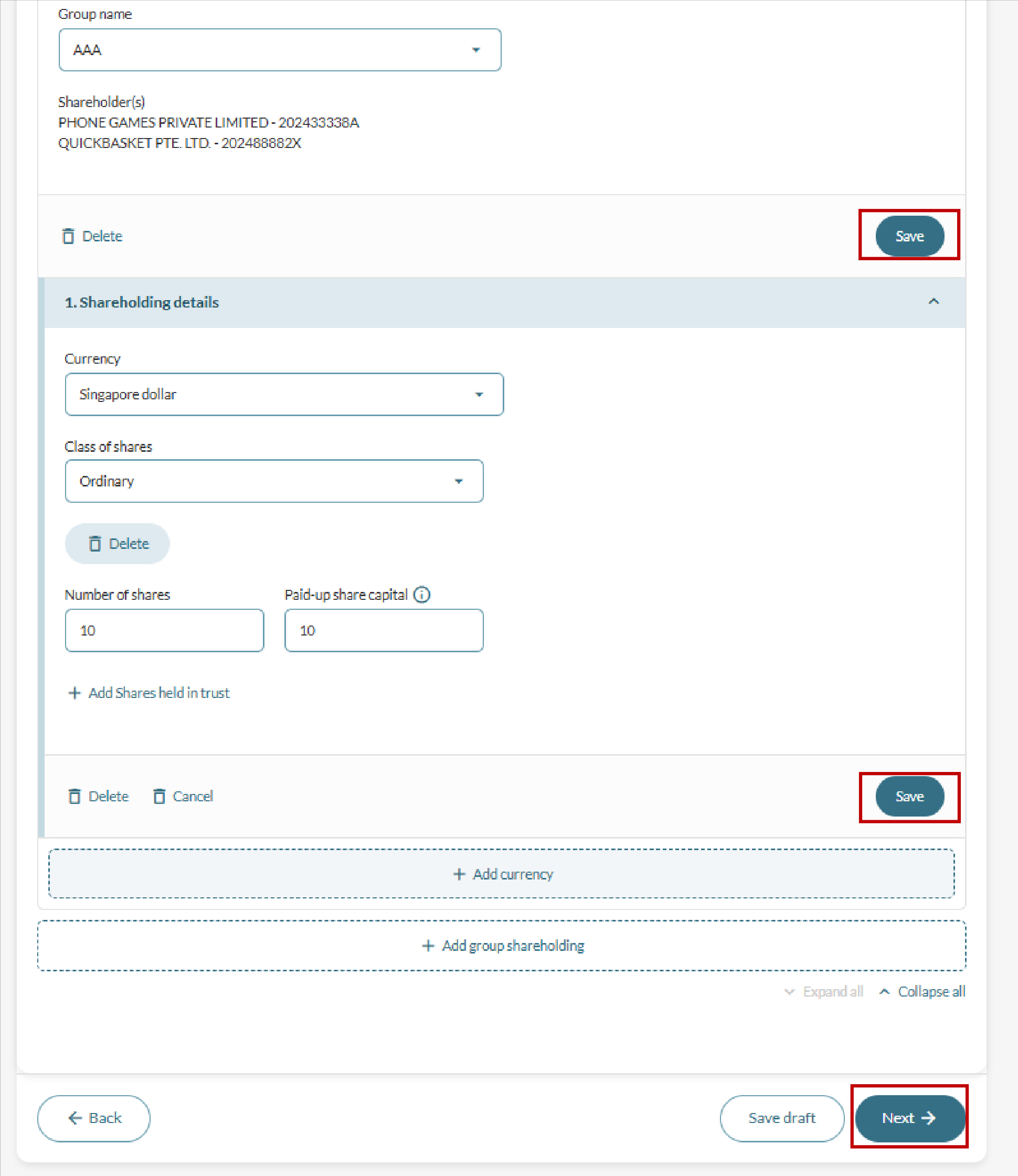
Changes to shareholding information
Follow these steps if the rectification results in changes to the entity’s shareholding:
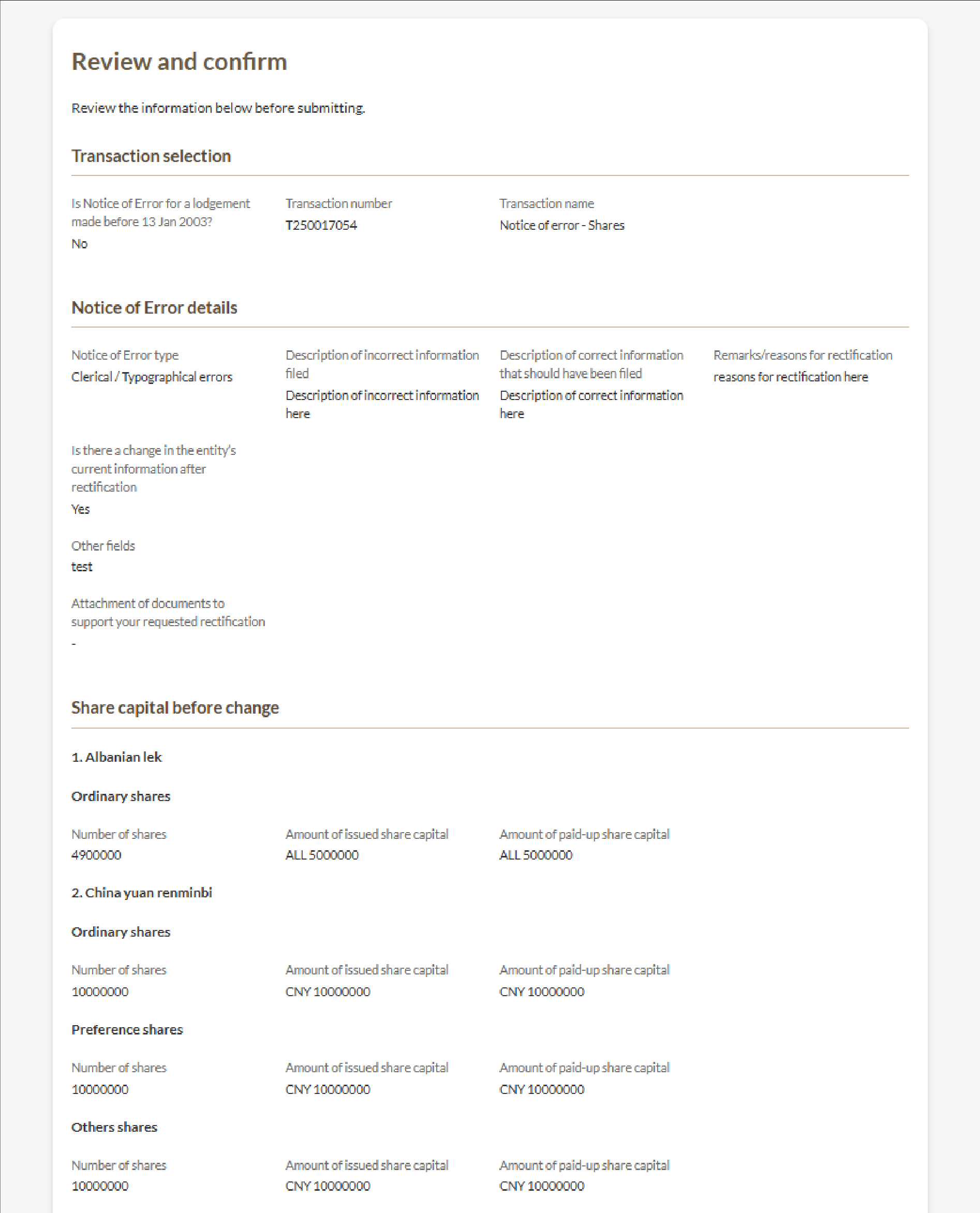
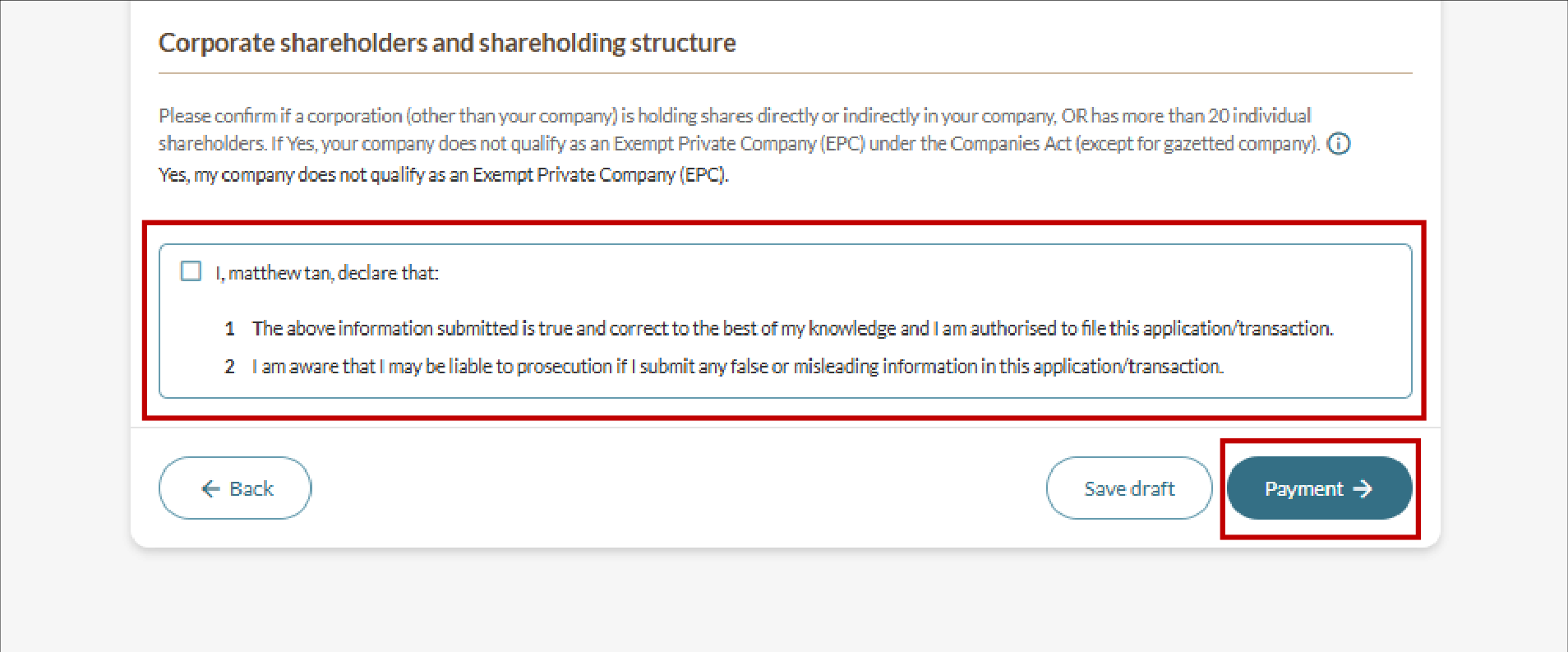
Step 5: Review and submit
Follow these steps to review and submit the NOE.
After you file
You may view the status of your application under "My Transactions".
More details: Viewing your transactions in Bizfile