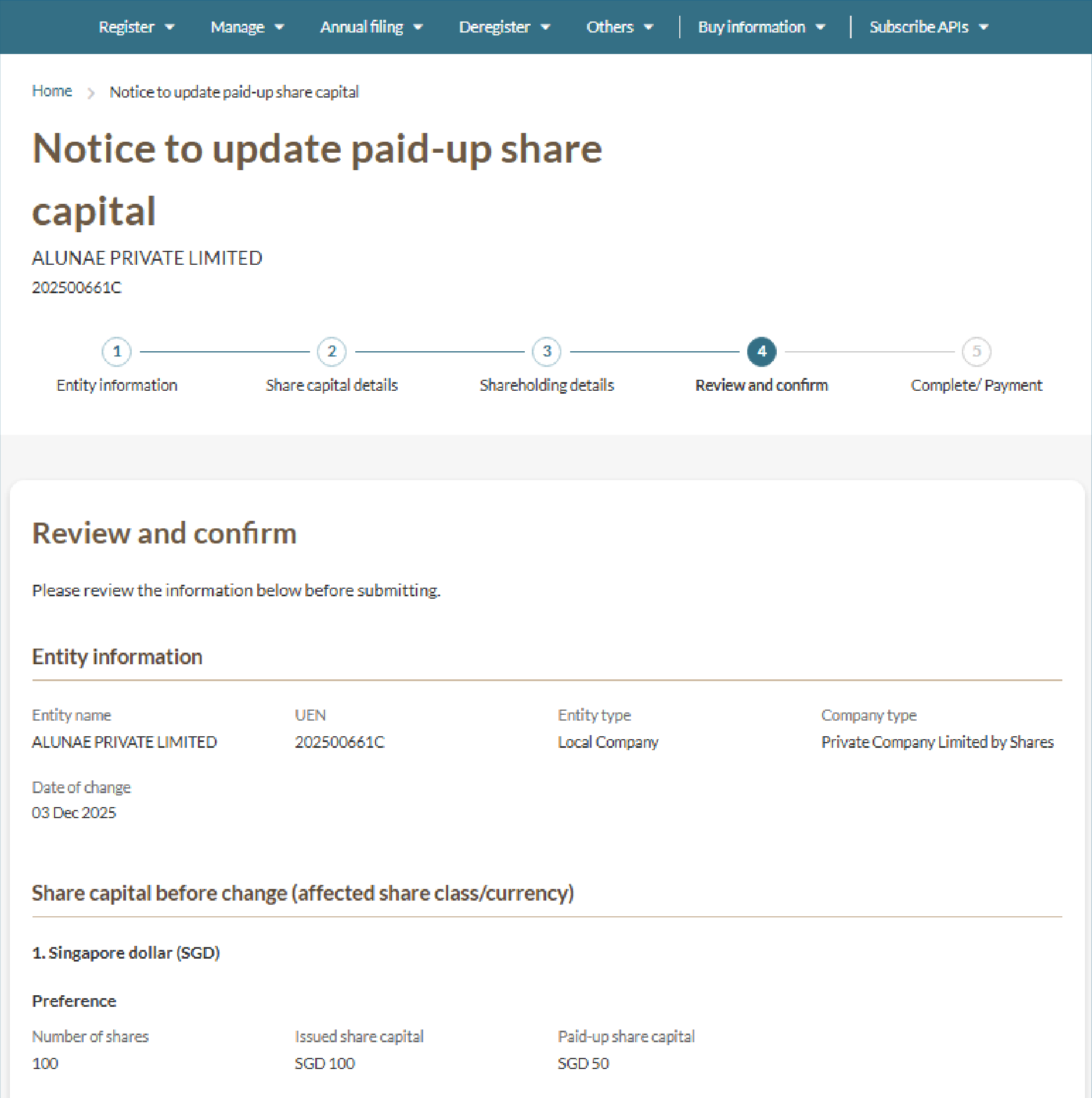
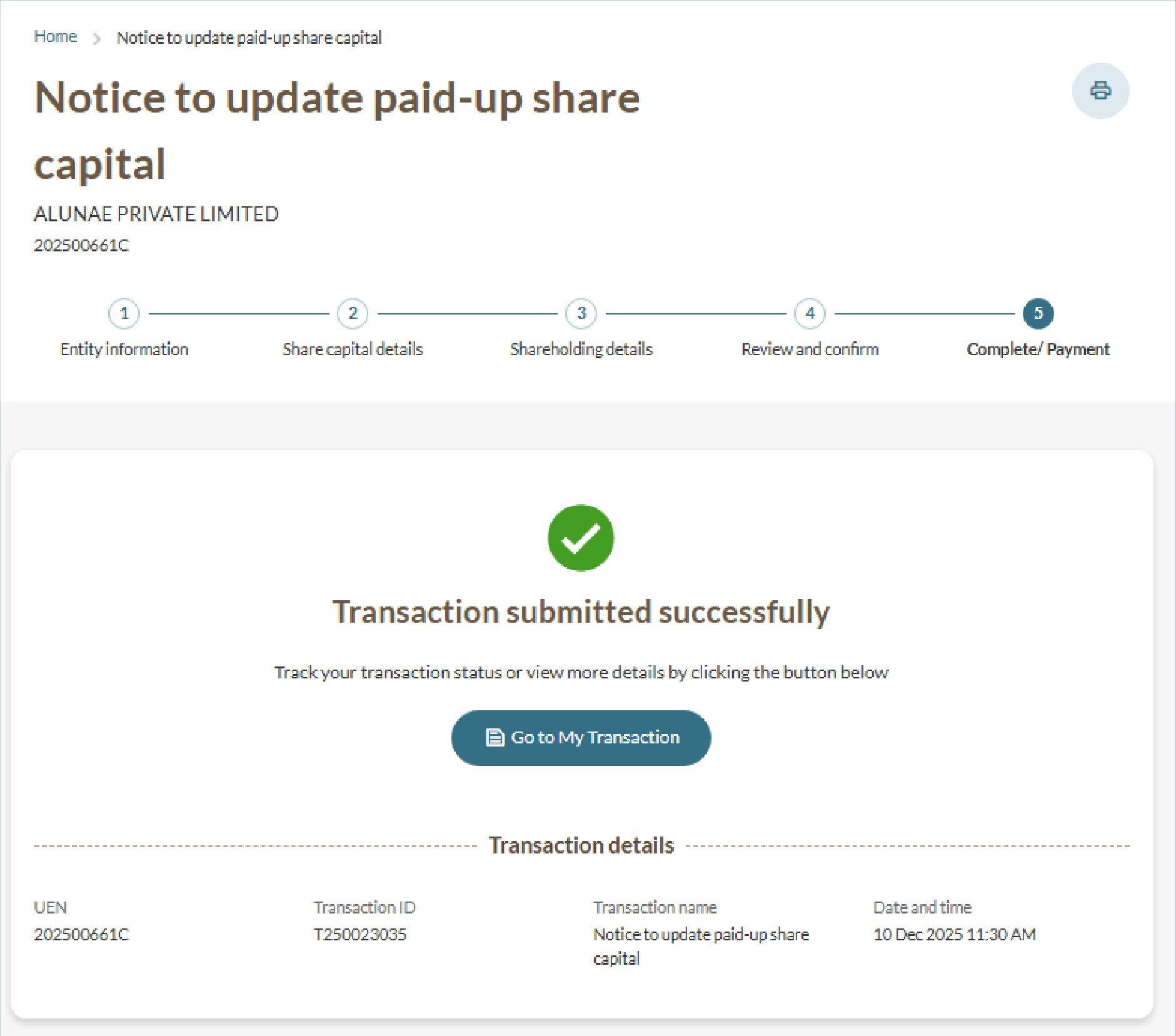
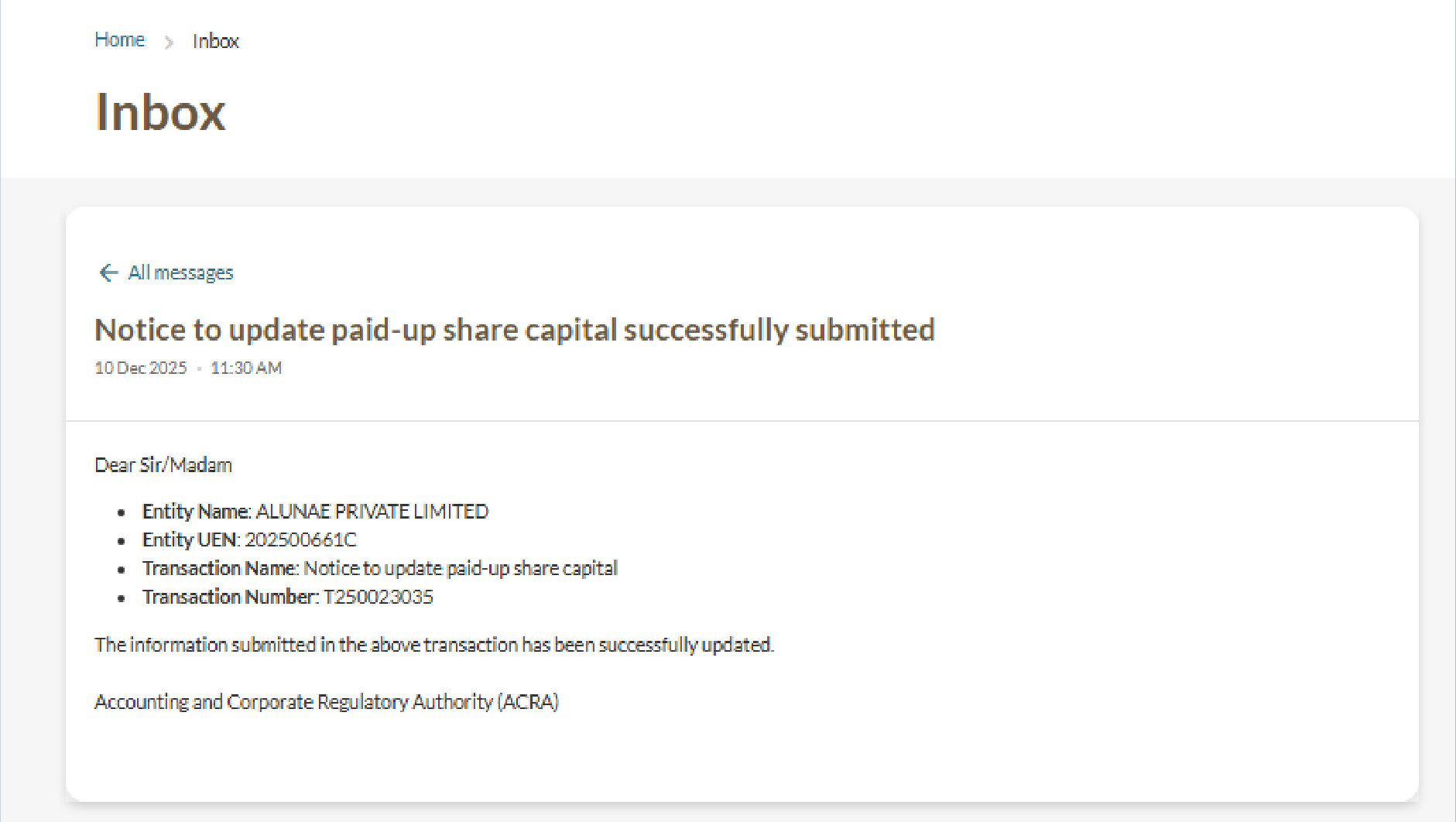
Filing a notice to update paid-up share capital
File a notice to update the paid-up amount on partially paid-up shares for your local company through Bizfile.
Last updated on 12 June 2026
Before you file
You can use the Update shares information eService to notify ACRA of updates to the paid-up amount on partially paid-up shares issued by your company.
Who may file
Local companies with partially paid-up shares may file this notice to update the paid-up amount.
What you need to prepare
Date the paid-up share capital amount changed
Updated paid-up amount for each relevant share and shareholder
Fees and processing time
Filing a notice to update paid-up share capital
What you need to know | Details |
|---|---|
Fee | Free |
Processing time | Immediate |
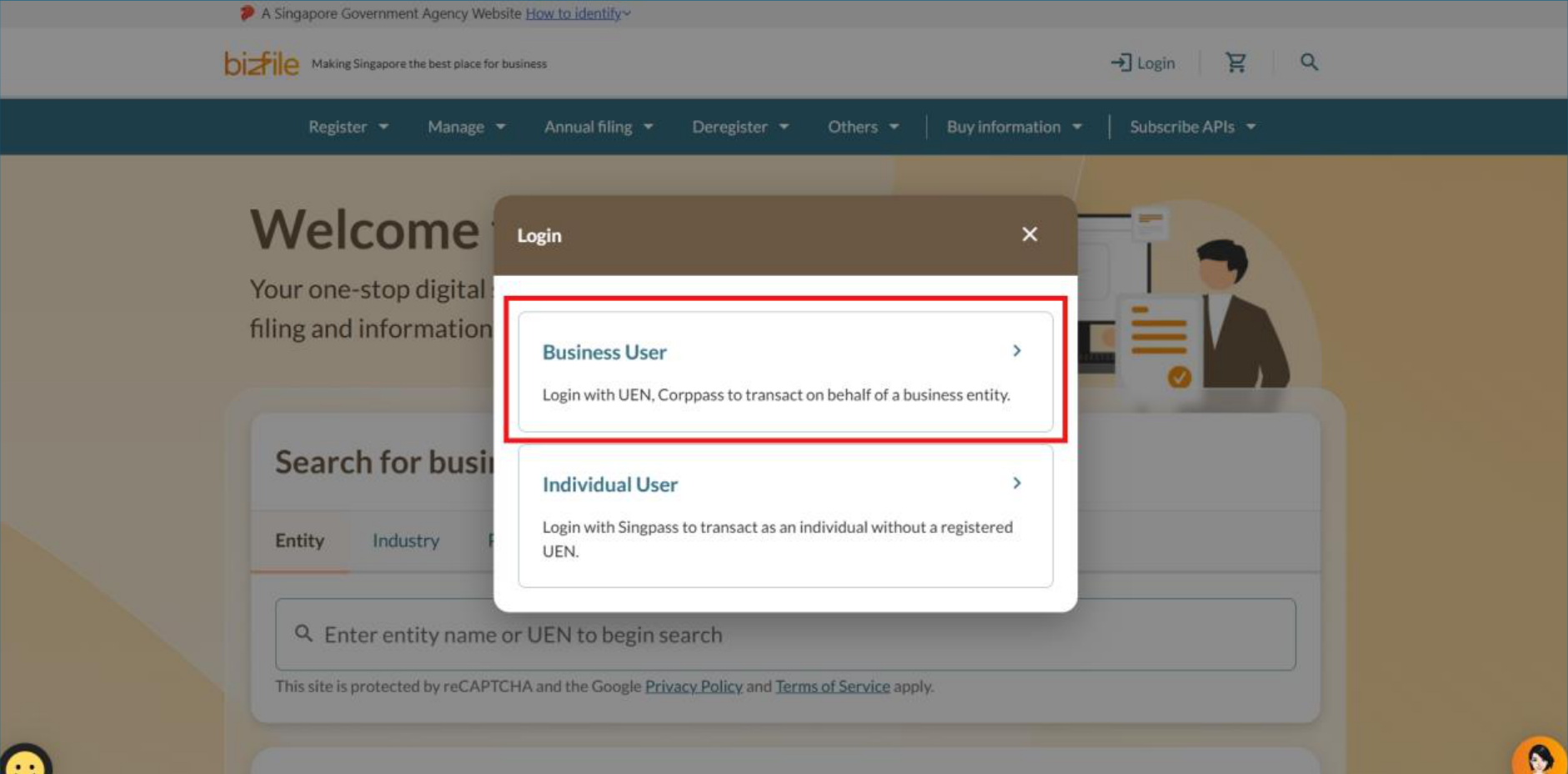
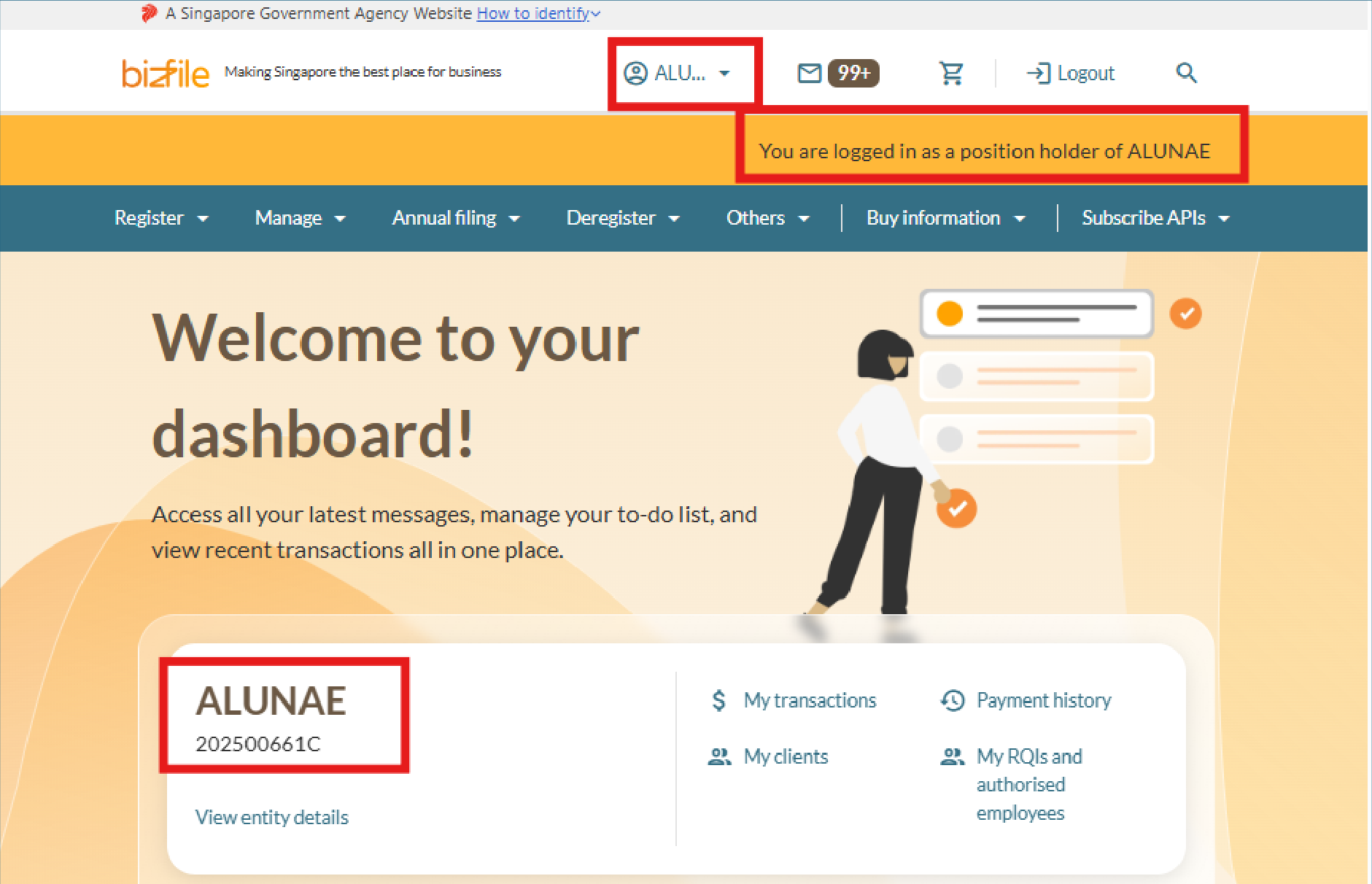
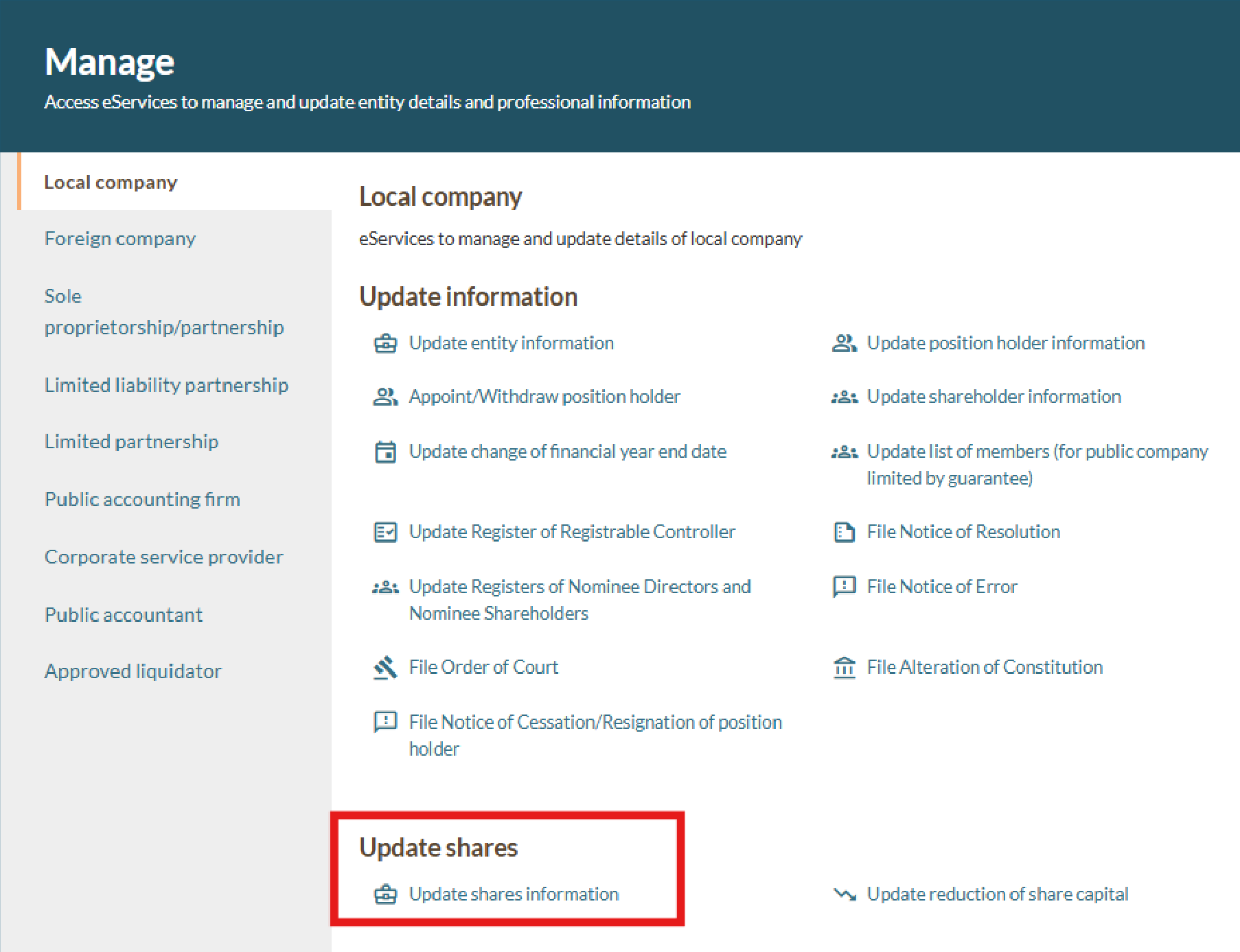
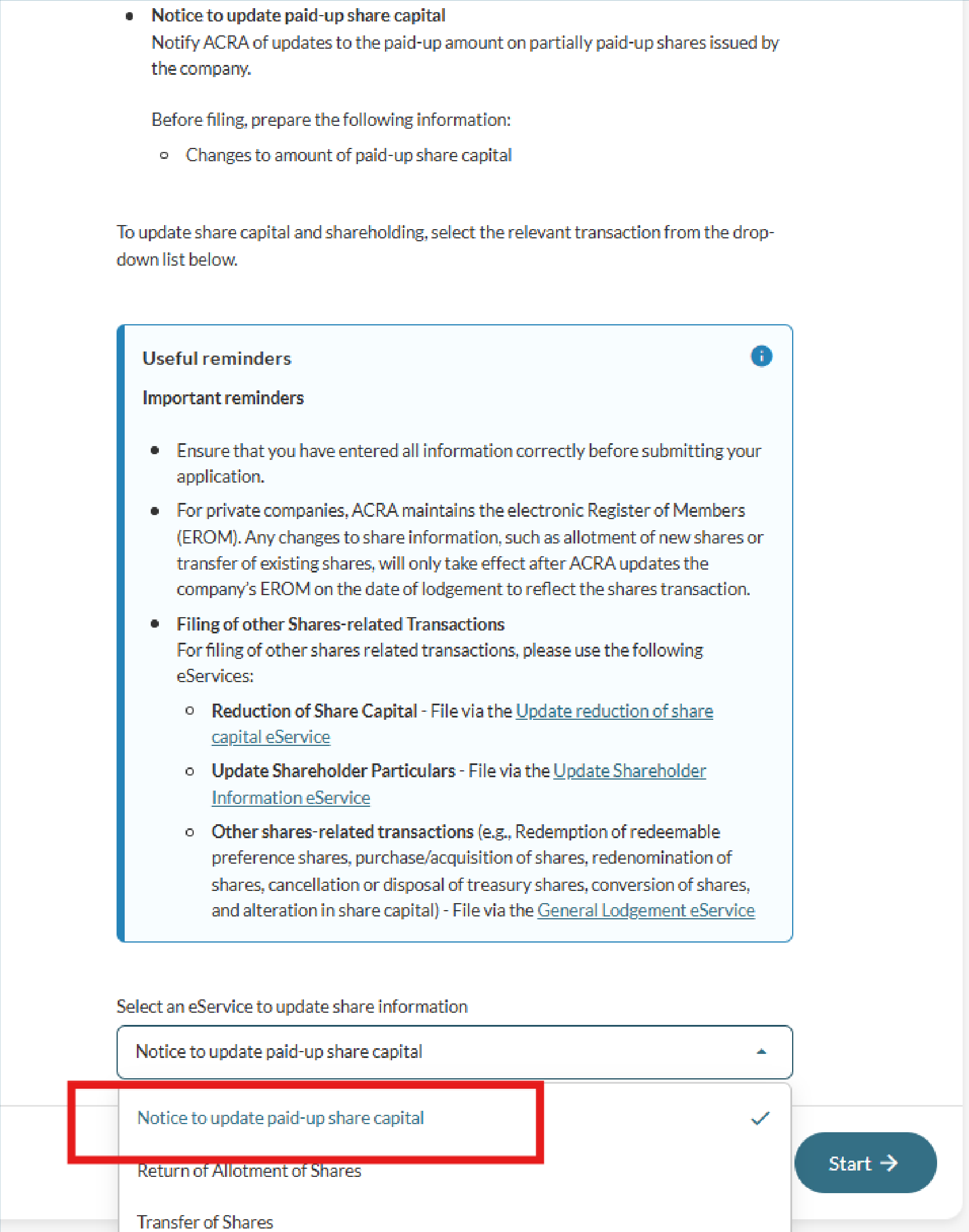
Step 1: Log in to Bizfile and open the 'Update shares information' eService
Follow these steps to log in to Bizfile and navigate to the Update shares information (opens in new tab) eService.
Note: All entity and personal information (including UEN, entity details, NRIC or FIN numbers, names and addresses) shown are dummy data for illustration purposes only.
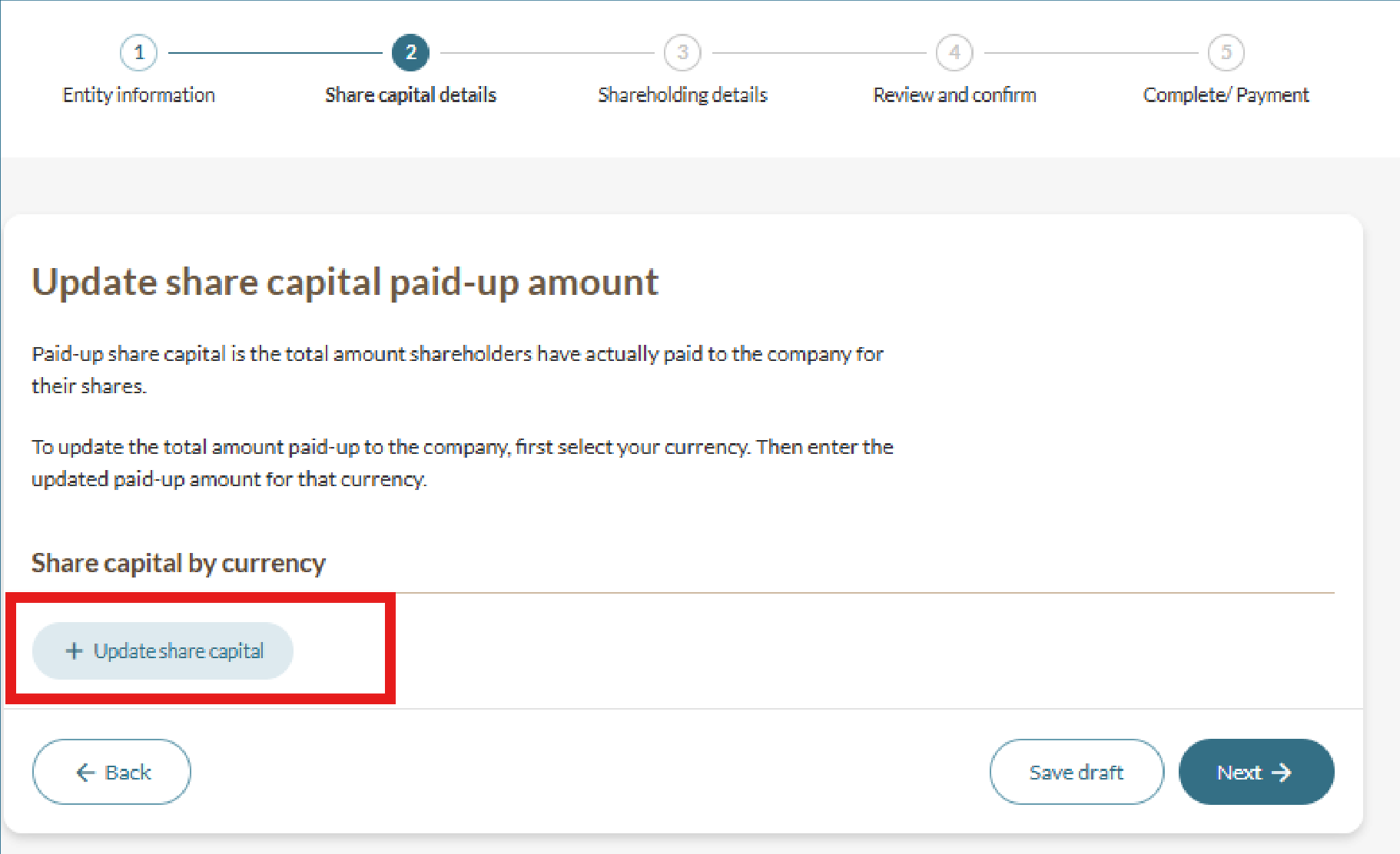
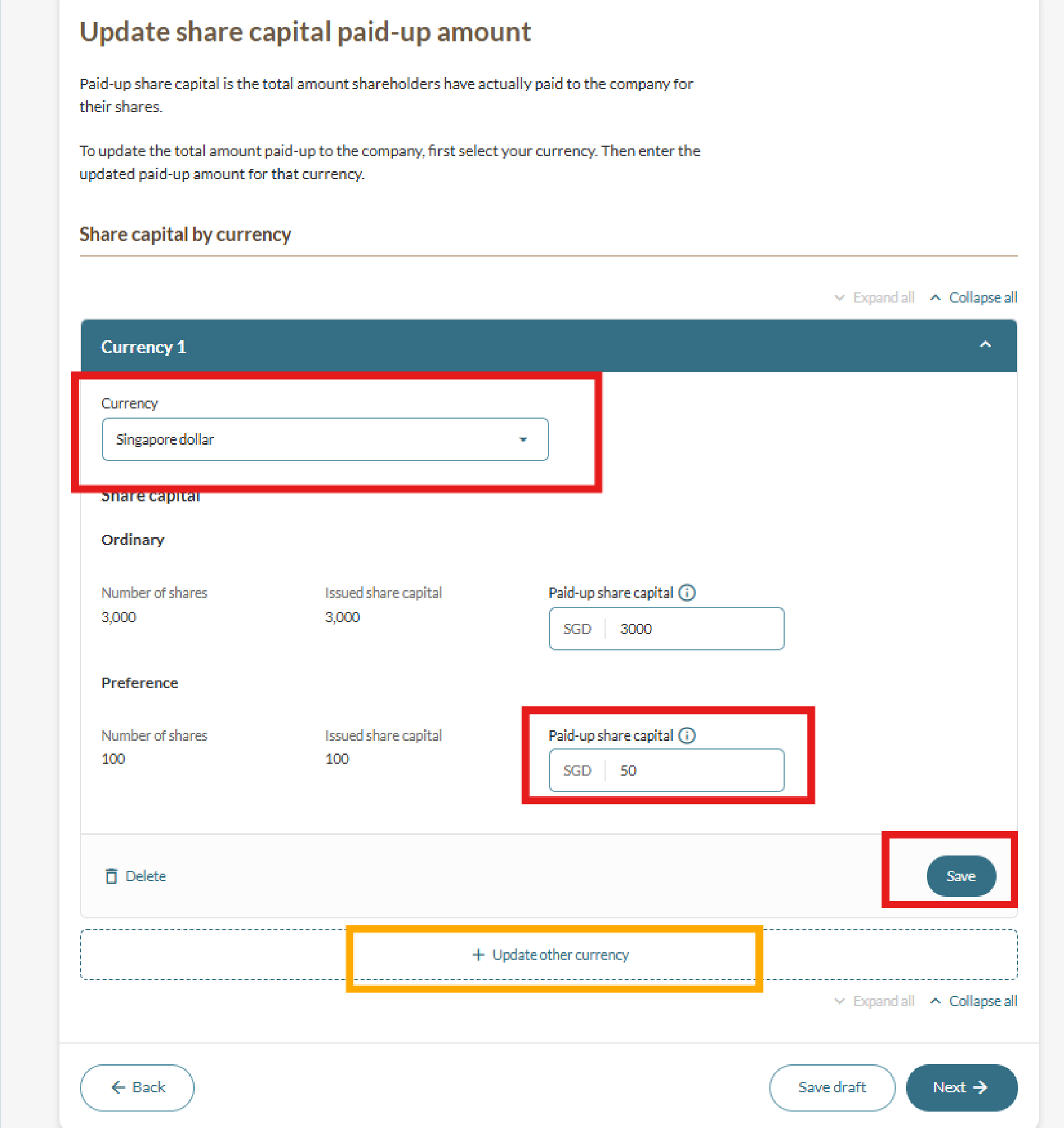
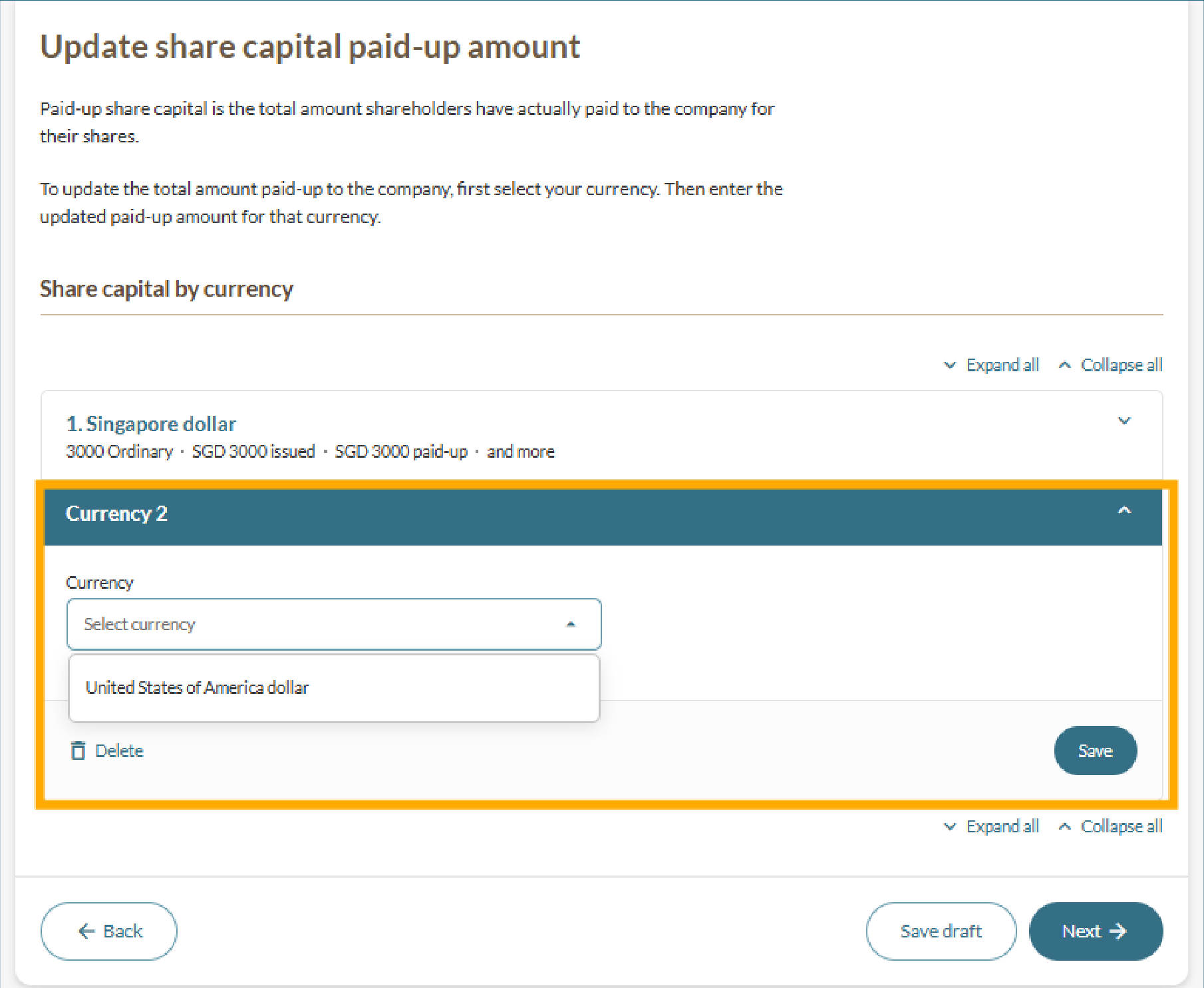
Step 2: Update share capital details
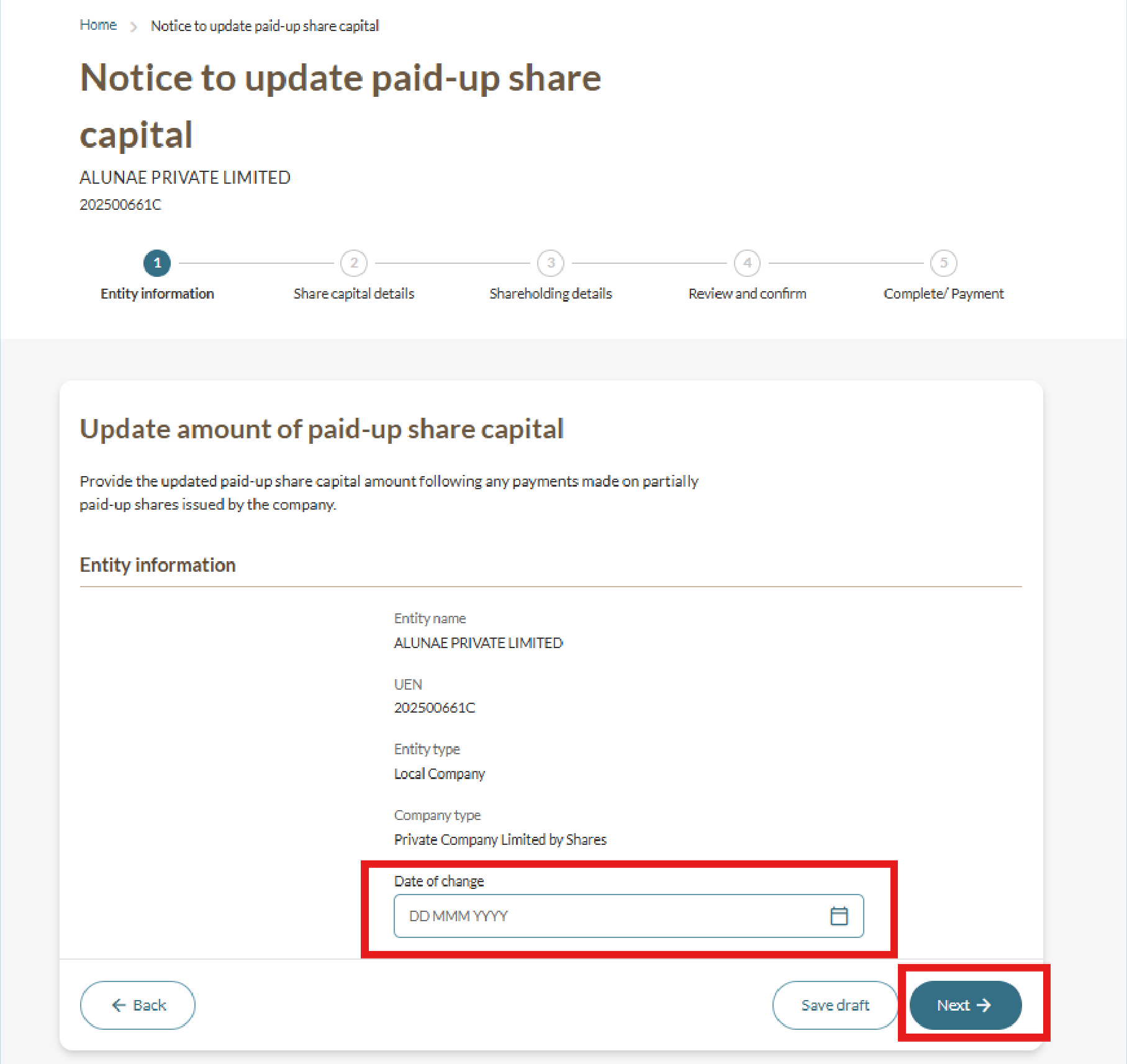
Follow these steps to check your entity details and update your share capital.
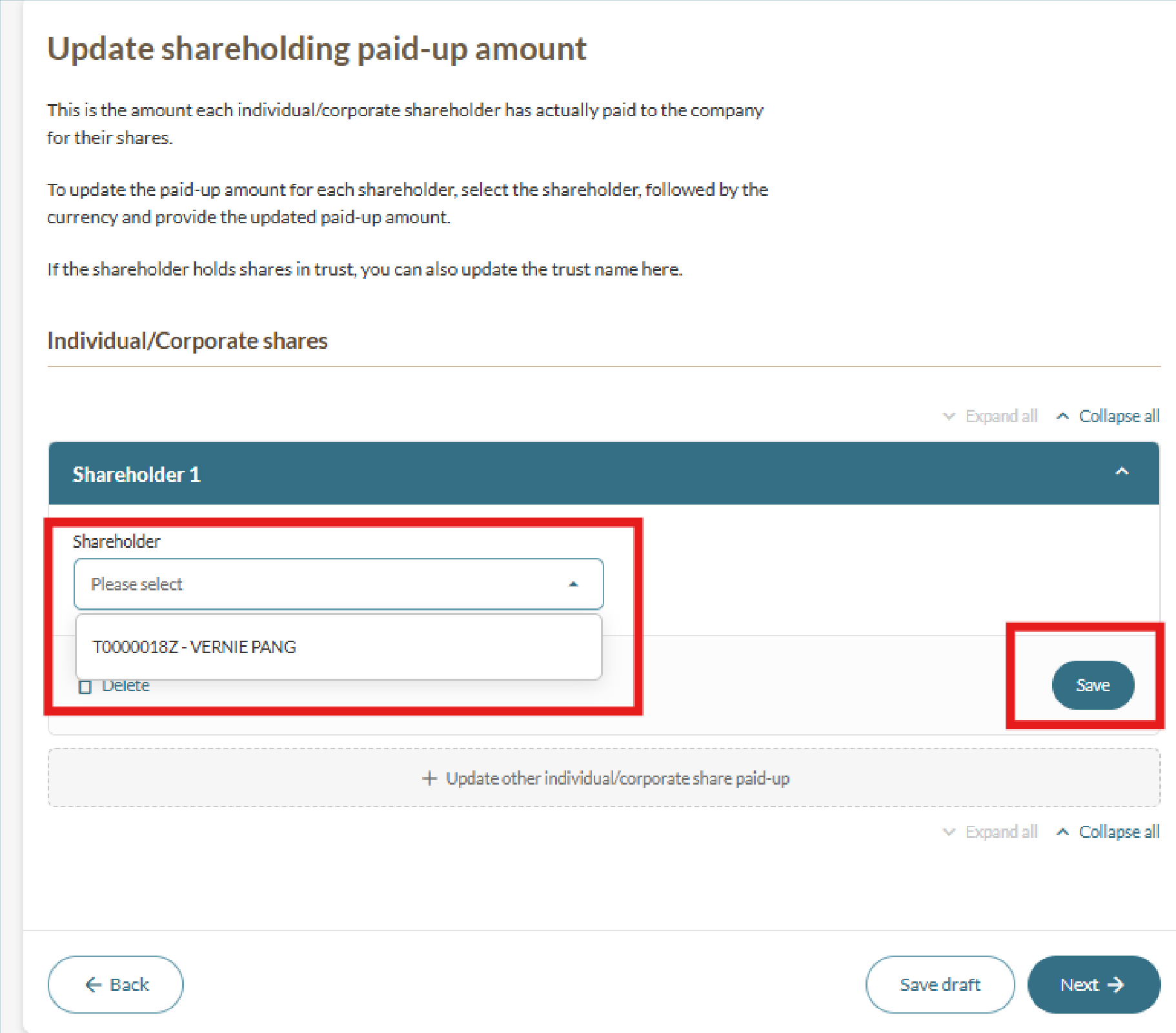
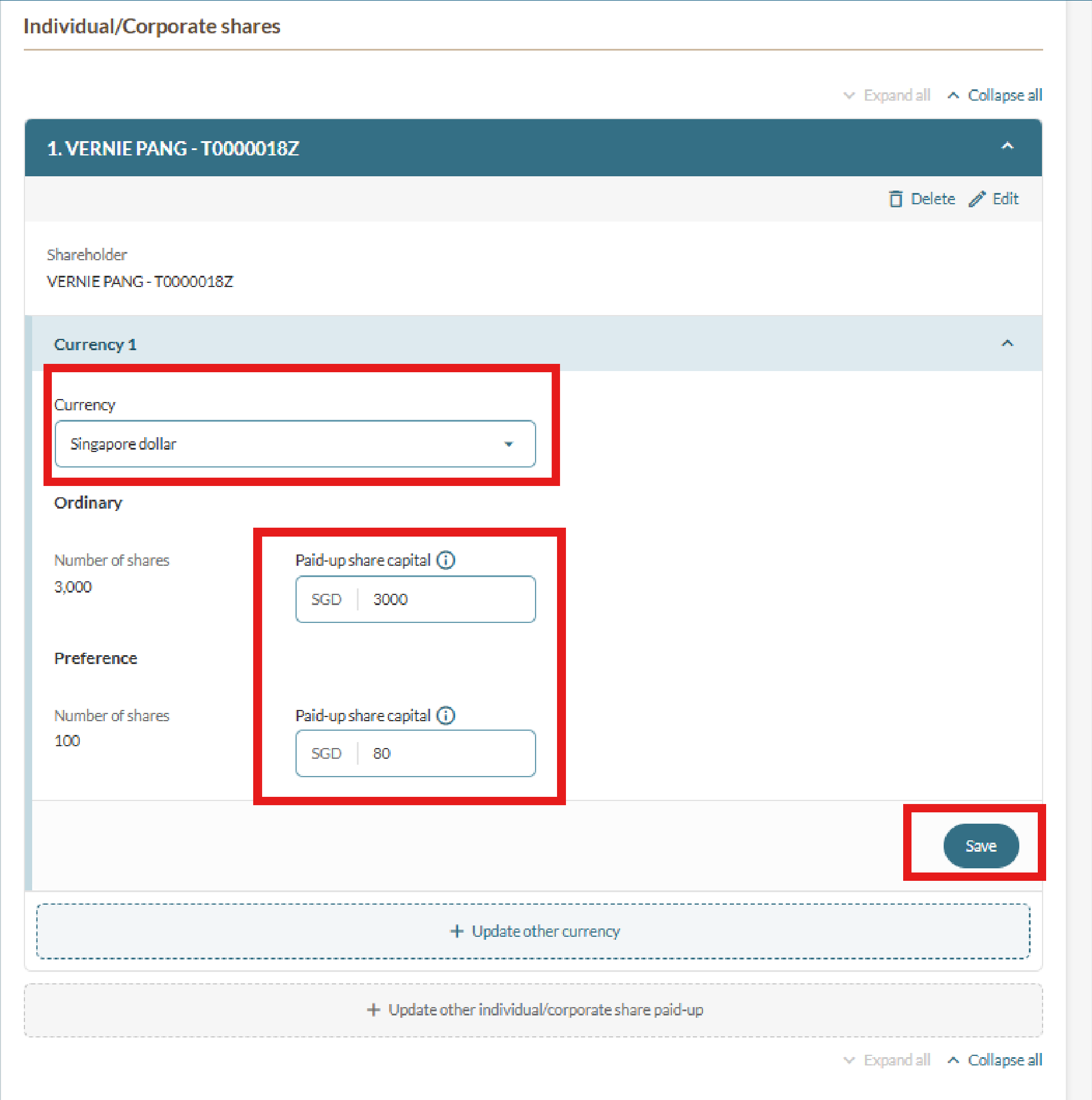
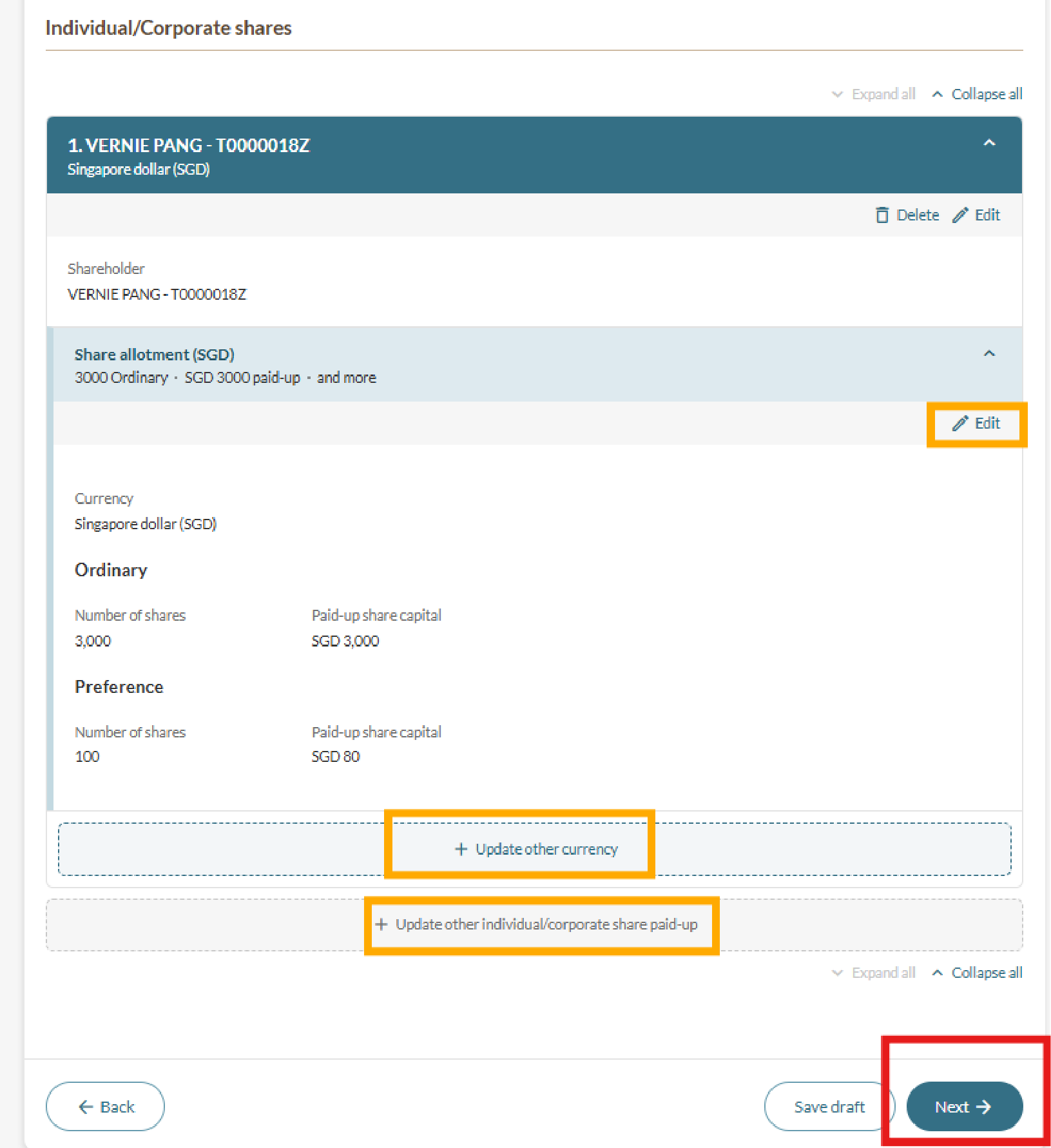
Step 3: Update shareholder paid-up amounts
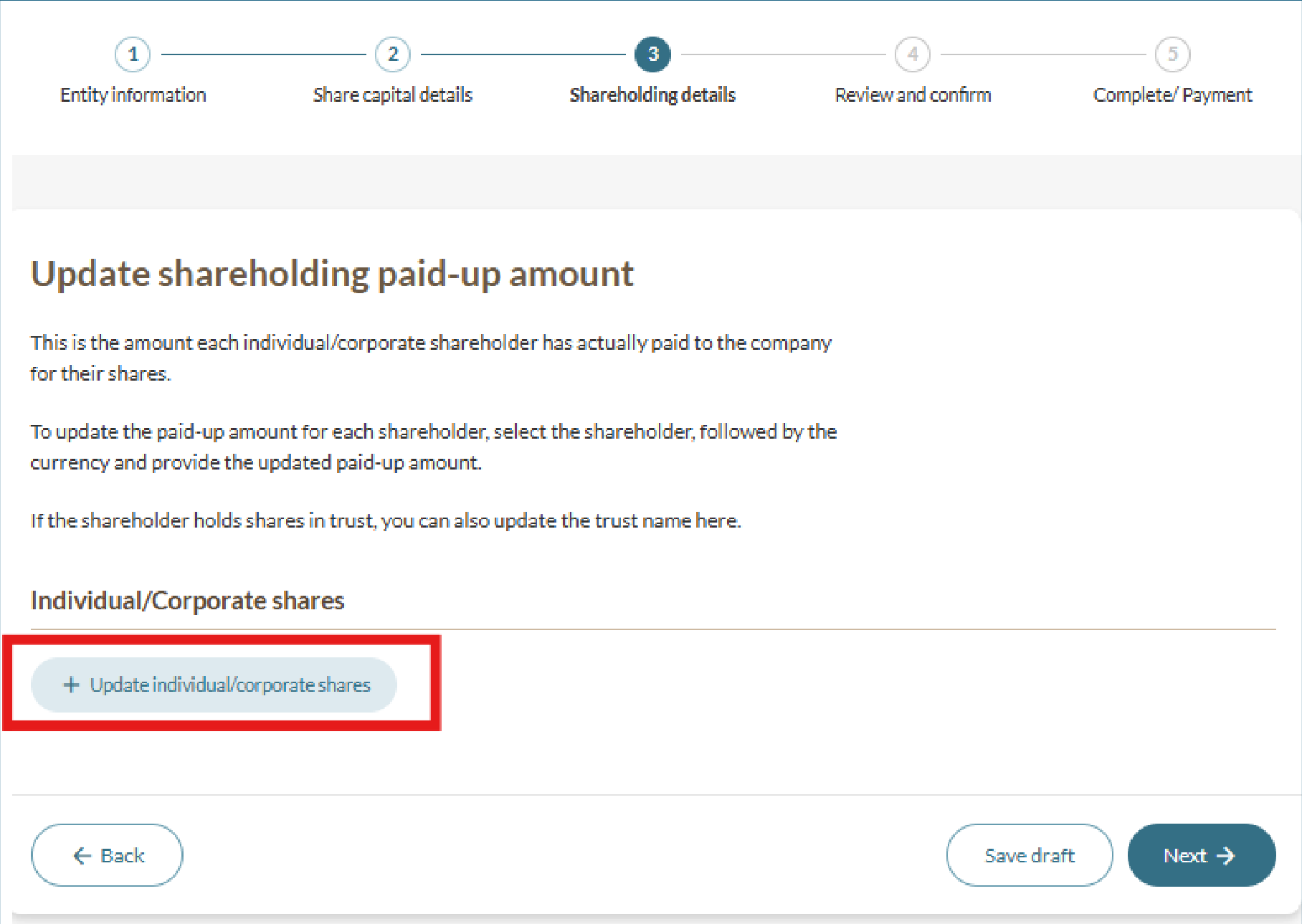
Follow these steps to update the paid-up share capital for selected shareholders.
Step 4: Review and submit
Follow these steps to review and submit your notice.