
Appointing or withdrawing registered qualified individuals (RQIs)
As a registered corporate service provider (CSP), you must appoint at least one RQI before you can file on behalf of your clients.
Last updated 1 May 2026
Before you appoint or withdraw
Every CSP must:
Appoint at least one RQI before they can perform transactions for clients
Notify ACRA within 14 days of appointing or withdrawing an RQI
This guide explains how to notify ACRA when you appoint or withdraw an RQI.
Who may appoint or withdraw
Only authorised officers can appoint or withdraw RQIs. This includes:
Directors
Company secretaries
Partners
Owners
What you need to prepare
For each RQI to be appointed or withdrawn:
Identification type
Identification number
Fees and processing time
Update CSP or RQI information
What you need to know | Details |
|---|---|
Fee | Free |
Processing time | Immediate |
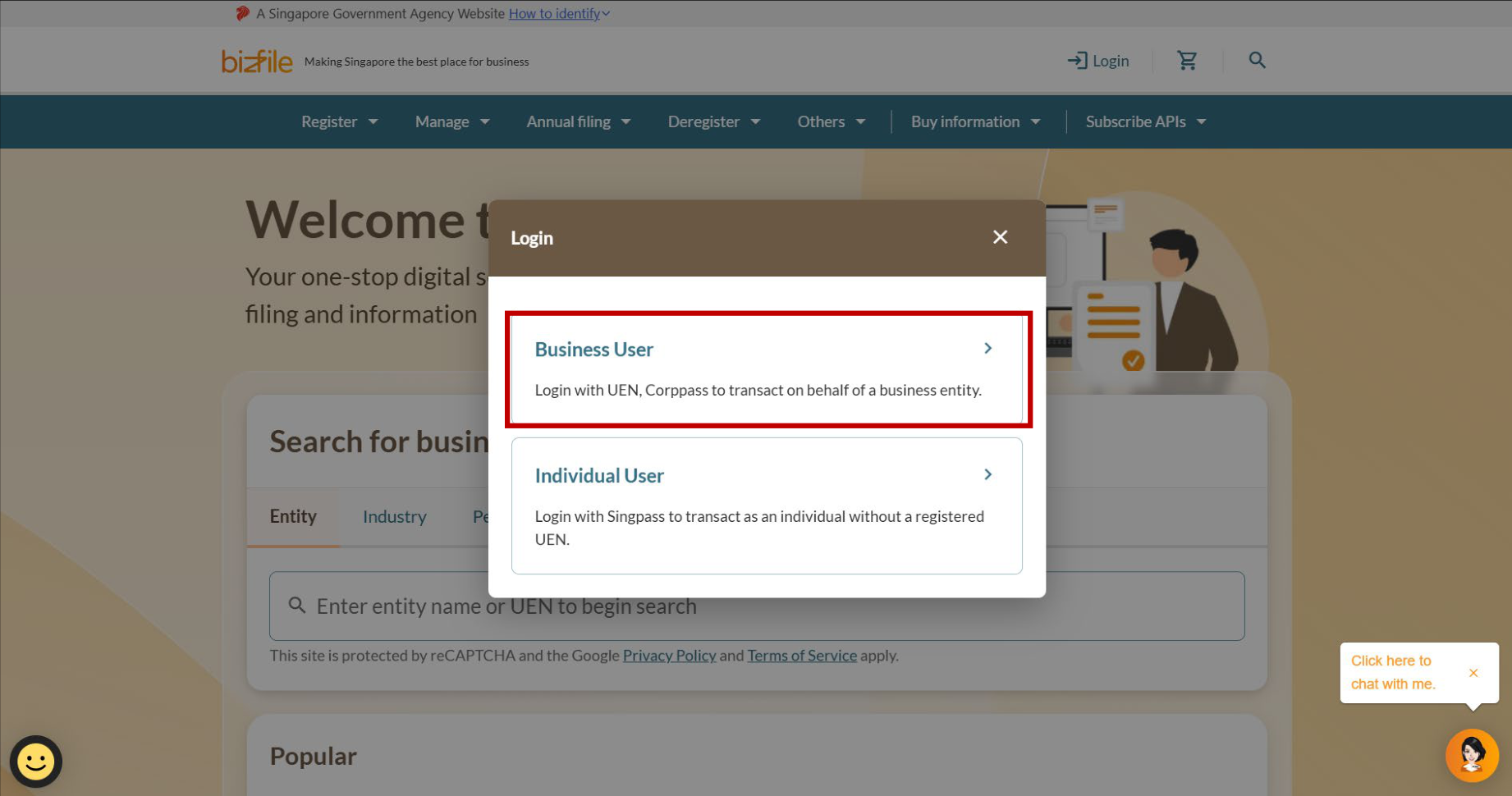
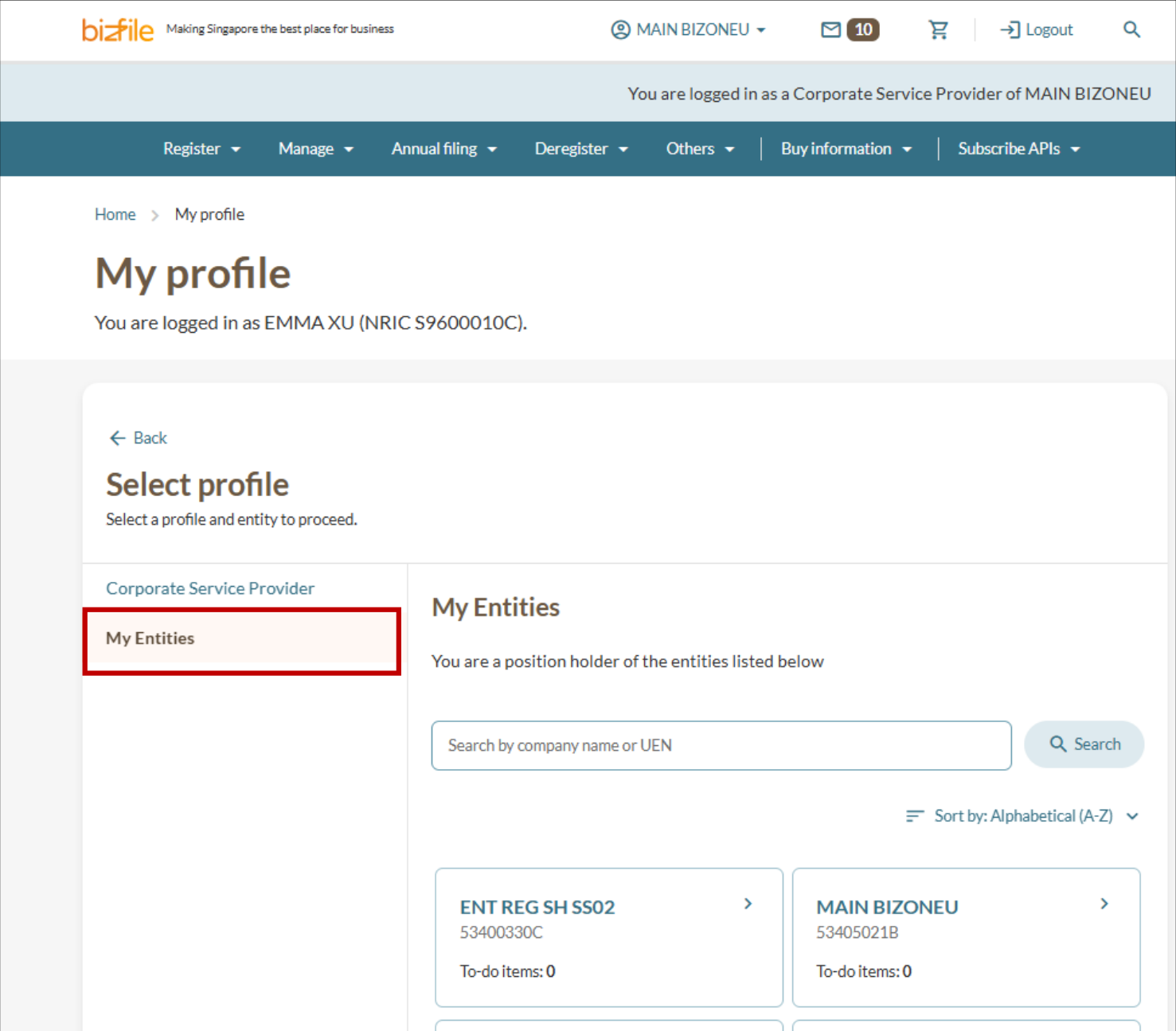
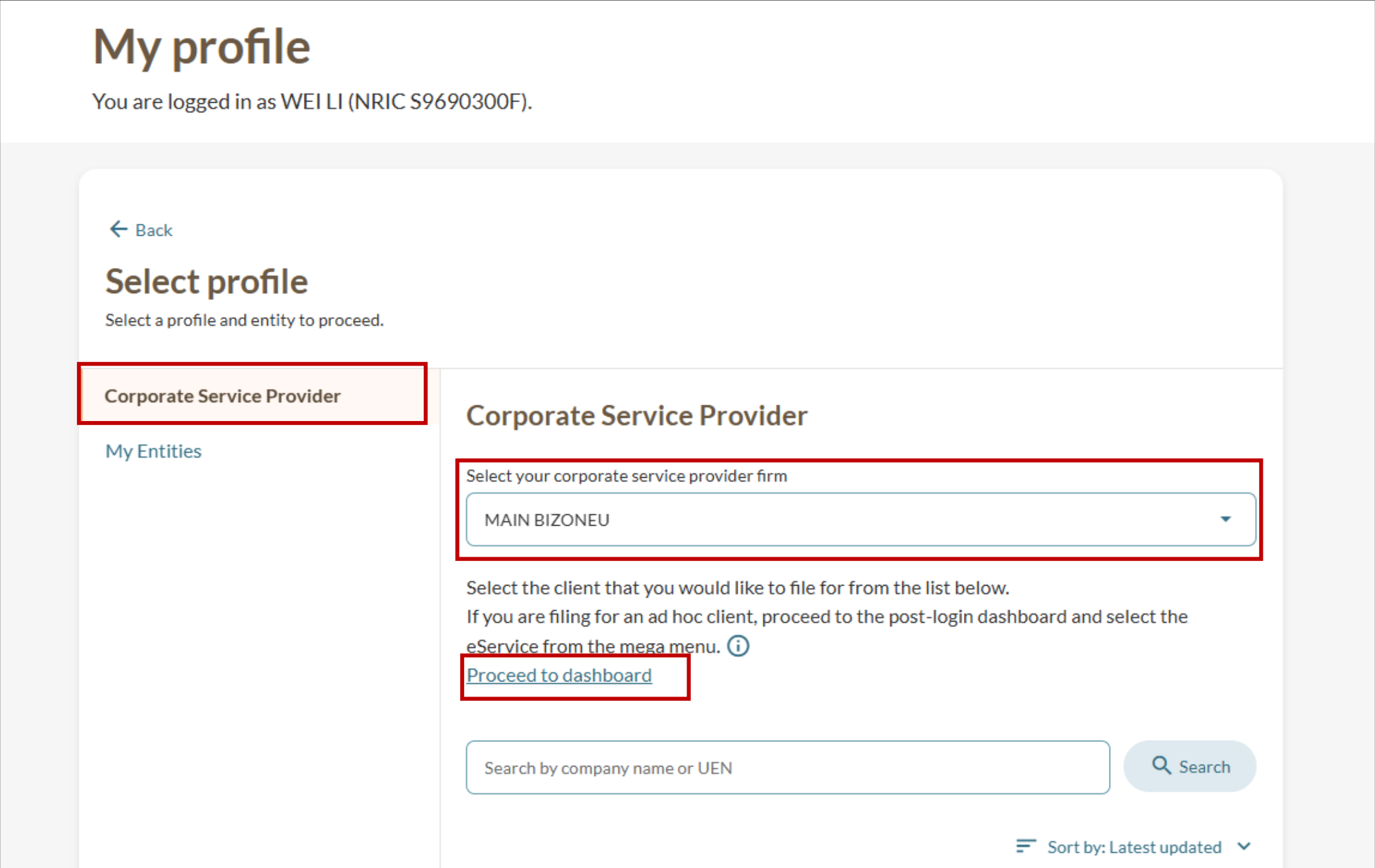
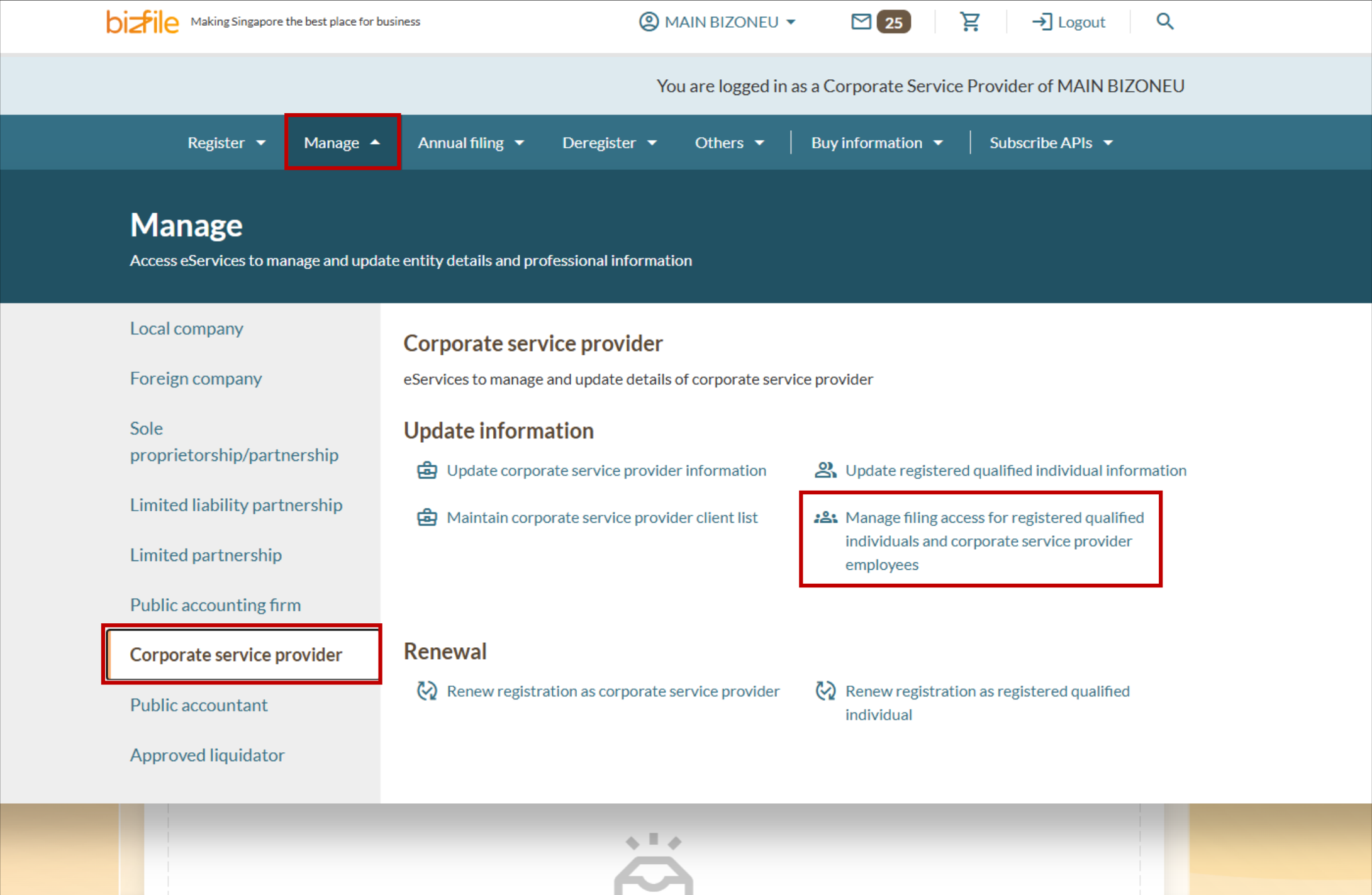
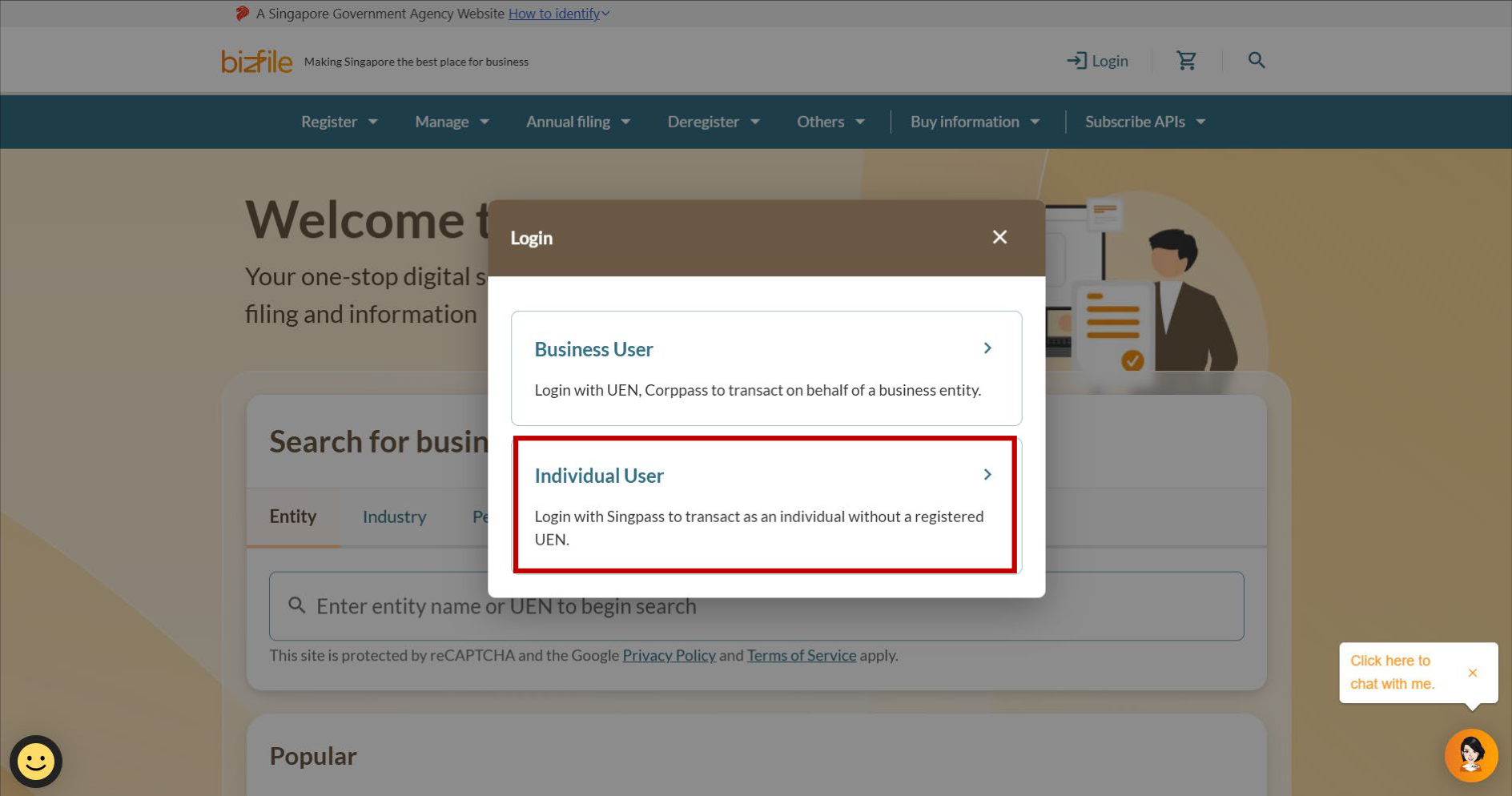
Step 1: Log in to Bizfile and open the "Manage filing access for RQIs and CSP employees" eService
Follow these steps to log in to Bizfile and navigate to the Manage filing access for registered qualified individuals and corporate service provider employees (opens in new tab) eService.
Note: All entity and personal information (including UEN, entity details, NRIC or FIN numbers, names and addresses) shown are dummy data for illustration purposes only.
(Optional) Step 2: Appointing an RQI
Follow these steps to appoint an RQI for your CSP firm.
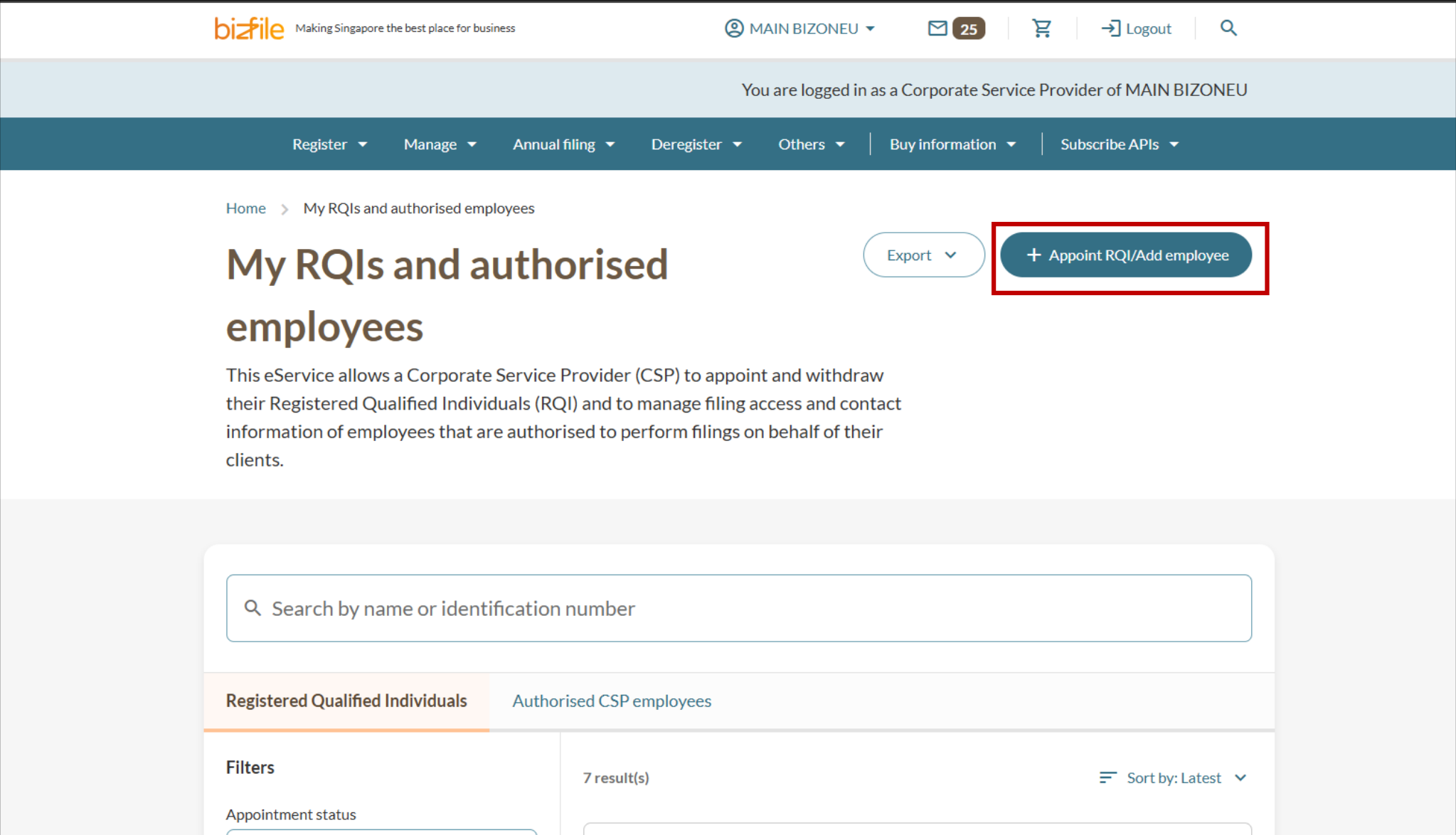
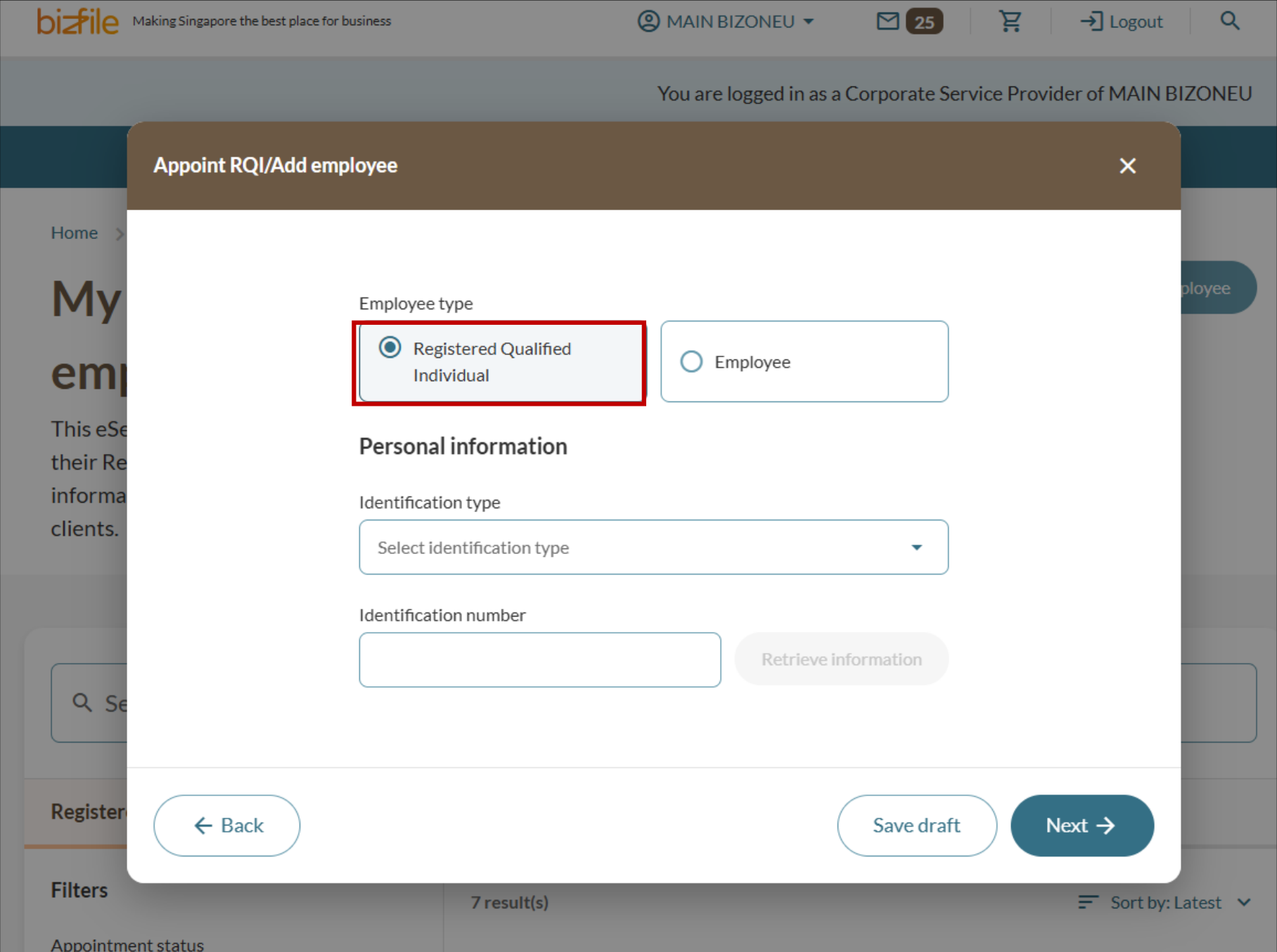
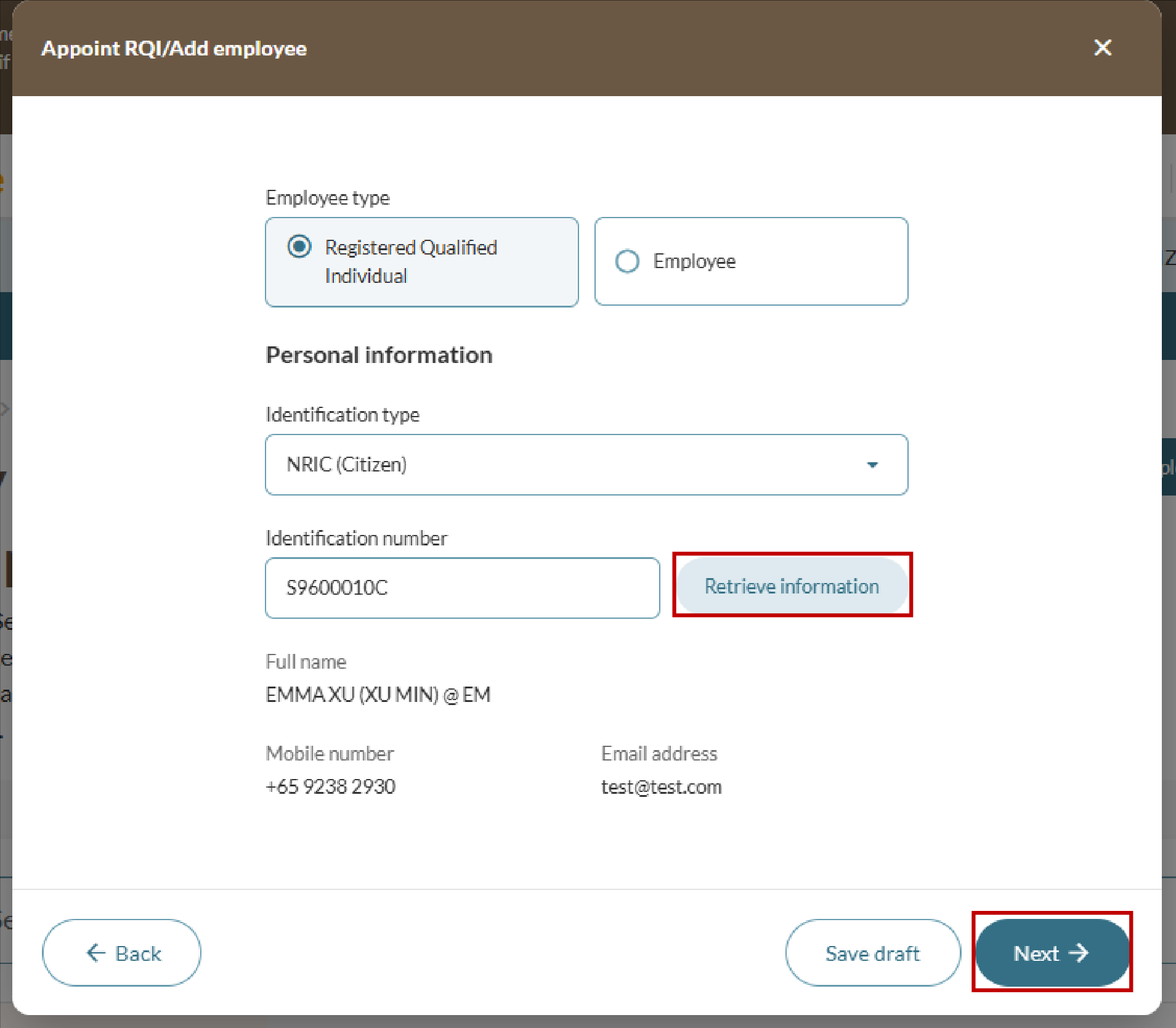
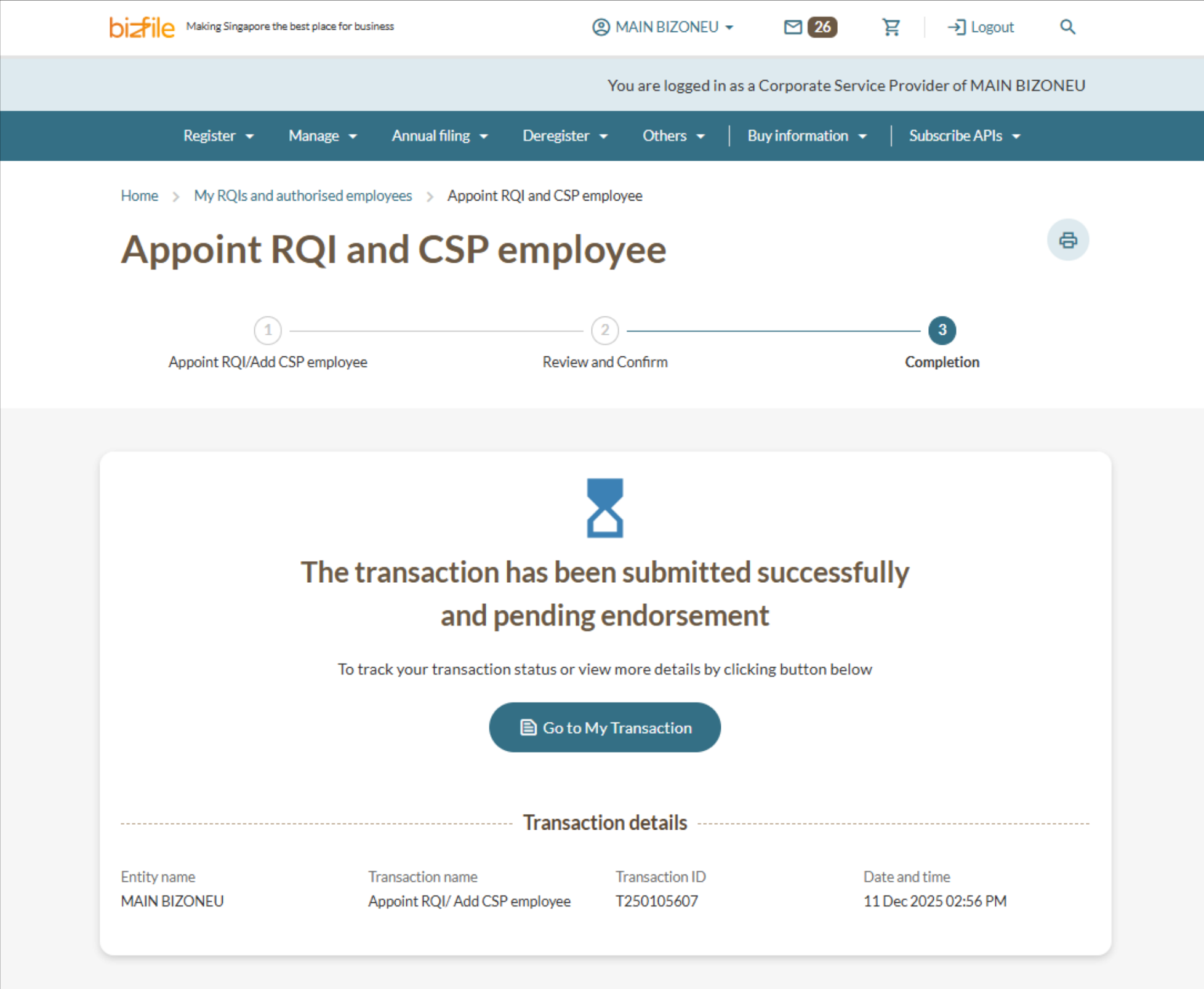
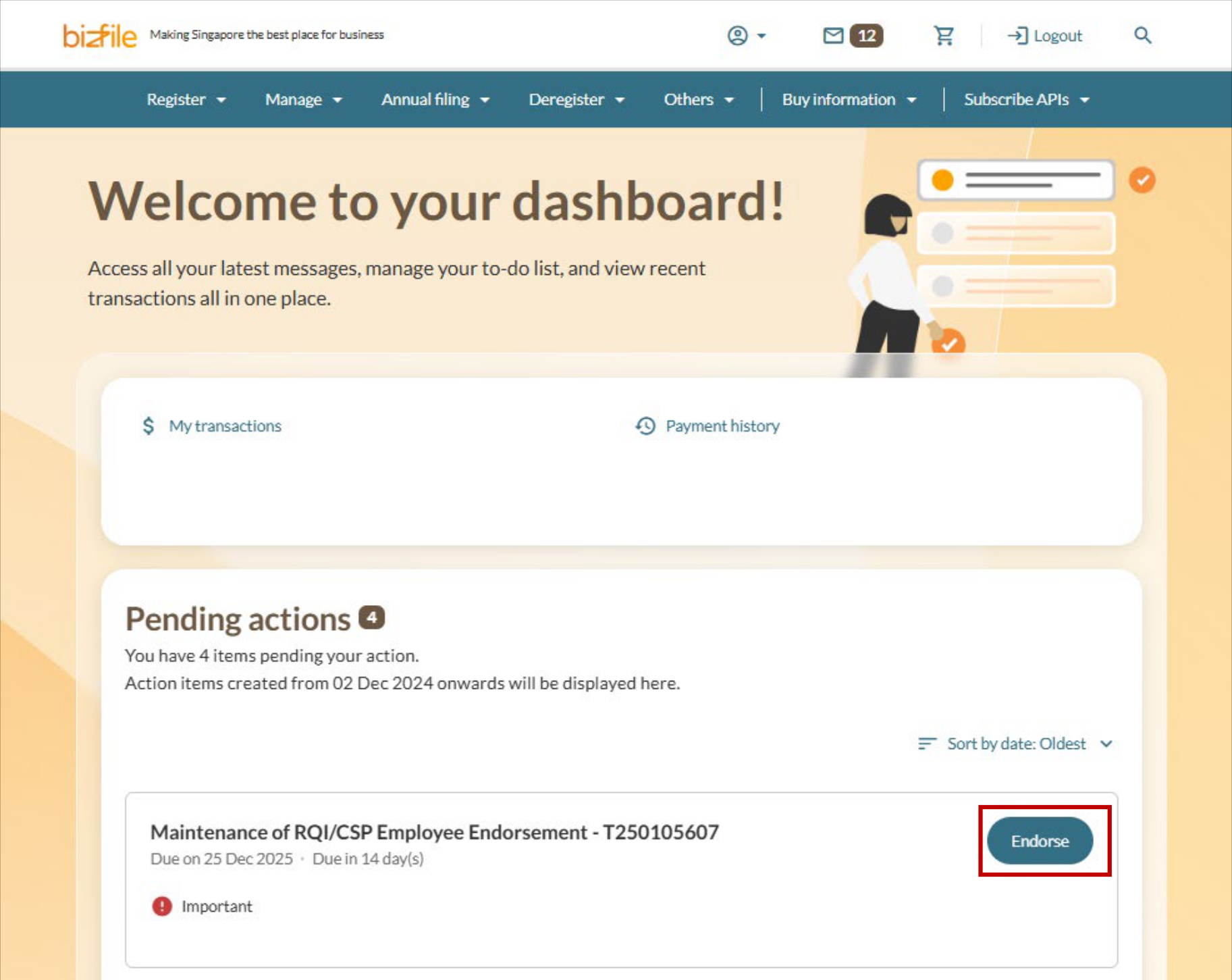
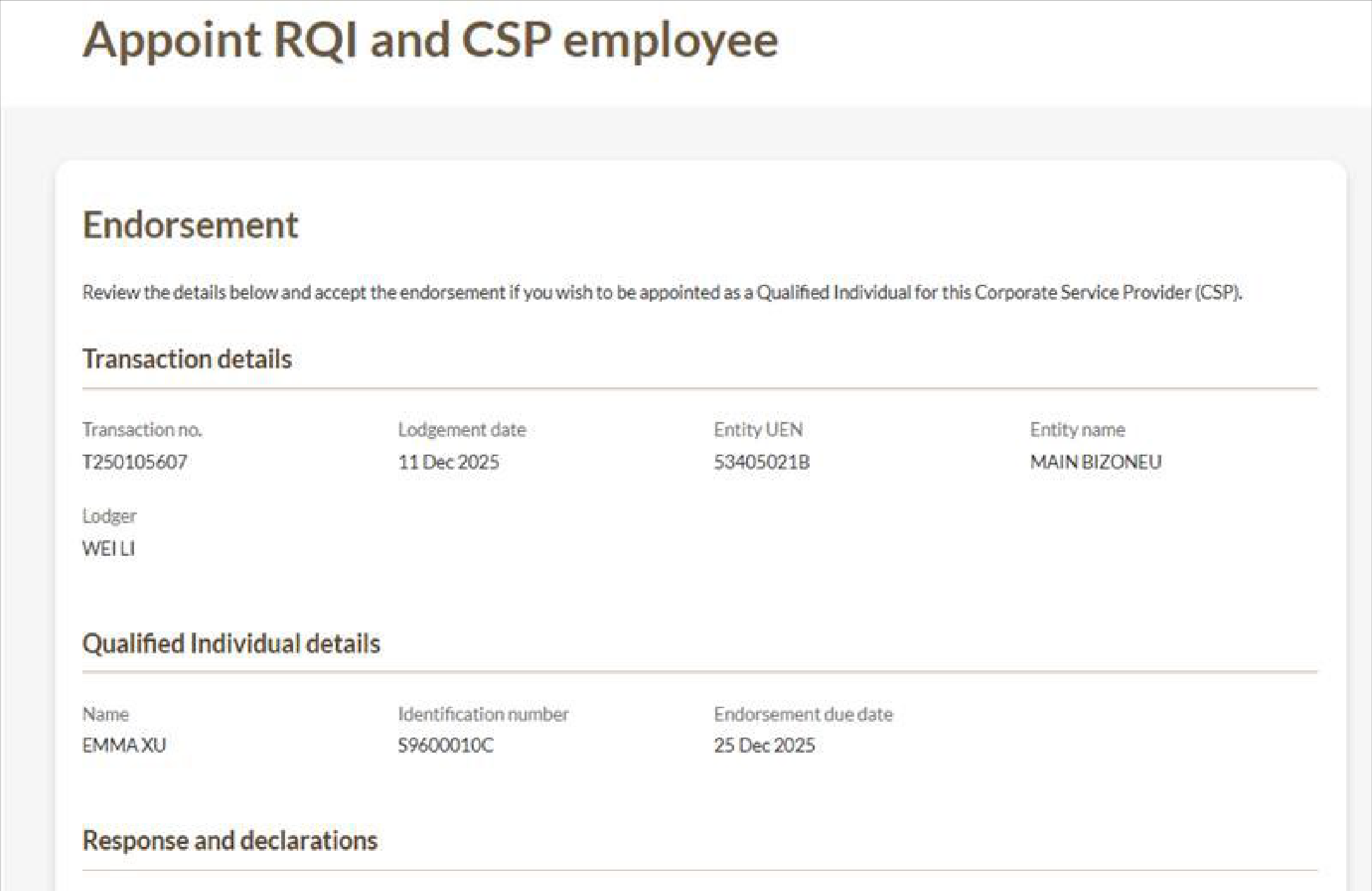
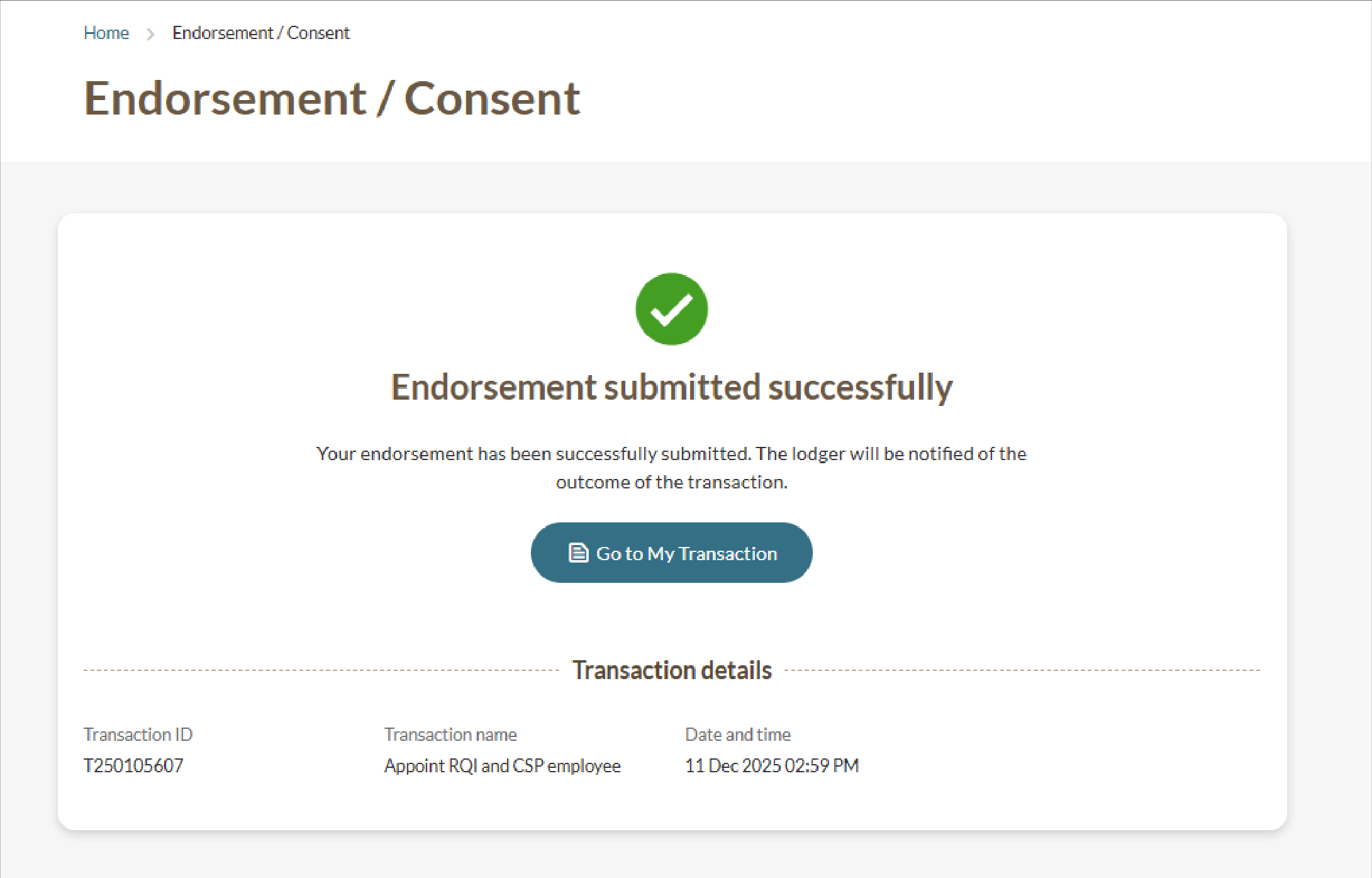
2a. Obtaining endorsement for the appointment
The RQI must log in to Bizfile with their own Singpass credentials to complete the endorsement.
(Optional) Step 3: Withdraw an RQI
Follow these steps to withdraw an RQI from your CSP firm.
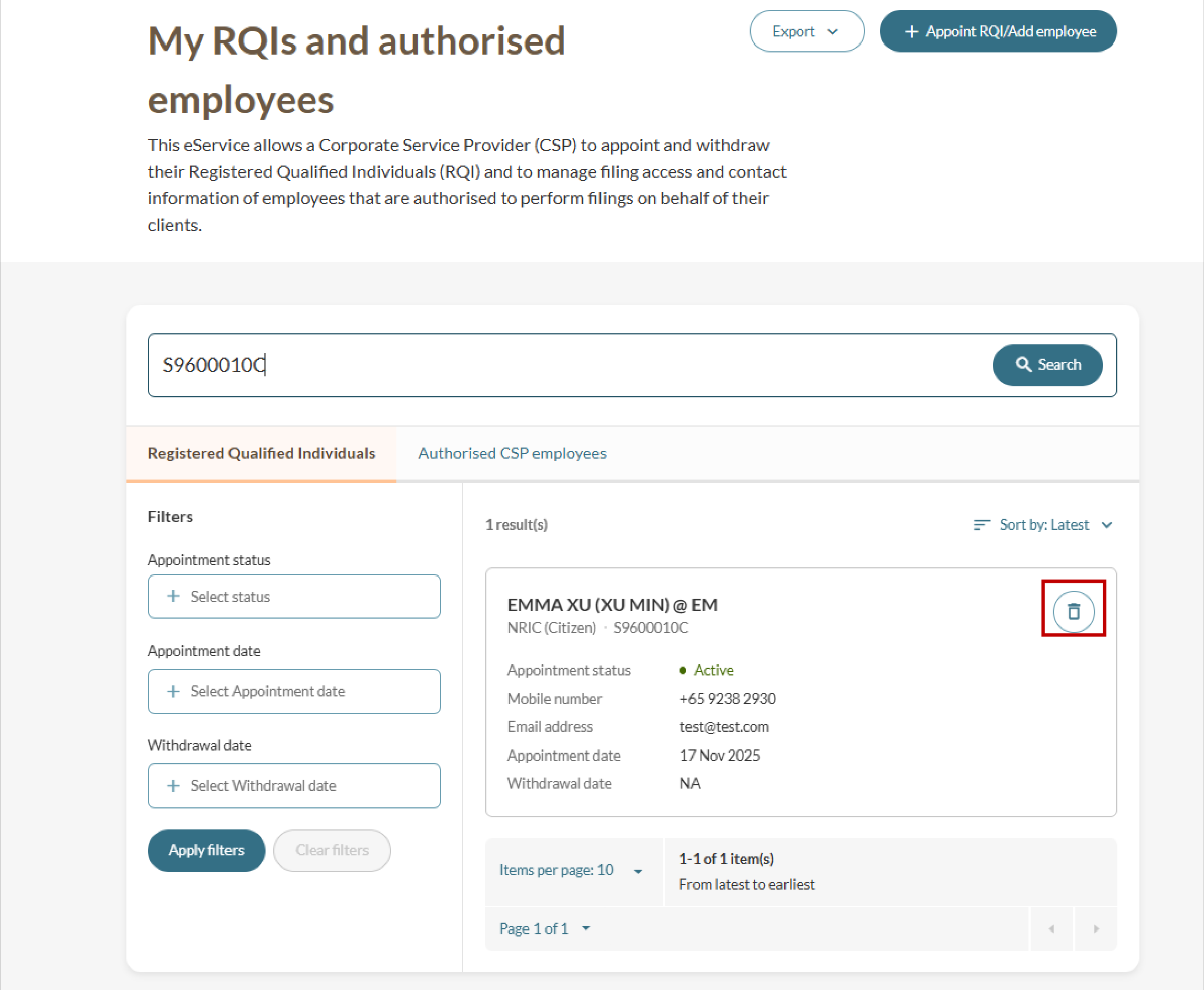
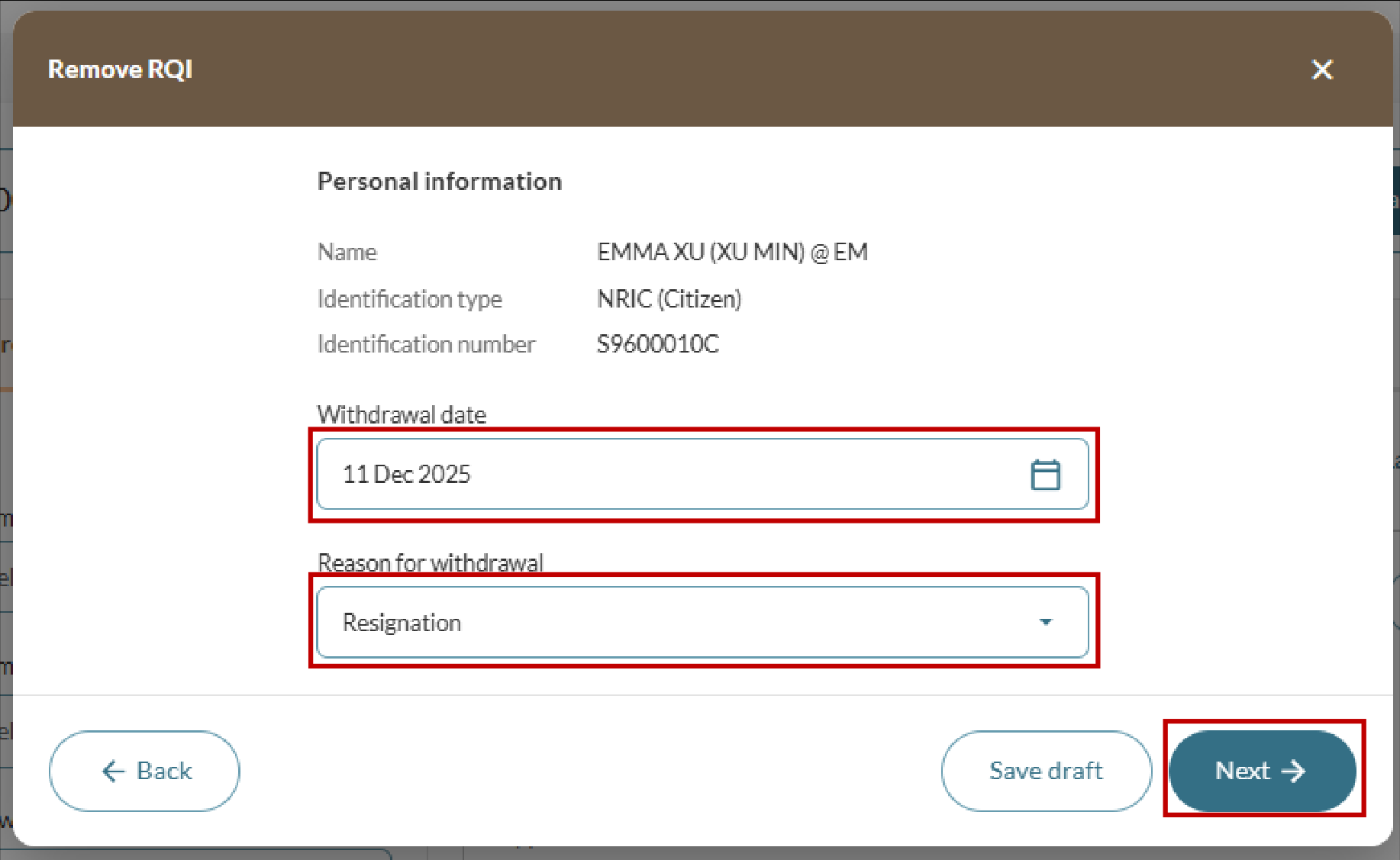
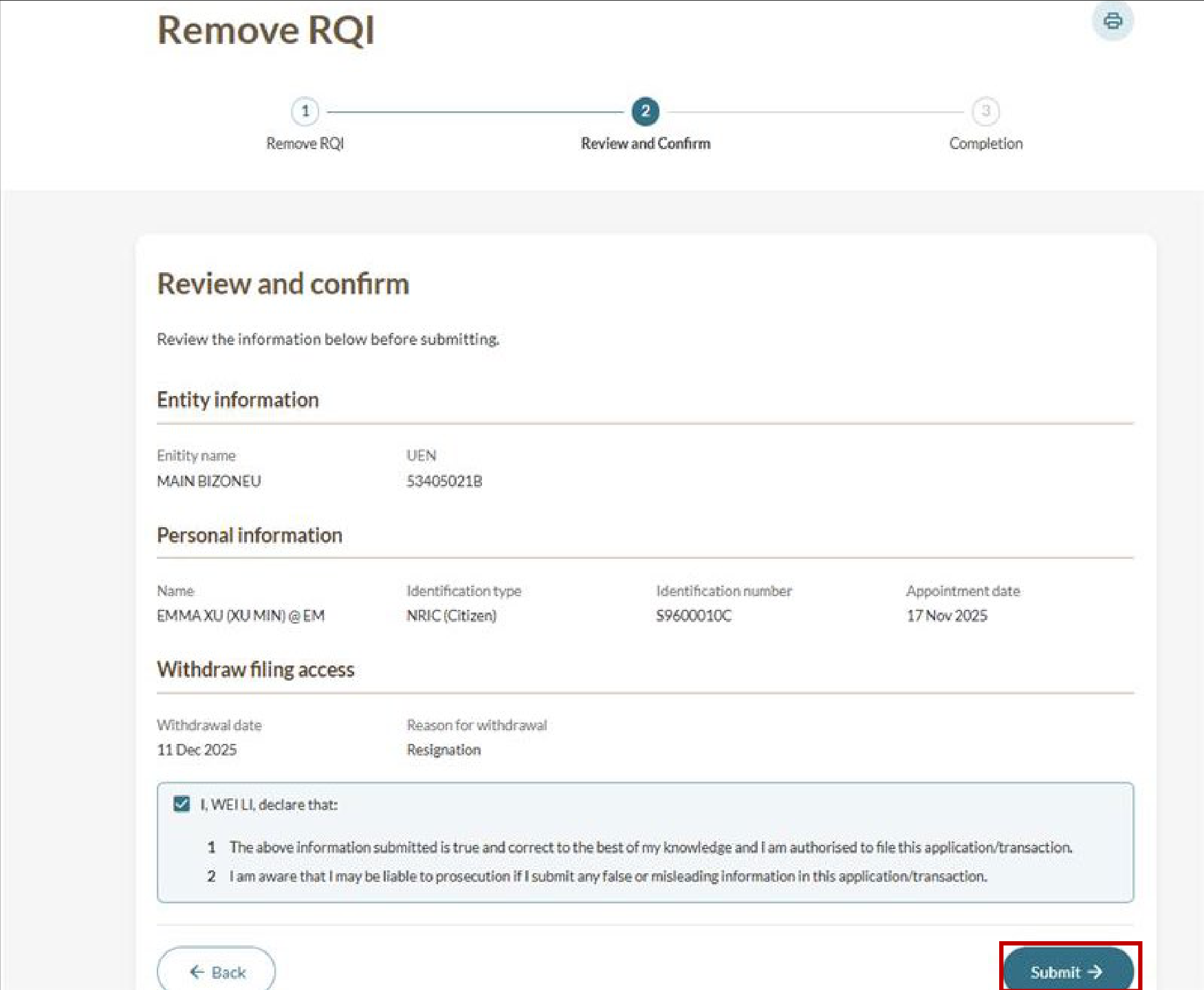
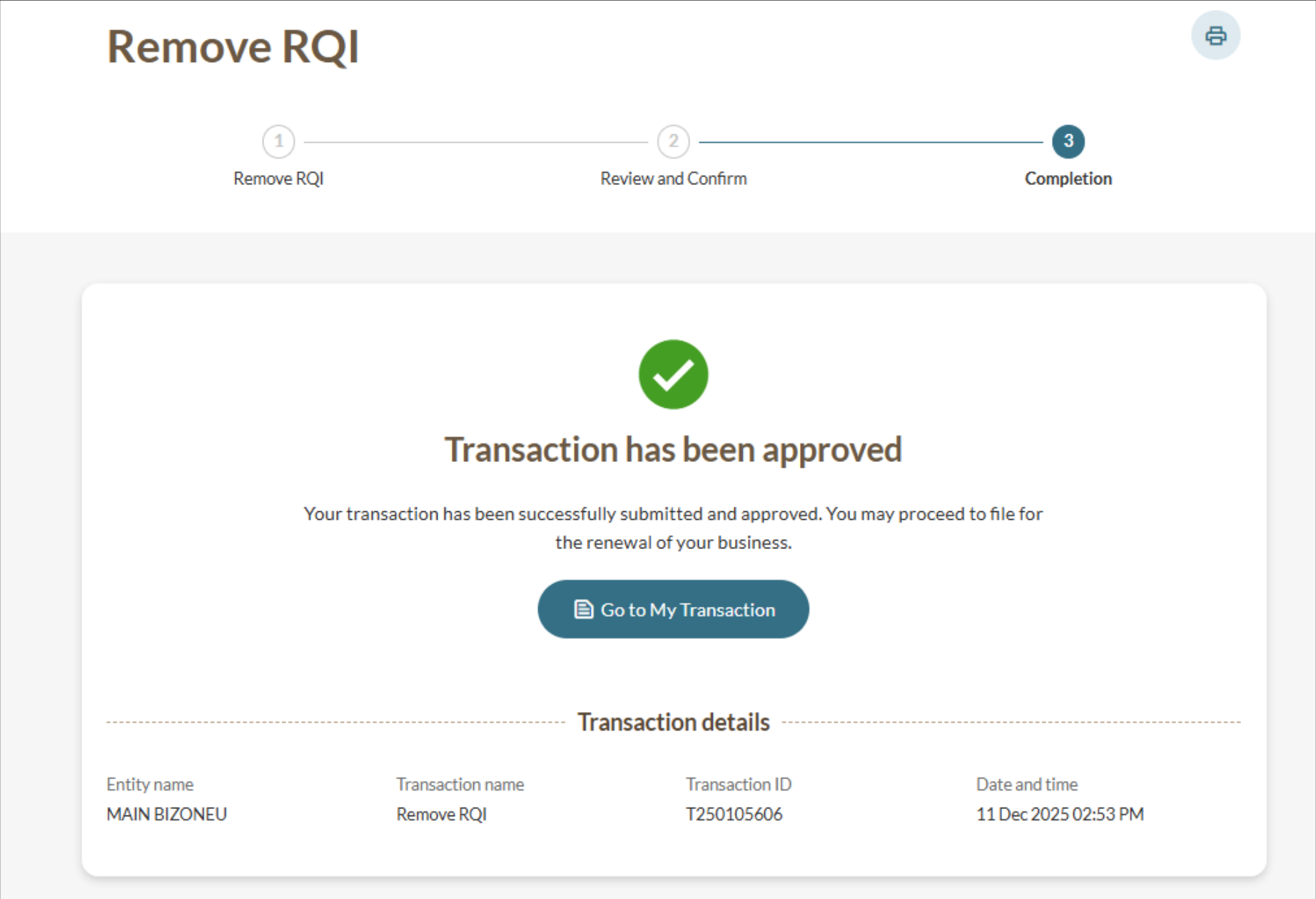
Note: If you remove your only RQI, your CSP's registration status will change to "Cancellation in progress".
You need to appoint a new RQI within 60 days to return to the "Registered" status. Otherwise, your CSP's registration will be cancelled.
Related pages
Notifying ACRA of changes in particulars: CSP or RQI
Update ACRA when your corporate service provider (CSP) or registered qualified individuals (RQI) details change. Learn when and how to update ACRA.
Downloading lists of your RQIs and CSP employees
Download a list of your registered qualified individuals (RQIs) or corporate service provider (CSP) employees in CSV or XLSX format.
Managing employees' filing access as a registered CSP
Learn how you can manage employees' filing access and update contact details through Bizfile.