
Guide
Downloading lists of your RQIs & CSP employees
8 March 2026
Audience
Corporate service providers (CSP)
Task or topic
Manage as a corporate service provider (CSP)
Navigating Bizfile
Download a list of your registered qualified individuals (RQIs) or corporate service provider (CSP) employees in CSV or XLSX format.
Before you download
As a CSP, you can download a list of your RQIs and CSP employees from Bizfile.
Downloading RQI and CSP employee lists
What you need to know | Details |
|---|---|
Who may download | Only authorised position holders (such as directors or RQIs) of the CSP may access this eService. |
What you need | Corppass (Business User) credentials to log in to Bizfile. |
File formats | CSV or XLSX. |
Step 1: Log in to Bizfile and navigate to the right eService
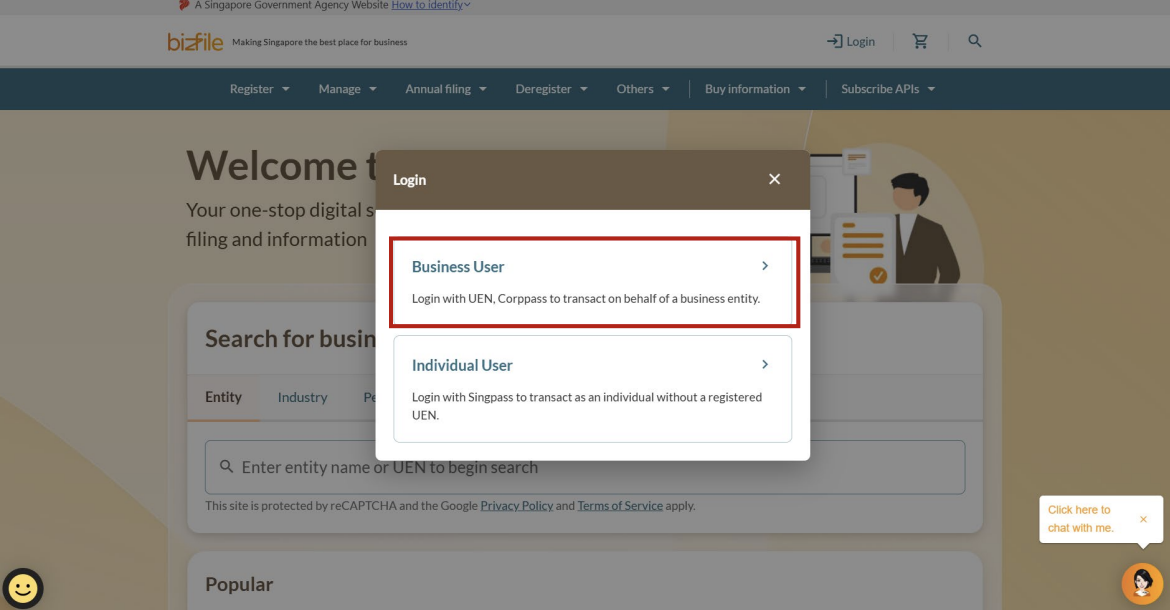
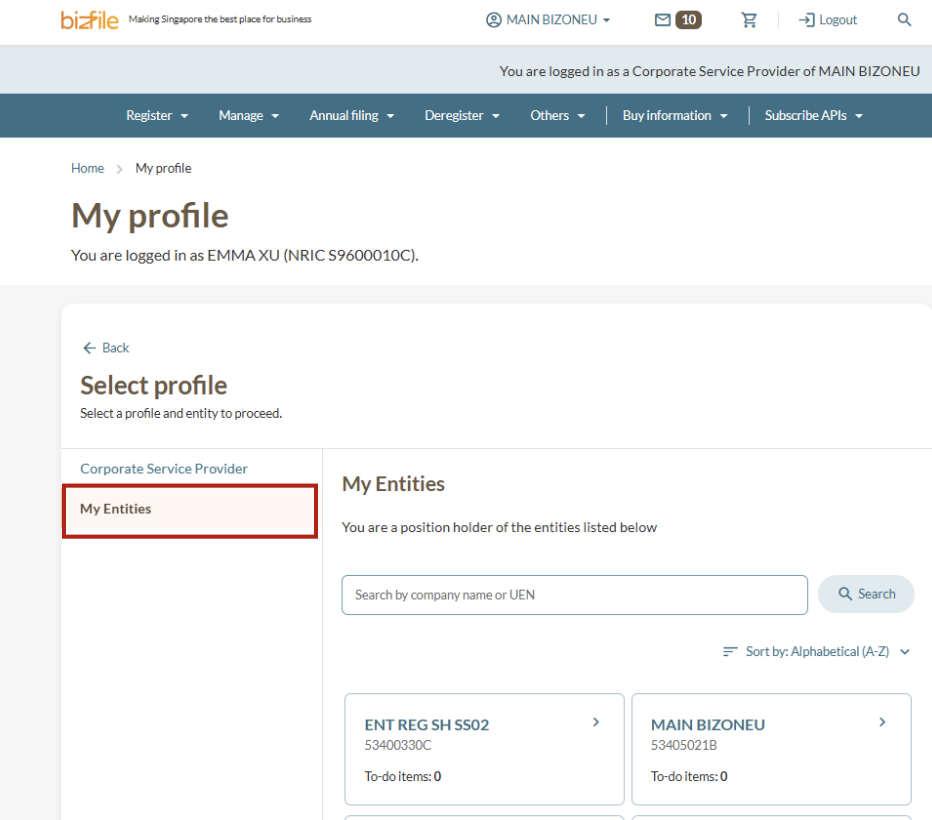
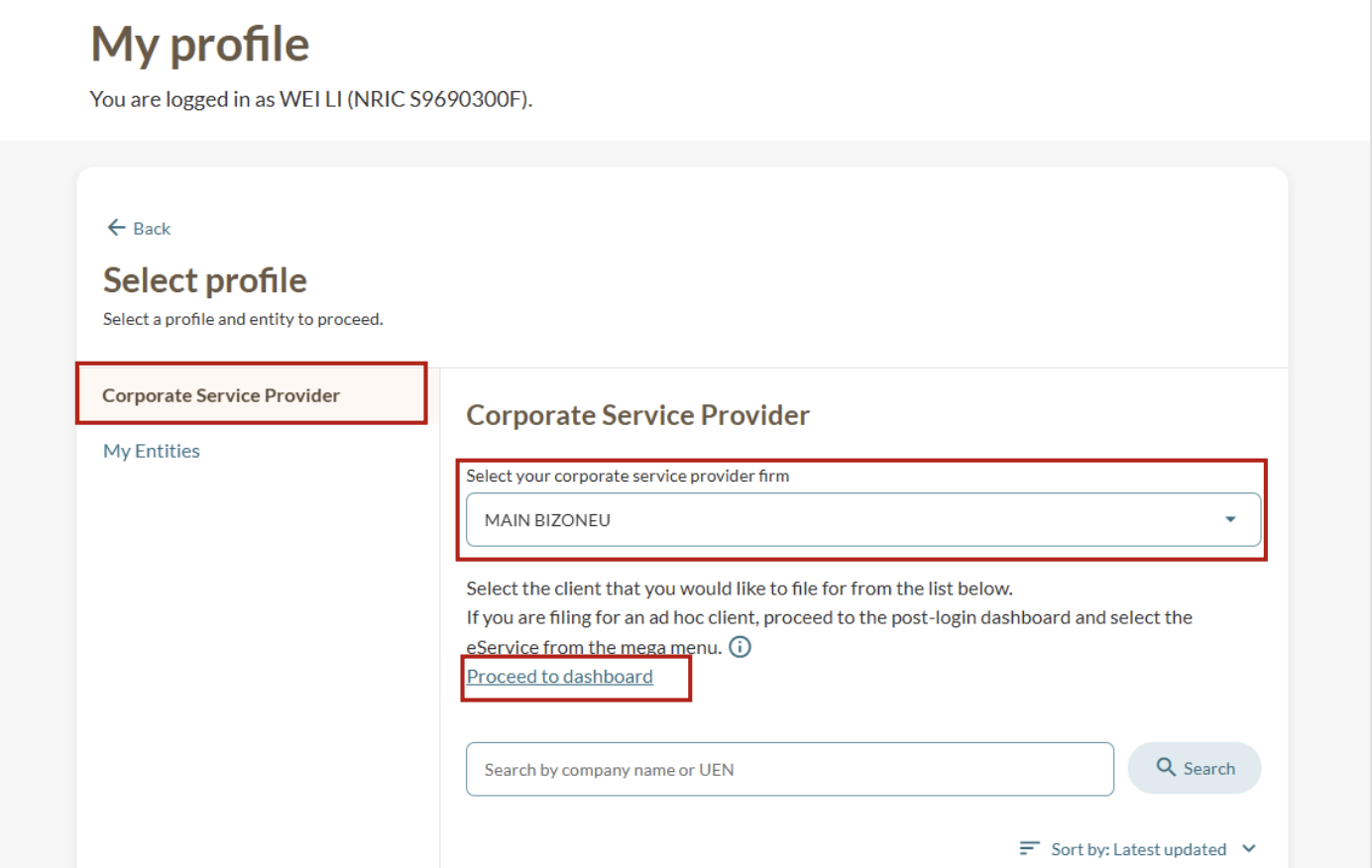
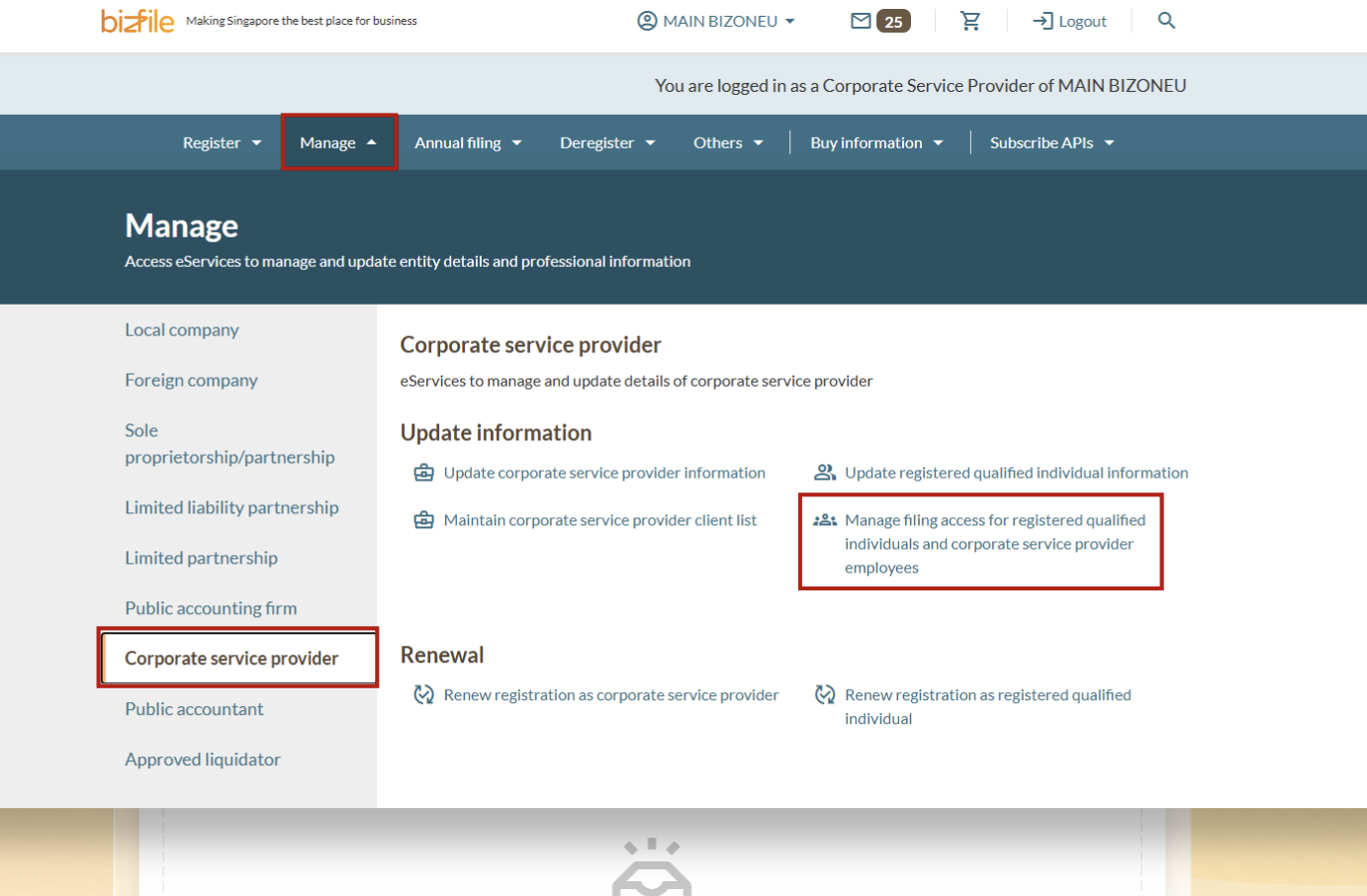
Follow these steps to log in and open the Manage filing access for registered qualified individuals and corporate service provider employees (opens in new tab) eService.
Note: All entity and personal information (including UEN, entity details, NRIC or FIN numbers, names and addresses) shown are dummy data for illustration purposes only.
Step 2: Download your lists
Select the Registered Qualified Individuals or Authorised CSP employees tab, depending on the type of employee list you want to export.
Click Export and select your preferred file format (CSV or XLSX).

