Filing an alteration of constitution
File an alteration of constitution for your local company through the "Application for Alteration of Constitution" eService on Bizfile.
Last updated on 17 August 2026
Before you file
Use this guide to file an alteration of constitution for your local company through the Application for Alteration of Constitution eService (opens in new tab) on Bizfile.
You may need to file an alteration of constitution when your company changes its constitution (opens in new tab) and the change must be lodged with ACRA.
You can file alterations under the following sections:
● Alteration of constitution for Minister’s consent under S29(4) CA
● Alteration of constitution under S26(2) CA
● Alteration of constitution to alter objects under S33 CA
When you need to file
You should file this transaction after obtaining the required approval, resolution (opens in new tab) or court order for the alteration of constitution, where applicable.
The filing type depends on the nature of the alteration and the relevant provision of the Companies Act.
Who may file
Company officers (such as a director or company secretary) may file on behalf of the company.
Corporate service providers (CSPs) may also file on behalf of their clients.
What you need to prepare
Filing an alteration of constitution
You need to prepare | Details |
Alteration of constitution details |
|
The relevant supporting documents, which should include the following:
| Required for Minister’s consent under S29(4). Maximum file size: 5MB. |
Copy of the constitution (PDF) | Maximum file size: 5MB. |
Copy of the resolution or court order or other document affecting the constitution (PDF) | Maximum file size: 5MB. |
Copy of minutes by representative of holding company (PDF) | Required only if you are filing a copy of the minutes by a representative of the holding company. Maximum file size: 5MB. |
Fees and processing time
Filing an alteration of constitution
What you need to know | Details |
Fee | $0 |
Processing time | Most applications will be processed immediately. Applications for alteration of constitution requiring the Minister's consent under S29(4) CA are typically processed within 30 working days. You will be notified if additional time is required. |
How to file an alteration of constitution
The login and navigation steps below apply to all three sections. Follow the steps for your specific section after completing the login and navigation steps.
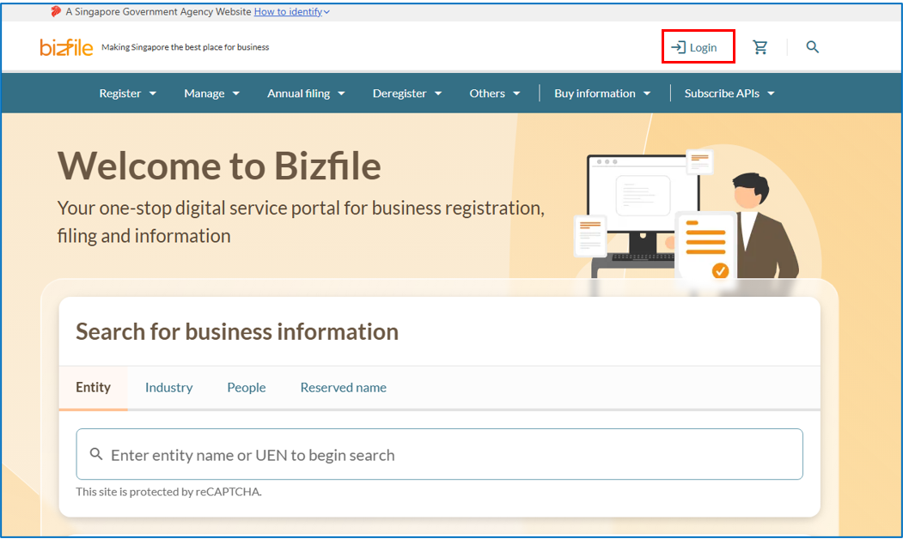
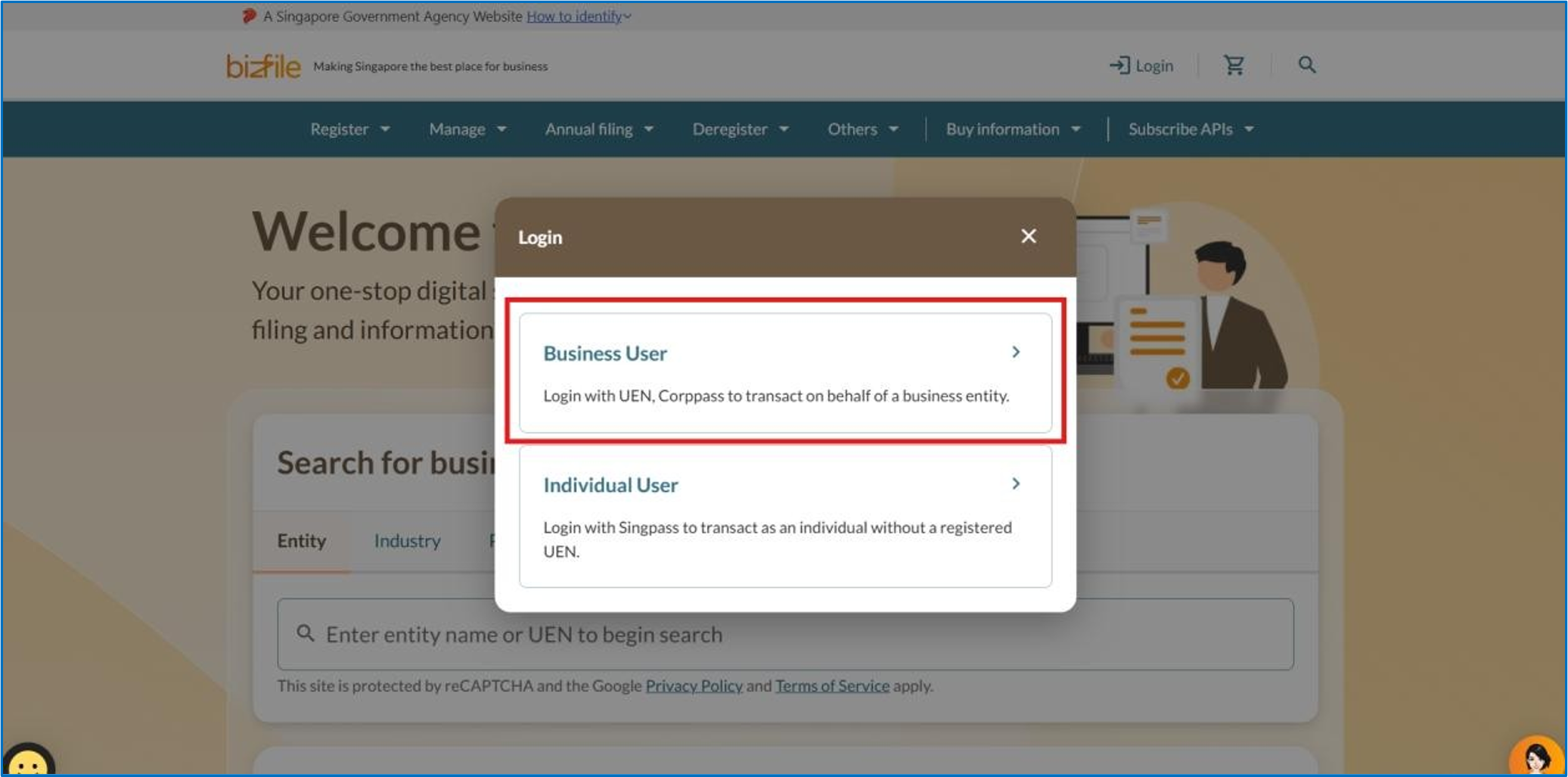
Step 1: Log in to Bizfile and open the "Alteration of Constitution" eService
Follow these steps to log in and navigate to the Application for Alteration of Constitution (opens in new tab) eService.
Note: All entity and personal information (including UEN, entity details, NRIC or FIN numbers, names and addresses) shown are dummy data for illustration purposes only.
Step 2: Check your entity dashboard
Follow these steps to confirm you are filing for the correct entity.
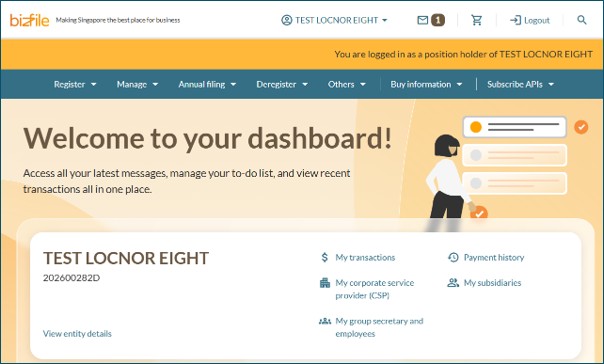
Check that you are on the correct entity dashboard. The entity name will be displayed on the top menu bar and the dashboard. Check that the status indicator confirms you are logged in as a position holder of that entity.
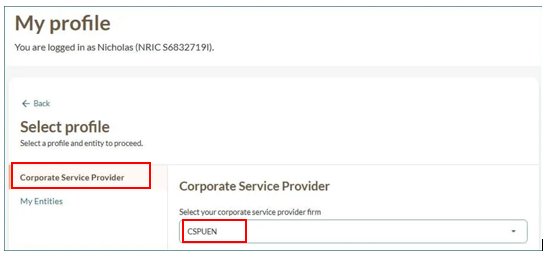
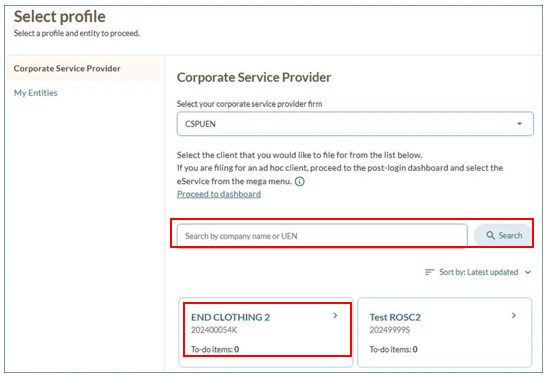
If you are a corporate service provider (CSP)
If you are filing on behalf of a client, follow these steps before proceeding to Step 3.
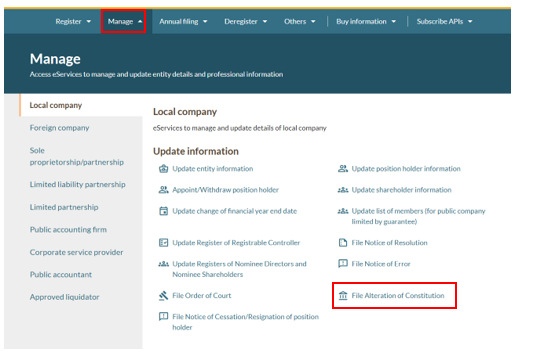
Step 3: Open the eService and select the notice type
Follow these steps to navigate to the correct sub-transaction.
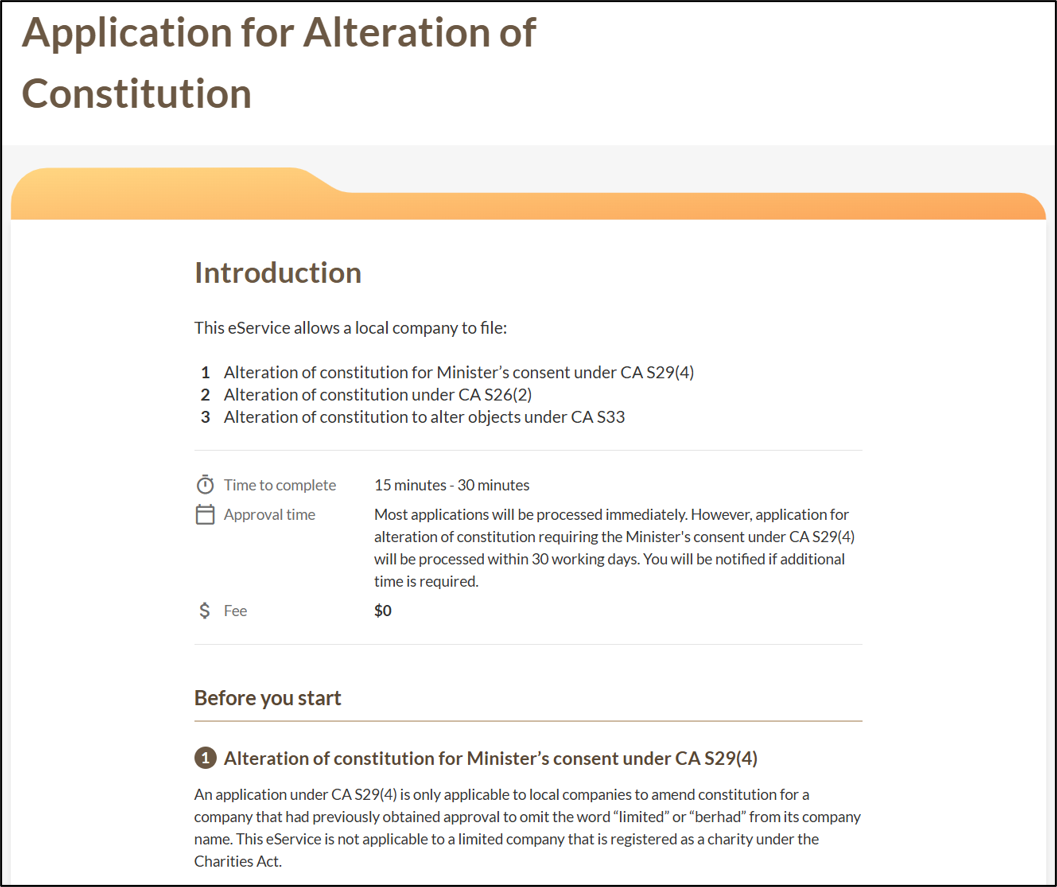
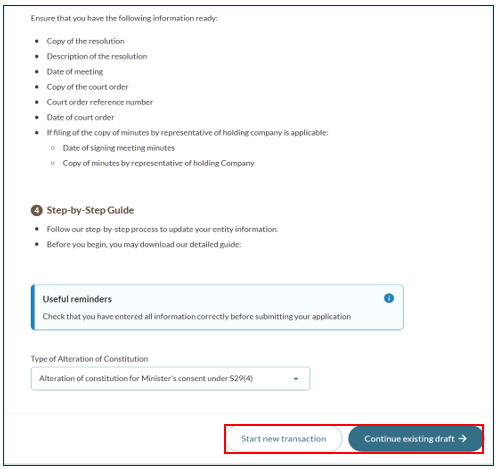
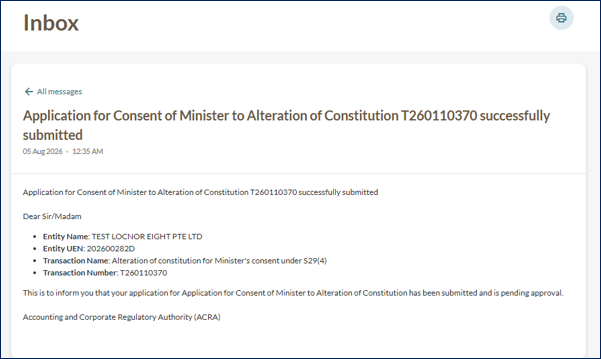
If you are filing under alteration of constitution for Minister’s consent under S29(4) CA
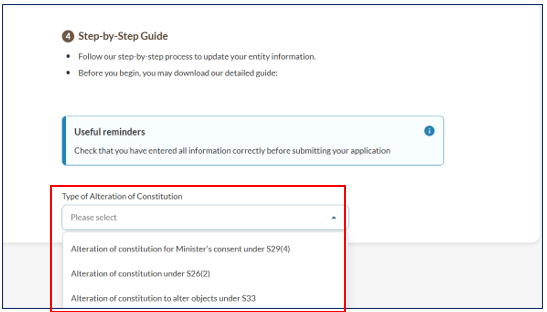
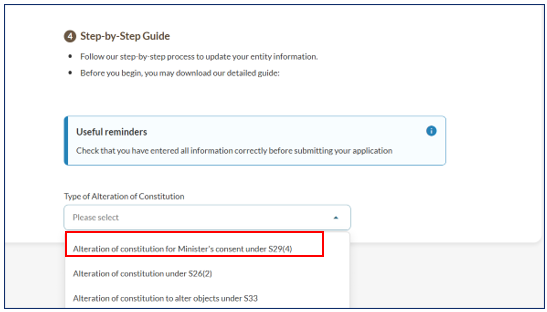
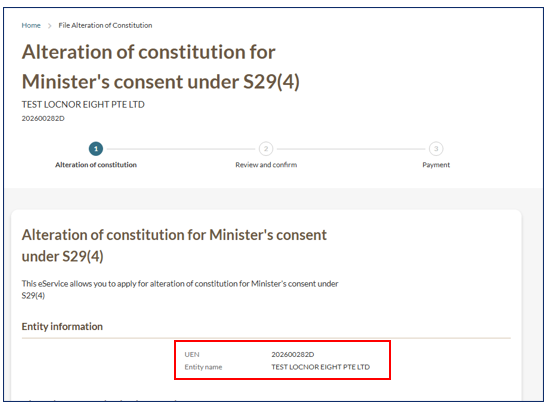
On the "Alteration of constitution" introduction page, scroll to the bottom of the page. From the dropdown menu of "Type of alteration of constitution", choose "Alteration of constitution for Minister’s consent under S29(4) CA)".
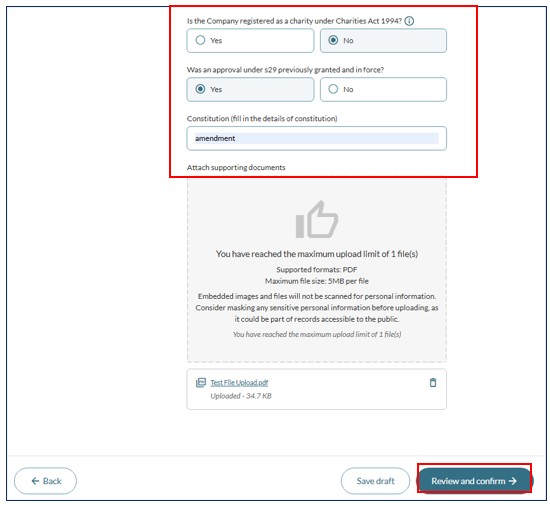
Note: When uploading supporting documents, ensure the file name includes only alphanumeric characters (letters A–Z, a–z, and numbers 0–9). Do not include spaces, special characters (such as ., @, #, $, %, &, *), or foreign language characters in the filename.
If you are filing under alteration of constitution under S26(2) CA
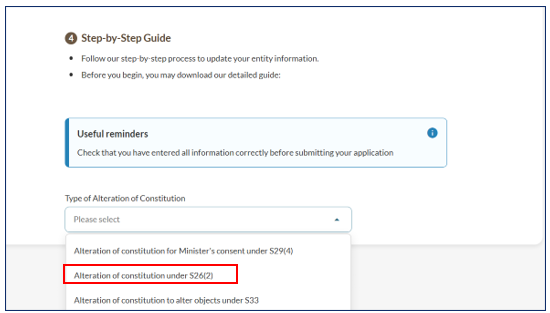
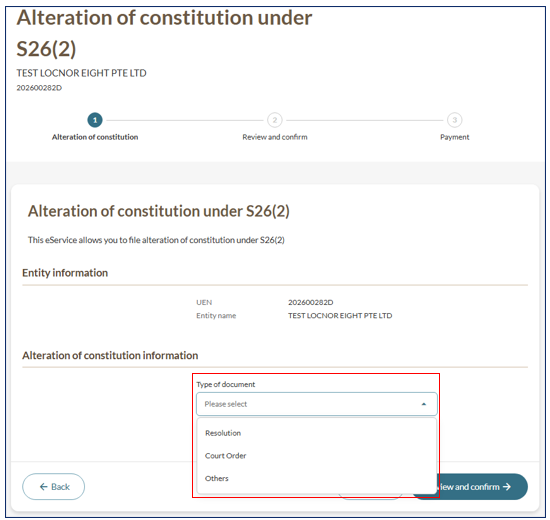
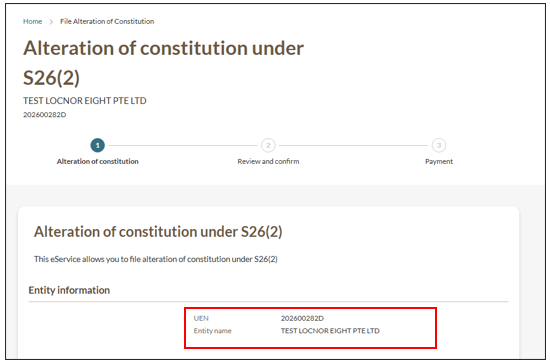
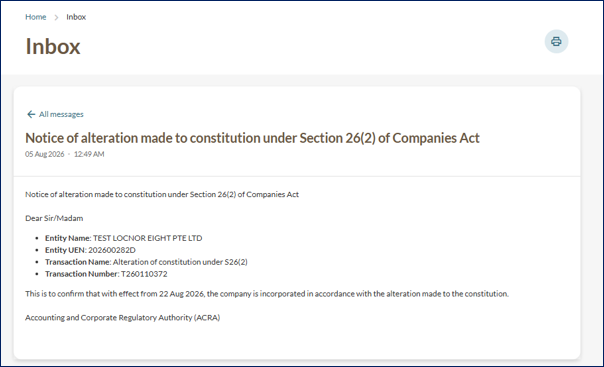
On the "Alteration of constitution" introduction page, scroll to the bottom of the page. From the dropdown menu of "Type of alteration of constitution", choose "Alteration of constitution under S26(2) CA".
Note: When uploading supporting documents, ensure the file name includes only alphanumeric characters (letters A–Z, a–z, and numbers 0–9). Do not include spaces, special characters (such as ., @, #, $, %, &, *), or foreign language characters in the filename.
If you are filing under alteration of constitution to alter objects under S33 CA
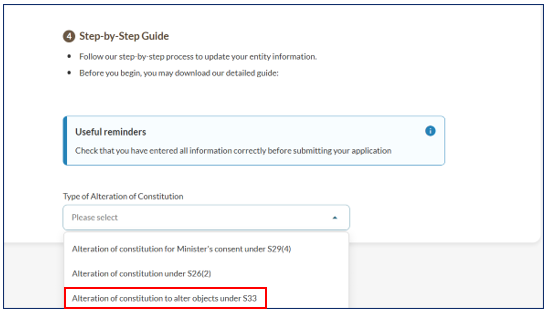
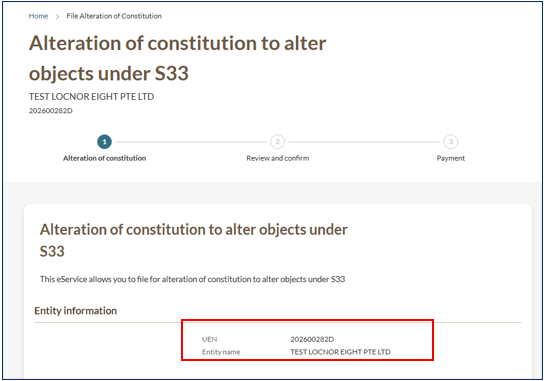
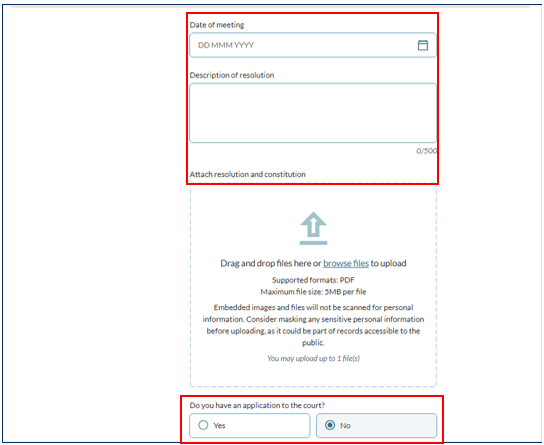
On the "Alteration of constitution" introduction page, scroll to the bottom of the page. From the dropdown menu of "Type of alteration of constitution", choose " Alteration of constitution to alter objects under S33 CA".
Note: When uploading supporting documents, ensure the file name includes only alphanumeric characters (letters A–Z, a–z, and numbers 0–9). Do not include spaces, special characters (such as ., @, #, $, %, &, *), or foreign language characters in the filename.