Guide
Verifying your email for Bizfile
Audience
Accountants
Accounting entities
Approved liquidators
Banking and investment professionals
Business valuation professionals
Businesses
Corporate service providers (CSP)
Public
Training providers
Task or topic
Navigating Bizfile
7 April 2026
Complete your email verification on Bizfile to keep your contact information up to date.
Email verification ensures you receive updated information about your entity from ACRA.
When email verification is triggered
ACRA triggers email verification for these eServices:
Bizfile eServices that trigger email verification
eServices | Who needs to verify |
|---|---|
Position holders of the newly registered entity | |
Update position holder information | Position holders whose emails have been updated |
Update shareholder information | Shareholders whose emails have been updated |
Appoint/Withdraw position holder | Newly appointed position holders |
Individuals registering as an RQI |
After you complete the triggering eService, Bizfile will send a verification email to the email address provided. This applies to all eServices above.
How to verify your email address
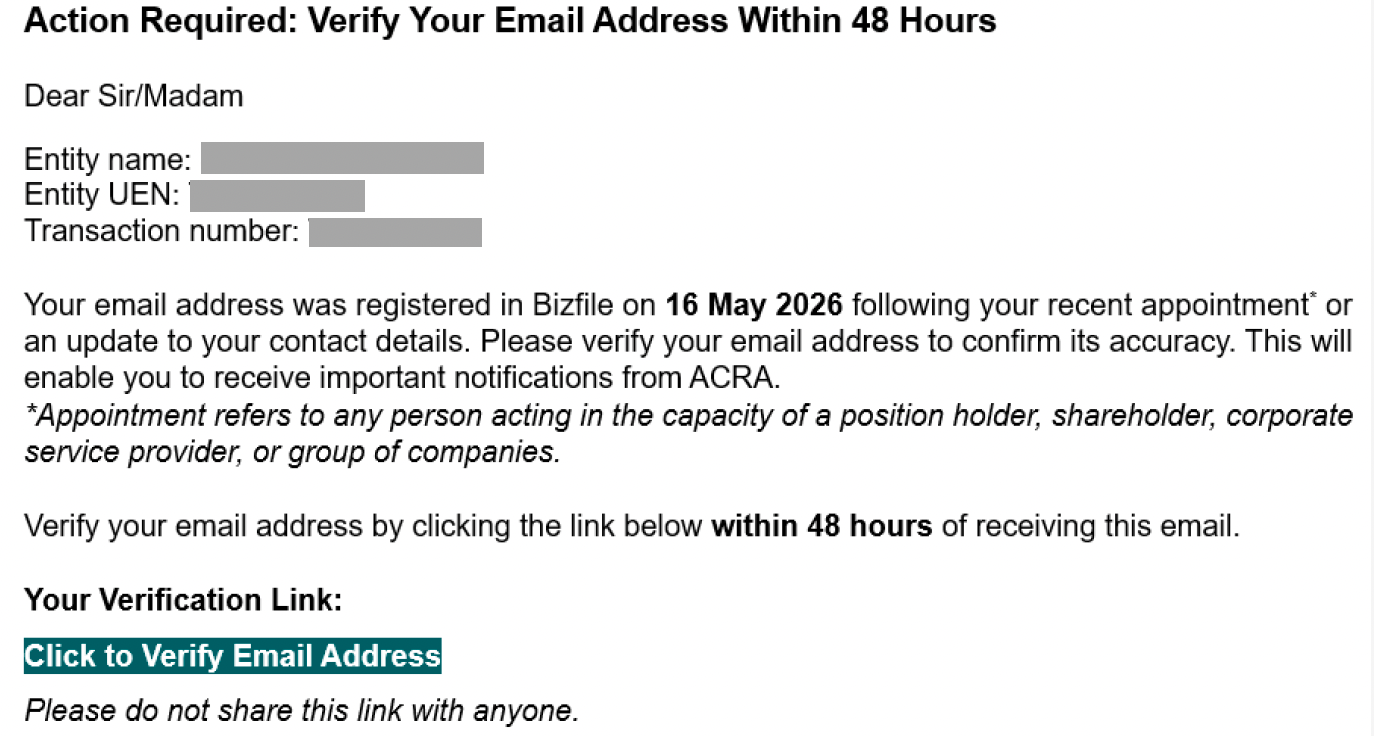
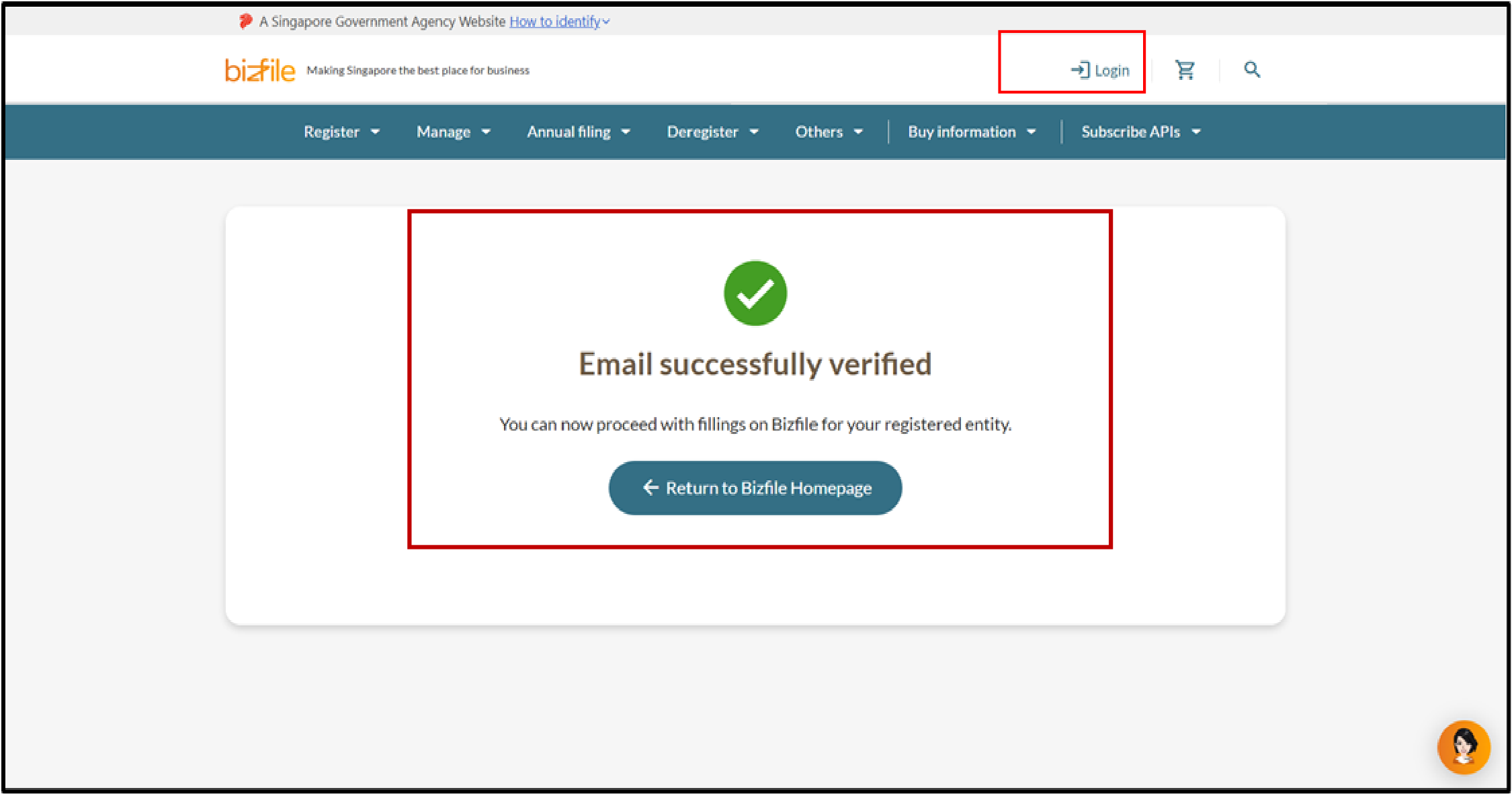
Note: All entity and personal information (including UEN, entity details, NRIC or FIN numbers, names and addresses) shown are dummy data for illustration purposes only.
If you did not receive the verification email
1. Check your junk or spam folder
The verification email may have been filtered into your spam or junk folder. Look for an email from ACRA in these folders.
2. Check your email address in Bizfile
Applies to: Authorised position holders only
Your email address may have been entered incorrectly in Bizfile. Even a small typo will prevent you from receiving the verification email.
To check your email address yourself, log into Bizfile using Corppass (opens in new tab). Then, follow these steps:
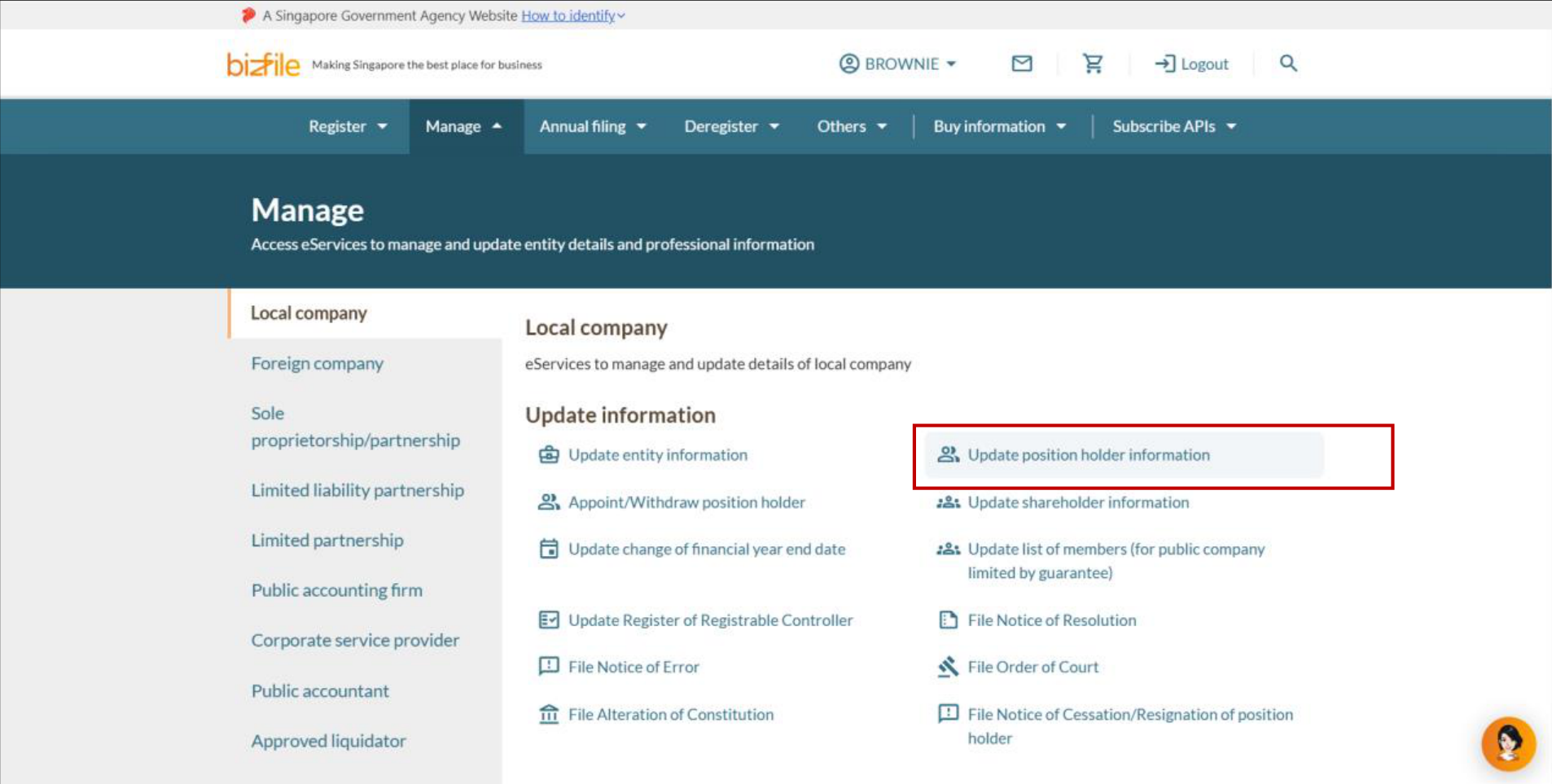
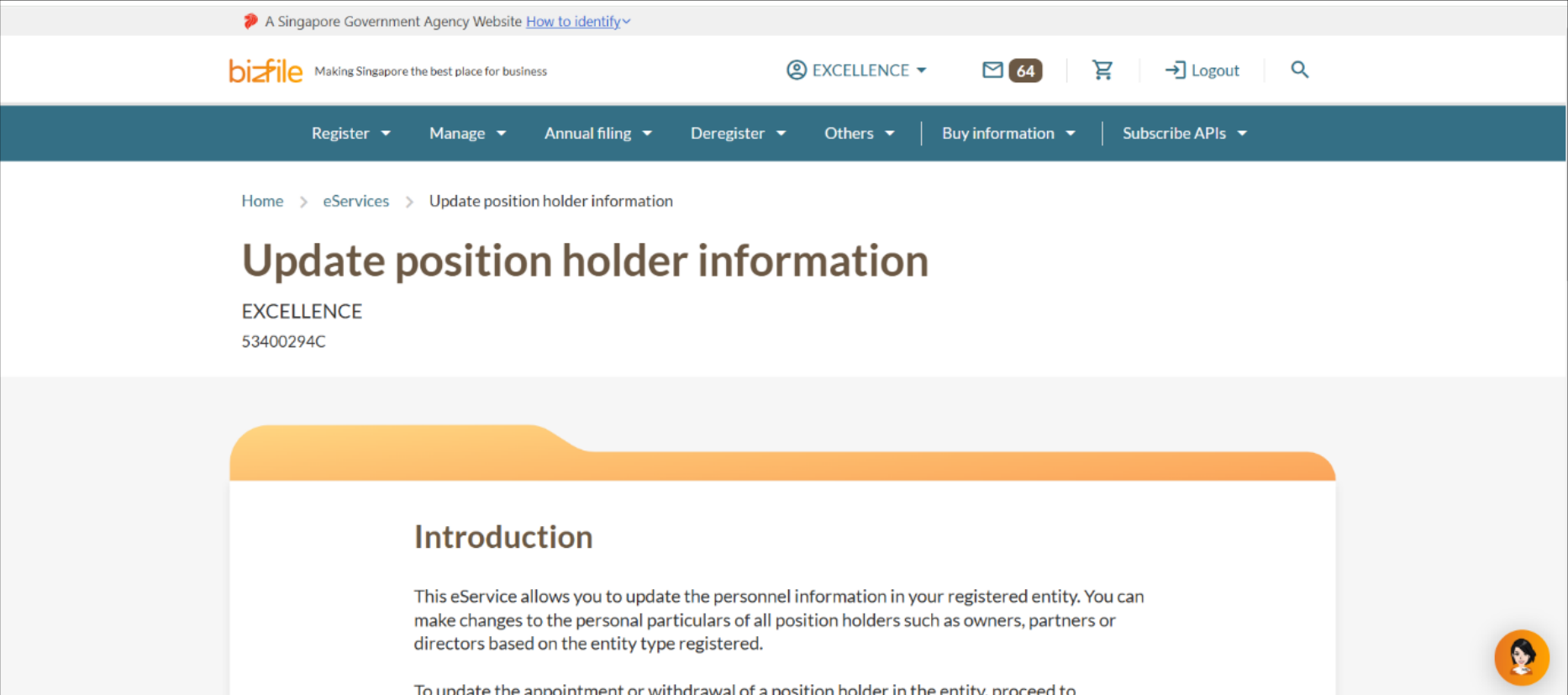
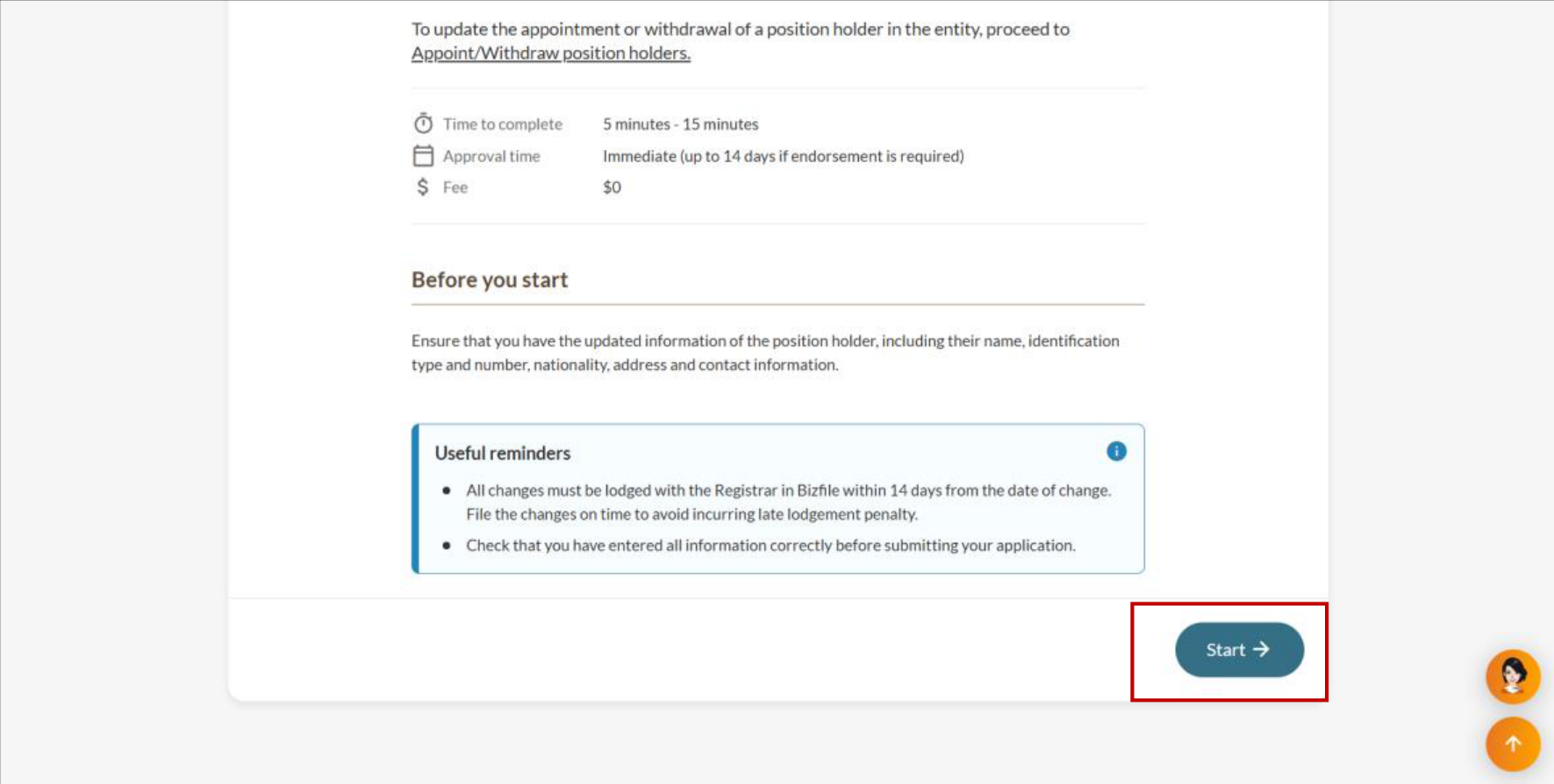
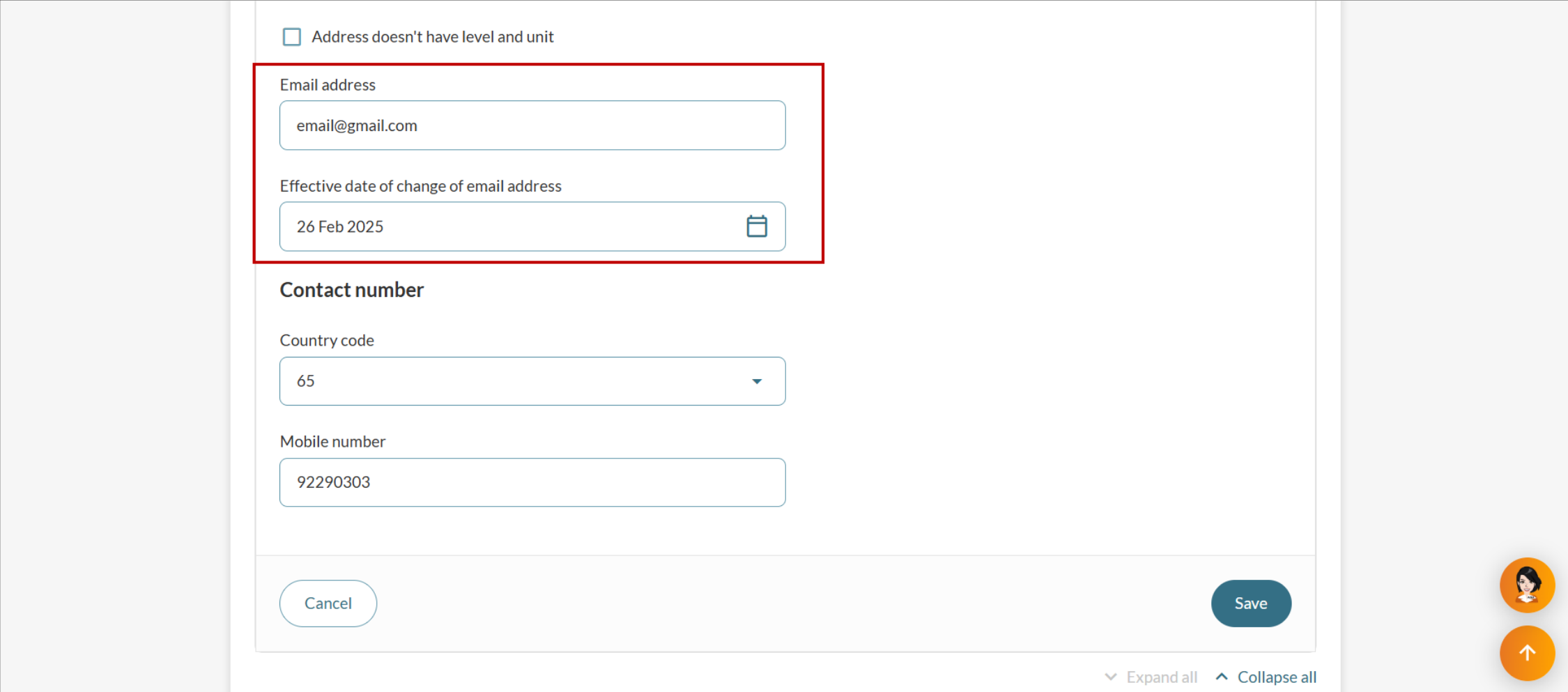
Note: If you engaged a corporate service provider (CSP) for your entity's registration, contact them to check and update your email address on your behalf.
3. Request for a new verification email
You can request a new verification email if:
You did not receive the email despite entering the correct email address.
The link in the verification email is invalid.
The link in the verification email has expired.
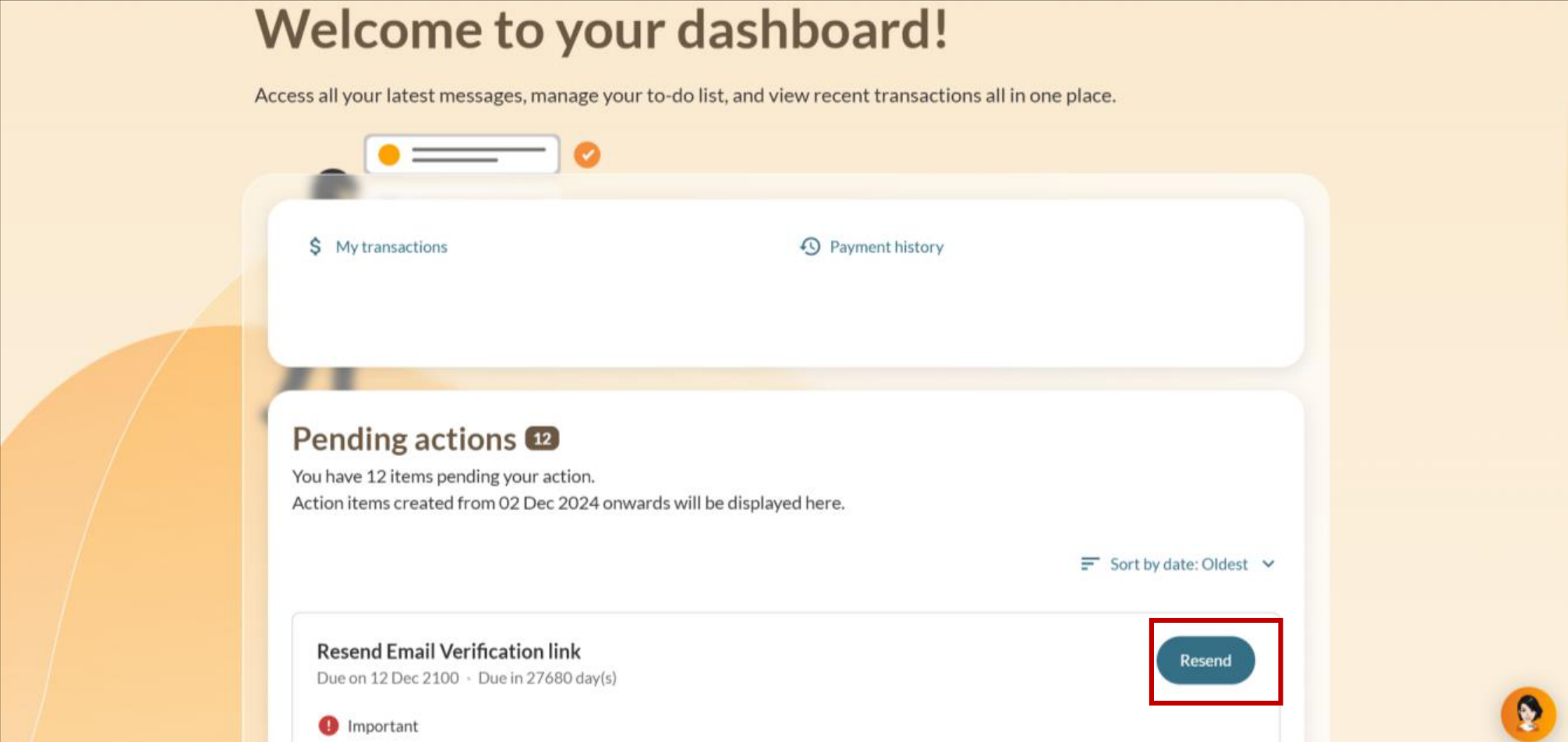
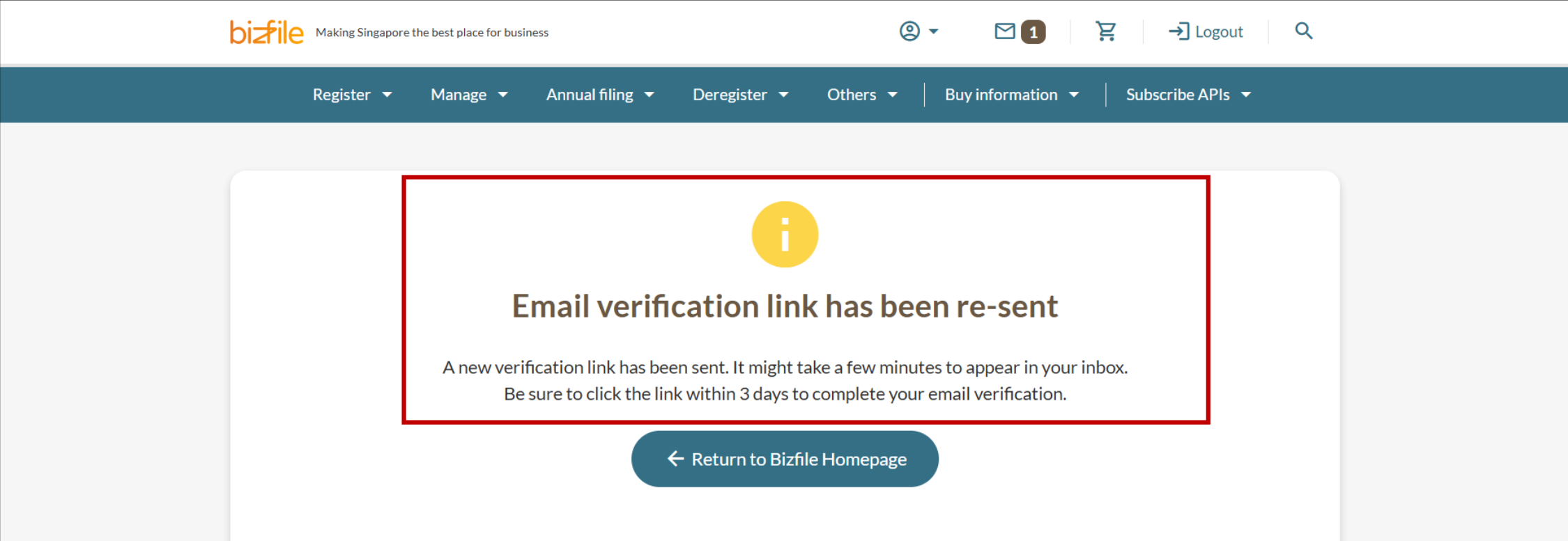
Follow these steps to request for a new verification email: