Guide
Logging in to Bizfile as a business user
7 April 2026
Audience
Accountants
Accounting entities
Approved liquidators
Banking and investment professionals
Business valuation professionals
Businesses
Corporate service providers (CSP)
Public
Training providers
Task or topic
Navigating Bizfile
Use Corppass to log in to Bizfile to file transactions for your entity or others.
When to log in as a business user
You should use Corppass to log in to Bizfile if you are a/an:
Group of Companies (GC) employee
Insolvency practitioner (IP)
Authorised individual (opens in new tab) or position holder filing on behalf of a business entity with a registered unique entity number (UEN)
Key eServices you can file with Corppass
Corppass: Key eServices
Task | eService |
|---|---|
Registration and renewal |
|
Annual filing and general lodgements |
|
Update registers or information |
|
Shares and share information |
|
Debts and charges |
|
Closing or de-registration |
|
What you need to do before logging in
You need to have an active Corppass account. If you do not have an account yet, apply for Corppass (opens in new tab).
How to log in as a business user
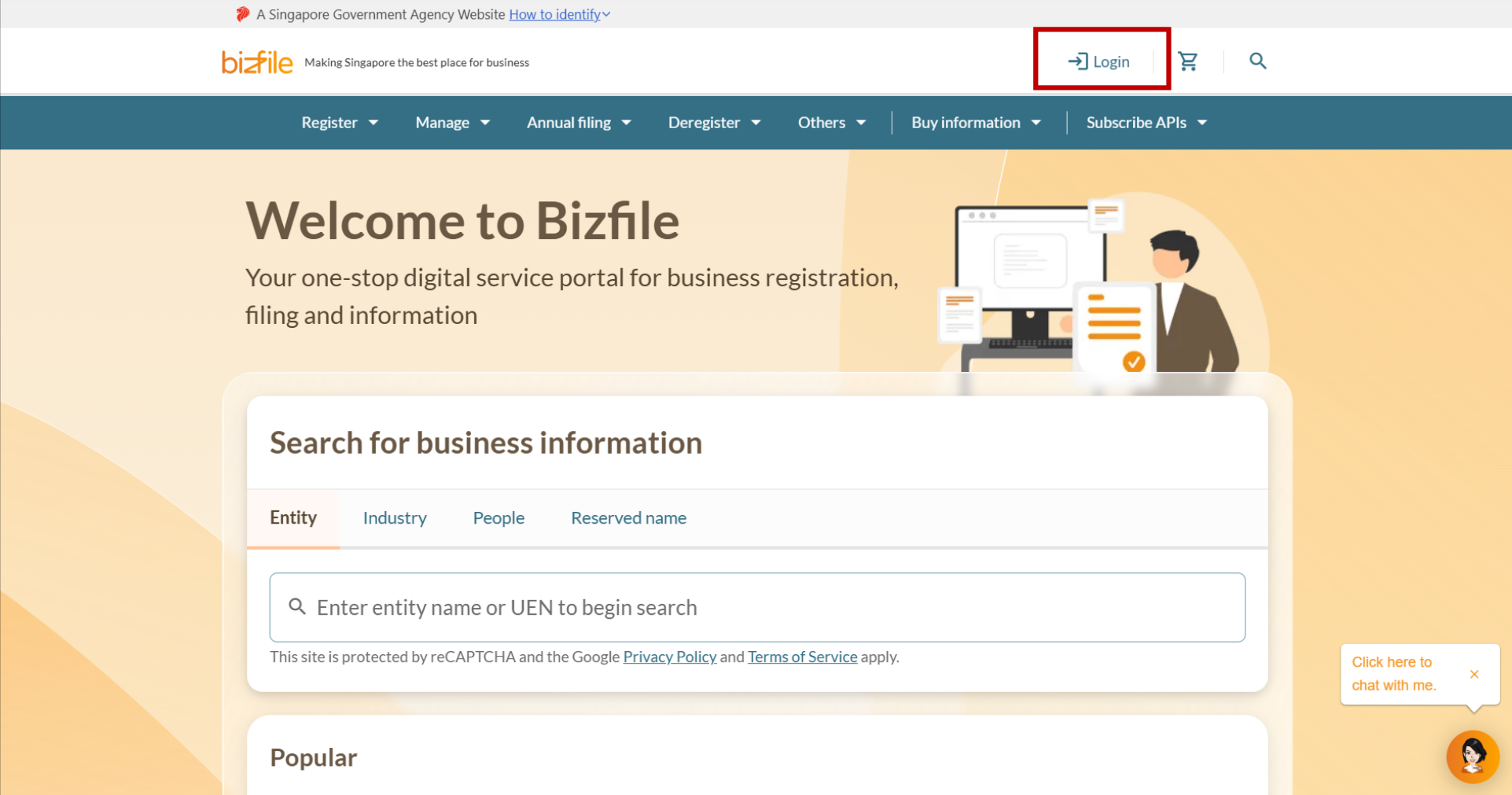
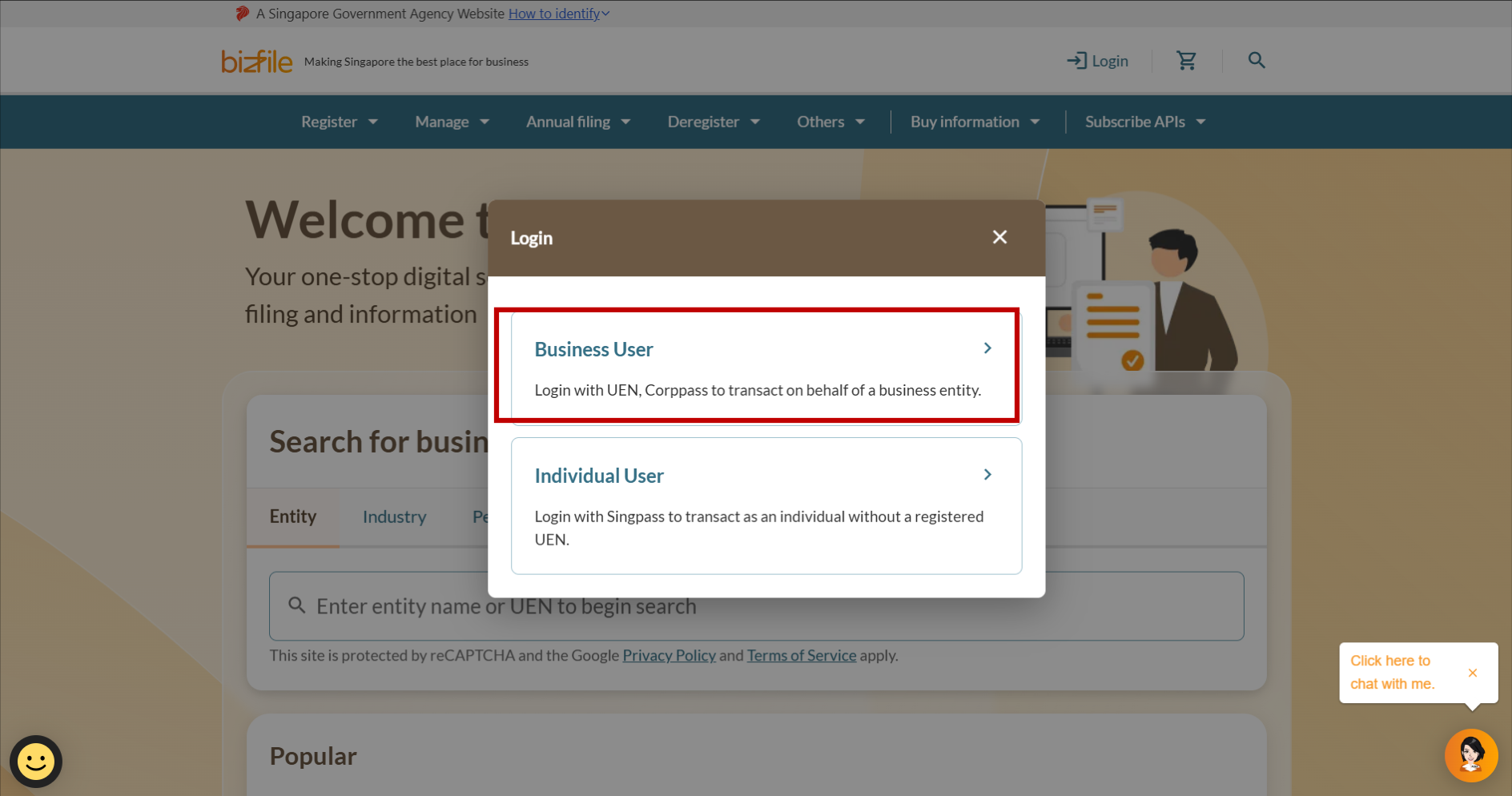
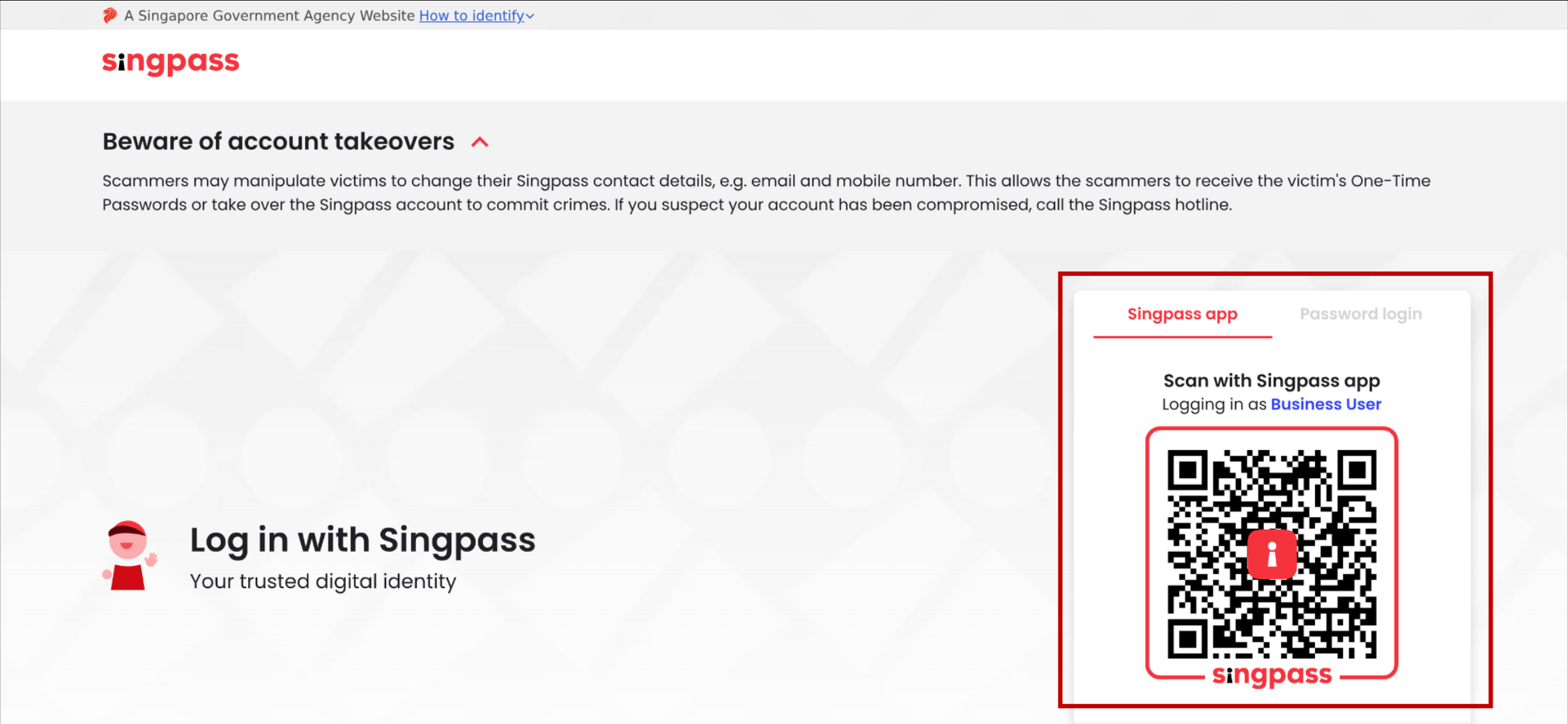
Follow these steps to log in via Corppass.
Then, follow the section that matches your scenario below.
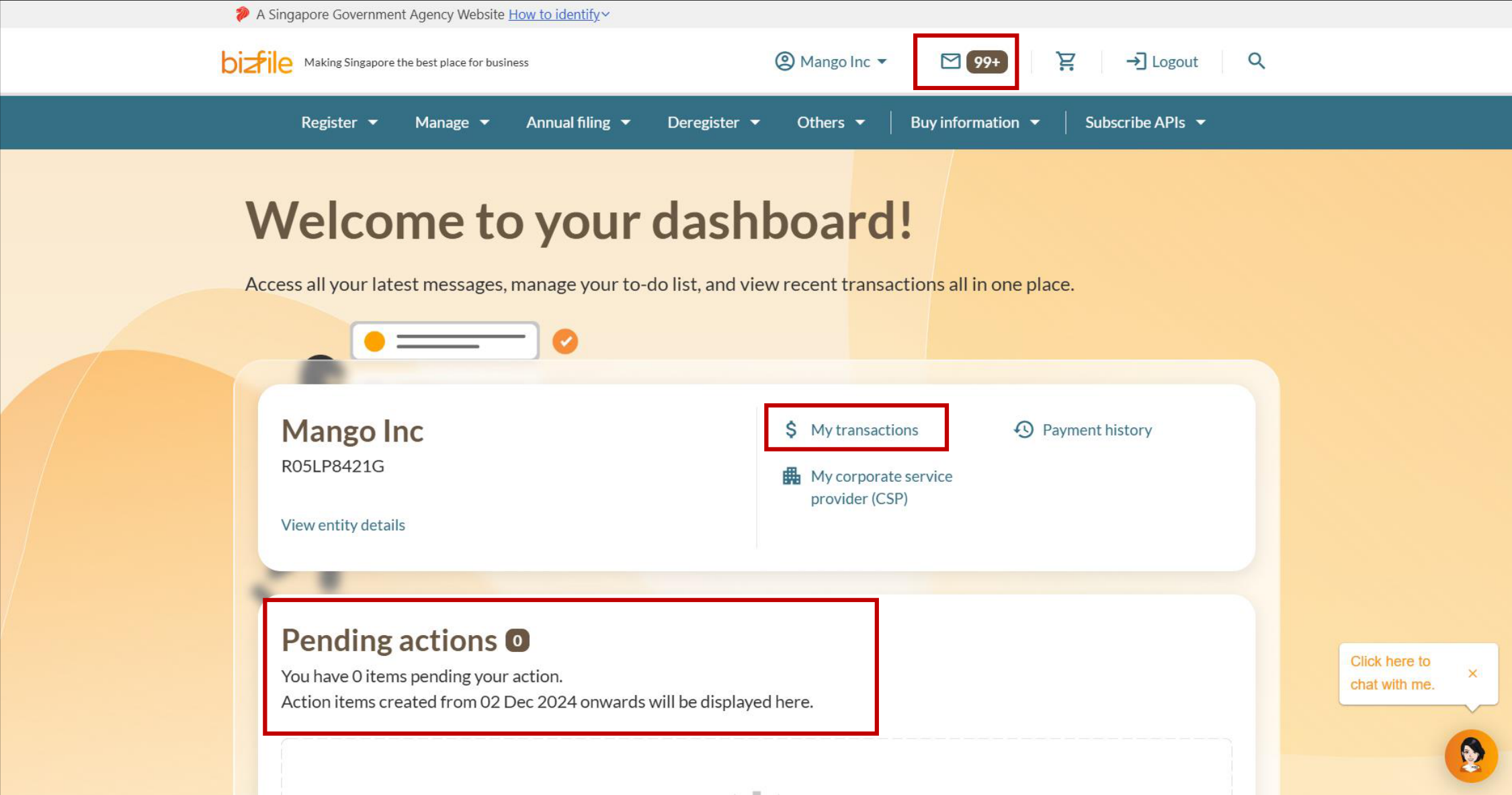
If you are taken straight to your dashboard
You can view your entity's latest messages, pending actions, and recent transactions.
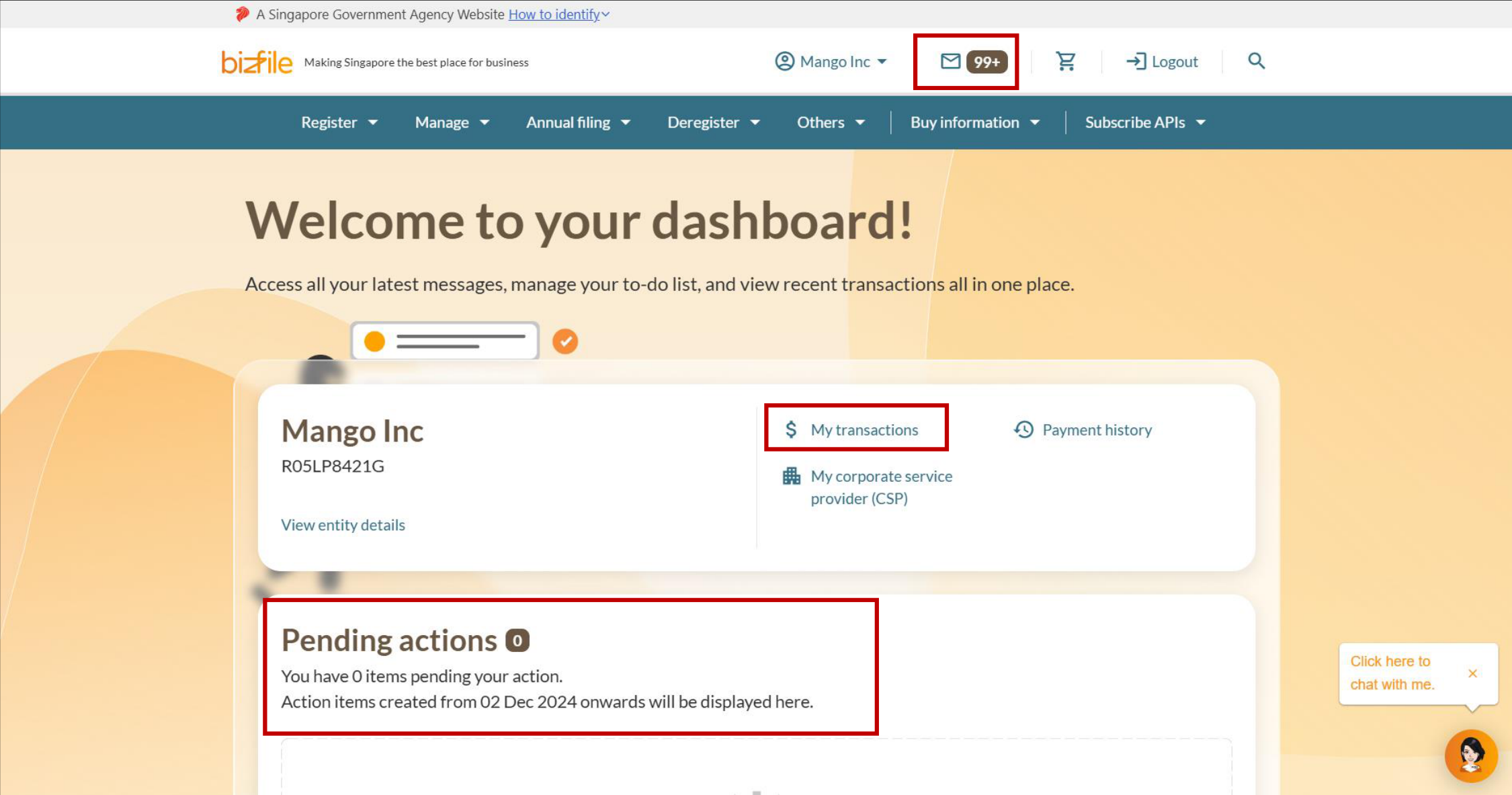
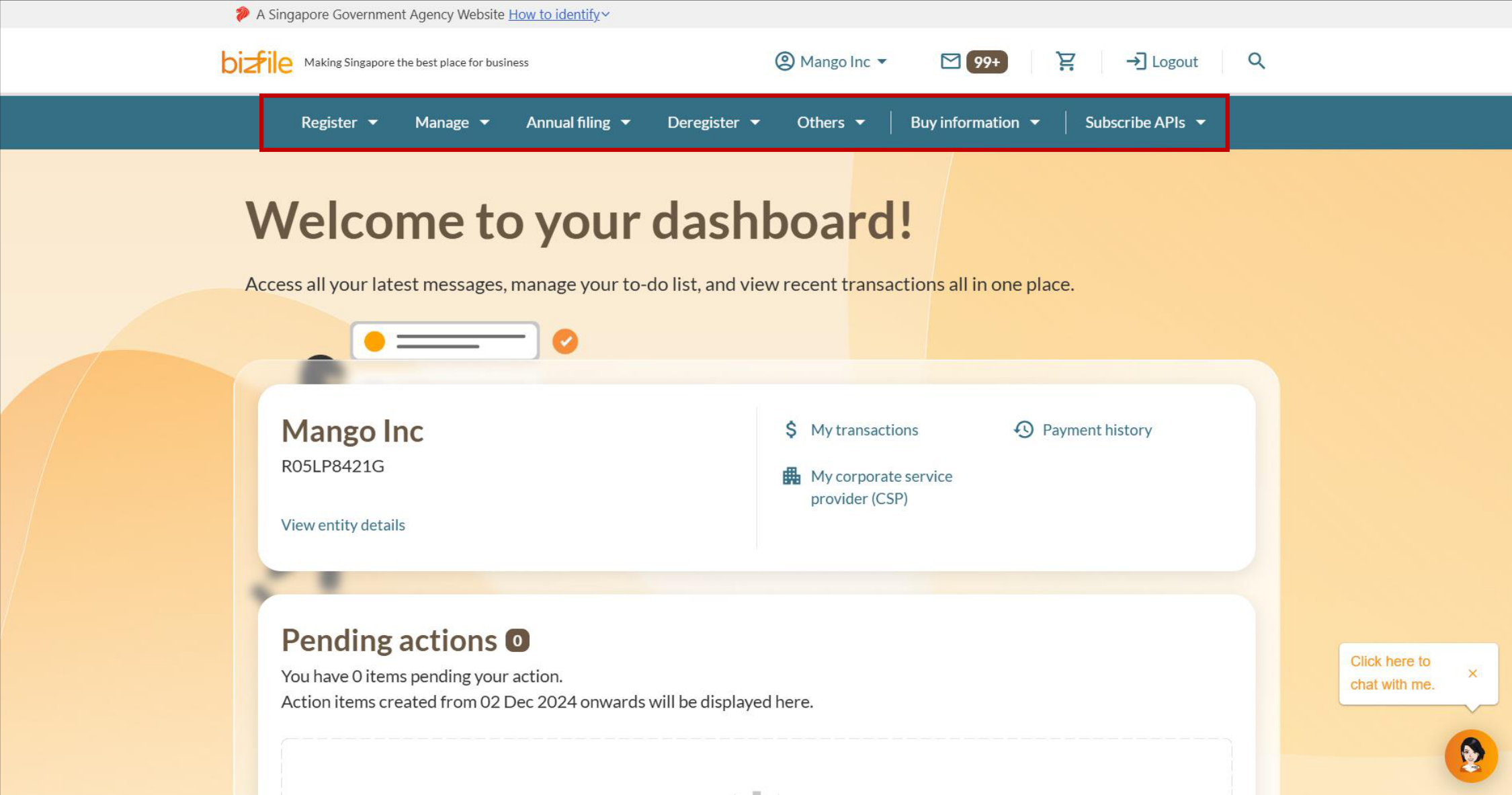
Note: All entity and personal information (including UEN, entity details, NRIC or FIN numbers, names and addresses) shown are dummy data for illustration purposes only.
If you wish to select from a list of entities
After logging in, you will be directed to your Bizfile dashboard. To transact for a different entity, click "Switch Profile". You need to select the entity you want to transact for on Bizfile.
Applies to:
Individuals transacting on behalf of a business entity with a registered UEN, GC employee, or IP
Position holders in multiple business entities
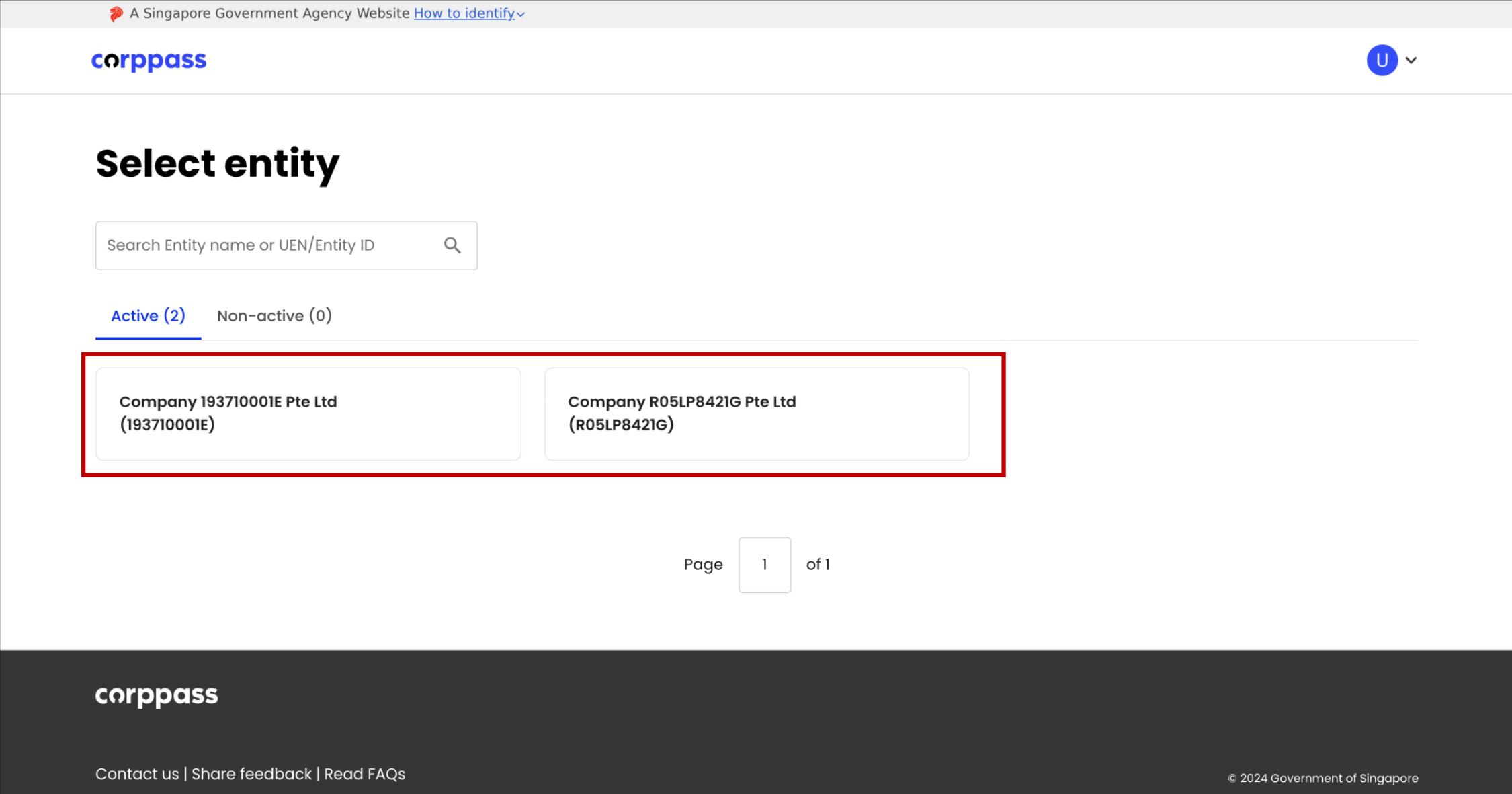
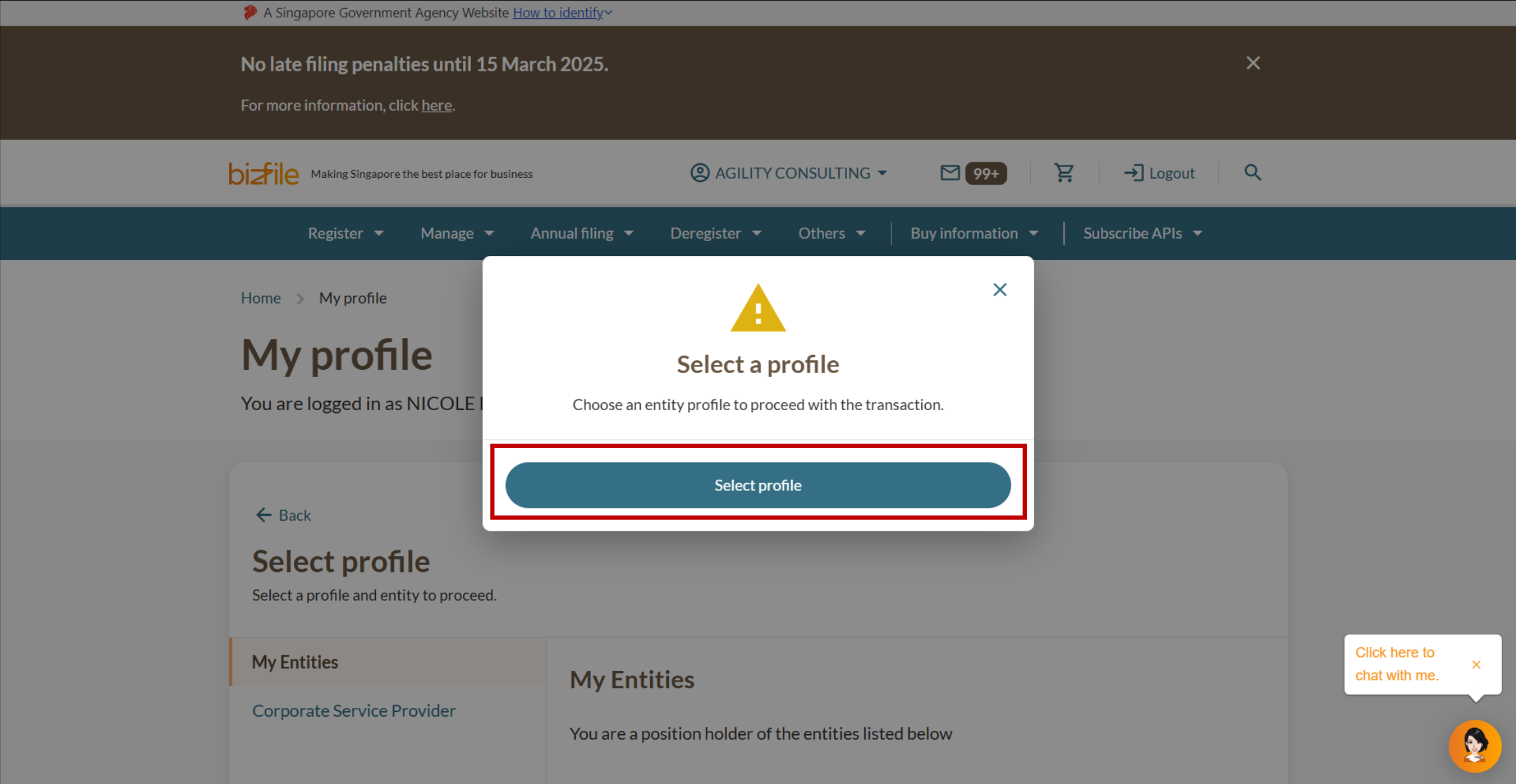
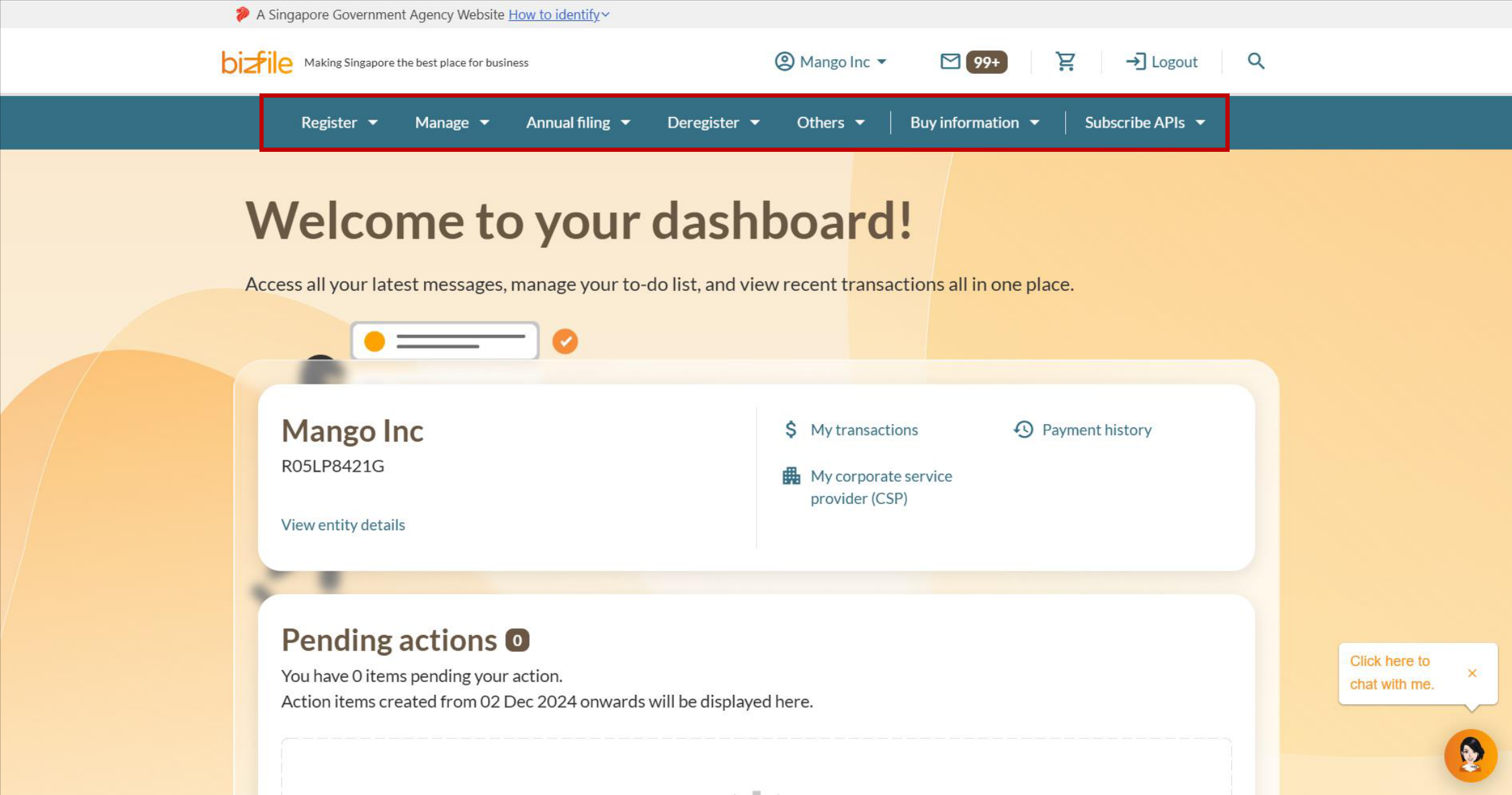
Note: All entity and personal information (including UEN, entity details, NRIC or FIN numbers, names and addresses) shown are dummy data for illustration purposes only.
If you are a CSP
Corppass will display the entities associated with your account.
Applies to:
CSPs filing on behalf of a client
CSP filing for an ad-hoc client, individual, or your own CSP firm
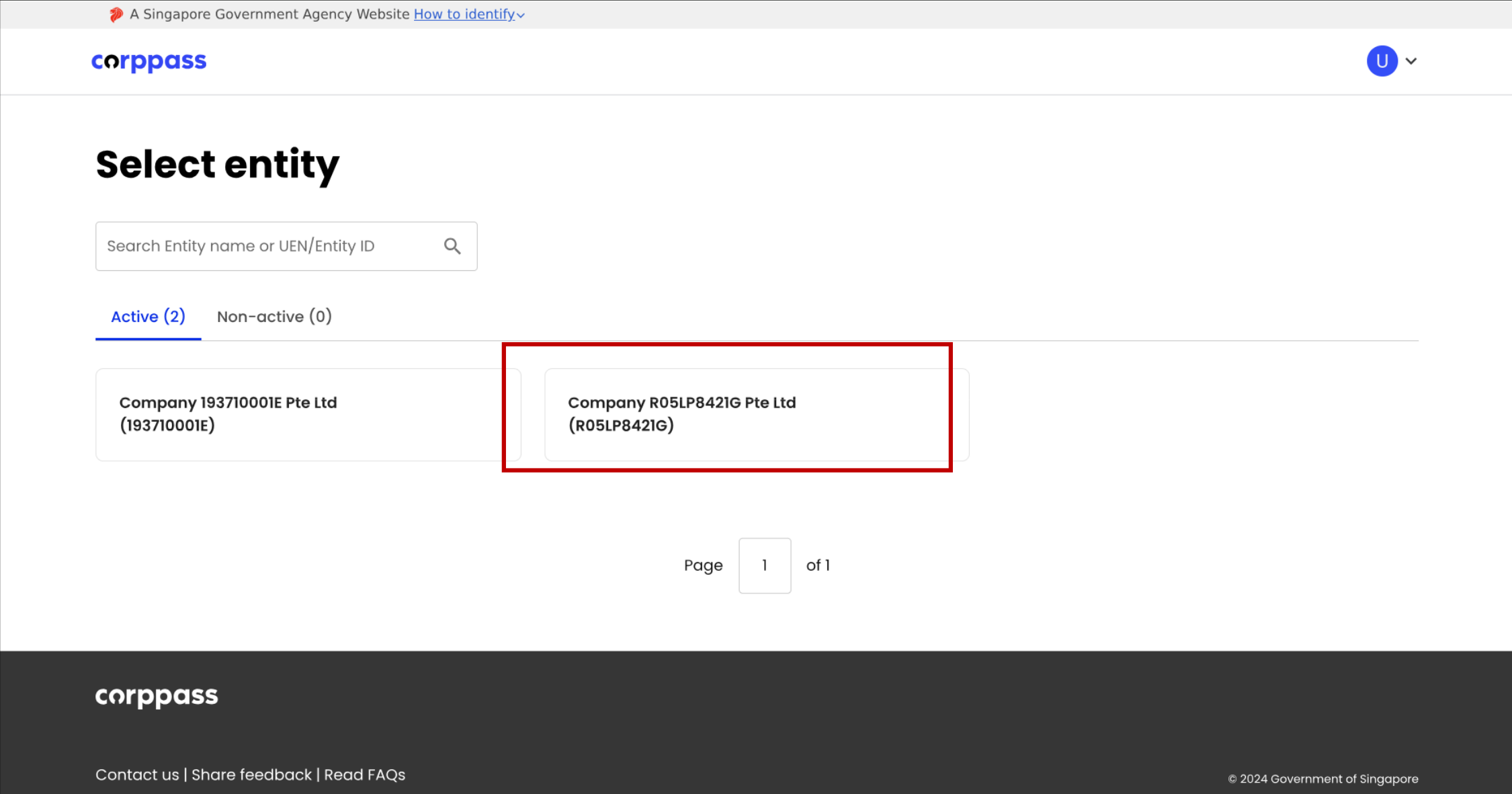
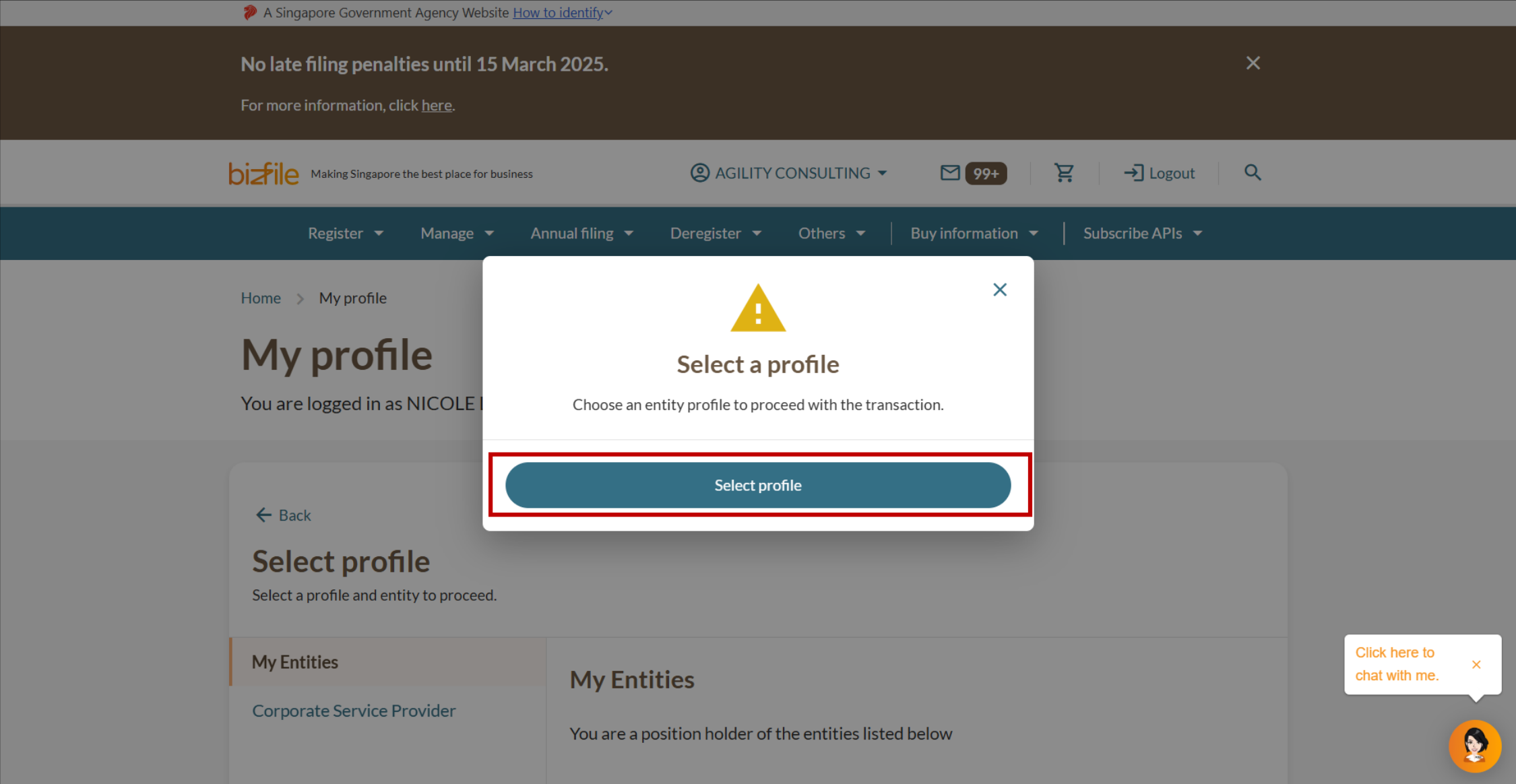
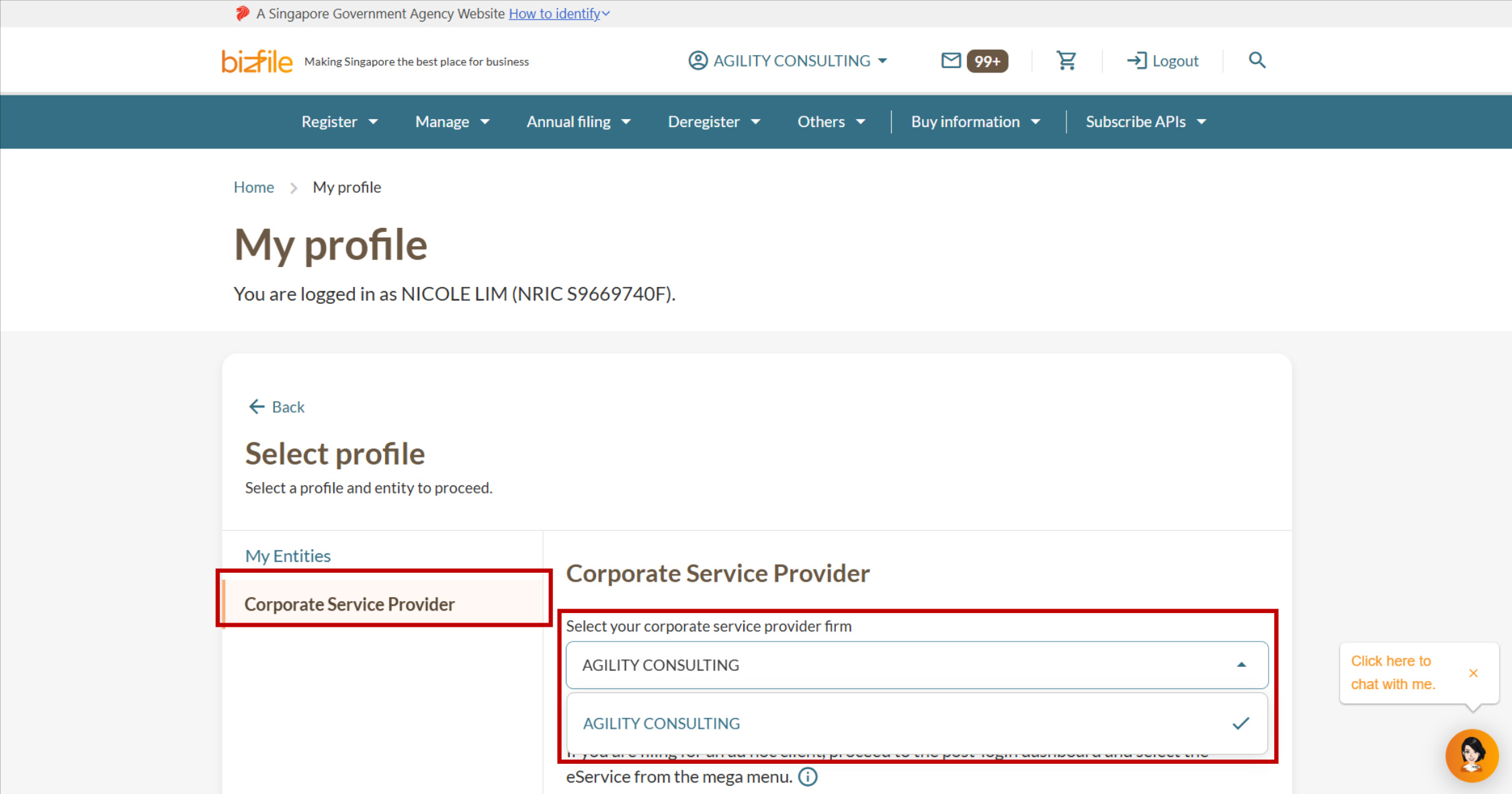
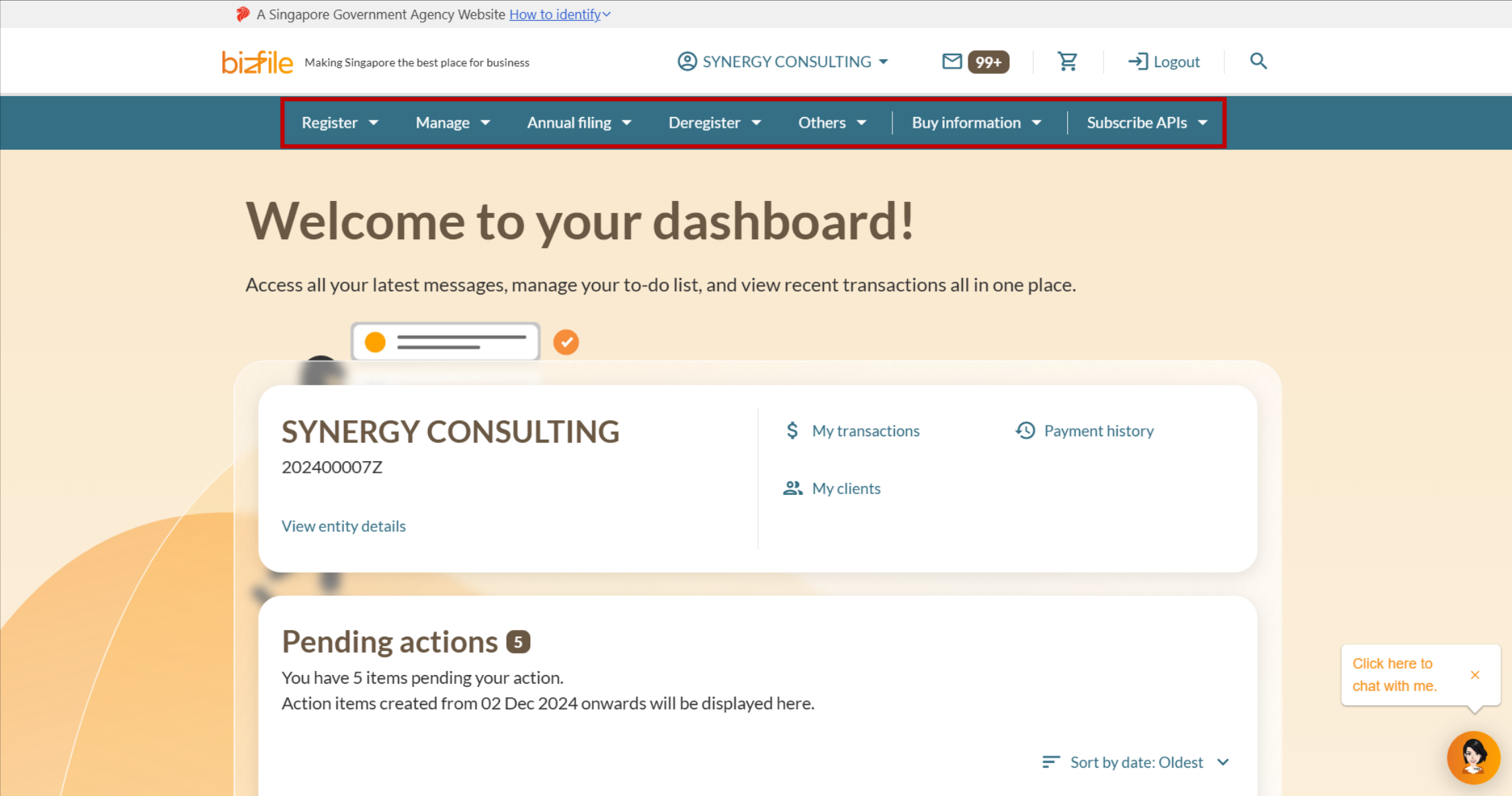
Note: All entity and personal information (including UEN, entity details, NRIC or FIN numbers, names and addresses) shown are dummy data for illustration purposes only.
Frequently asked questions (FAQs)
Why can’t I see all my entities on the Corppass page?
You can only see entities for which you have been granted access rights through Corppass.
Corppass is not managed by ACRA. If you require access to additional entities, contact your company's Corppass Admin to assign the necessary roles and access rights.
What if I see "You are not authorised to view this page" when I log in with Corppass?
This error may appear for a few reasons:
Your Corppass account may not be authorised for all of ACRA's eServices.
Your Bizfile authorisation may not be set up correctly.
You may be trying to access an eService that does not apply to your entity type. For example, a sole proprietor cannot file a share allotment, which applies to local companies.
What you need to do:
Check if your Corppass account is authorised for all of these ACRA eServices (where applicable):
To check which eServices you are authorised for:
Open the Corppass portal (opens in new tab) and log in with Singpass.
Select My Account, then click View My Profile and Assigned e-Services.
Check the “Customised e-Service Access” section to view the services you have been authorised for.
Check the “Default All e-Service Access” section:
If the checkbox is ticked, you have access to all services onboarded with Corppass, in addition to any services in the "Customised e-Service Access" section.
If the checkbox is not ticked, you only have access to services in the "Customised e-Service Access" section.