
Guide
Logging in to Bizfile as an individual user
7 April 2026
Audience
Accountants
Accounting entities
Approved liquidators
Banking and investment professionals
Business valuation professionals
Businesses
Corporate service providers (CSP)
Public
Training providers
Task or topic
Navigating Bizfile
Use Singpass to log in to Bizfile to file personal transactions or register as a qualified individual.
When to log in as an individual user
You should use Singpass to log in to Bizfile if you are an individual:
Transacting in your personal capacity. This means that you do not hold a position in any registered entity.
Without a registered unique entity number (UEN).
Registering a new business name or entity for the first time.
Registering or renewing your registration as a registered qualified individual (RQI).
Key eServices you can file with Singpass
Singpass: Key eServices
Task | eServices |
|---|---|
Registration and renewal |
|
Buy or download business information |
|
Endorsement and email verification |
|
What you need to do before logging in
You need to have a Singpass account.
If you do not have an account yet, apply for Singpass (opens in new tab).
If you are not registering or renewing as an RQI
Follow these steps to log in to Bizfile with your Singpass.
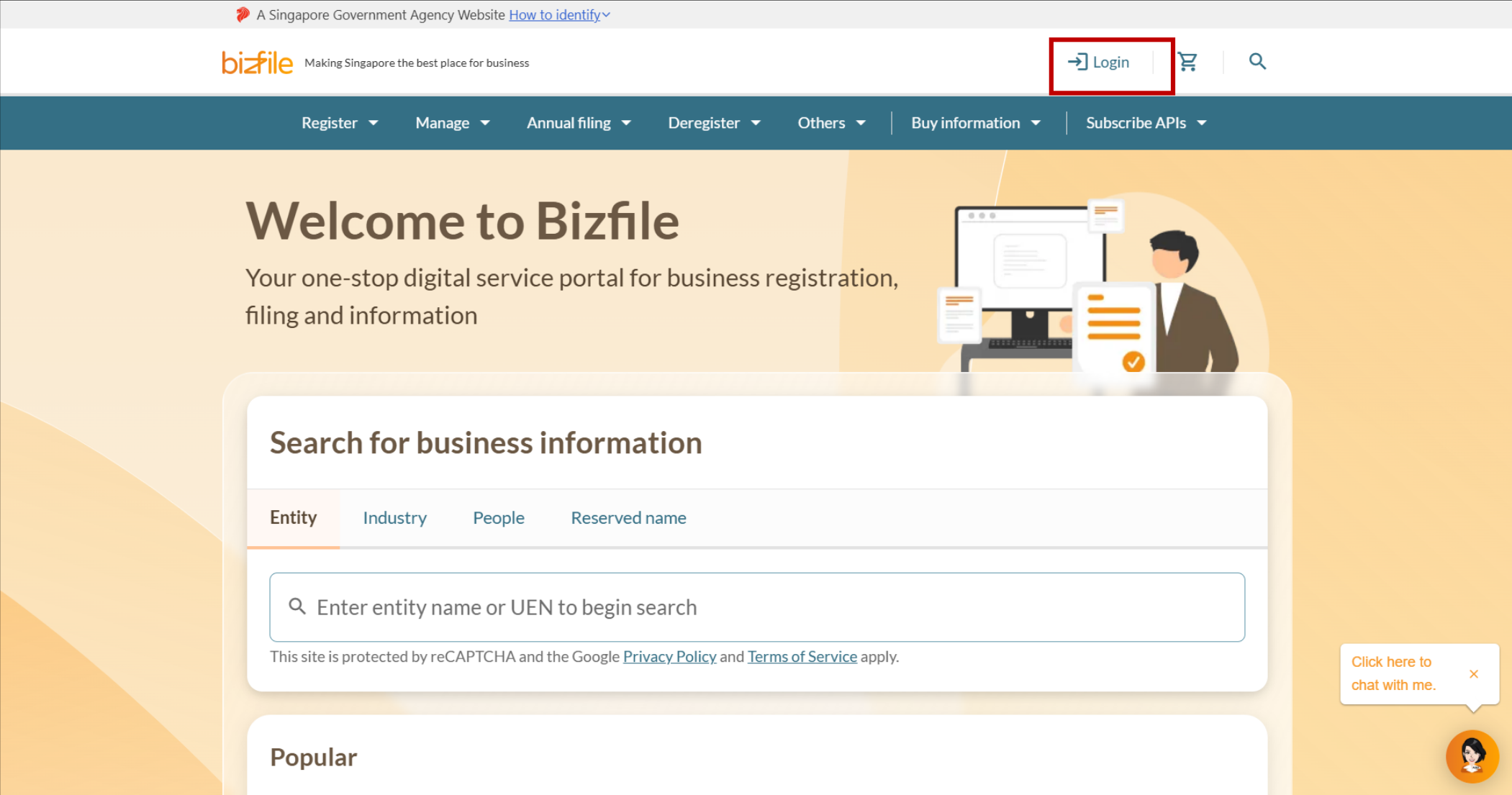
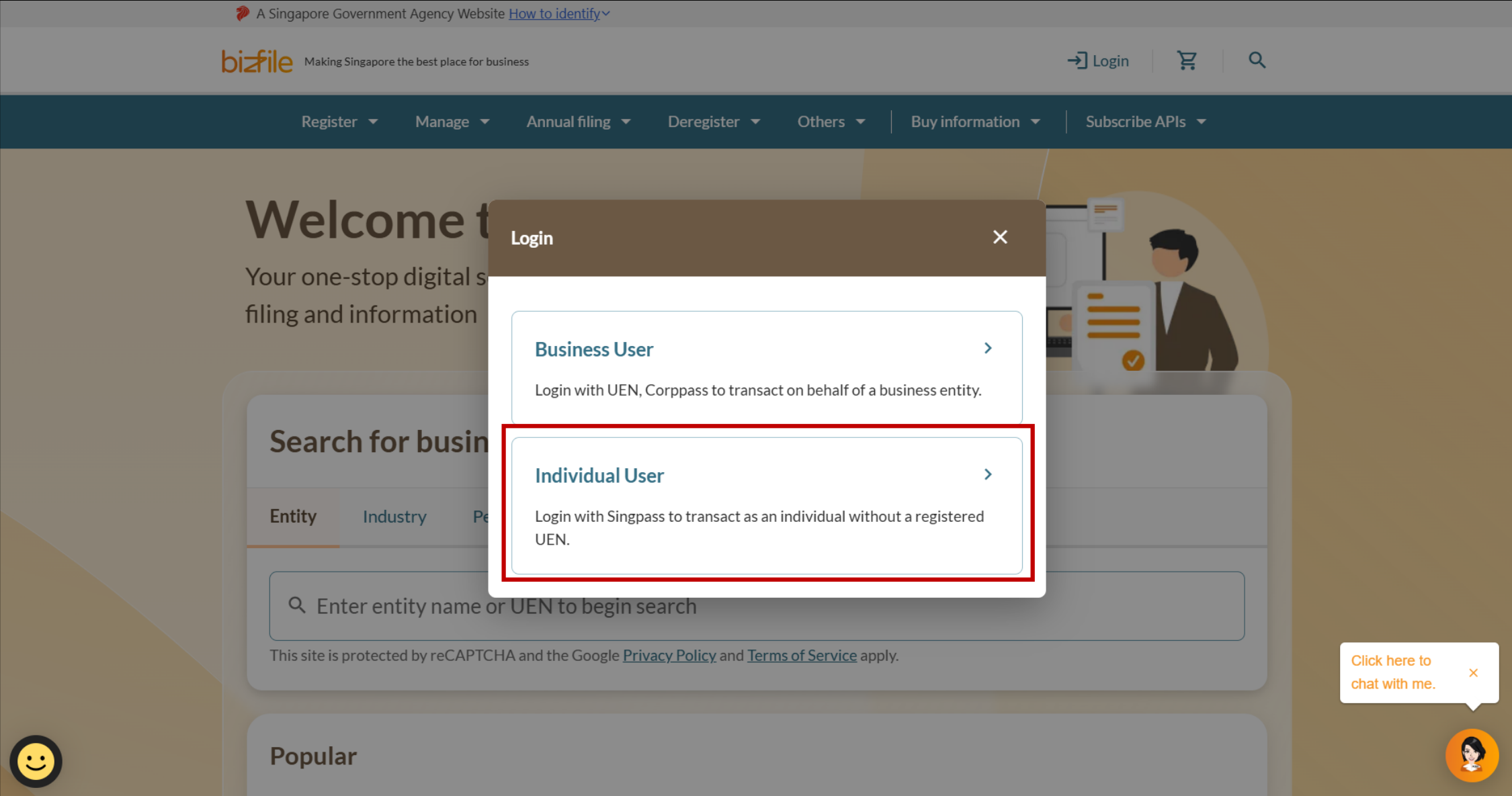
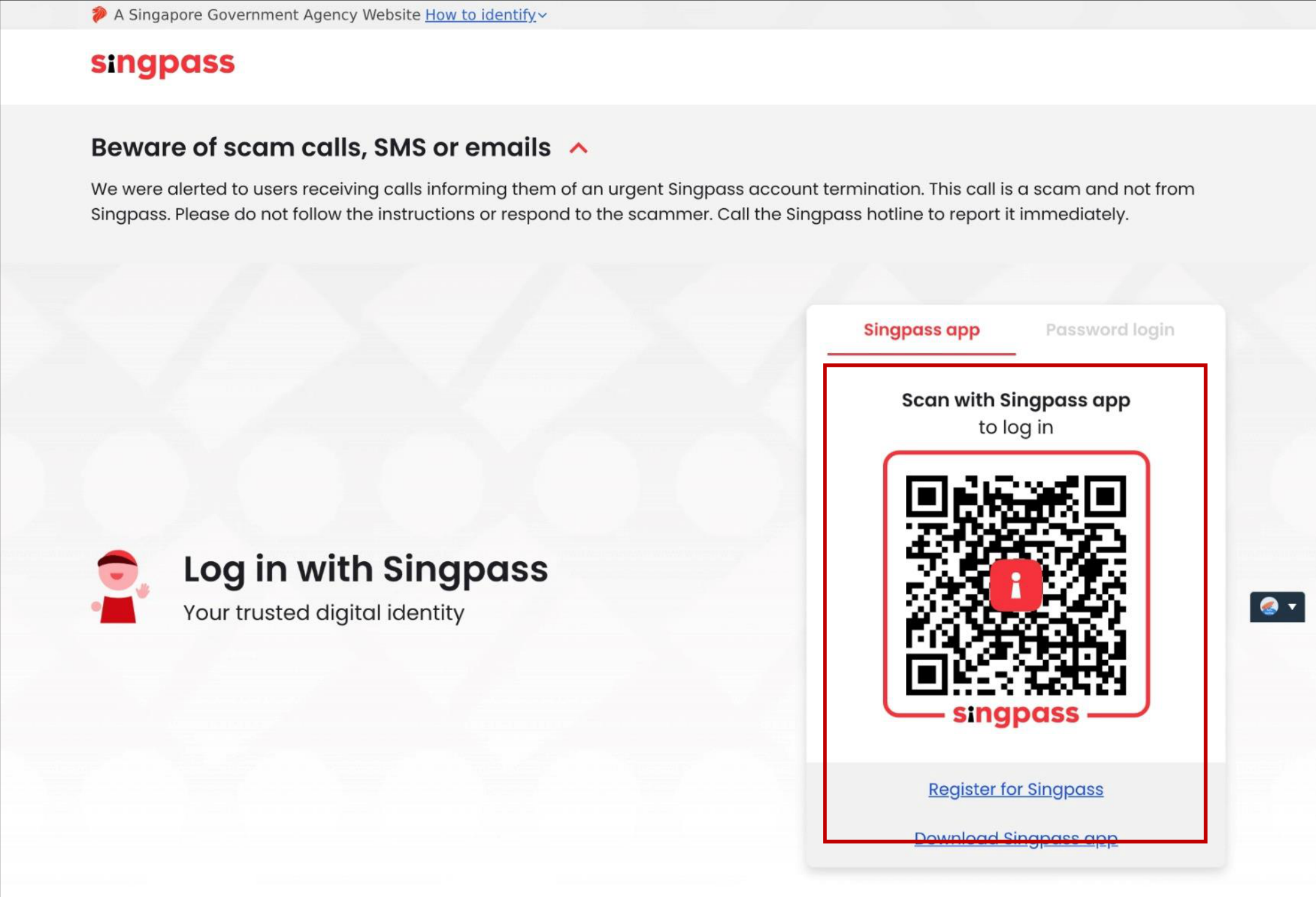
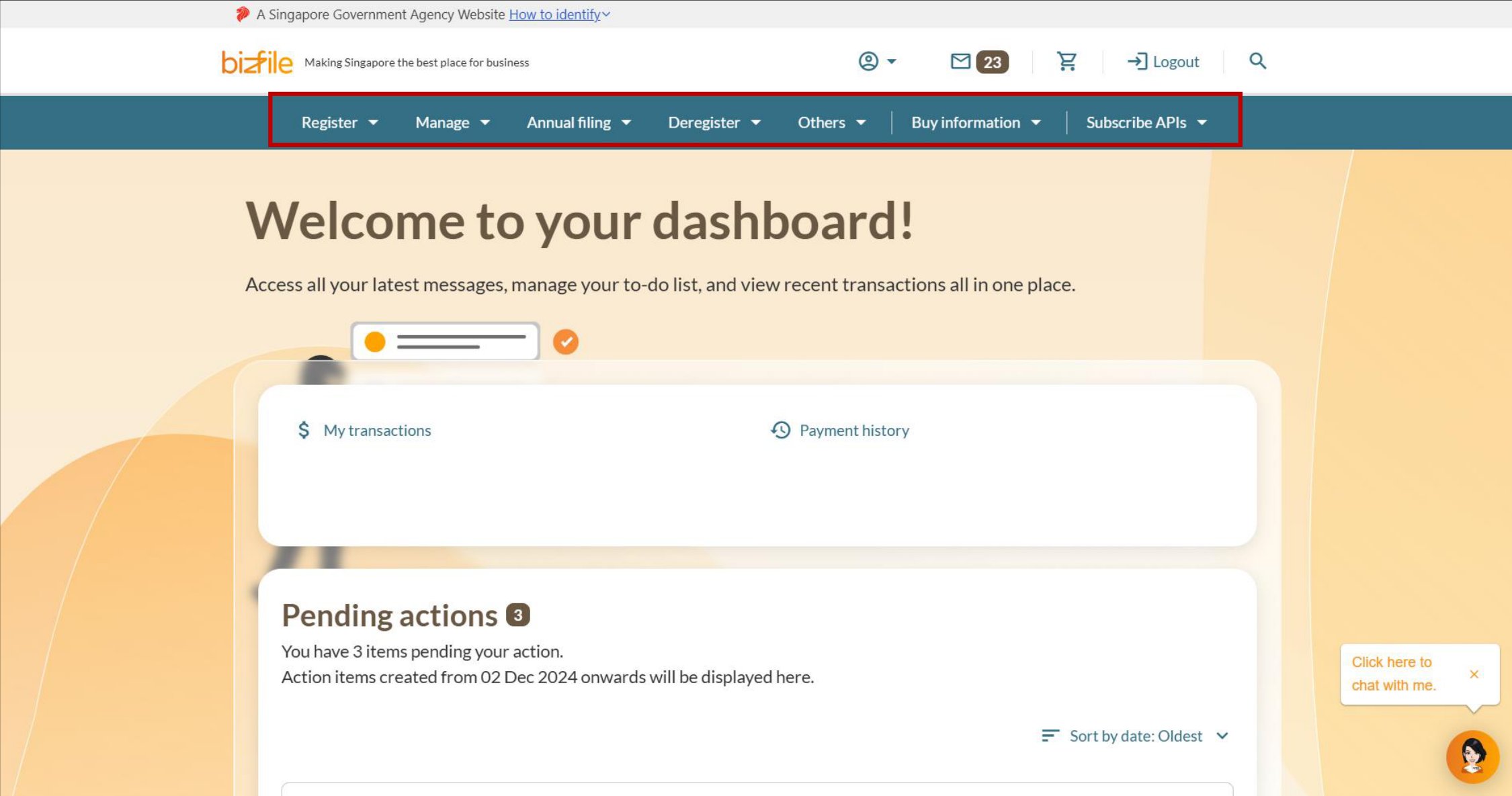
Note: All entity and personal information (including UEN, entity details, NRIC or FIN numbers, names and addresses) shown are dummy data for illustration purposes only.
If you are registering or renewing as an RQI
Follow these steps to register as an RQI or renew your RQI registration.
Note: You can only renew your registration within 60 days of the expiry date. If you attempt to renew earlier, you will be unable to proceed.
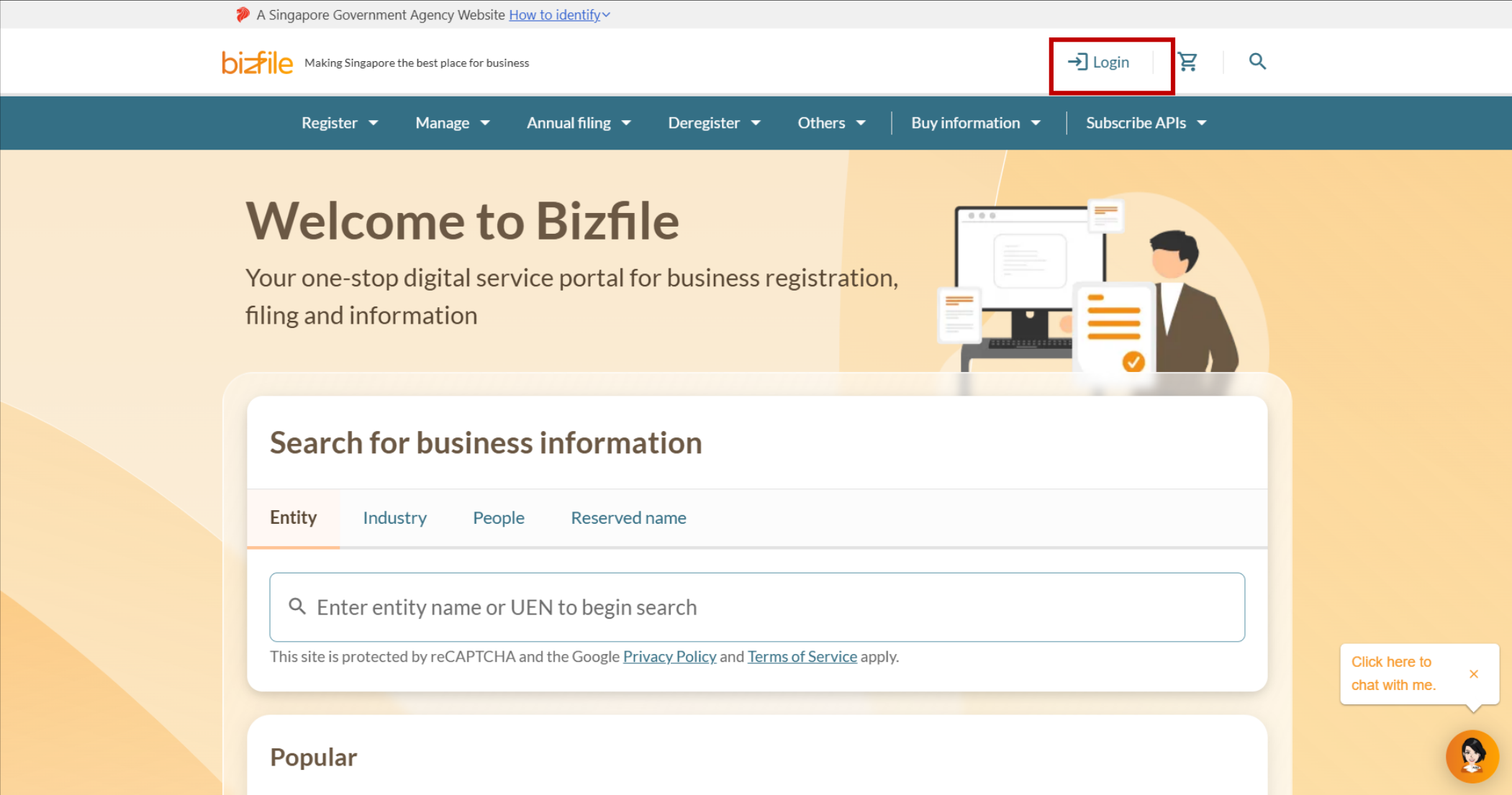
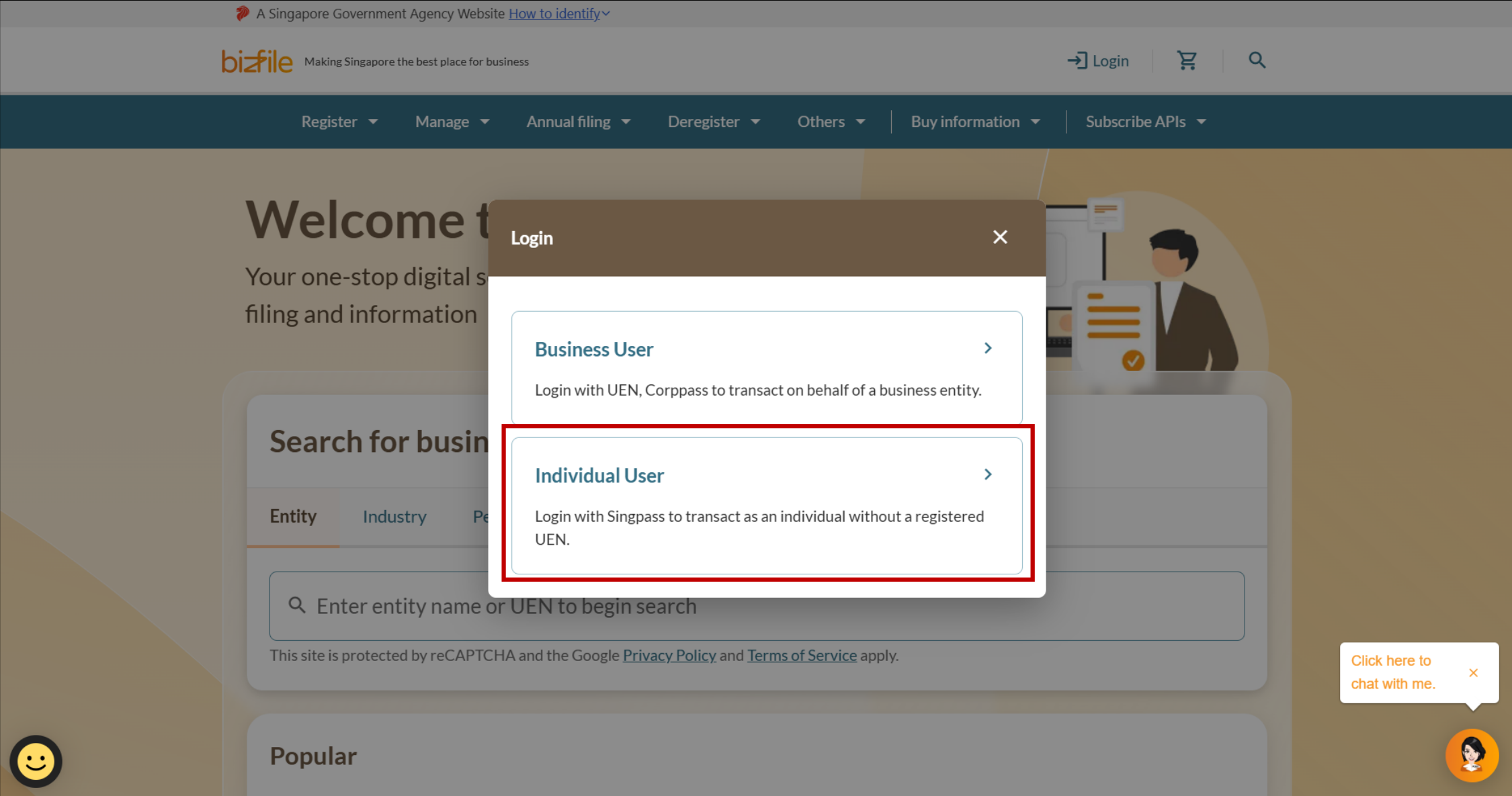
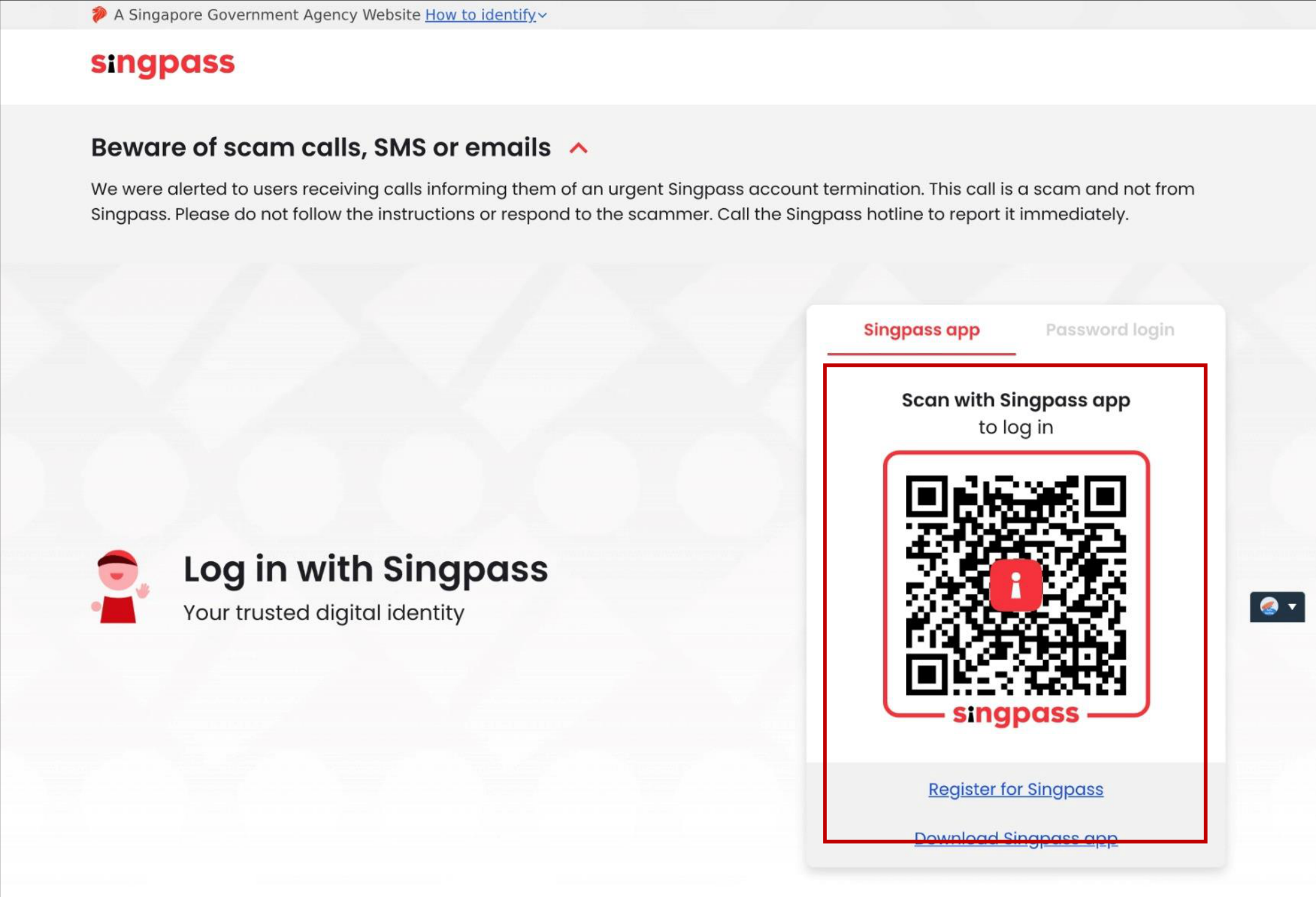
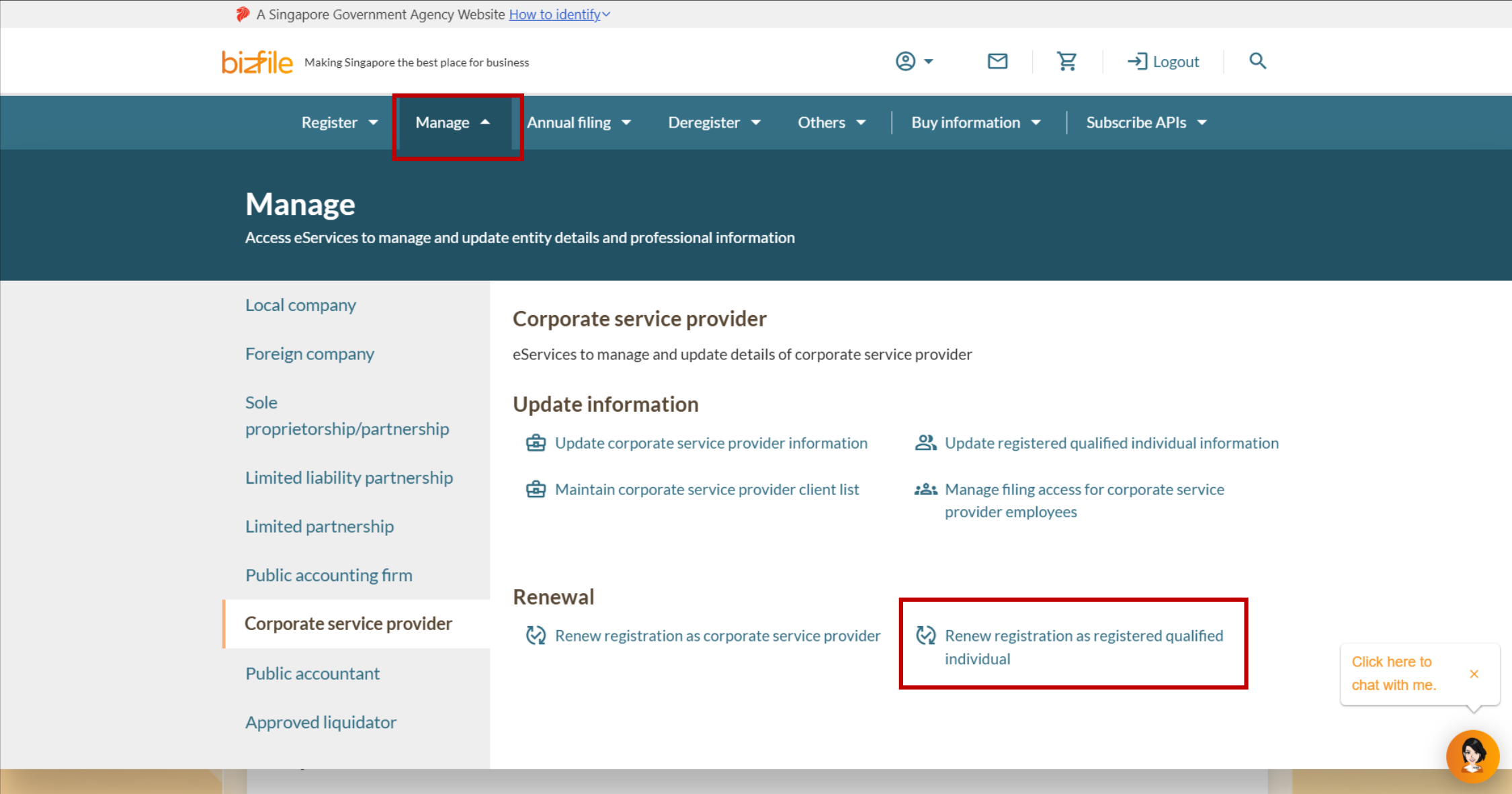
Note: All entity and personal information (including UEN, entity details, NRIC or FIN numbers, names and addresses) shown are dummy data for illustration purposes only.