
Guide
Members’ or partners’ voluntary winding up: Notice of resolution
Audience
Businesses
Corporate service providers (CSP)
Task or topic
Close business or deregister
19 March 2026
File a notice of resolution for voluntary winding up of your local company or limited liability partnership (LLP) through Bizfile.
Before you file
Filing a notice of resolution is the second of three required filings for a members’ or partners’ voluntary winding up. You need to file a declaration of solvency first.
Who may file
File winding up of business entity
Who may file | Details |
|---|---|
Director | One or more directors of the local company |
Manager or partner | Managers or partners of the LLP |
A CSP filing on behalf of their client |
What you need to prepare
Required documents and information
You need to prepare | Details |
|---|---|
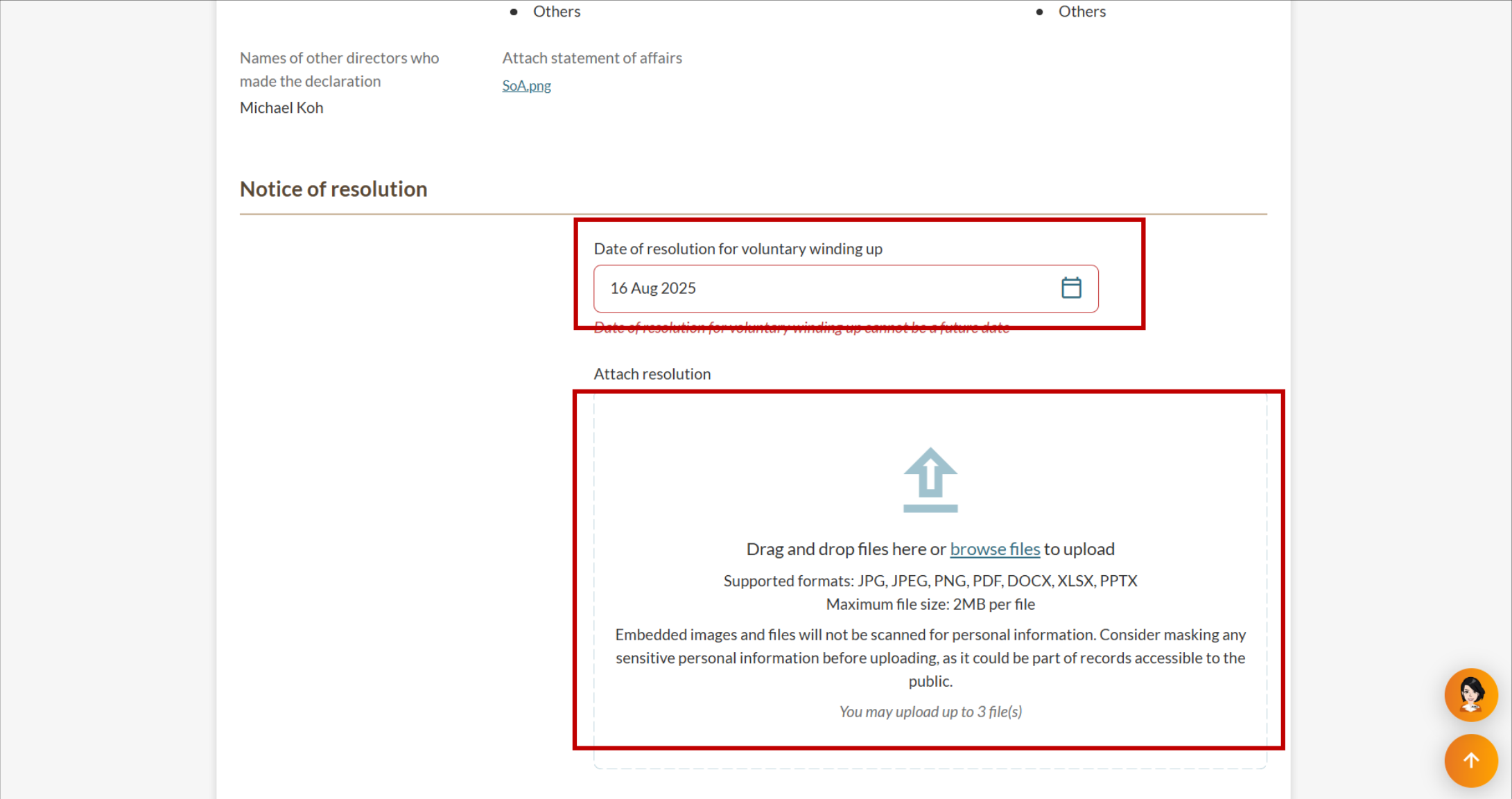
| The date of the resolution for voluntary winding up. This must be the current date or a past date. |
| A copy of the resolution to upload. |
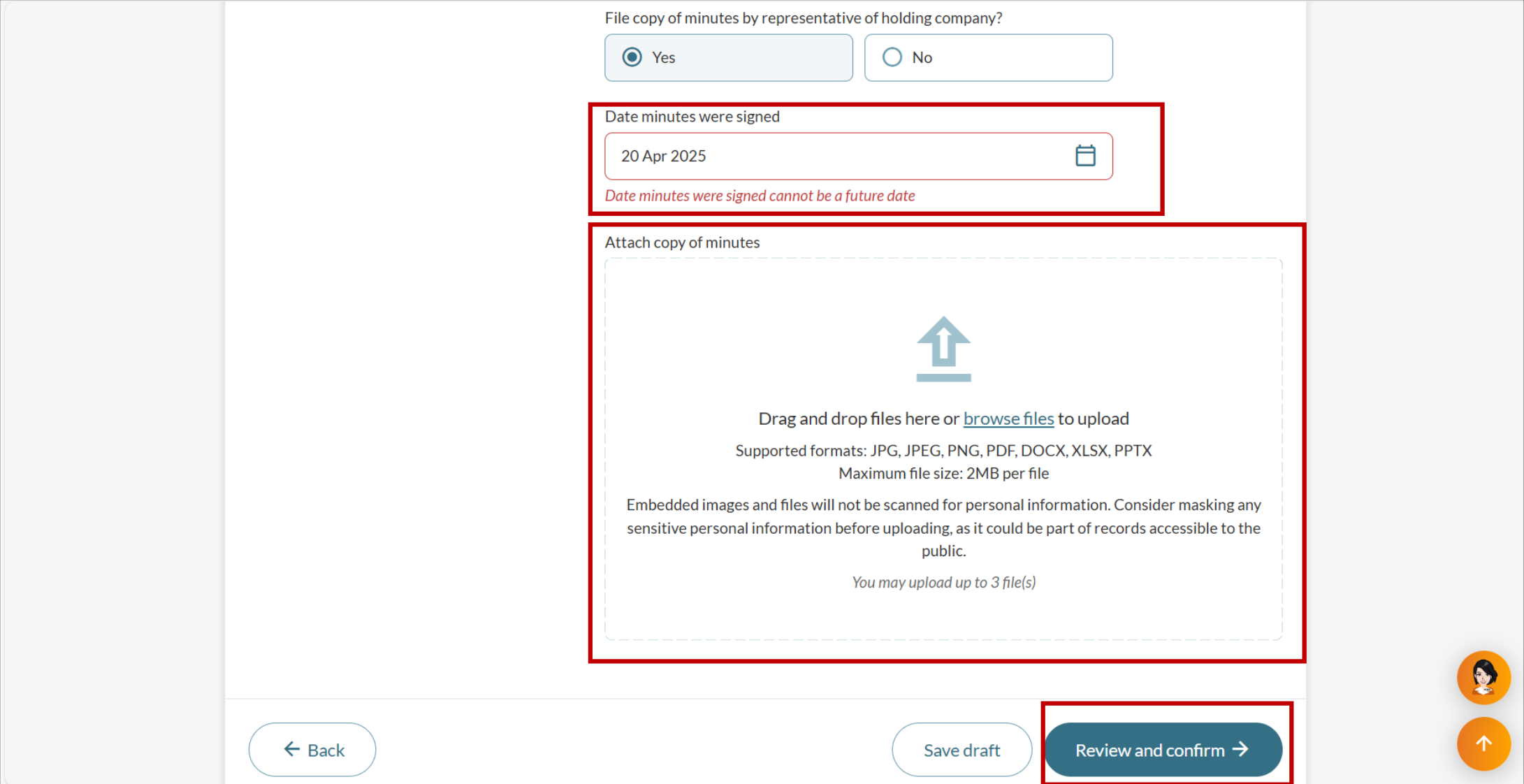
| For local companies with corporate shareholders only: The date the minutes were signed and a copy of the minutes to upload |
Fees and processing time
Filing a notice of resolution
What you need to know | Details |
|---|---|
Fees | Free |
Processing time | Immediate |
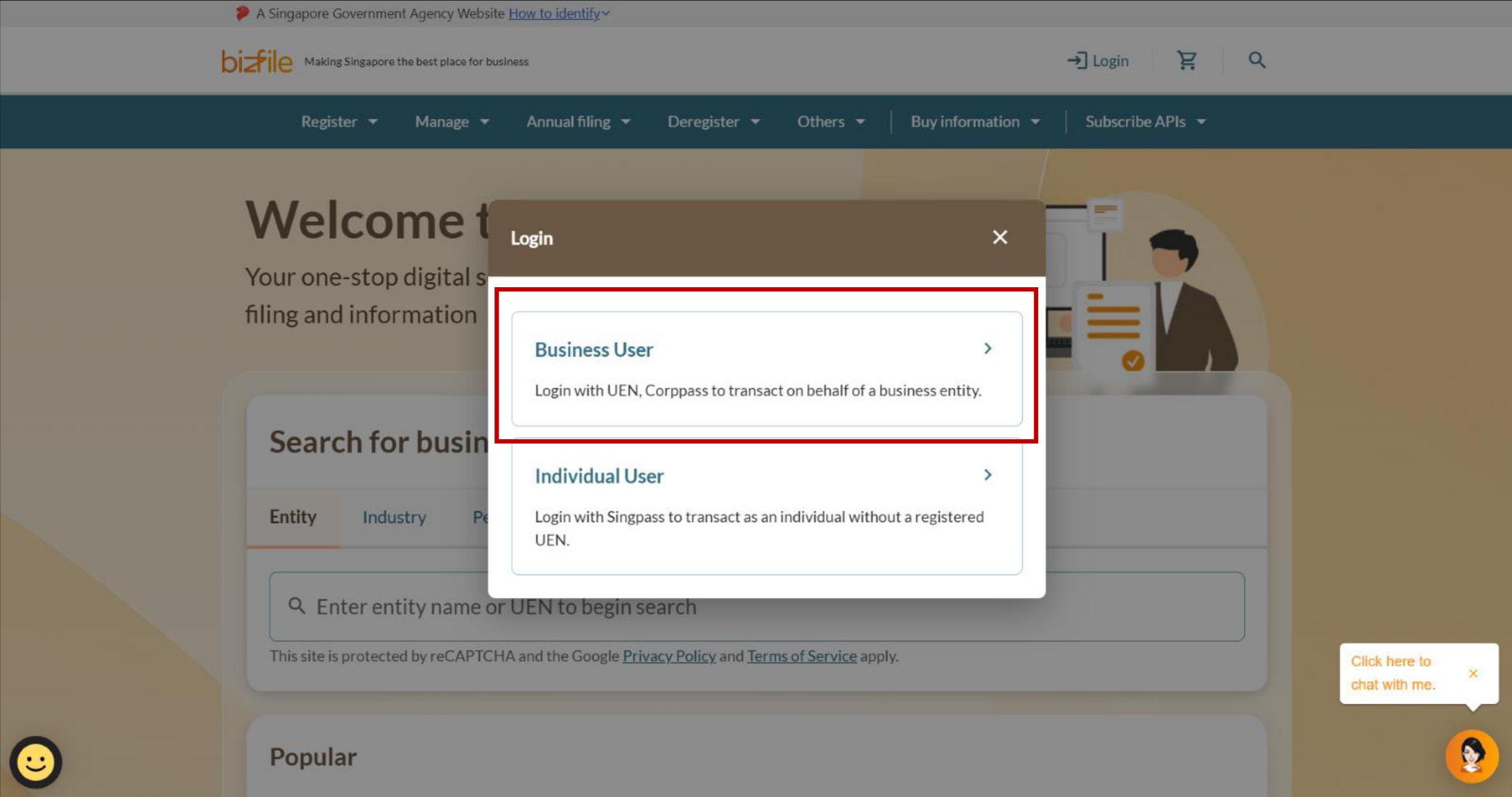
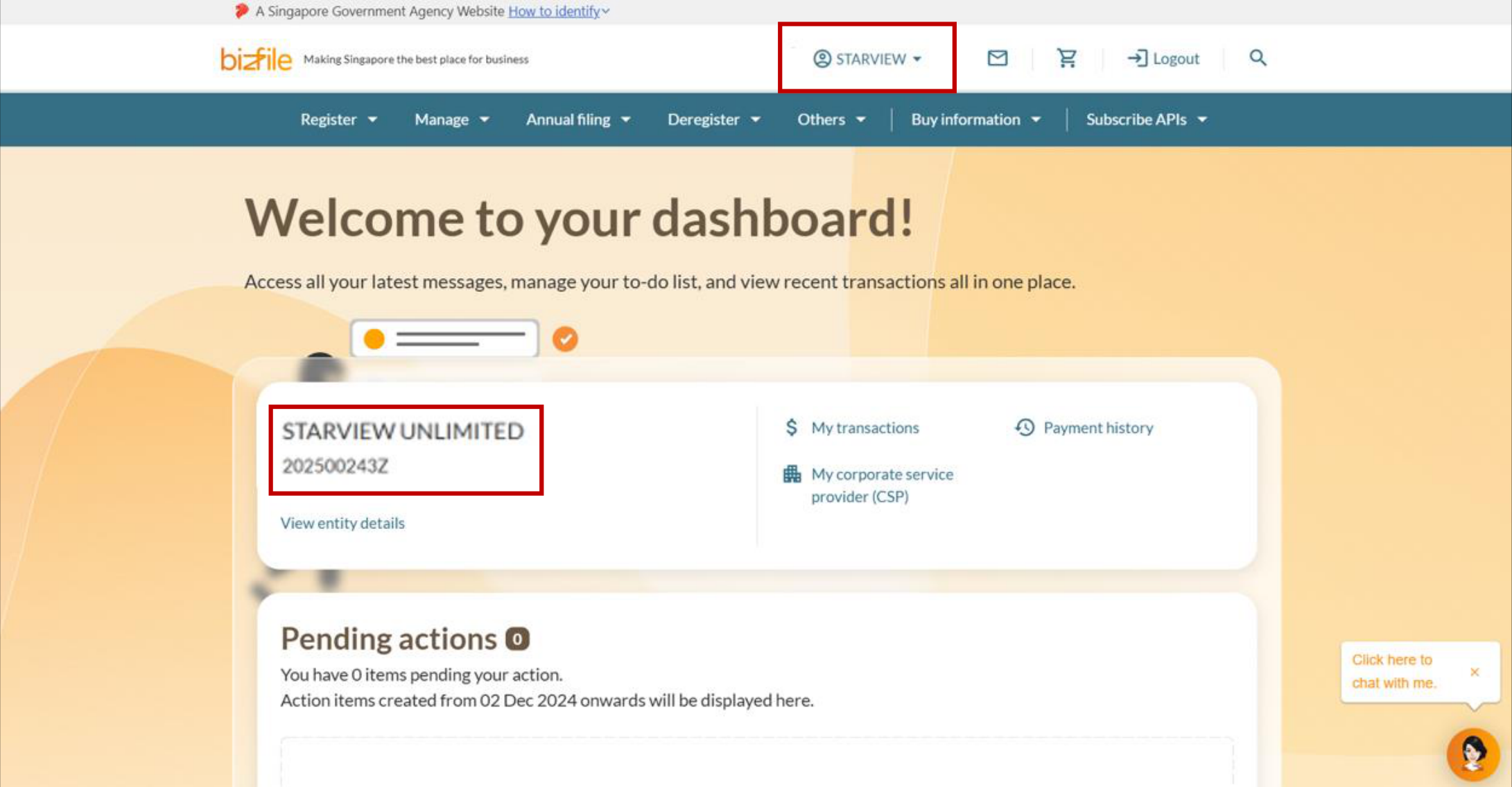
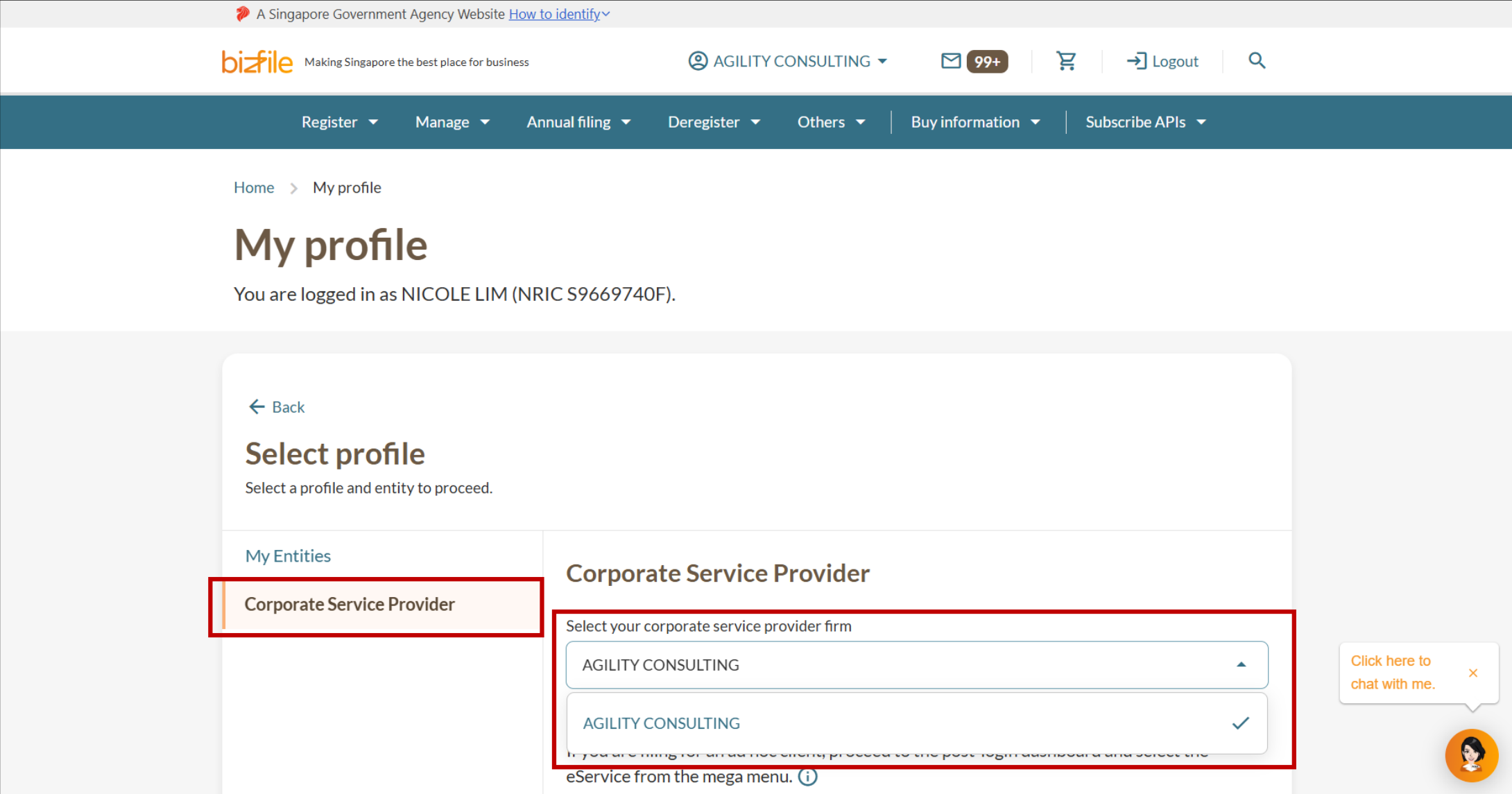
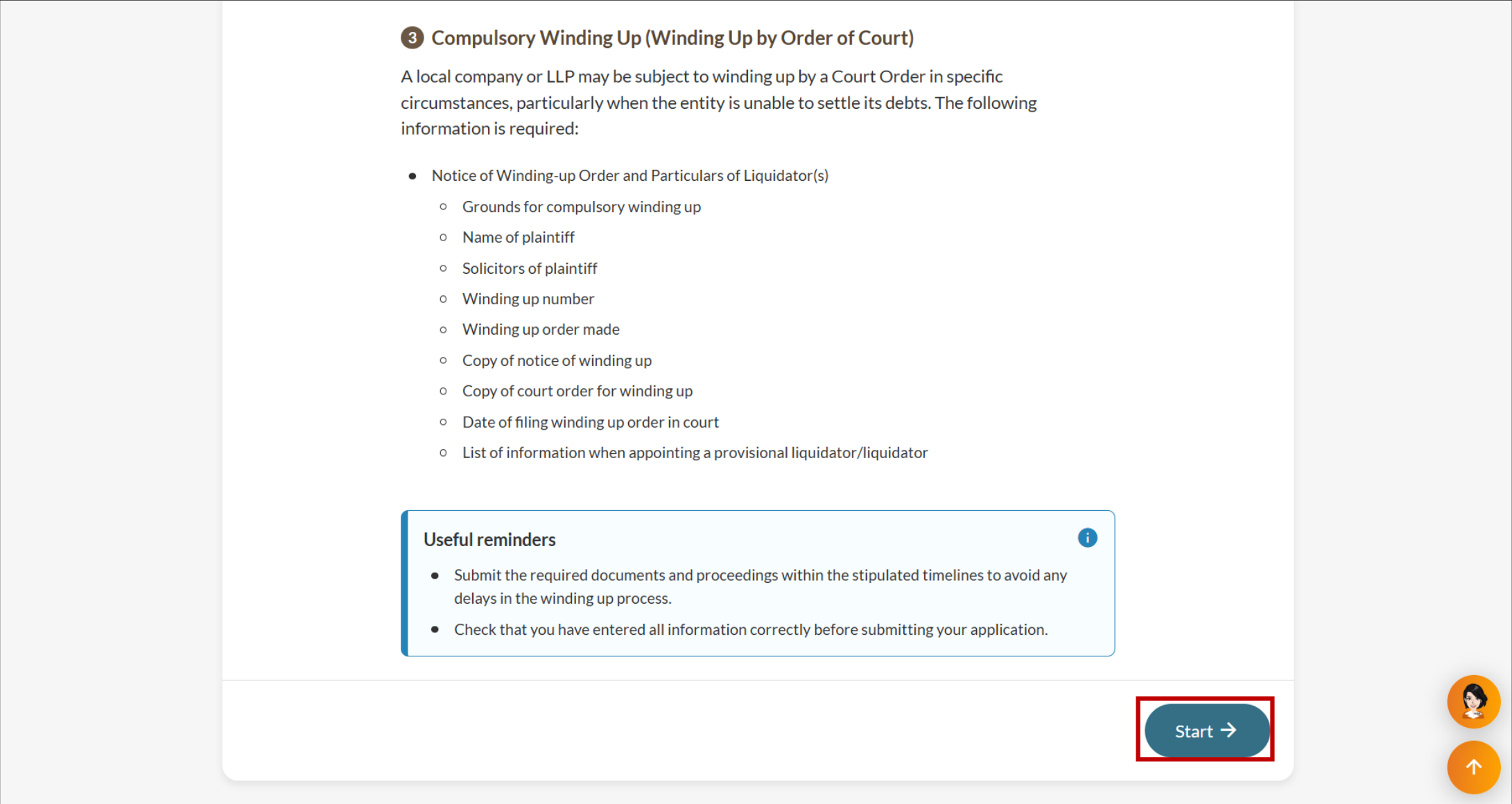
Step 1: Log in to Bizfile and open the "File winding up of business entity" eService
Follow these steps to log in to Bizfile and navigate to the File winding up of business entity (opens in new tab) eService
Note: All entity and personal information (including UEN, entity details, NRIC or FIN numbers, names and addresses) shown are dummy data for illustration purposes only.
Step 2: Enter notice of resolution details
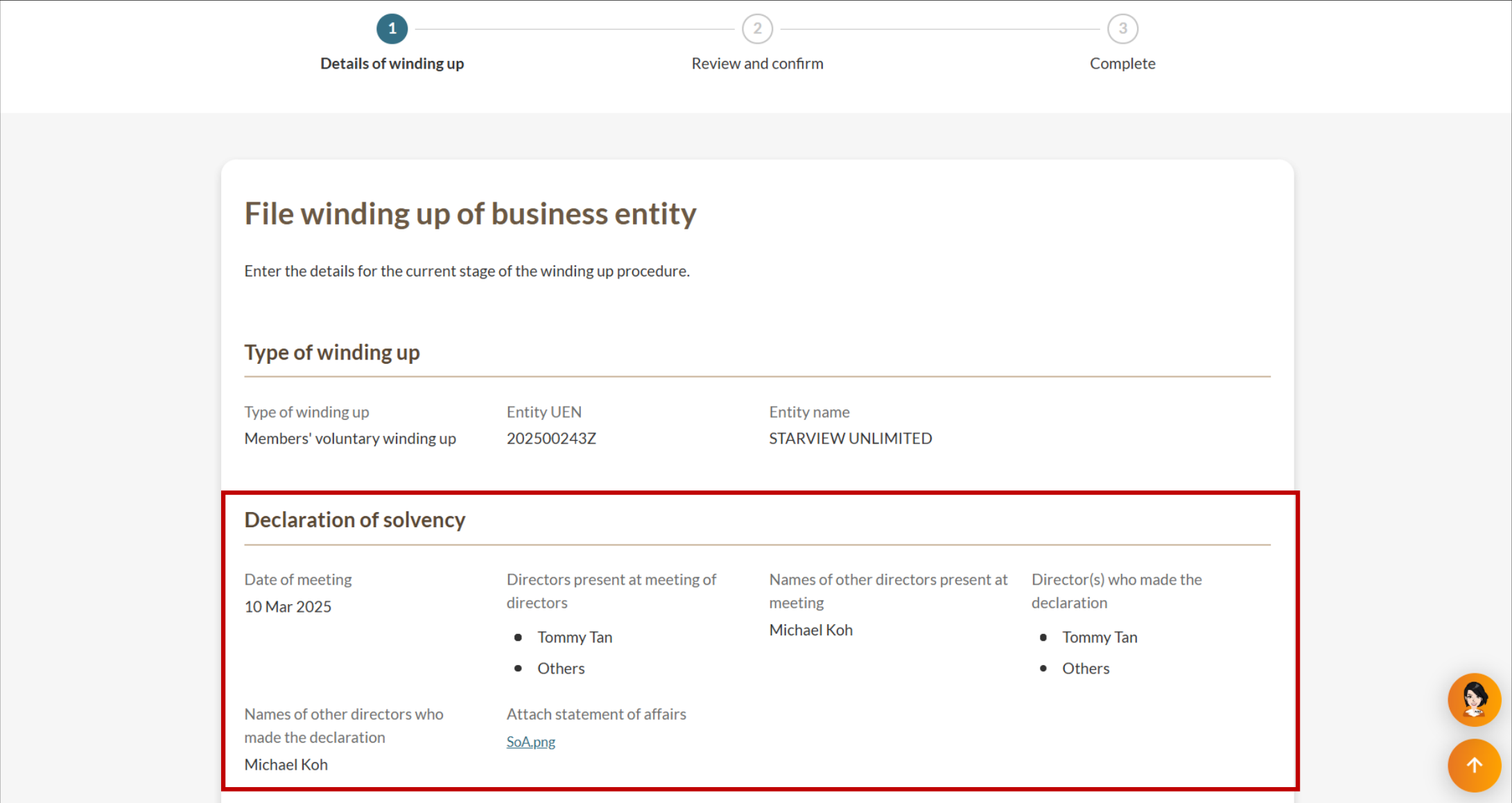
The declaration of solvency details from the previous filing will be displayed automatically. Enter the resolution details to continue.
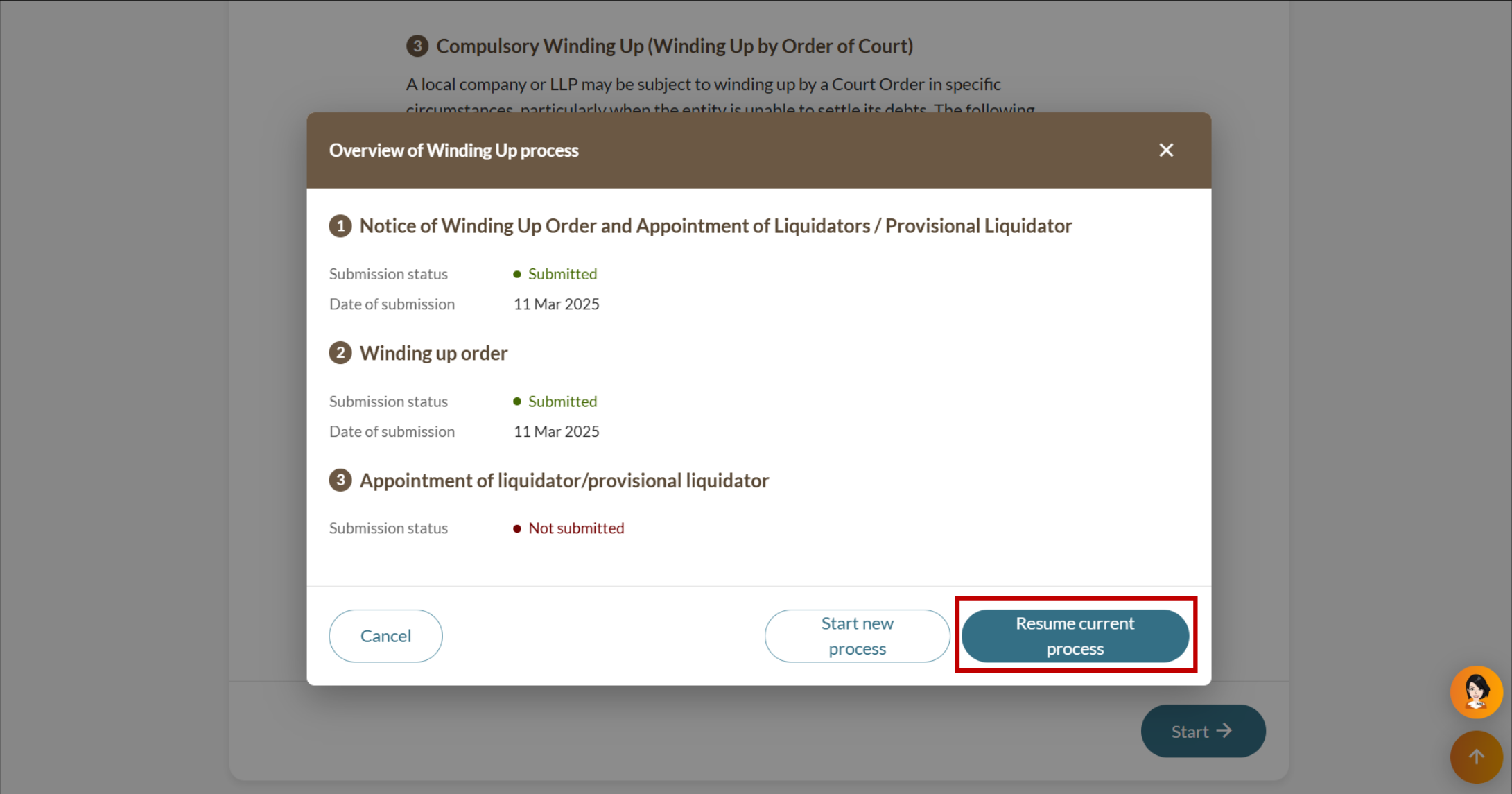
Note: Selecting Start new process on the "Overview of winding up process” pop-up will start a new winding up process and delete all previously saved information.
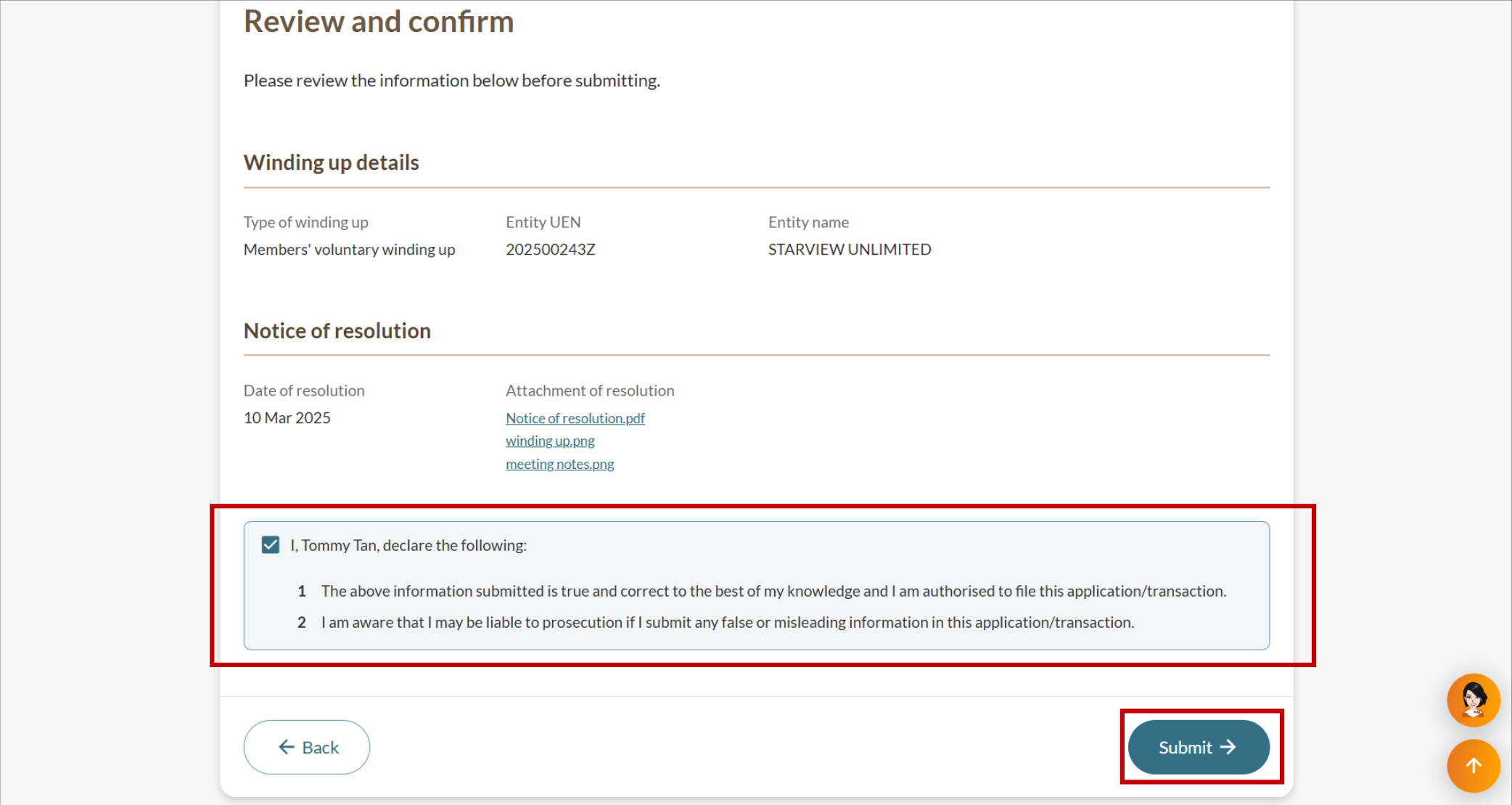
Step 3: Review and submit
Review all the details and submit the notice of resolution.
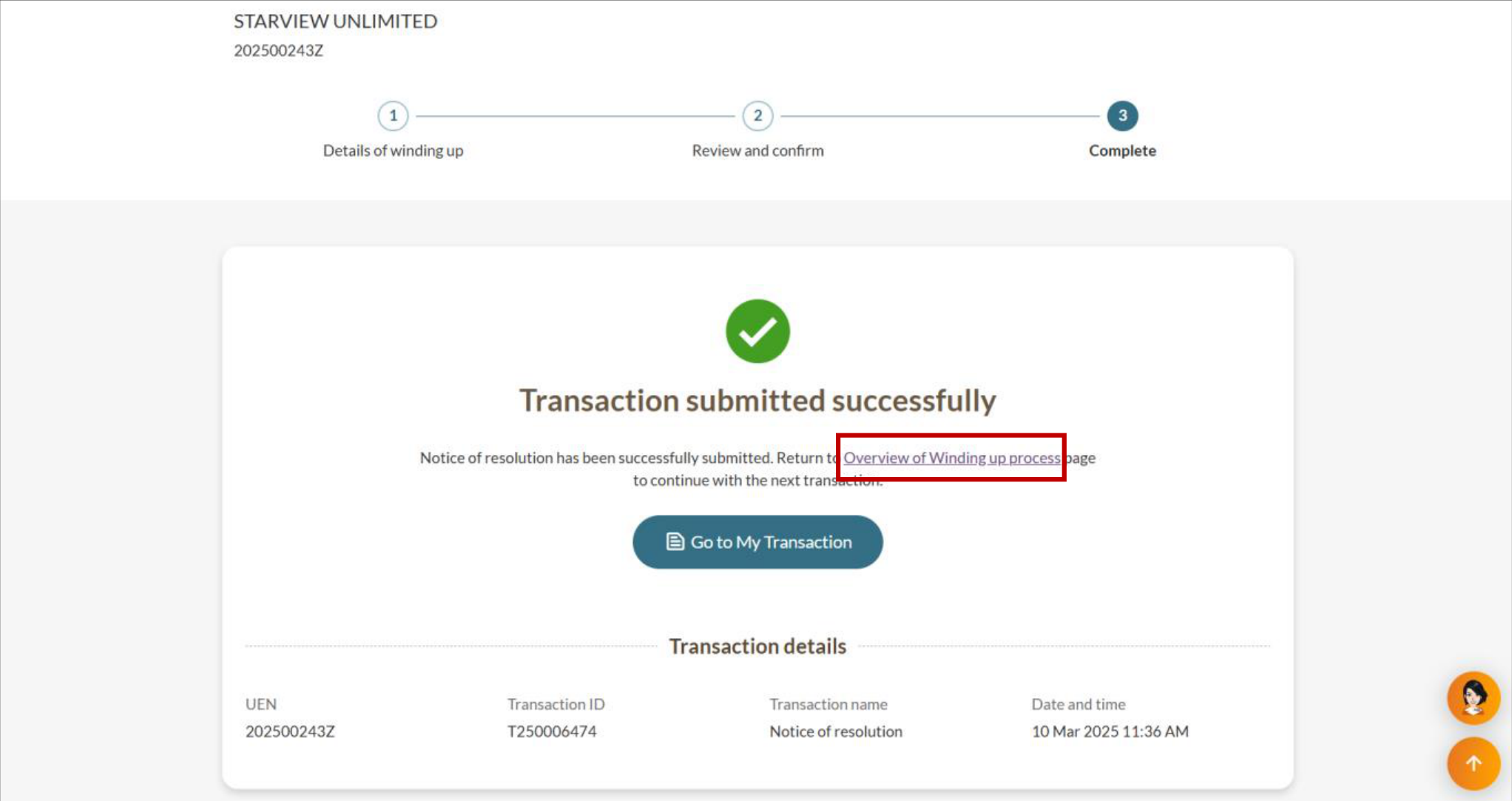

After you file
To continue with the winding-up process, you will need to appoint a liquidator.
You may either:
Proceed immediately by clicking Overview of winding up process on the acknowledgement page; or
Return to the eService later through the mega menu under “Deregister”. Your submissions will be saved in the system.