Guide
Filing a liquidator's accounts & statement of position
8 April 2026
Audience
Approved liquidators
Corporate service providers (CSP)
Task or topic
Close business or deregister
Use the "Manage winding up" eService to file the liquidator's account of receipts and payments, and statement of position in winding up.
Before you file
Liquidators must file periodic accounts of receipts and payments and a statement of position in winding up. Filing requirements differ based on when the winding up began.
The Insolvency, Restructuring and Dissolution Act (IRDA) (opens in new tab) took effect on 30 July 2020. Different steps apply for filings before and after this date.
Use the General lodgement eService (opens in new tab) to file these transactions, not this eService:
Notice of Change in Situation of Office of Provisional Liquidator(s) / Liquidators
Statement of Affairs
Notice of Holding of Creditor's Meeting
Dissolution of company
Notice of Early Dissolution of Company under S209 / S210 of IRDA
Who may file
Manage winding up
Who may file | Details |
|---|---|
Appointed liquidator | To file periodic accounts and statements during the winding up process. |
Filing on behalf of clients. |
What you need to prepare
Required documents and information
You need to prepare | Details |
|---|---|
Entity's UEN | The UEN and name of the entity under winding up. |
Account period | The start and end dates of the account period (Date from and Date to). |
Supporting documents (pre-IRDA filings) | A copy of the accounts of receipts and payments and statement of position. |
Date of filing with Official Receiver (post-IRDA filings) | The date you filed the accounts and statement with the Official Receiver. |
Fees and processing time
Liquidator's Account of Receipts & Payments & Statement of Position in Winding Up
What you need to know | Details |
|---|---|
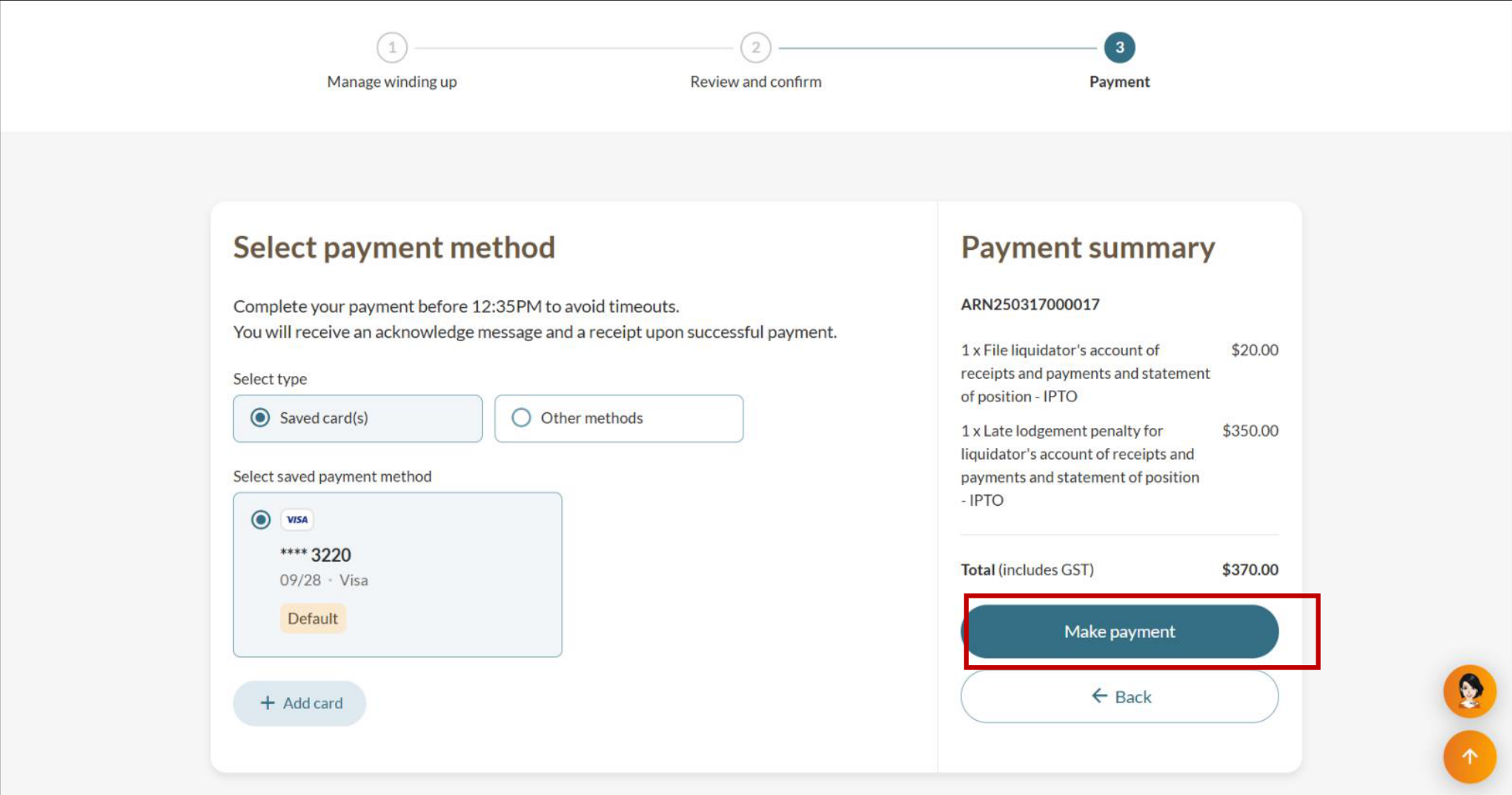
Fees | $20 |
Processing time | Immediate |
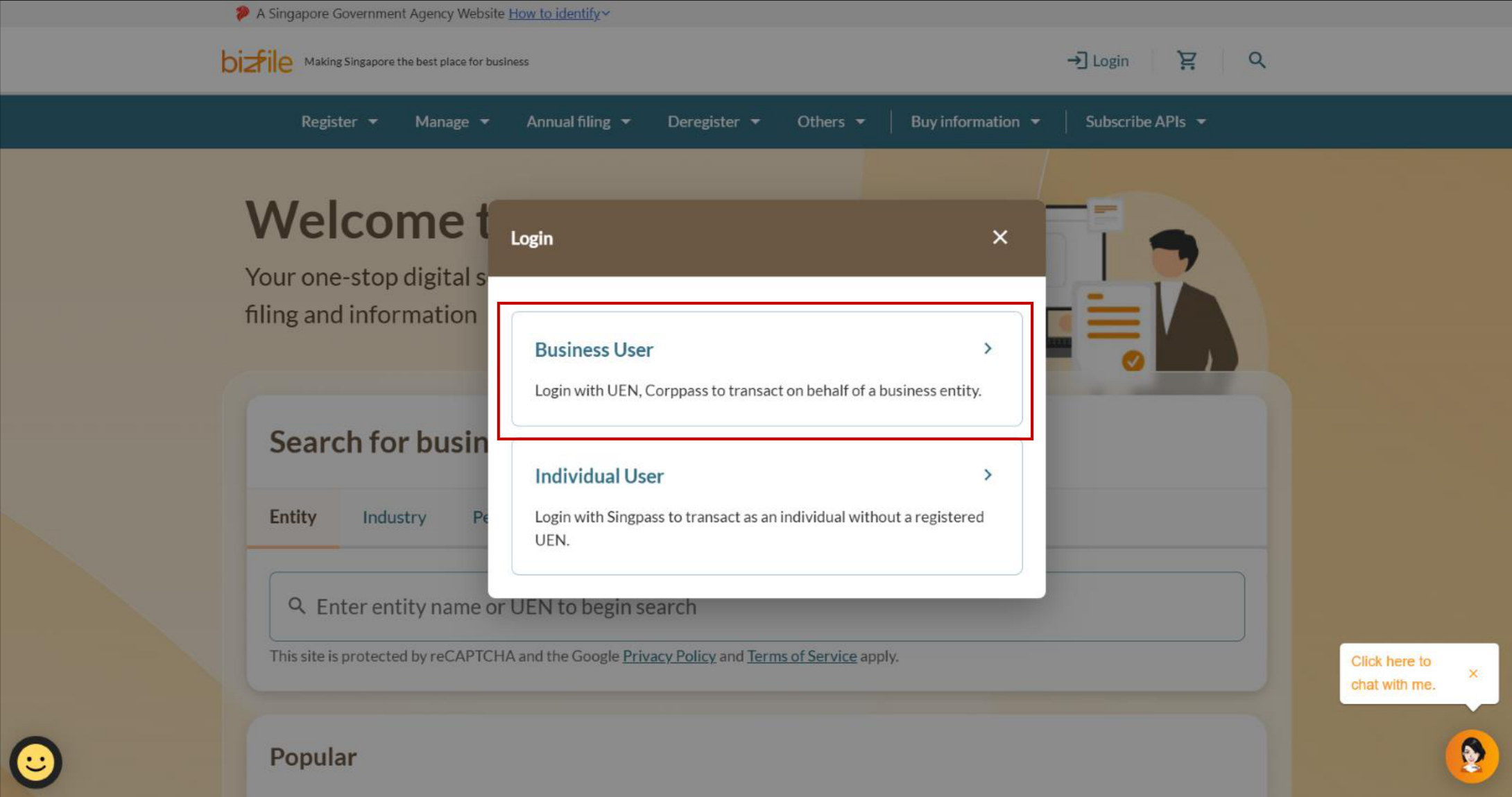
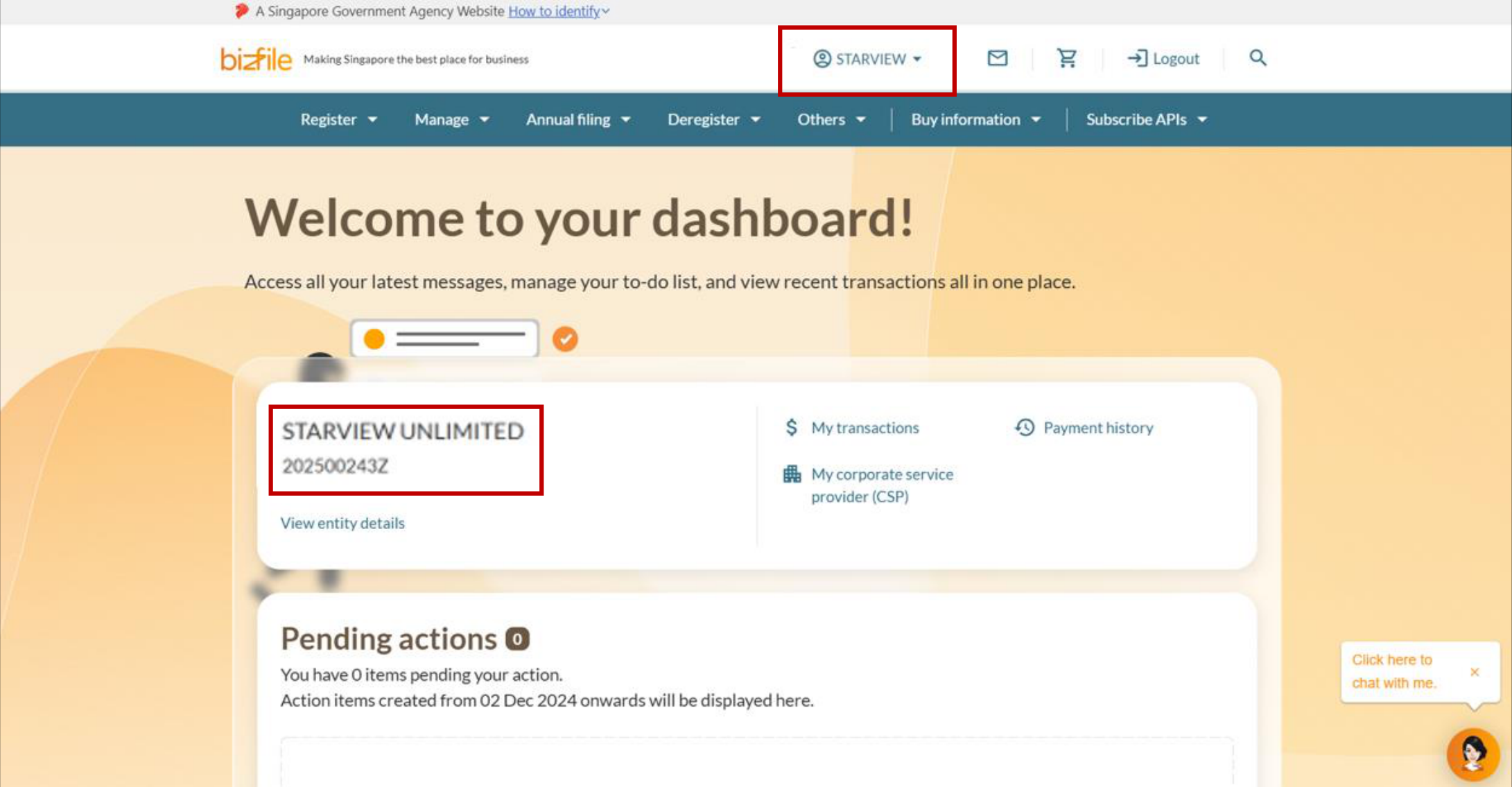
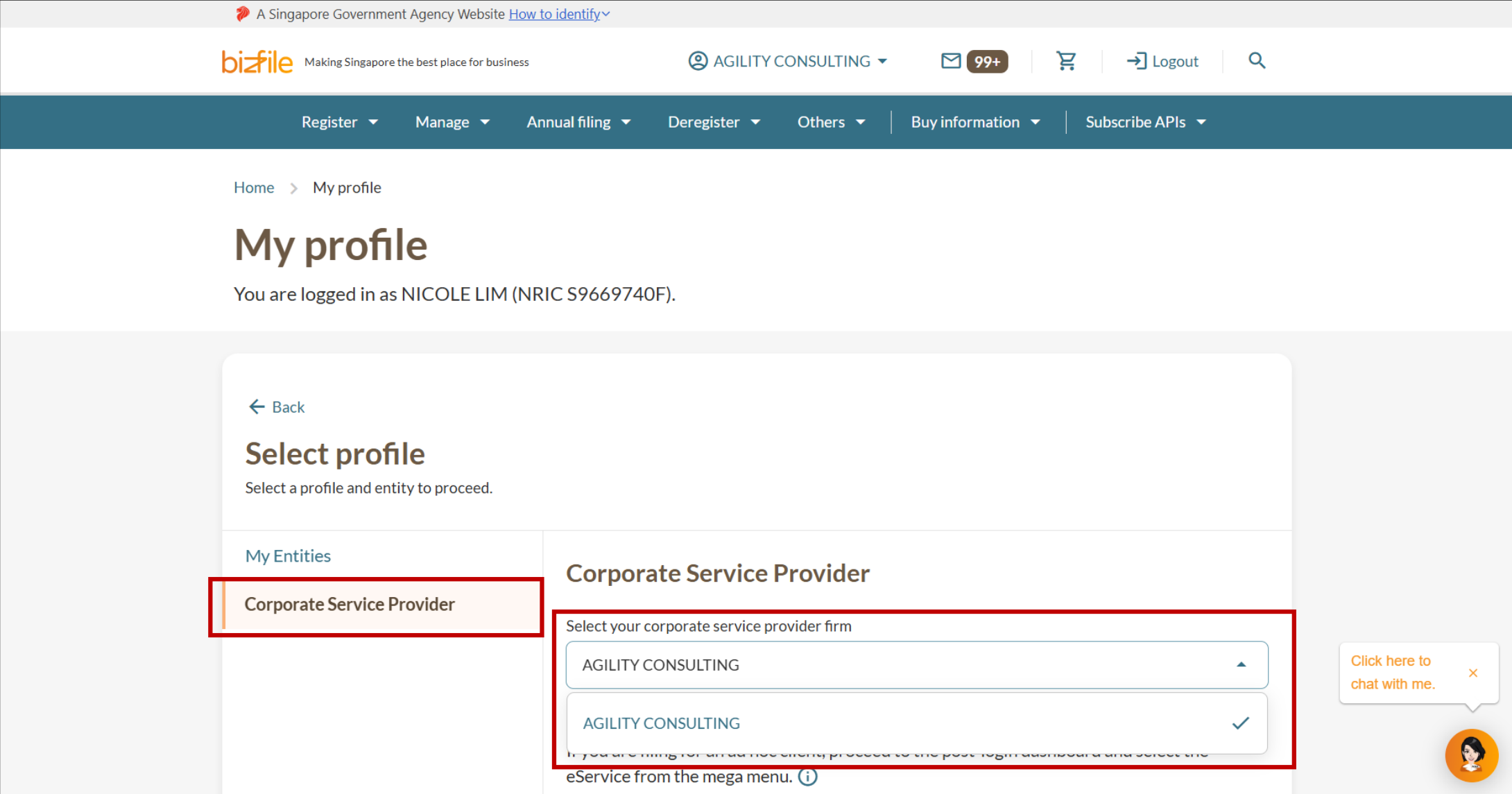
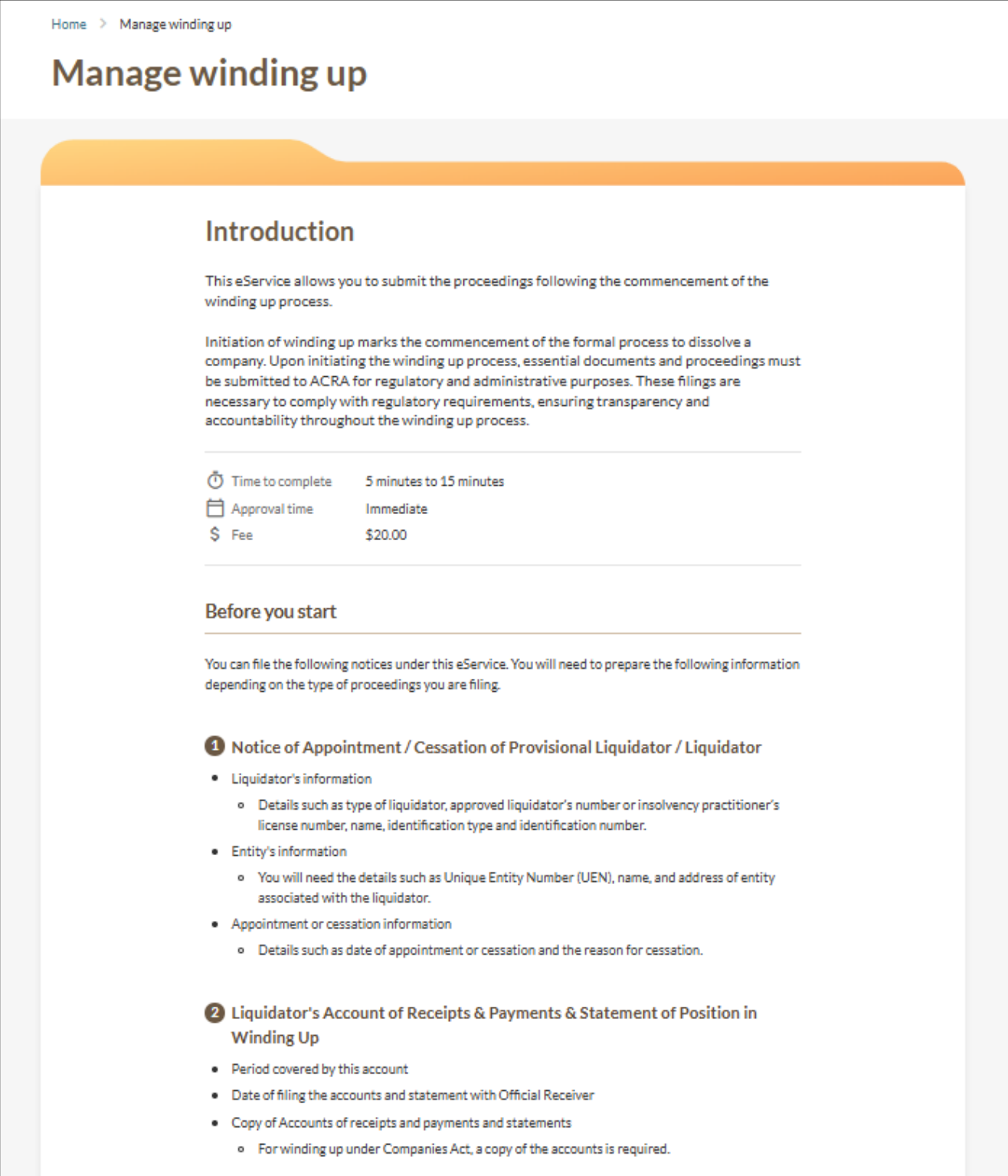
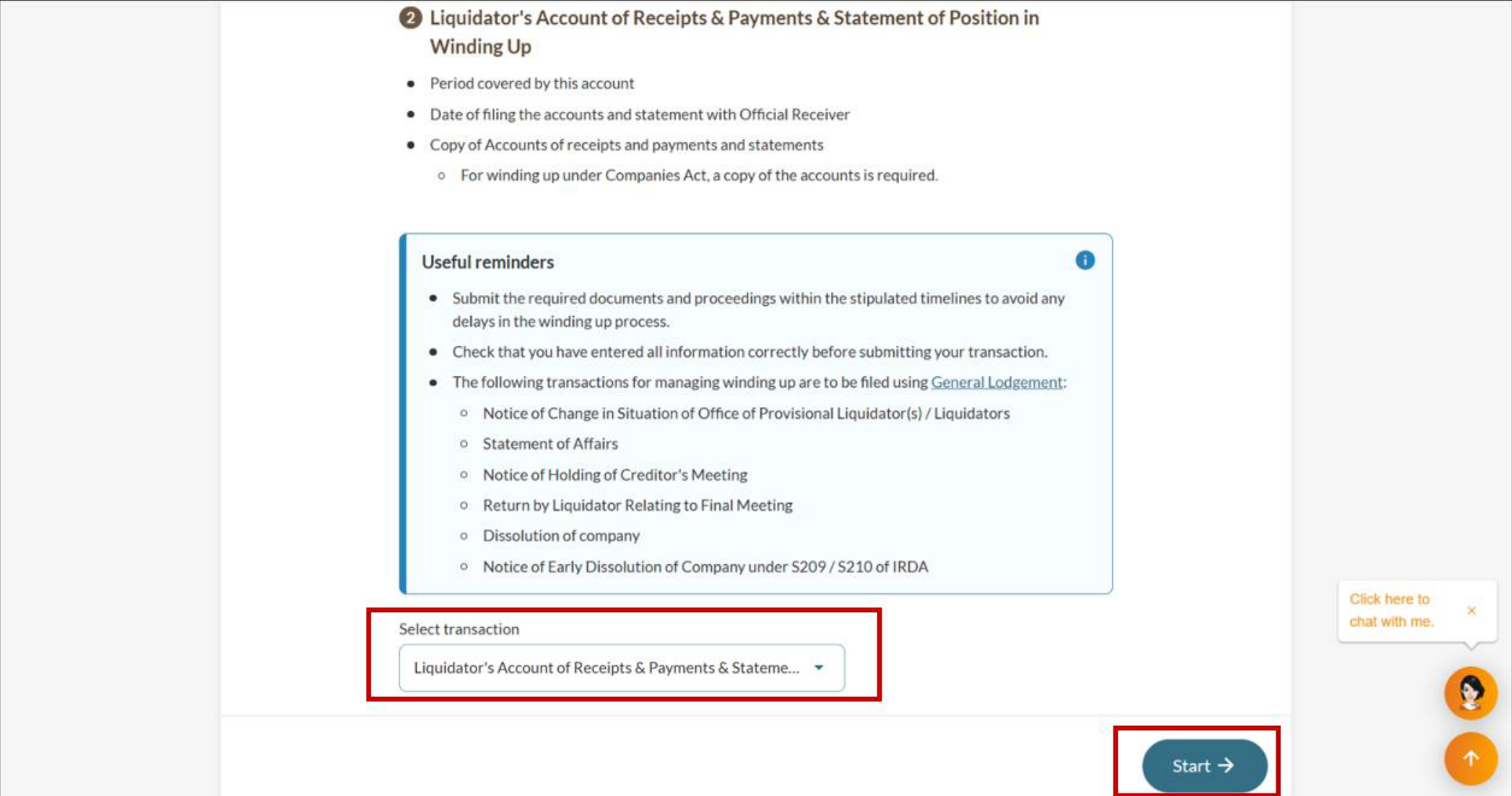
Step 1: Log in to Bizfile and open the “Manage winding up” eService
Follow these steps to log in to Bizfile and navigate to the Manage winding up (opens in new tab) eService.
Note: All entity and personal information (including UEN, entity details, NRIC or FIN numbers, names and addresses) shown are dummy data for illustration purposes only.
Step 2: File the liquidator's accounts and statement of position
Follow the relevant section based on when the winding up began.
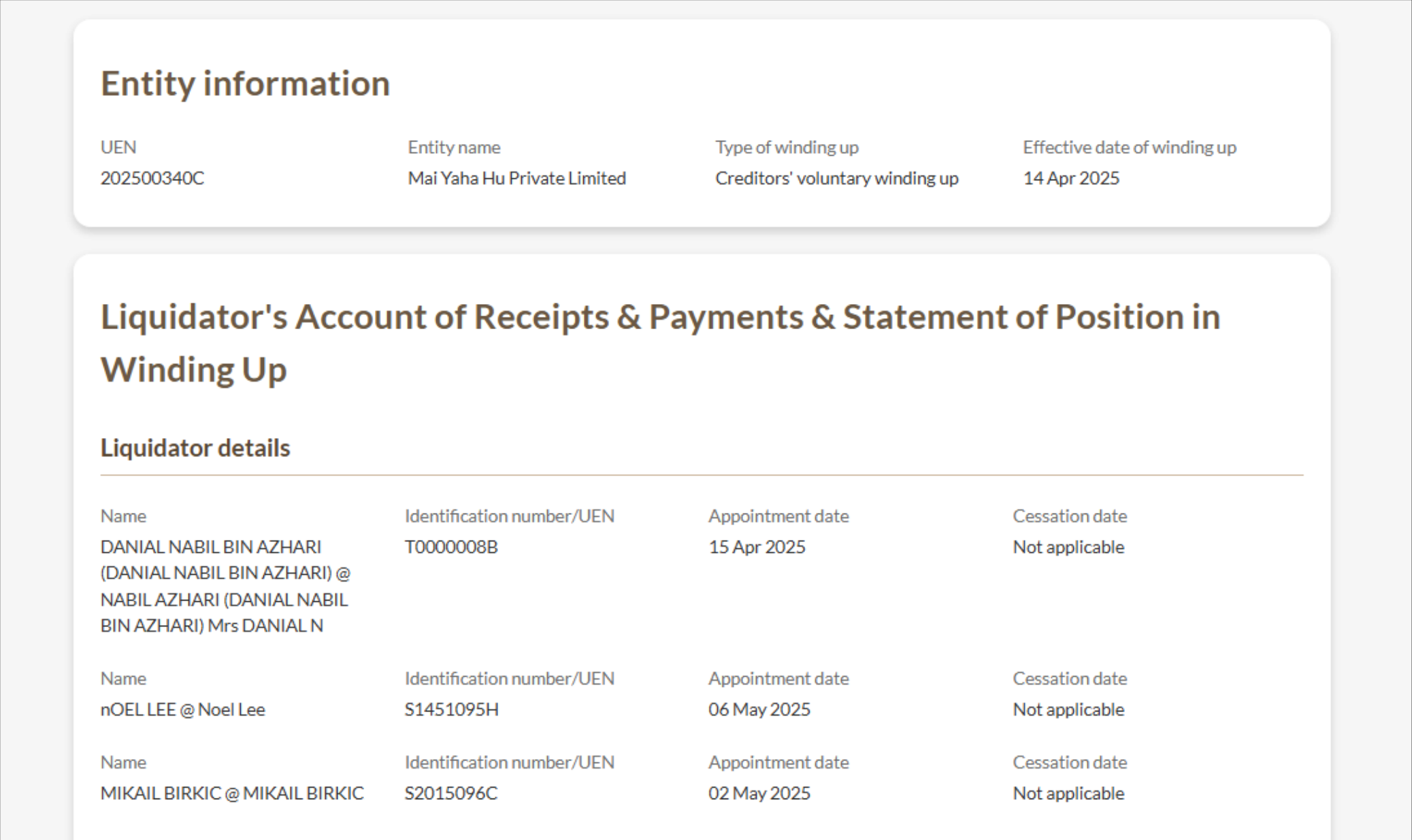
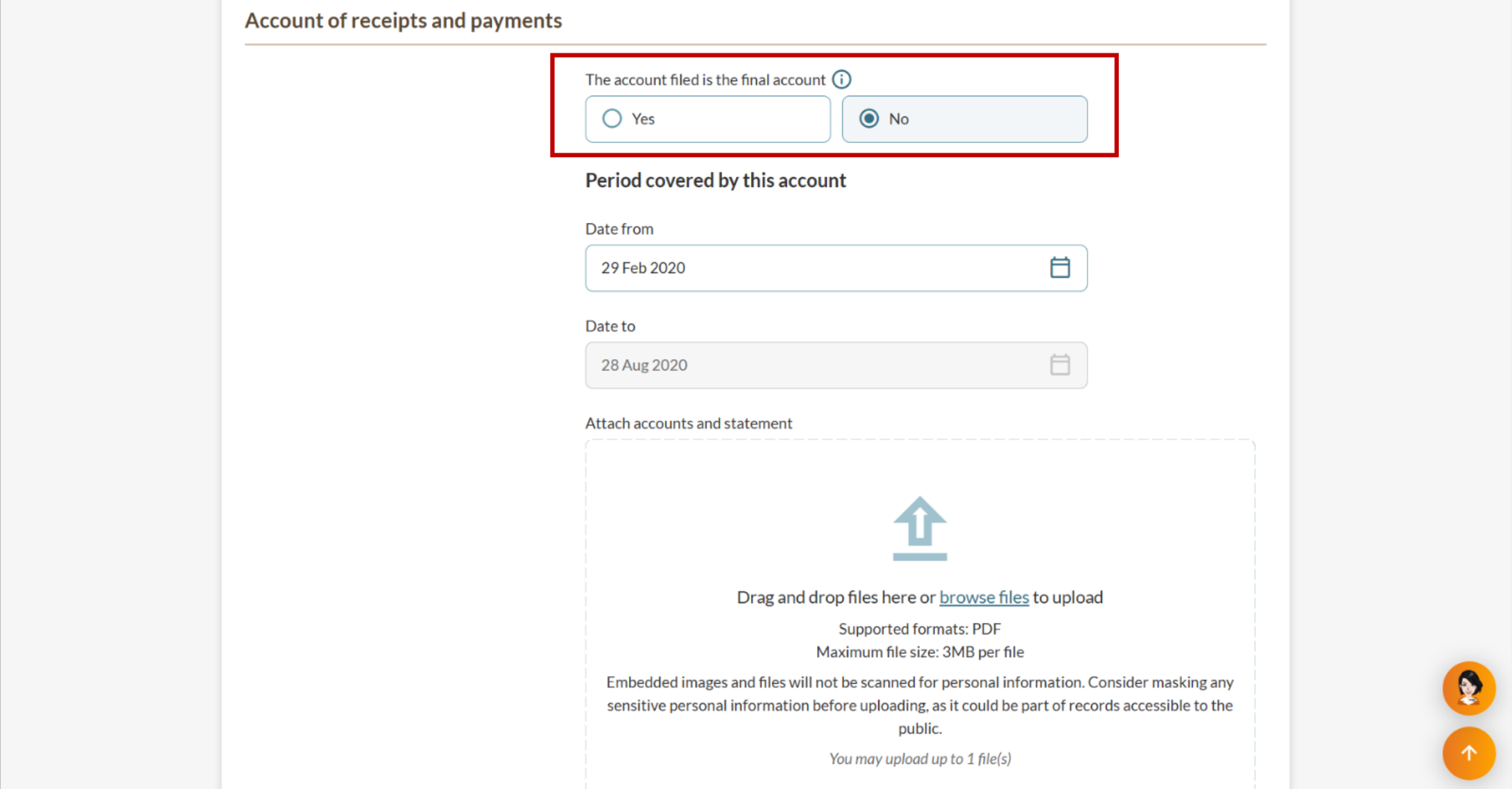
For pre-IRDA filings
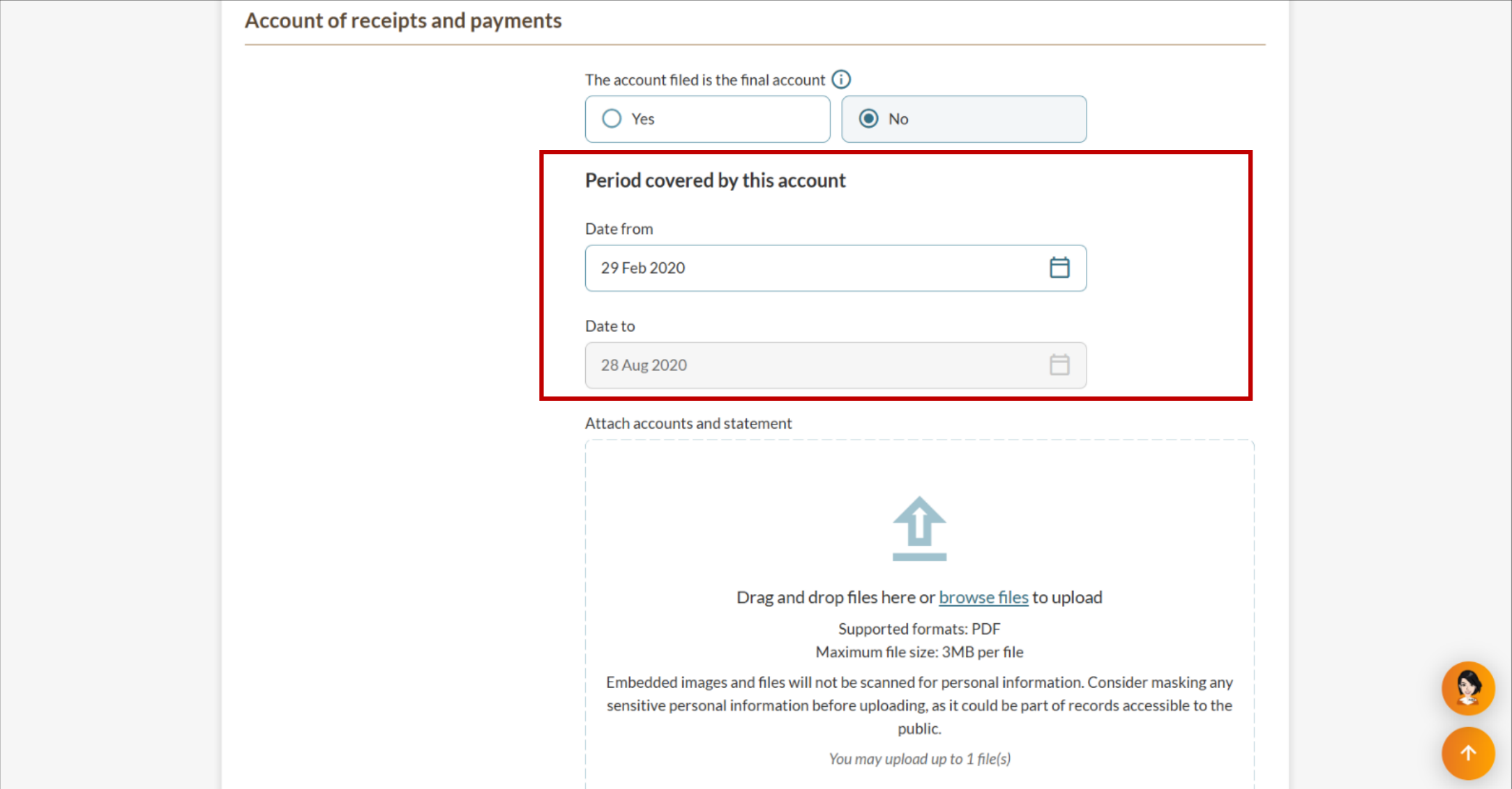
The initial "Date from" will automatically show the liquidator's earliest appointment date, which you can edit. For subsequent filings, it shows the day after your previous filing's end date and cannot be edited.
The "Date to" is automatically set to six months after the start date and is typically not editable, except when a liquidator has ceased within the current account period. The filing period cannot exceed six months, and you must submit after the end date.
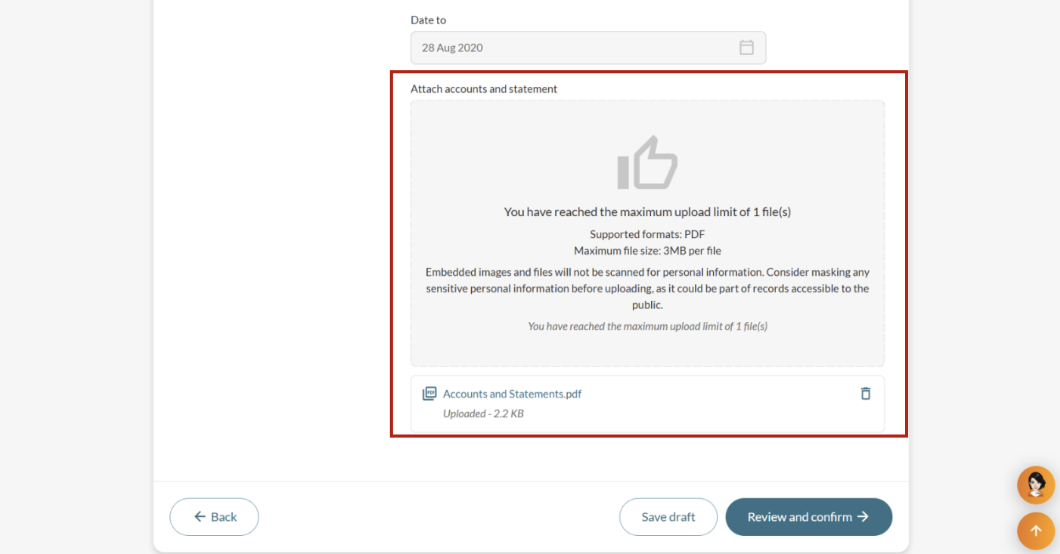
Upload the accounts and statement documents. Then, click "Review and confirm" to proceed.
For post-IRDA filings
The initial "Date from" will automatically show the liquidator's earliest appointment date and is editable. For subsequent filings, it shows the day after your previous filing's end date and cannot be edited.
The "Date to" is automatically set to twelve months after the start date and remains editable. The filing period cannot exceed twelve months, and you must submit after the end date.
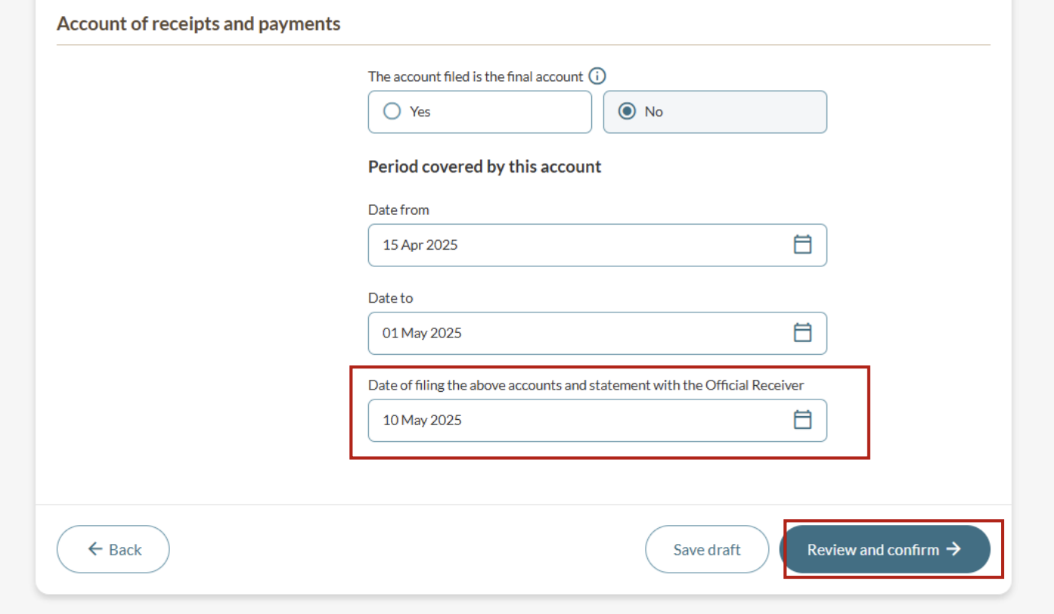
Enter the date of filing the accounts and statement to the Official Receiver. Then, click "Review and confirm" to proceed.
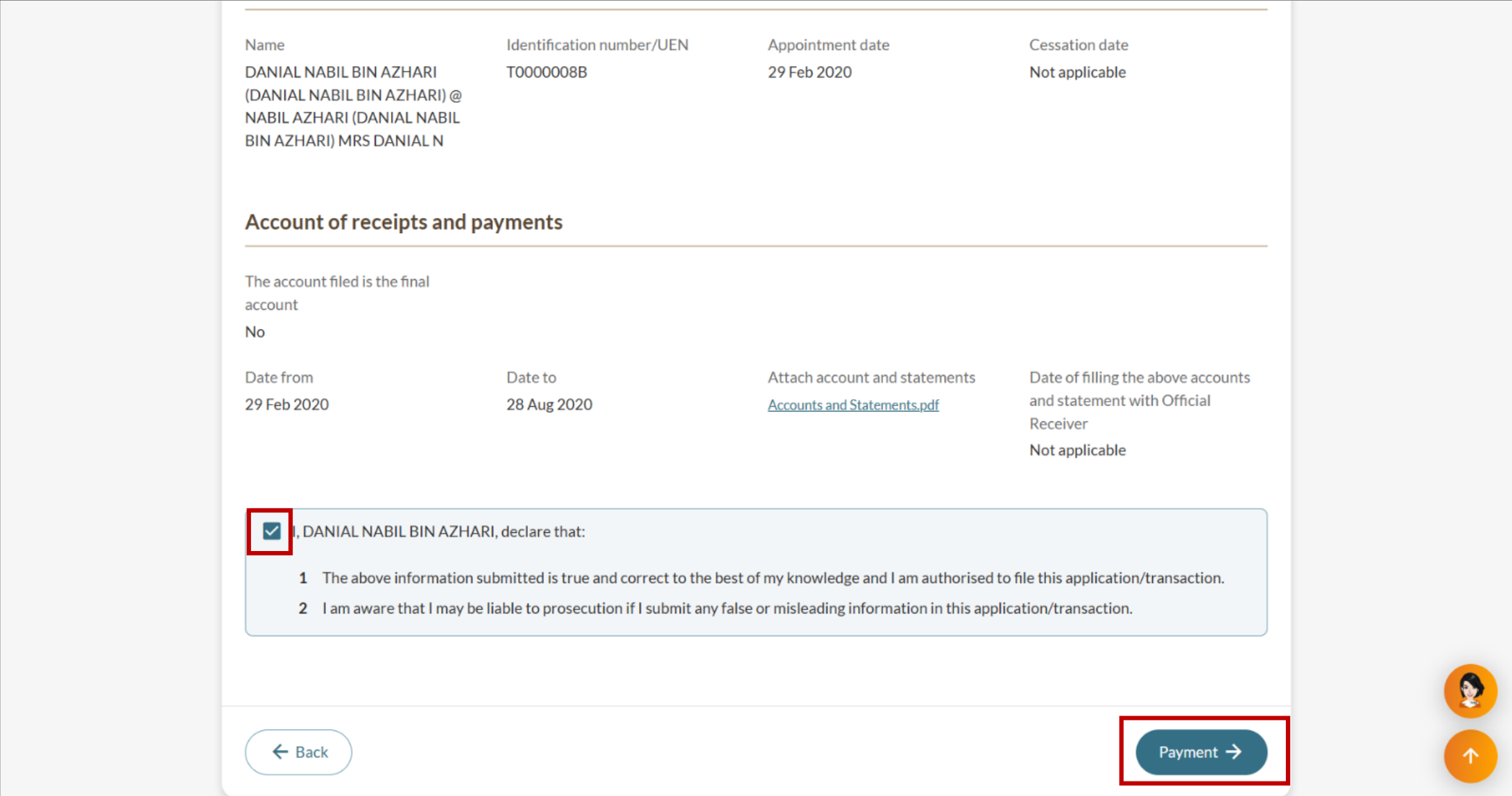
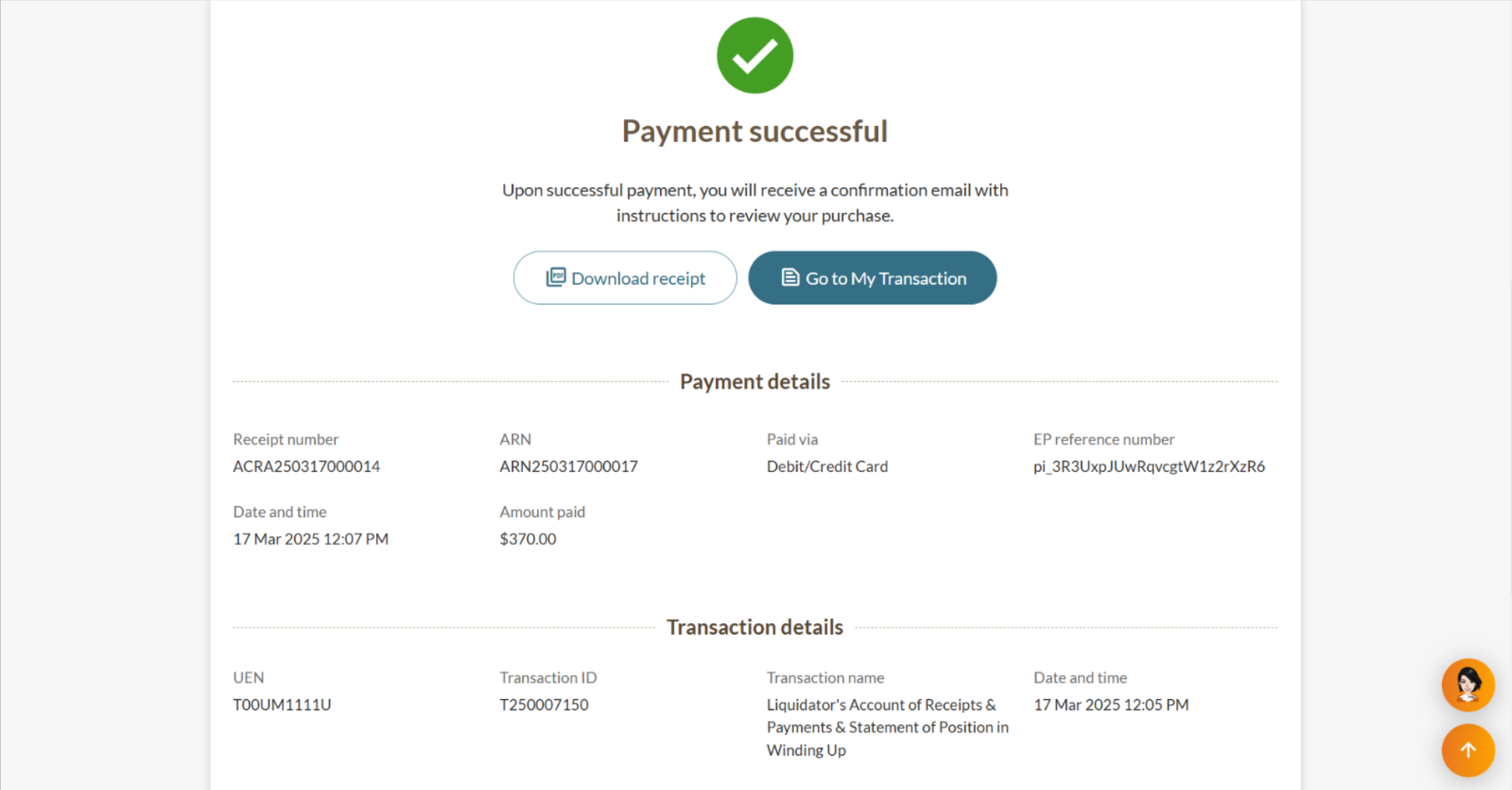
Step 3: Review and submit
Review all details carefully before submitting.