
Registering a sole proprietorship or partnership
Learn how to register a sole proprietorship or partnership in Singapore through Bizfile.
Last updated 29 January 2026

Before you register
This guide explains how to register a sole proprietorship or partnership using Bizfile. You need to reserve a business name before you register a new business.
Learn more about:
Who may register
Registration requirements
Profile | Requirements |
|---|---|
Locals and foreigners with Singpass |
|
Foreigners without Singpass |
|
What you need to prepare
Required information
You need to prepare | Details |
|---|---|
| You need to successfully reserve a business name before you register a new business. Note: You must register the same entity type that you chose when you reserved your business name. |
|
|
|
|
| The main address where you will run your business.
|
| Owners, partners and authorised representatives are called position holders. They must meet the relevant requirements for the sole proprietorship or partnership.
|
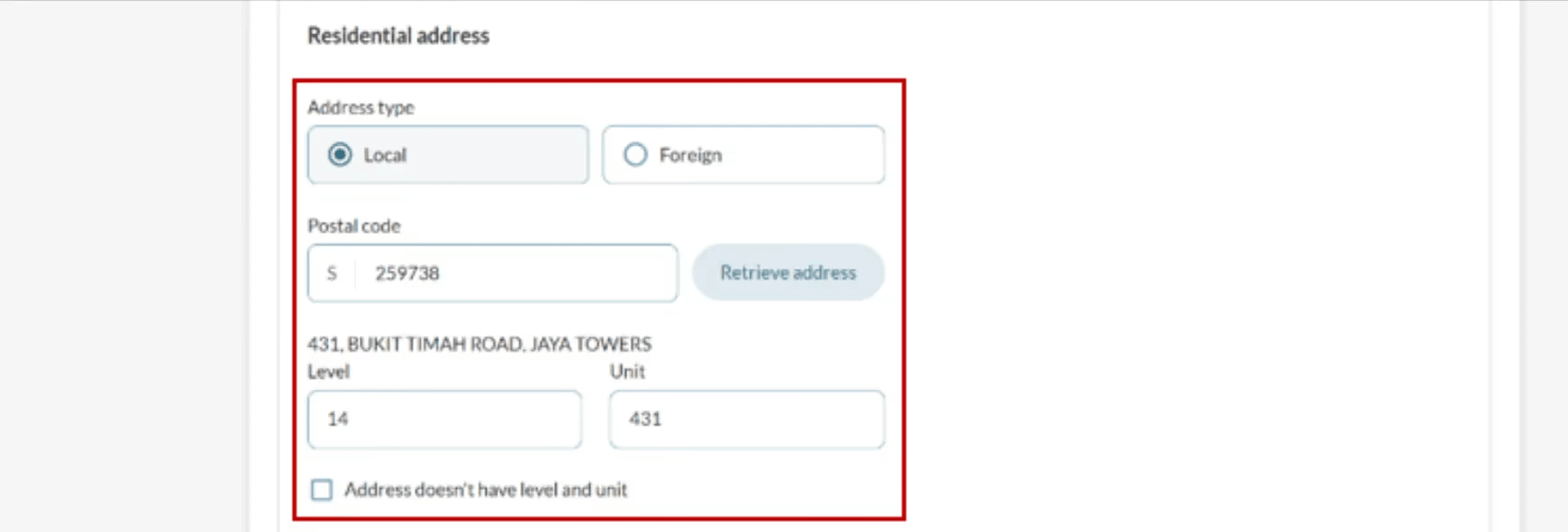
| All owners must provide their residential address when they register. ACRA will send all official letters to the residential address. |
| Contact addresses are displayed in ACRA's public records. It can be the same as the residential address. You must file a contact address that meets these requirements:
Note: There are no fees to register a contact address. |
| A nominee or trustee is someone who acts for the real business owner. They must be registered as an owner or partner too. Prepare their:
|
|
|
Fees and processing time
Business registration
What you need to know | Details |
|---|---|
Fees | The registration fee depends on your registration period:
Note: You have to renew your registration before it expires. |
Payment method | Credit card, debit card, or online banking |
Processing time | Most registrations are approved soon after payment. Complex registrations may take up to 15 working days. Registrations that need extra approval from referral authorities take 14 to 60 days. |
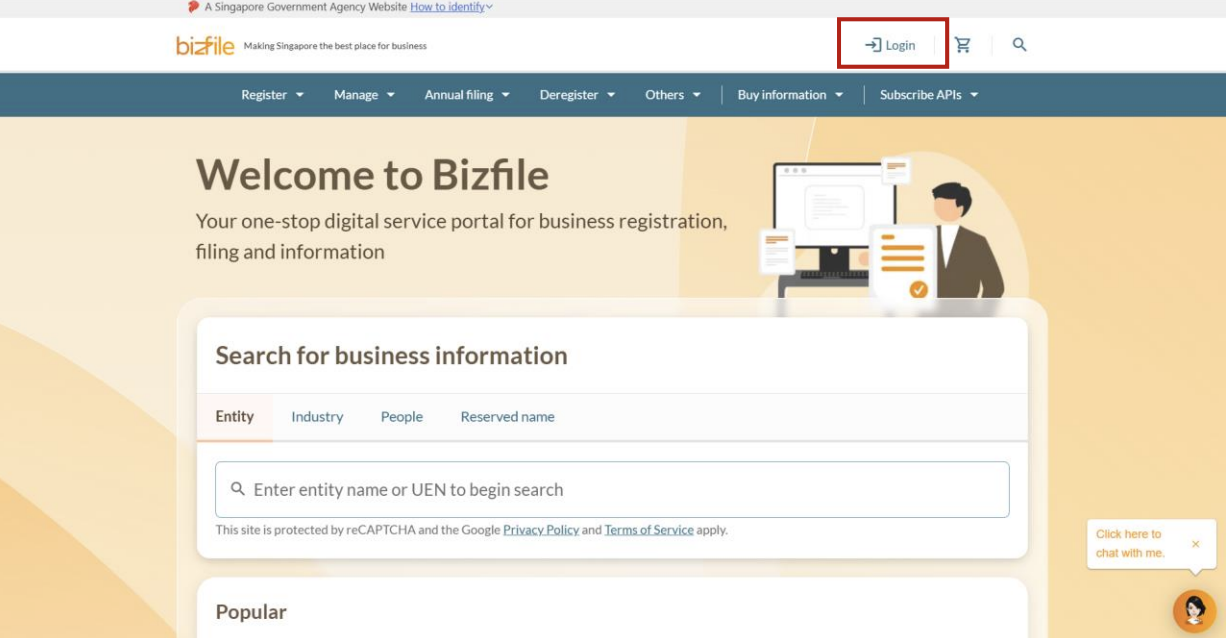
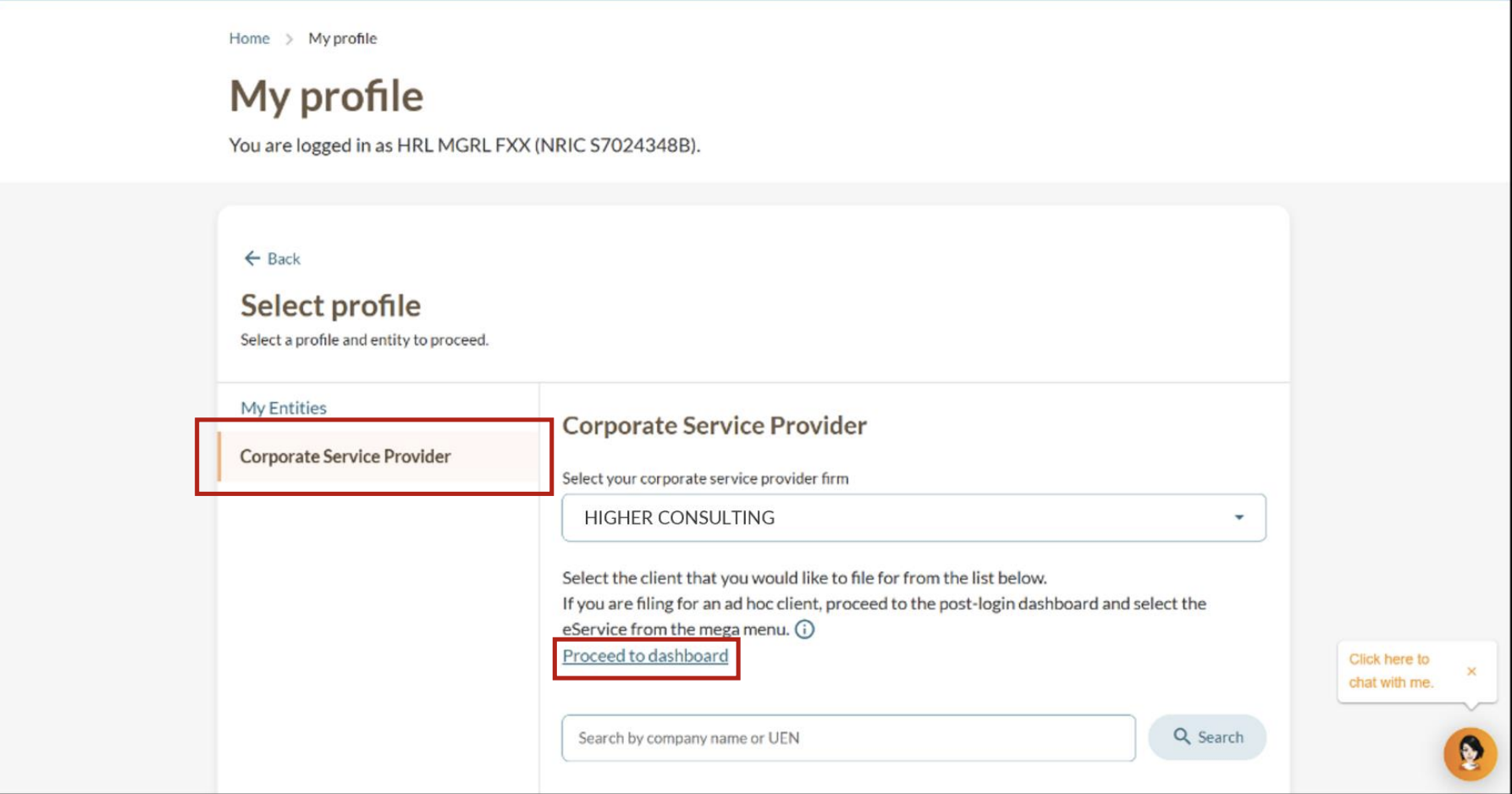
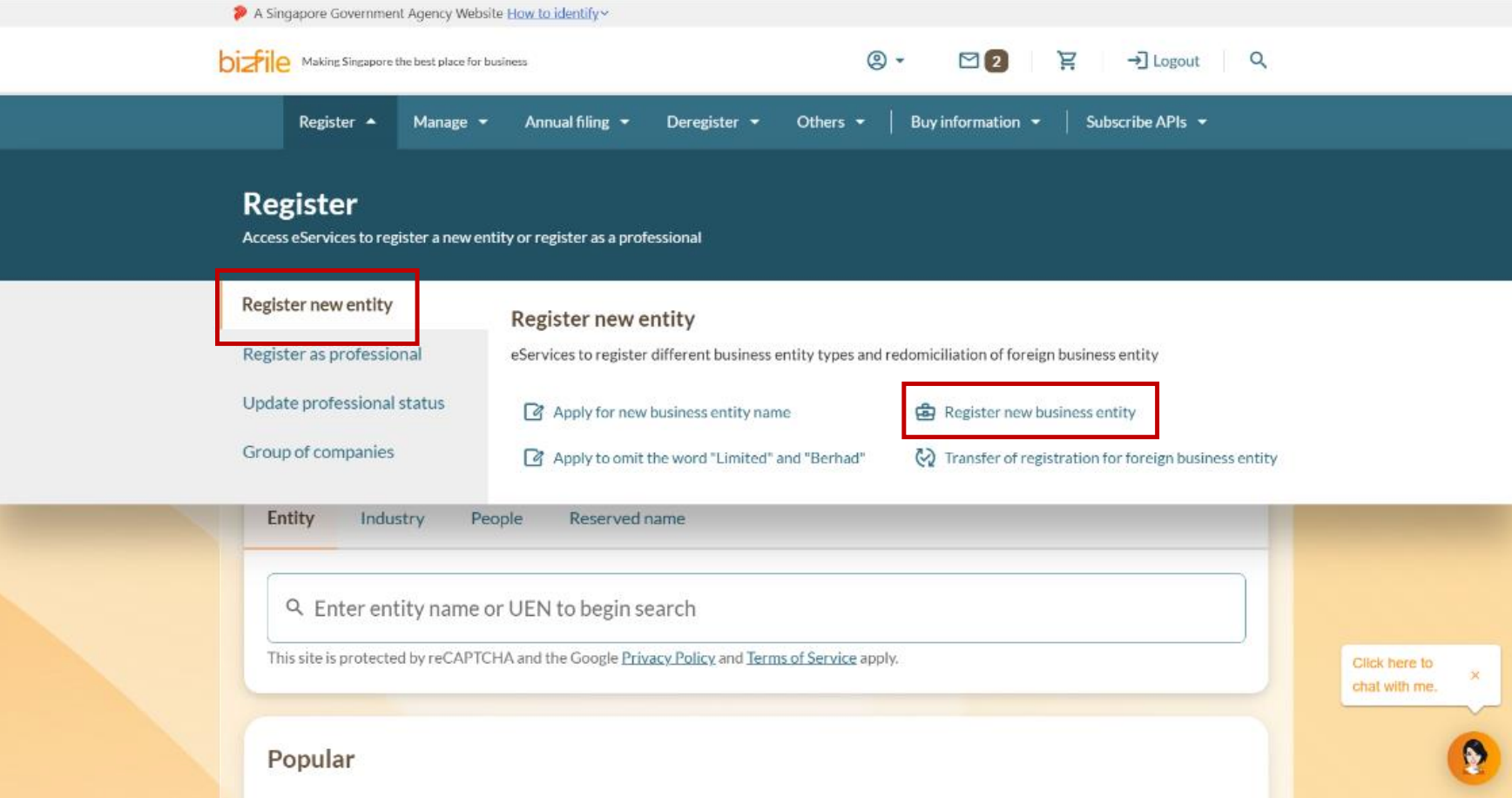
Step 1: Log in to Bizfile and open the "Register new business entity" eService
Follow these steps to navigate to the right eService.
Note: All entity and personal information (including UEN, entity details, NRIC or FIN numbers, names and addresses) shown are dummy data for illustration purposes only.
.png)
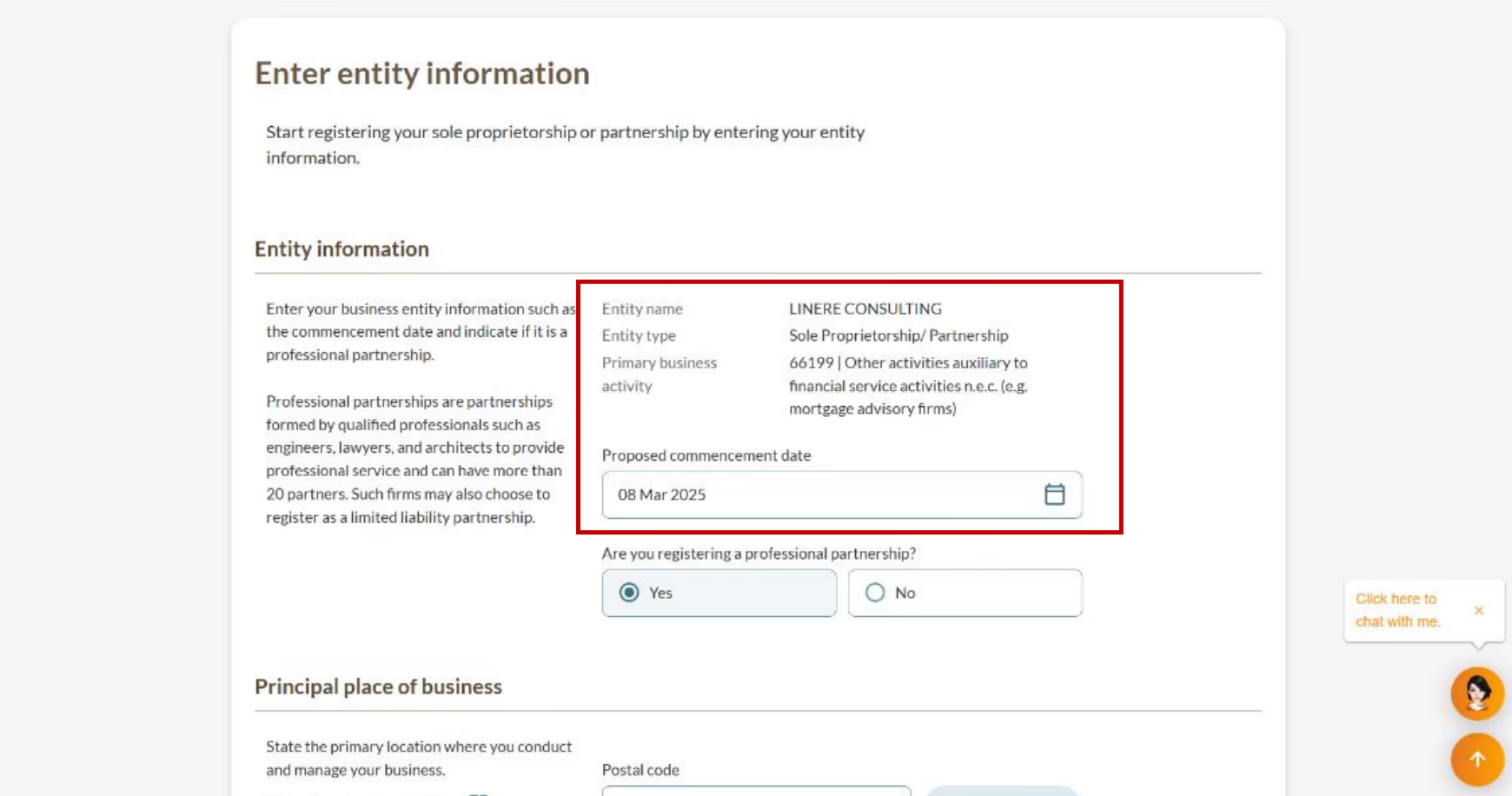
Step 2: Enter your business details
You can use your name registration eService number to automatically fill key details. You'll also need to provide your business address (where your business operates) and business email.
.png)
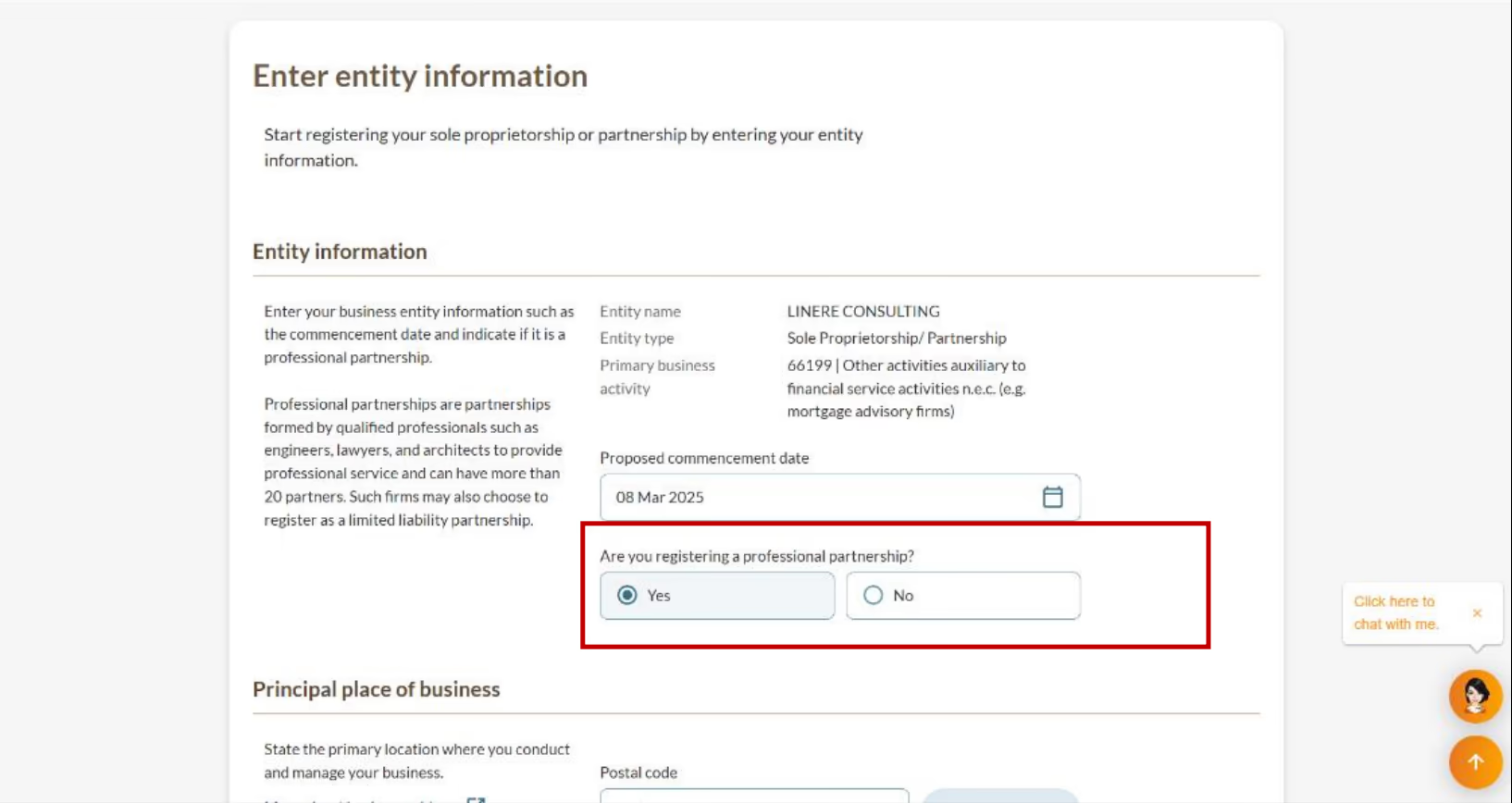
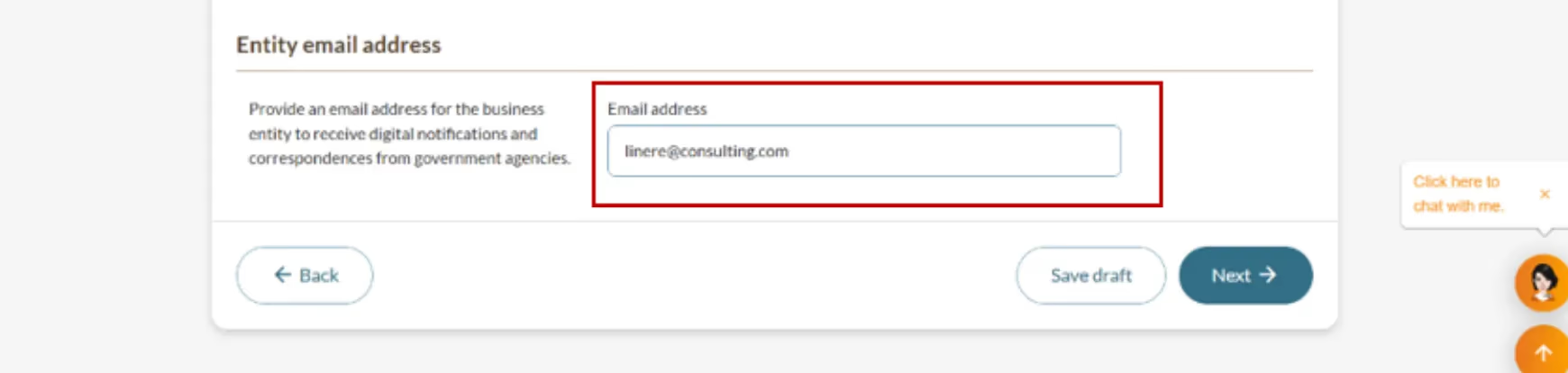
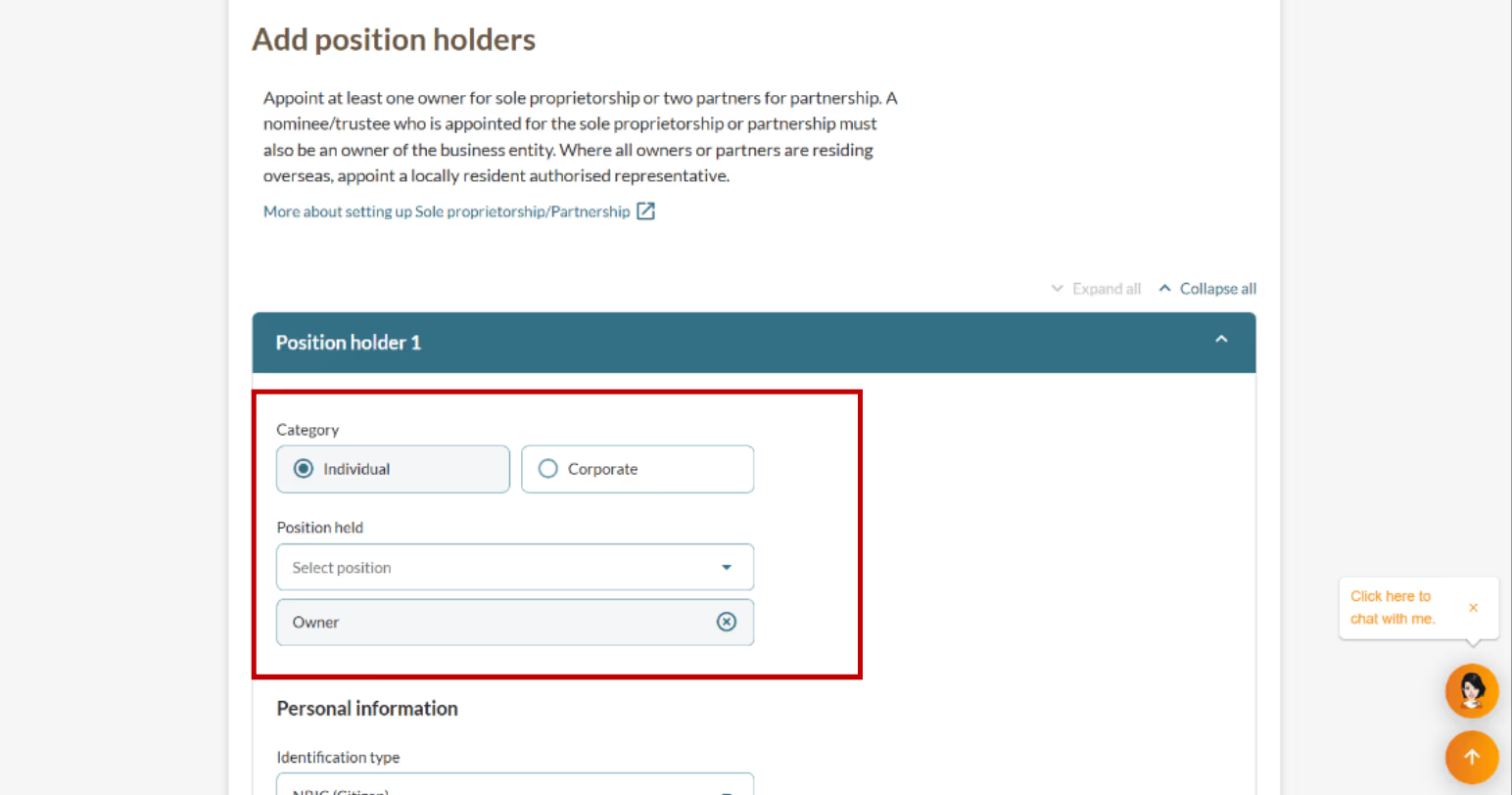
Step 3: Add owners or partners
Owners or partners are called position holders. Your position holders can be individuals or corporate entities.
3a: Enter personal details and address
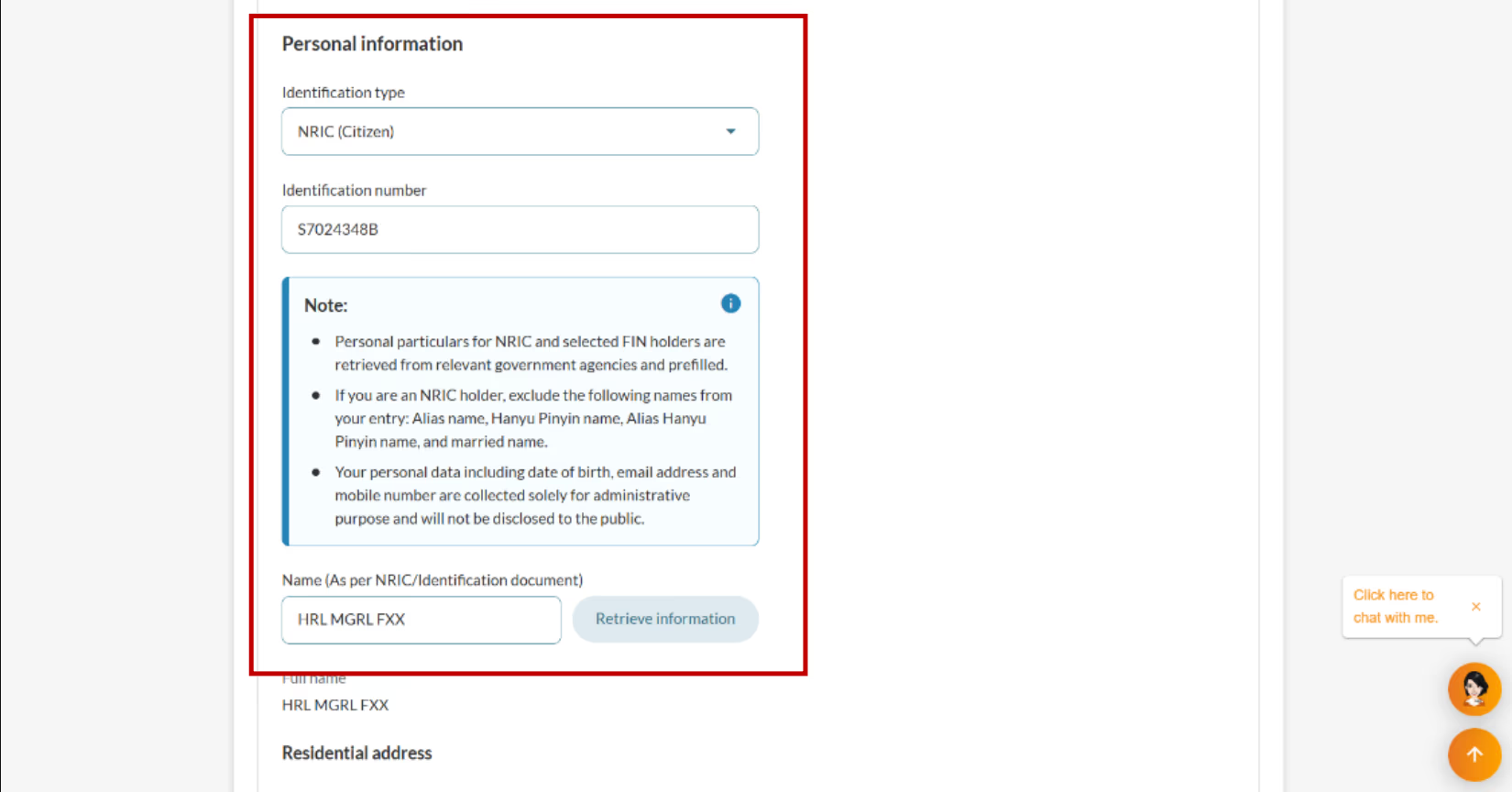
.png)
3b: (If applicable) State nominees or trustees
A nominee or trustee is someone who acts for the real business owner. They must be registered as an owner or partner, and confirm they agree to this role. This lets the real owner use a representative while keeping clear records with ACRA.
.png)
.png)
.png)
.png)
3c: Add more owners or partners
Click "Add position holder" to add more owners or partners. Repeat steps 3a and 3b. Once you finish adding all of them, click "Next".
.png)
How to add more position holders
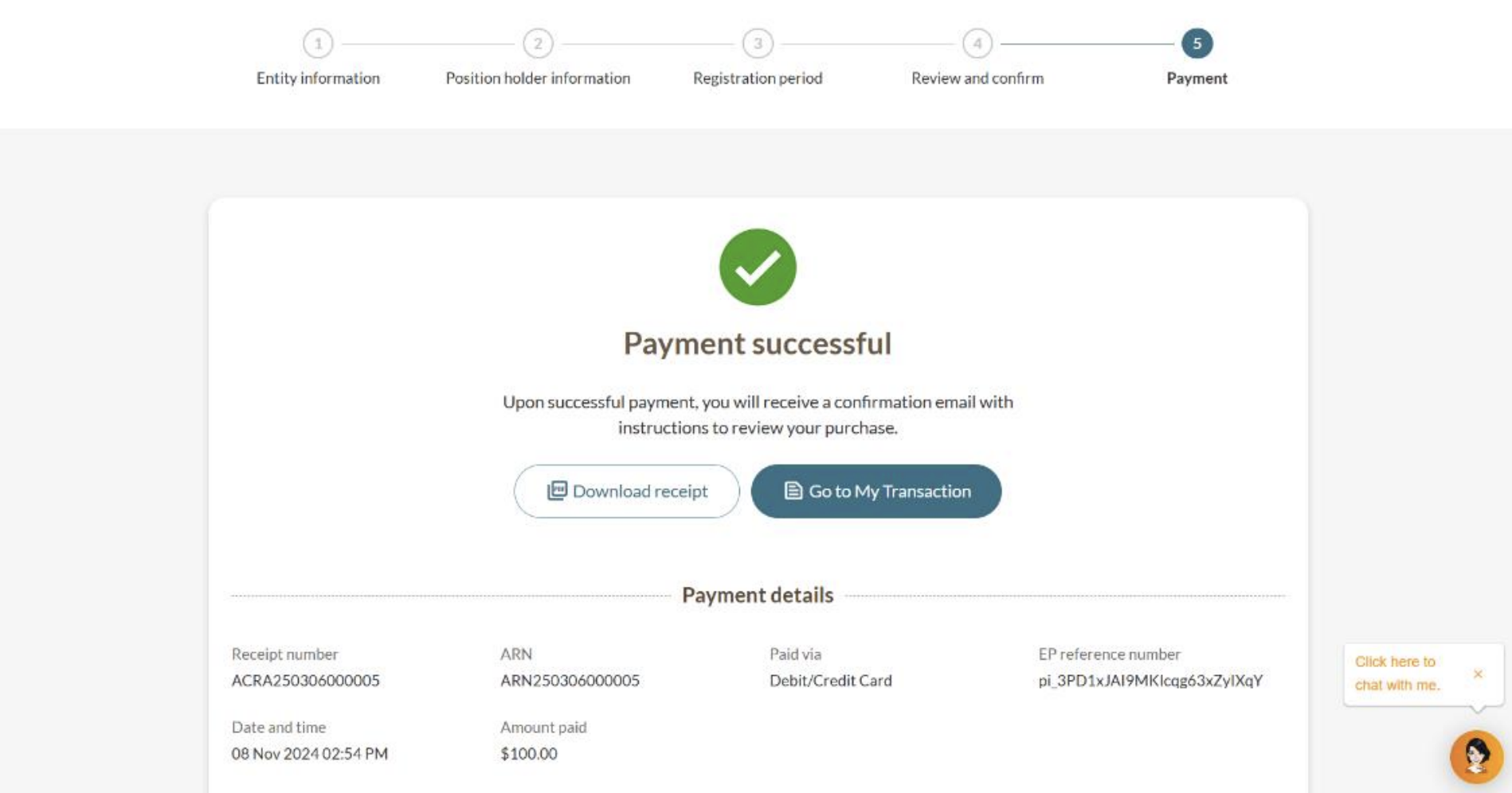
Step 4: Confirm your registration and pay
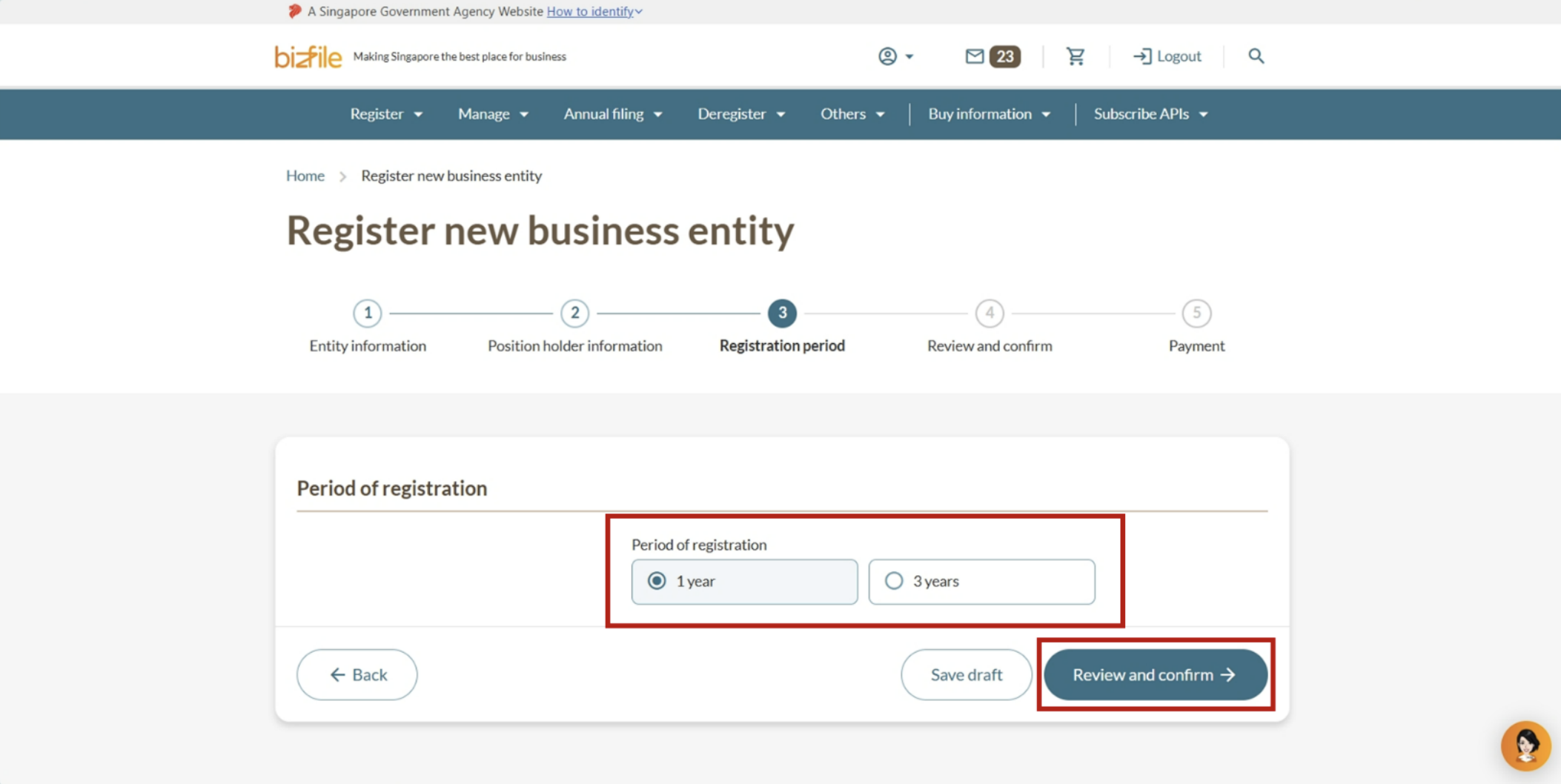
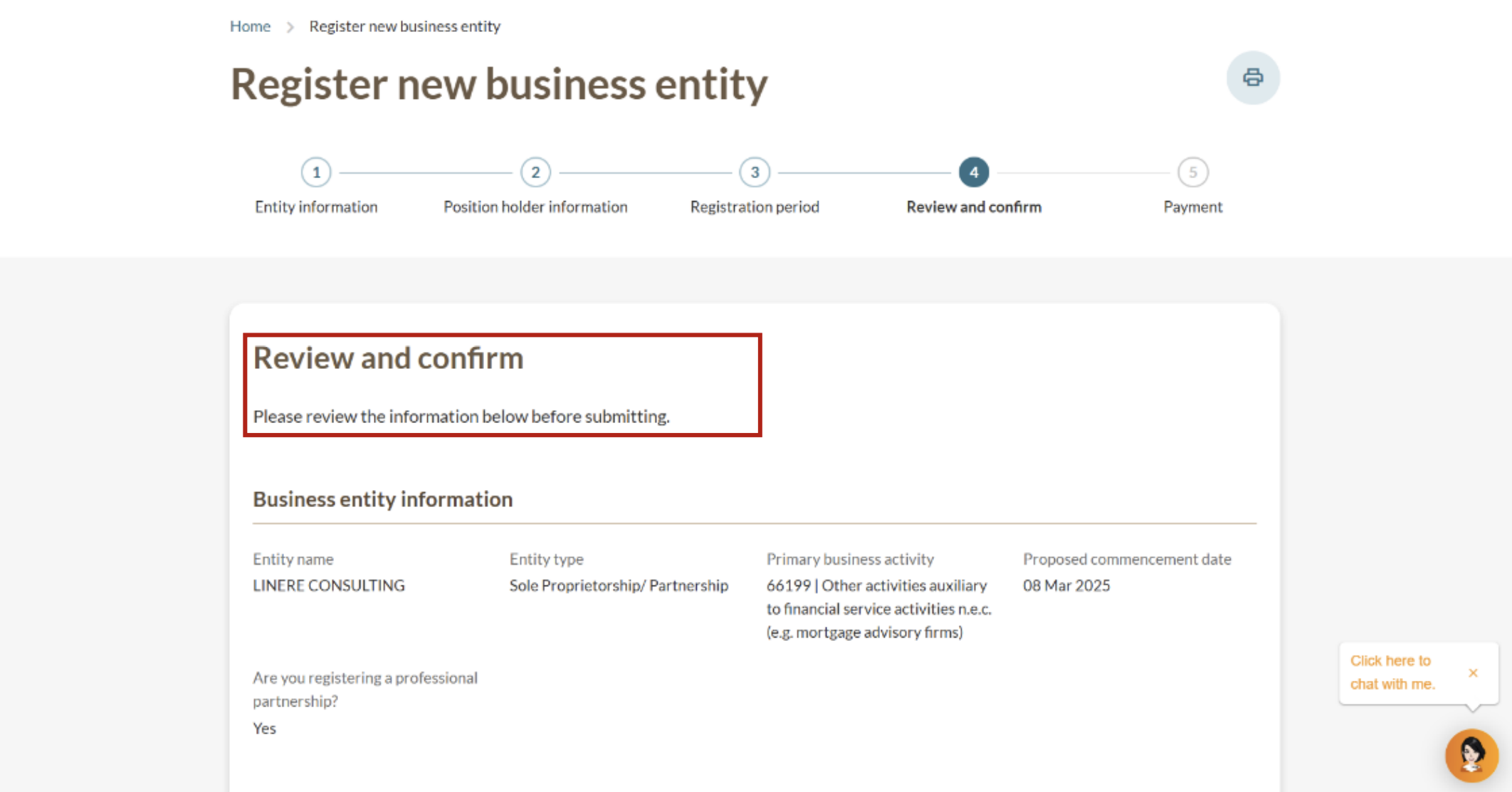
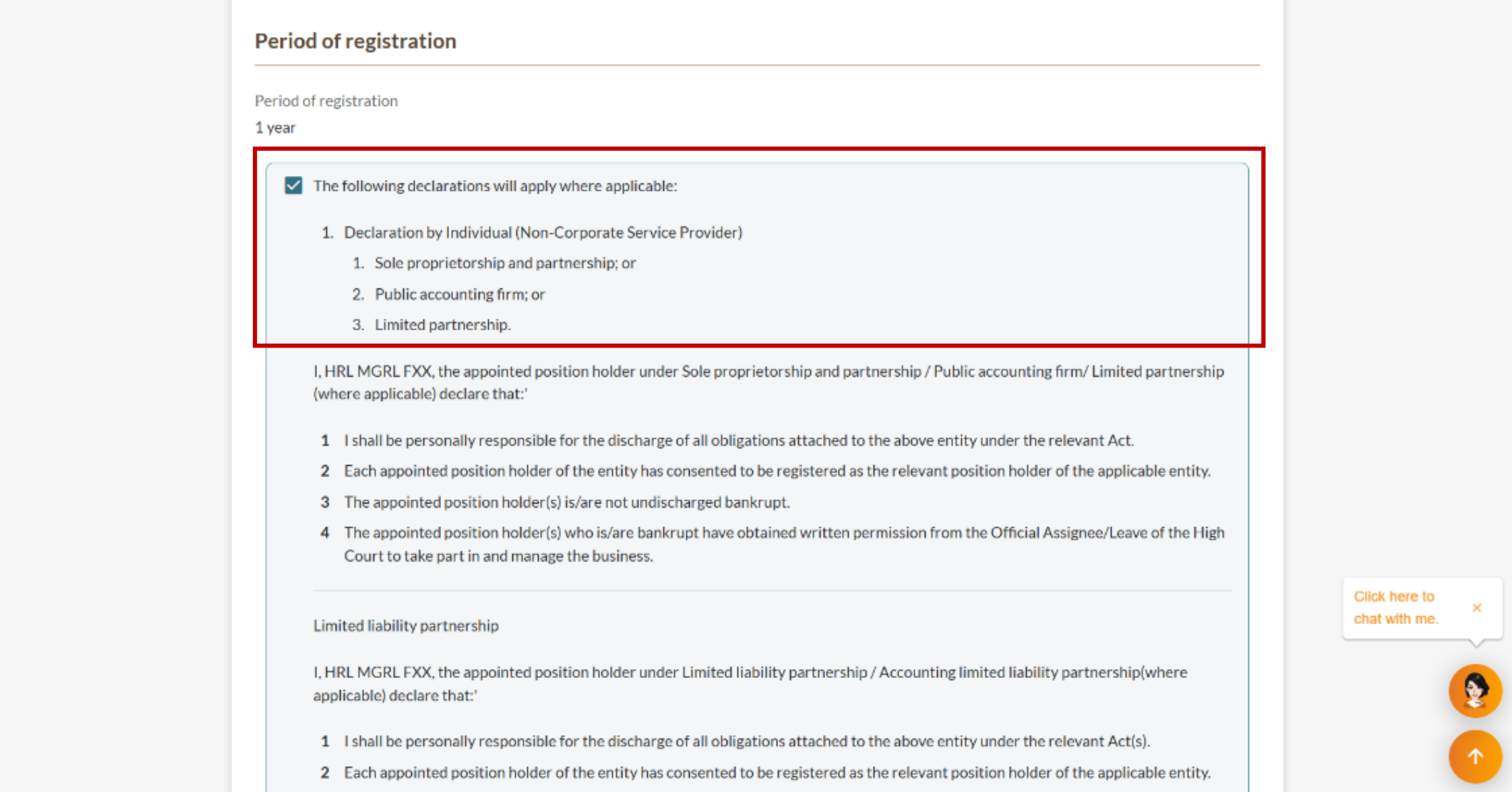
After you select your registration period, you need to confirm your registration and pay. Before you pay, you can buy a special unique entity number (UEN) that is easier to remember.
Step 5: Check your Bizfile inbox
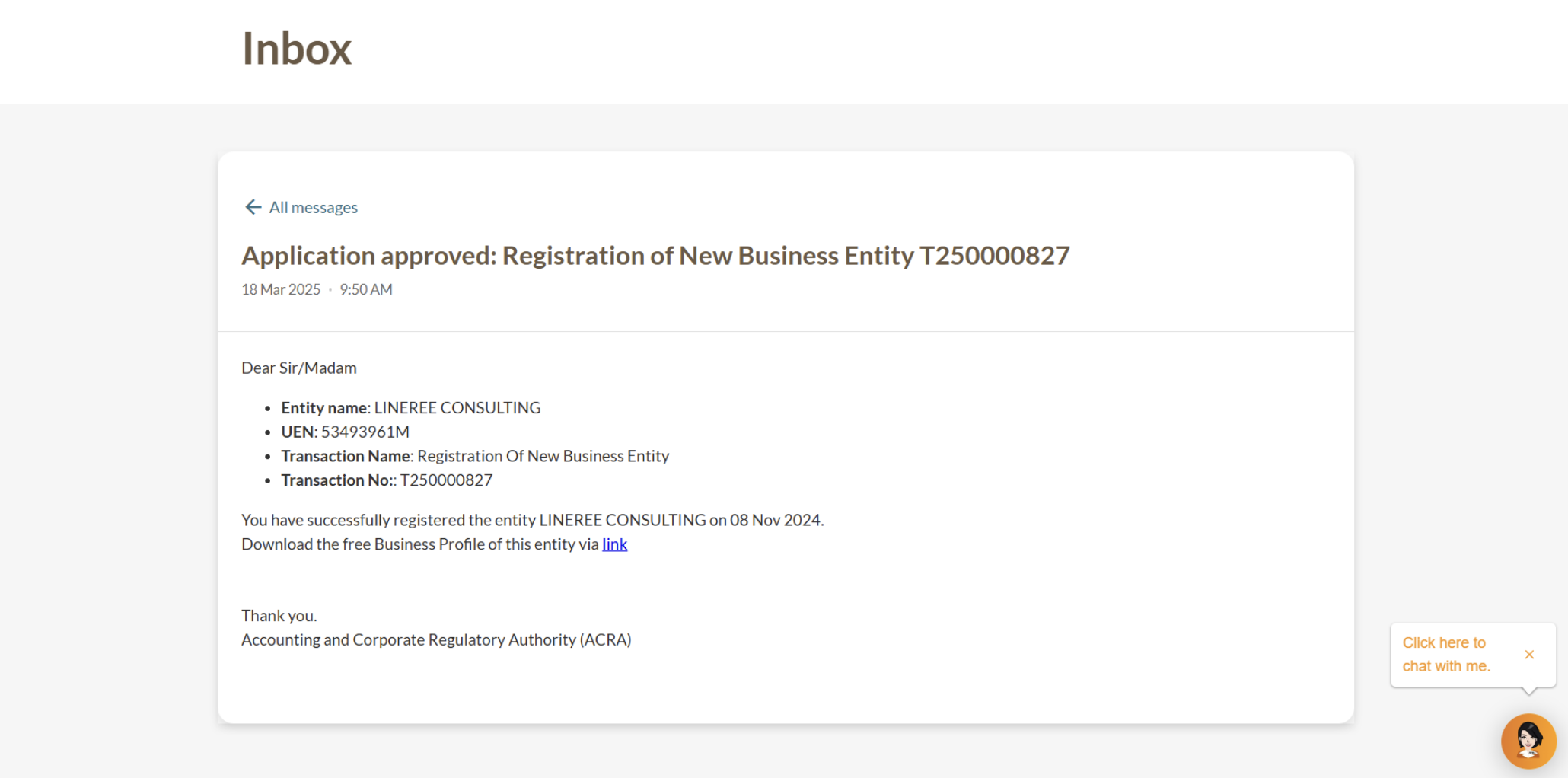
Check your Bizfile inbox for your registration outcome after you make payment.
If the registration is approved, you will receive:
Notice of successful registration.
UEN for your new business. Use this to deal with government agencies.
Link to download a free copy of your Business Profile.
Notice of successful registration
Related pages
Troubleshooting guide: Name application and business registration
Fix common issues when applying for a new business entity name and registering a new business entity on Bizfile.
Post-registration guide: Sole proprietorship or partnership
Lists the key requirements and services you need to know after you register your business.
Overview of managing a sole proprietorship or partnership
Get everything you need to know about managing your business in a single place, such as key requirements and Bizfile eService fees.