Closing a public accounting firm (PAF)
File the cessation of your public accounting firm (PAF) through Bizfile.
Last updated on 16 May 2026
Before you close
Use this guide if your PAF intends to cease operations entirely.
If you wish to stop providing public accountancy services but keep the entity for other services, cancel your public accounting entity (PAE) status instead. This allows the entity to continue operating as a business entity.
Who may close
The cessation can be filed by a:
Partner who is a public accountant
Partner under Section 18(3)(c)
What you need to prepare
Before applying, ensure the firm has:
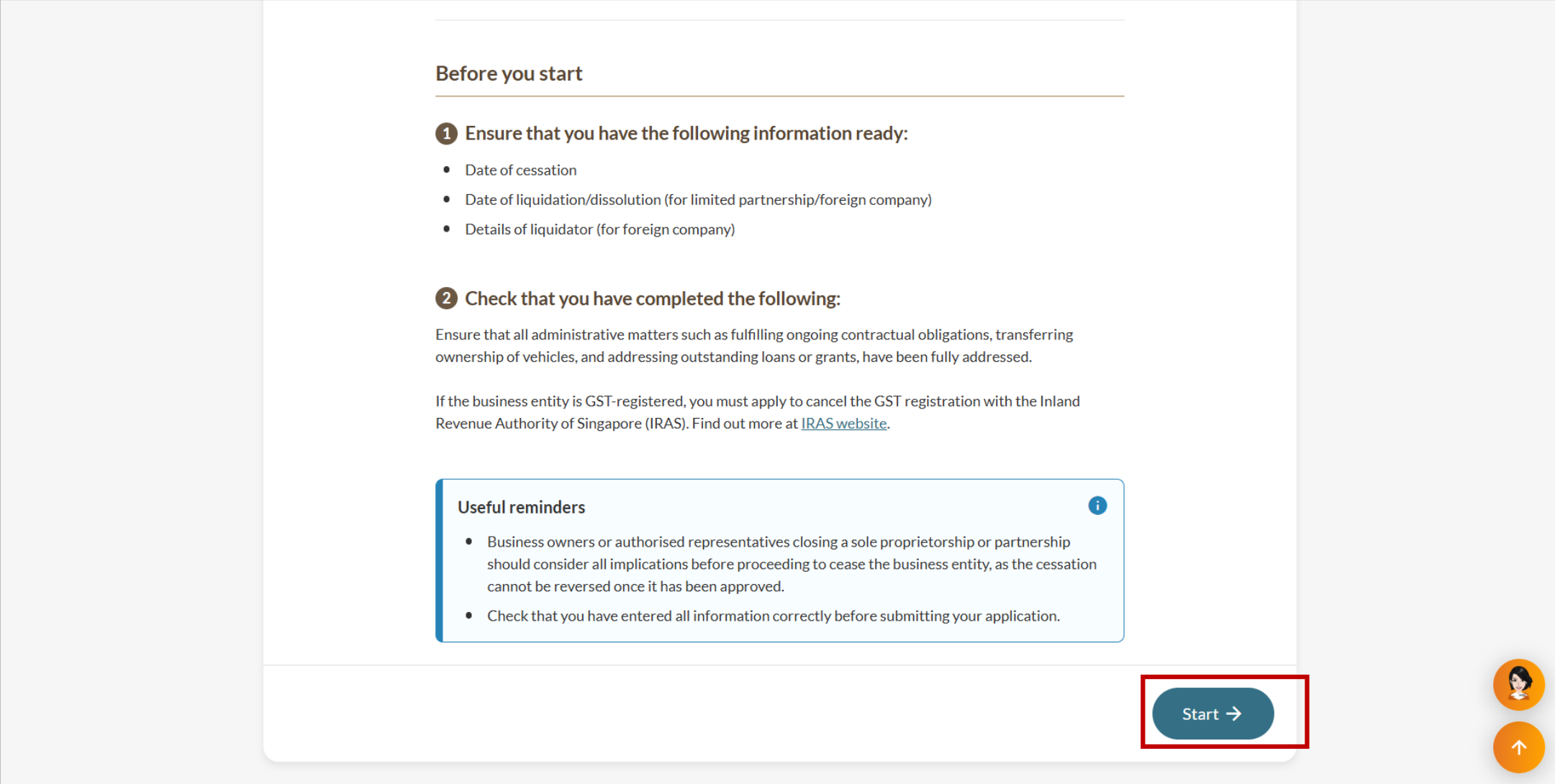
Settled all administrative matters. These include completing ongoing contractual obligations, transferring vehicle ownership, and resolving outstanding loans or grants.
Cancelled its GST registration with the Inland Revenue Authority of Singapore (IRAS) (opens in new tab), if the firm is GST-registered.
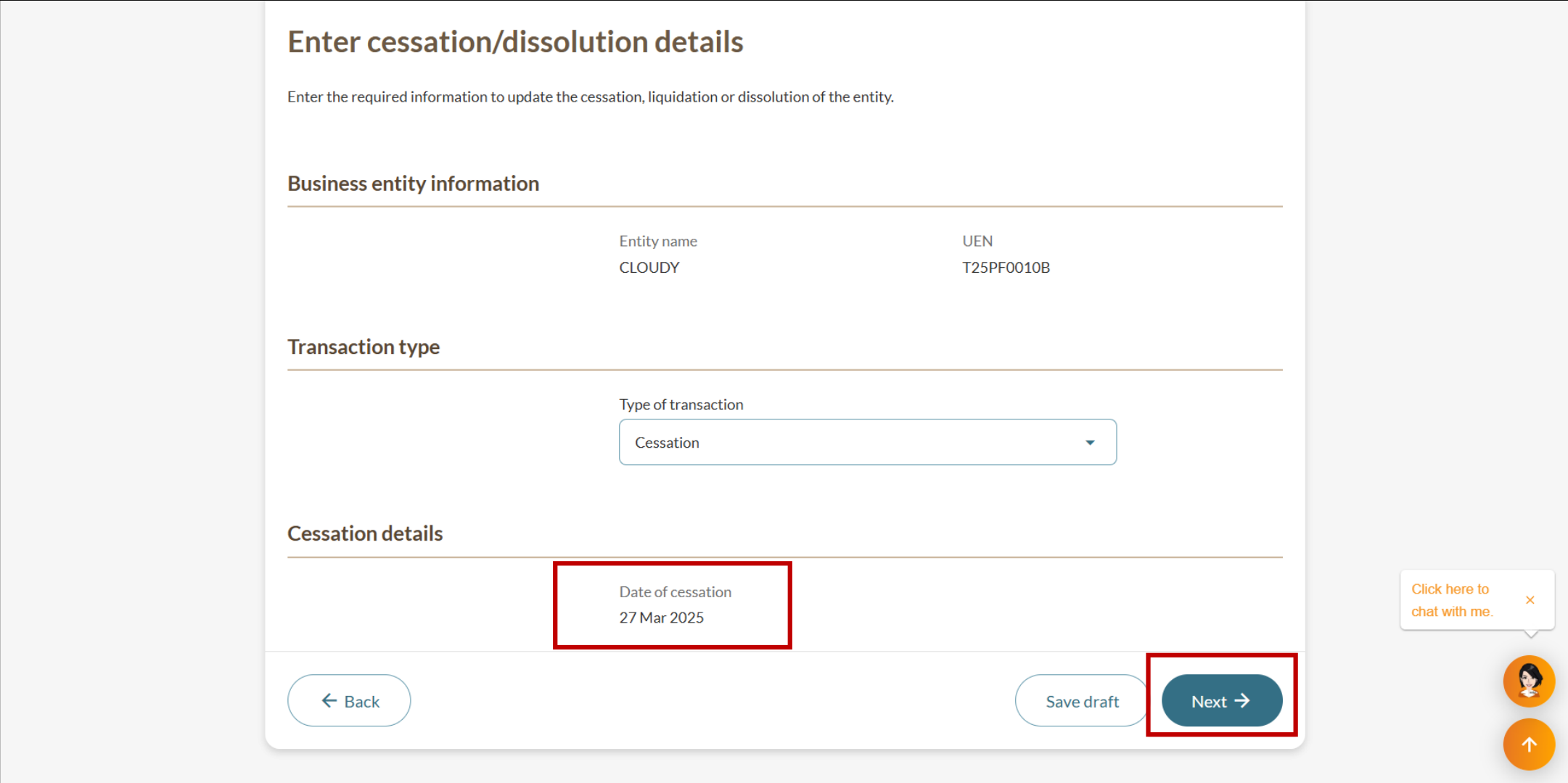
The cessation date is automatically set to today's date when you file. You do not need to prepare this.
Fees and processing time
File cessation or dissolution of business entity
What you need to know | Details |
|---|---|
Fees | Free |
Processing time | Immediate |
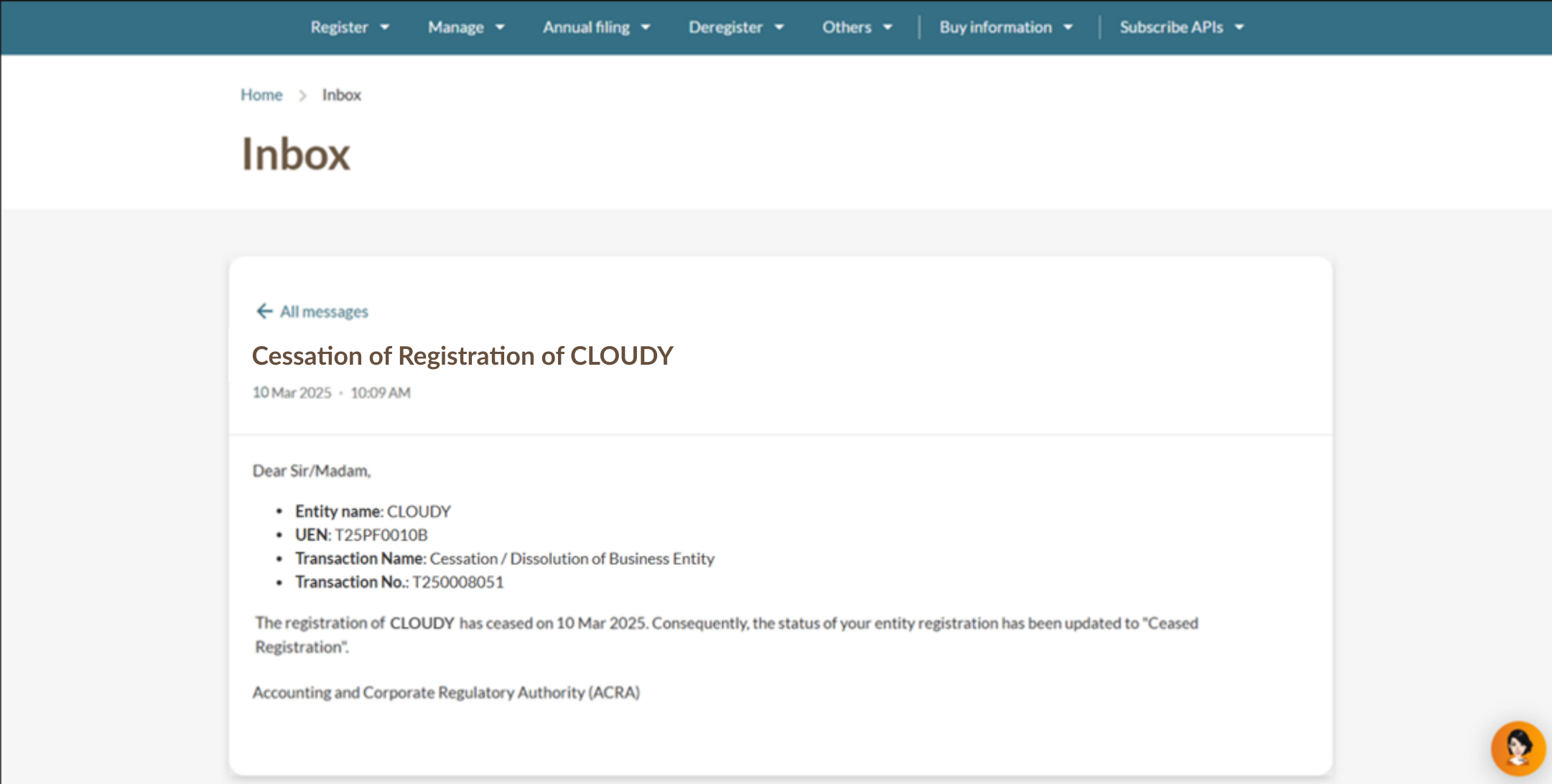
Note: Consider all implications carefully before you close your business. Your business will be closed immediately after you submit the eService. You cannot reverse the closure once ACRA approves it.
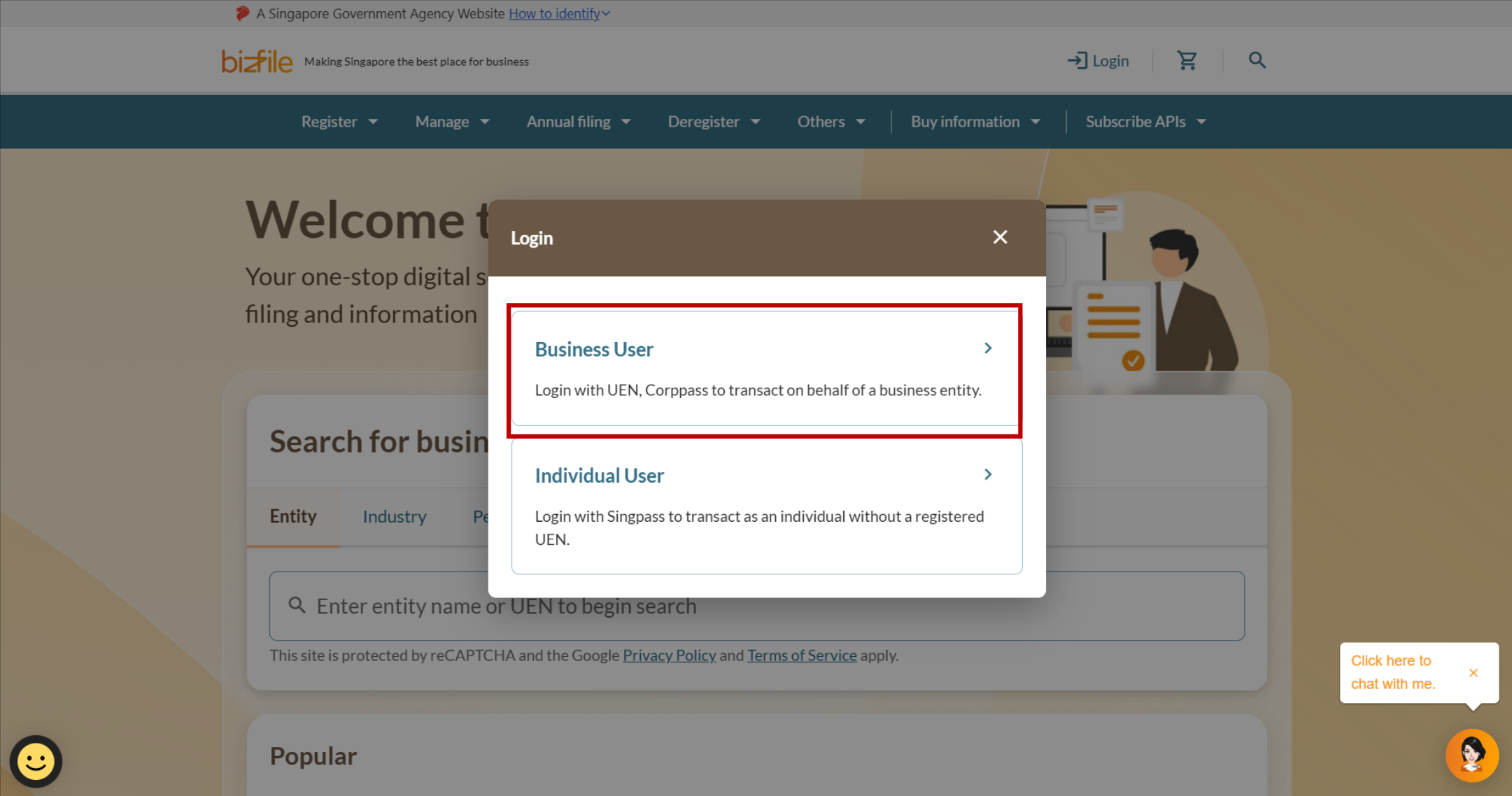
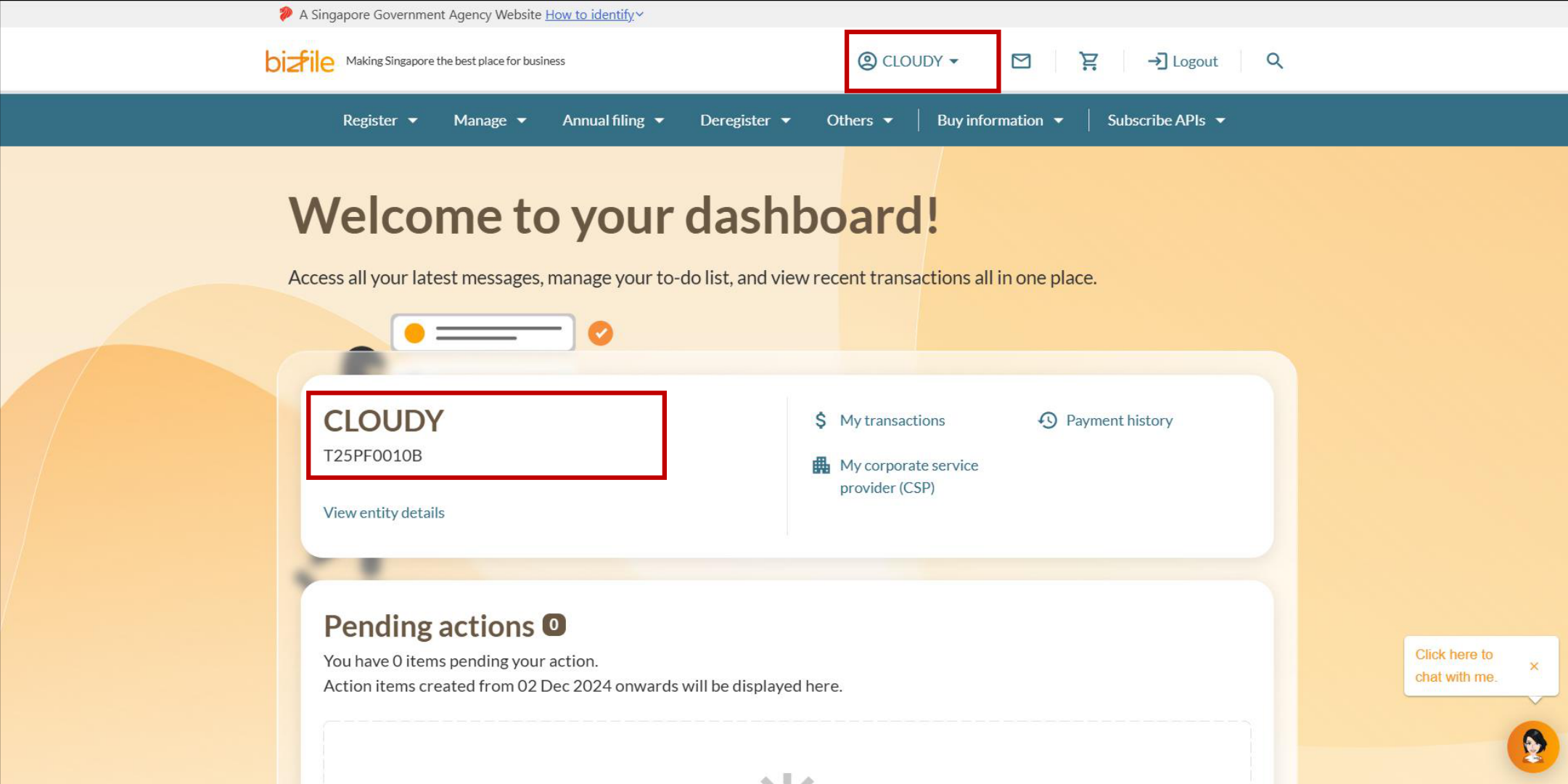
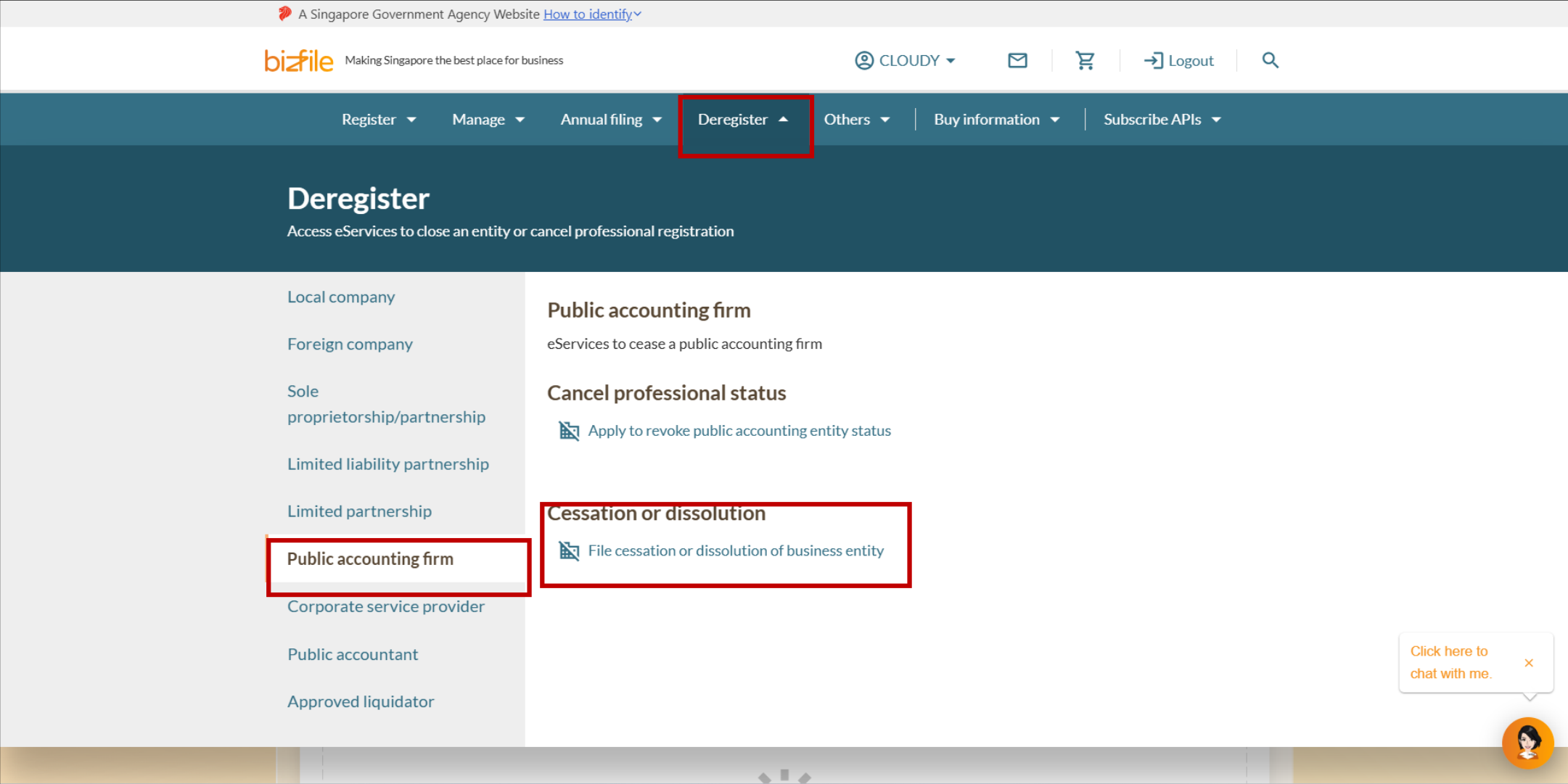
Step 1: Log in to Bizfile and open the "File cessation or dissolution of business entity" eService
Follow these steps to log in to Bizfile and navigate to the File cessation or dissolution of business entity (opens in new tab) eService.
Note: All entity and personal information (including UEN, entity details, NRIC or FIN numbers, names and addresses) shown are dummy data for illustration purposes only.
Step 2: Enter cessation details
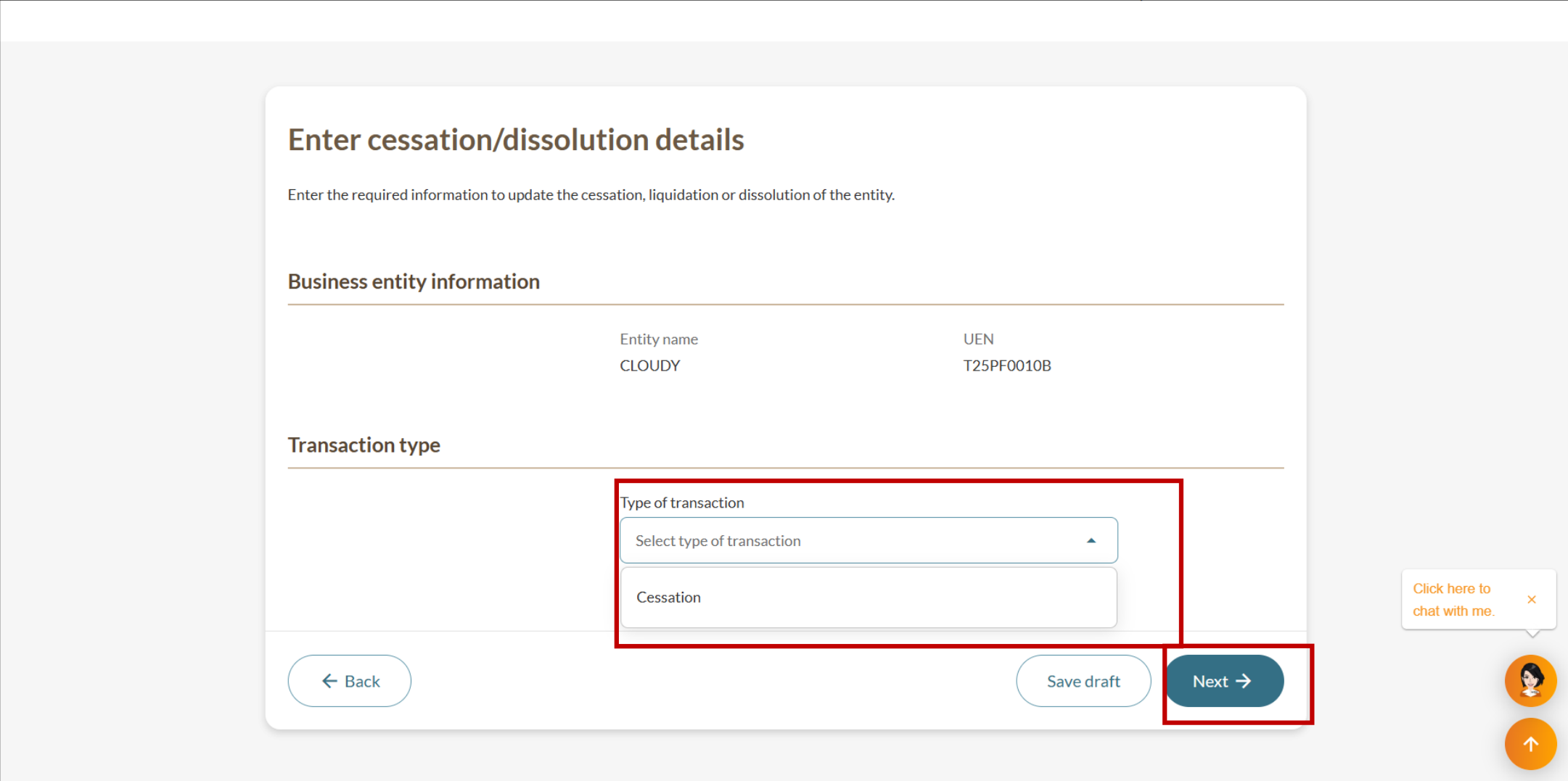
Follow these steps to confirm the entity details and enter the cessation information.
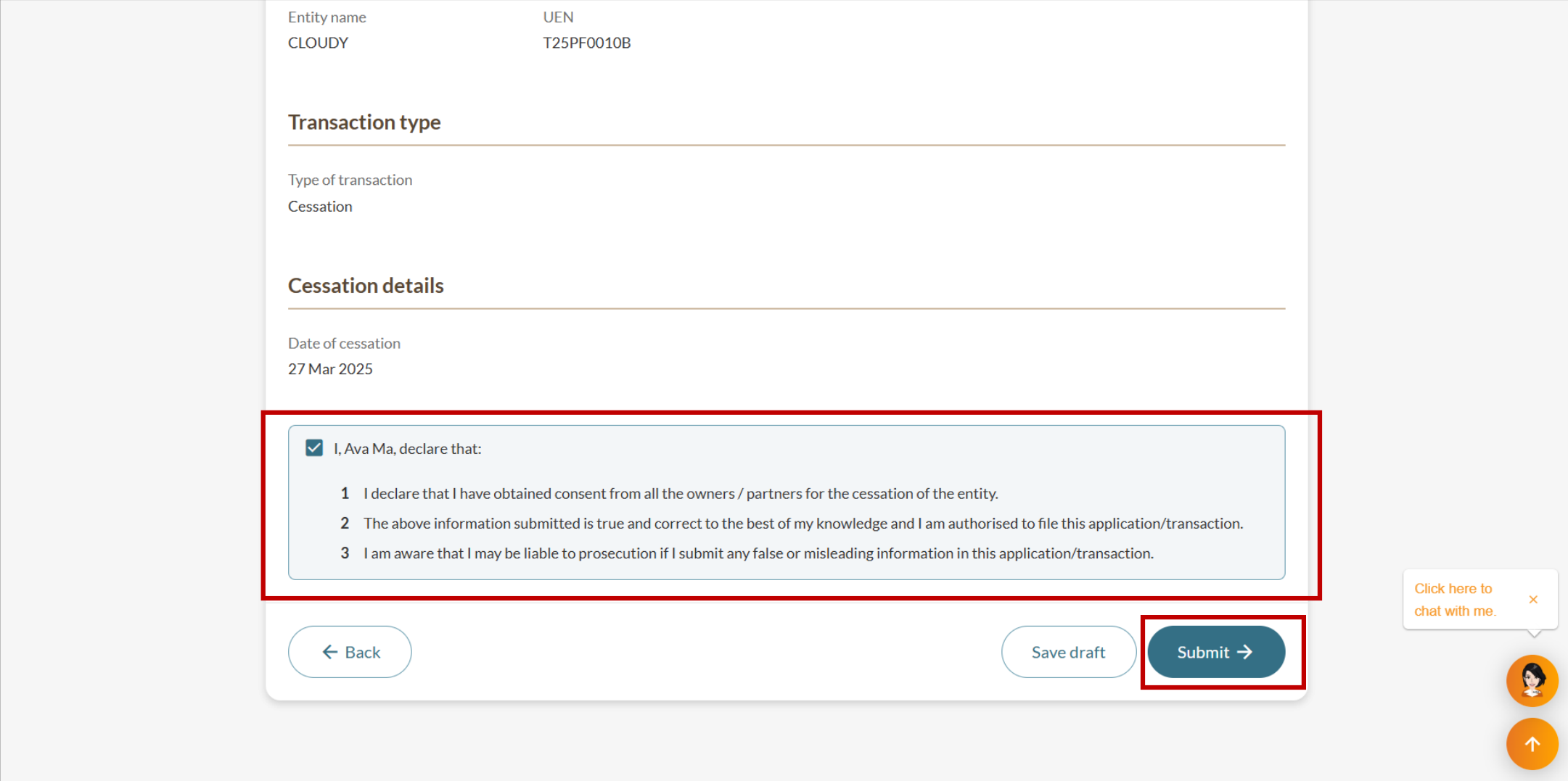
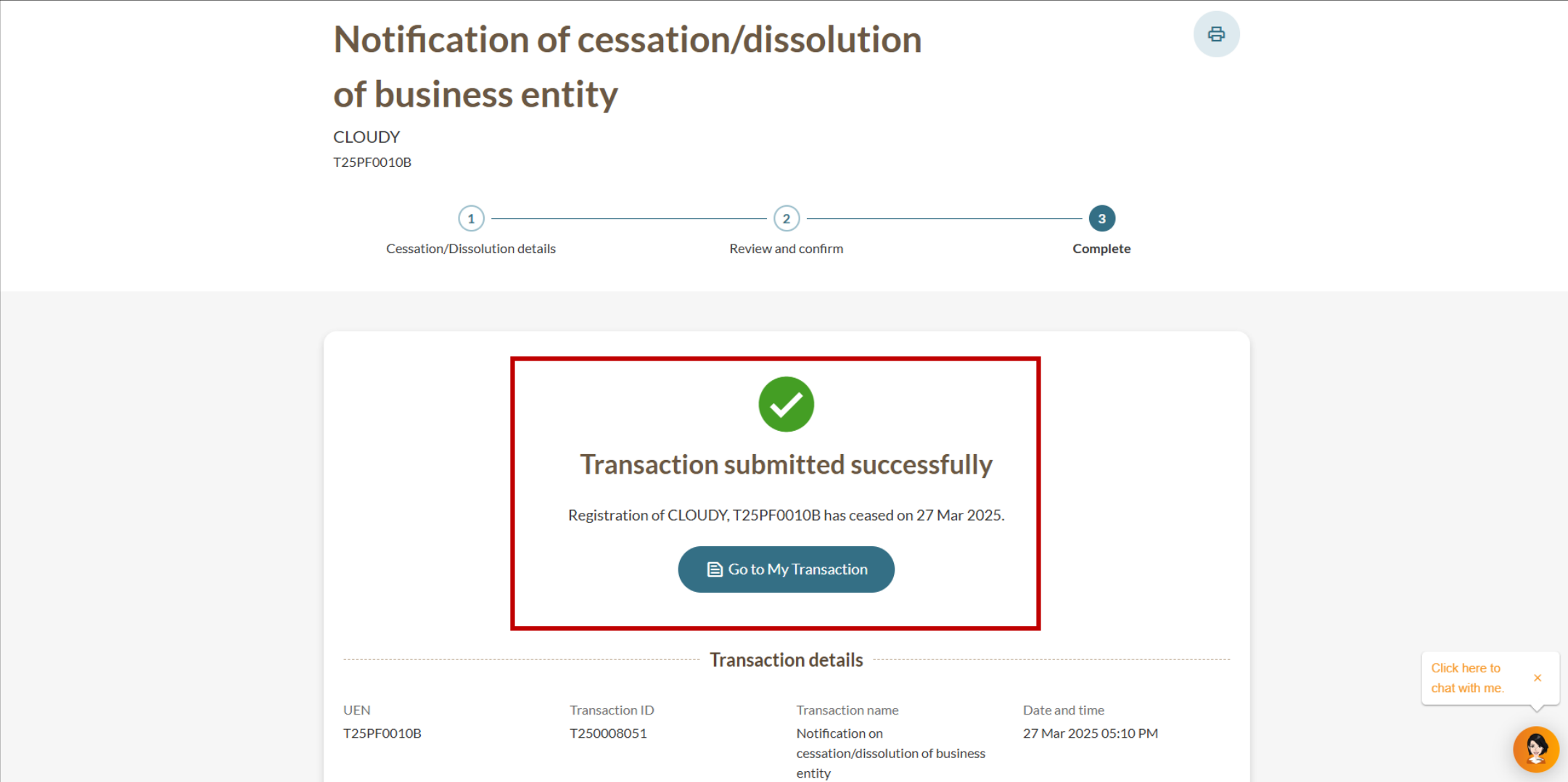
Step 3: Review and submit
Follow these steps to review and submit the cessation.