
Steps to file an annual declaration
Learn how to file an annual declaration for a limited liability partnership (LLP).
Last updated 12 June 2026
Before you file
All LLPs must meet their annual declaration deadline and requirements. You may file up to three months before the deadline.
This guide explains how to file annual declarations to avoid penalties.
Who may file
Managers of an LLP
What you need to do beforehand
Required documents and information
Step | Details |
|---|---|
Review entity information | Update any incorrect and outdated information before you file:
|
Prepare your LLP's unique entity number (UEN) | - |
Fees and approval time
File annual declarations
What you need to know | Details |
|---|---|
Fee | $30 |
Approval time | Your records will update immediately once you file successfully. |
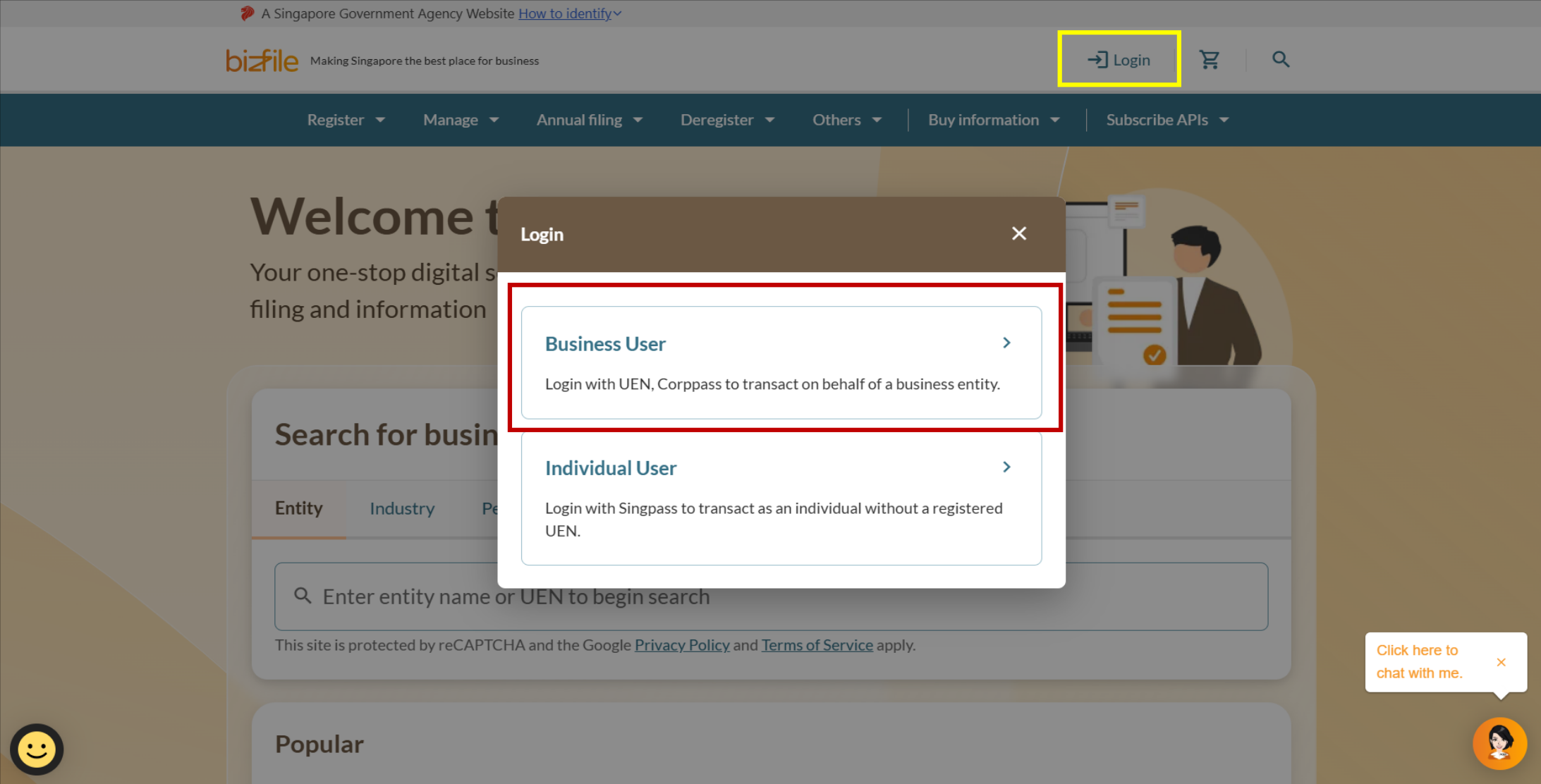
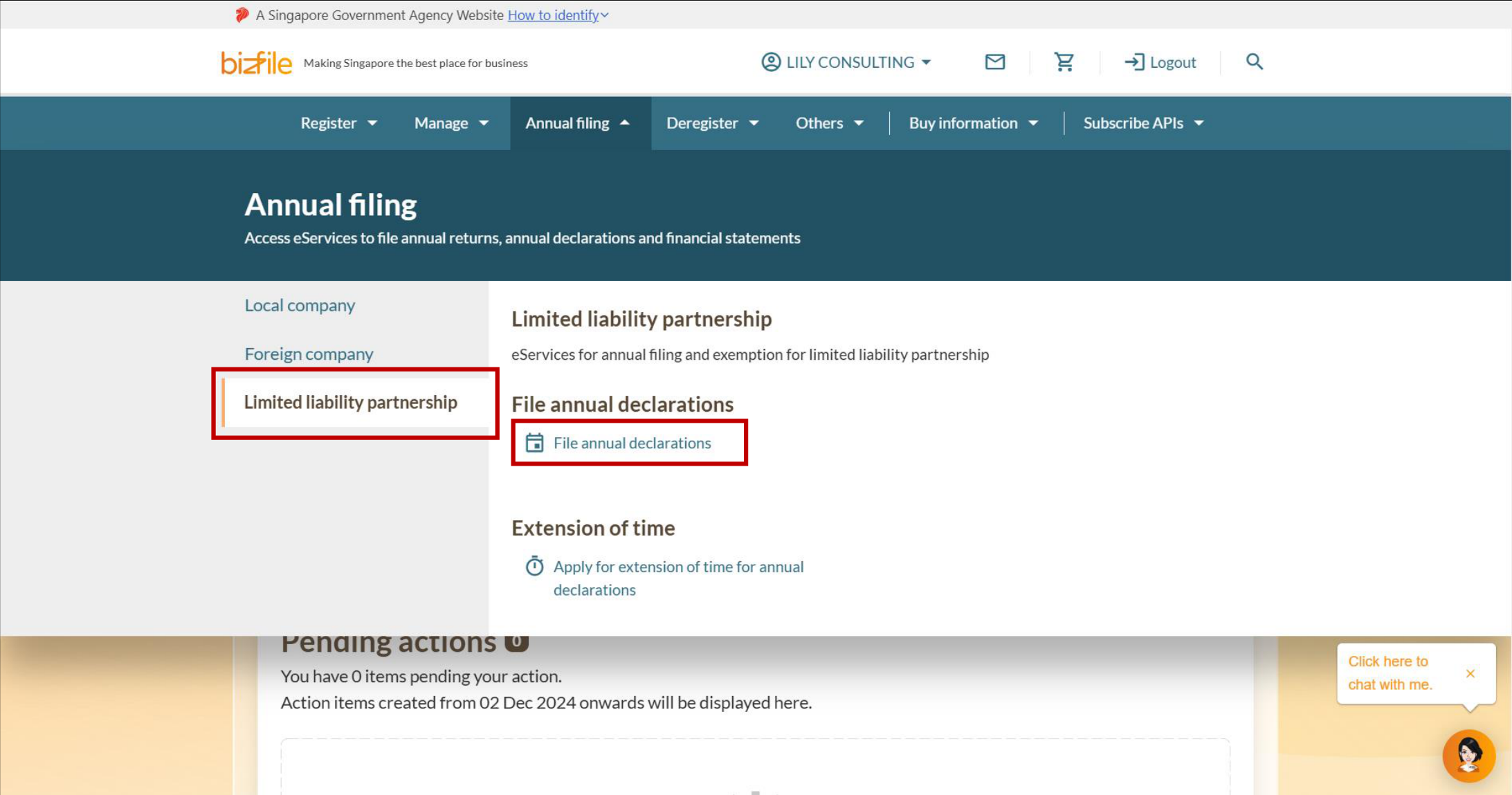
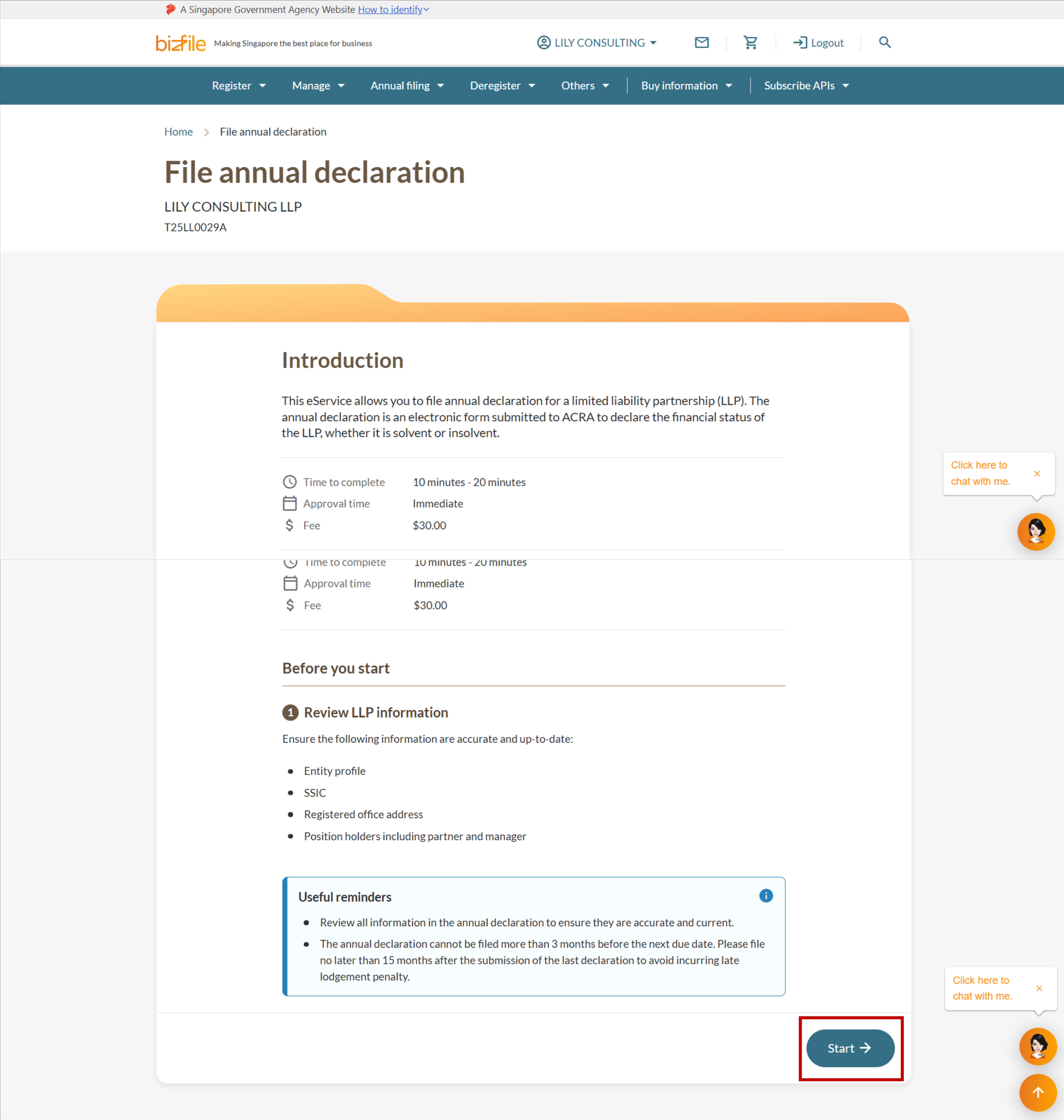
Step 1: Log in to Bizfile and open the 'File annual returns' eService
Follow these steps to log in to Bizfile and navigate to the File annual returns (opens in new tab) eService.
Note: All entity and personal information (including UEN, entity details, NRIC or FIN numbers, names and addresses) shown are dummy data for illustration purposes only.
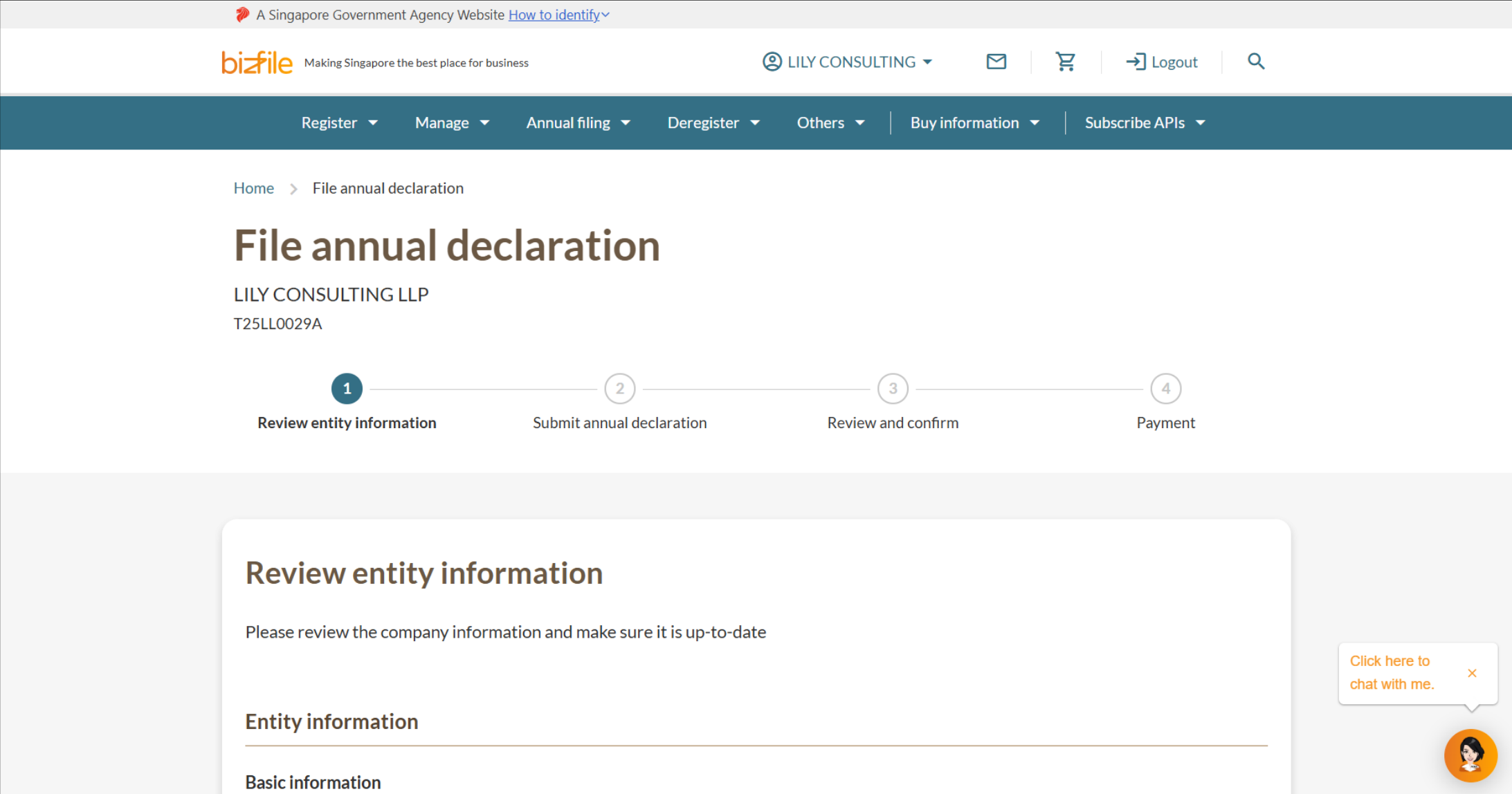
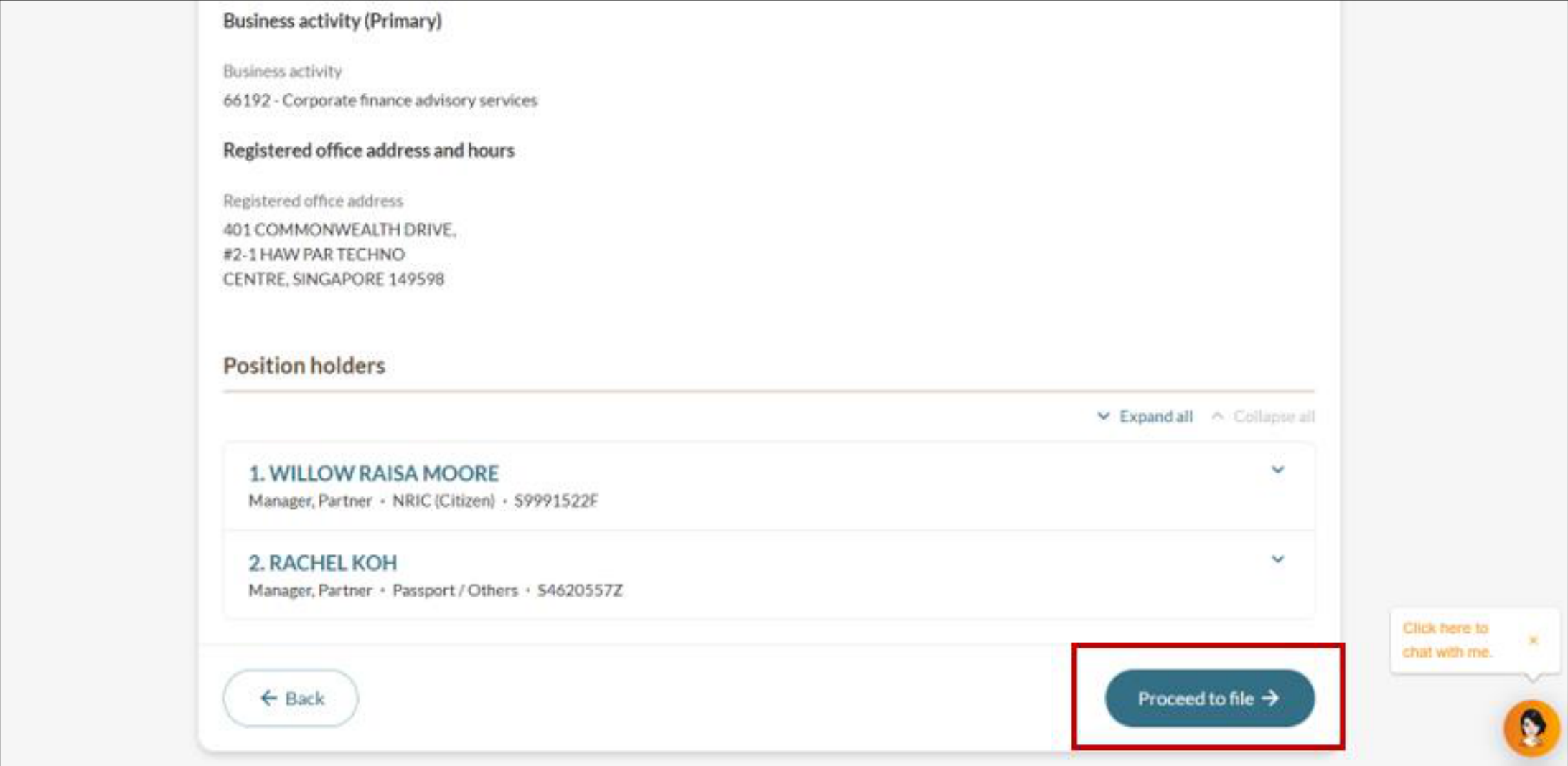
Step 2: Check entity information
Follow these steps to check and confirm the LLP's entity information.
Step 3: Complete the annual declaration
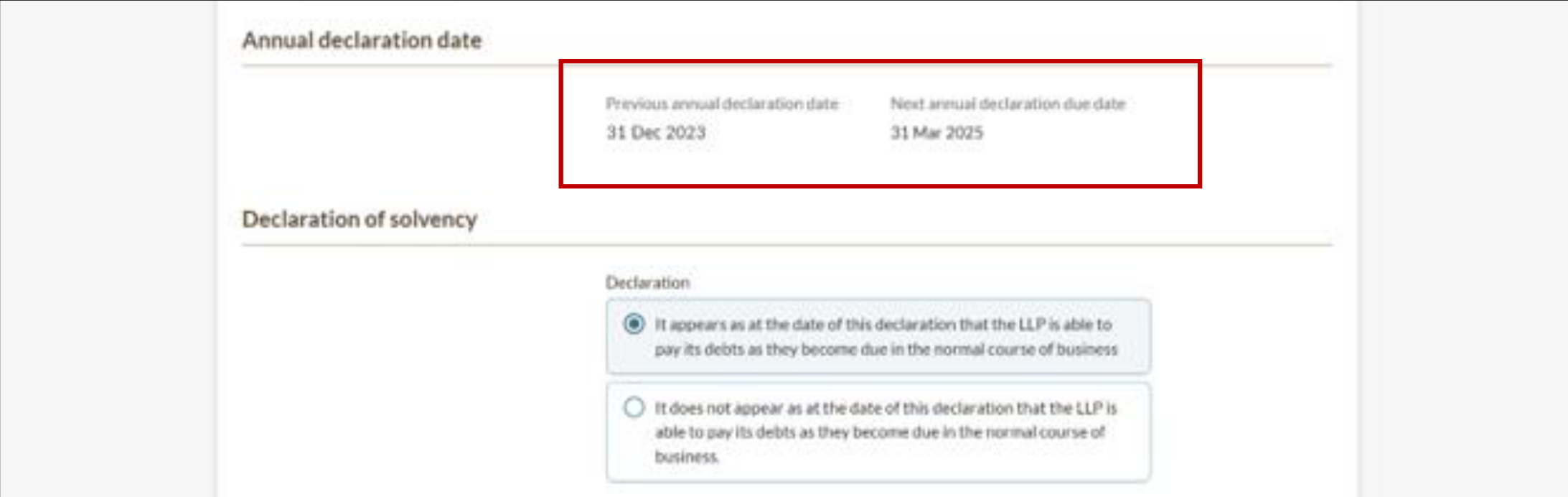
The LLP's annual declaration dates will be displayed on screen:
For newly registered LLPs submitting their first annual declaration: The system will only show the deadline, which falls 15 months after the LLP's registration date. The previous annual declaration field will remain empty as there are no prior submissions.
For existing LLPs: The system will show the date of the previous submission and the next deadline will be shown. All dates are automatically populated.
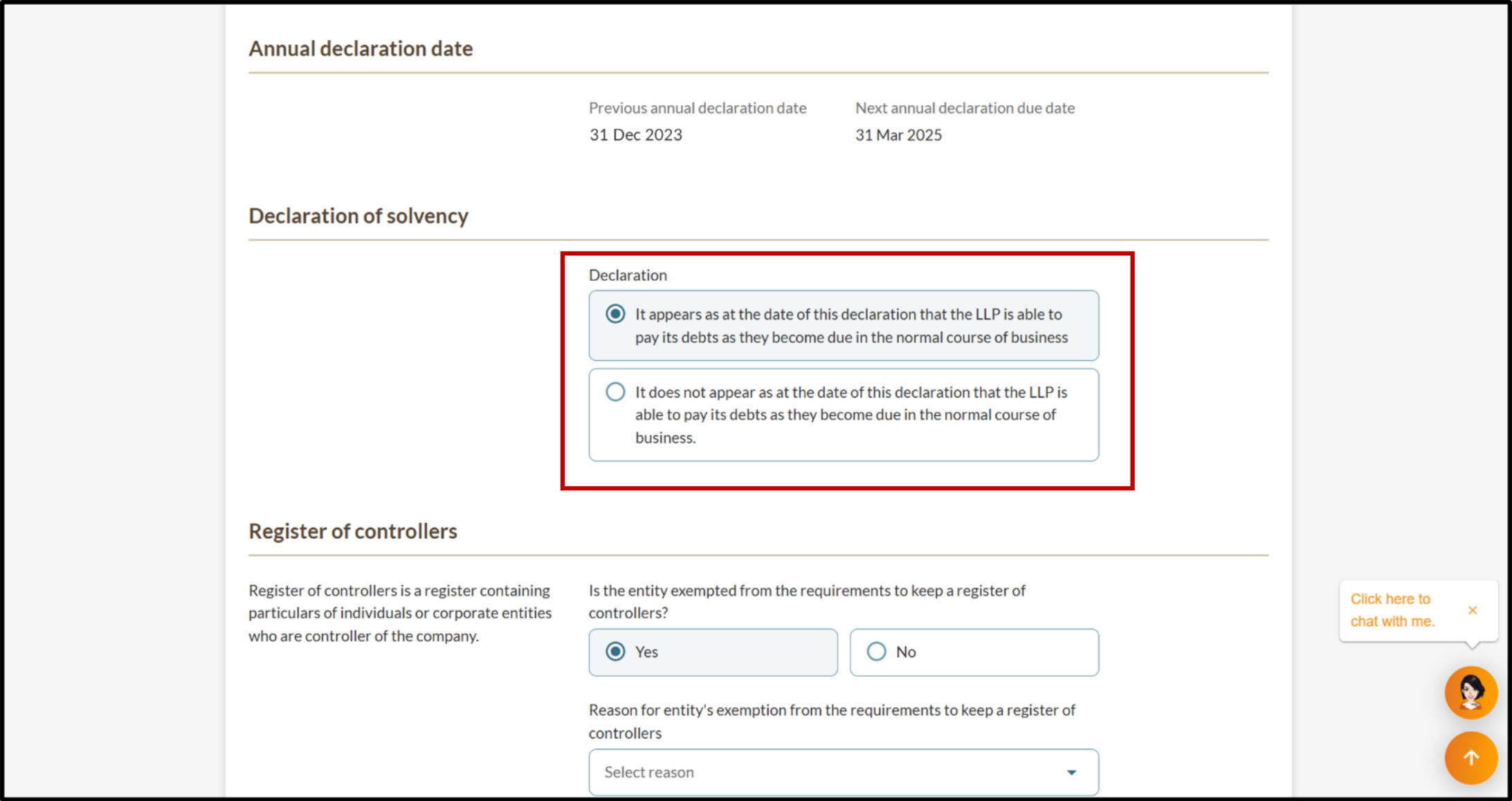
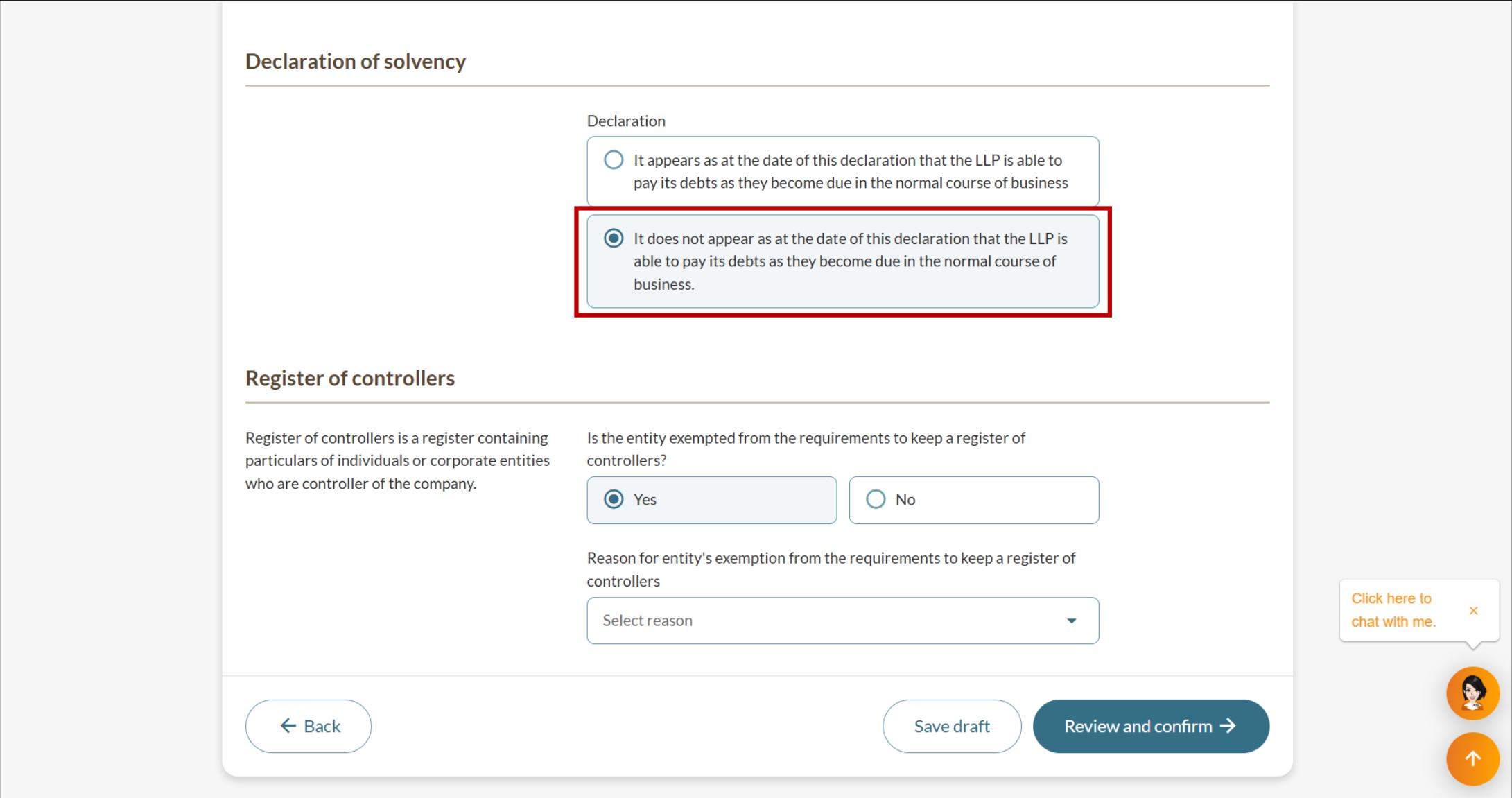
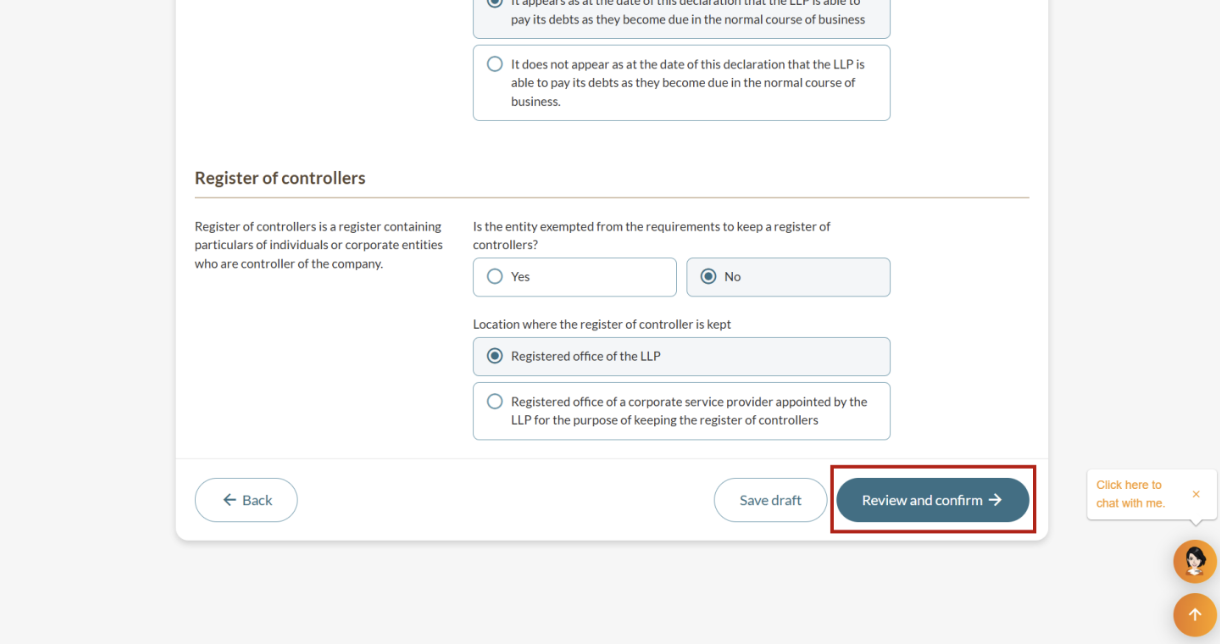
Step 4: Review and submit
Follow these steps to review and submit the annual declaration.
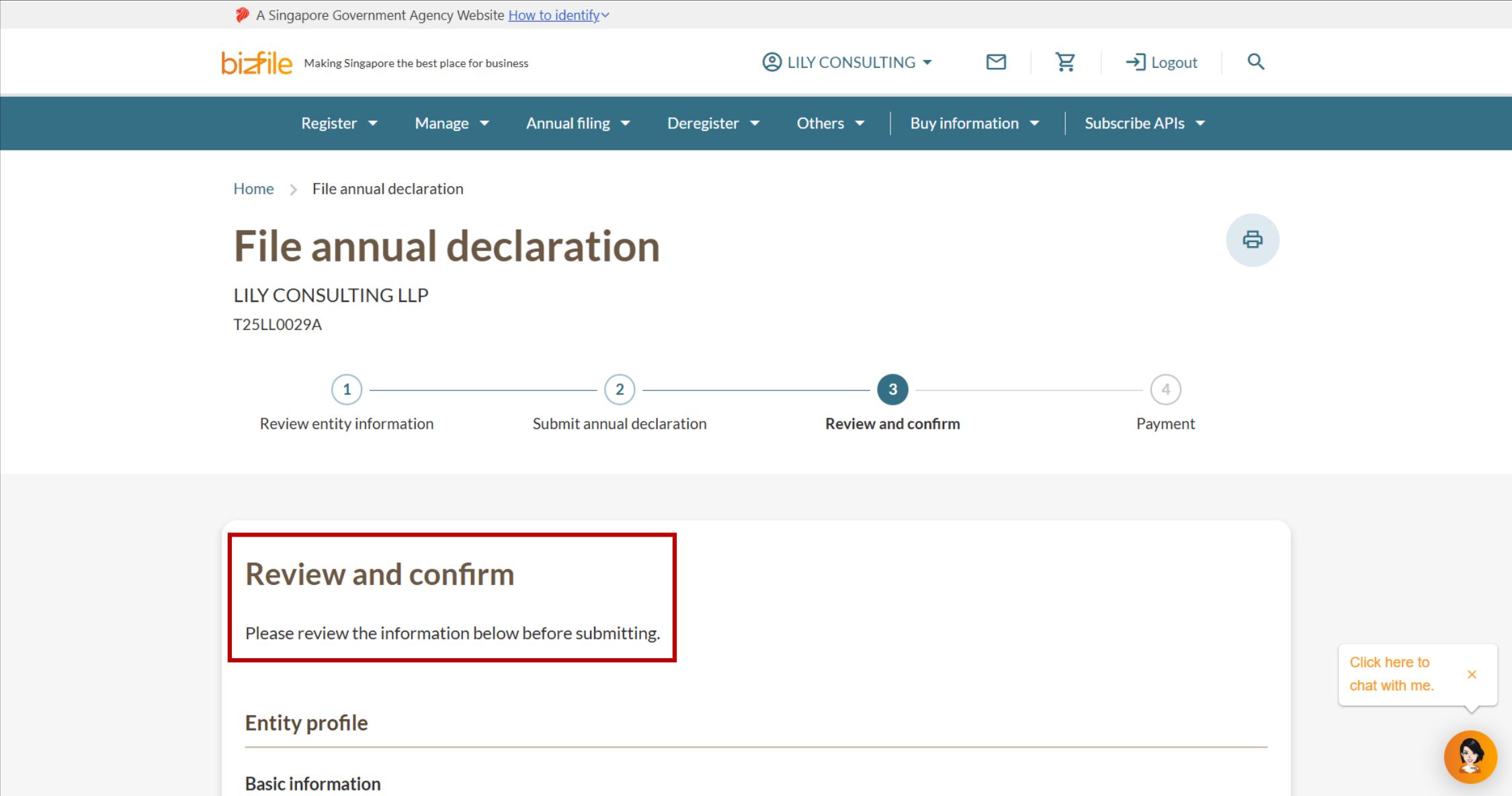
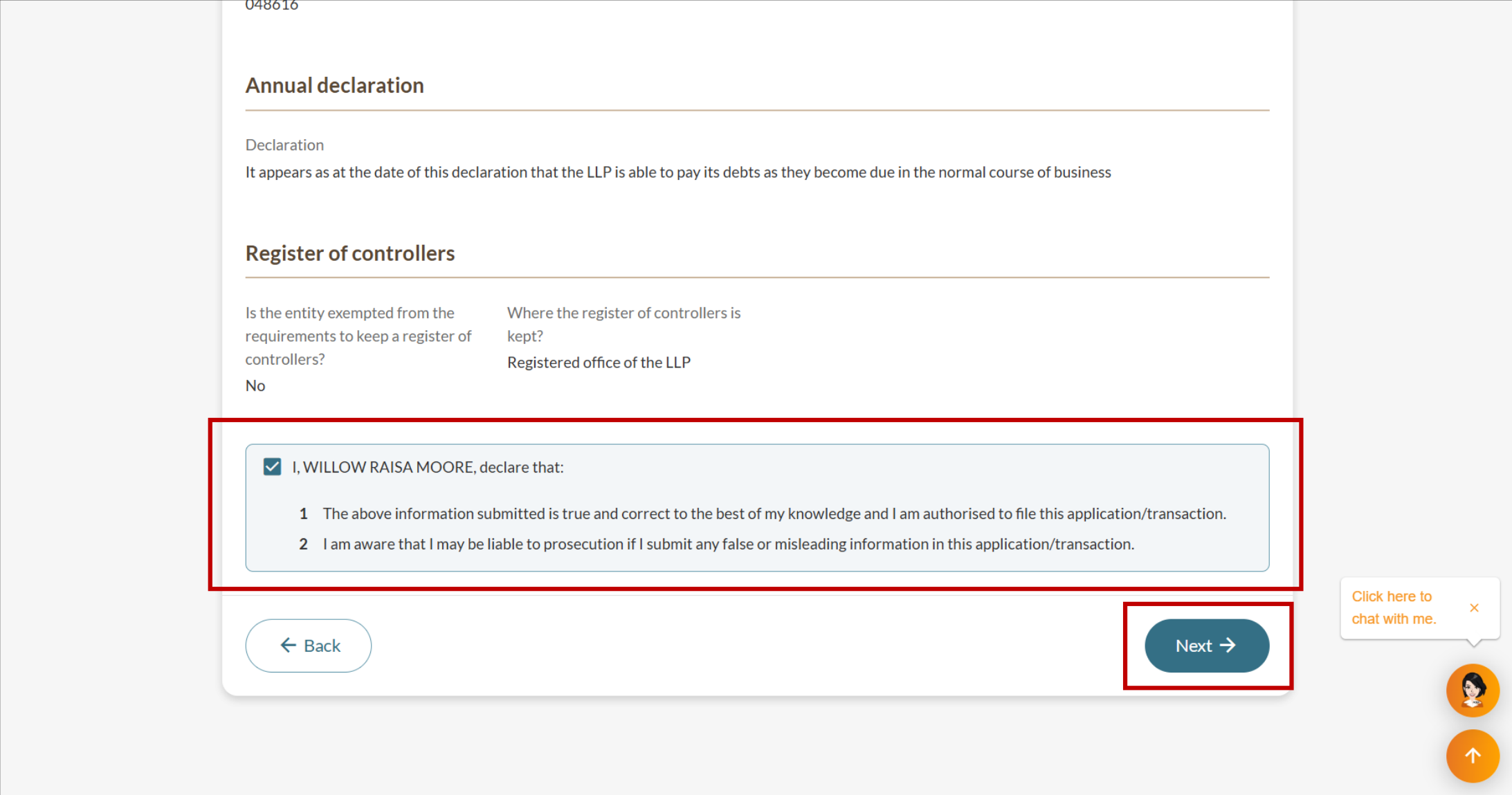
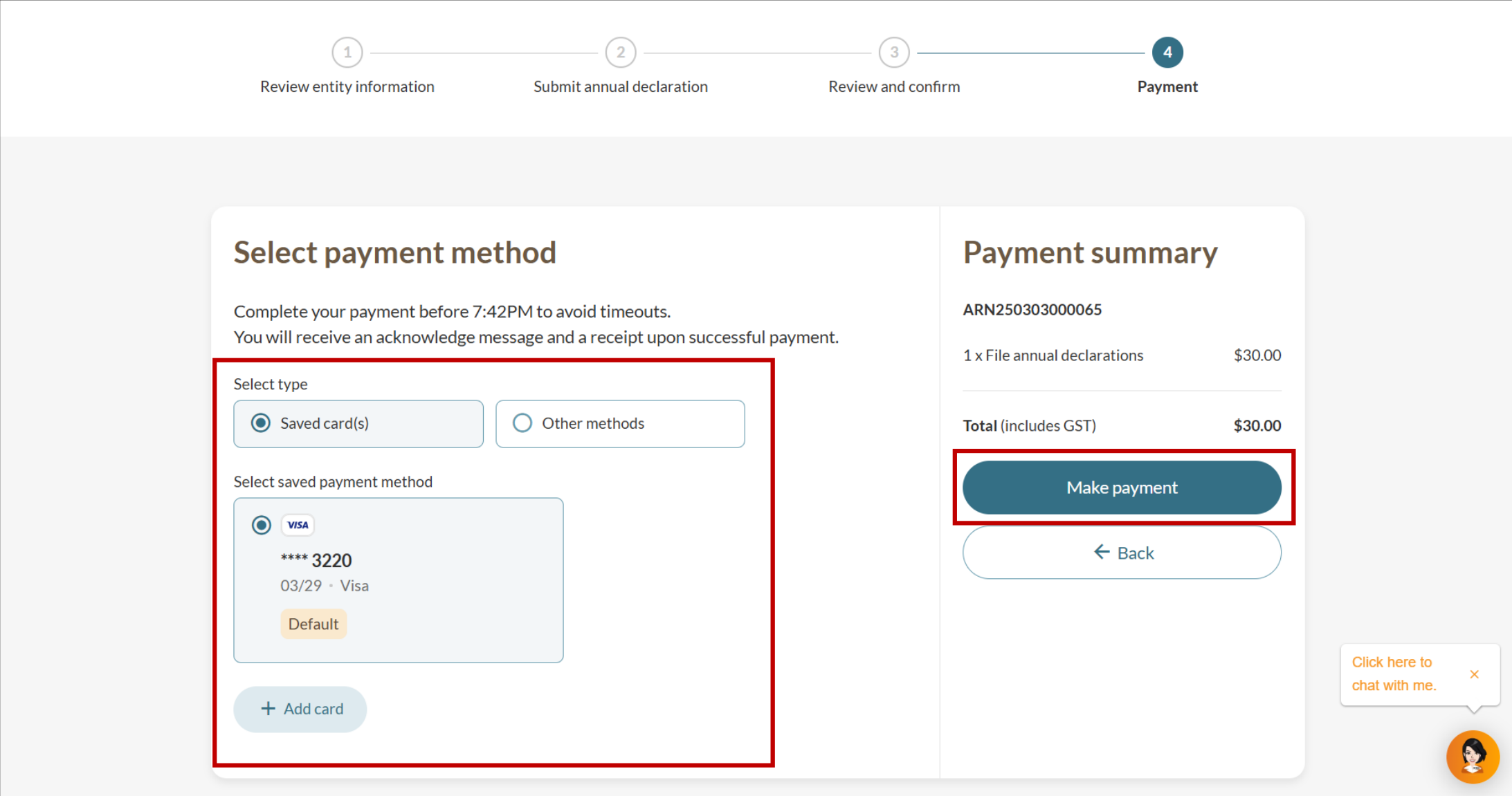
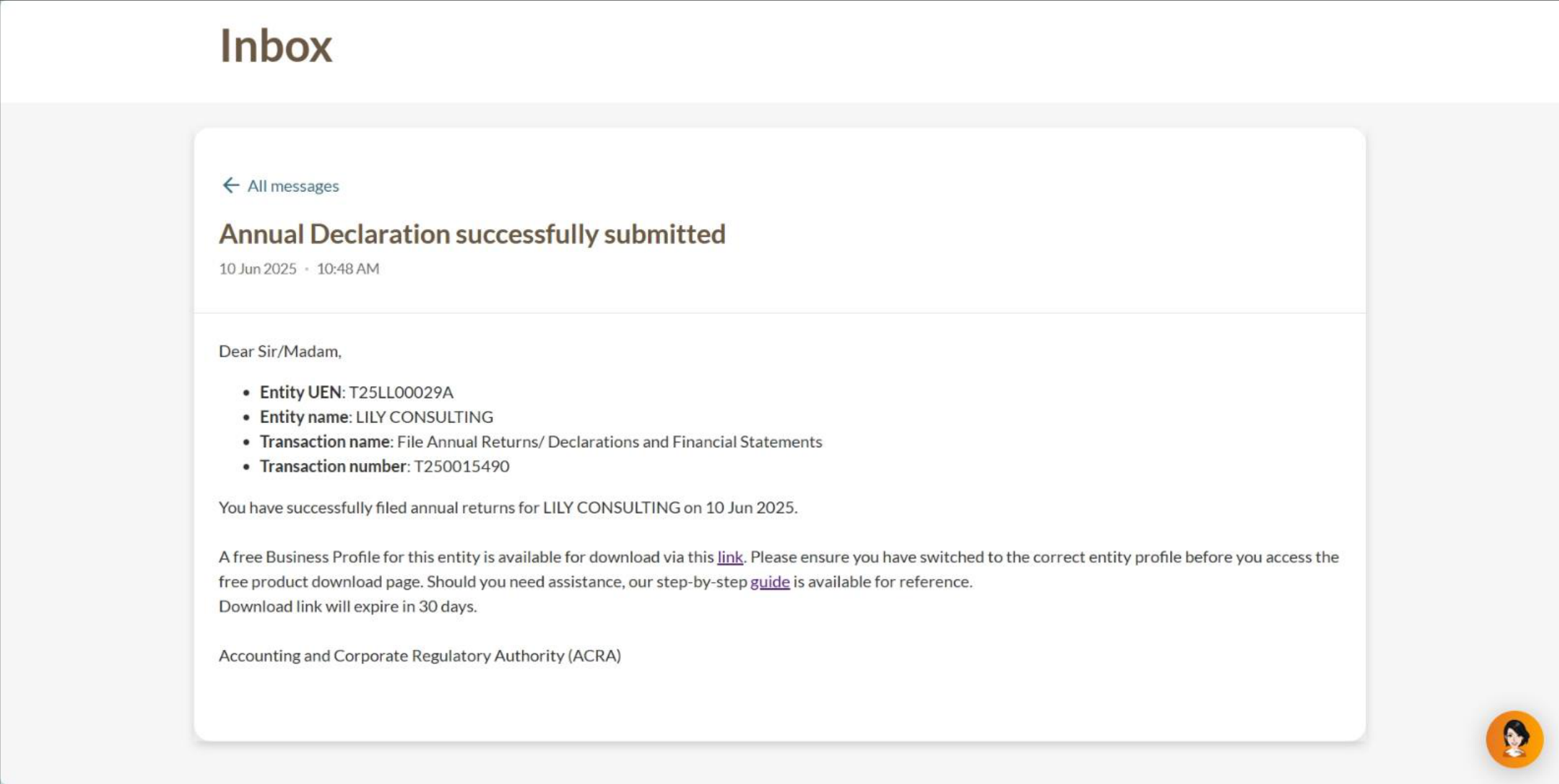
After you file
You will receive a free electronic Business Profile after successful filing. Download within 60 days, as the free copy expires after this period.