
Applying for an extension of time (EOT) for an annual declaration
Apply for a 60-day extension to file the annual declaration for your limited liability partnership (LLP) in Bizfile.
Last updated 12 June 2026
Before you apply
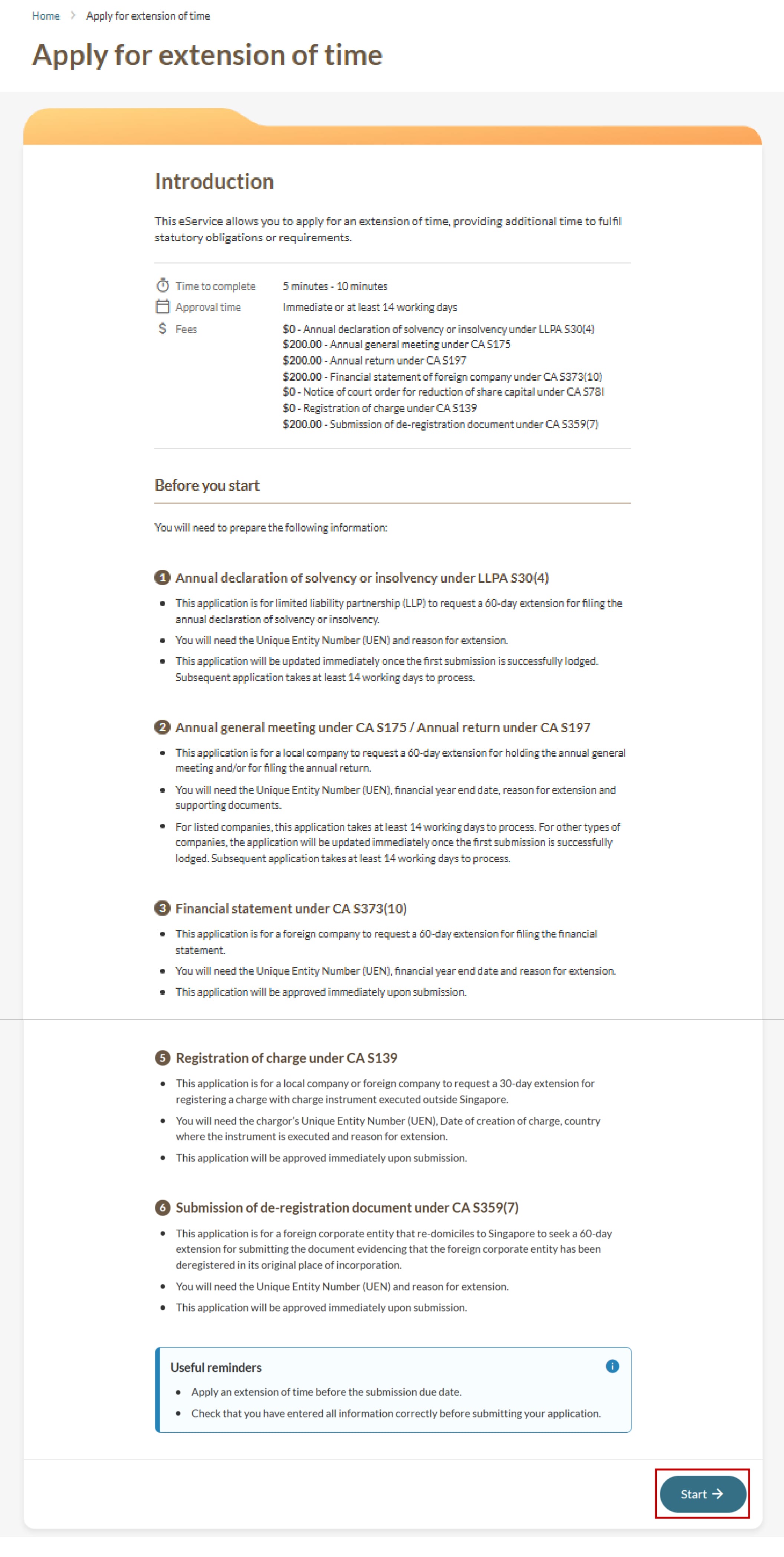
LLP may apply for a 60-day extension to file their annual declaration under section 30(4) the Companies Act (opens in new tab).
This EOT application must be submitted before the filing due date. Applications cannot be submitted after the due date has passed.
Key facts: Apply for EOT
What you need to know | Details |
|---|---|
Who may apply | Partners or corporate service providers. |
Required information | You need to prepare:
|
Fee | Free |
Approval time | Up to 14 working days Note: You are advised to apply for an EOT at least 14 working days before your deadline. If you have passed the deadline, you cannot apply for an EOT. You will not be able to submit a new EOT application while an existing application is pending review. |
More details: Section 30(4) of the LLP Act (opens in new tab)
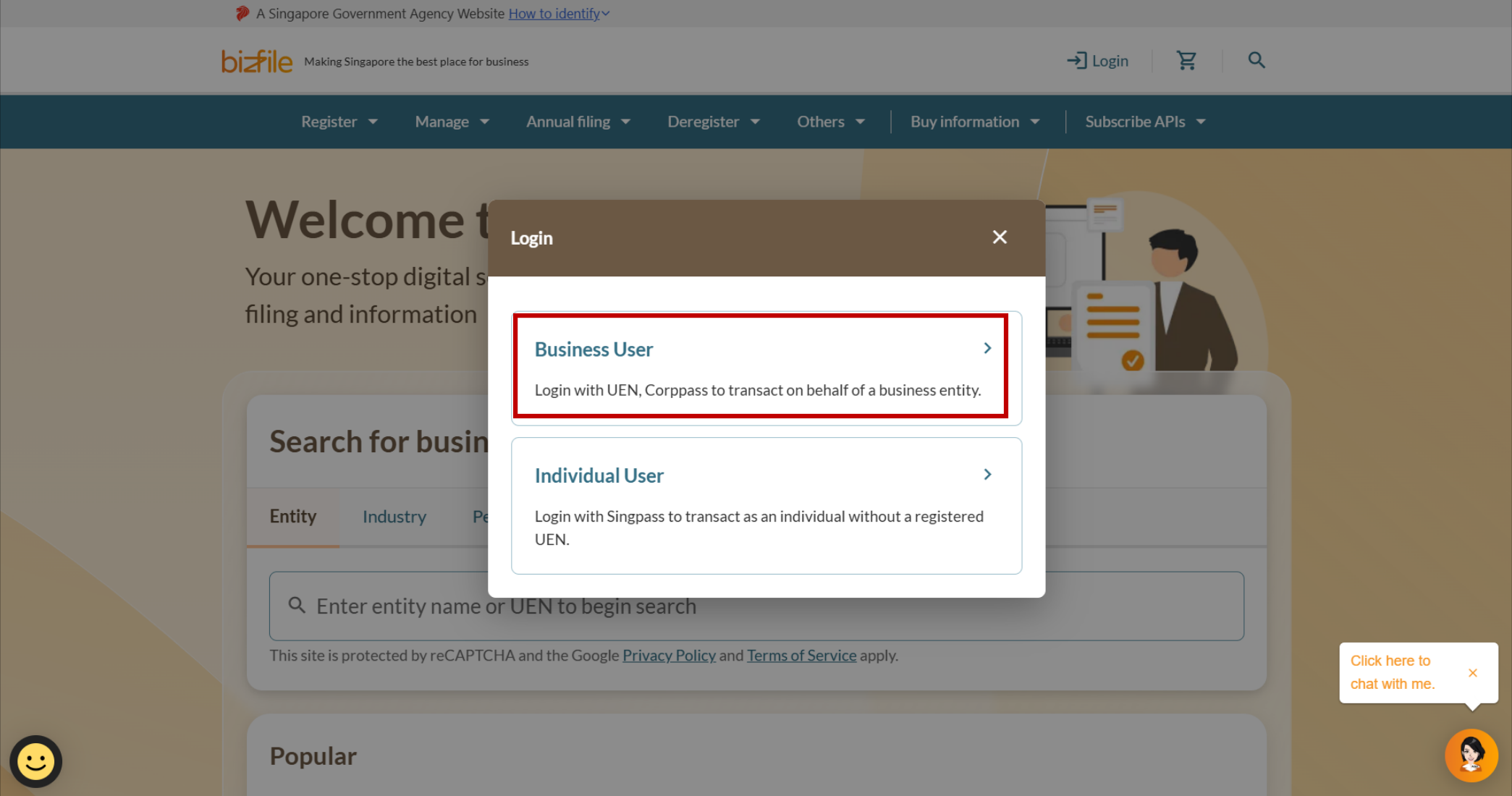
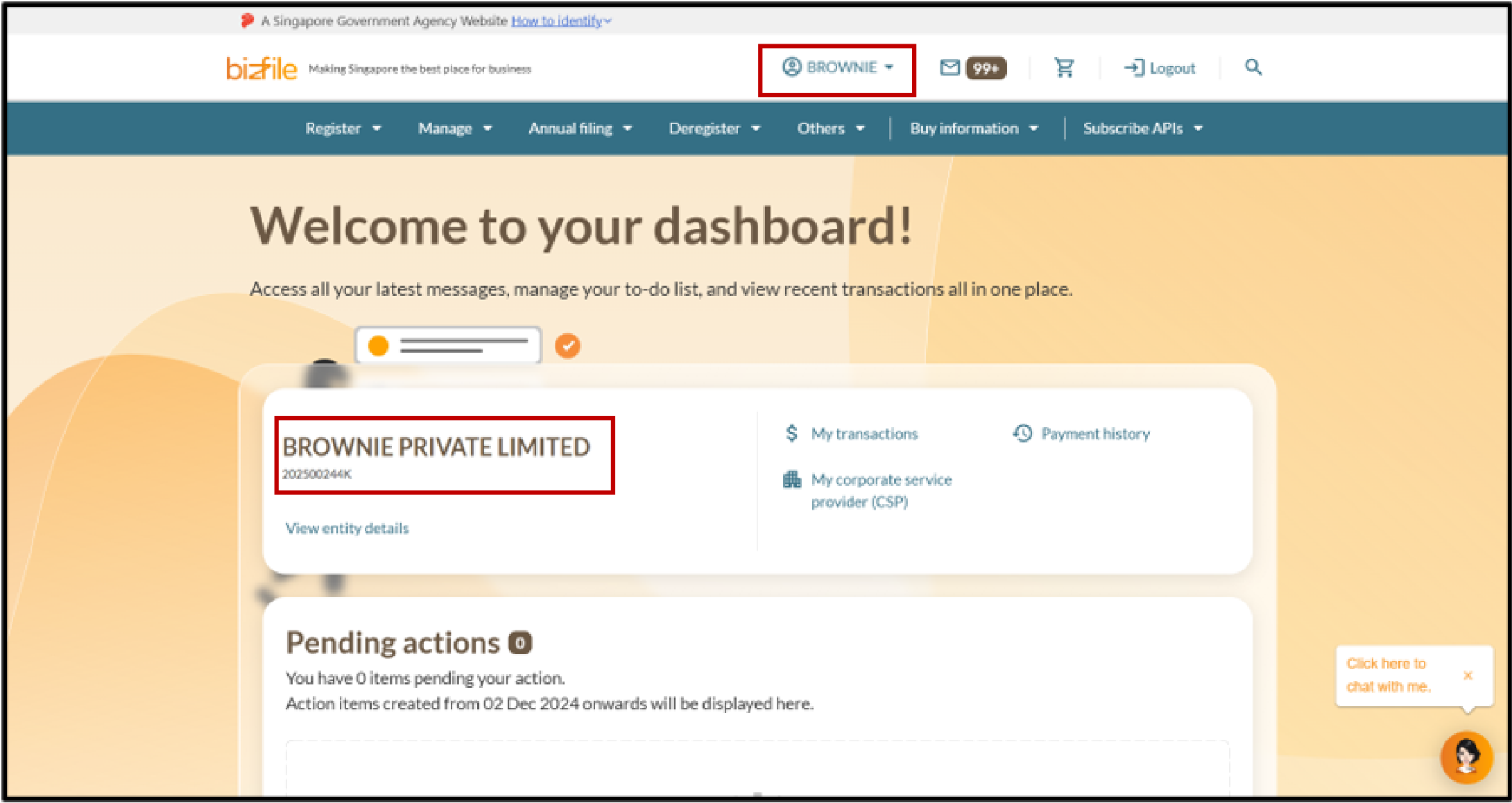
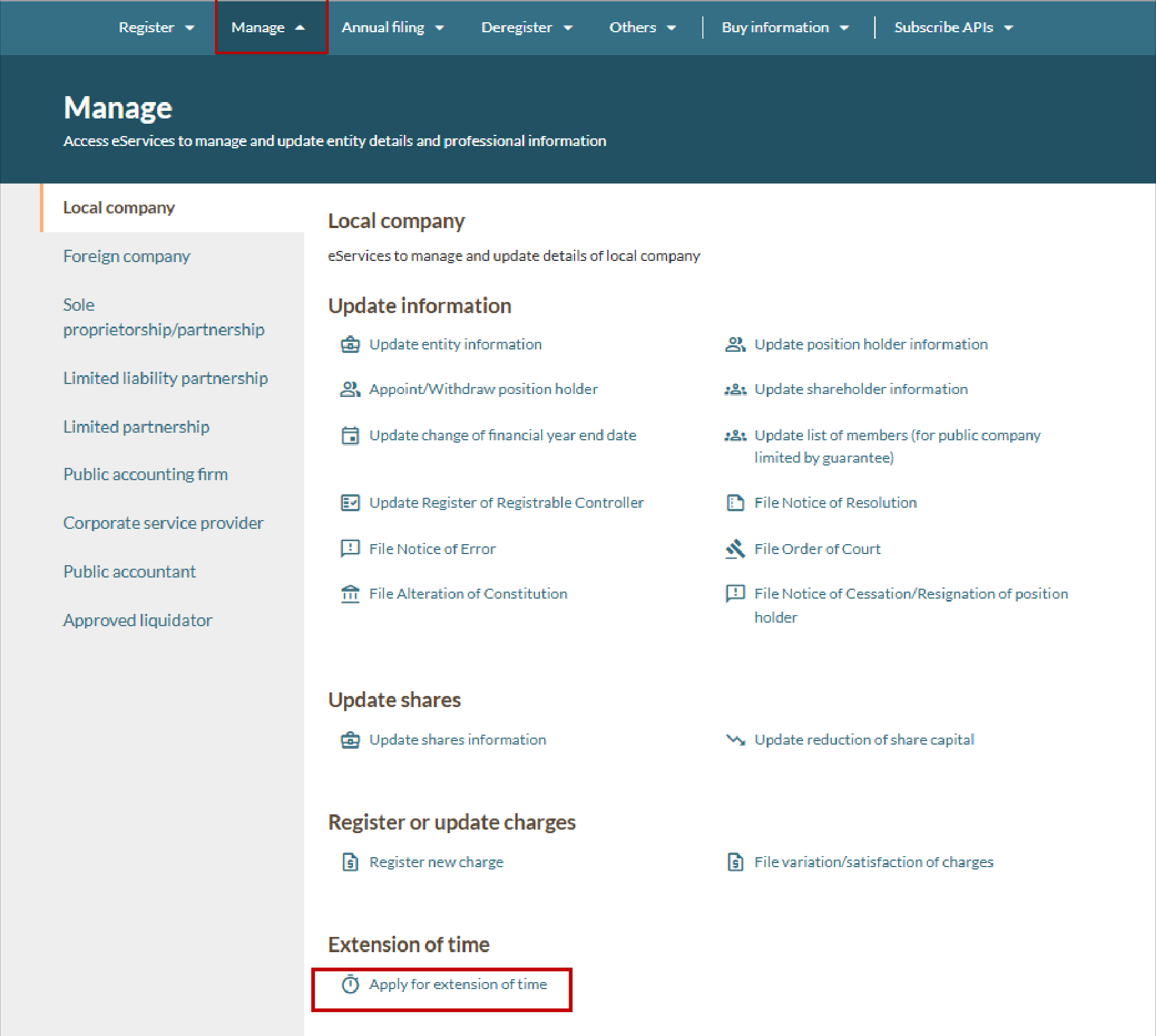
Step 1: Log in to Bizfile and open the "Apply for extension of time" eService
Follow these steps to log in to Bizfile and navigate to the Apply for extension of time (opens in new tab) eService.
Note: All entity and personal information (including UEN, entity details, NRIC or FIN numbers, names and addresses) shown are dummy data for illustration purposes only.
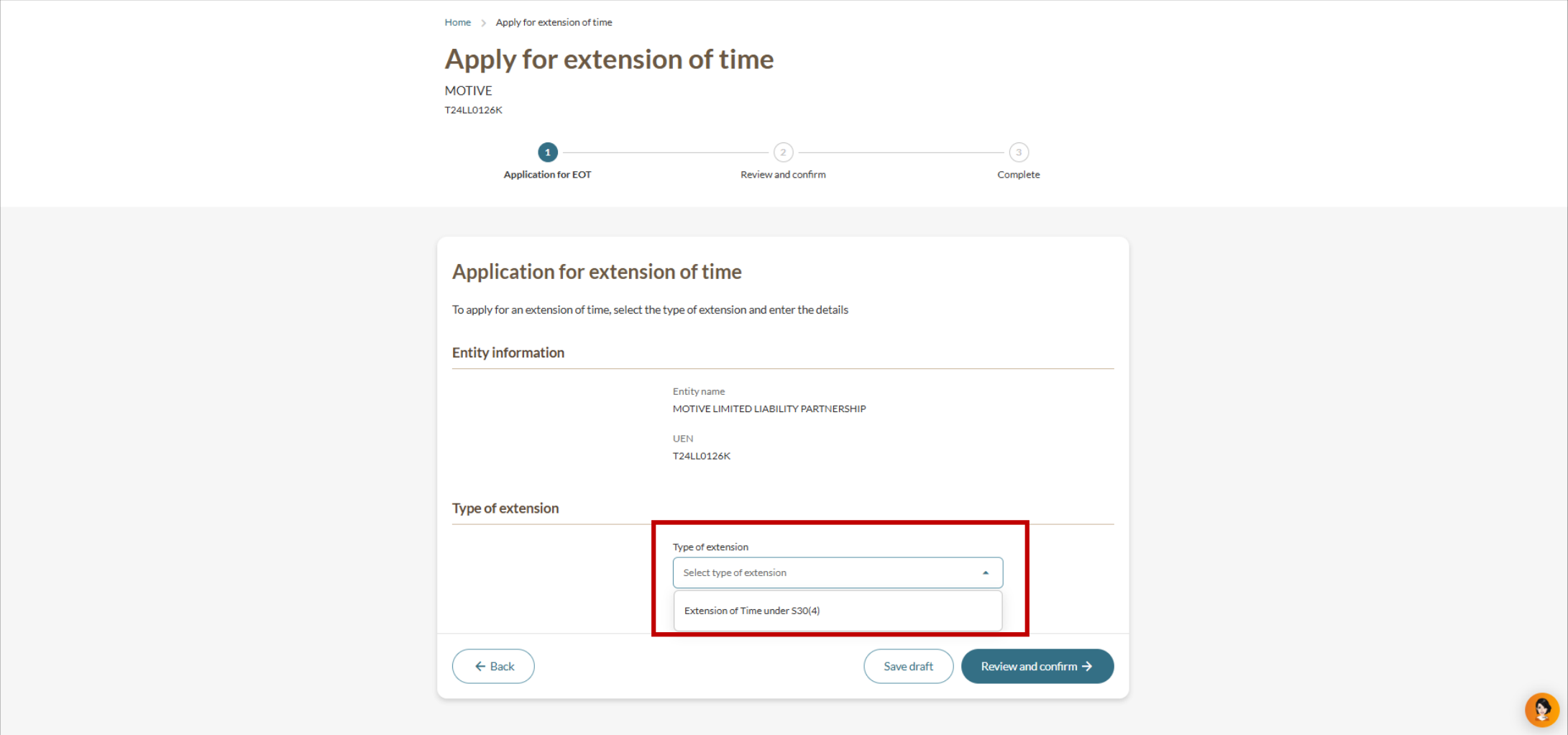
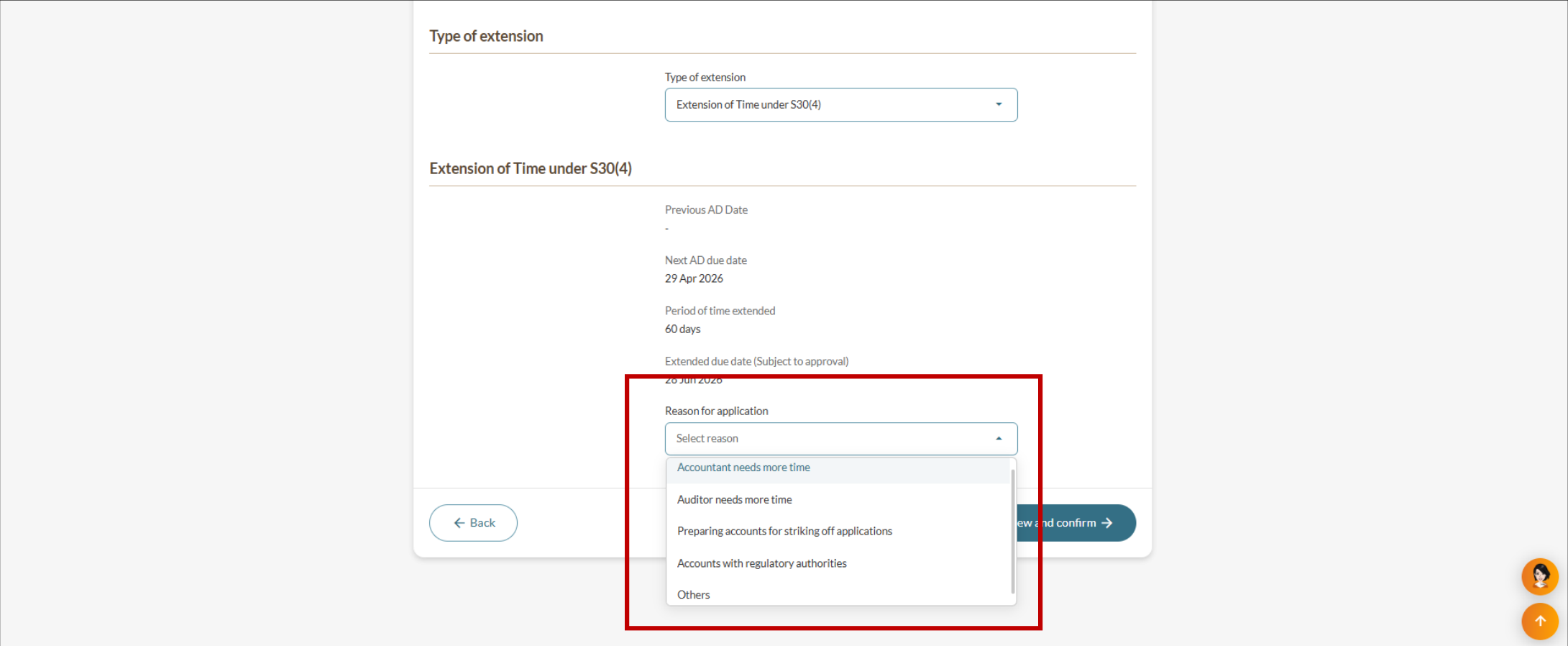
Step 2: Provide your details
Follow these steps to enter the details of your EOT application.
Step 3: Review and submit
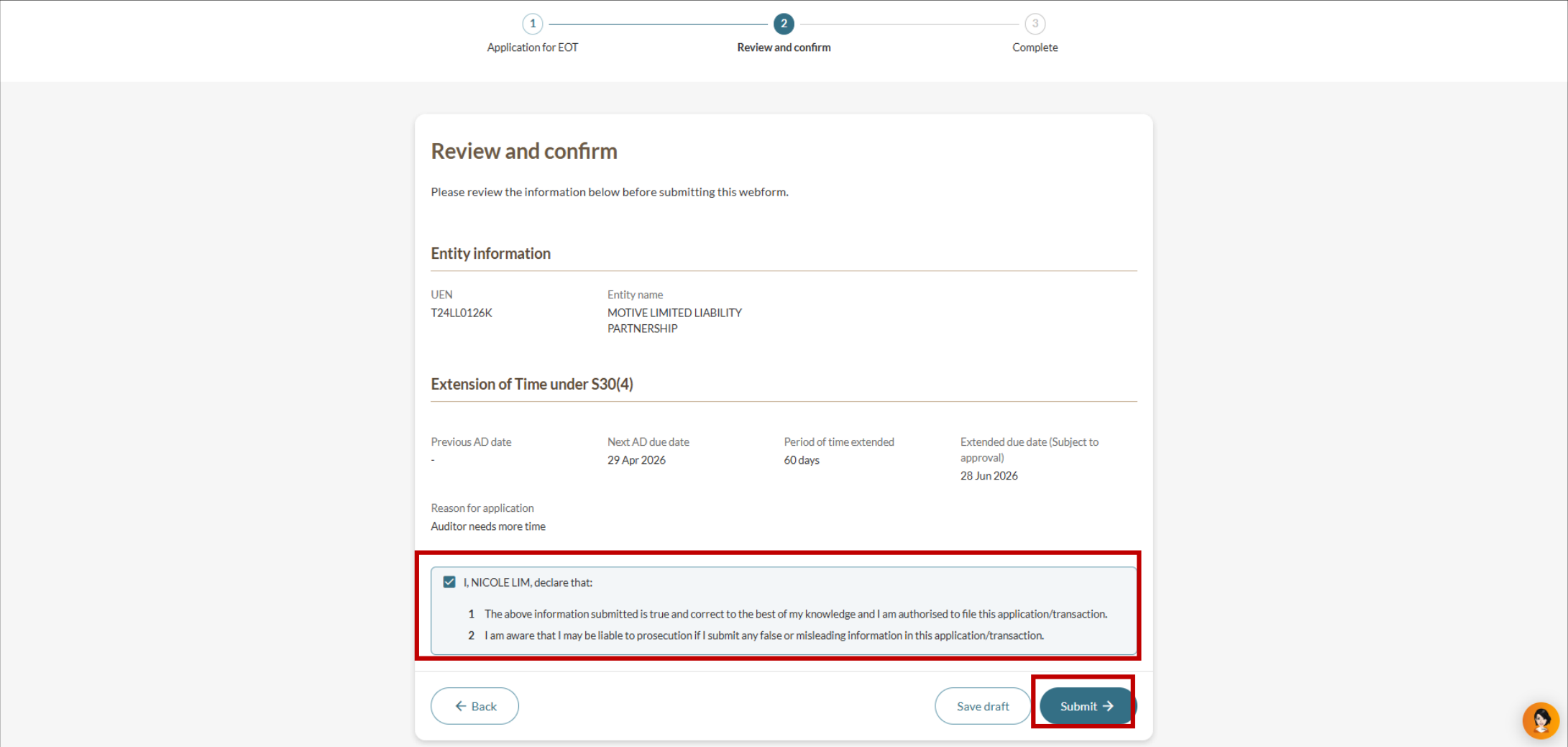
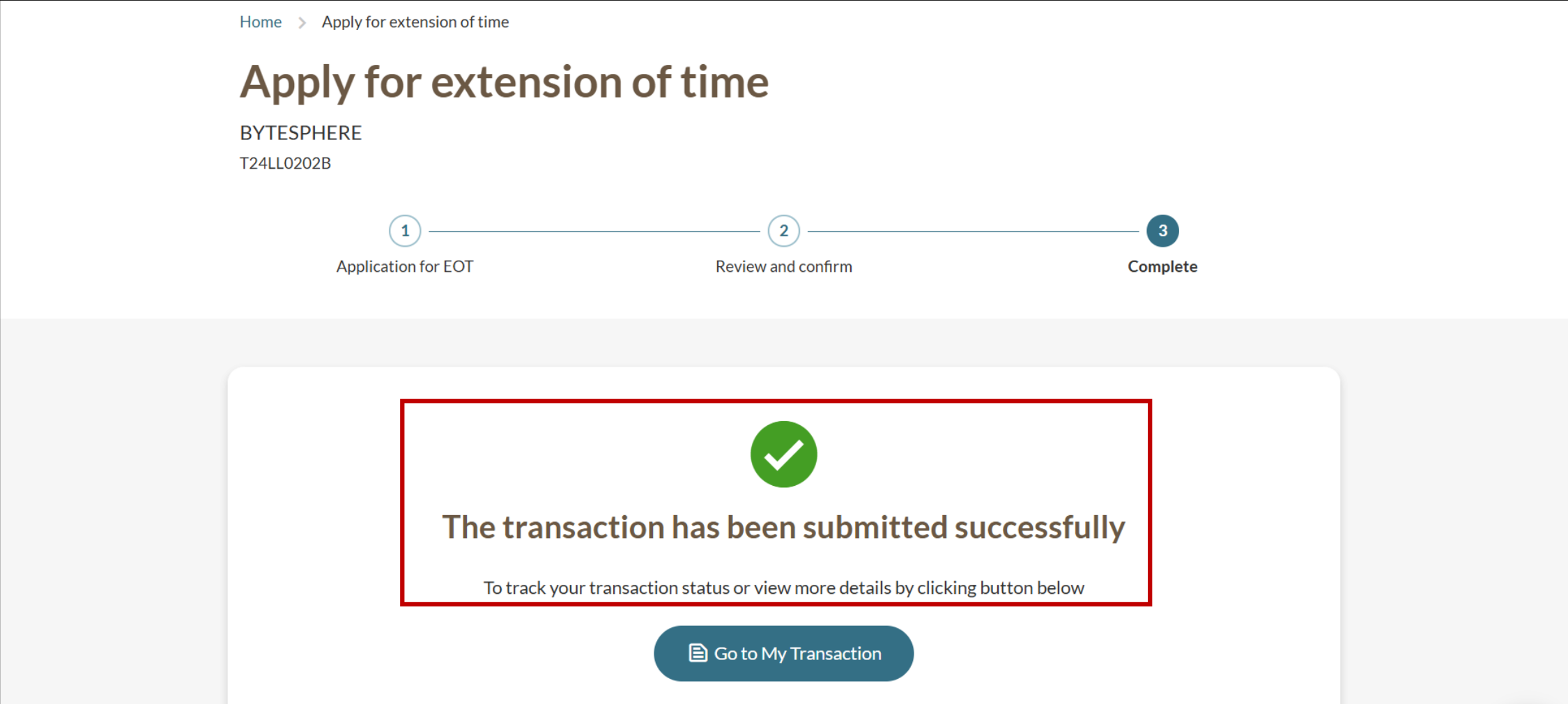
Follow these steps to review and submit your EOT application.
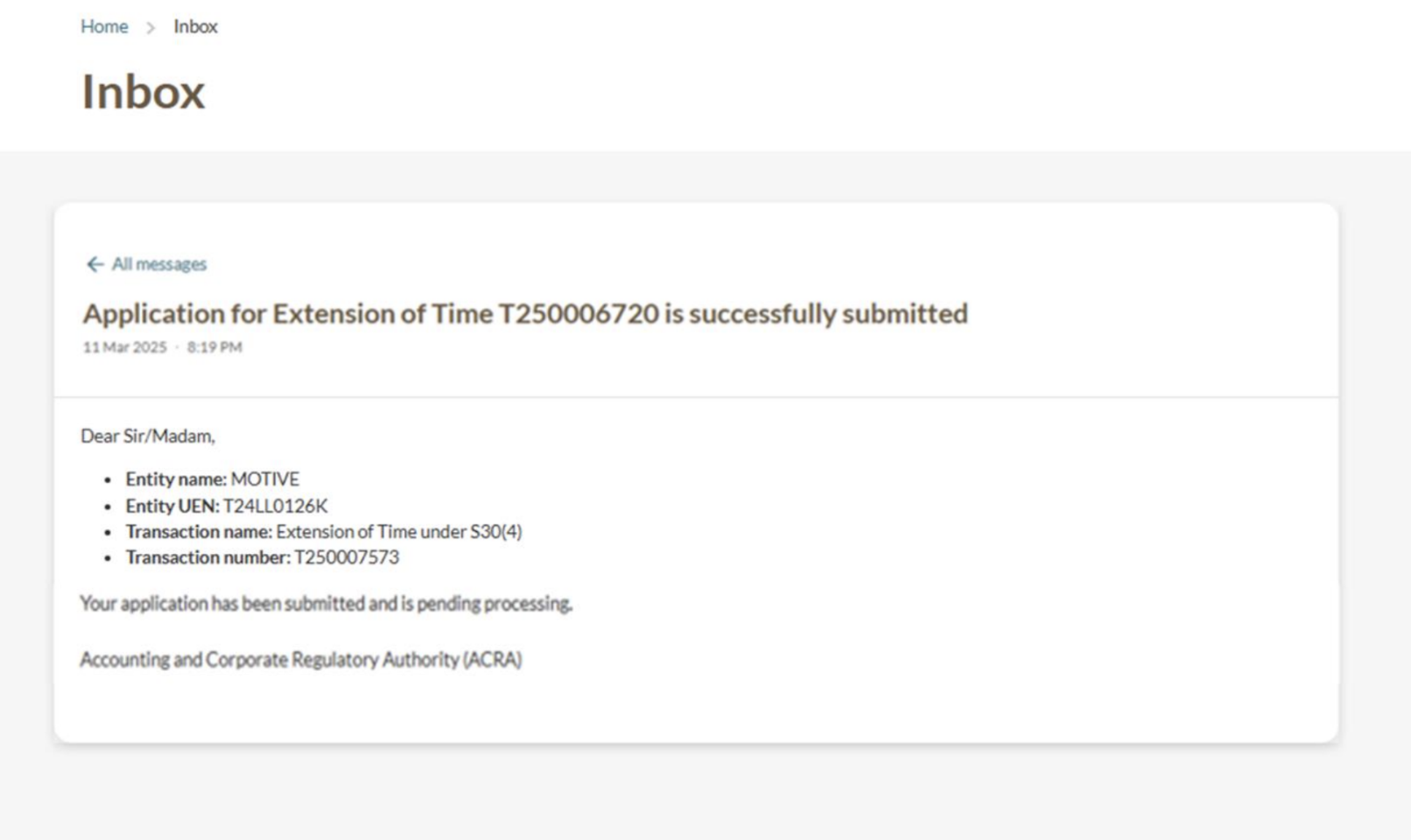
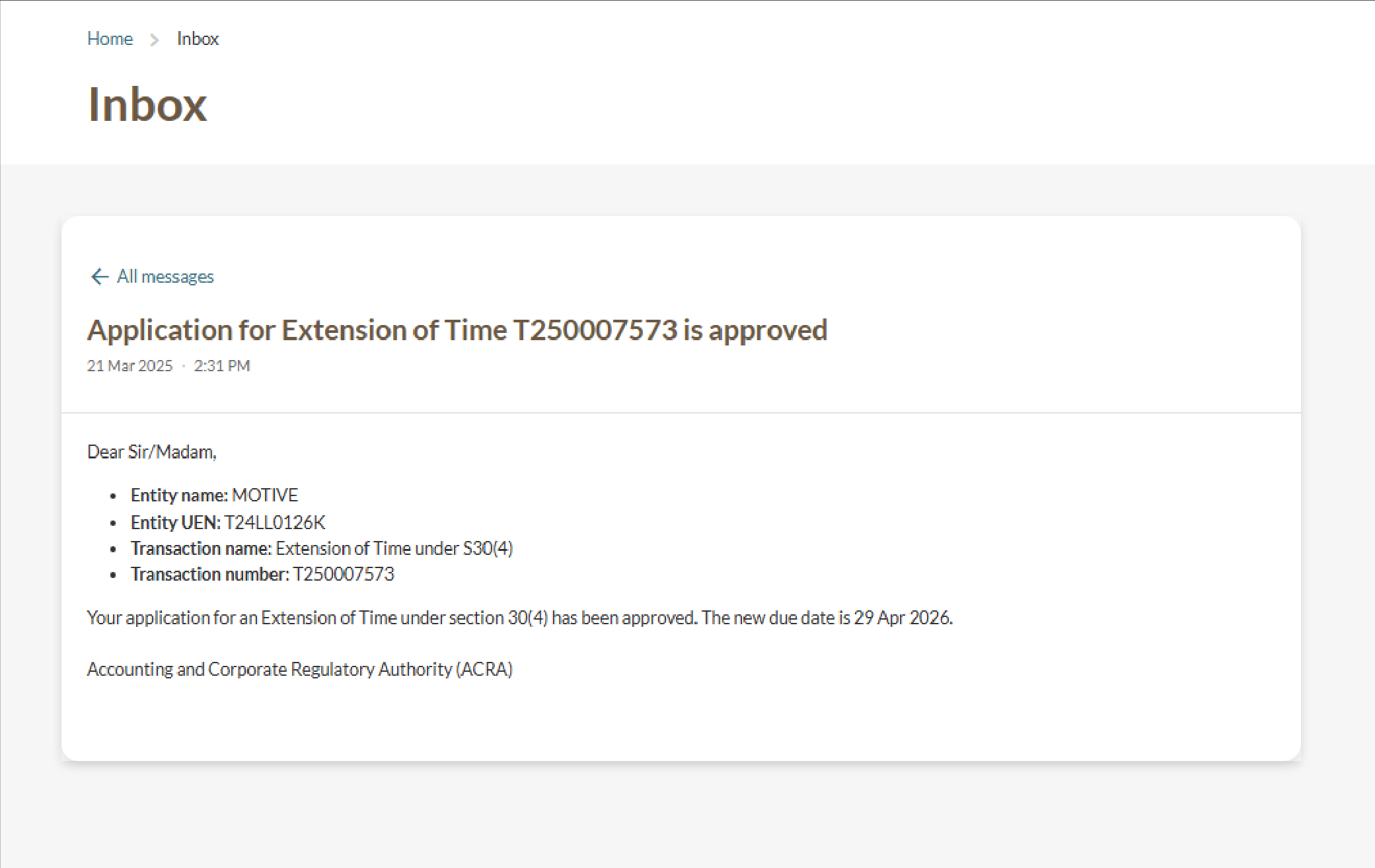
Applying for further extensions
If you need more time after the first extension, you may apply for a further EOT. However, ACRA is unlikely to grant a further EOT unless you have strong supporting reasons.
Fee: $200 (non-refundable in all cases, including rejected and withdrawn applications)
When to apply: Before your current deadline. You cannot submit an EOT application on Bizfile after the deadline. For queries on this, you may email ACRA_CD@acra.gov.sg (opens in new tab).