Guide
Updating corporate service provider (CSP) employees' particulars
Audience
Corporate service providers (CSP)
Task or topic
Manage as a corporate service provider (CSP)
7 April 2026
Update the contact information and details of employees authorised to file on behalf of your corporate service provider (CSP) firm.
Before you update
If there are any changes to your:
Employees' particulars: You may use the Manage filing access for registered qualified individuals and corporate service provider employees (opens in new tab) eService to update ACRA as soon as possible.
RQI's particulars: RQIs need to use the General lodgement eService (opens in new tab) to update ACRA within 14 days.
Who may update
Only authorised officers of the CSP, such as:
Directors
Company secretaries
Partners
Owners
What you need to prepare
You only need the employee information that has changed.
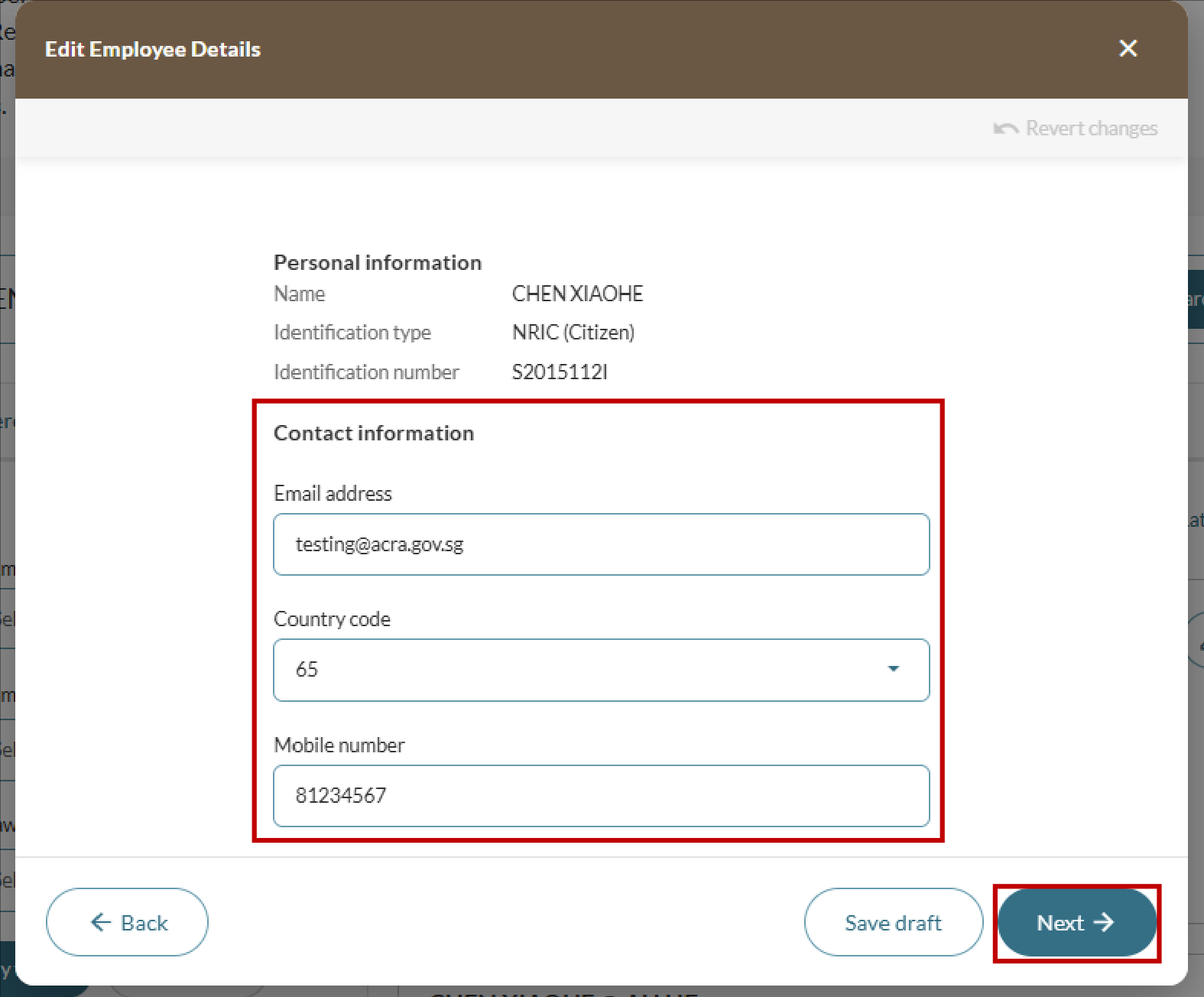
You may update any of the following:
Full name
Identification type and number
Mobile number
Email address
Fees and processing time
Updating corporate service provider (CSP) employees' particulars
What you need to know | Details |
|---|---|
Fee | Free |
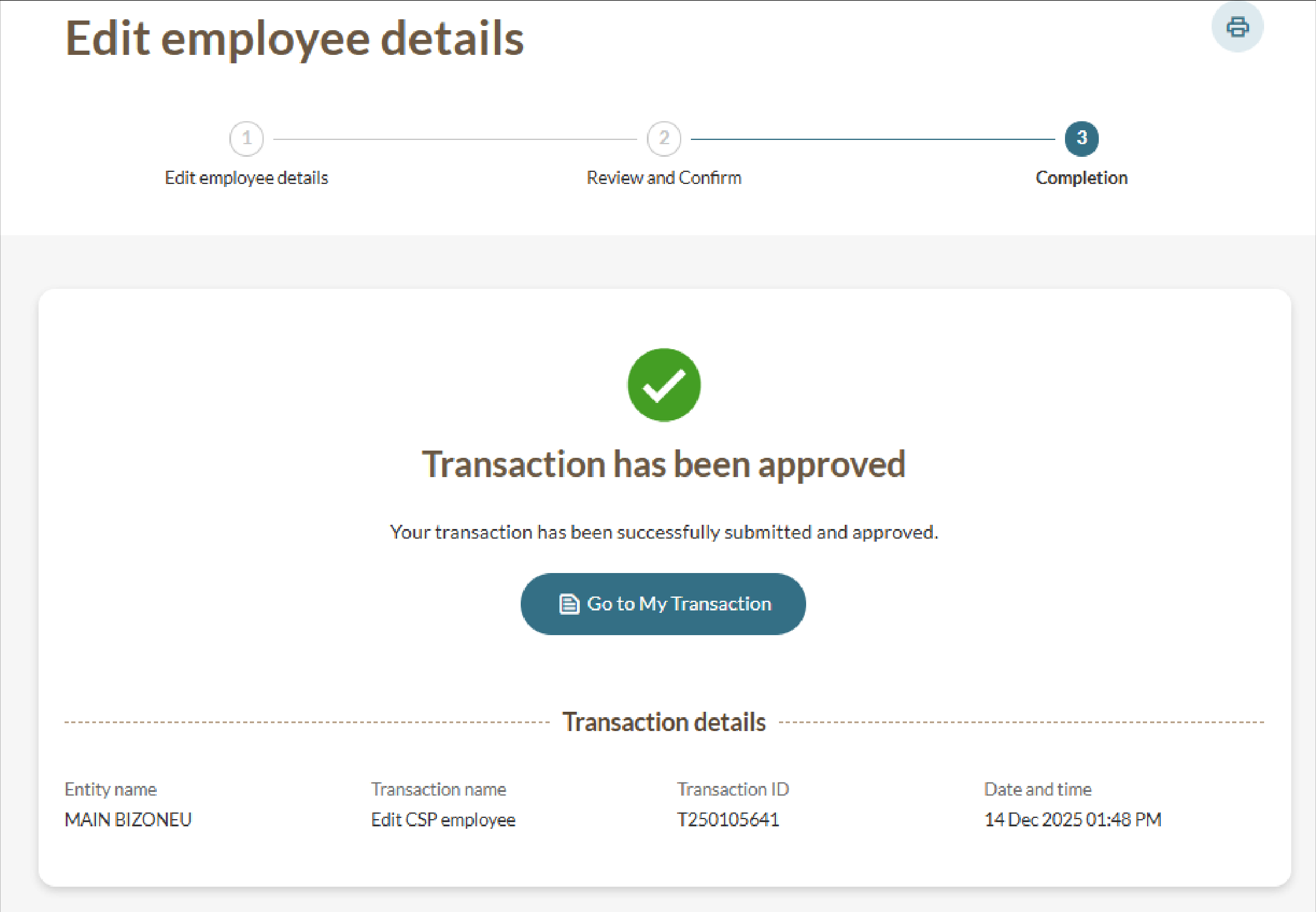
Processing time | Immediate |
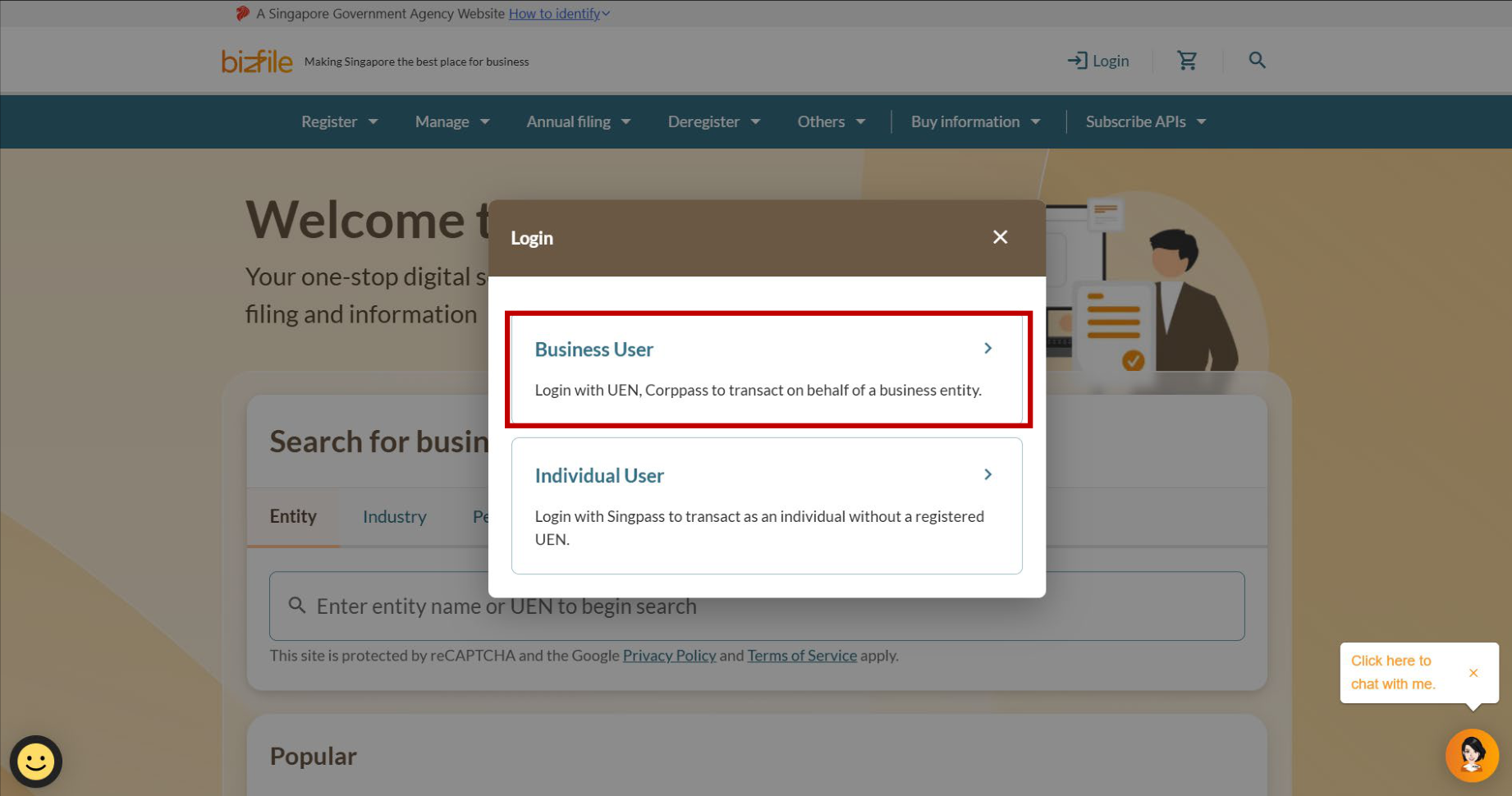
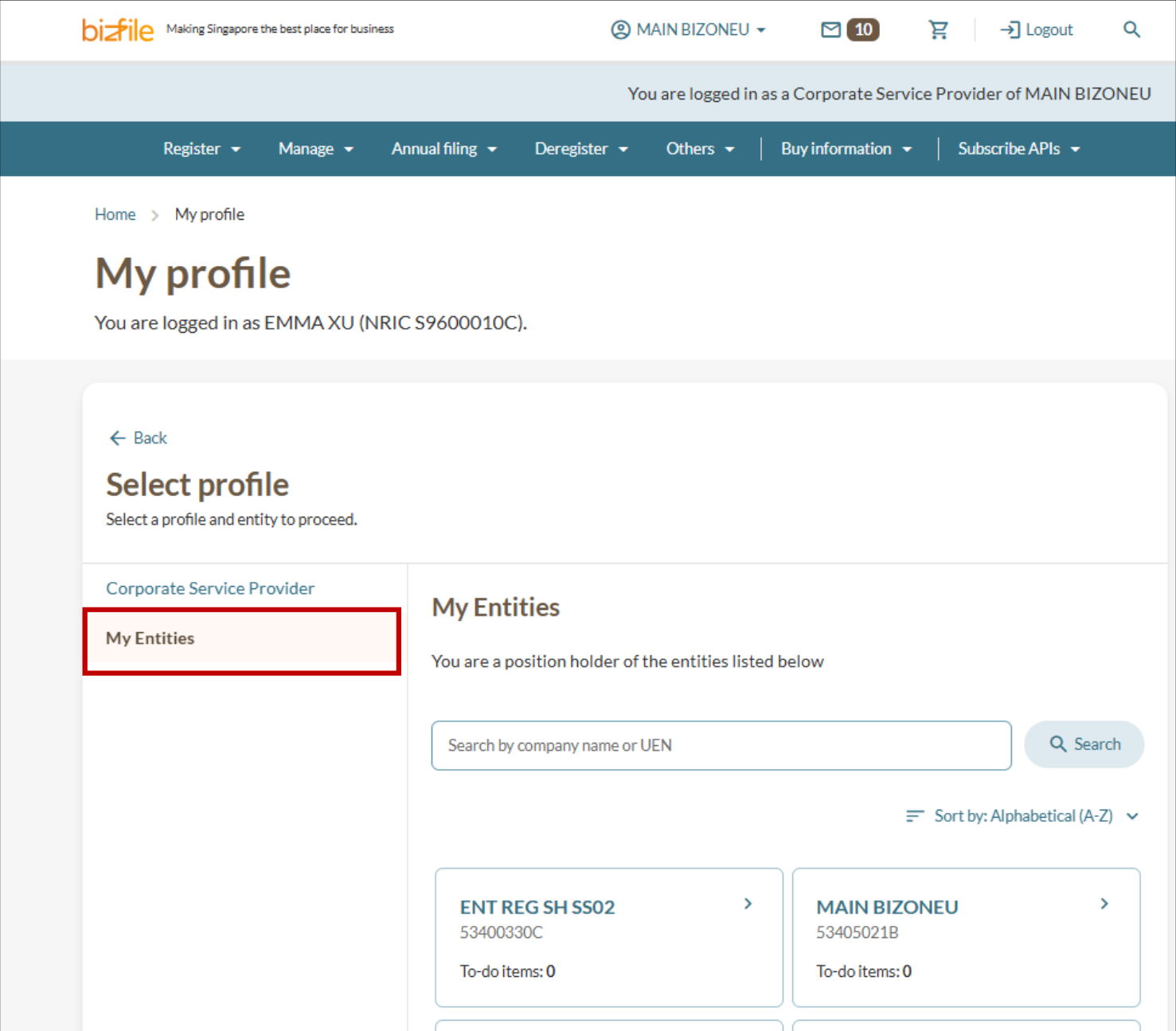
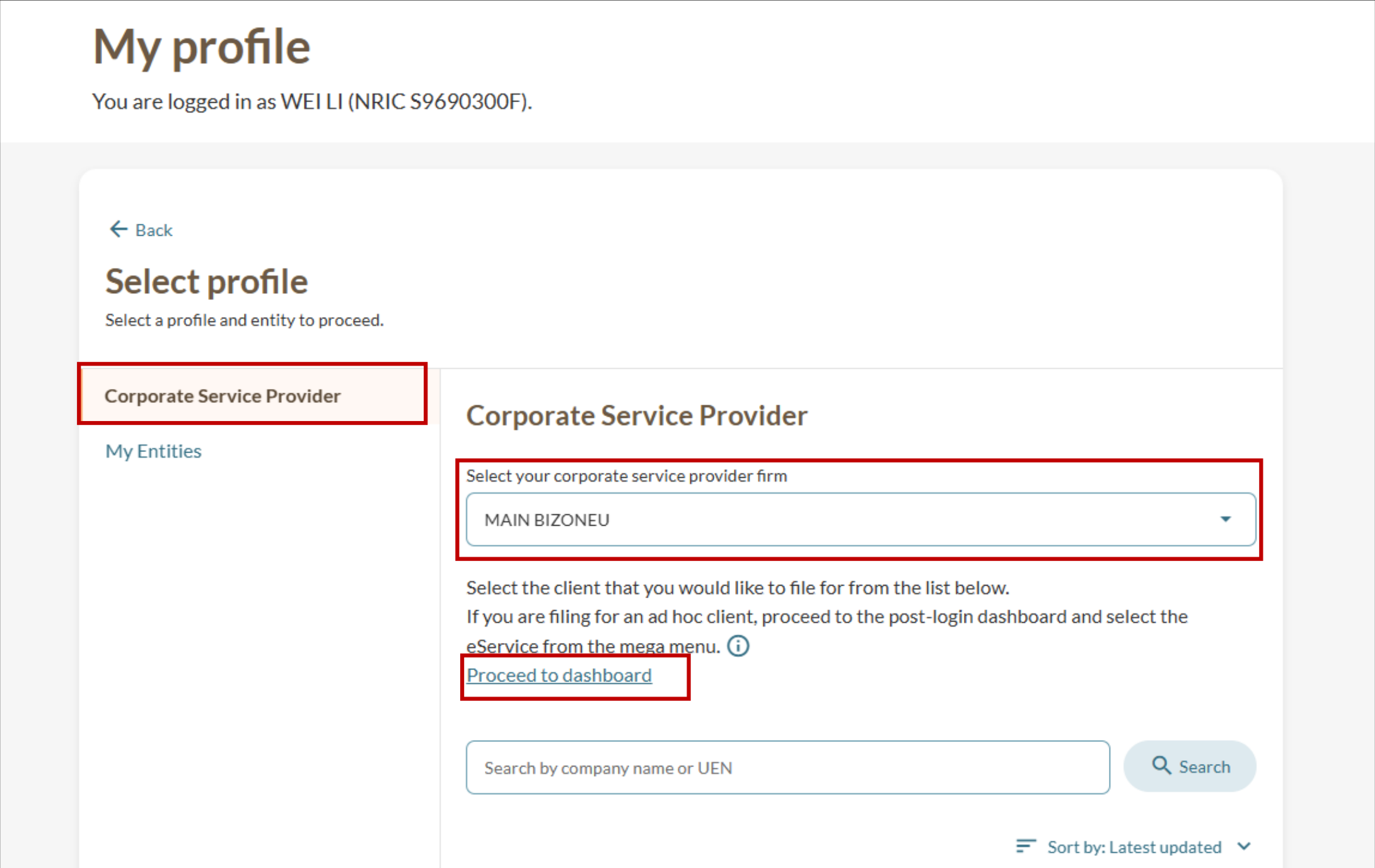
Step 1: Log in to Bizfile and open the "Manage filing access for RQIs and CSP employees" eService
Follow these steps to log in to Bizfile and navigate to the eService.
Note: All entity and personal information (including UEN, entity details, NRIC or FIN numbers, names and addresses) shown are dummy data for illustration purposes only.
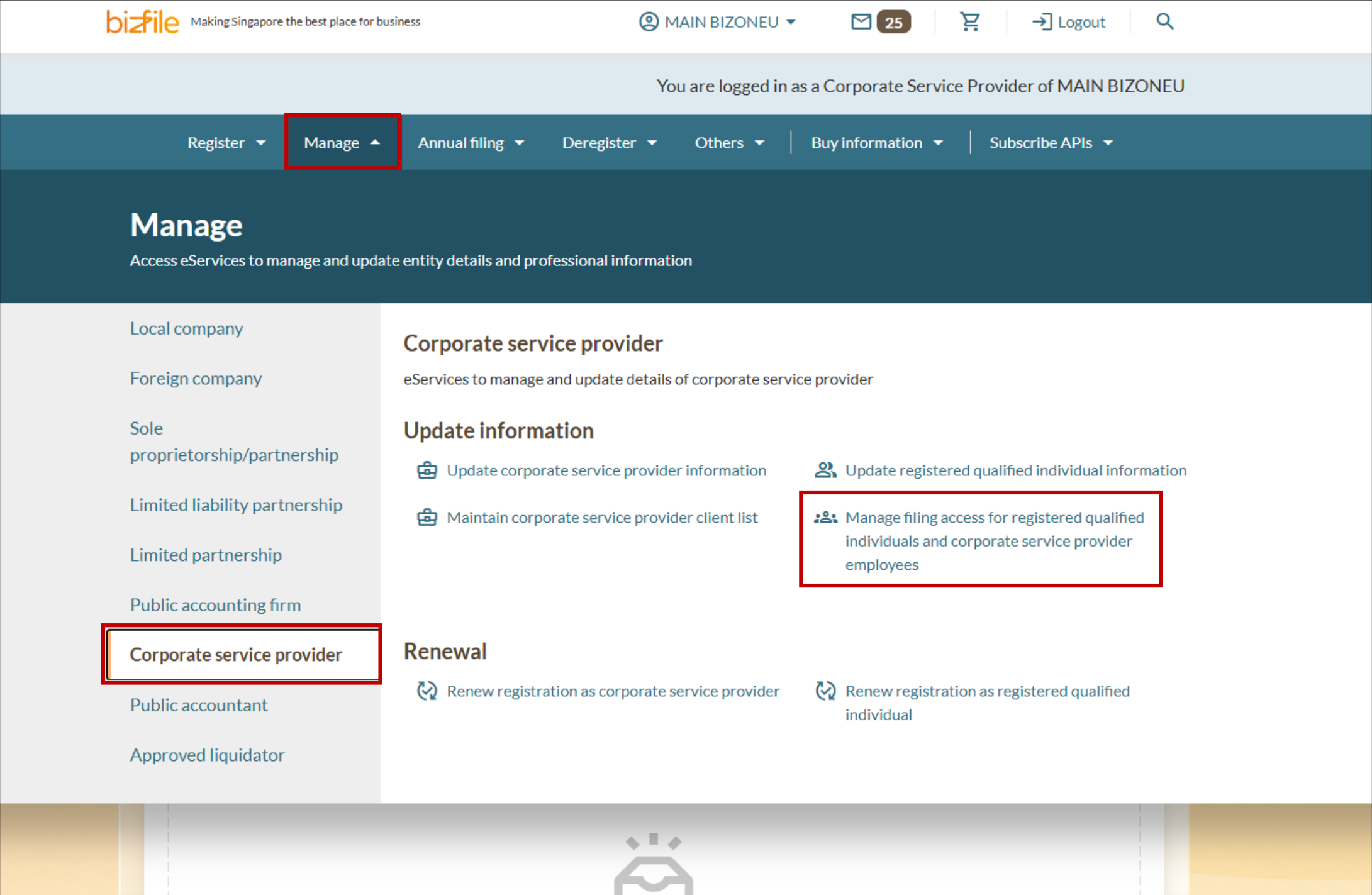
Tip: You can also access this eService directly from your dashboard by clicking My RQIs and authorised employees.
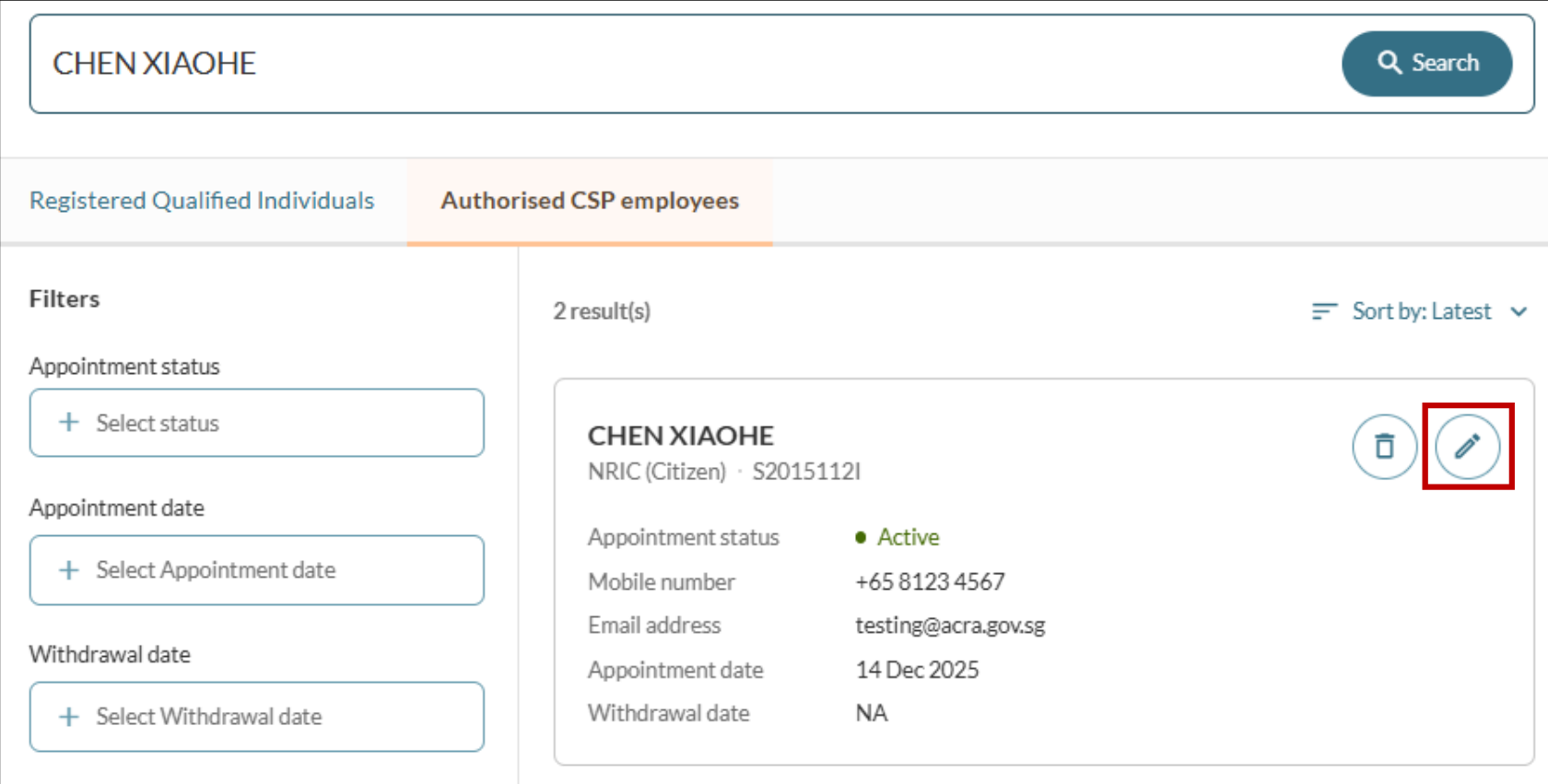
Step 2: Update an employee's particulars
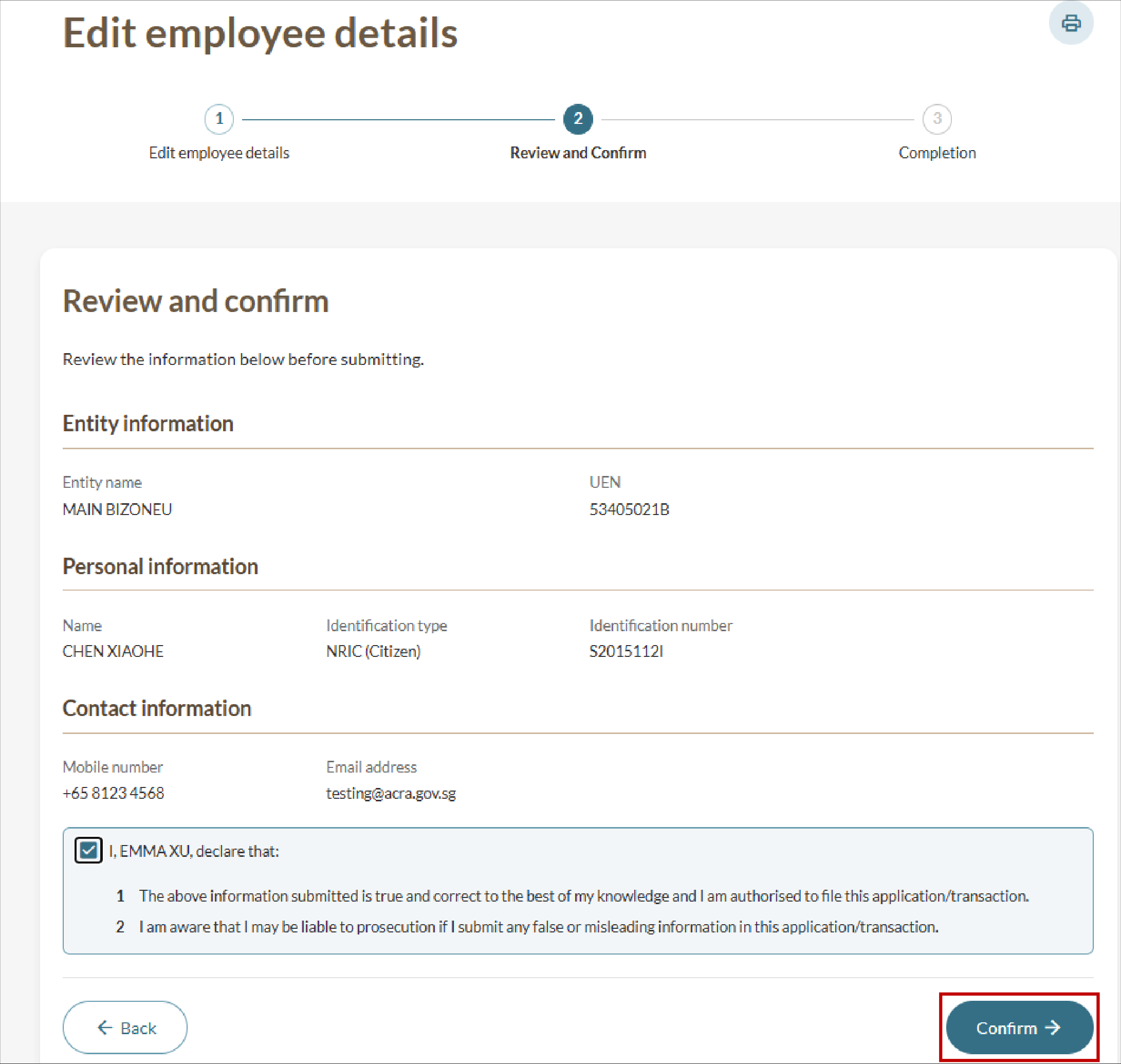
Follow these steps to update an employee's contact information or details.
Note: To update an employee's identification number, first remove the existing ID entry. Then add the new ID entry. You cannot edit the identification number directly.