
Guide
Court-ordered winding up: Notice of order & liquidator appointments
20 March 2026
Audience
Businesses
Corporate service providers (CSP)
Task or topic
Close business or deregister
File a Notice of winding up order and appoint a liquidator or provisional liquidator for compulsory winding up.
Before you file
A court-ordered compulsory winding up applies when a court orders the winding up of a local company or limited liability partnership (LLP). For example, when an entity is unable to pay its debts.
The Court may appoint a liquidator to wind up the affairs of the entity. If no liquidator is appointed by the Court, the Official Receiver acts as liquidator.
This is the first of three filings required to complete a compulsory winding up.
Who may file
File winding up of business entity
Who may file | Details |
|---|---|
Authorised position holders | Officers of the entity being wound up, acting on behalf of the company or LLP. |
CSPs appointed to file on behalf of a third party, such as a creditor or the court. Before you file, you need to add the entity to your client list. |
What you need to prepare
Court-ordered winding up: Notice of order & liquidator appointments
What you need to prepare | Details |
|---|---|
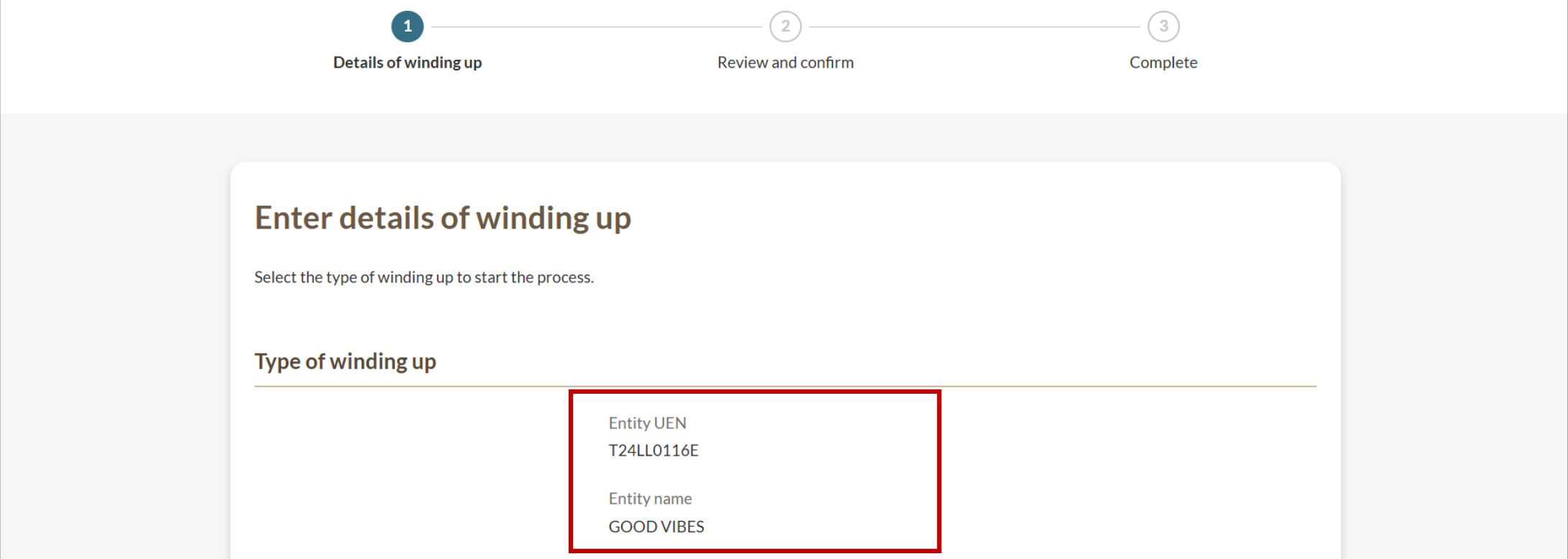
Entity’s UEN | Confirm the unique entity number (UEN) and name of the entity to be wound up. |
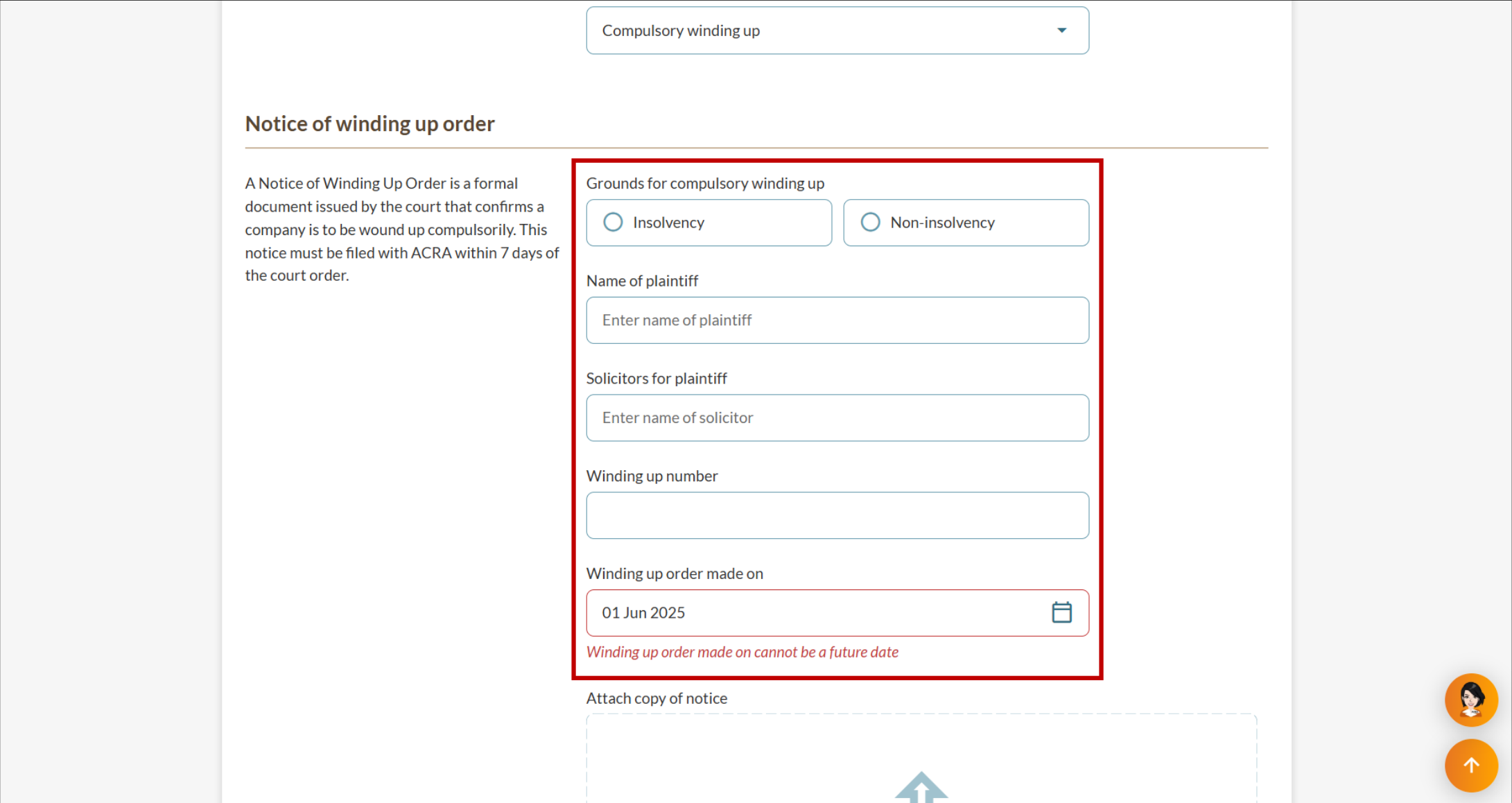
Notice of Winding Up Order |
Note: The date of the Notice must be the current date or a past date. Future dates are not allowed. |
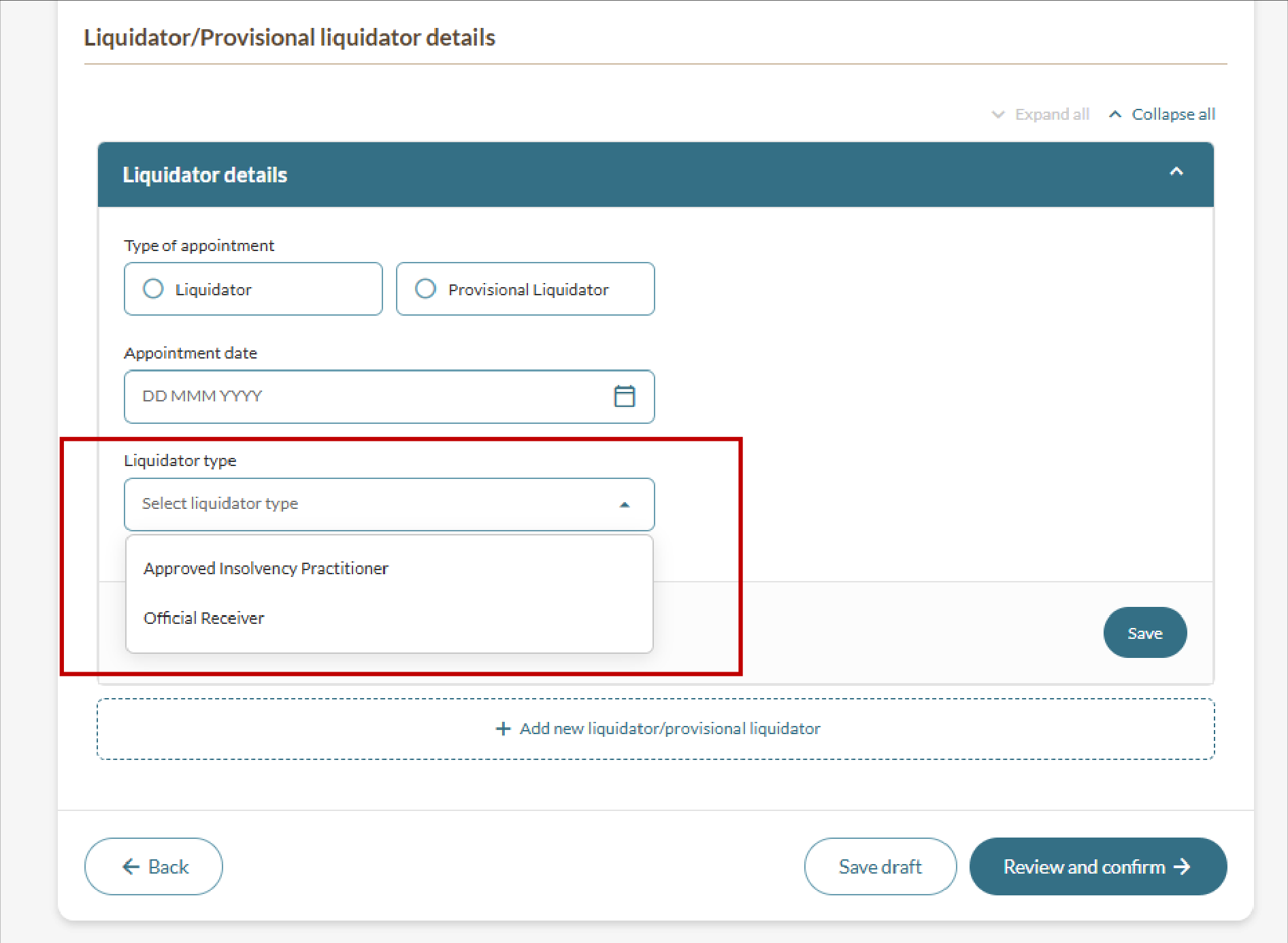
Liquidator details | For approved insolvency practitioners:
For the Official Receiver: No additional details needed. The system will auto-populate. |
Fees and processing time
Filing a notice of winding up order and appointing liquidators
What you need to know | Details |
|---|---|
Fees |
|
Processing time | Immediate |
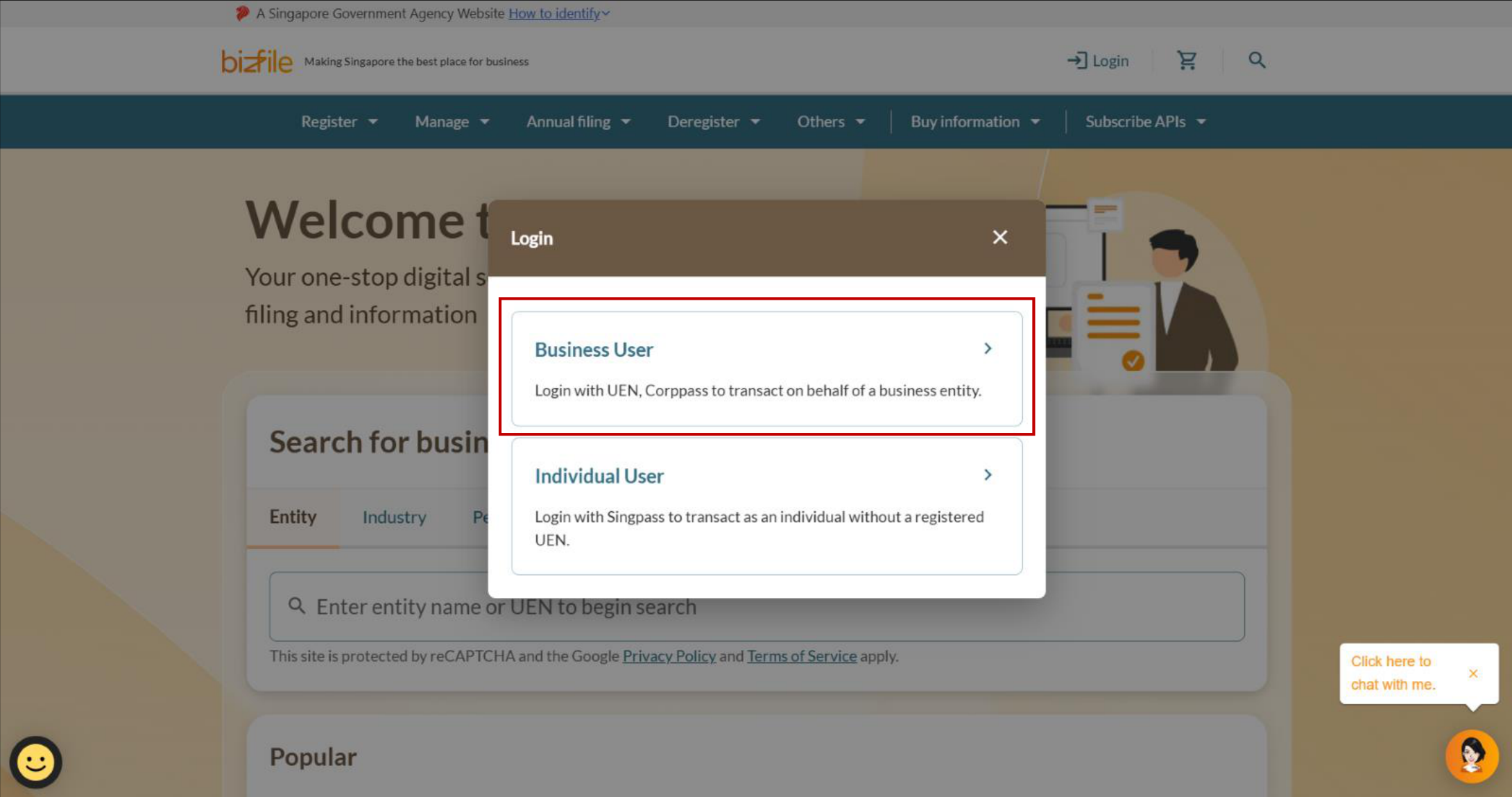
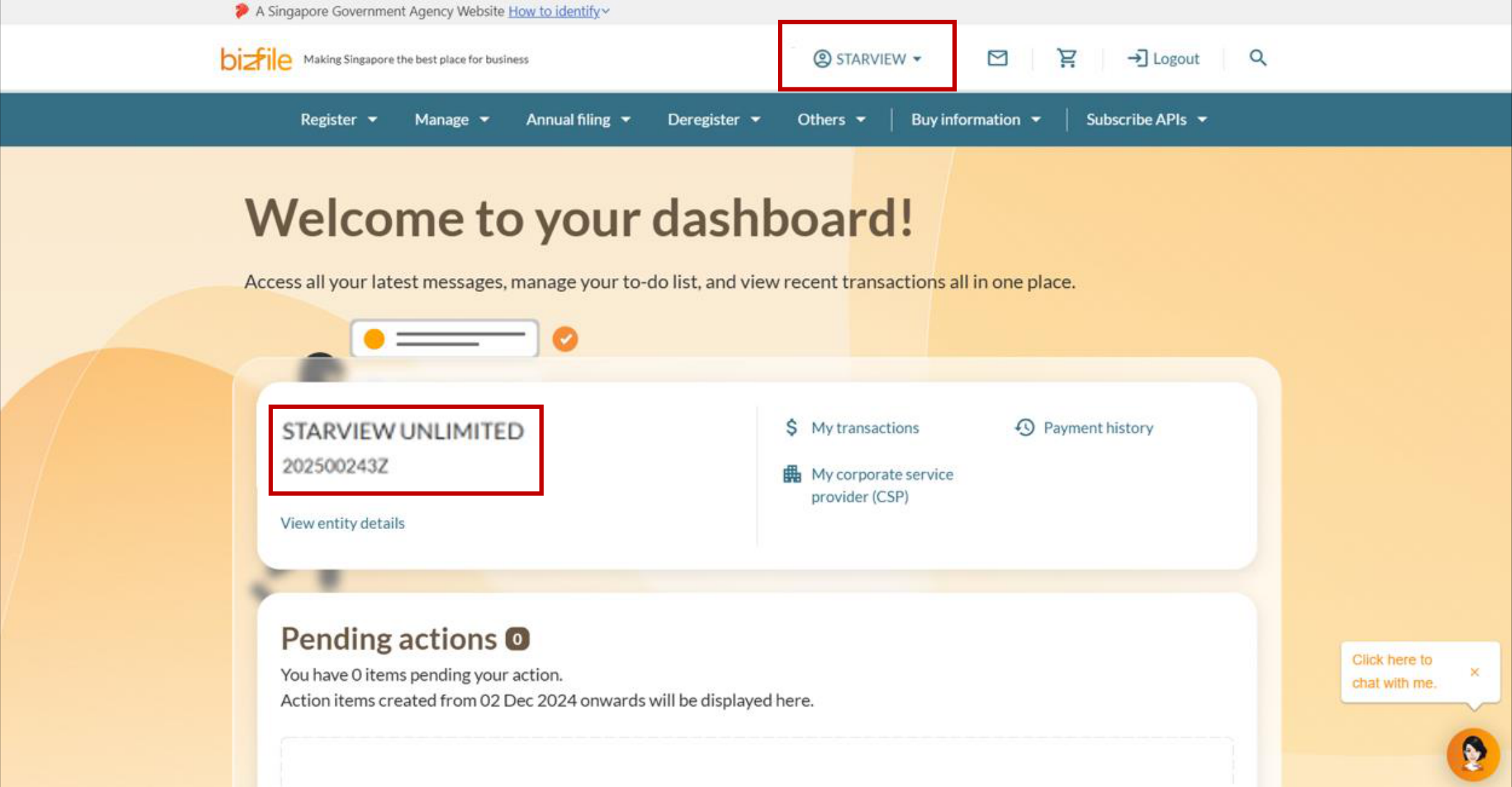
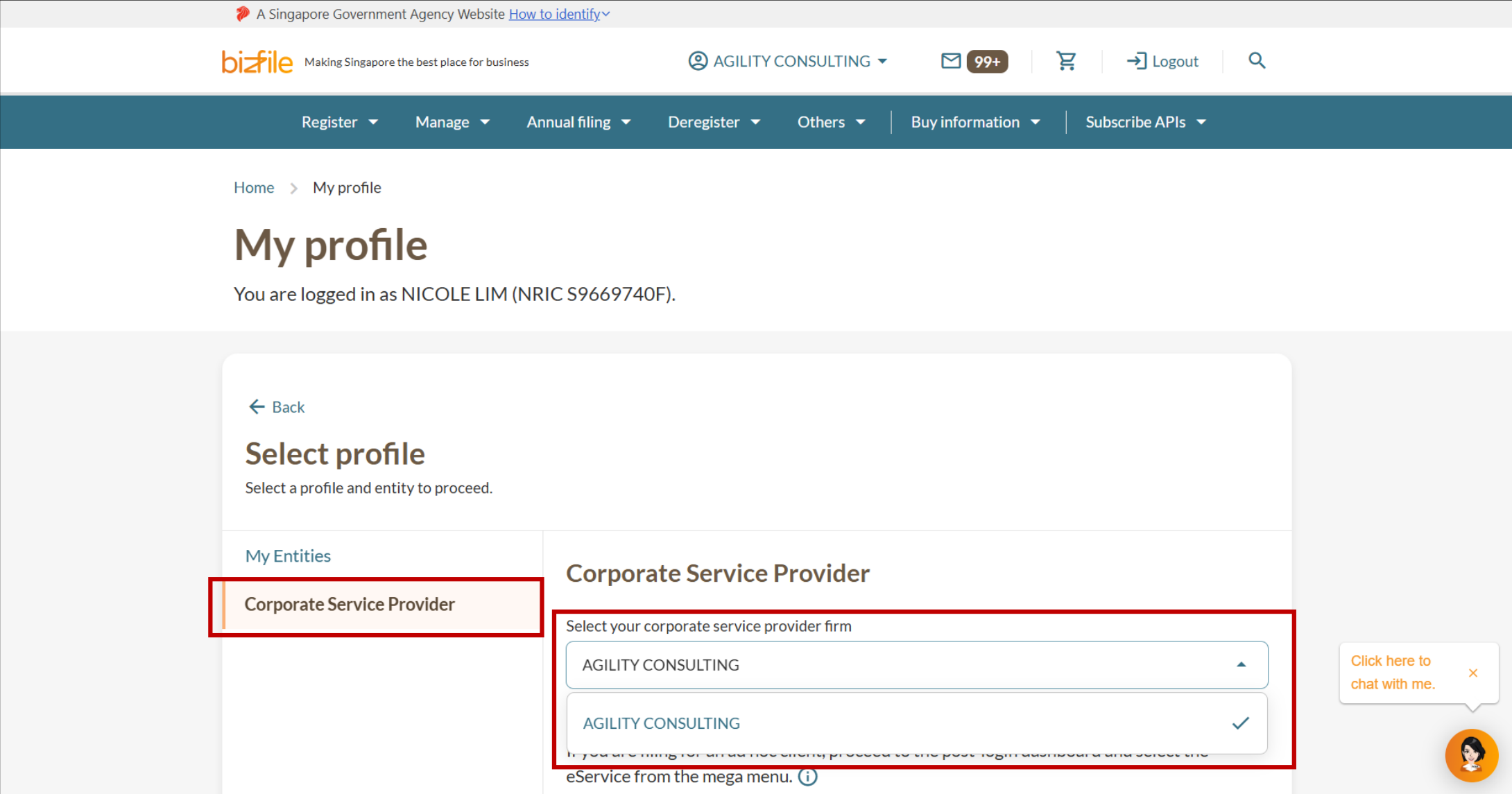
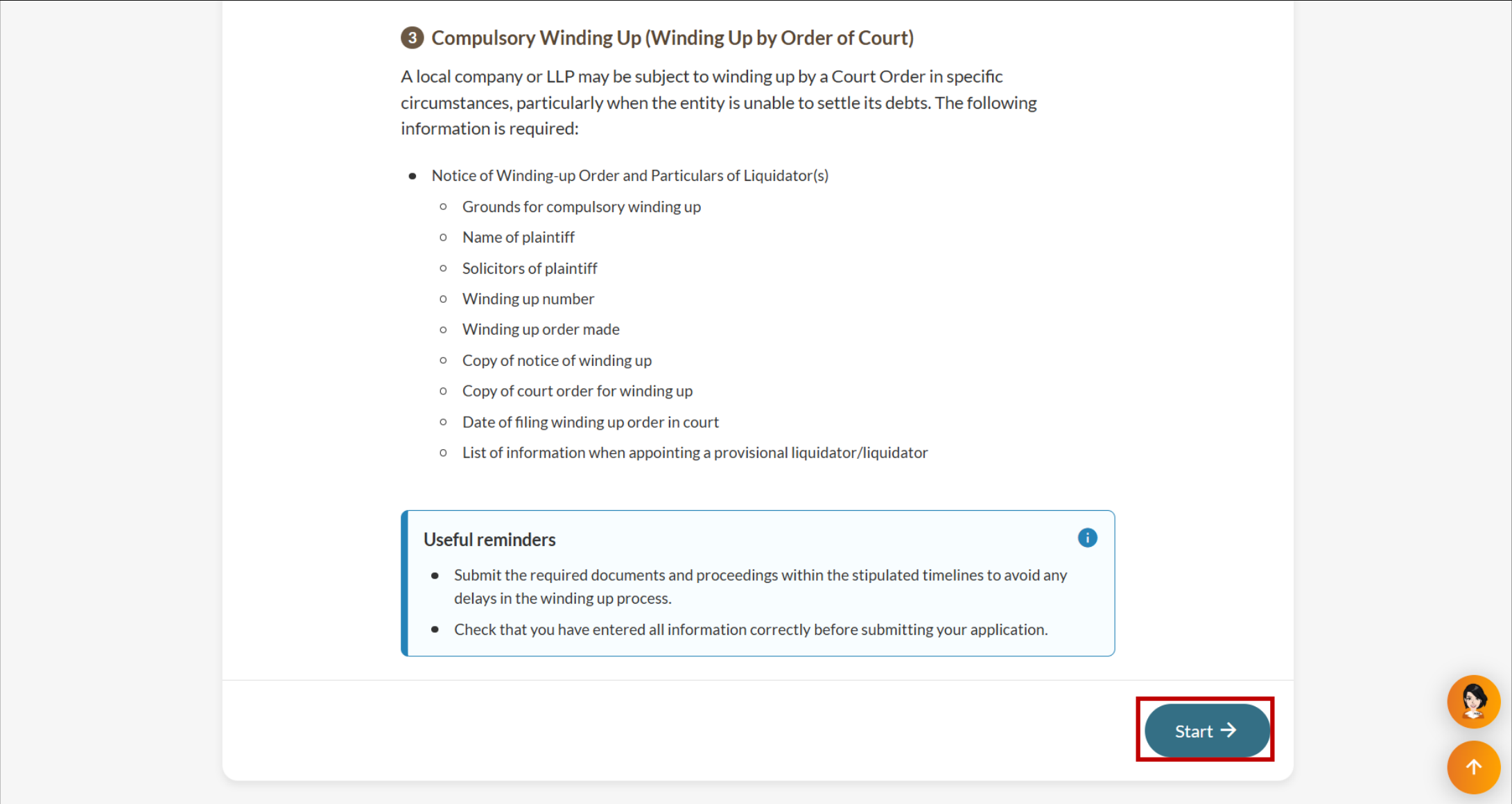
Step 1: Log in to Bizfile and open the “File winding up of business entity” eService
Follow these steps to log in to Bizfile and navigate to the File winding up of business entity (opens in new tab) eService.
Note: All entity and personal information (including UEN, entity details, NRIC or FIN numbers, names and addresses) shown are dummy data for illustration purposes only.
Step 2: File the Notice of winding up order and appoint liquidators
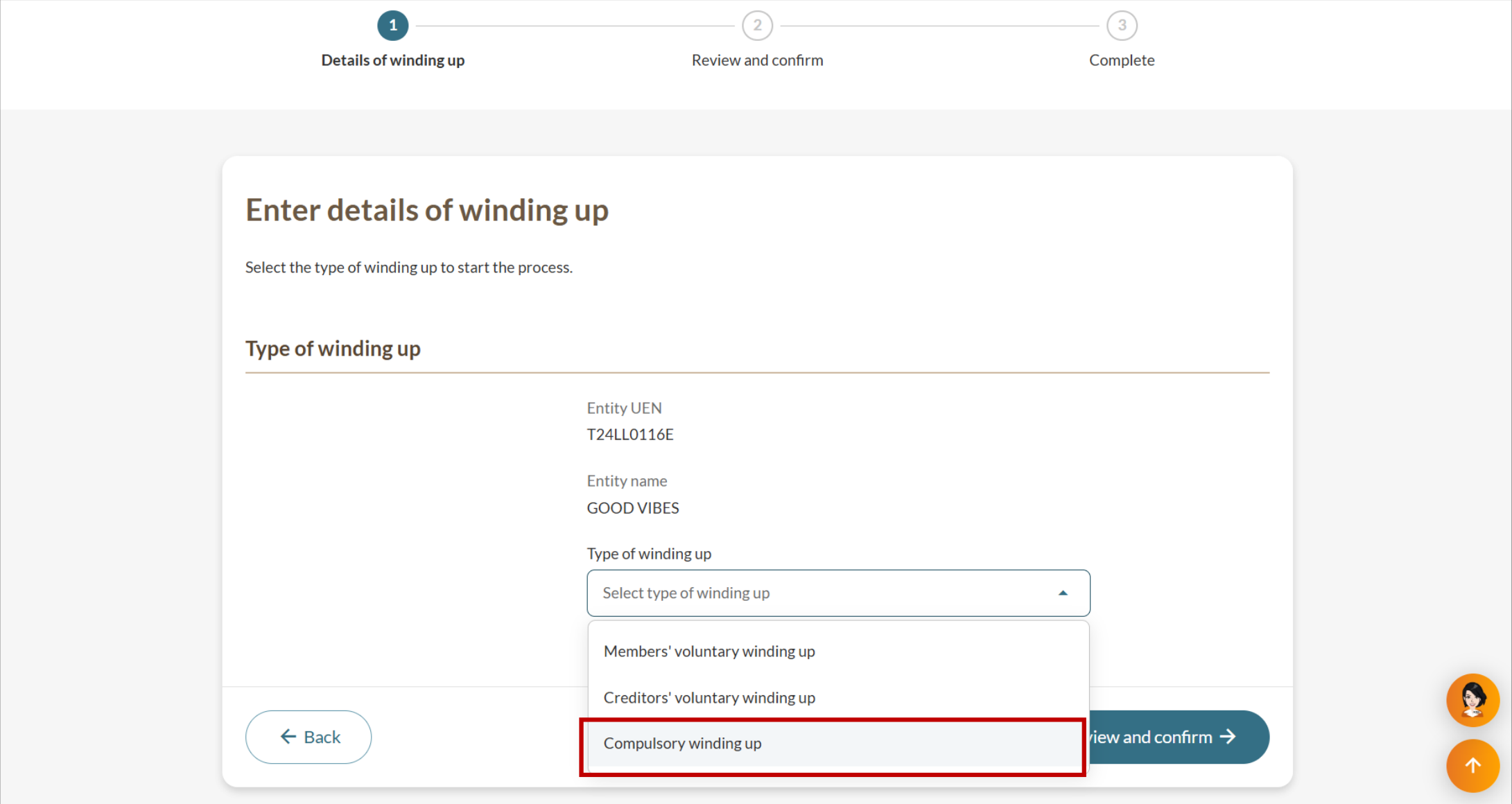
Enter the Court’s winding up order and appoint a liquidator or provisional liquidator. The entity status will change to “In liquidation” once this filing is submitted.
For approved insolvency practitioners
Enter their IP licence number and click Retrieve information to retrieve the liquidator’s personal information.
Provide their email address and mobile number. Then, enter their unique entity number (UEN) and click Search to retrieve their entity information. Click Save.
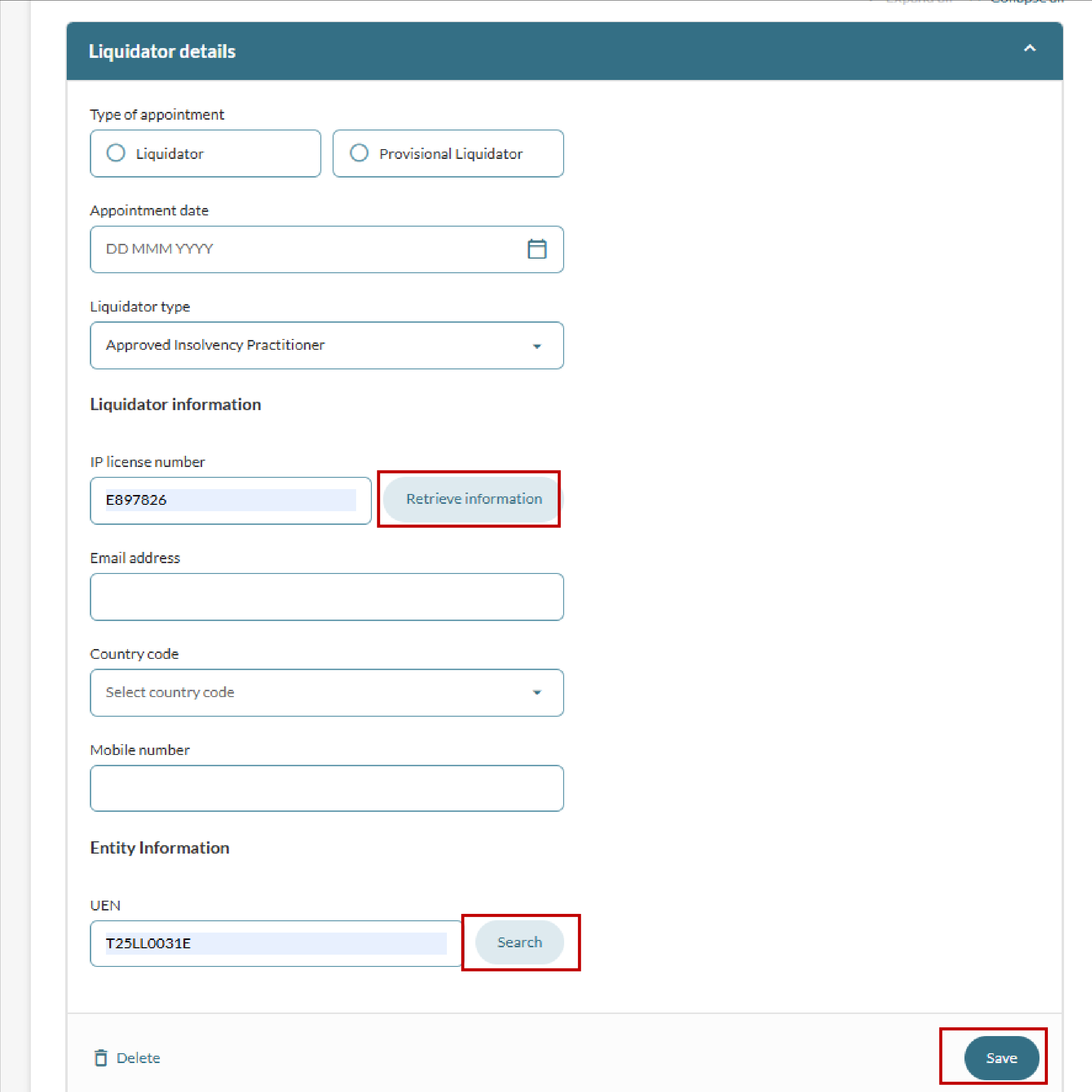
Required fields for approved insolvency practitioners
For Official Receiver
After you select Official Receiver as the liquidator type, the system will automatically show the Ministry of Law’s contact details.
Click Save to continue.
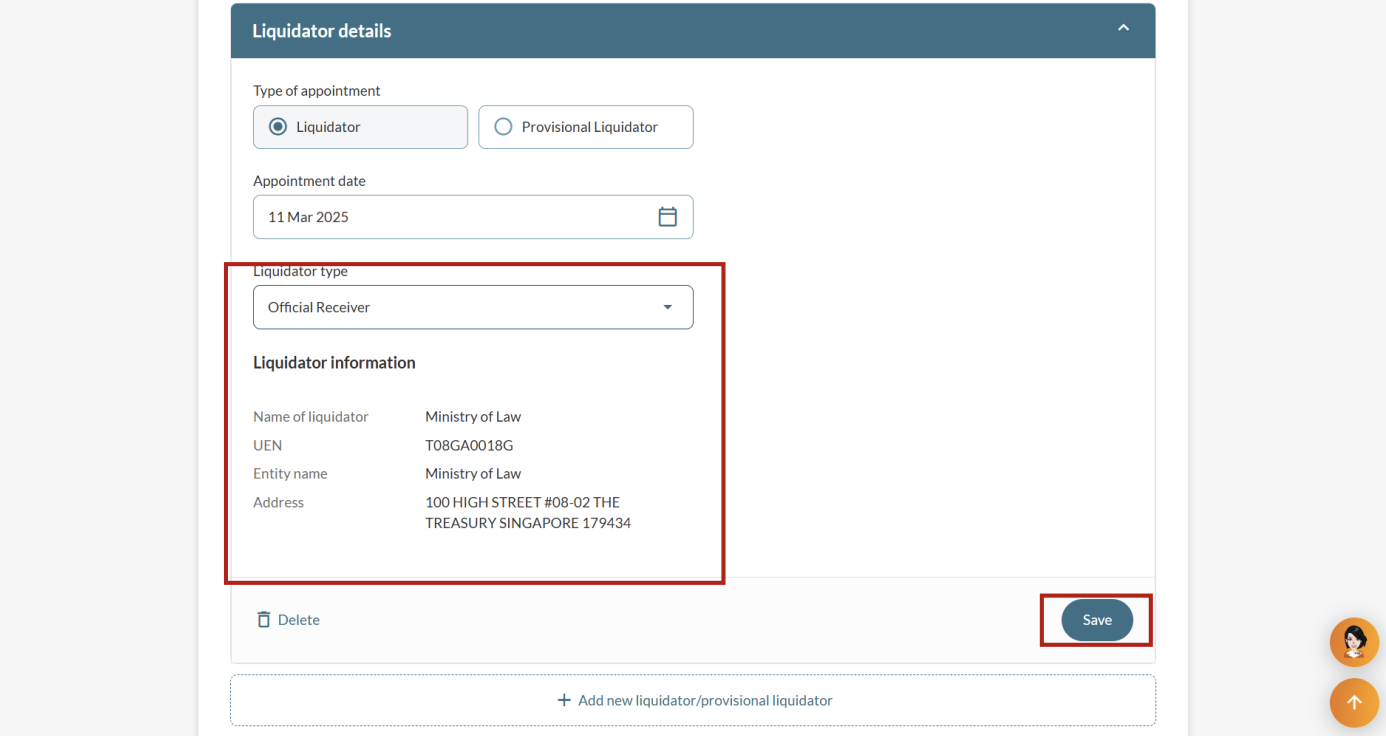
Automatically retrieved liquidator information for Official Receivers
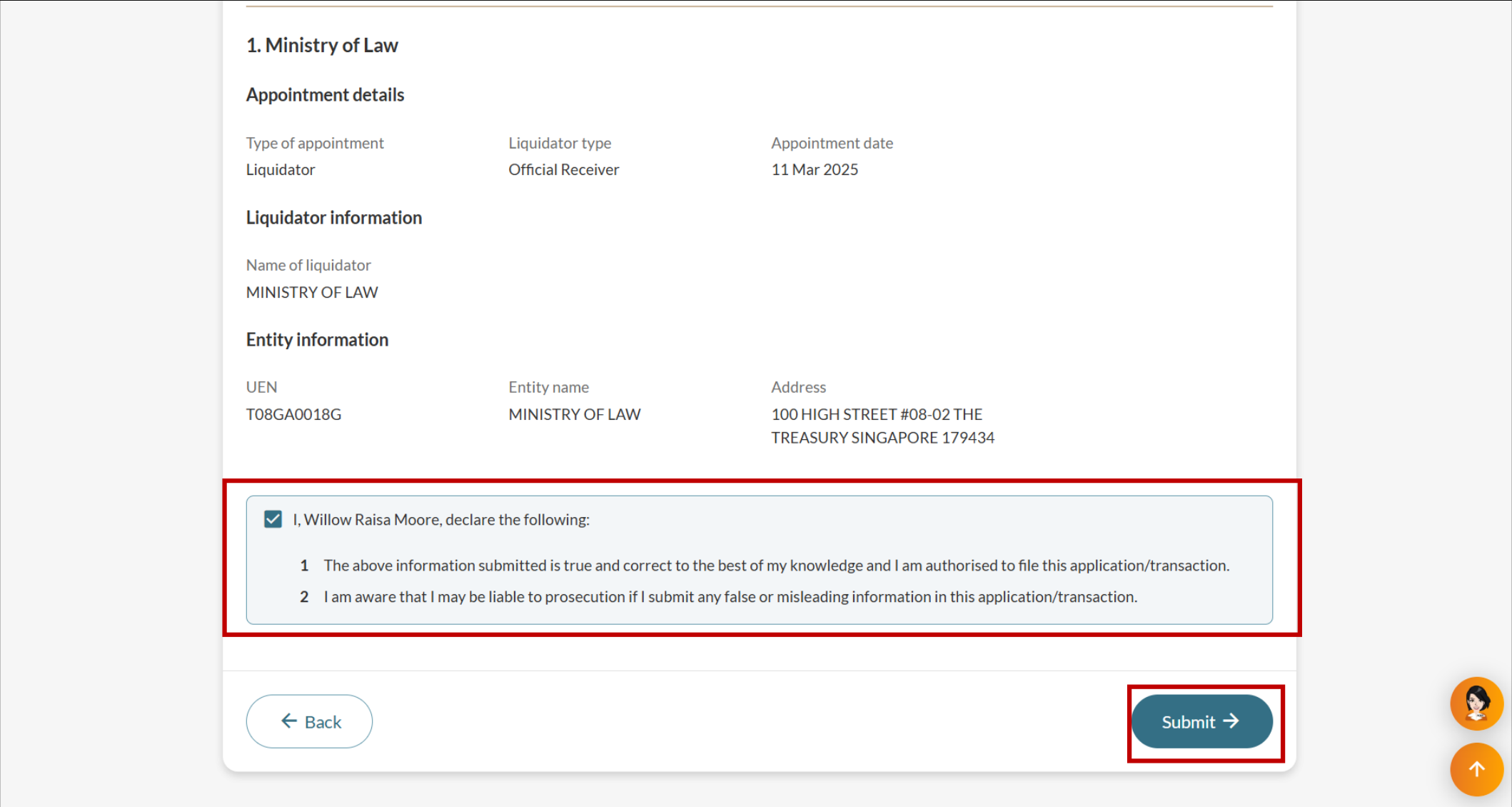
Step 3: Review and confirm
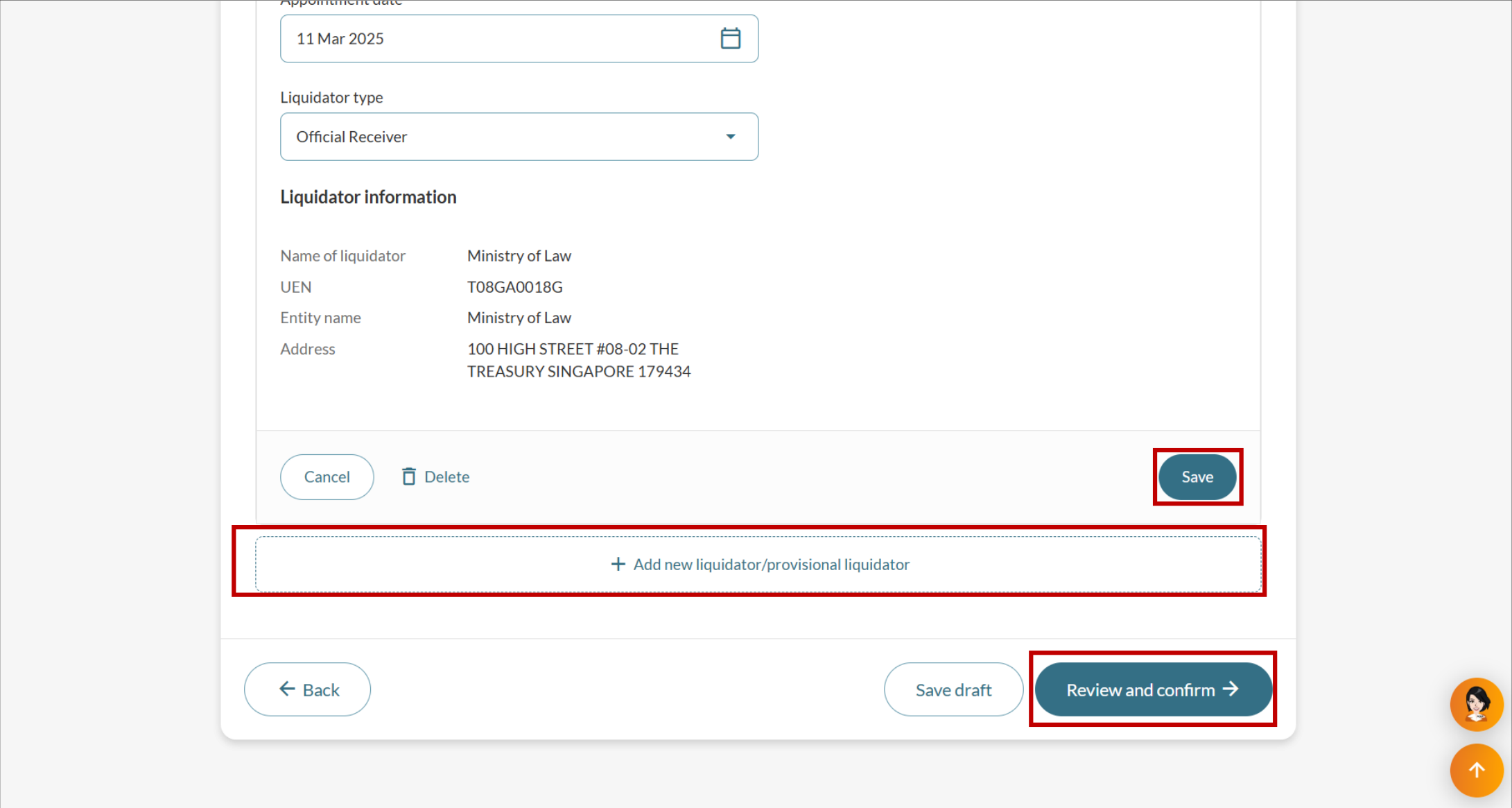
If there are any additional liquidators, add them first.
Then, follow these steps to review and confirm your application:
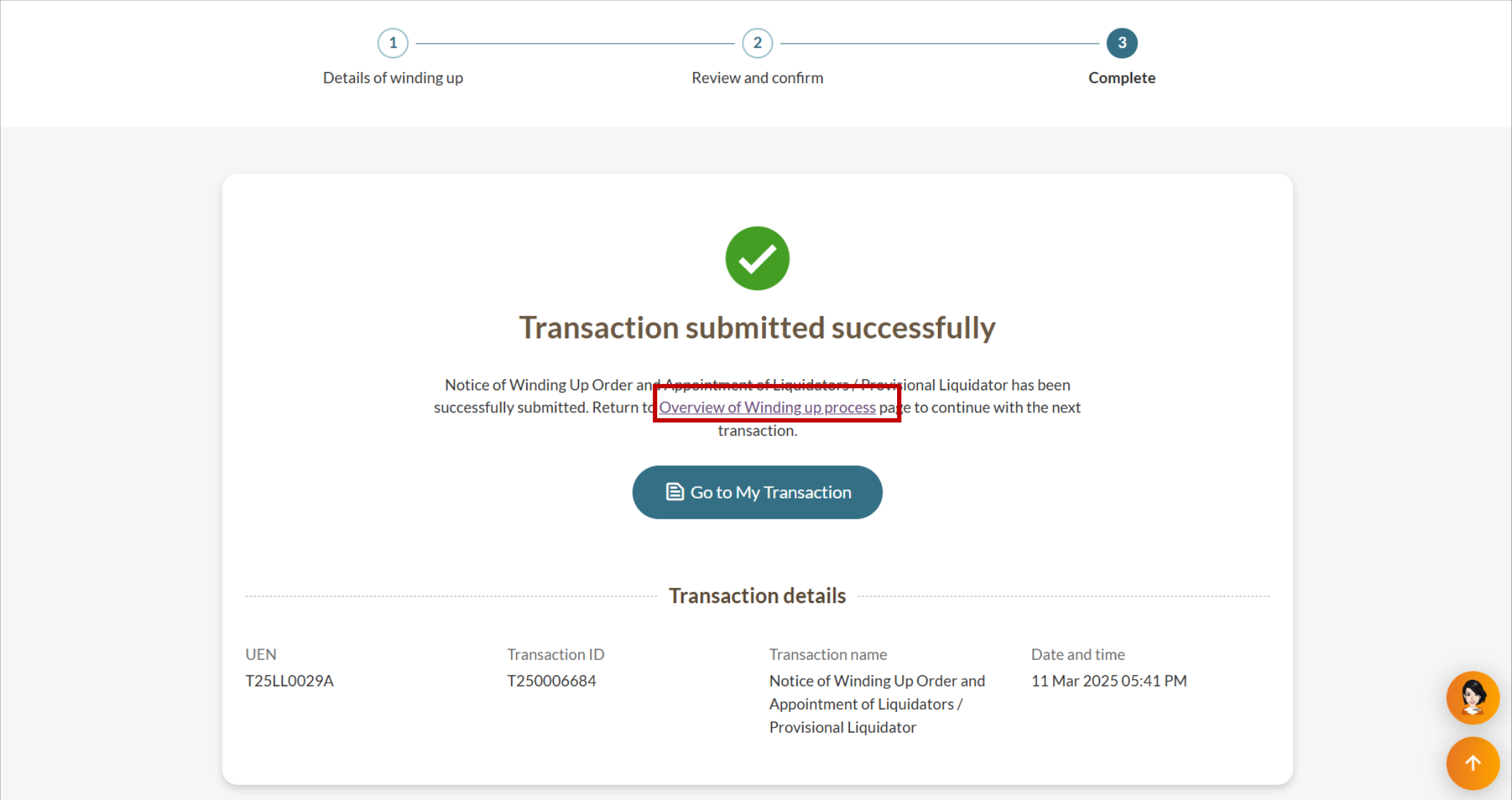
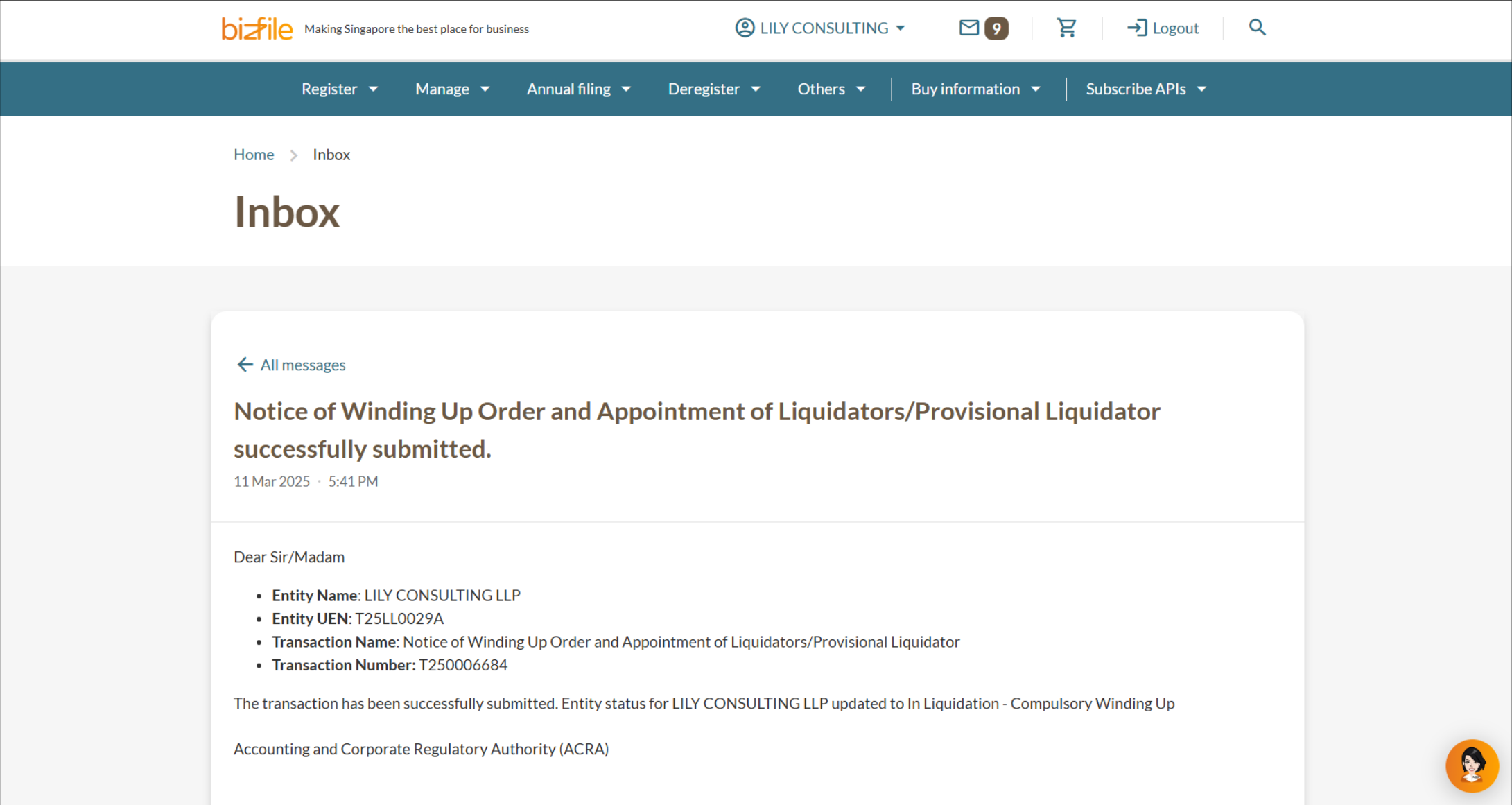
After you file
You can file the winding up order immediately or return to it later:
Return to the File winding up of business entity (opens in new tab) eService.