Filing a notice of resolution (special resolution)
File a notice of resolution (special resolution) for your local company through the "Notice of Resolution" eService on Bizfile.
Last updated 17 August 2026
Before you file
Use this guide to file a notice of resolution (special resolution) for your local company through Bizfile.
Who may file
Company officers (such as a director or company secretary) may file on behalf of the company.
Corporate service providers (CSPs) may also file on behalf of their clients.
What you need to prepare
Required documents and information
You need to prepare | Details |
Special resolution details | • Date of meeting • Description of resolution |
Resolution (PDF) | Upload the resolution in PDF format. Maximum file size: 5MB. |
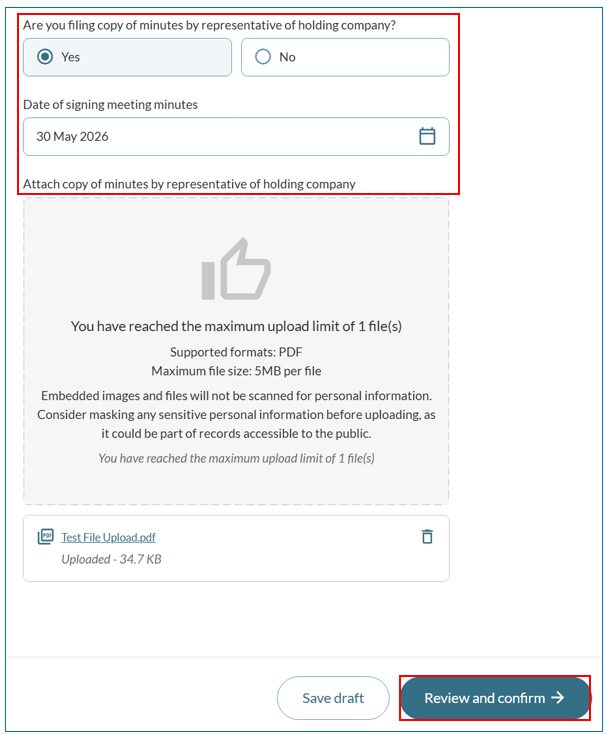
Copy of minutes by representative of holding company (PDF) | Required only if you are filing a copy of the minutes by a representative of the holding company. Maximum file size: 5MB. |
Fees and processing time
File a notice of resolution (special resolution)
What you need to know | Details |
Fee | $0 |
Processing time | Immediate |
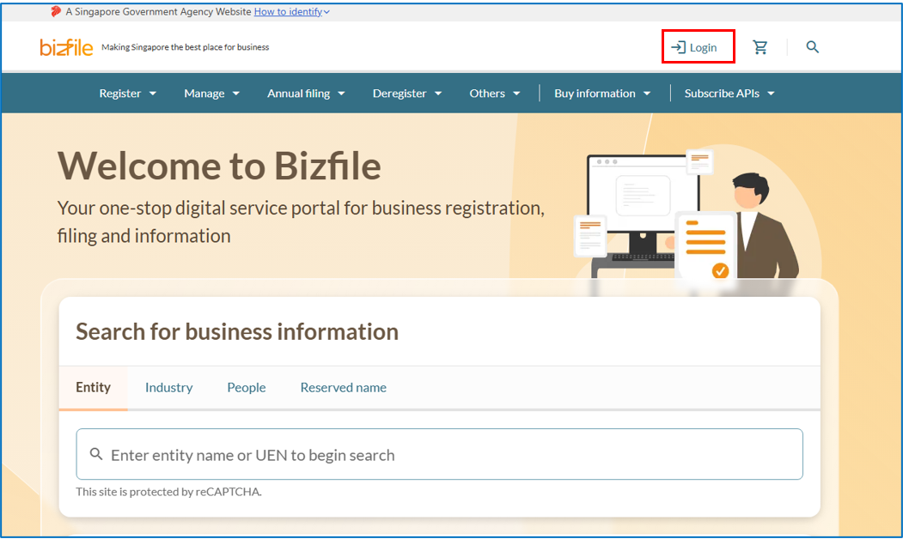
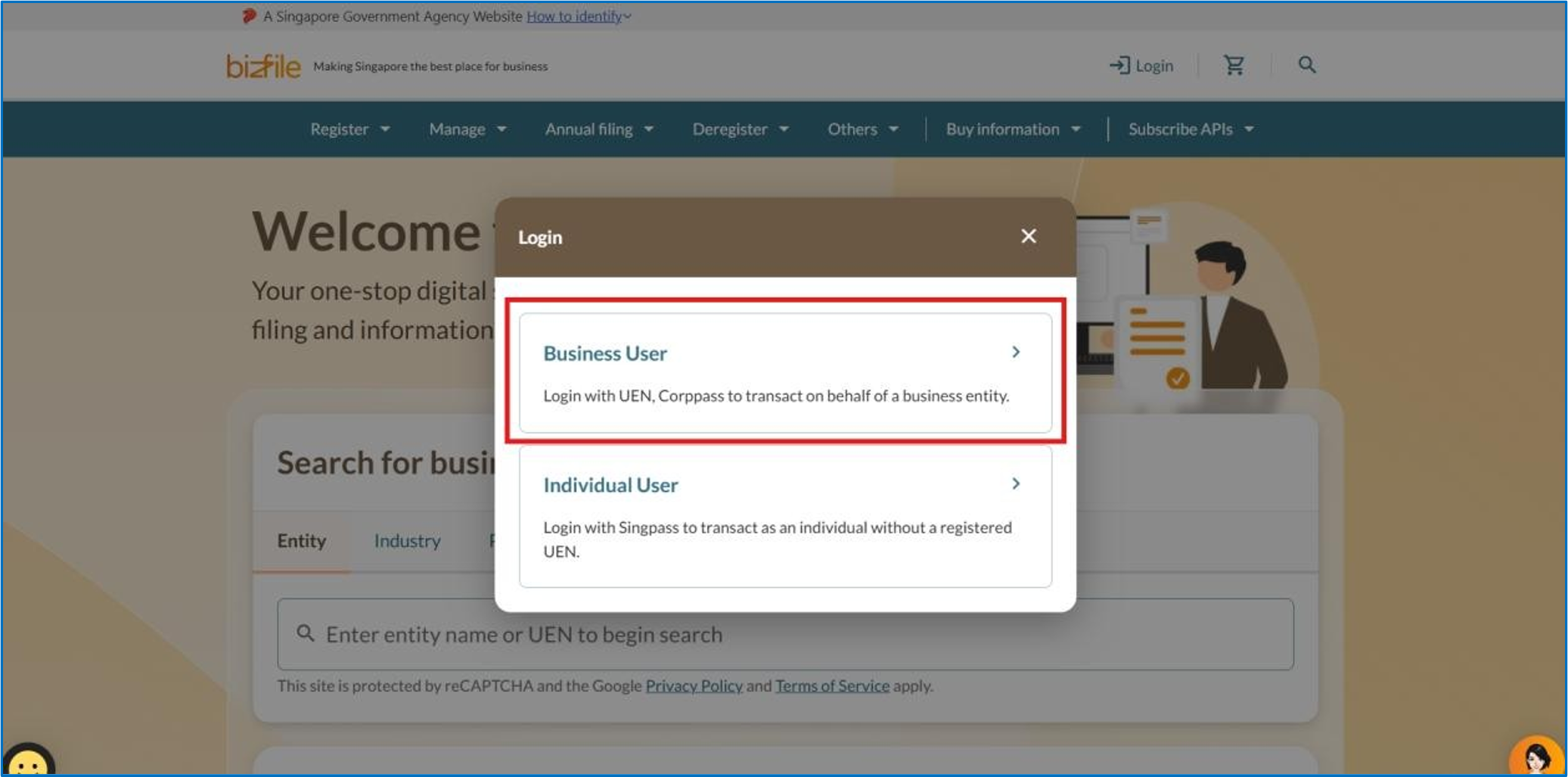
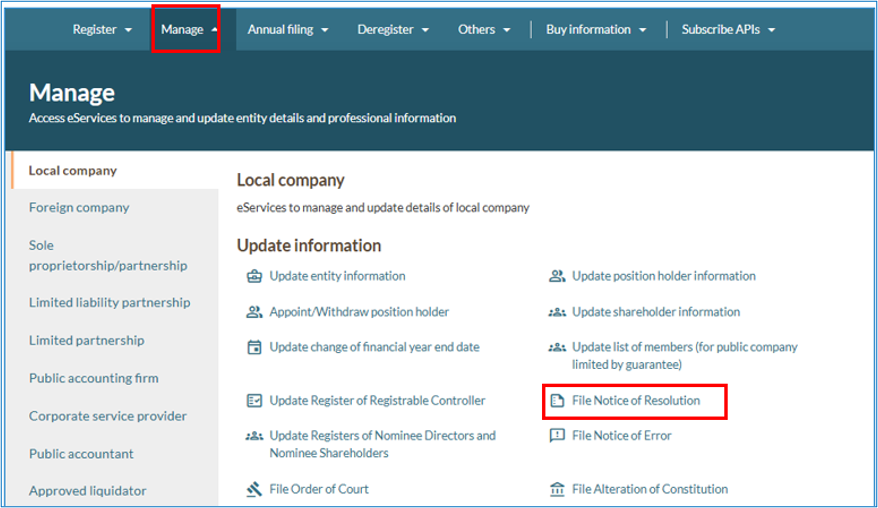
Step 1: Log in to Bizfile and open the "Notice of Resolution" eService
Follow these steps to log in and navigate to the File Notice of Resolution (opens in new tab) eService.
Note: All entity and personal information (including UEN, entity details, NRIC or FIN numbers, names and addresses) shown are dummy data for illustration purposes only.
Step 2: Check your entity dashboard
Follow these steps to confirm you are filing for the correct entity.
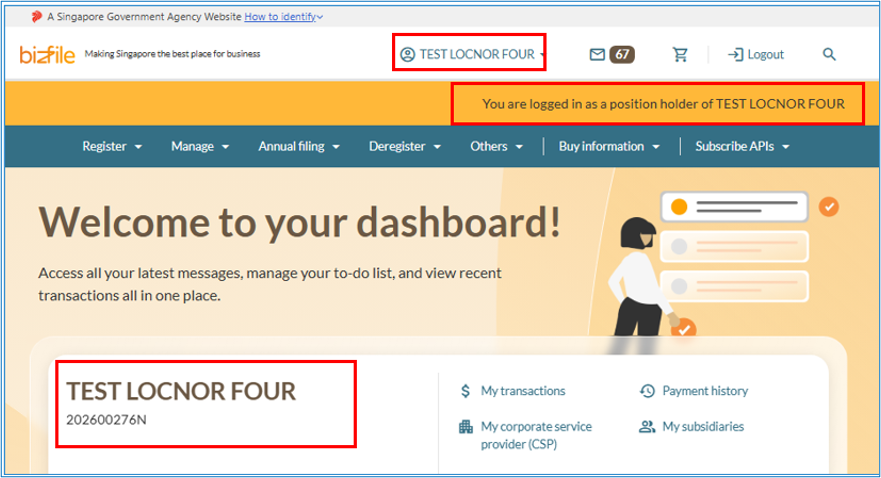
1. Check that you are on the correct entity dashboard. The entity name will be displayed on the top menu bar and the dashboard. Check that the status indicator confirms you are logged in as a position holder of that entity.
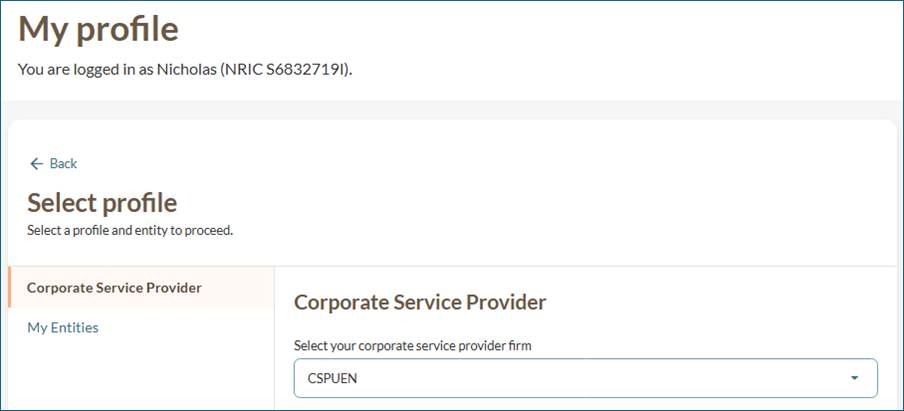
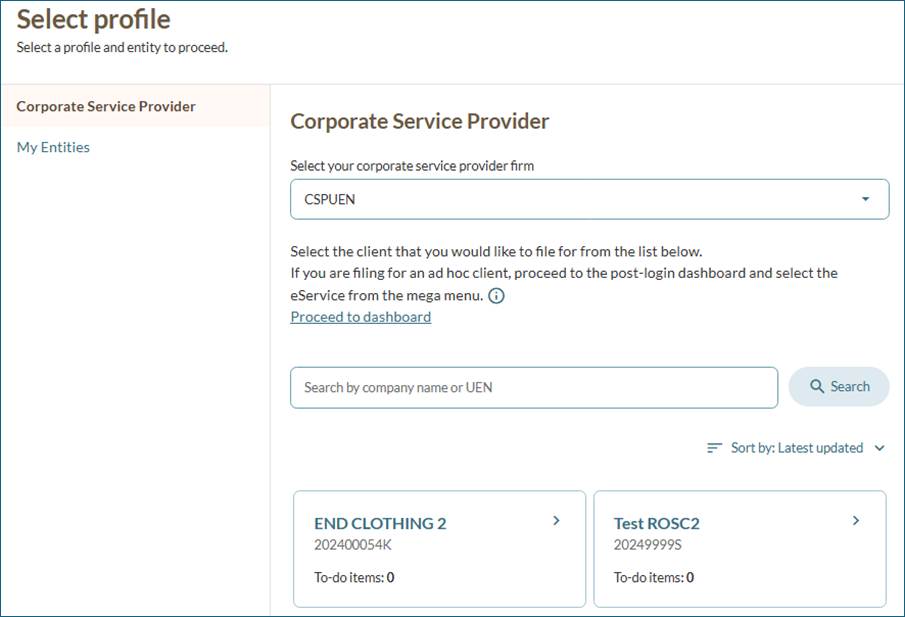
If you are a corporate service provider (CSP)
If you are filing on behalf of a client, follow these steps before proceeding to Step 3.
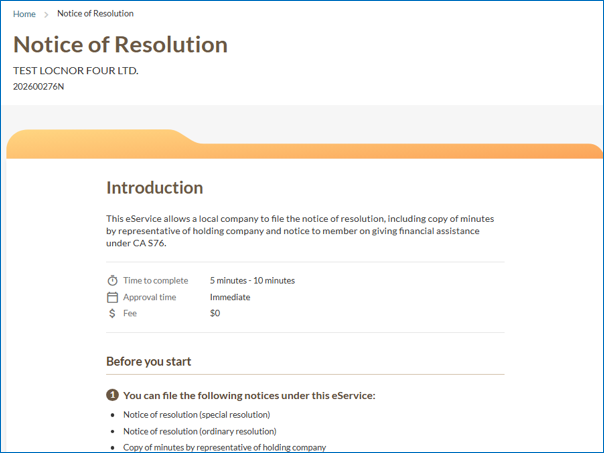
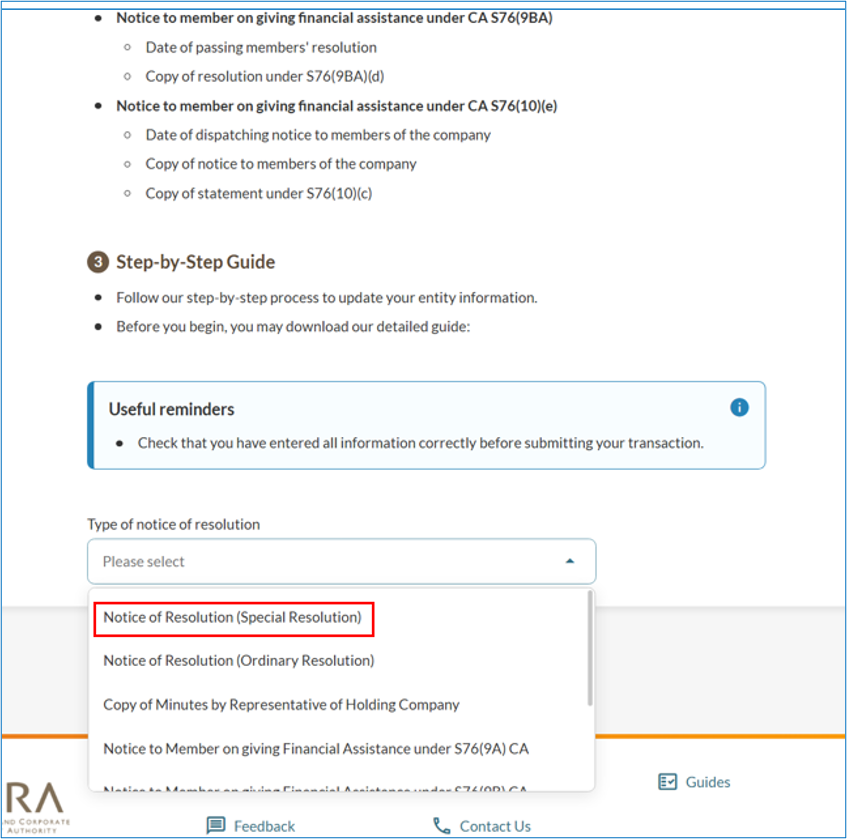
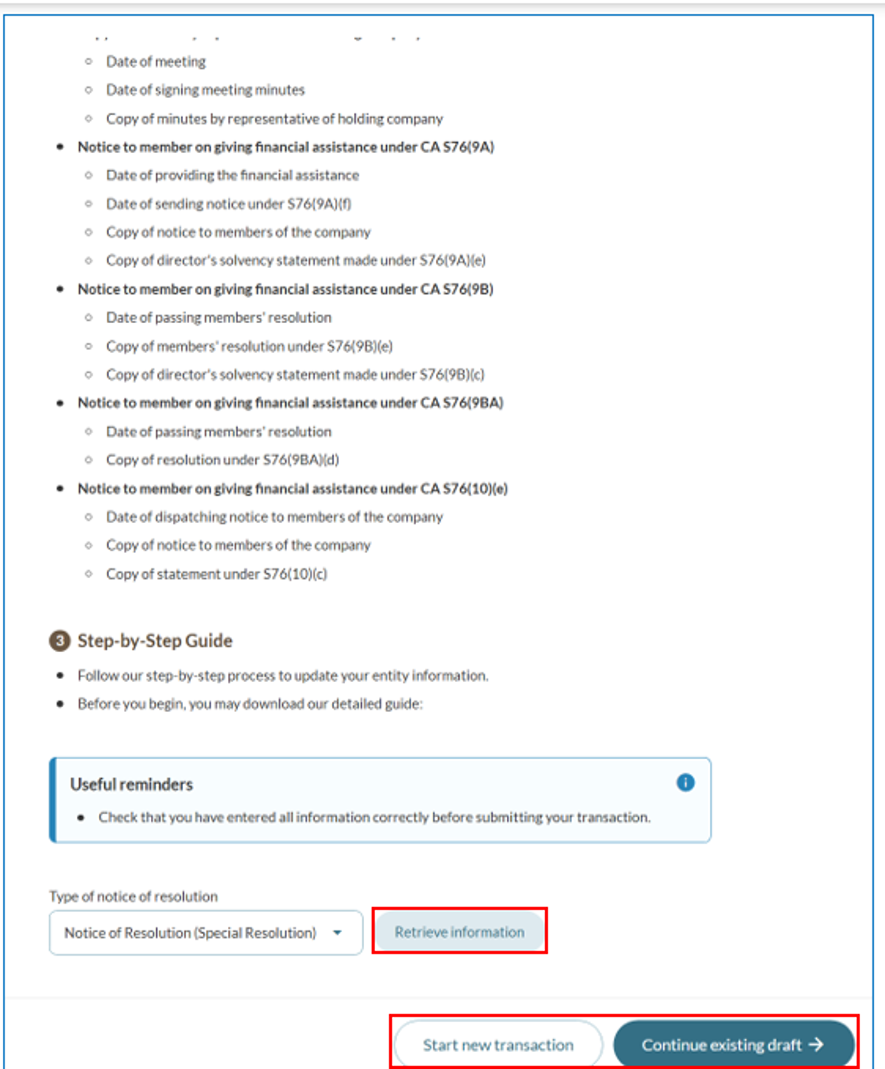
Step 3: Open the eService and select the notice type
Follow these steps to navigate to the correct sub-transaction.
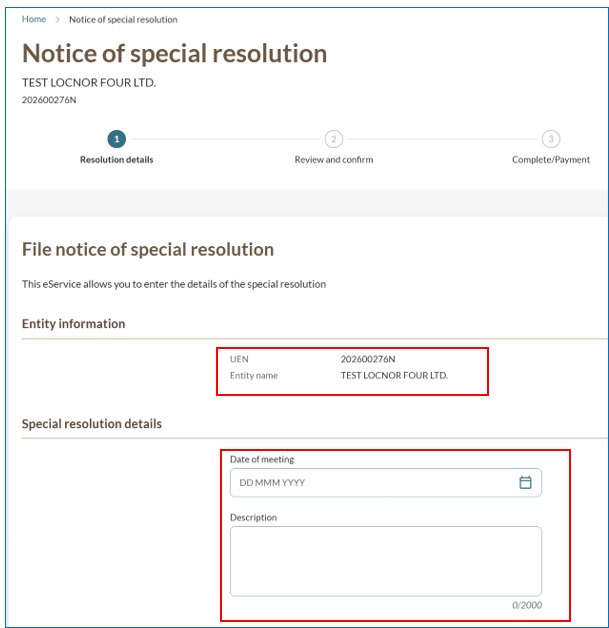
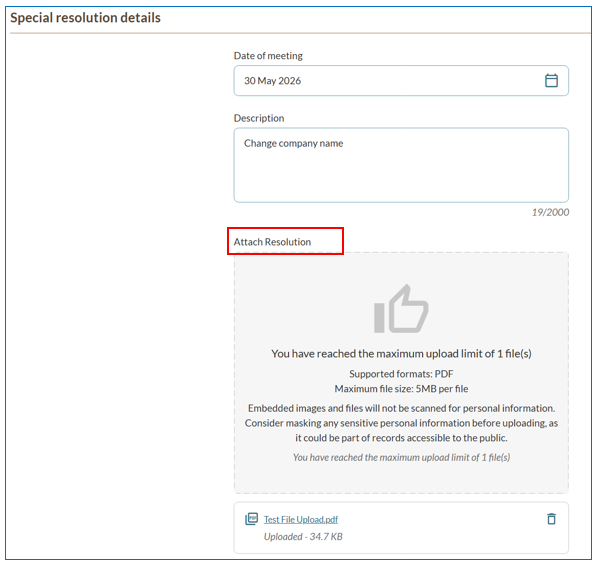
Step 4: Enter your resolution details
Follow these steps to complete the resolution details form.
Note: When uploading supporting documents, ensure the file name includes only alphanumeric characters (letters A–Z, a–z, and numbers 0–9). Do not include spaces, special characters (such as ., @, #, $, %, &, *), or foreign language characters in the filename.
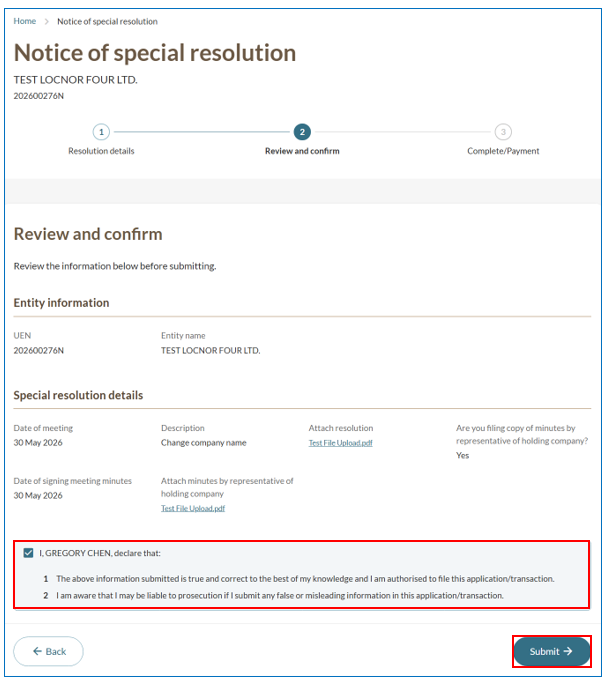
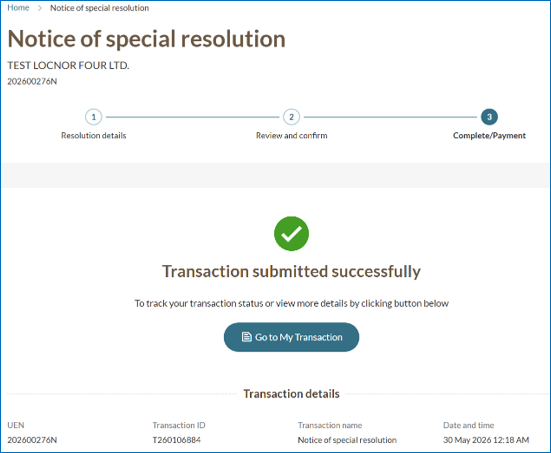
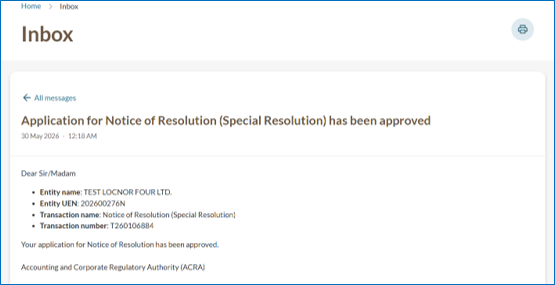
Step 5: Review and submit
Follow these steps to complete your submission.