
Guide
Removing filing access for an appointed CSP
Audience
Businesses
Corporate service providers (CSP)
Task or topic
Navigating Bizfile
Update registers or information
6 April 2026
Entities may remove a corporate service provider's (CSP's) filing access through their entity dashboard on Bizfile.
Before you remove
You can view and manage your appointed CSPs (opens in new tab) from your Bizfile dashboard. CSPs file Bizfile transactions on behalf of your entity.
Who may remove filing access
Authorised position holders of the entity may remove the filing access of a CSP they no longer engage.
Position holders include directors or company secretaries with access to the entity's Bizfile dashboard.
What you need to prepare
You need to prepare the name of the CSP whose filing access you wish to remove.
Fees and processing time
Removing filing access for an appointed CSP
What you need to know | Details |
|---|---|
Fees | Free |
Processing time | Immediate |
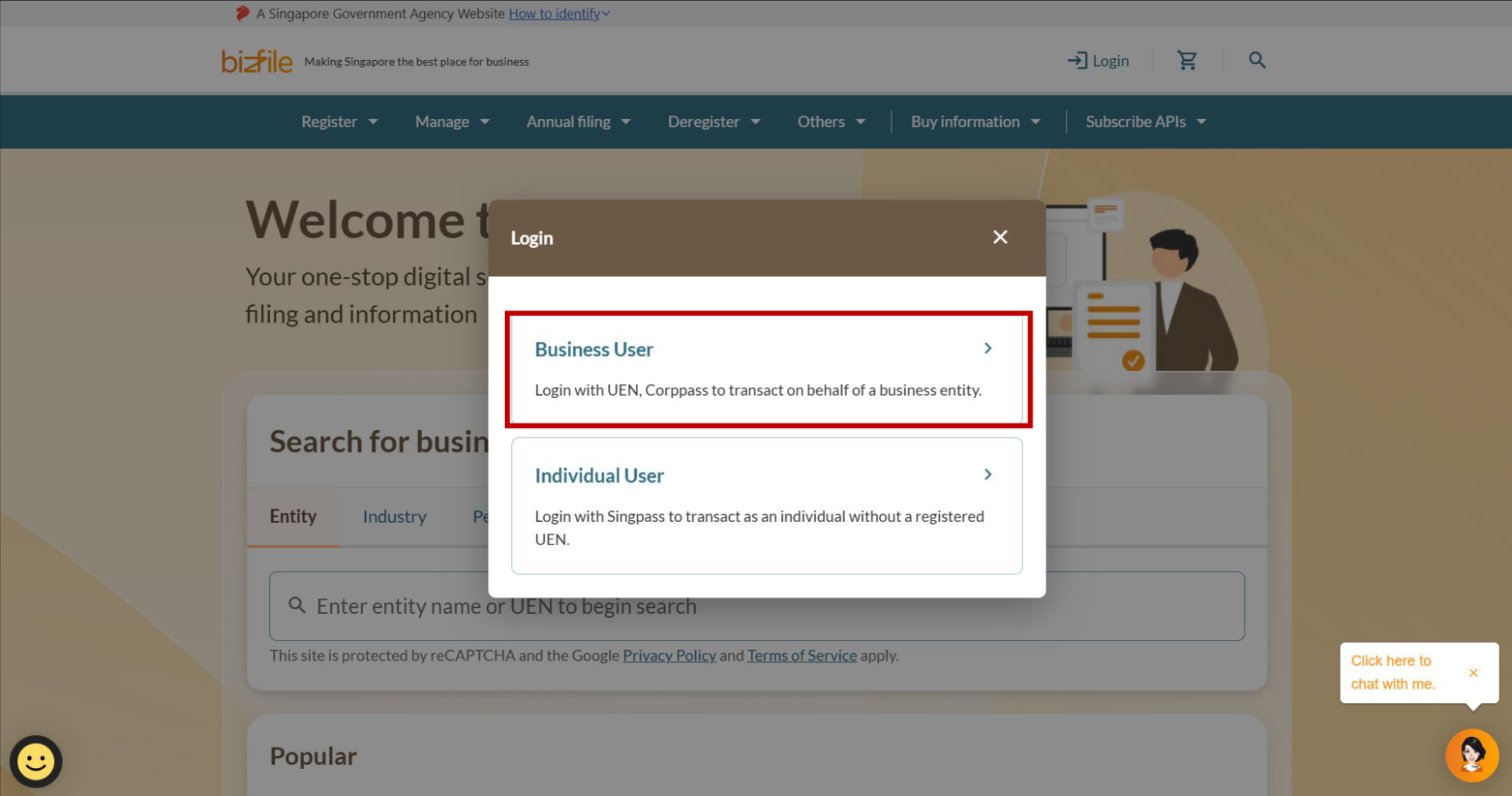
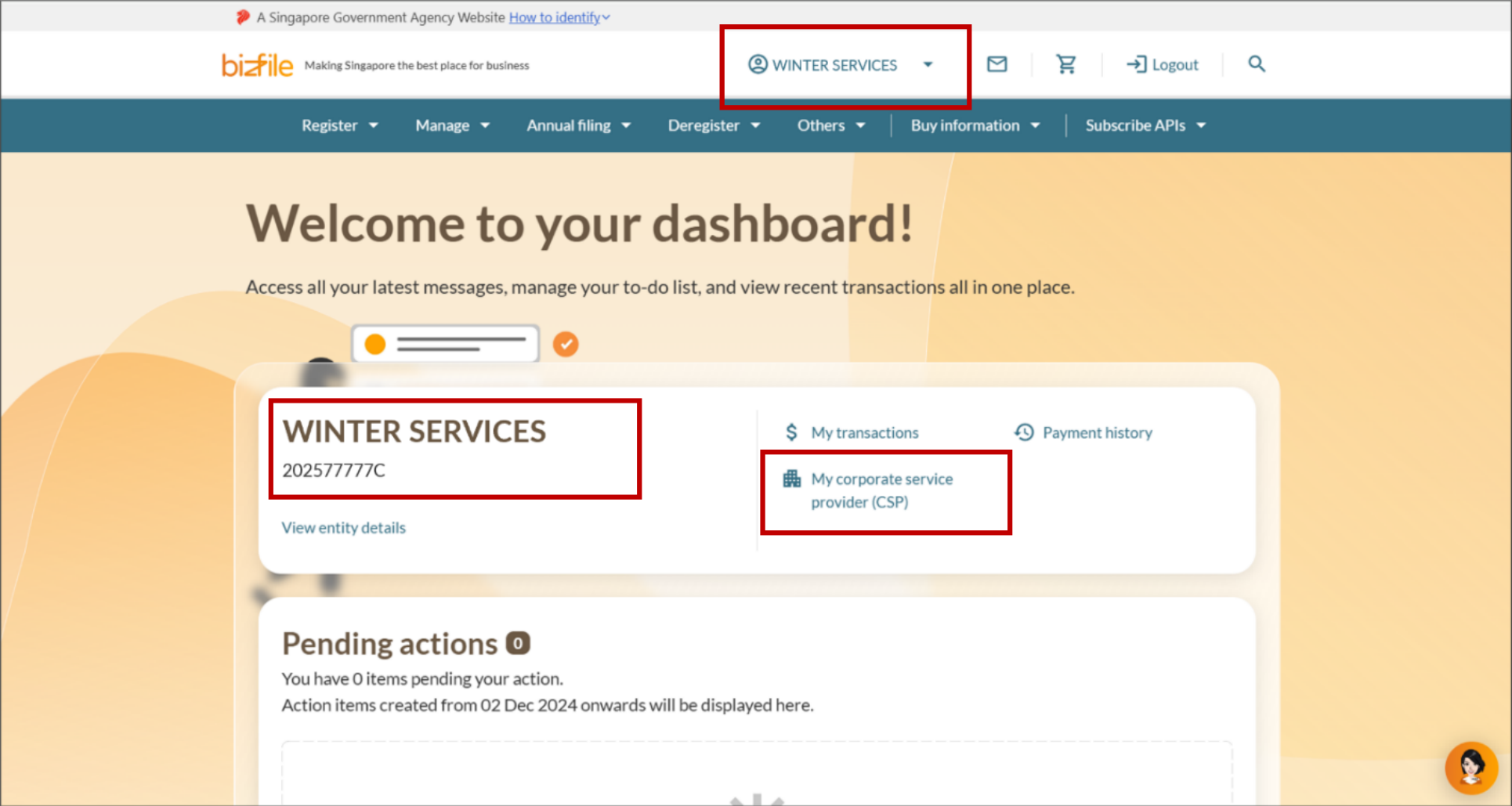
Step 1: Log in to Bizfile and open the "My Corporate Service Provider" page
Follow these steps to log in to Bizfile and navigate to the right page.
Note: All entity and personal information (including UEN, entity details, NRIC or FIN numbers, names and addresses) shown are dummy data for illustration purposes only.
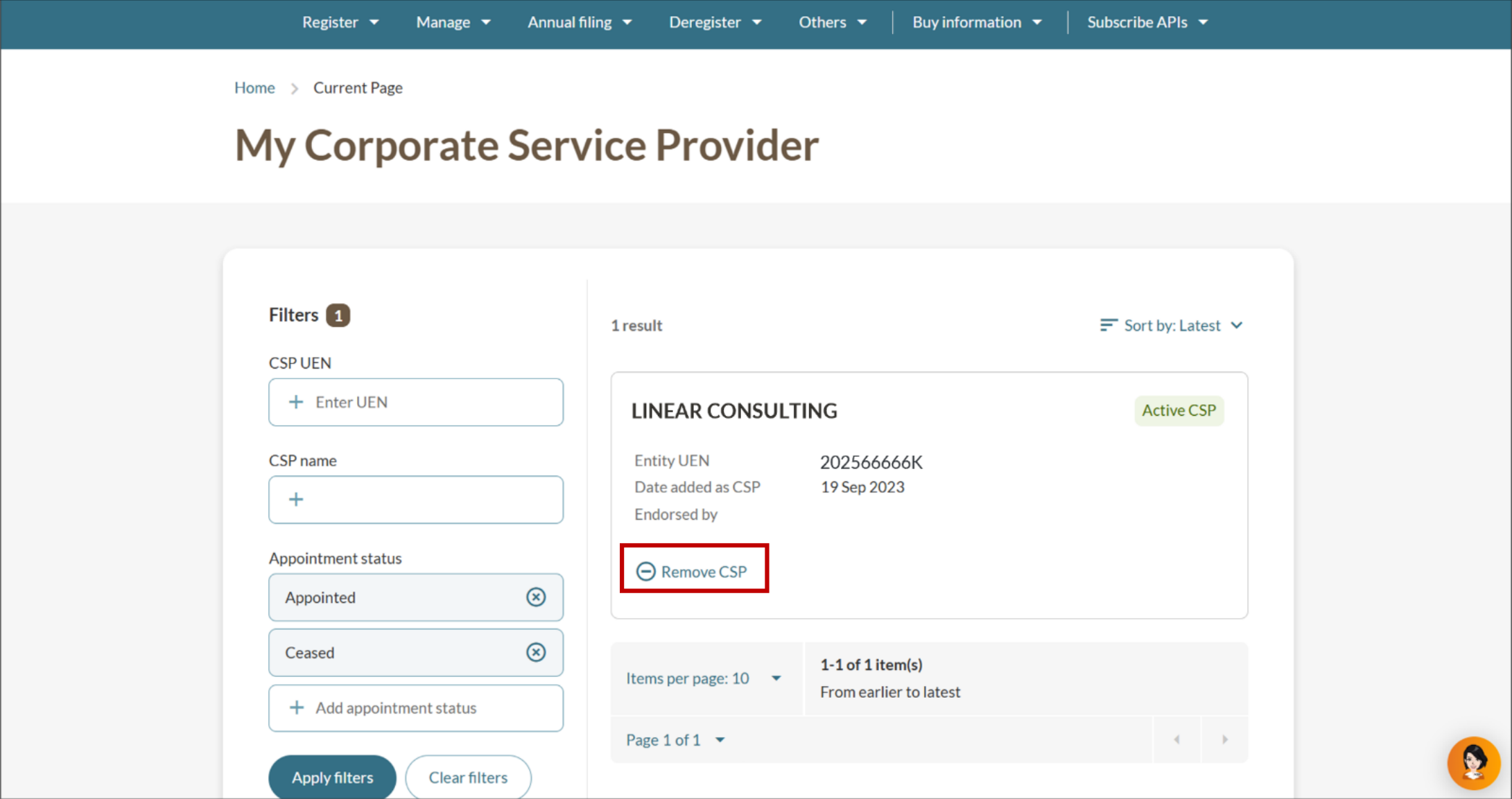
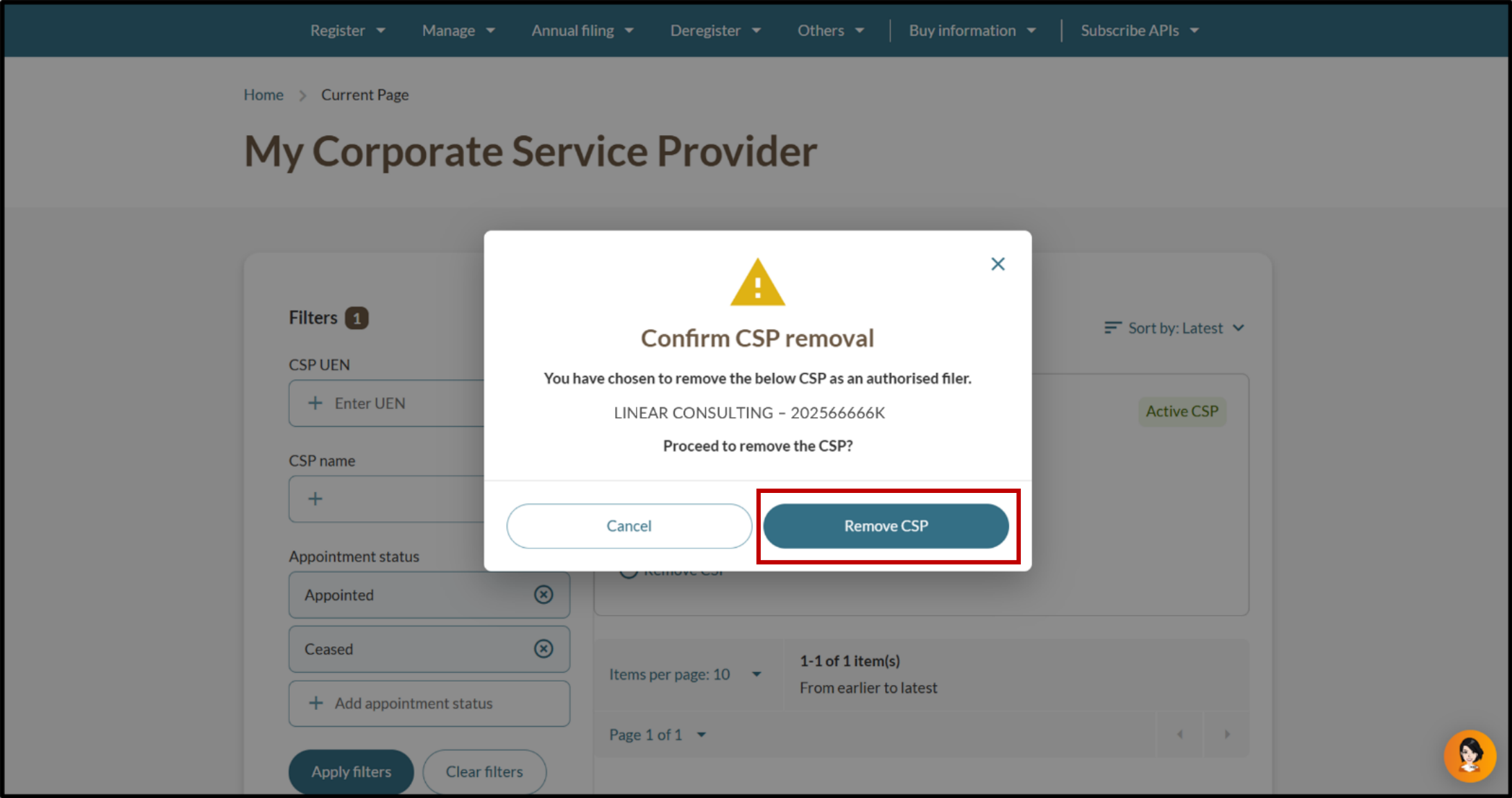
Step 2: Remove the CSP
Select the CSP you wish to remove and confirm the removal.
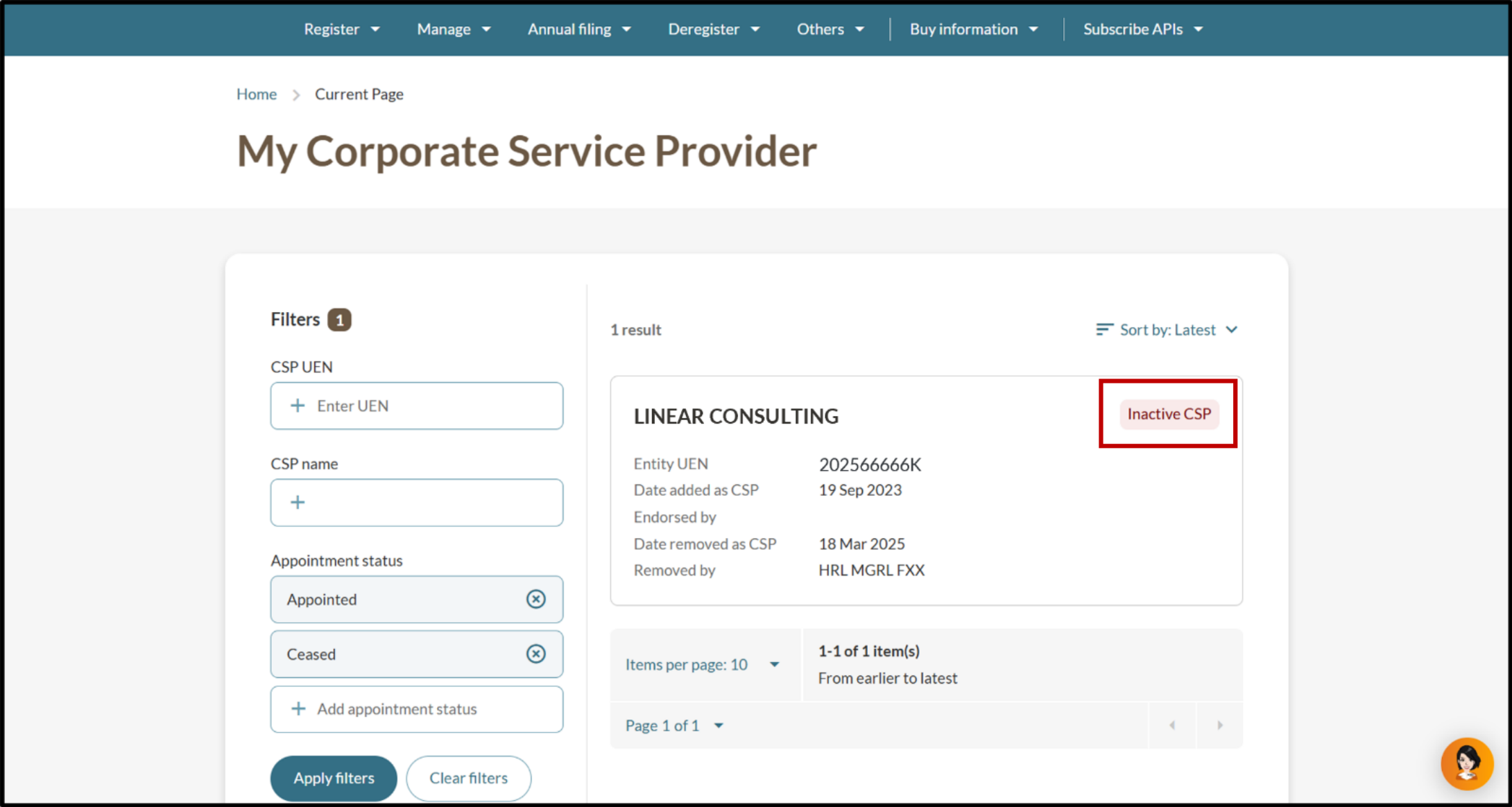
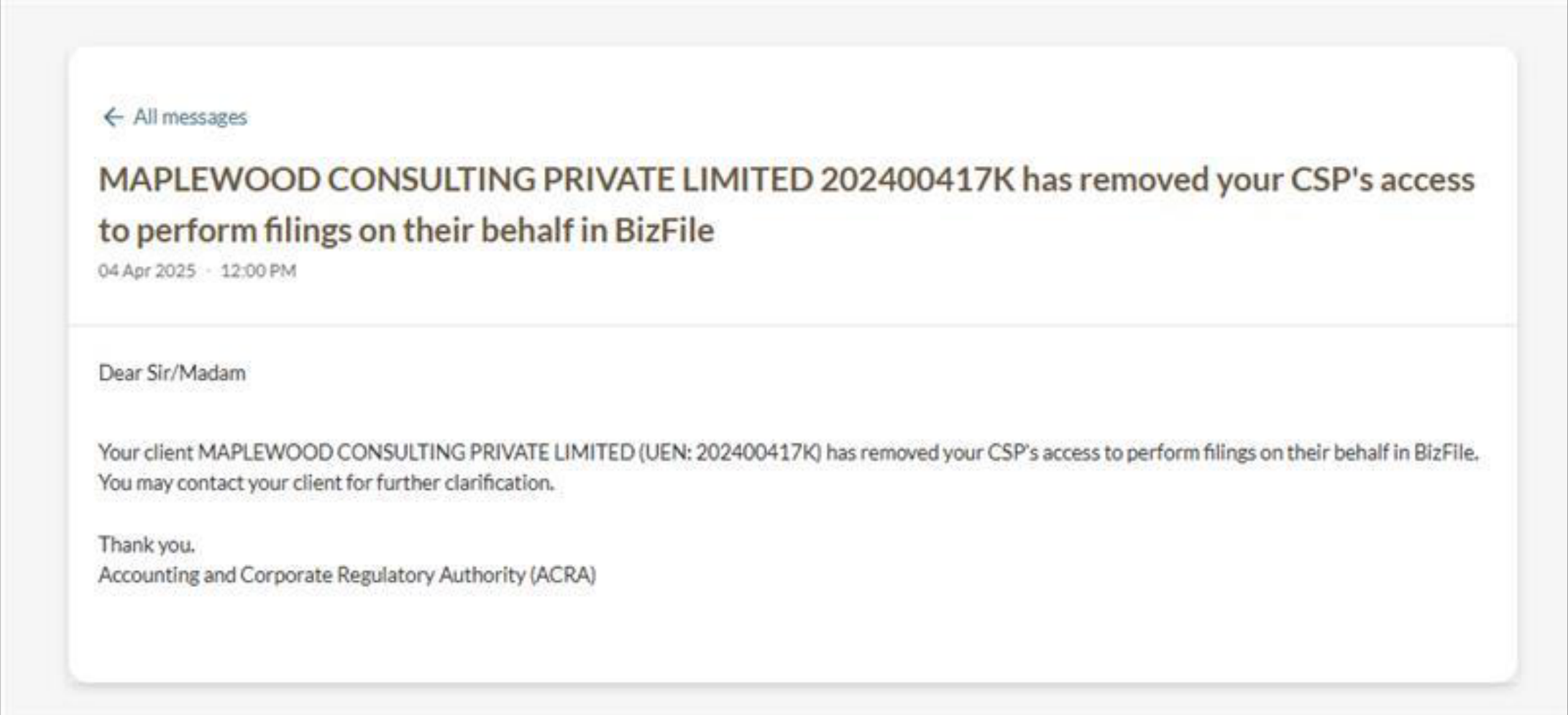
After you remove
The CSP cannot file eServices on your behalf unless they add your entity to their client list.