Guide
Filing a return by liquidator relating to final meeting
15 April 2026
Audience
Approved liquidators
Corporate service providers (CSP)
Task or topic
Close business or deregister
Use the "Manage winding up" eService to file a return by liquidator relating to the final meeting through Bizfile.
Before you file
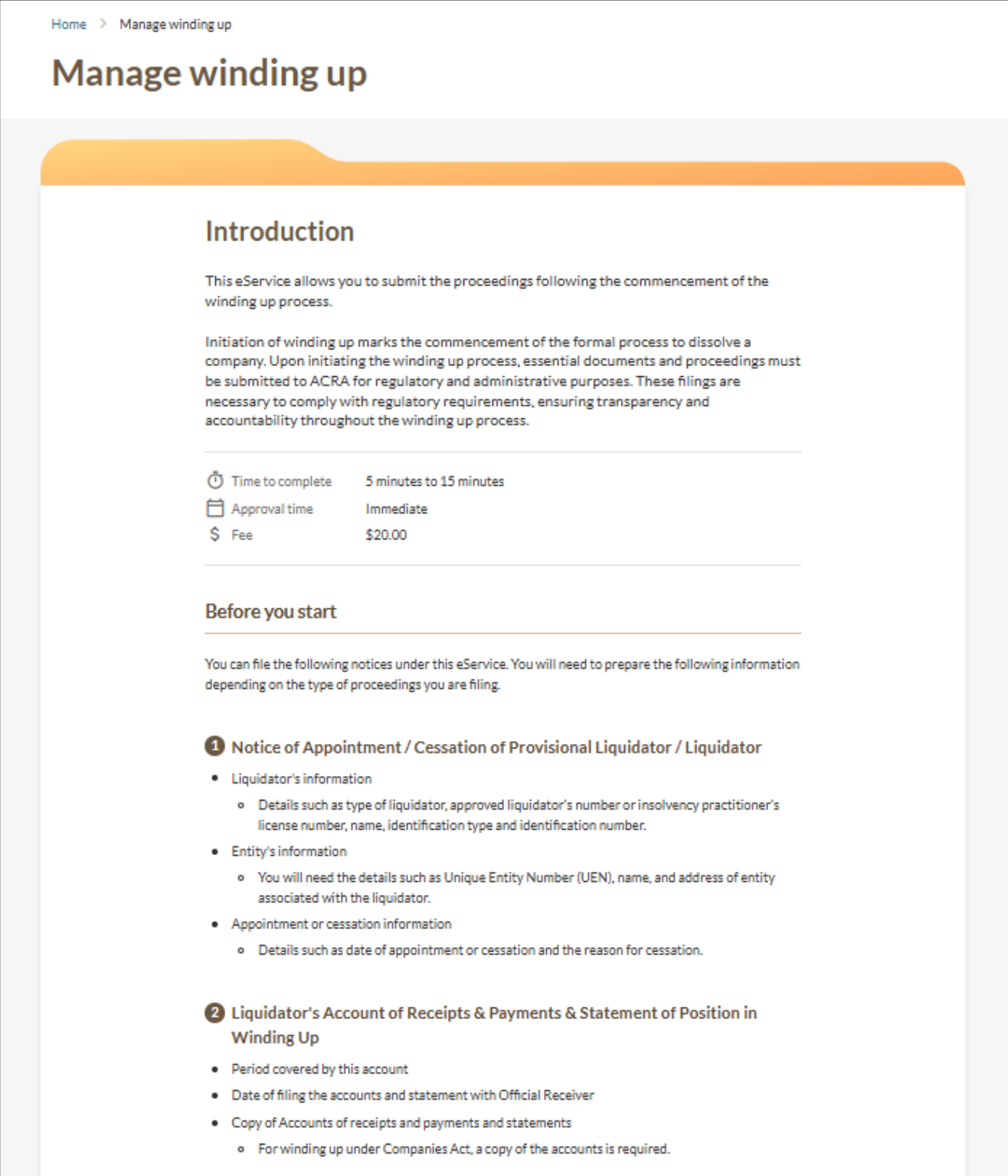
Liquidators may use the Manage winding up (opens in new tab) eService to file a return relating to the final meeting.
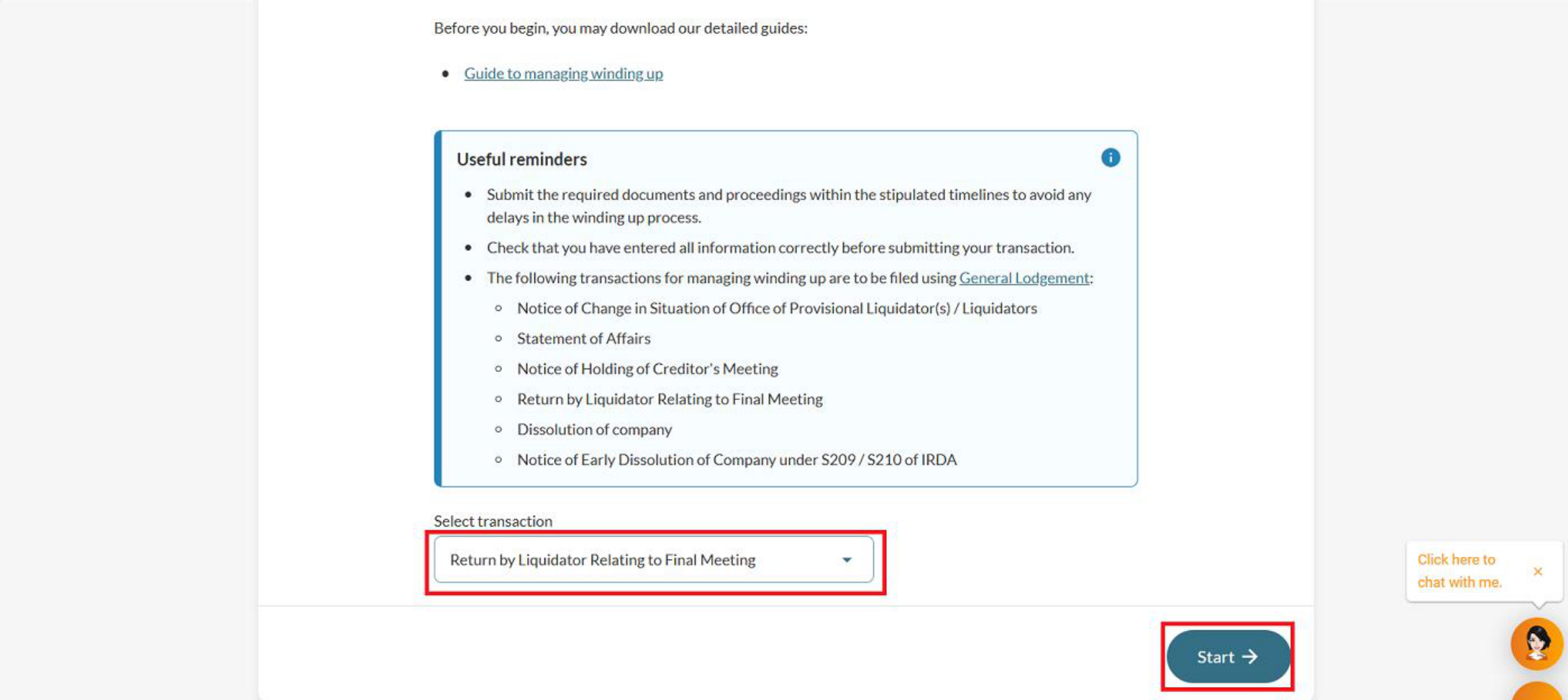
Return by Liquidator Relating to Final Meeting
What you need to know | Details |
|---|---|
Who may file |
|
What you need to prepare |
|
Fees | $20 |
Processing time | Immediate |
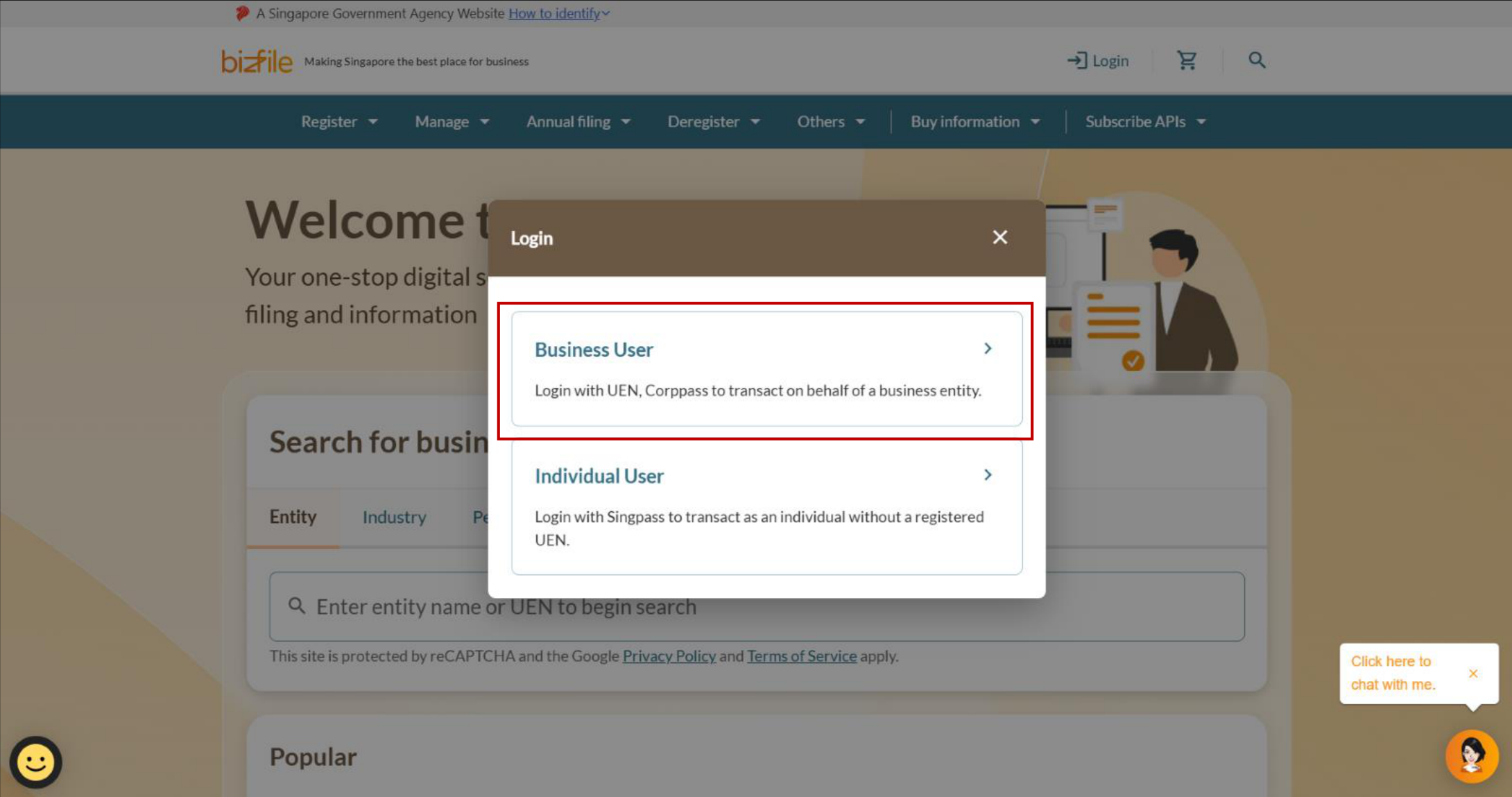
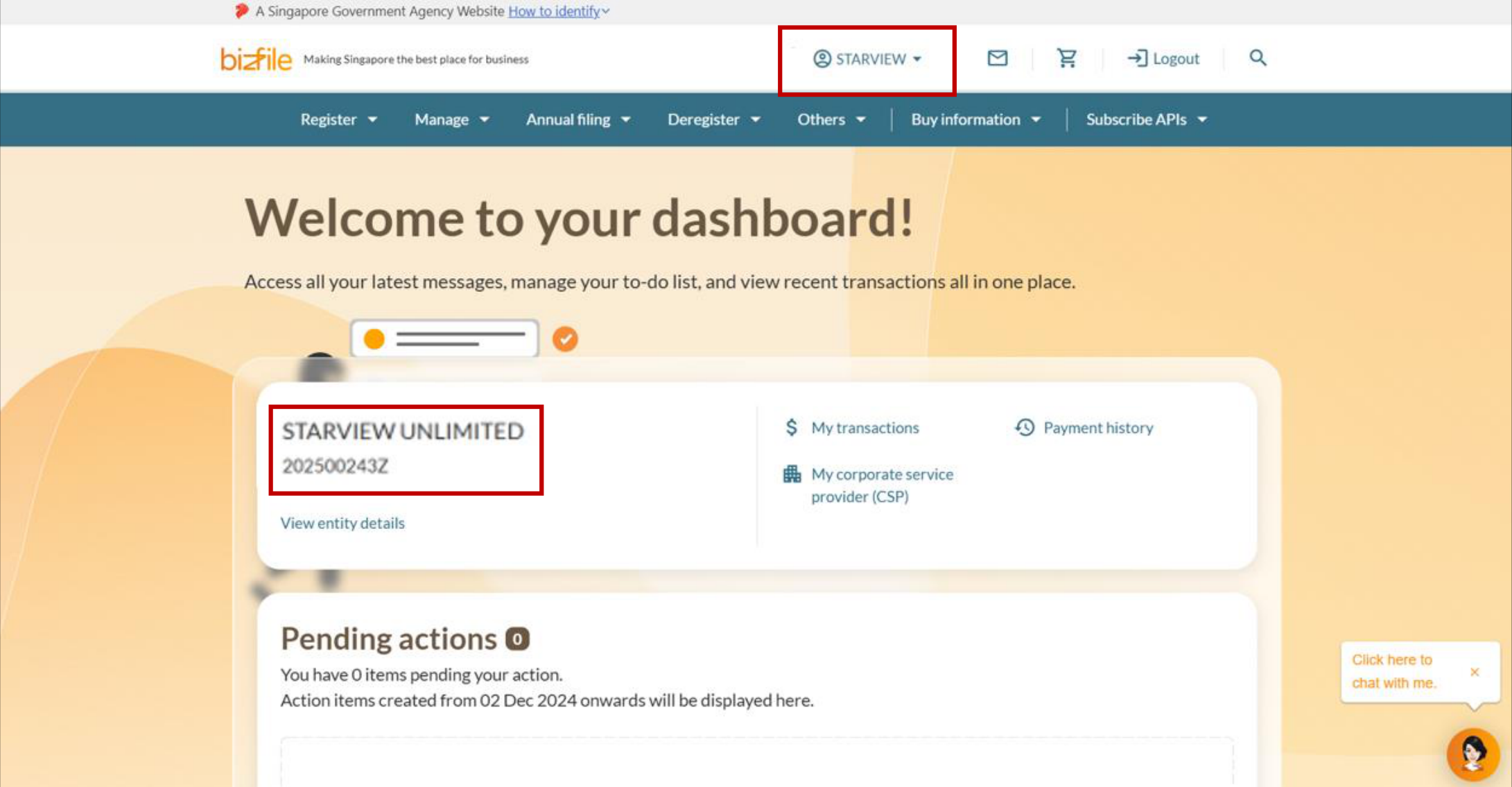
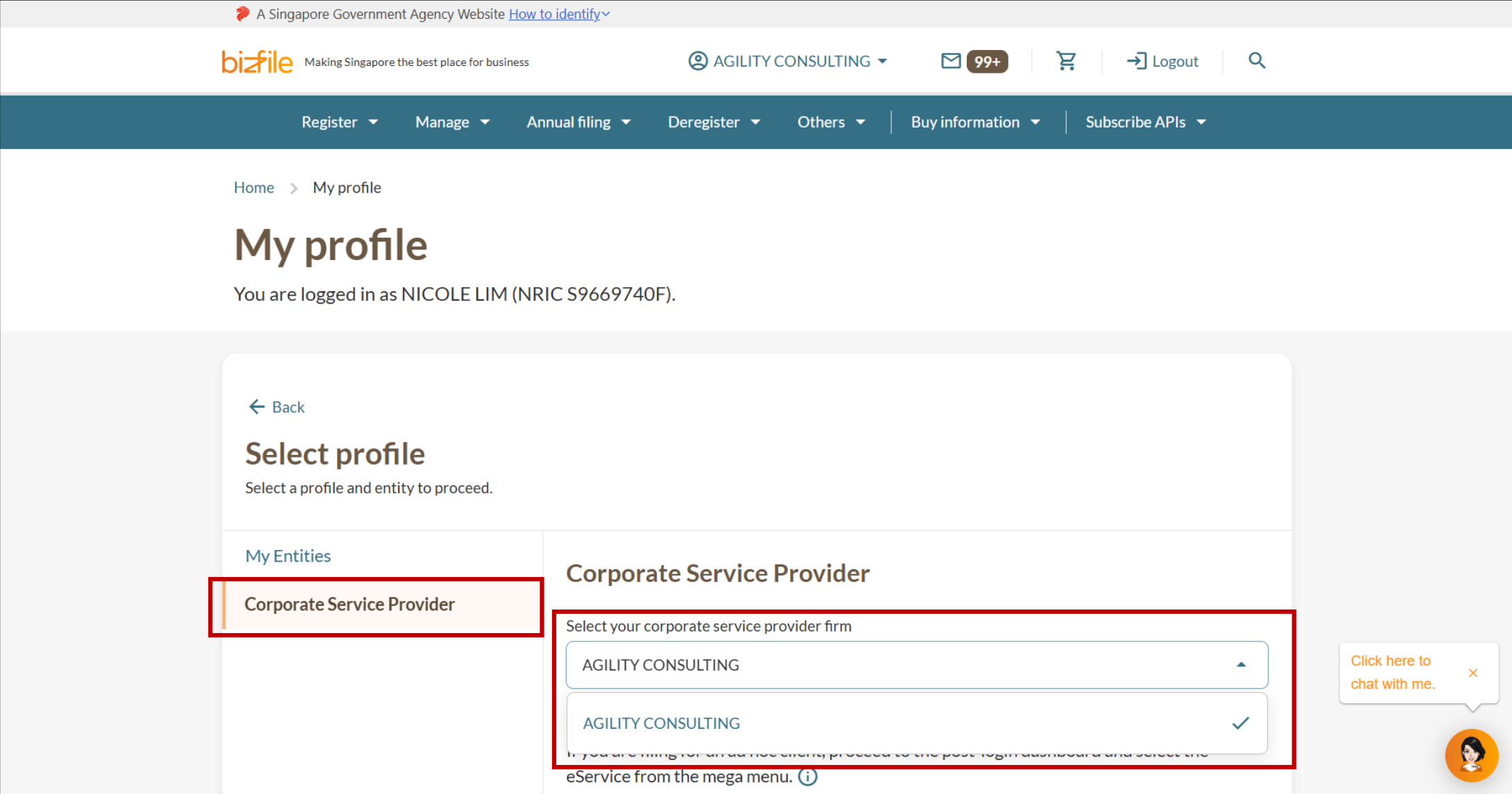
Step 1: Log in to Bizfile and open the “Manage winding up” eService
Follow these steps to log in to Bizfile and navigate to the right eService.
Note: All entity and personal information (including UEN, entity details, NRIC or FIN numbers, names and addresses) shown are dummy data for illustration purposes only.
Step 2: File the return
Follow these steps to enter the details of the final meeting.
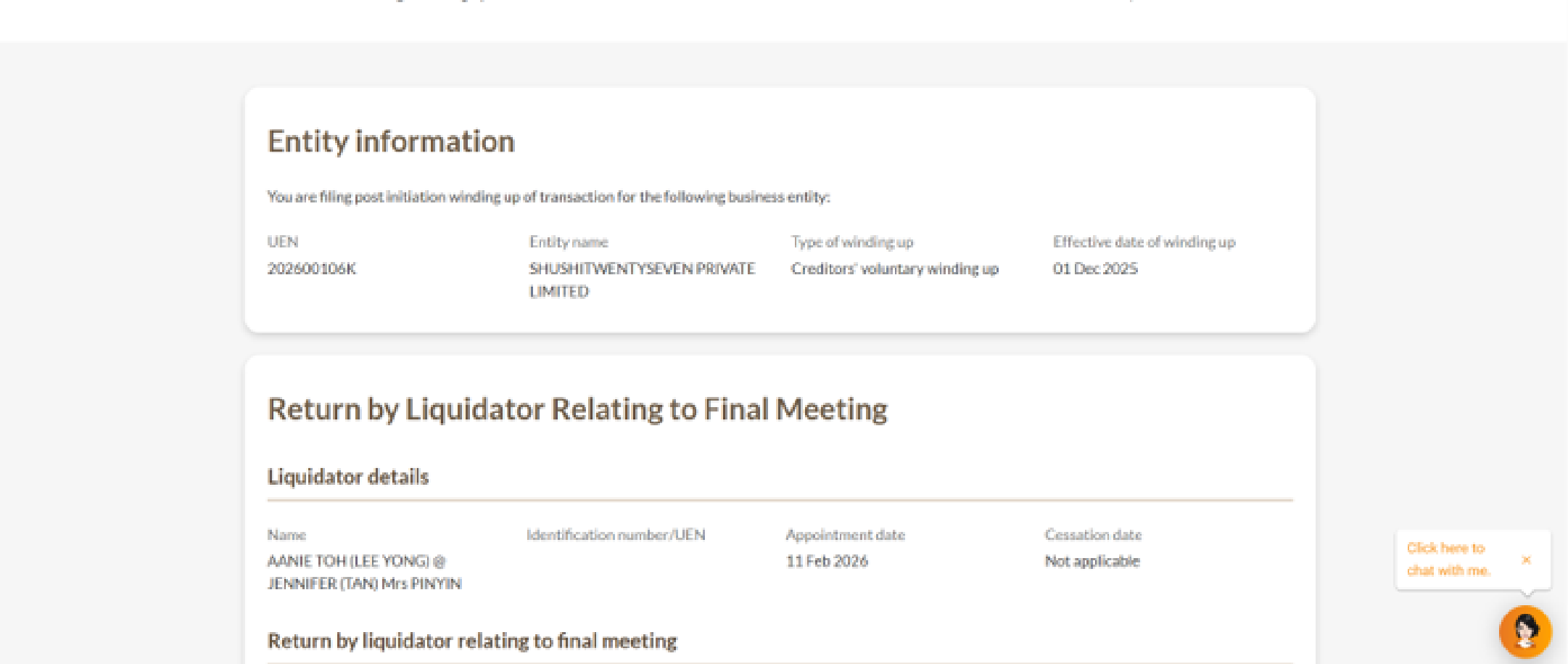
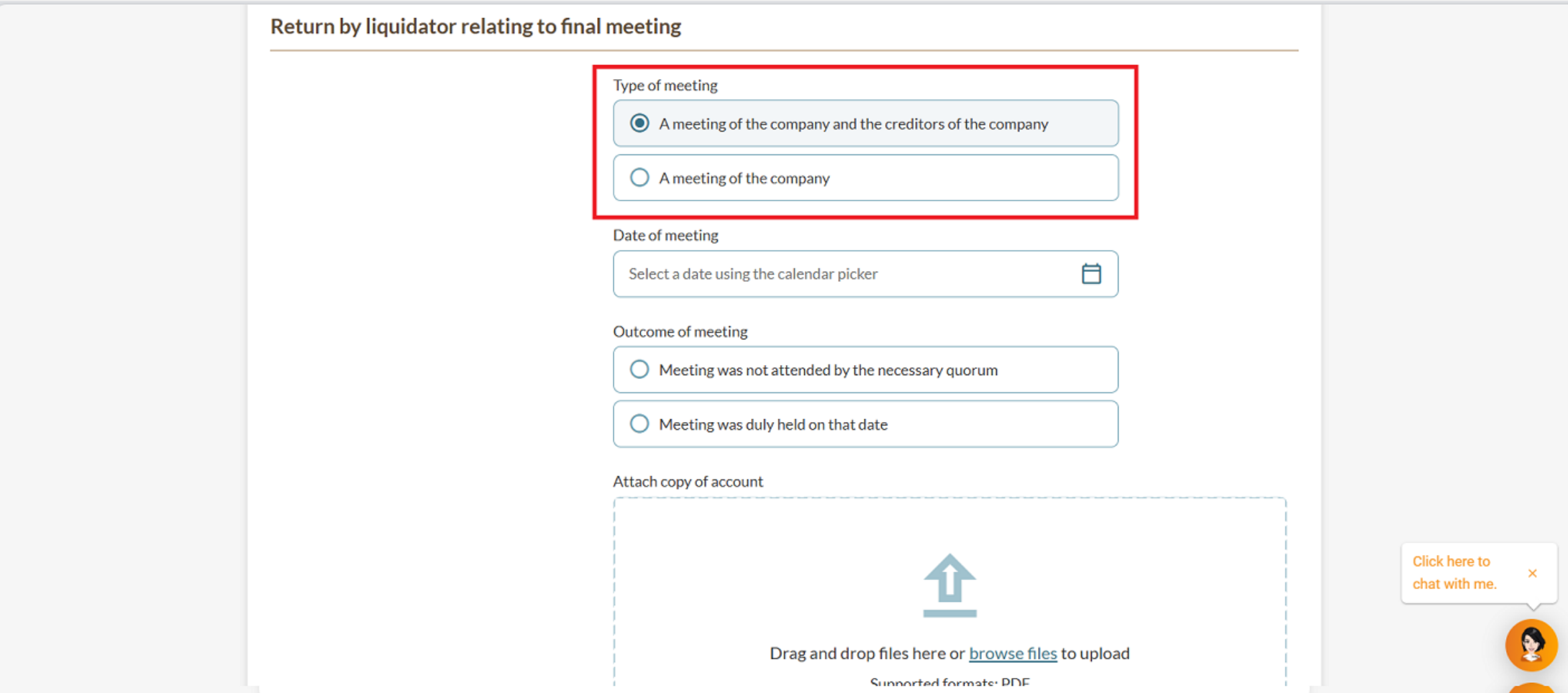
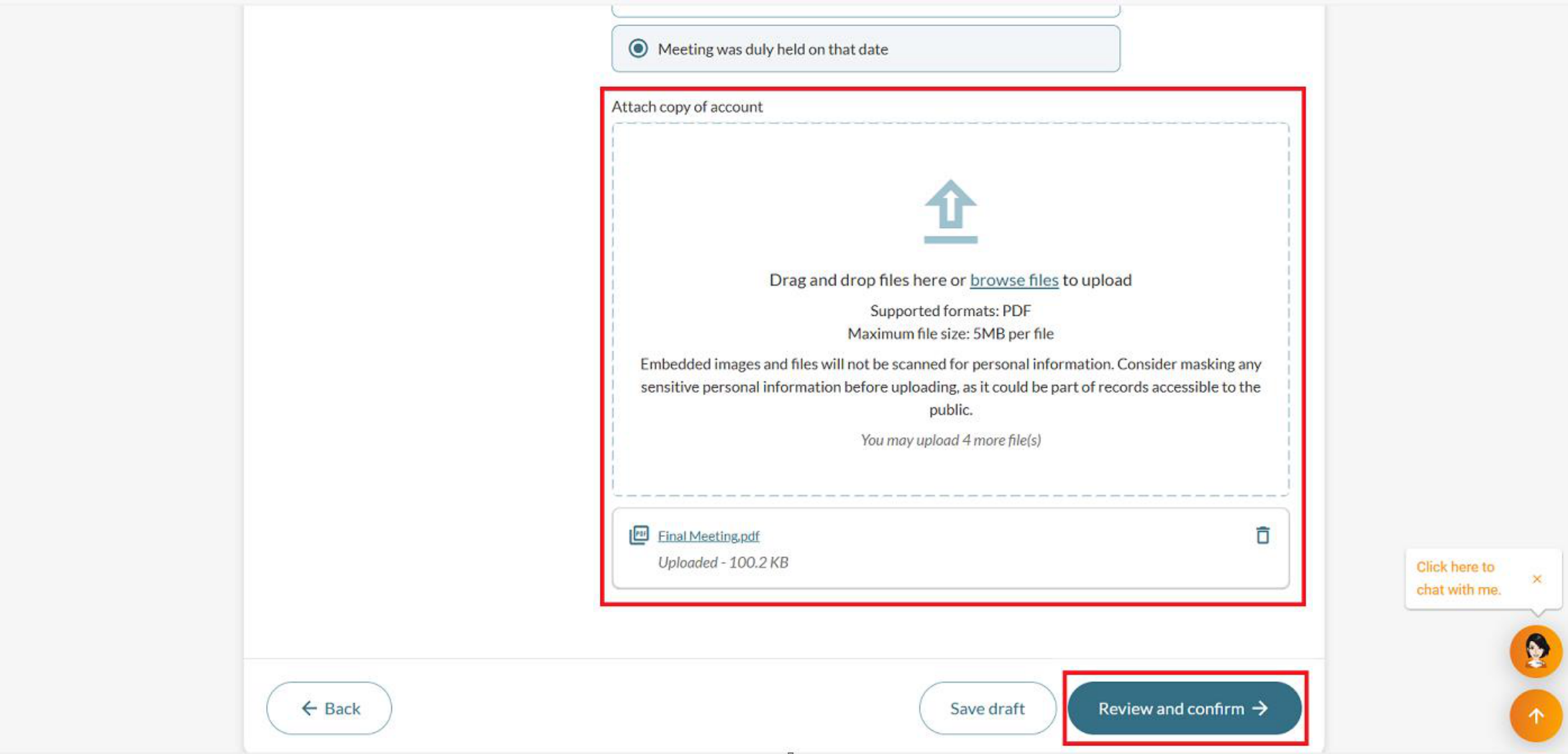
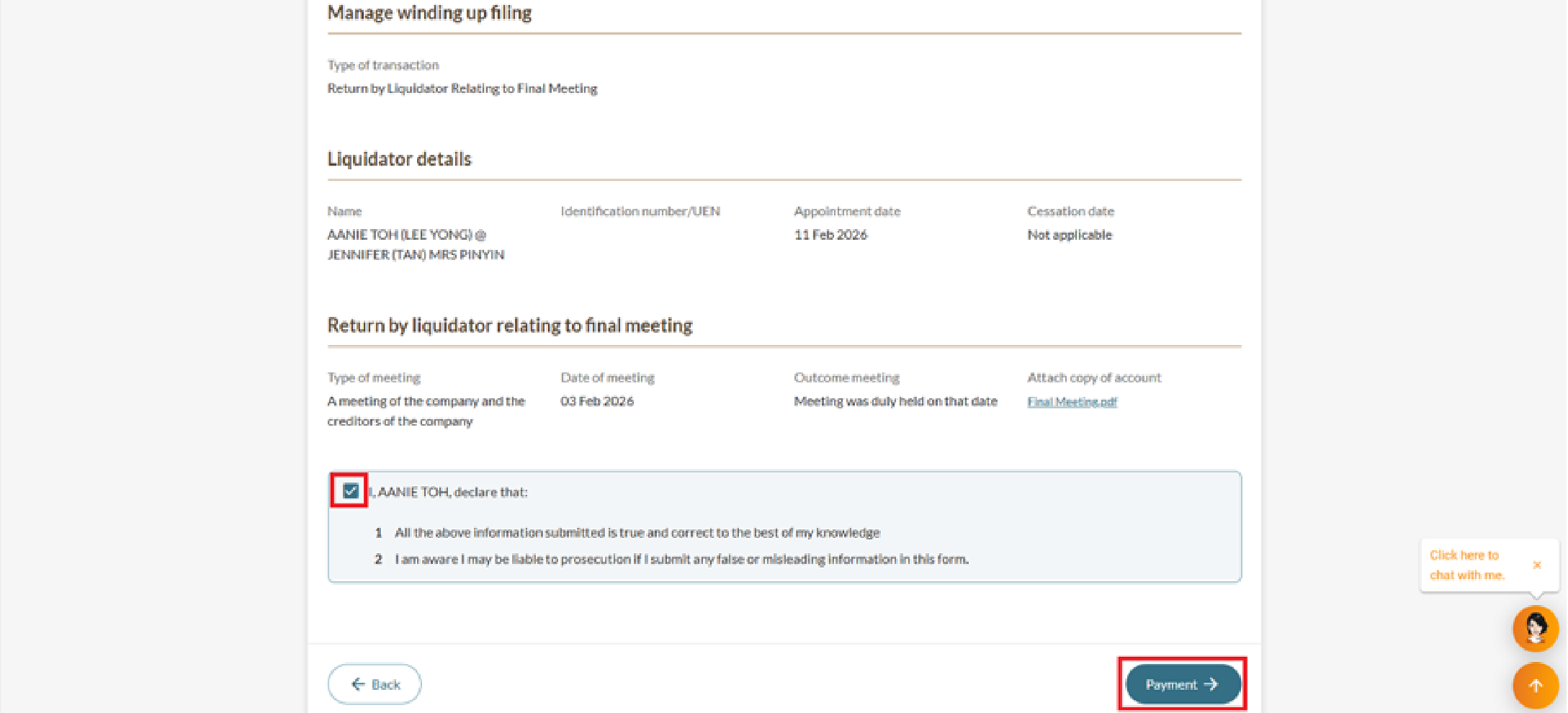
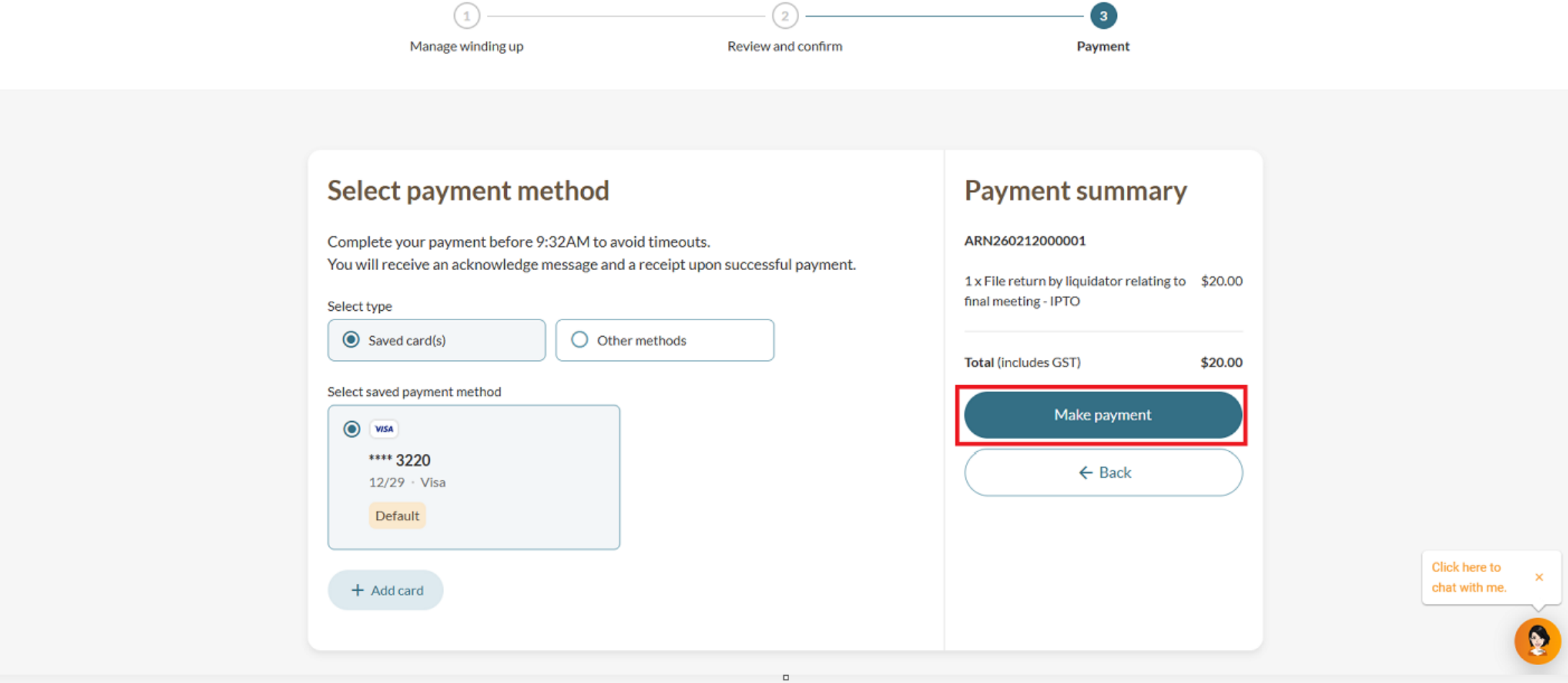
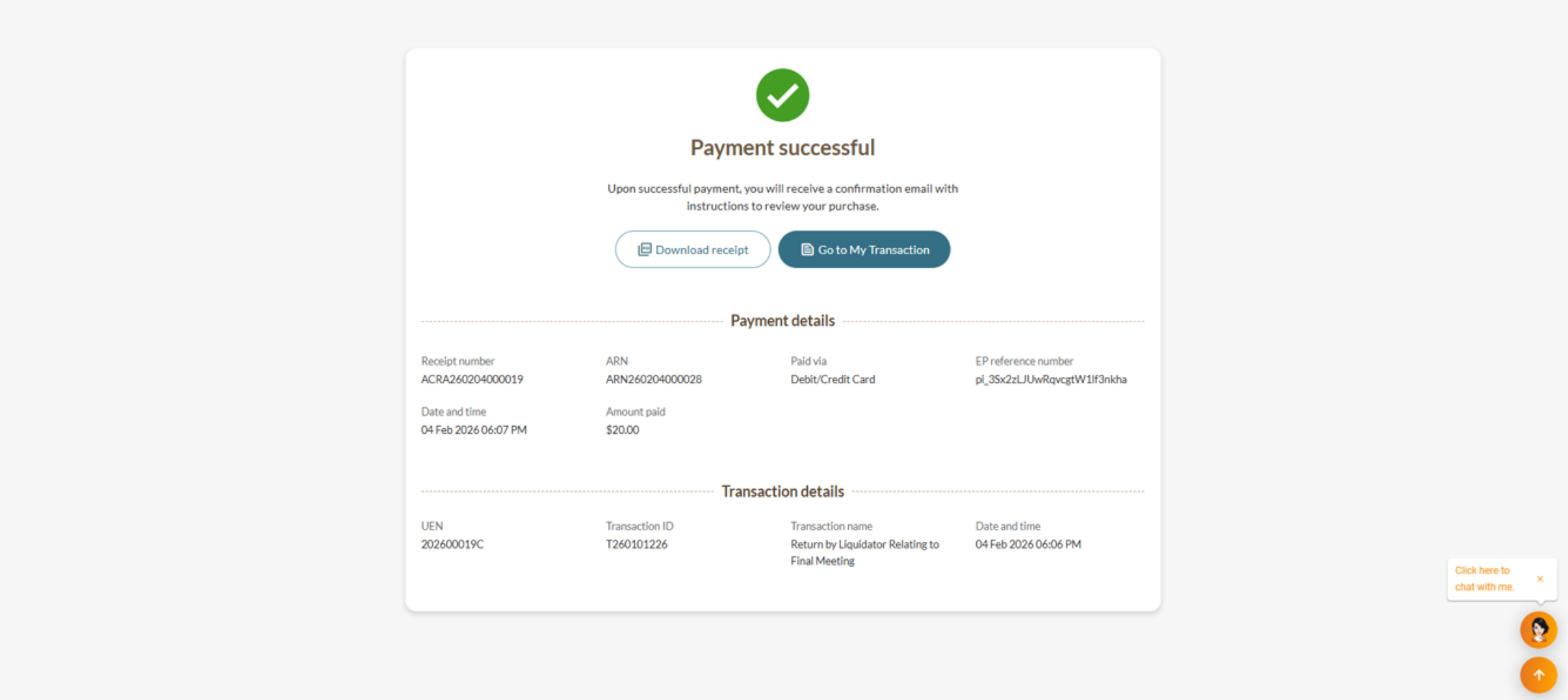
Step 3: Review and submit
Review all details carefully before submitting.