Guide
Central ROND and RONS: Ceasing existing nominators
Audience
Businesses
Corporate service providers (CSP)
Task or topic
Update registers or information
6 April 2026
Record the cessation of nominators with ACRA's Central Register of Nominee Directors (ROND) and Register of Nominee Shareholders (RONS).
Before you cease existing nominators
Ensure the information in your private ROND and RONS (opens in new tab) is up to date before filing with ACRA. You must update the Central ROND and RONS within two business days of updating your private registers.
Note: You cannot apply for an extension of time for ROND and RONS filings. If you do not file your ROND and RONS with ACRA on time, you may face prosecution and fines of up to $25,000.
Who may cease
You can file with the Central ROND and RONS if you are a:
Position holder (such as a director or secretary)
Registered corporate service provider (CSP)
Group secretary of a group of companies
Note: Your registered CSP can set up and maintain your ROND and RONS and file information with ACRA. However, the legal obligation remains with your company. Your company will be liable for any enforcement actions if you breach ROND and RONS requirements.
What you need to prepare
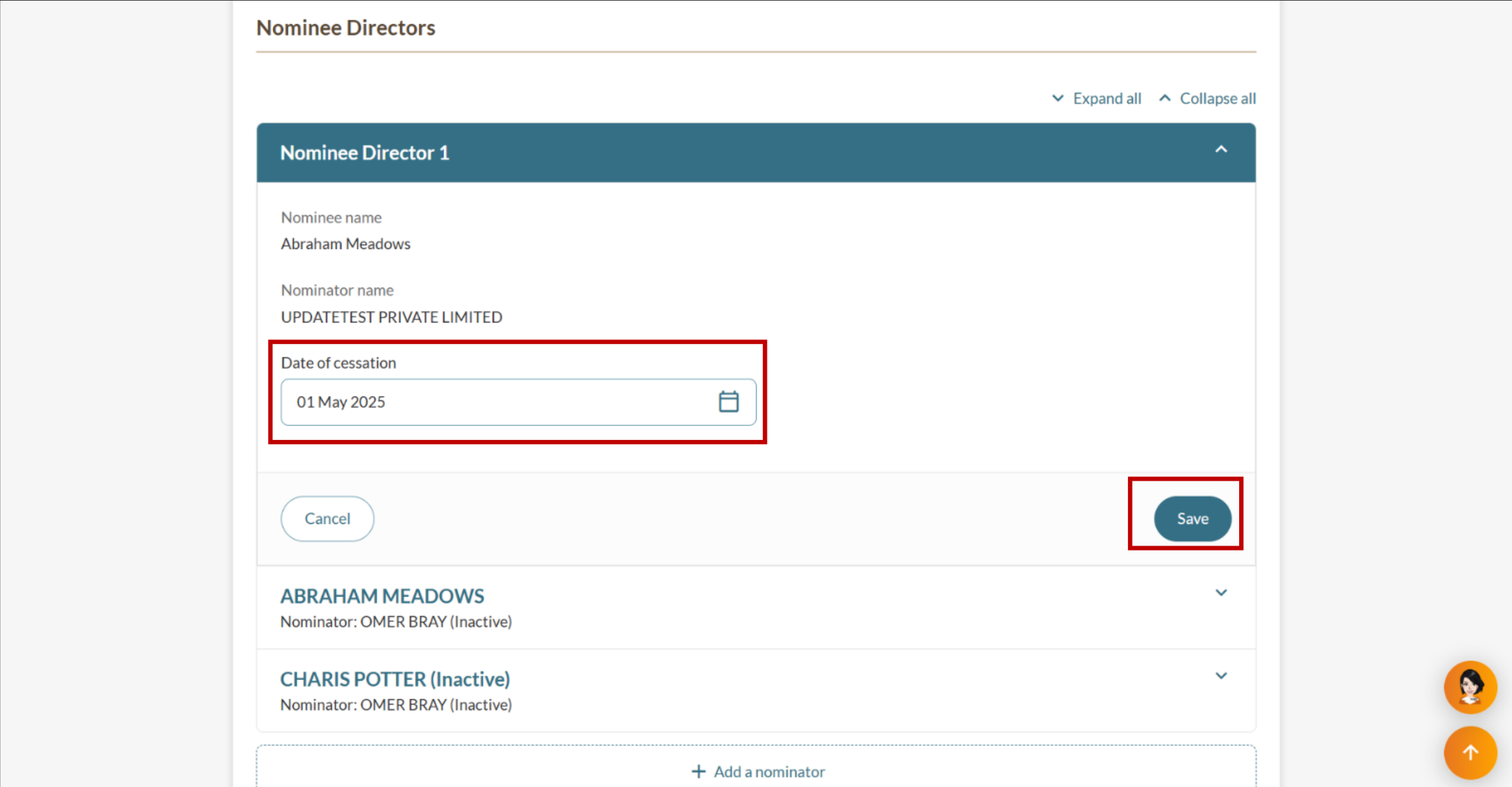
You need to prepare the nominator's date of cessation. This date must be the current date or a past date. Future dates are not permitted.
File the same information from your private ROND and RONS to the Central ROND and RONS.
Keep any supporting documents with your private registers. You do not need to file these with ACRA.
Fees and processing time
Ceasing existing nominators in the central ROND and RONS
What you need to know | Details |
|---|---|
Fees | Free |
Processing time | Immediate |
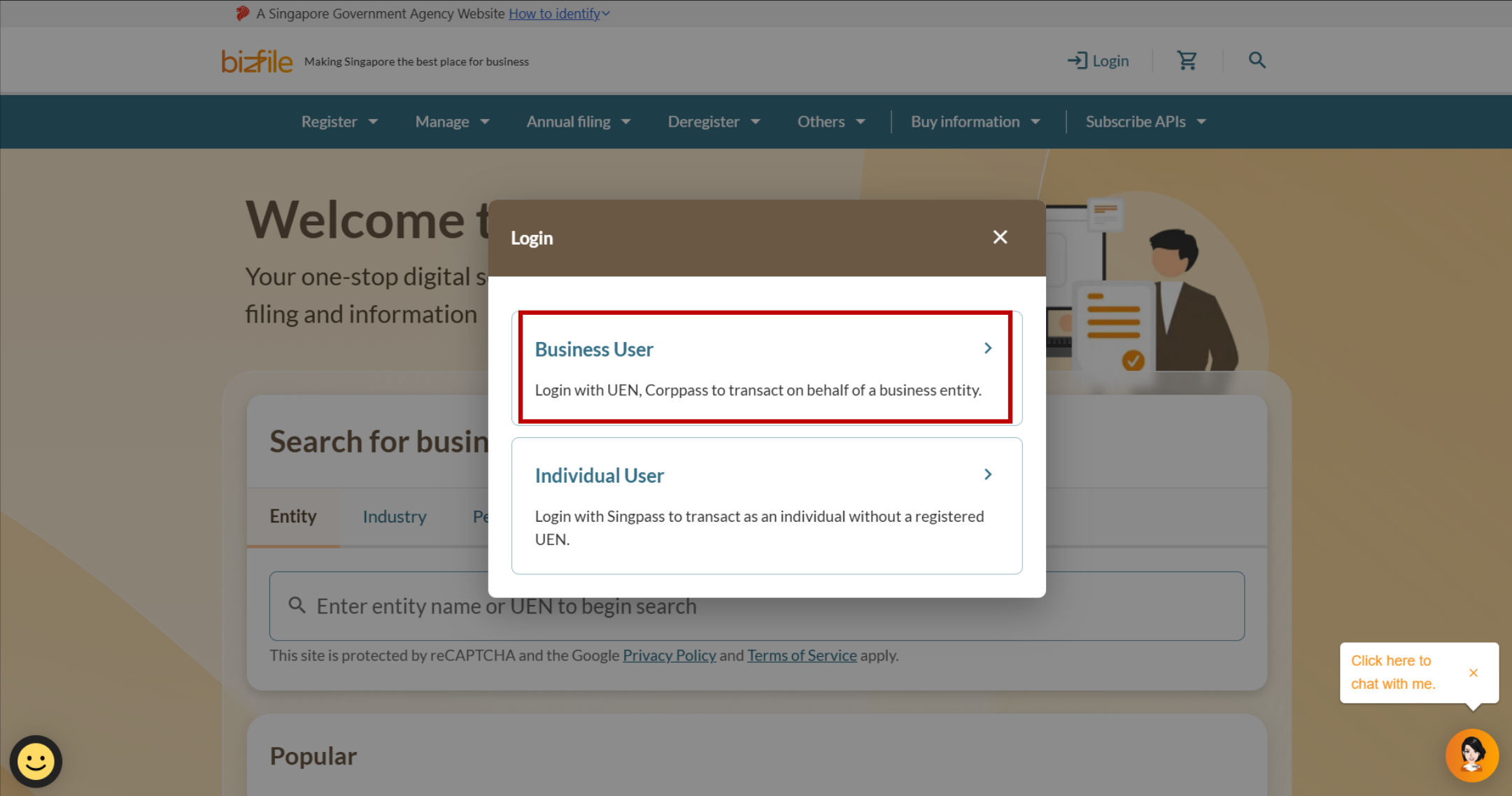
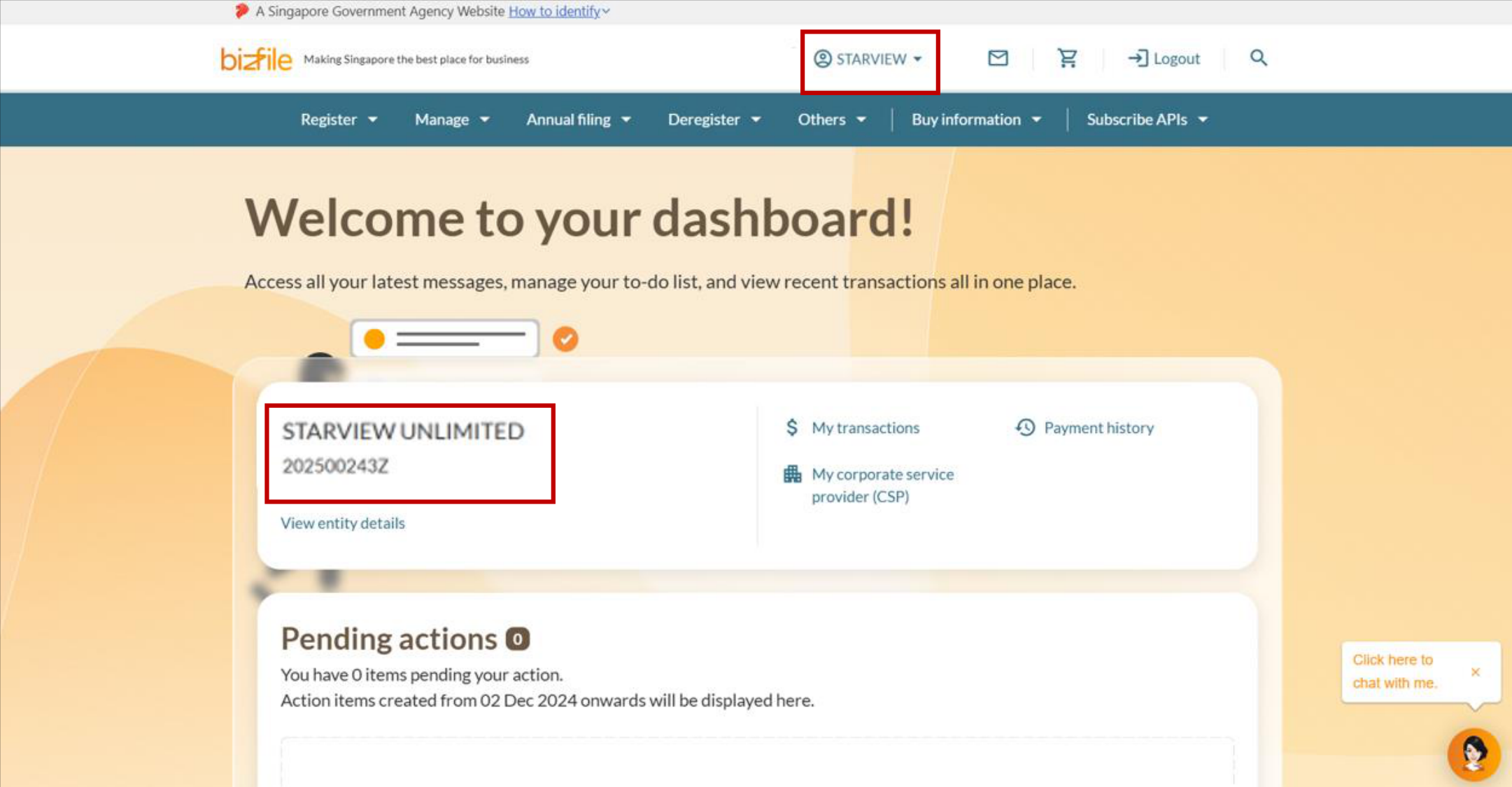
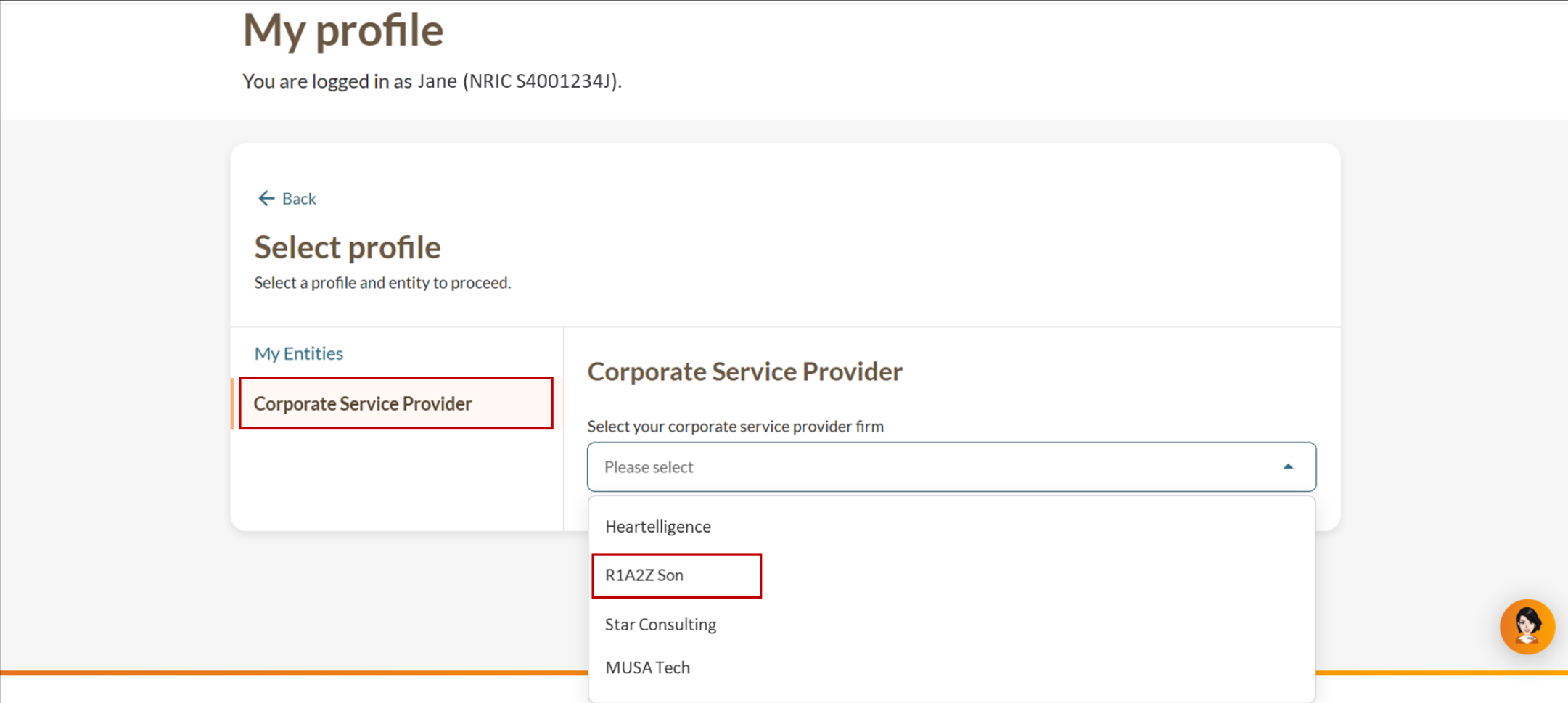
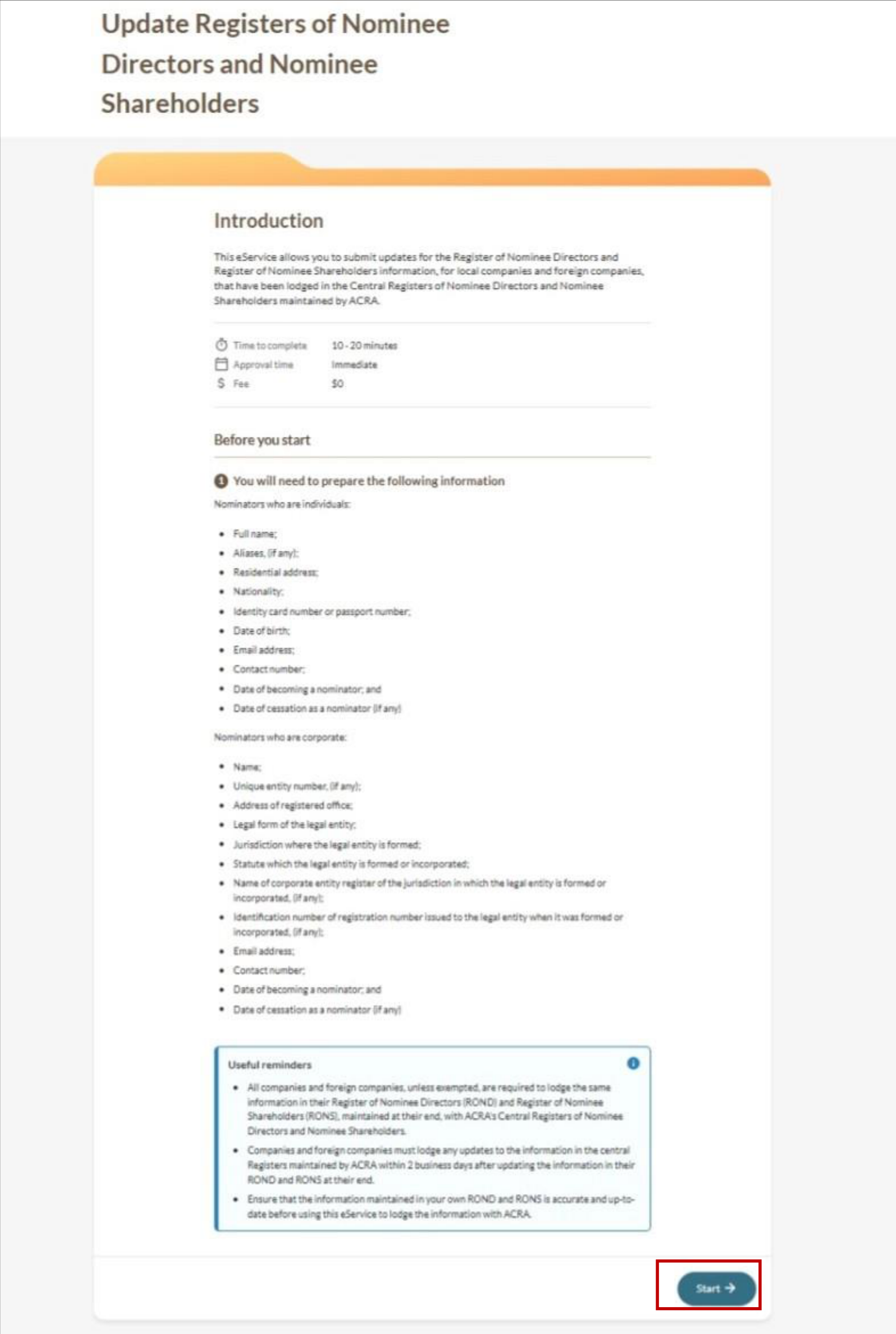
Step 1: Log in to Bizfile and open the “Update Registers of Nominee Directors and Nominee Shareholders” eService
Follow these steps to log in to Bizfile and navigate to Update Registers of Nominee Directors and Nominee Shareholders (opens in new tab) eService.
Note: All entity and personal information (including UEN, entity details, NRIC or FIN numbers, names and addresses) shown are dummy data for illustration purposes only.
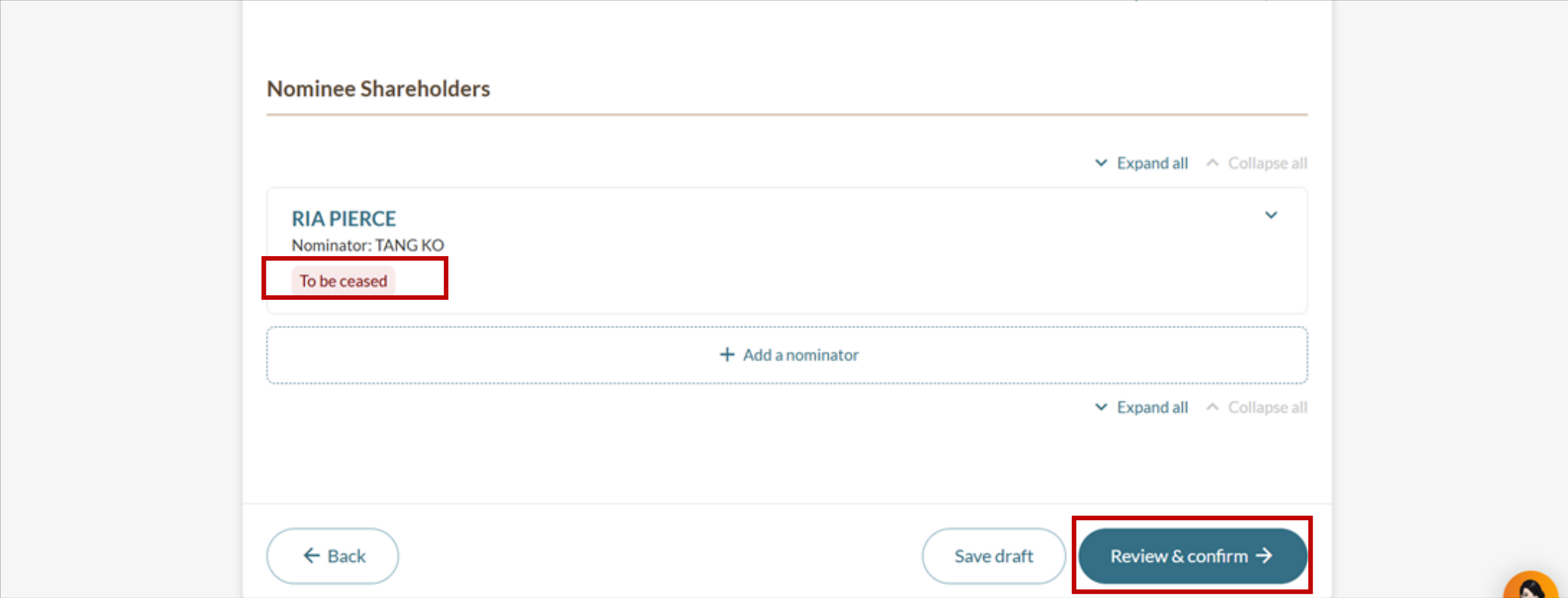
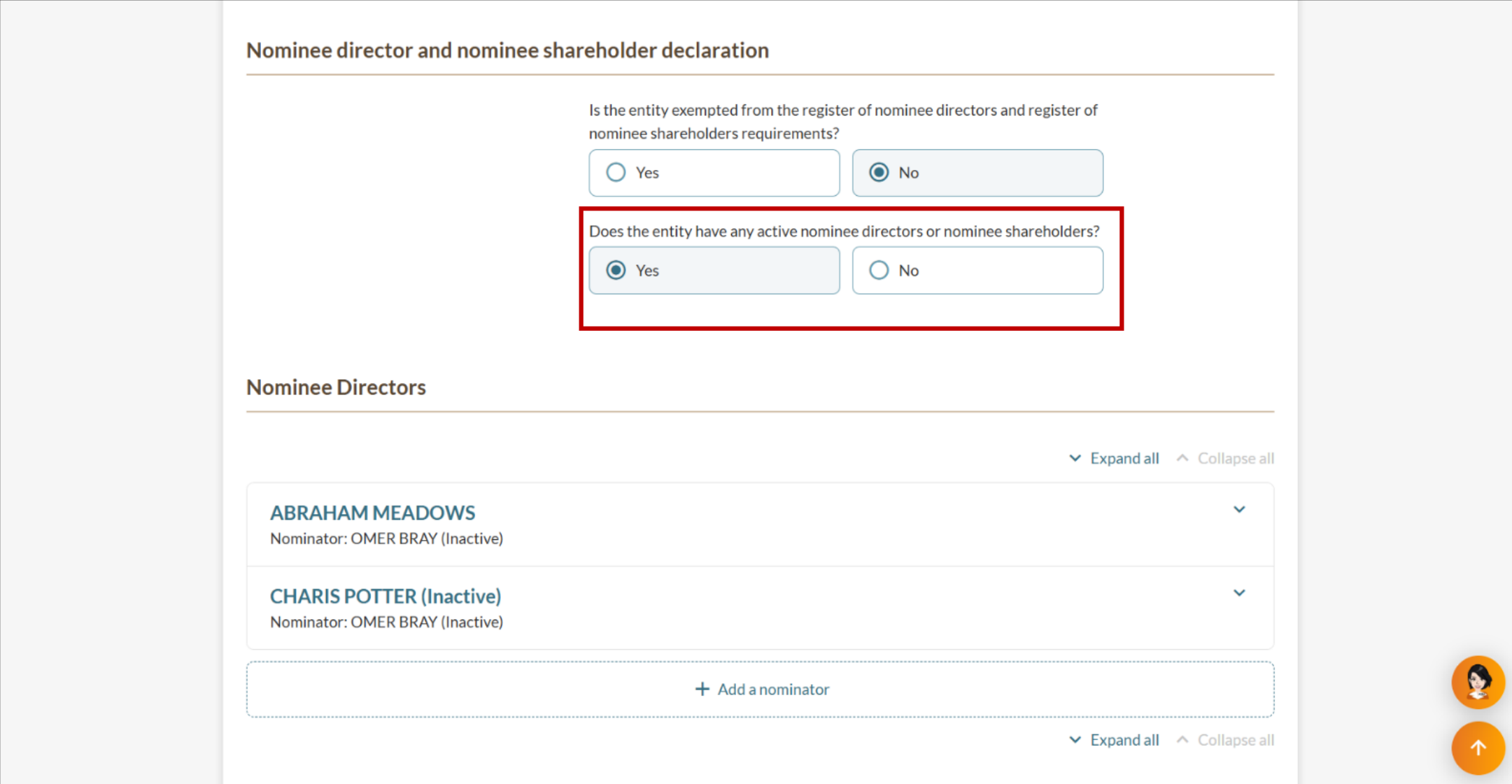
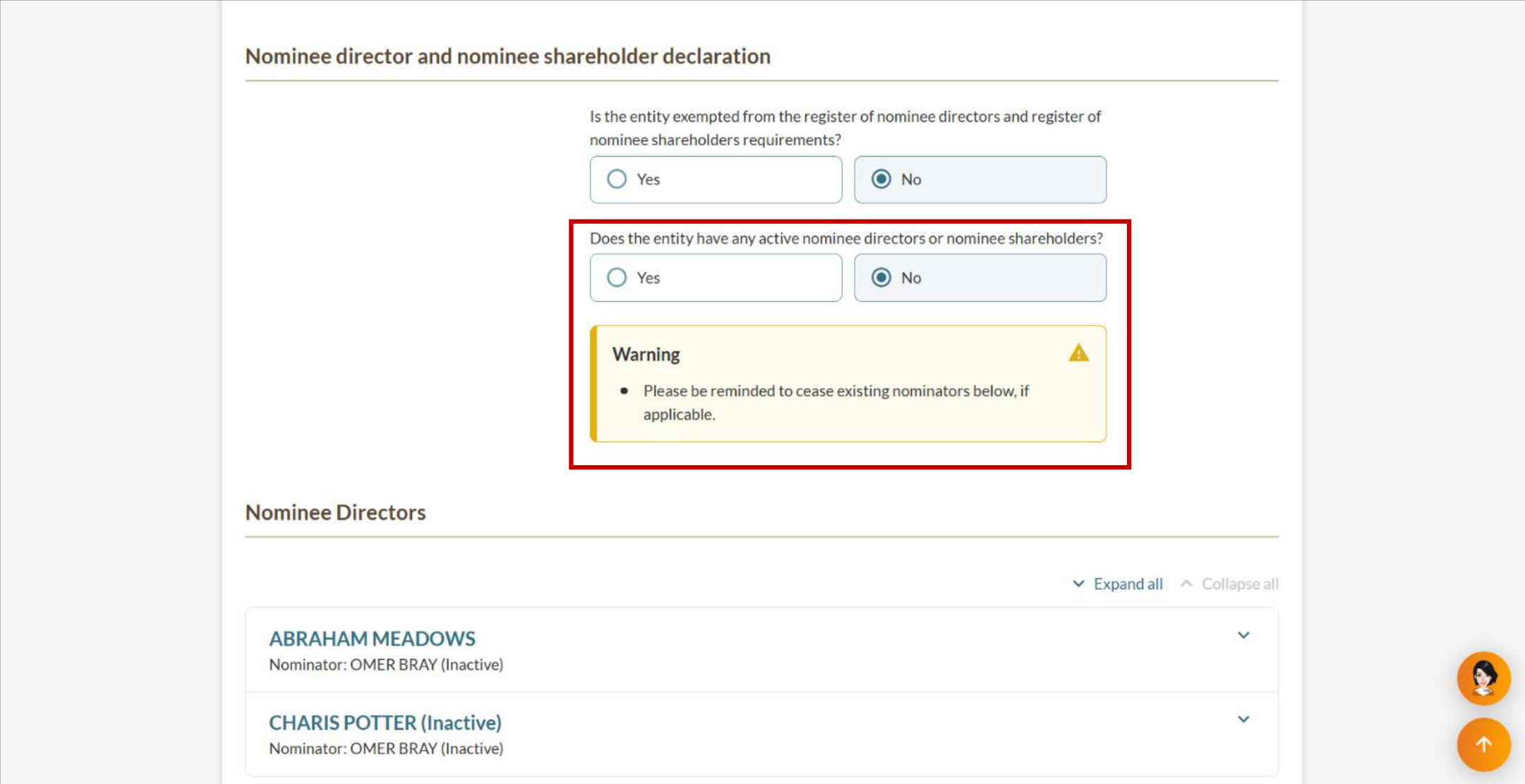
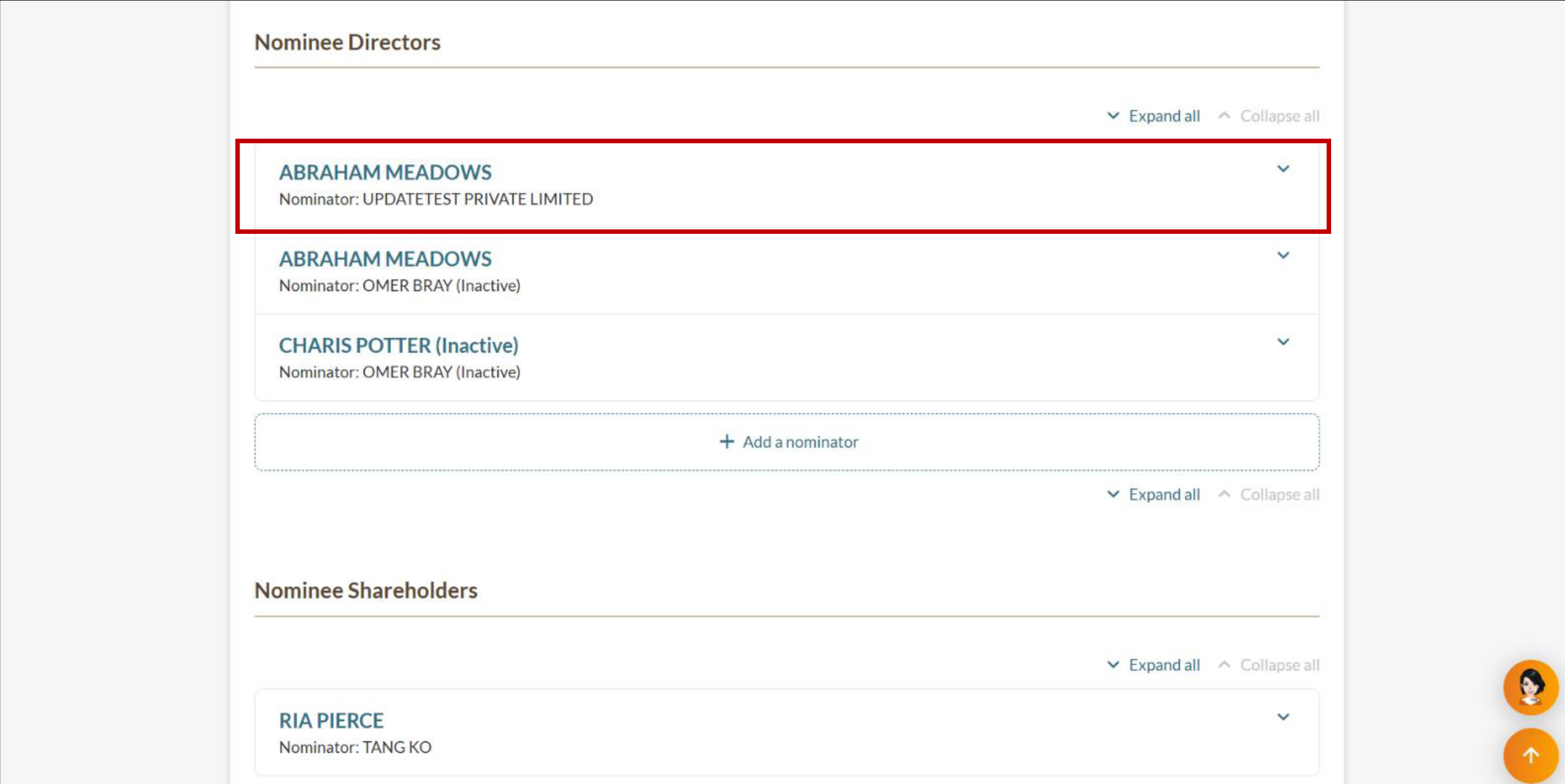
Step 2: Cease the existing nominator
Find the nominator you need to cease and enter the date of cessation.
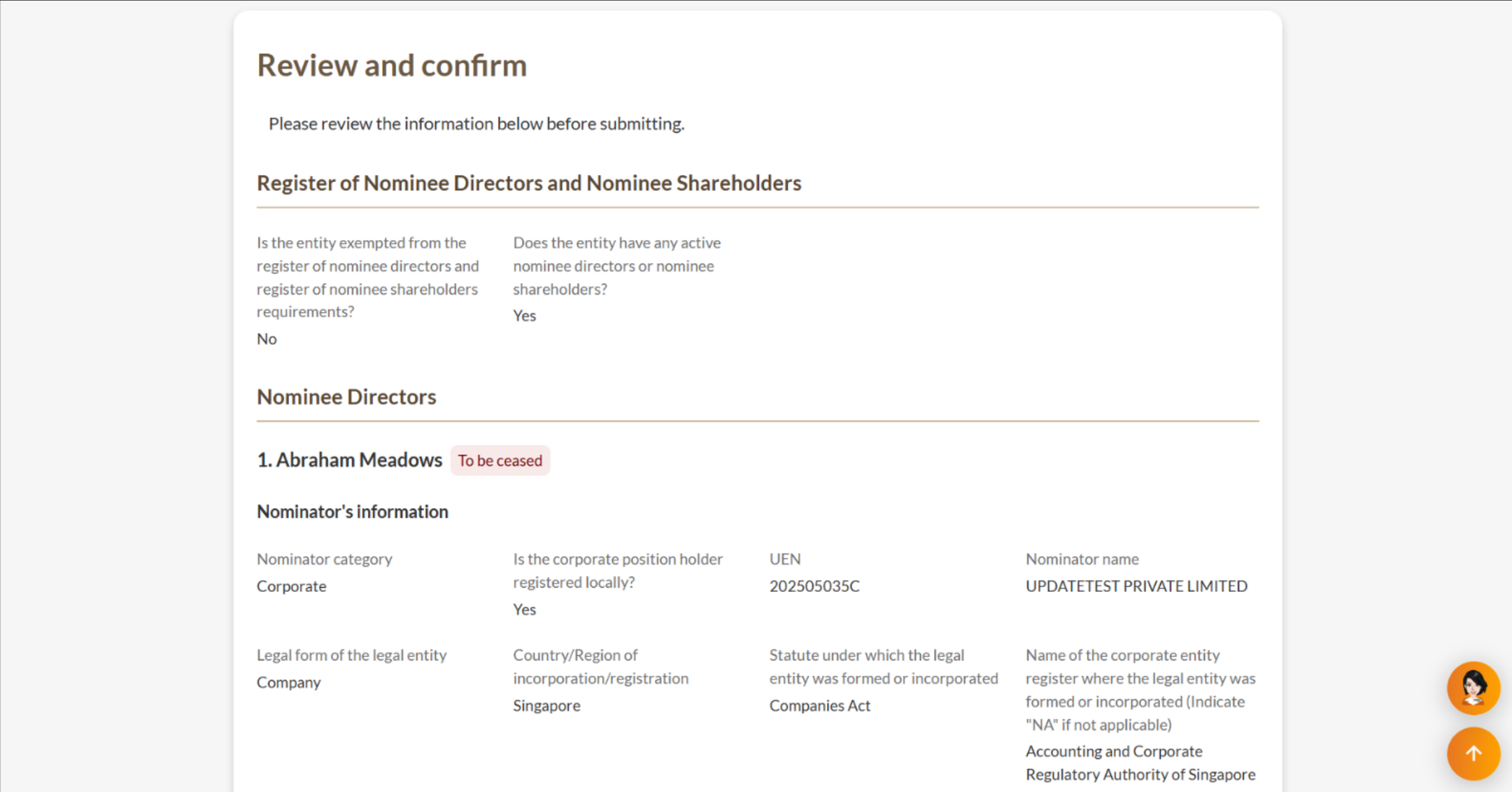
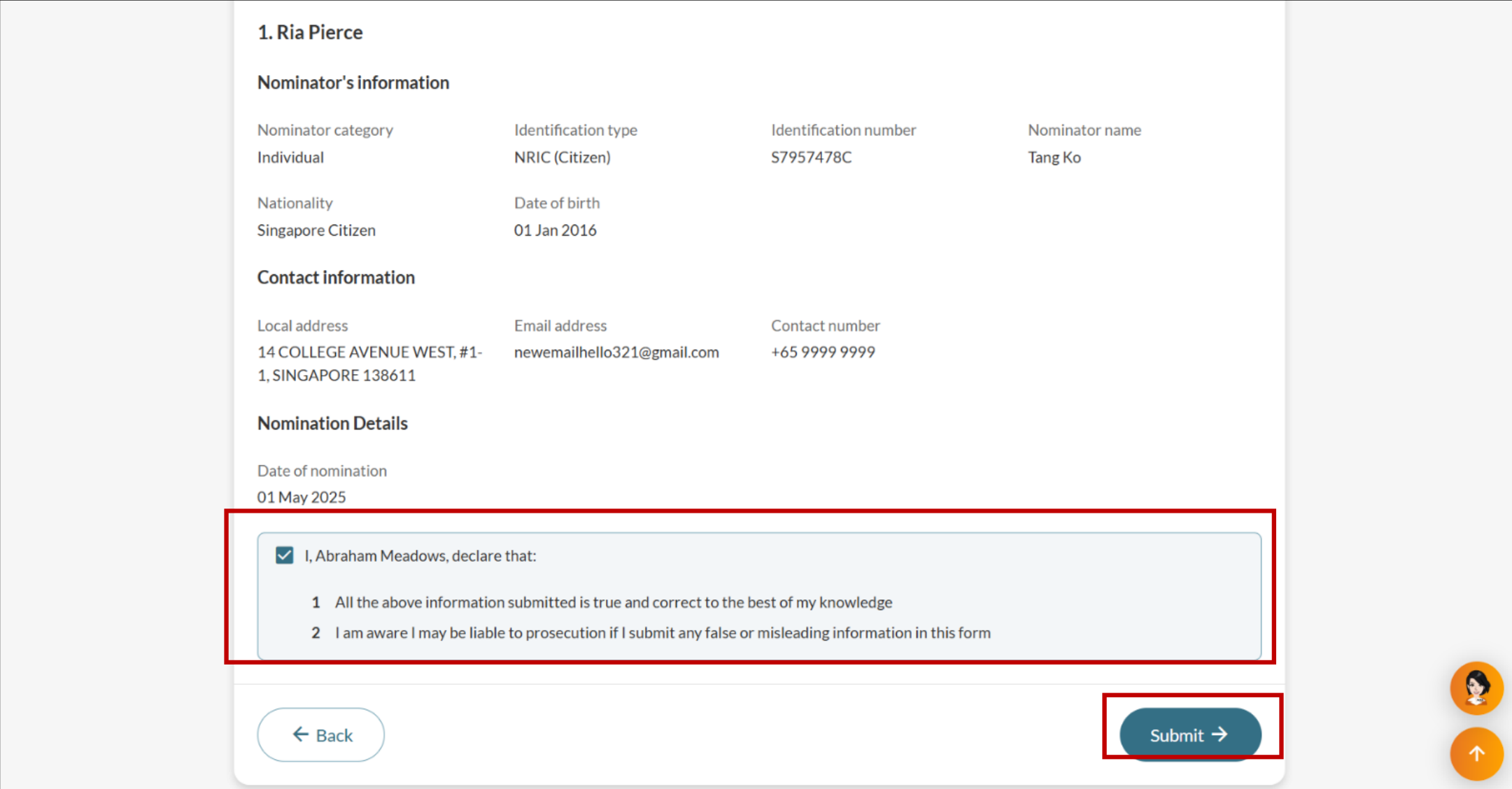
Step 3: Review and submit
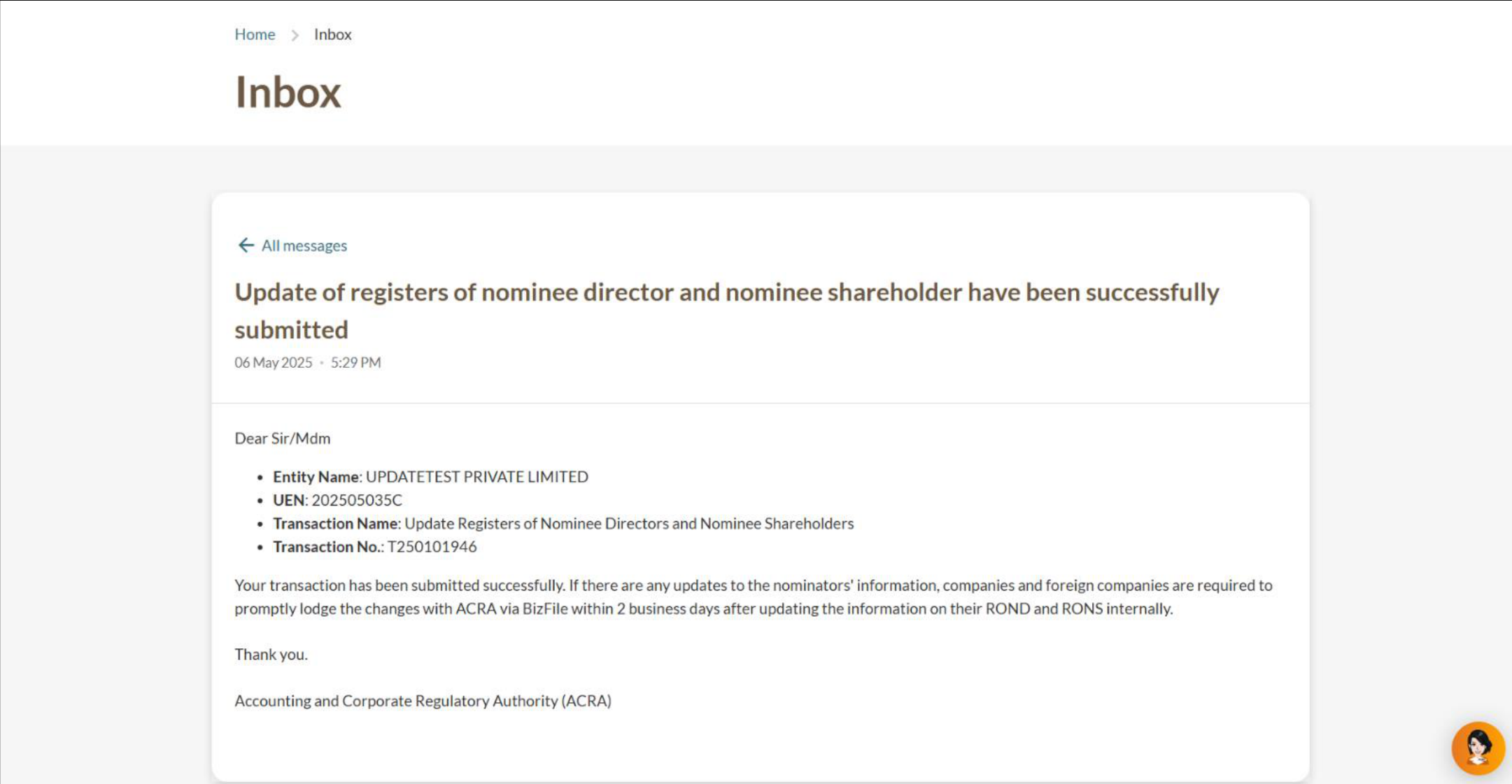
Review all cessation details before submitting to ACRA.