
Guide
Withdrawing a striking off application
Audience
Businesses
Corporate service providers (CSP)
Task or topic
Close business or deregister
12 March 2026
Withdraw a striking off application for a local company, limited liability partnership (LLP), or foreign company through Bizfile.
Before you withdraw
You may withdraw a striking off application that has been approved for processing, only if all required endorsements have been obtained.
Only the following people can submit the withdrawal:
The original applicant
Someone from the same corporate service provider (opens in new tab) (CSP) firm as the original applicant
Who may withdraw
Manage striking off
Entity type | Who can withdraw |
|---|---|
Local company | The lodger who submitted the striking off application. The lodger can be the:
|
Limited liability partnership (LLP) | The lodger who submitted the striking off application. The lodger can be the:
|
Foreign company | The authorised representative who submitted the striking off application. |
What you need to prepare
Unique entity number (UEN) of the entity in the process of being struck off
Reasons for withdrawal
Fees and processing time
Manage striking off
What you need to know | Details |
|---|---|
Fees | Free |
Processing time | Immediate |
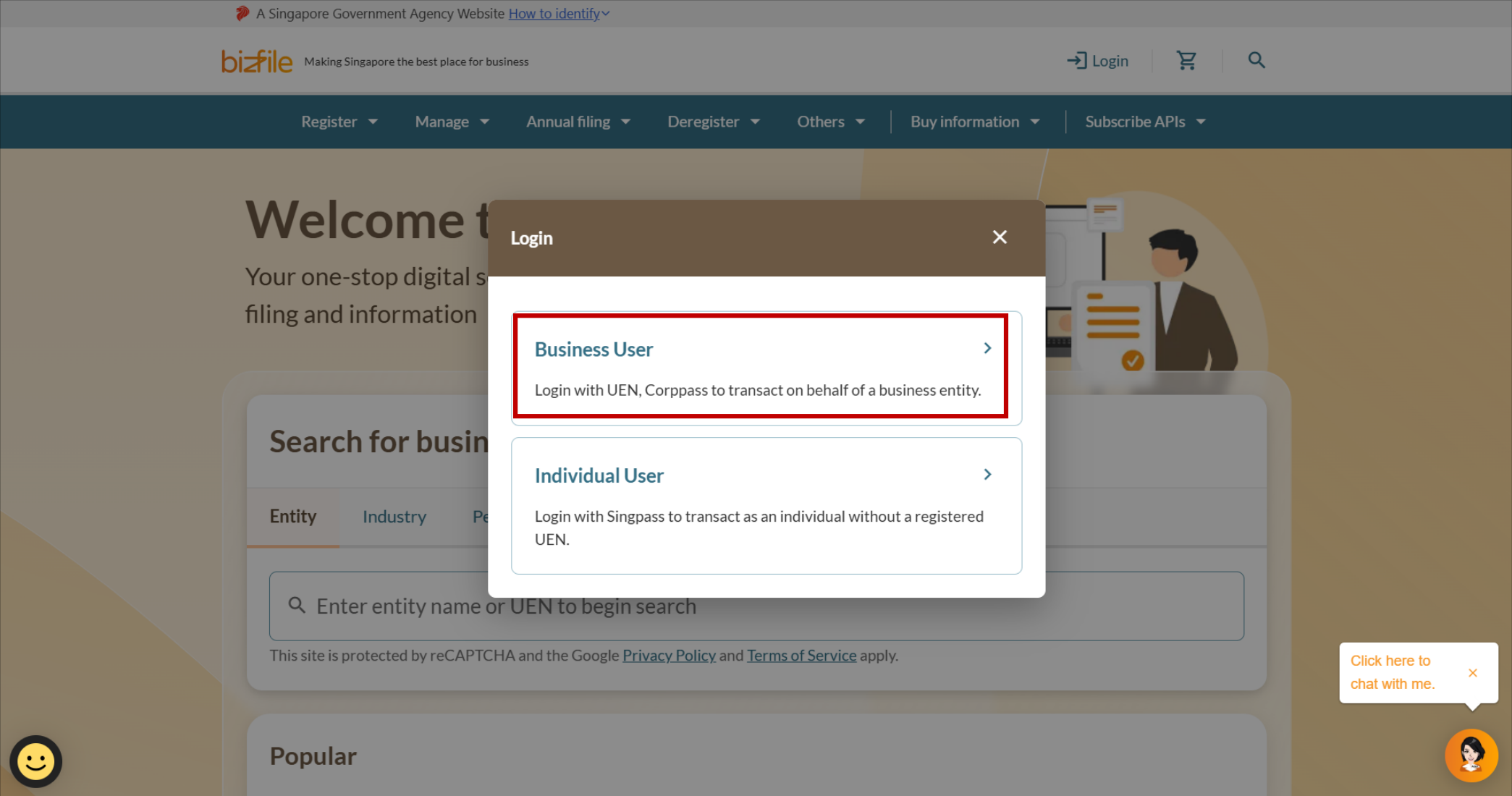
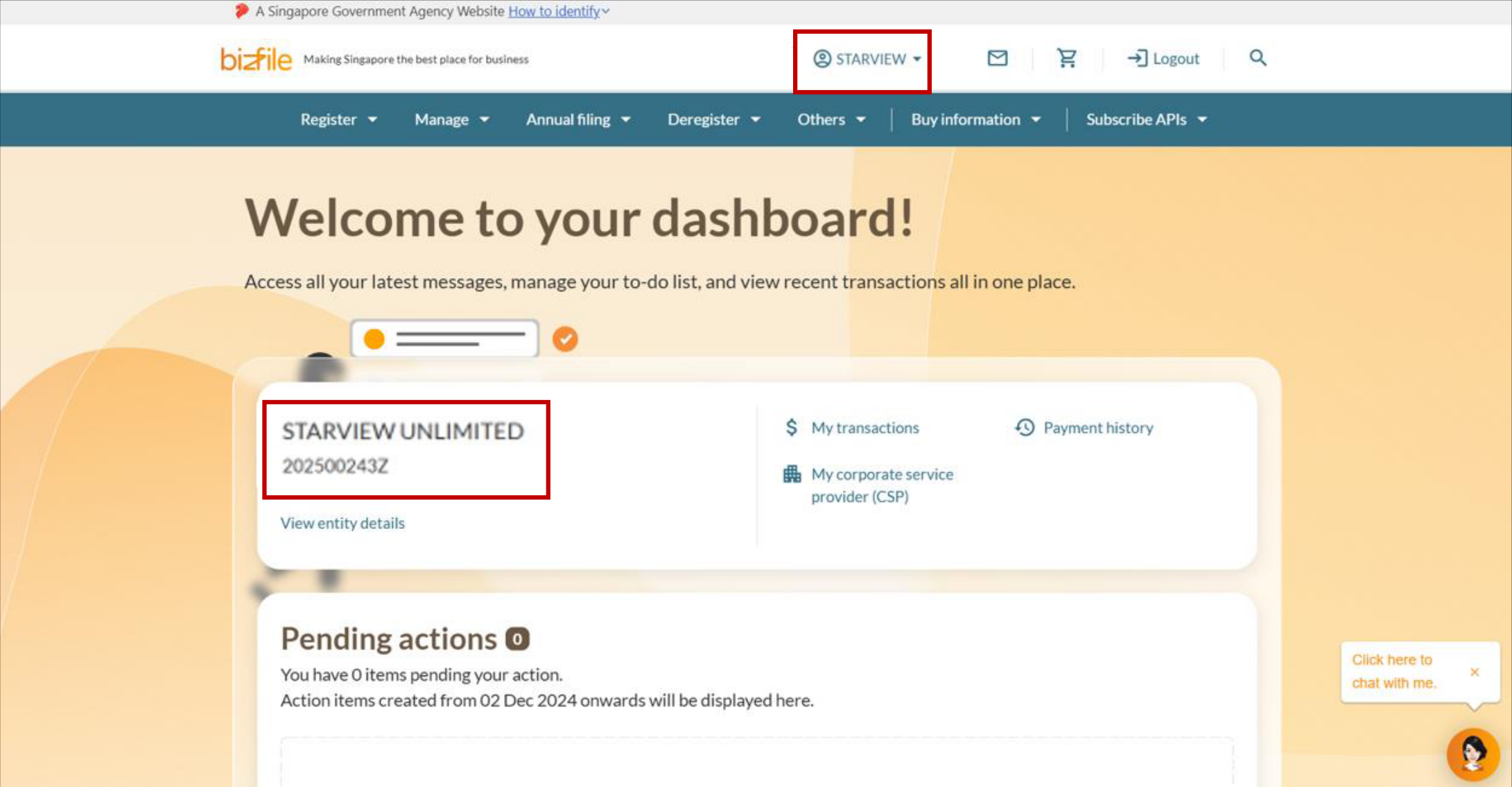
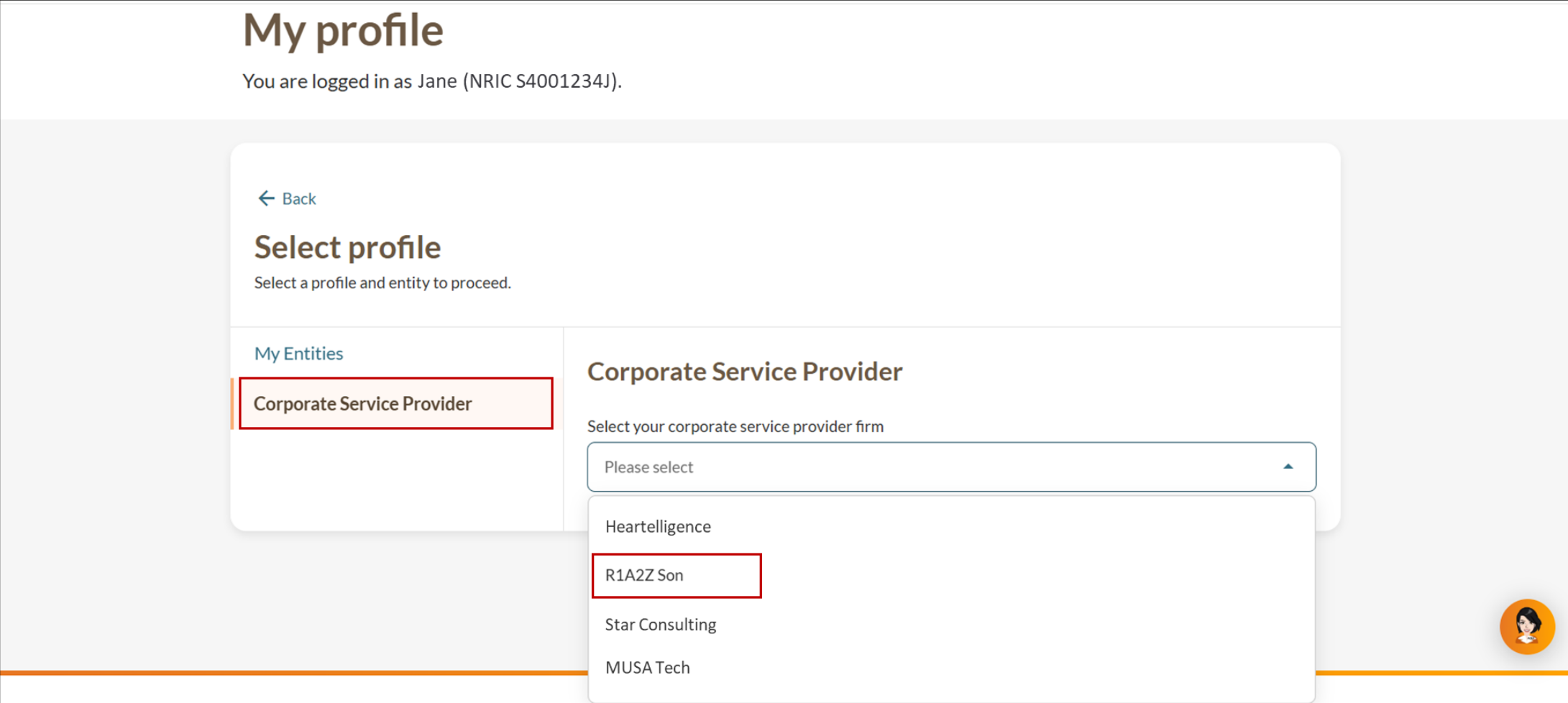
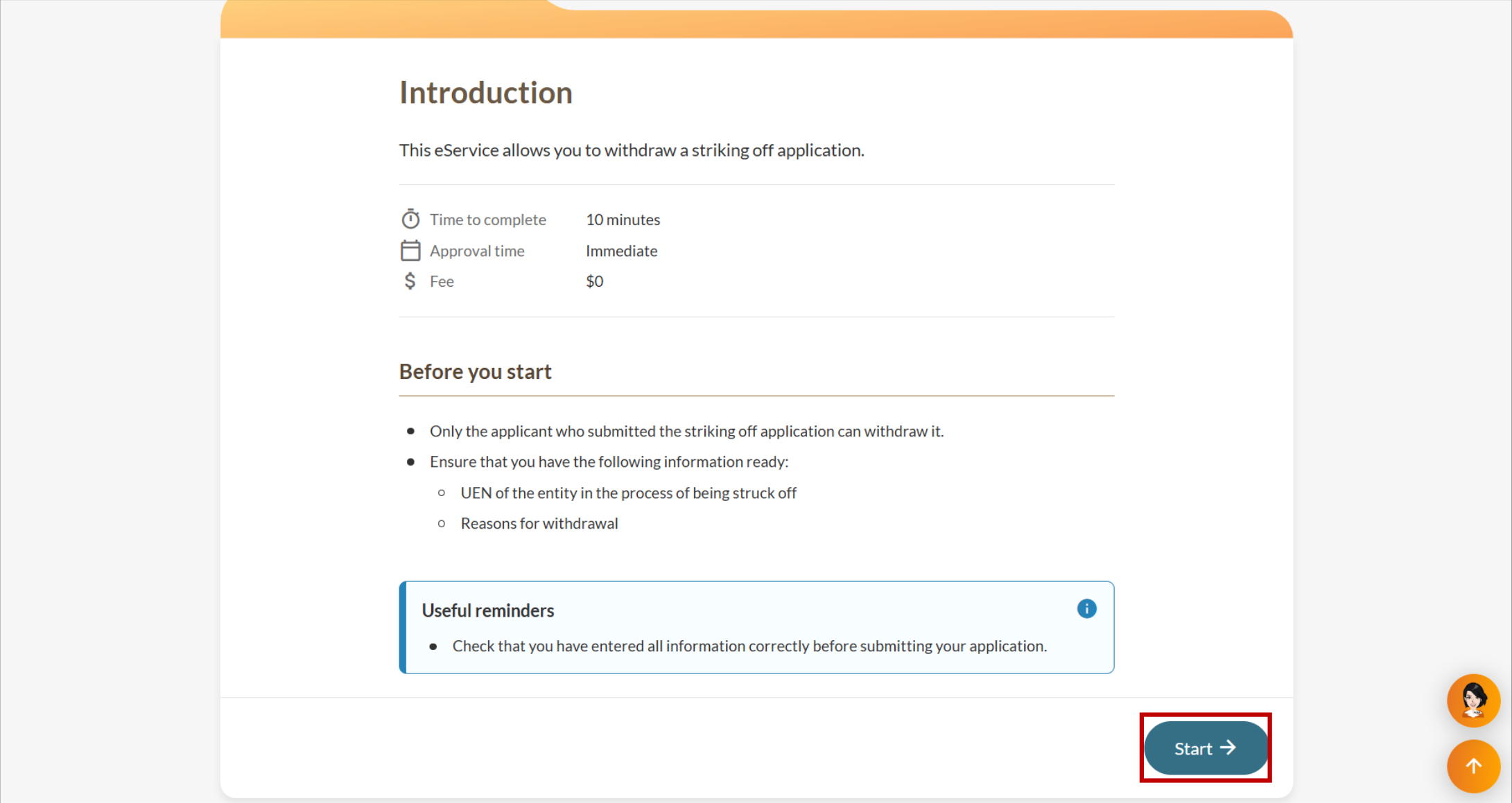
Step 1: Log in to Bizfile and navigate to the "Manage striking off" eService
Follow these steps to log in and navigate to the Manage striking off (opens in new tab) eService.
Note: All entity and personal information (including UEN, company details, NRIC or FIN numbers, names and addresses) shown are dummy data for illustration purposes only.
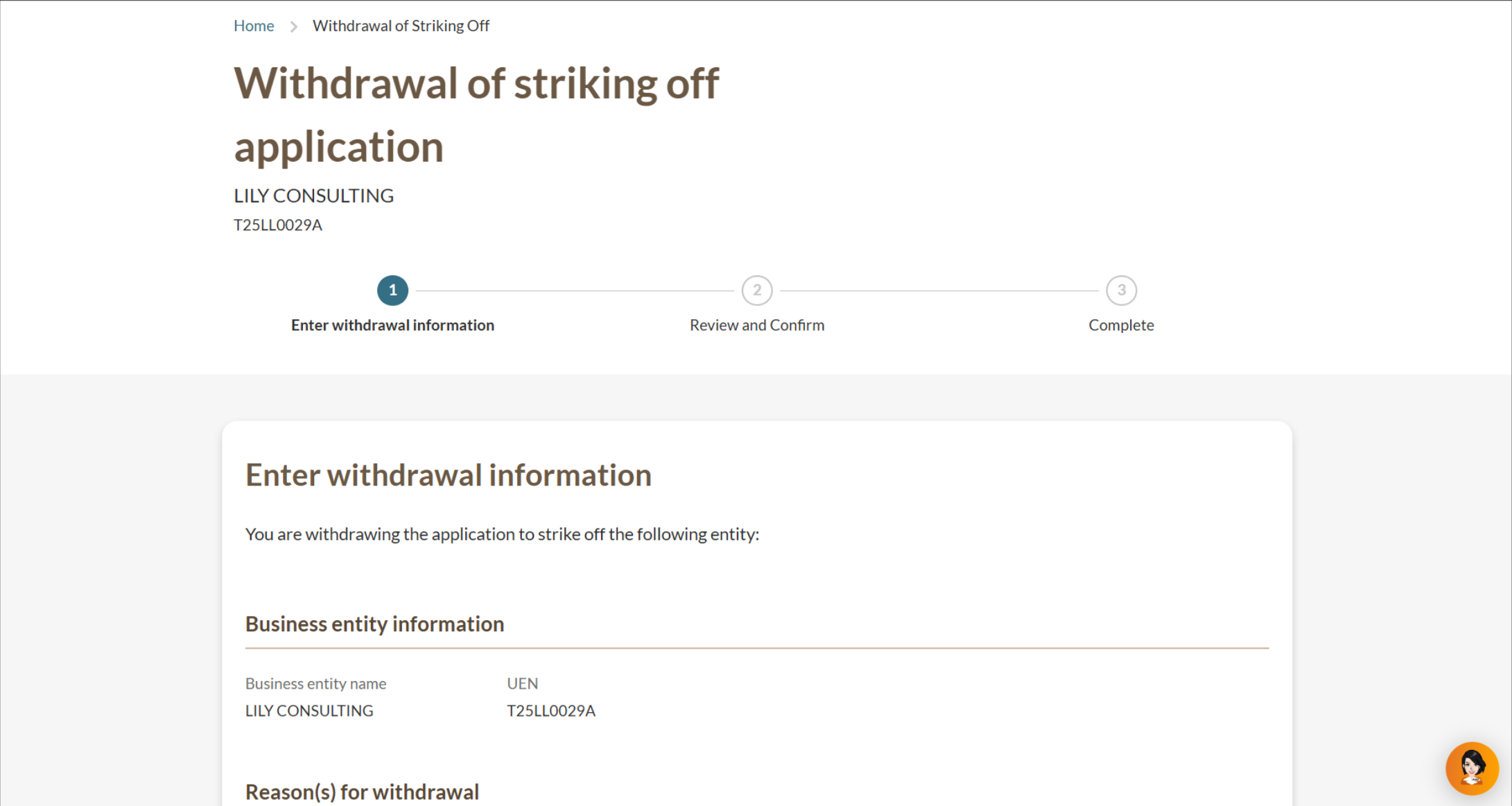
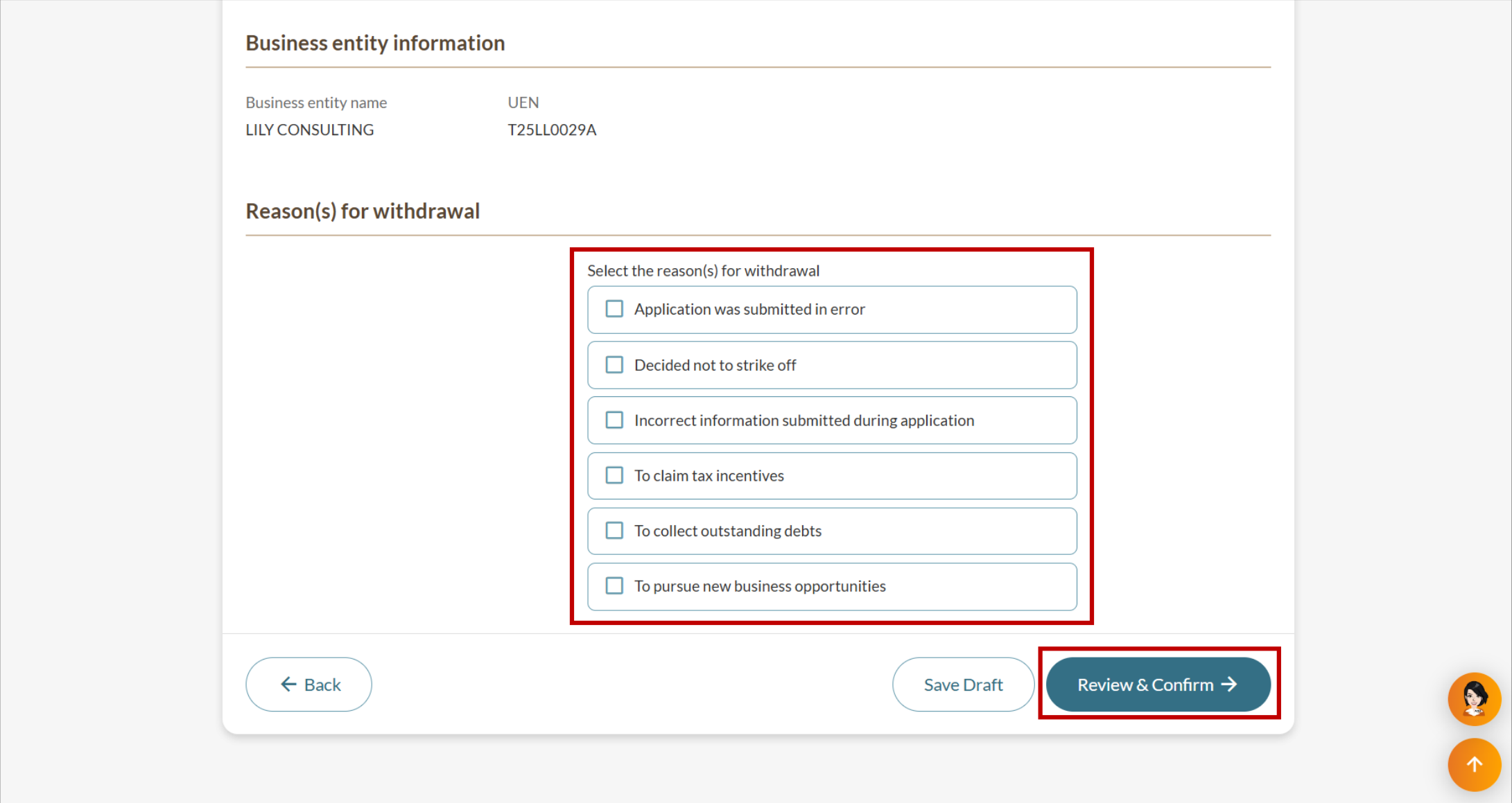
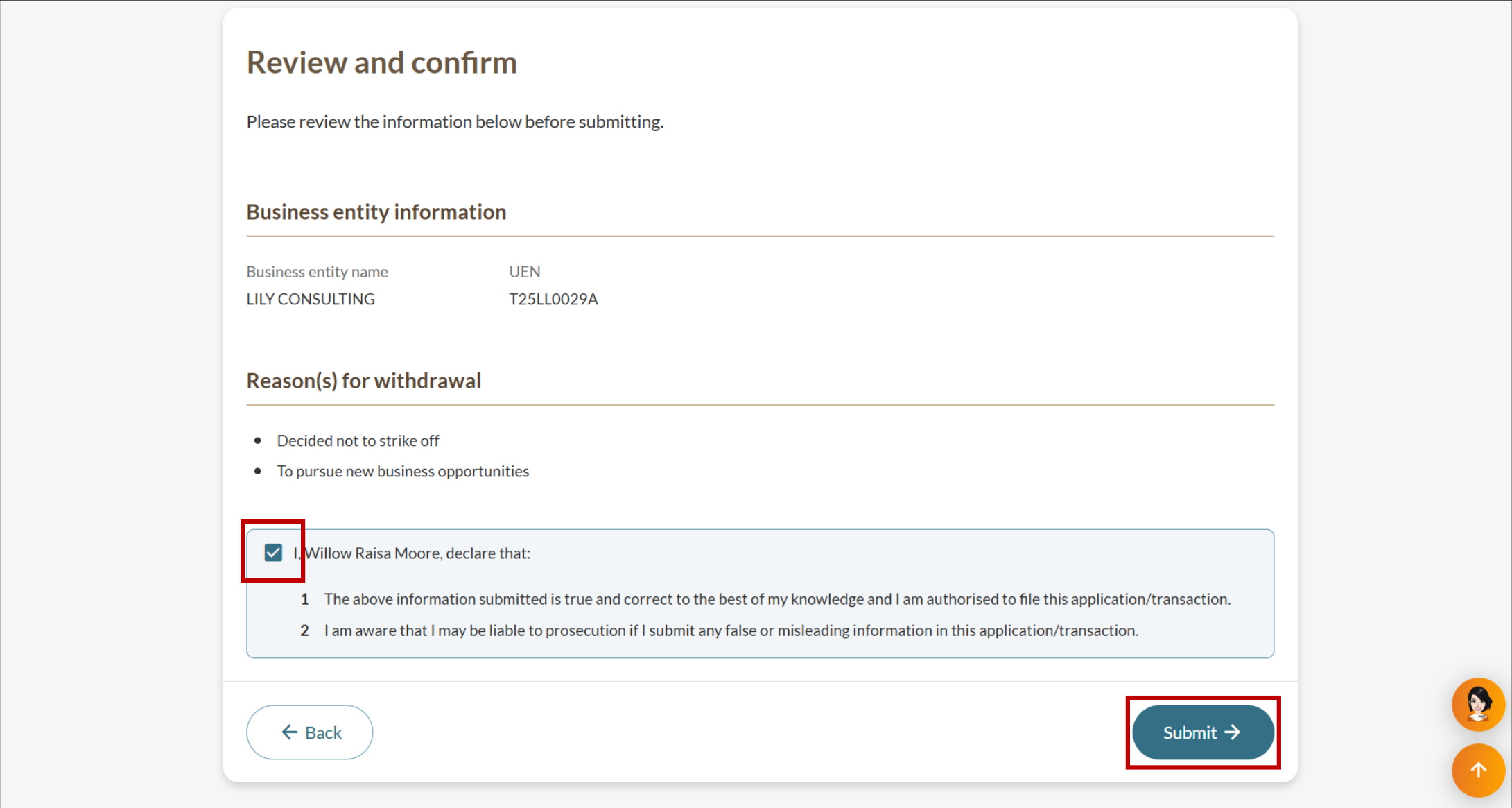
Step 2: Enter withdrawal information
Confirm you are withdrawing the correct application and provide your reason.
After you withdraw
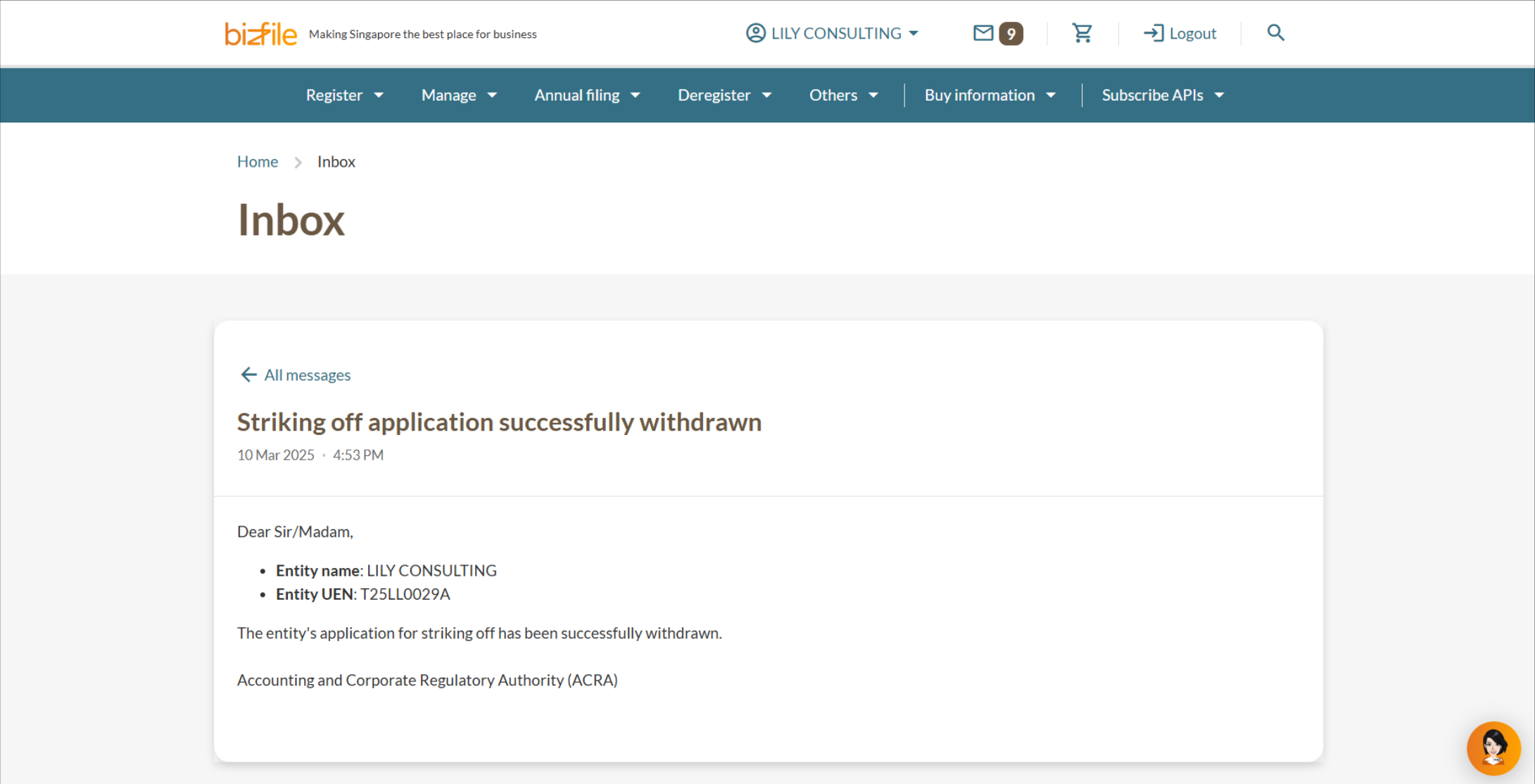
ACRA will publish your company's name in the list of entities that withdrew their striking off applications.
Your entity remains "Live" and registered with ACRA.
Note: As long as your company is "Live" on ACRA's register, you must comply with all Companies Act requirements (opens in new tab), including holding annual general meetings (AGMs) and filing annual returns (ARs).