Guide
Applying for an EOT to file financial statements for foreign companies
6 April 2026
Audience
Businesses
Corporate service providers (CSP)
Task or topic
Annual filing
Apply for a 60-day extension of time (EOT) to file financial statements for your foreign company branch in Bizfile.
Before you apply
Foreign company branches may apply for a 60-day extension to file financial statements. This is provided under the Companies Act, section 373(10) (opens in new tab).
Who may apply
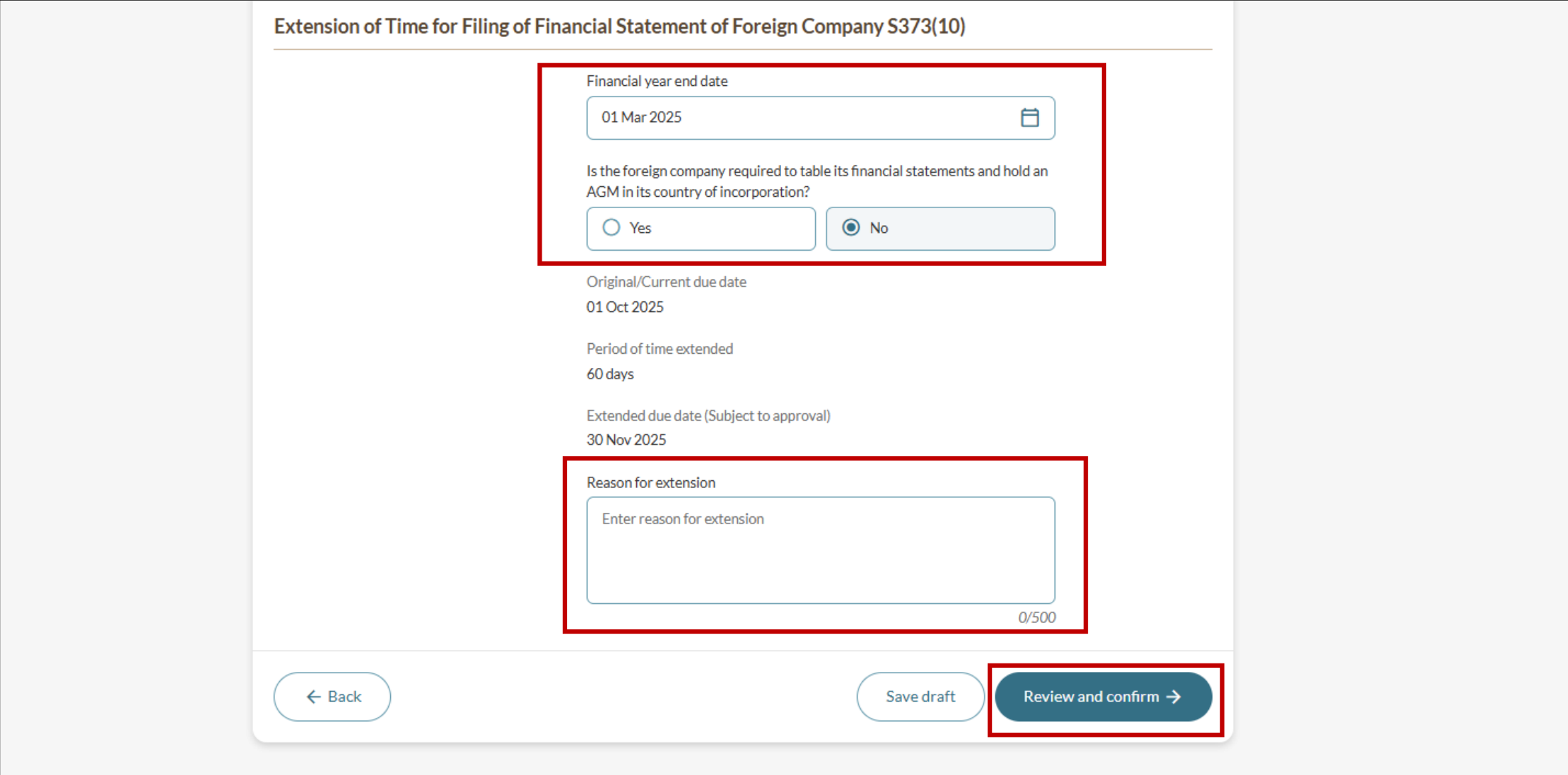
You may apply for an EOT if your foreign company branch is not required to table financial statements at an AGM in your country of incorporation.
You may apply for an EOT as a:
Authorised representative of the foreign company
Corporate service provider (opens in new tab) (CSP) acting on behalf of the foreign company
What you need to prepare
Unique entity number (UEN)
Financial year end date
Reason for extension
Fees and processing time
EOT: Financial statement of foreign company under CA S373(10)
What you need to know | Details |
|---|---|
Fee | $200 |
Processing time | Immediate |
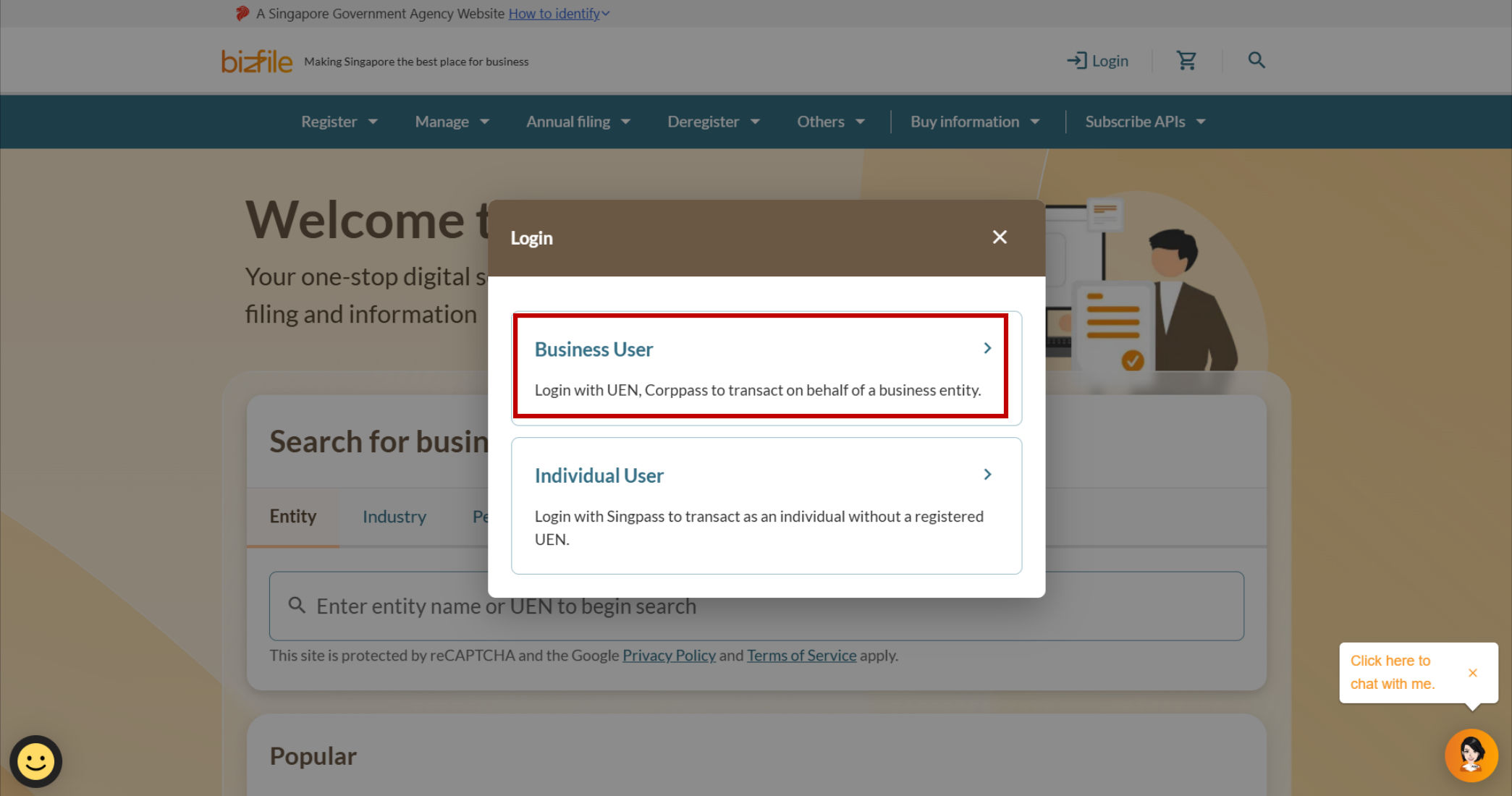
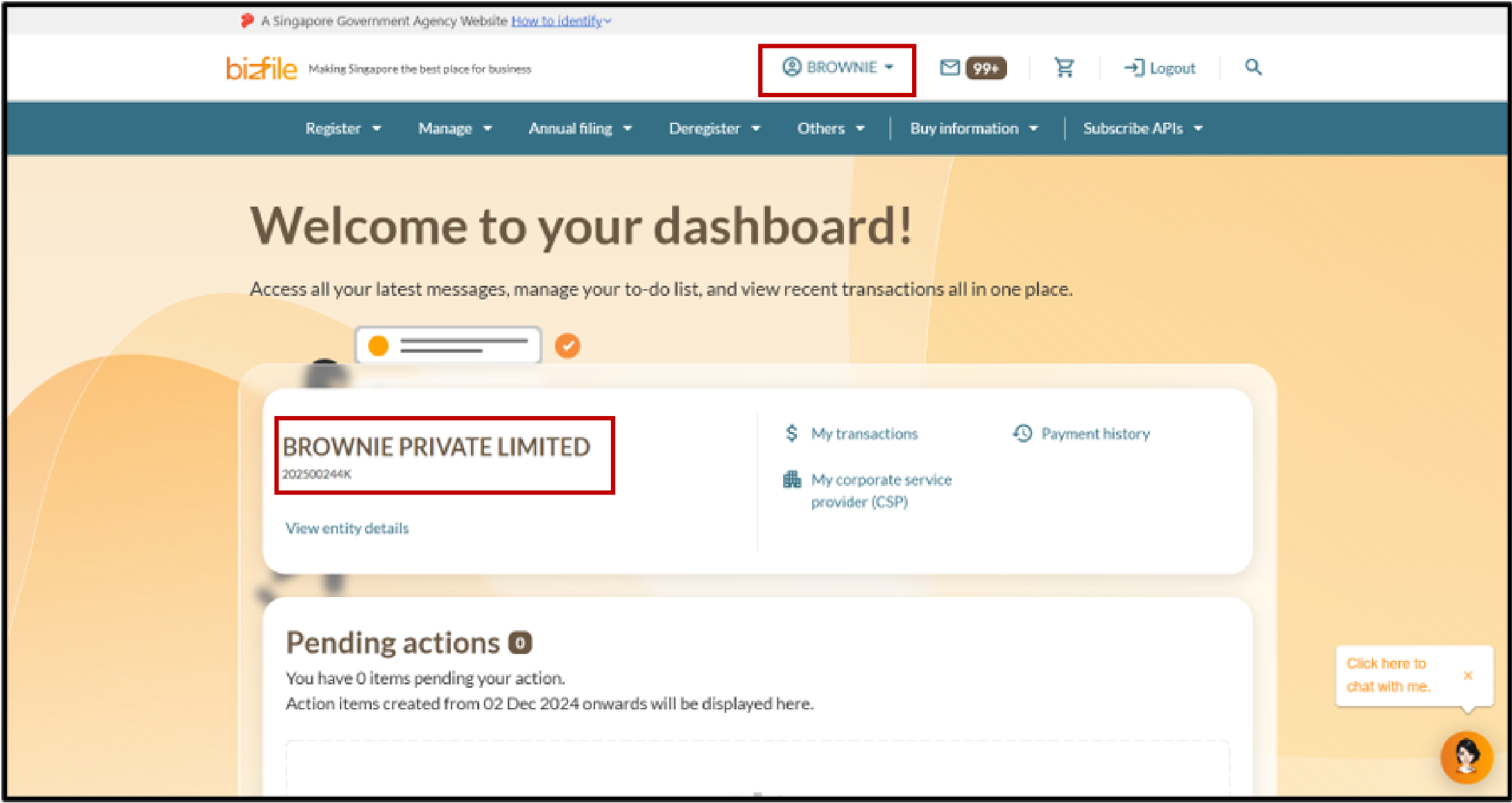
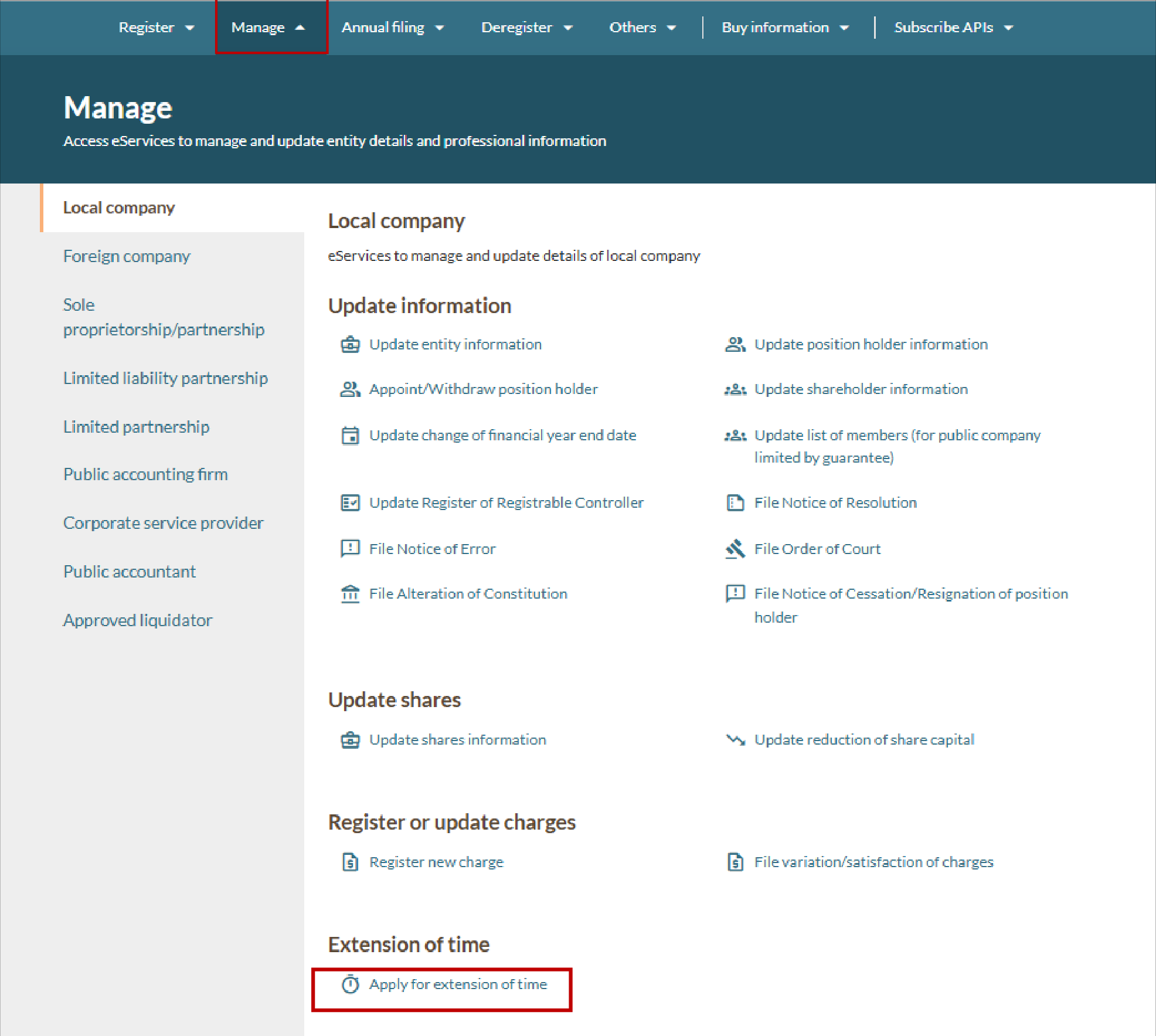
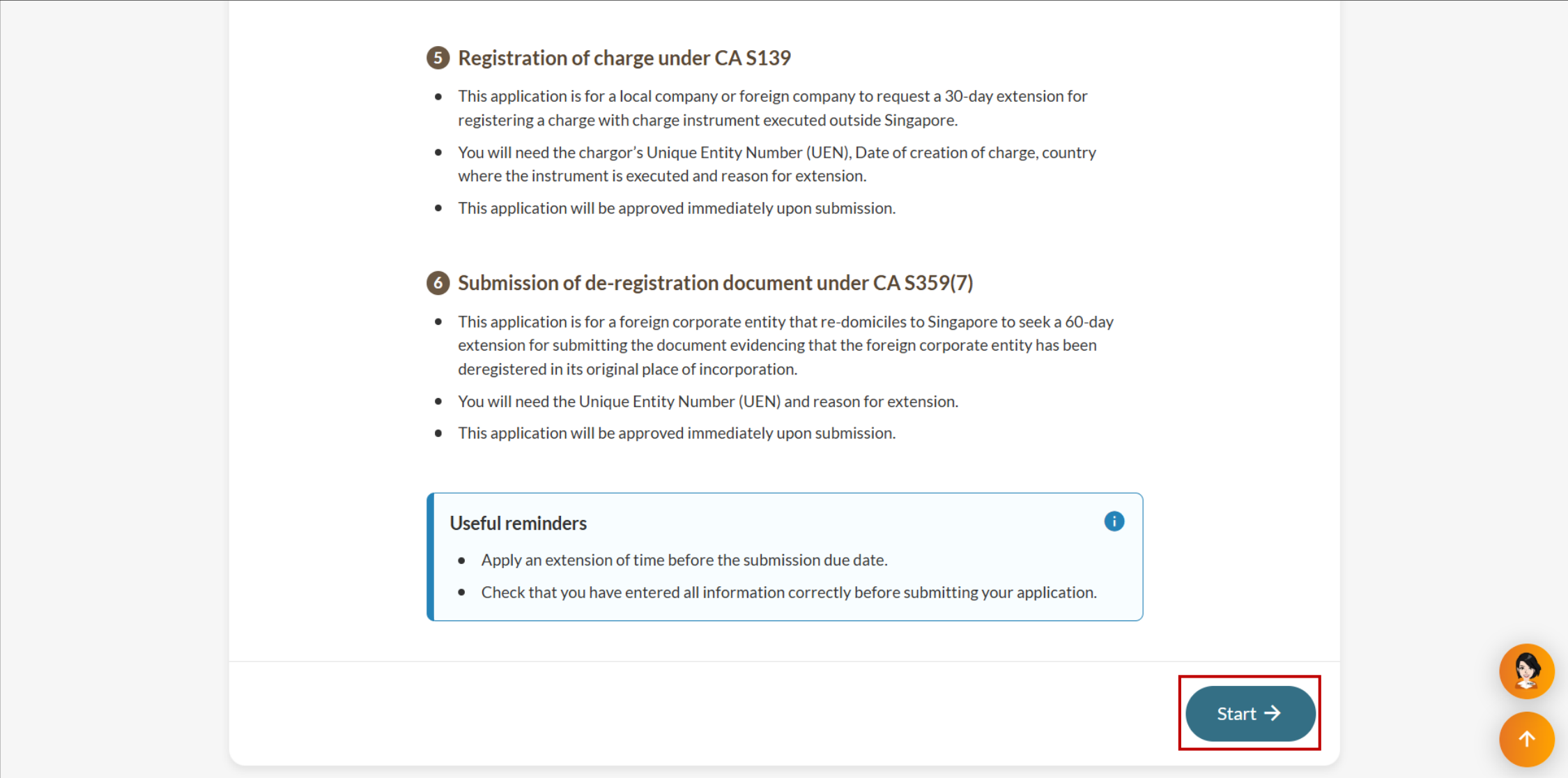
Step 1: Log in to Bizfile and open the "Apply for extension of time" eService
Follow these steps to log in to Bizfile and navigate to the Apply for extension of time (opens in new tab) eService.
Note: All entity and personal information (including UEN, entity details, NRIC or FIN numbers, names and addresses) shown are dummy data for illustration purposes only.
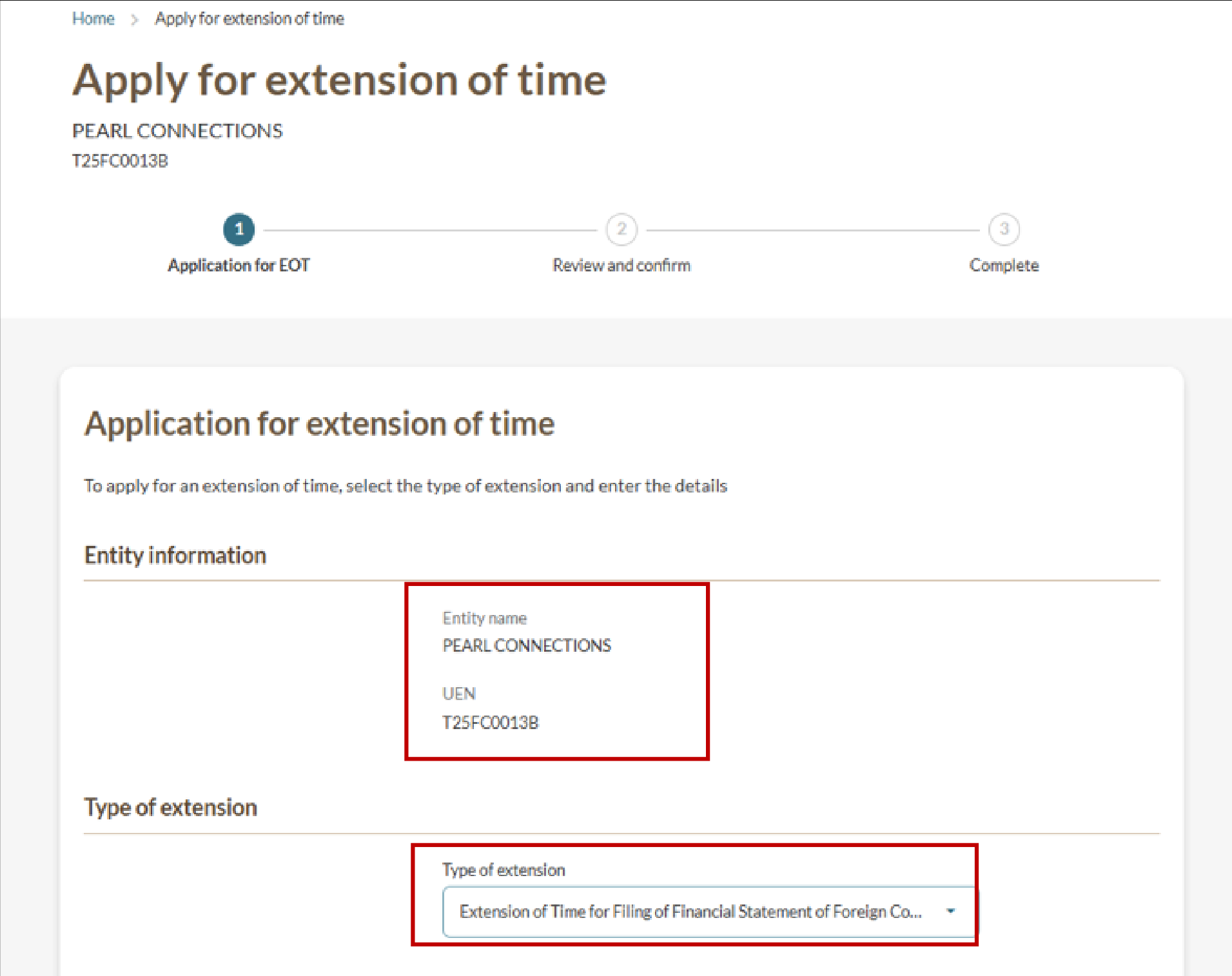
Step 2: Provide your details
Follow these steps to enter the details of your EOT application.
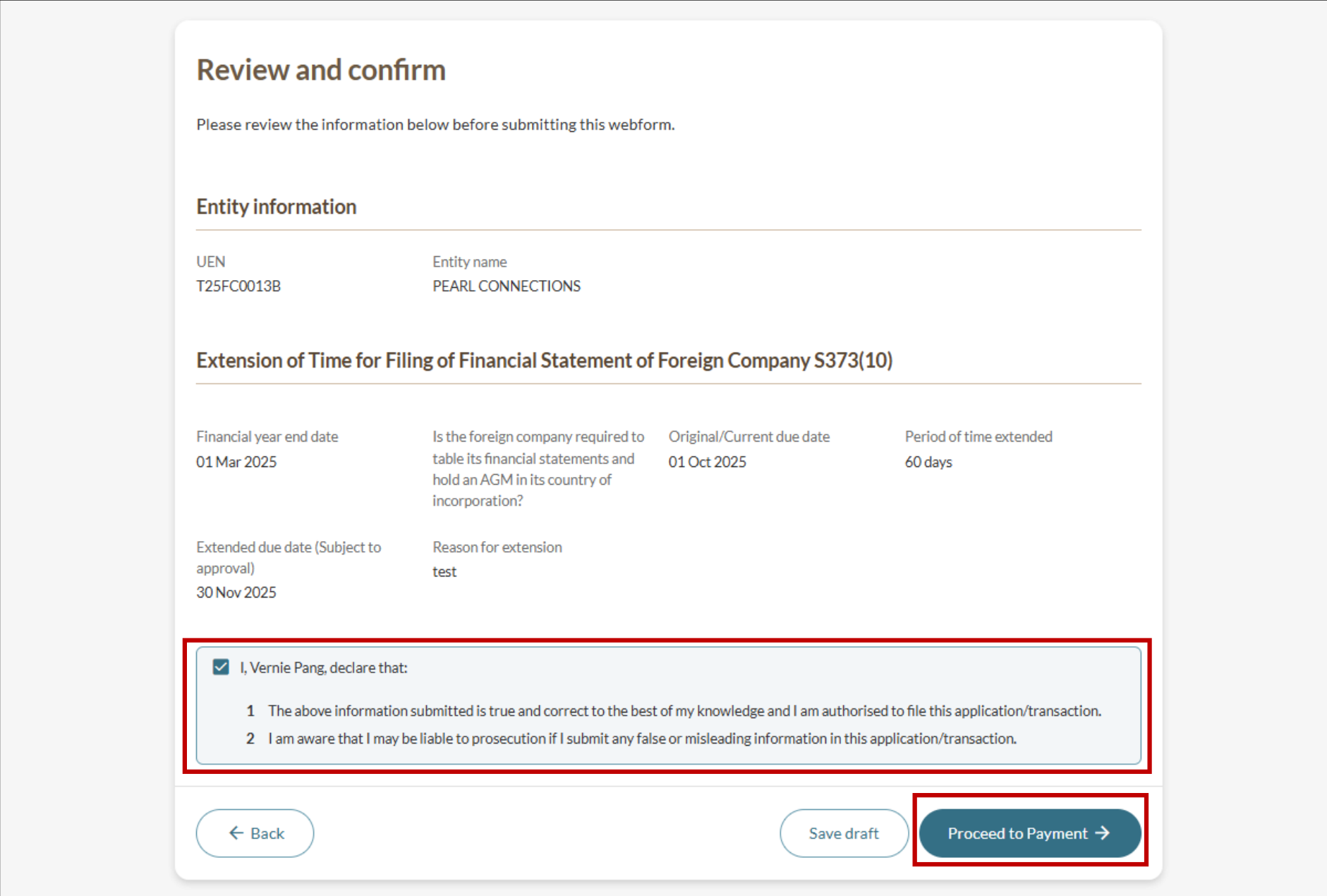
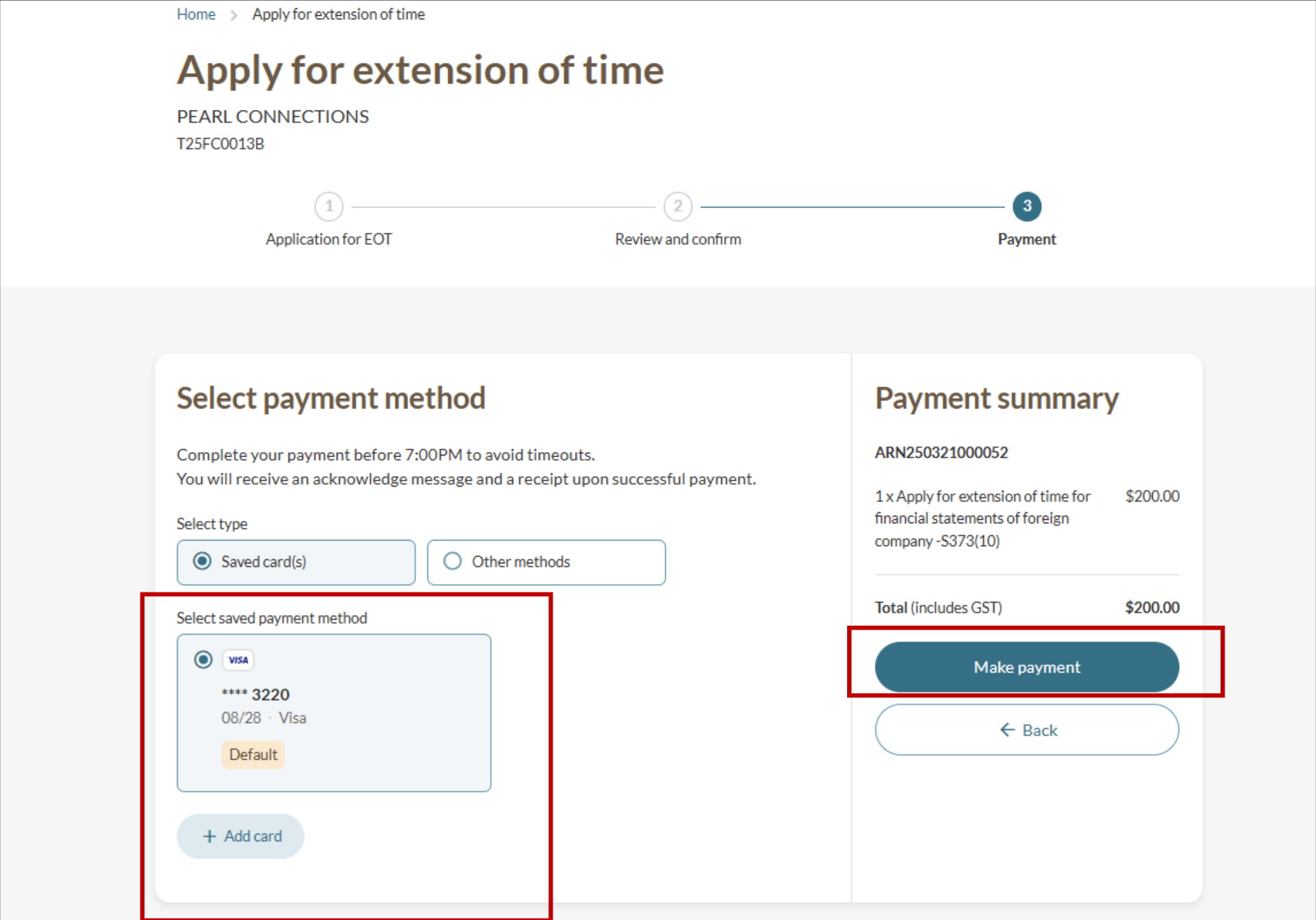
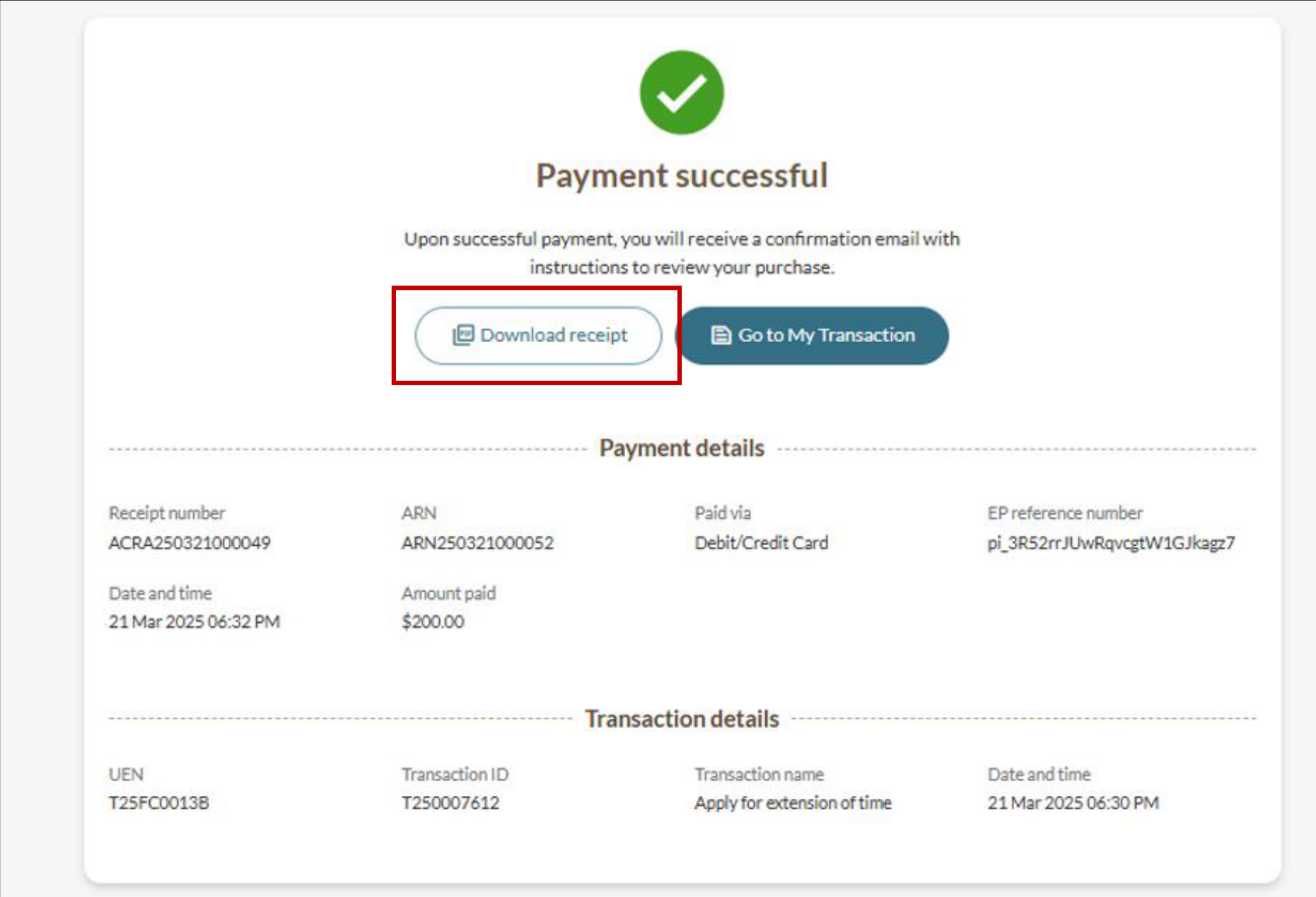
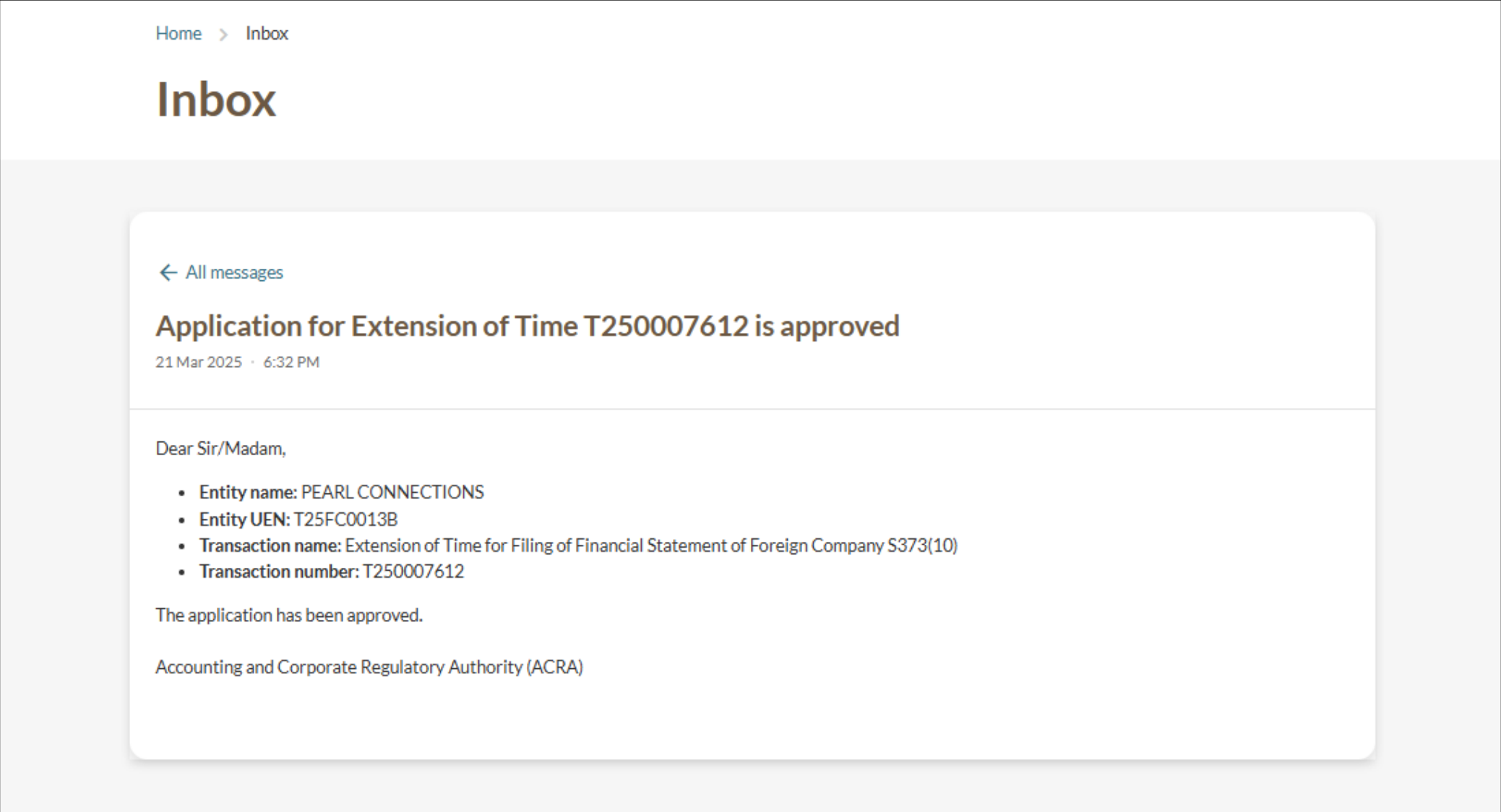
Step 3: Review and submit
Follow these steps to review, pay, and submit your EOT application.