Filing cessation or dissolution of a foreign company
Learn how to file for cessation or dissolution when your head office is dissolved or local branch stops operating.
Last updated 12 June 2026
Before you file
This guide explains how to cease your foreign company branch's registration or file for dissolution.
Who may file
Authorised representative
What you need to do
Required steps and information
What you need to do | Details |
|---|---|
Prepare the required information | Required information:
|
Make sure that the company has:
| Examples of administrative matters:
|
Fees and processing time
File cessation or dissolution of business entity
What you need to know | Details |
|---|---|
Fees | Free |
Processing time | Immediate |
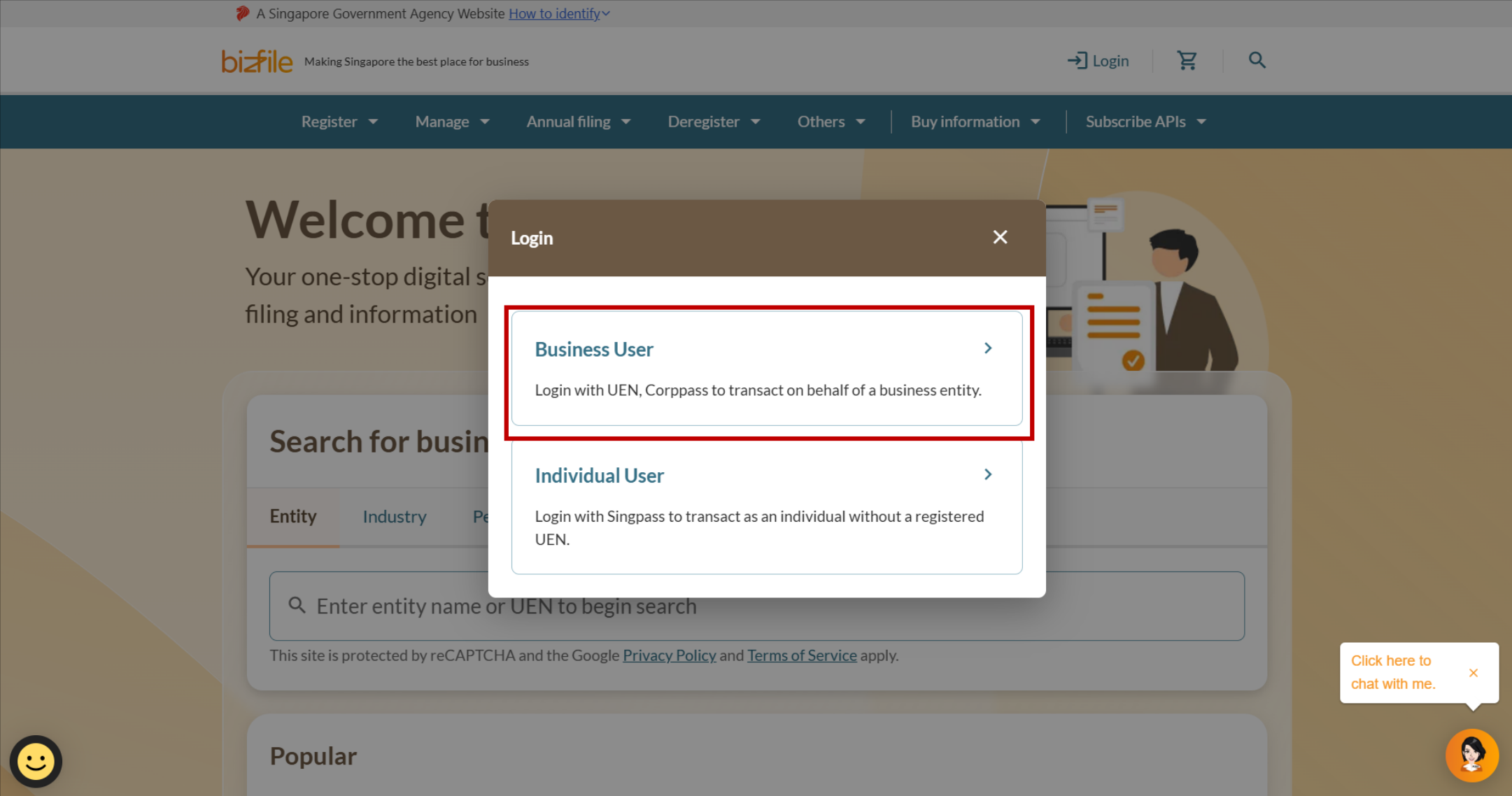
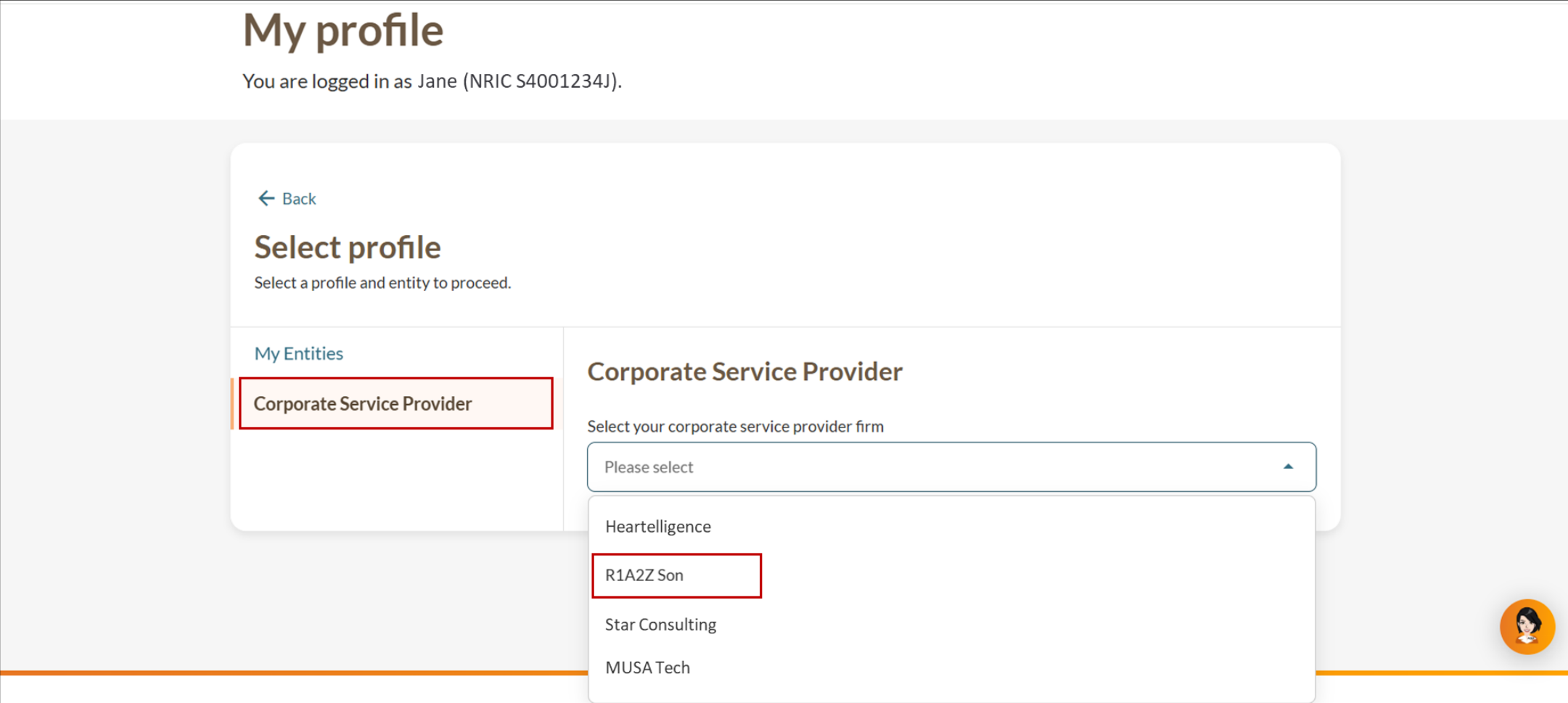
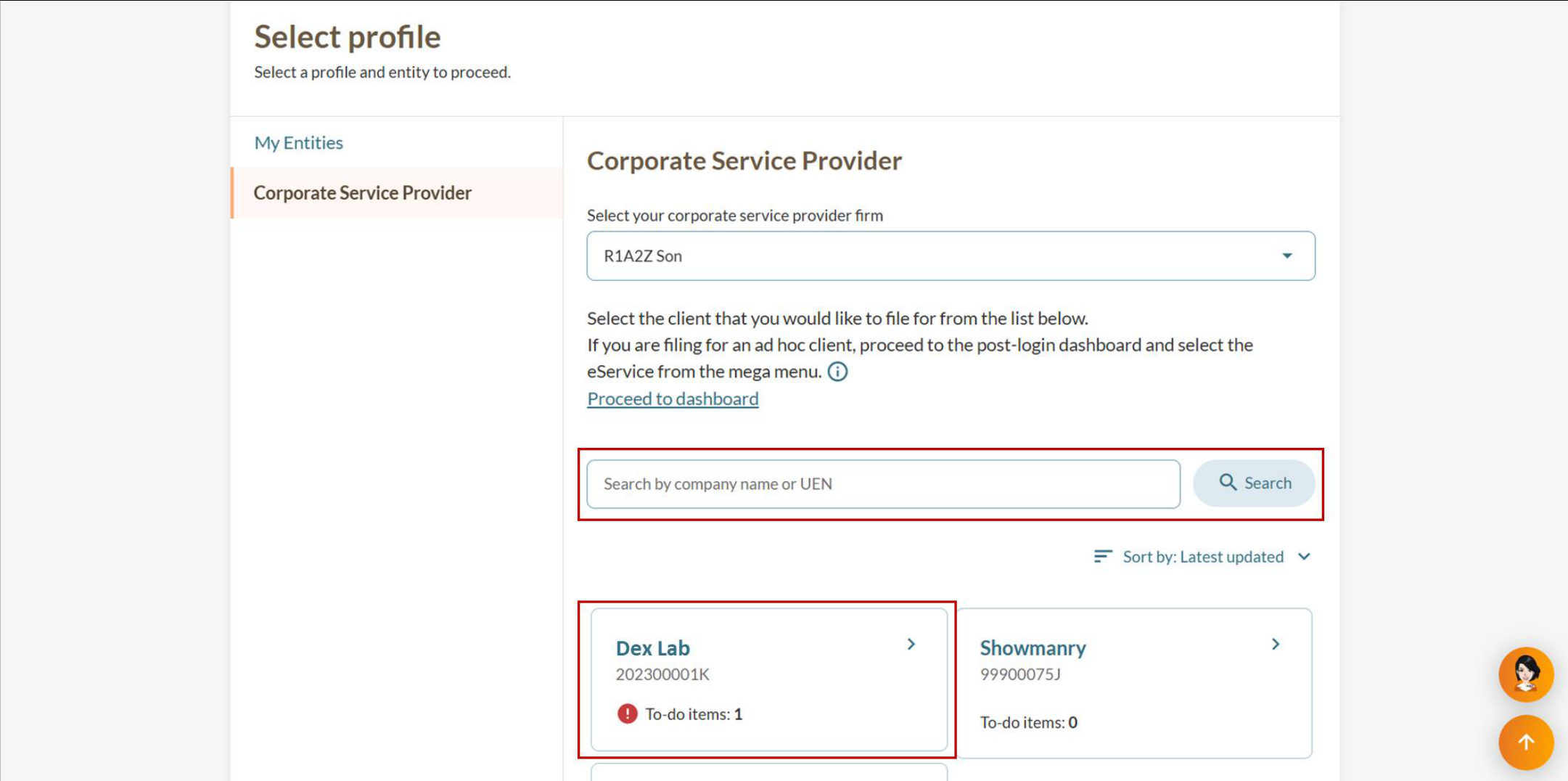
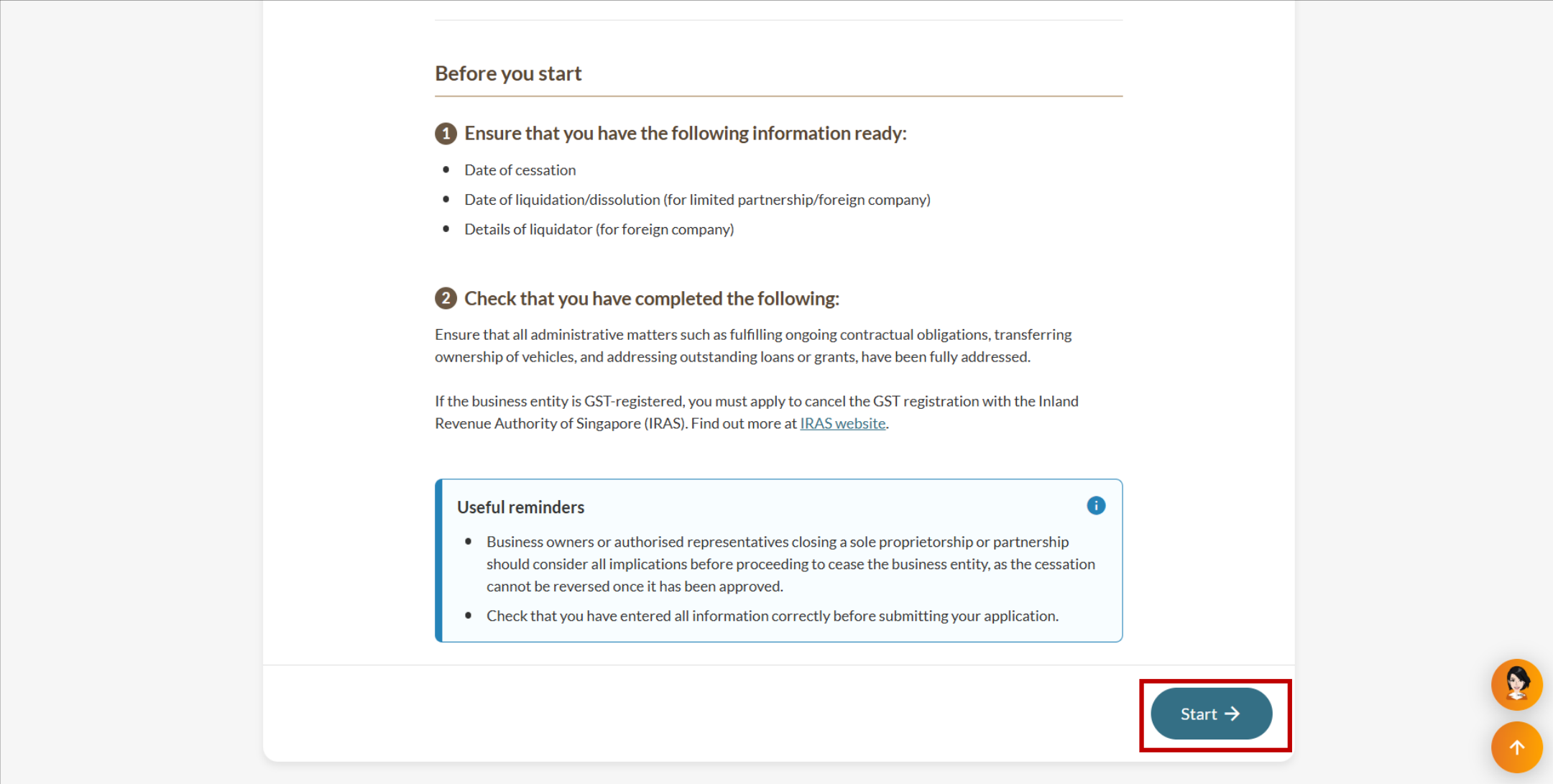
Step 1: Log in to Bizfile and open the "File cessation or dissolution of business entity" eService
Follow these steps to log in to Bizfile and navigate to the File cessation or dissolution of business entity (opens in new tab) eService.
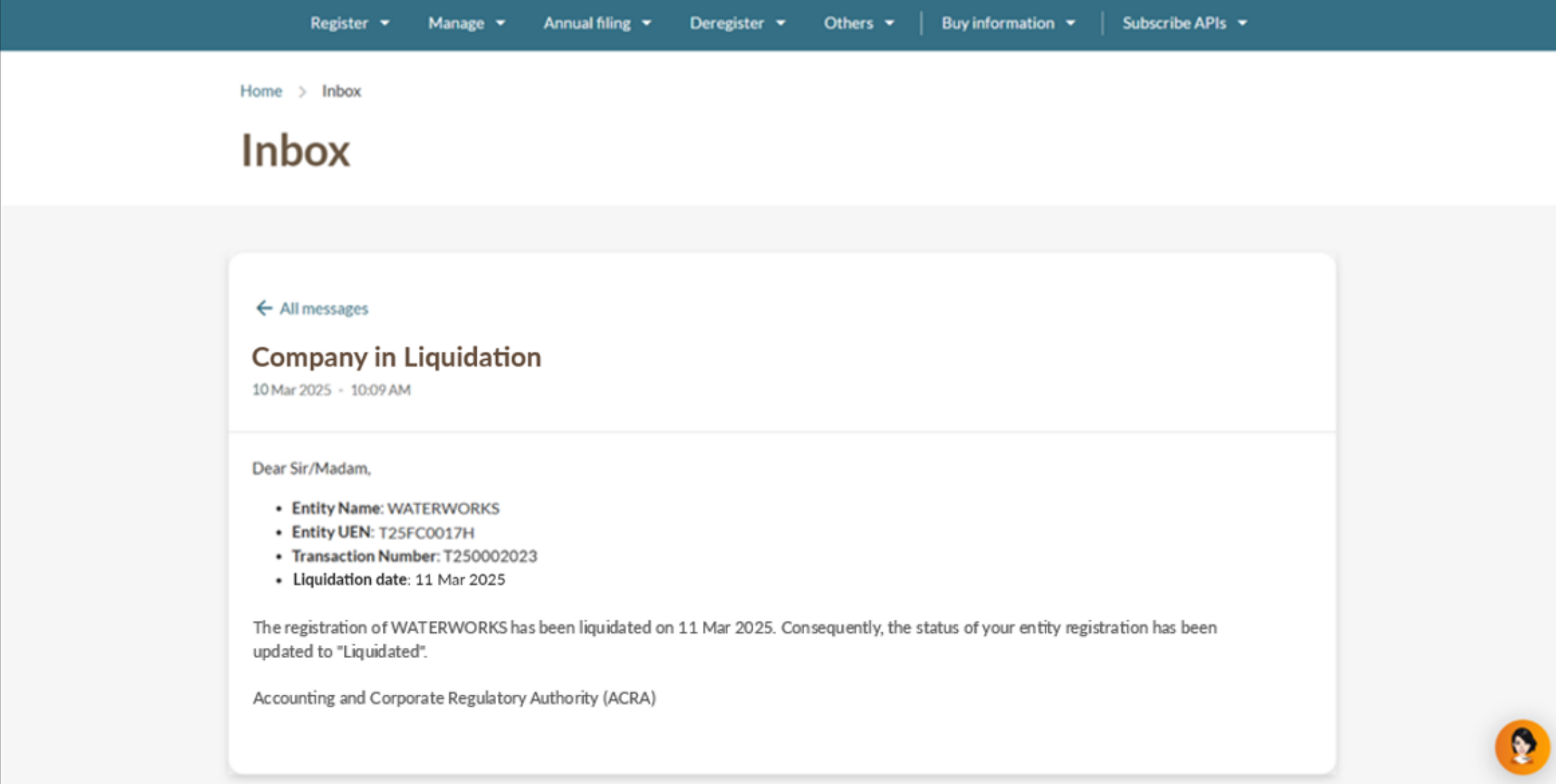
Note: All entity and personal information (including UEN, entity details, NRIC or FIN numbers, names and addresses) shown are dummy data for illustration purposes only.
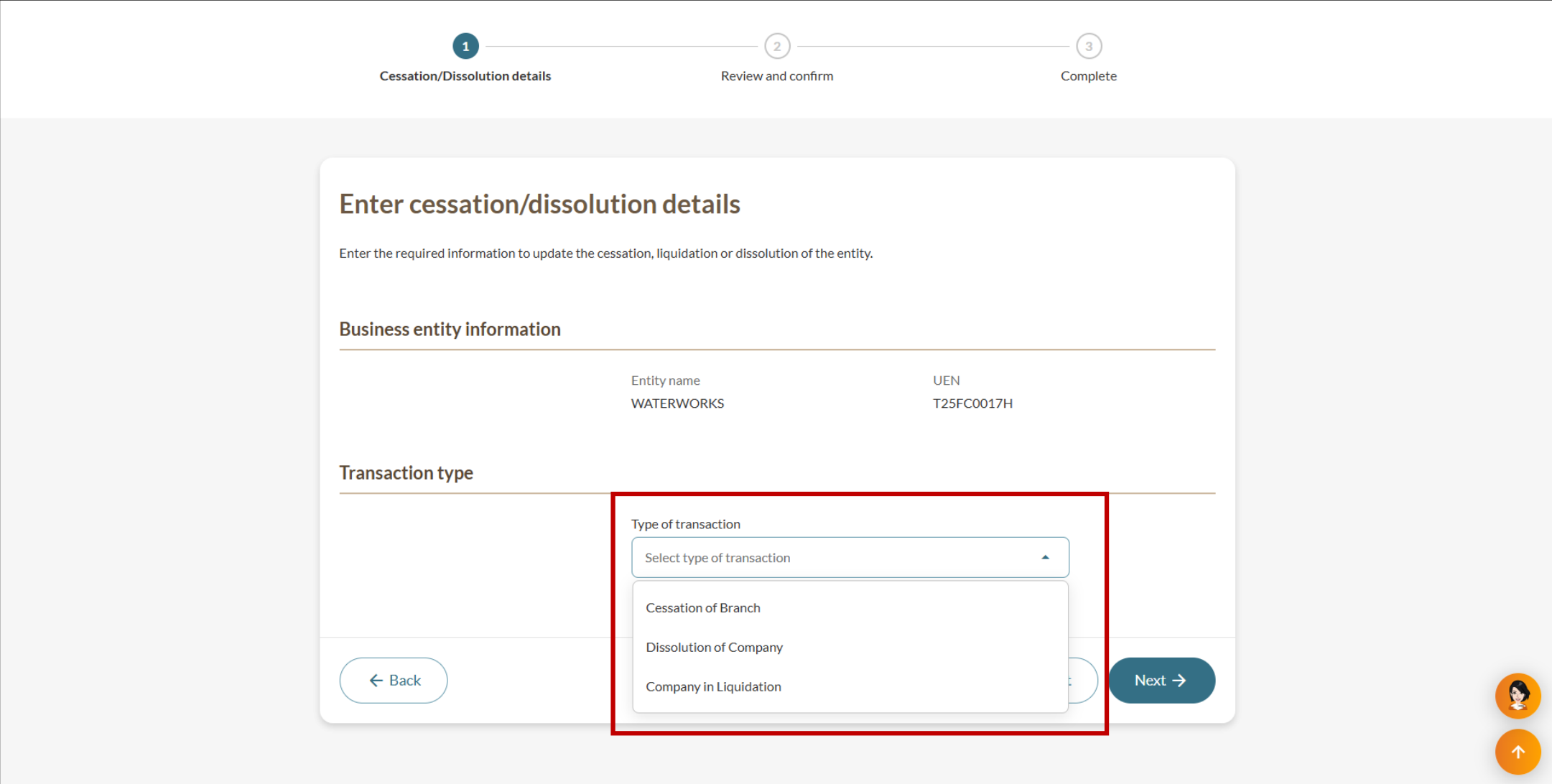
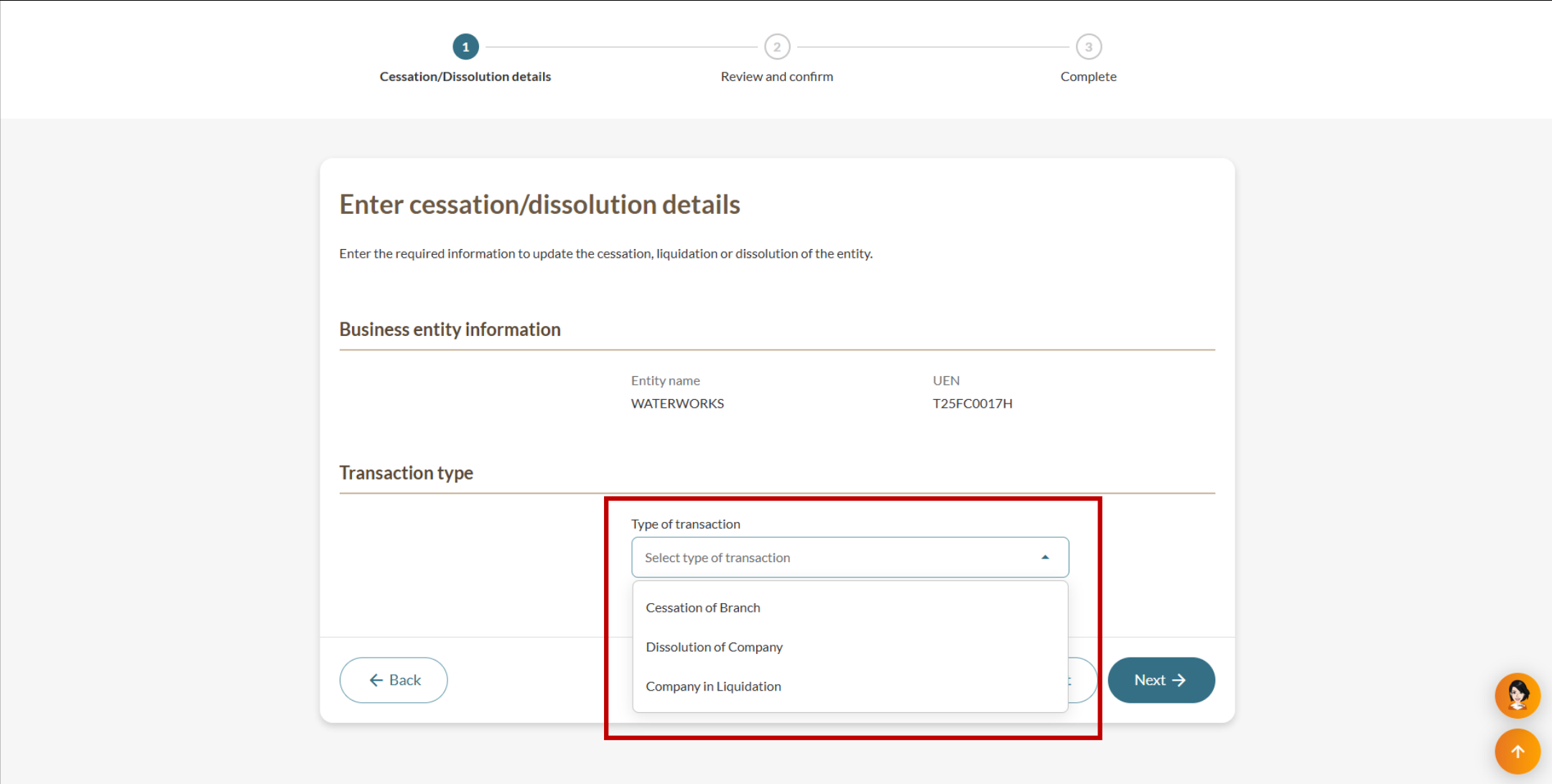
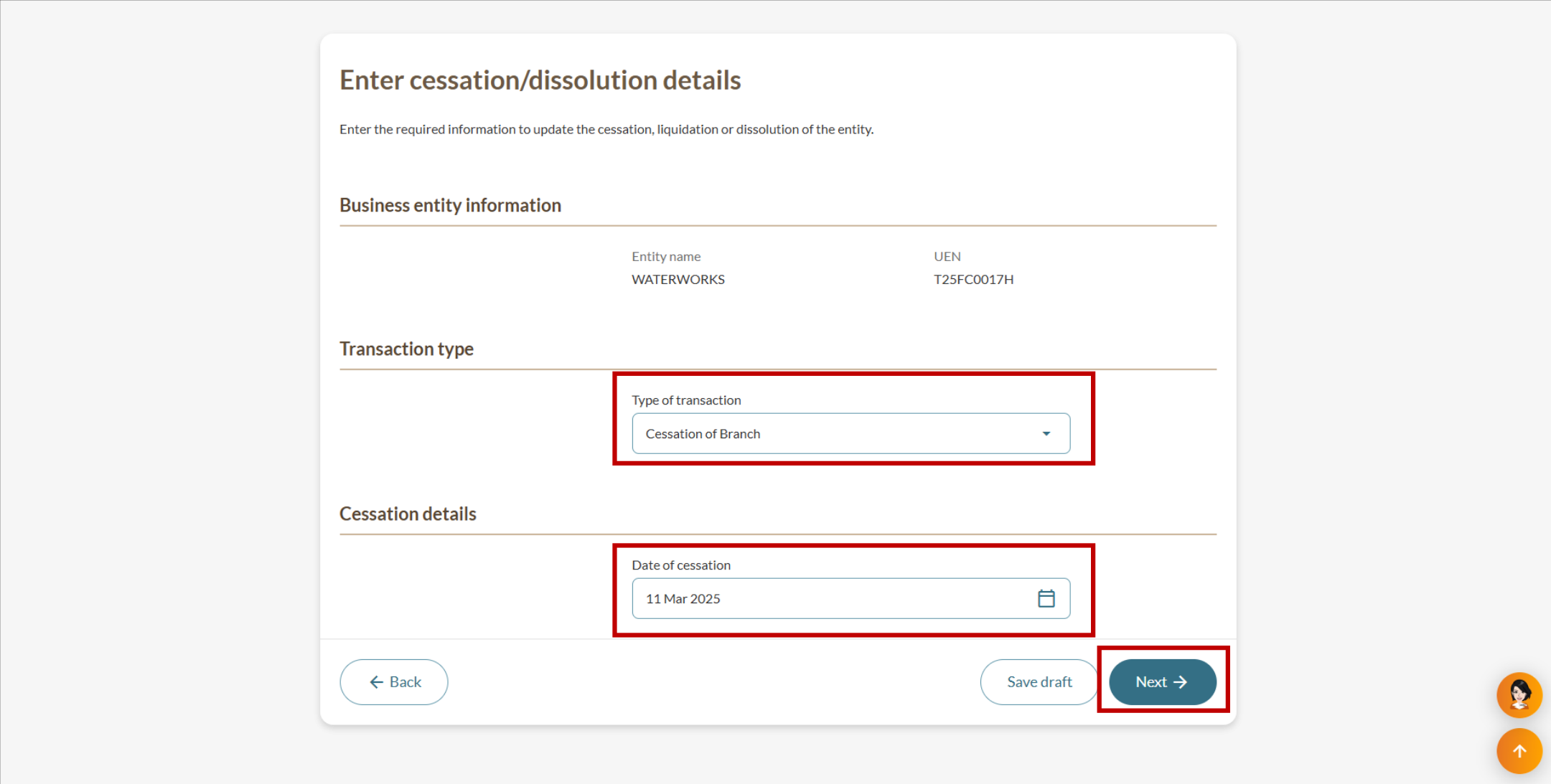
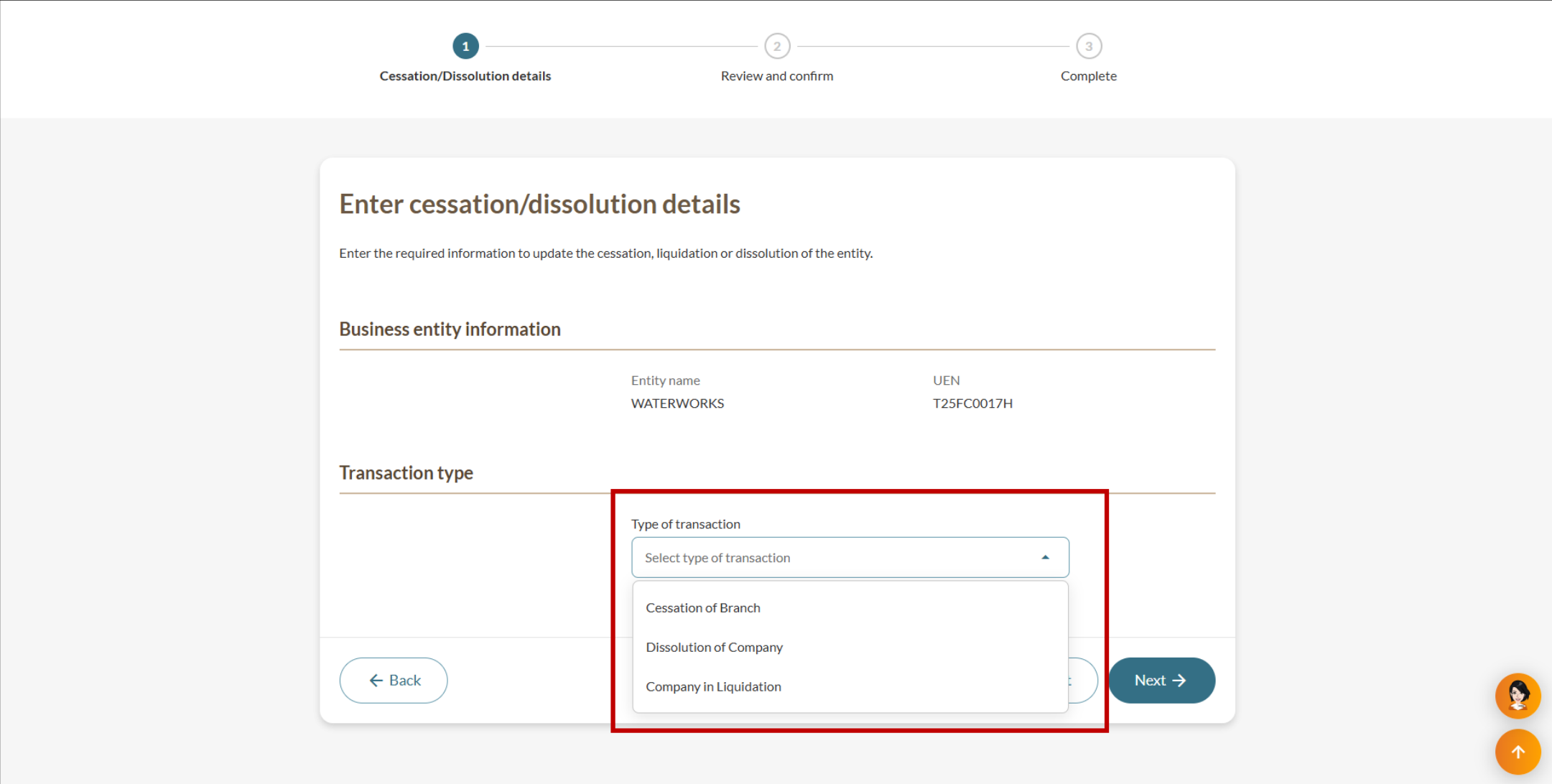
Step 2: Select the transaction type and enter the details
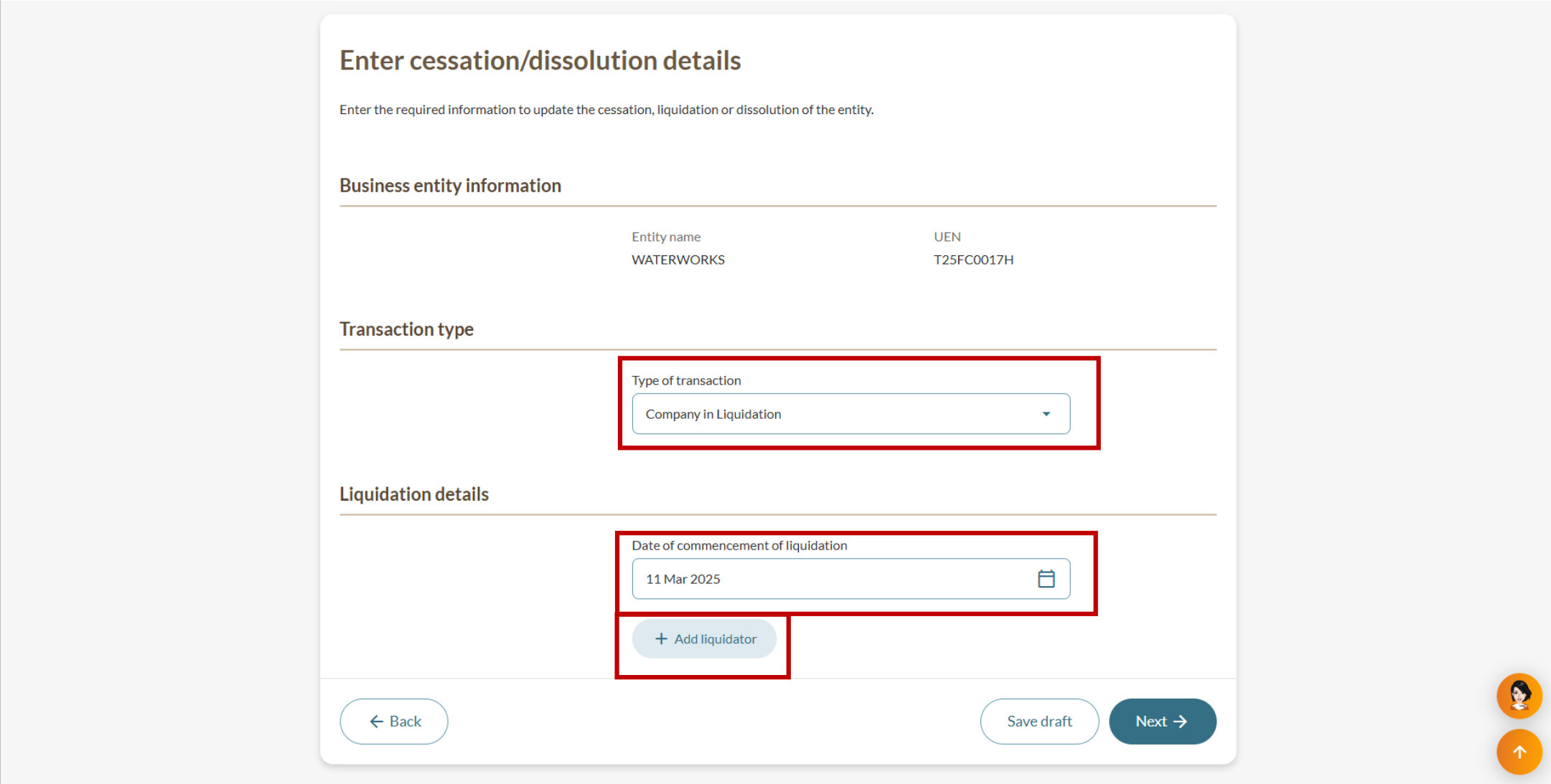
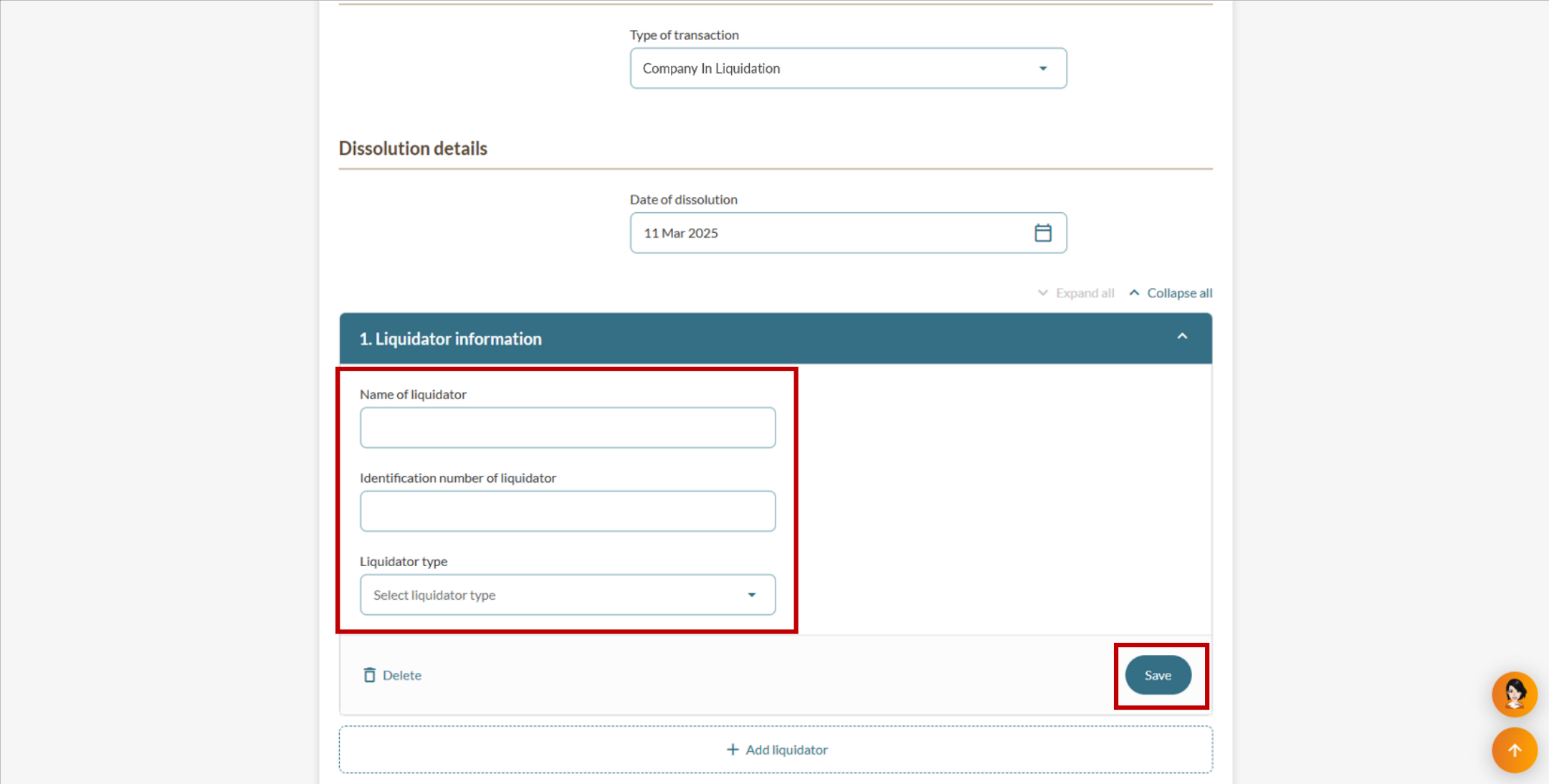
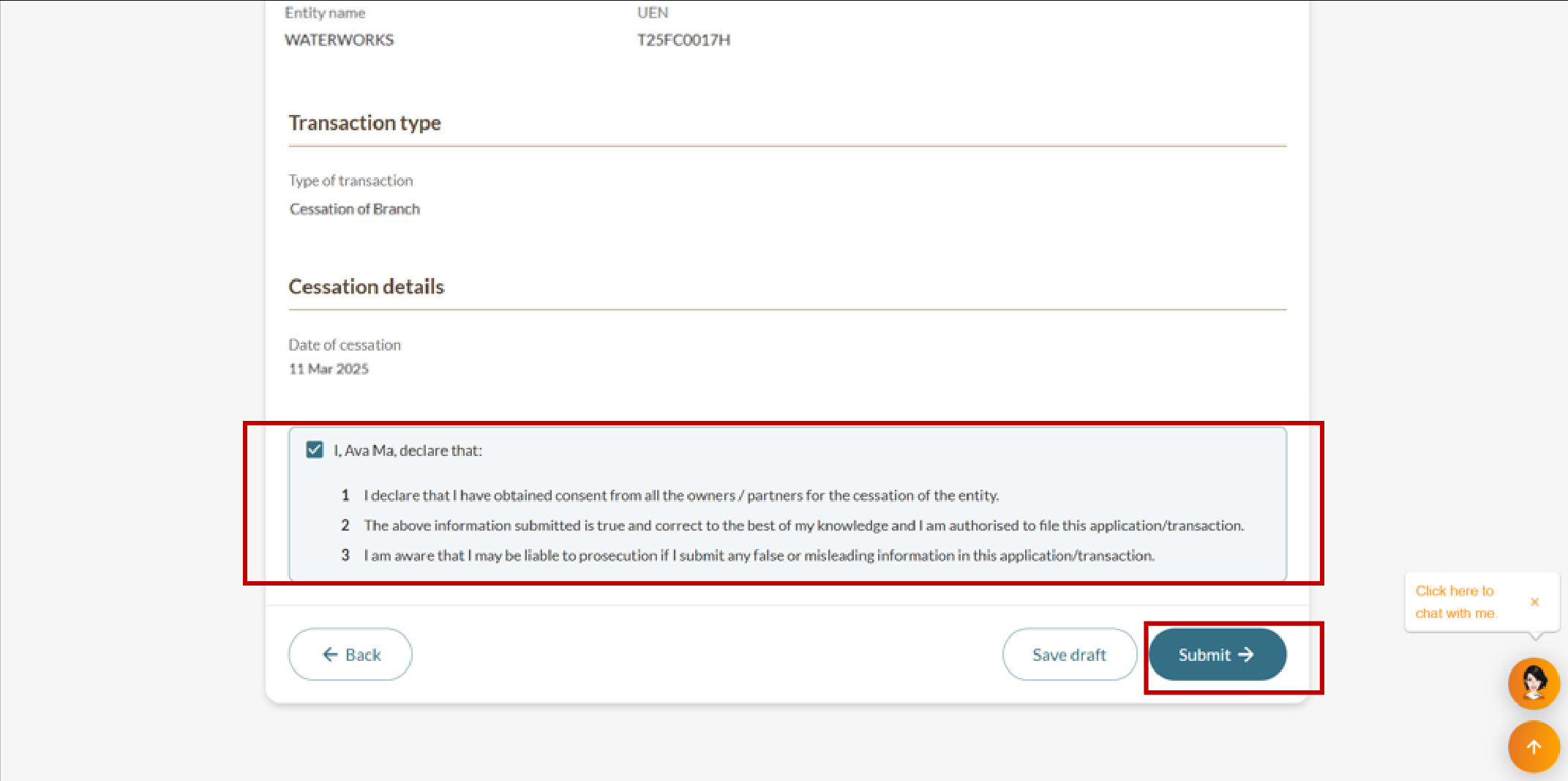
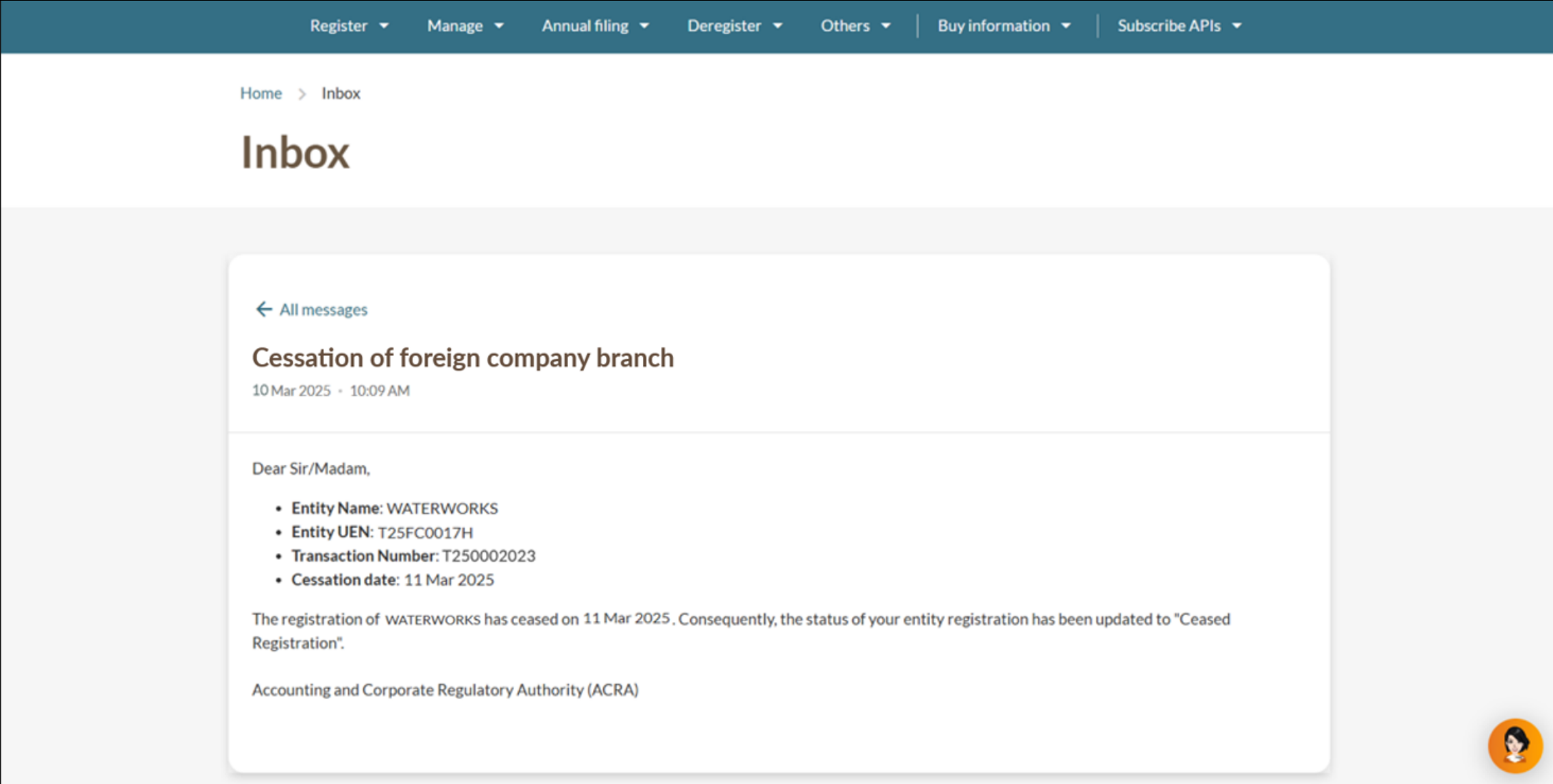
Follow the relevant steps below for your transaction type.
Cessation of foreign company branch
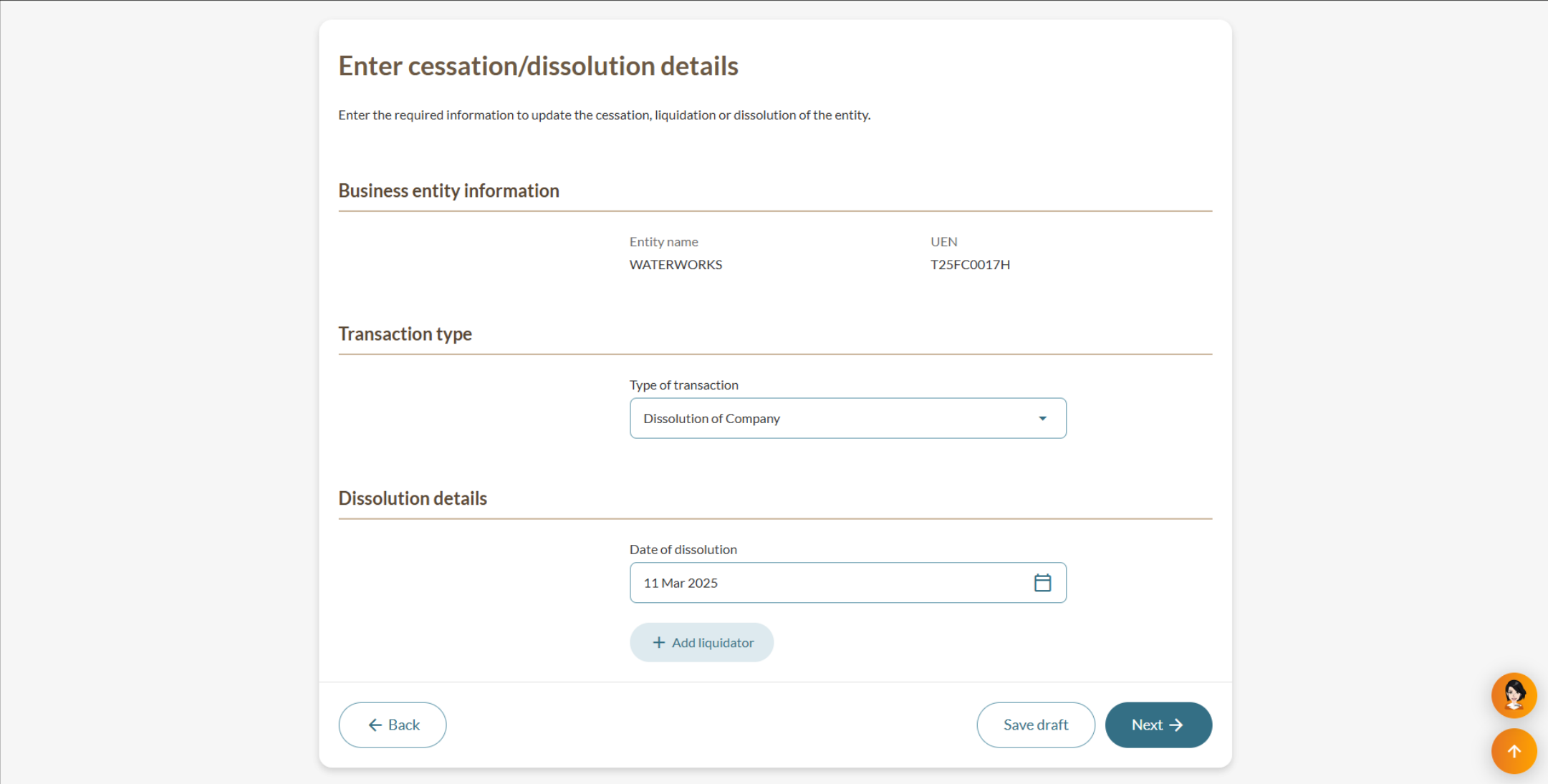
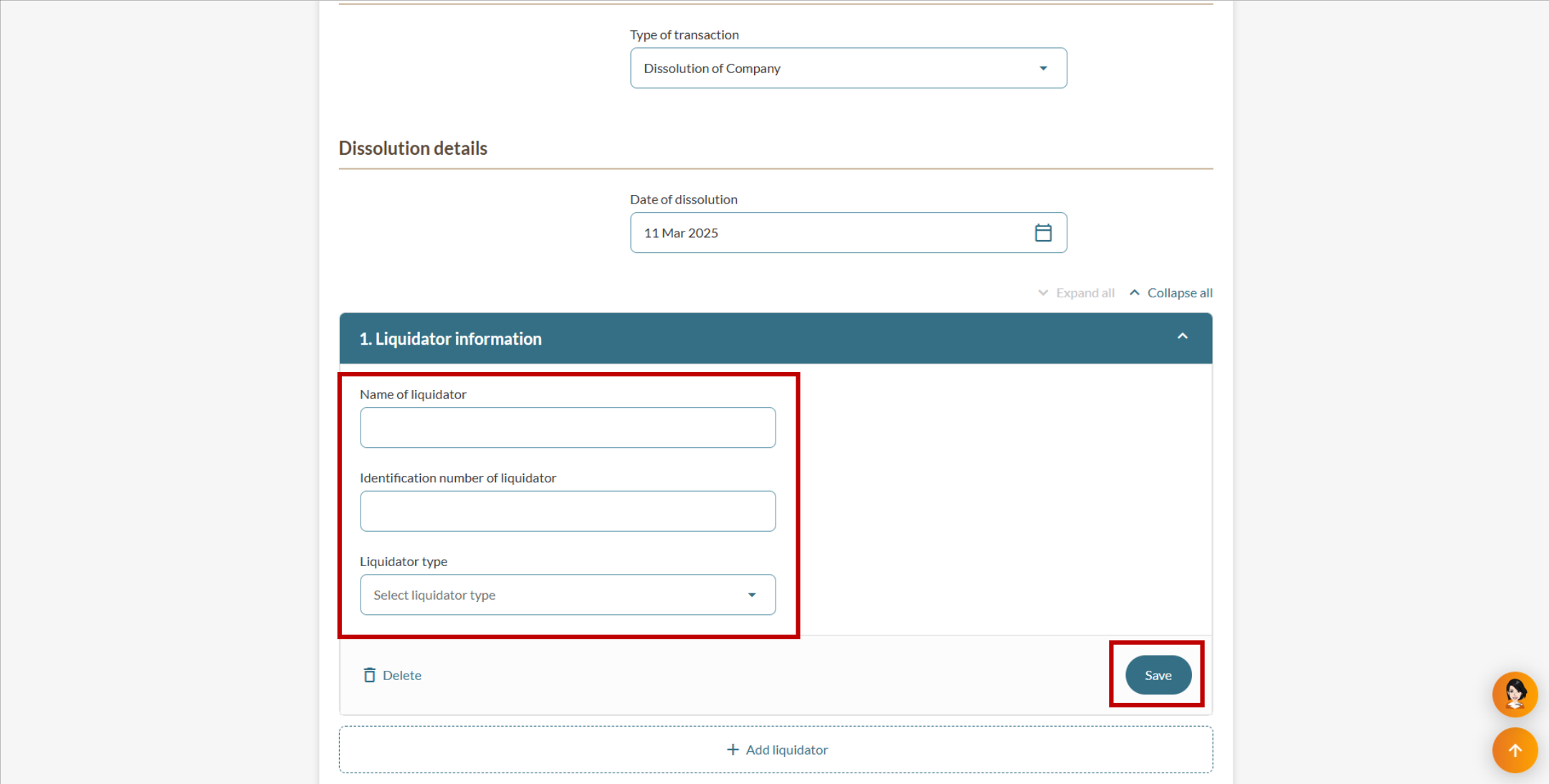
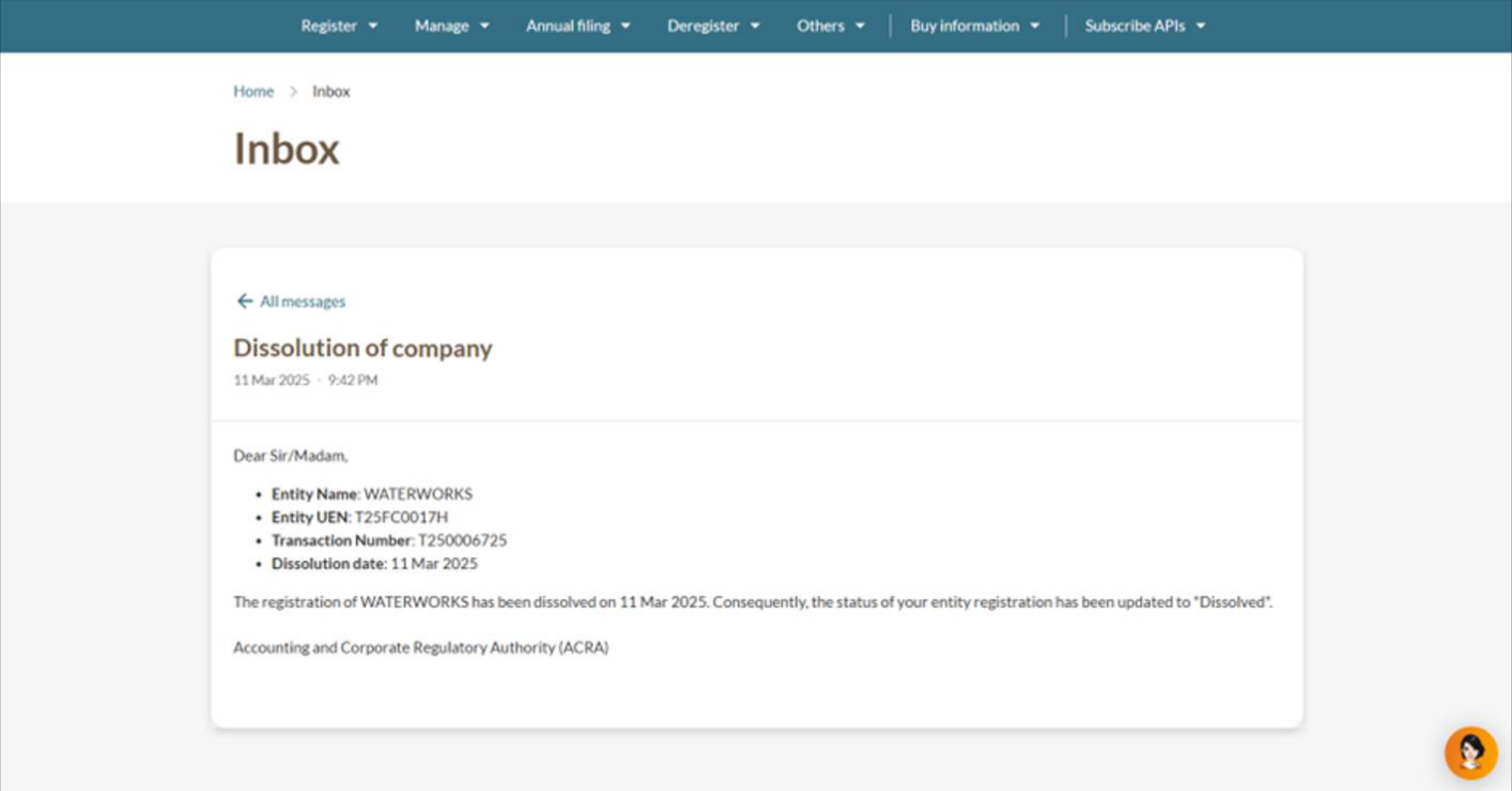
Dissolution of foreign company branch
Liquidation of foreign company